

How reviews impact ASO: the real mechanism

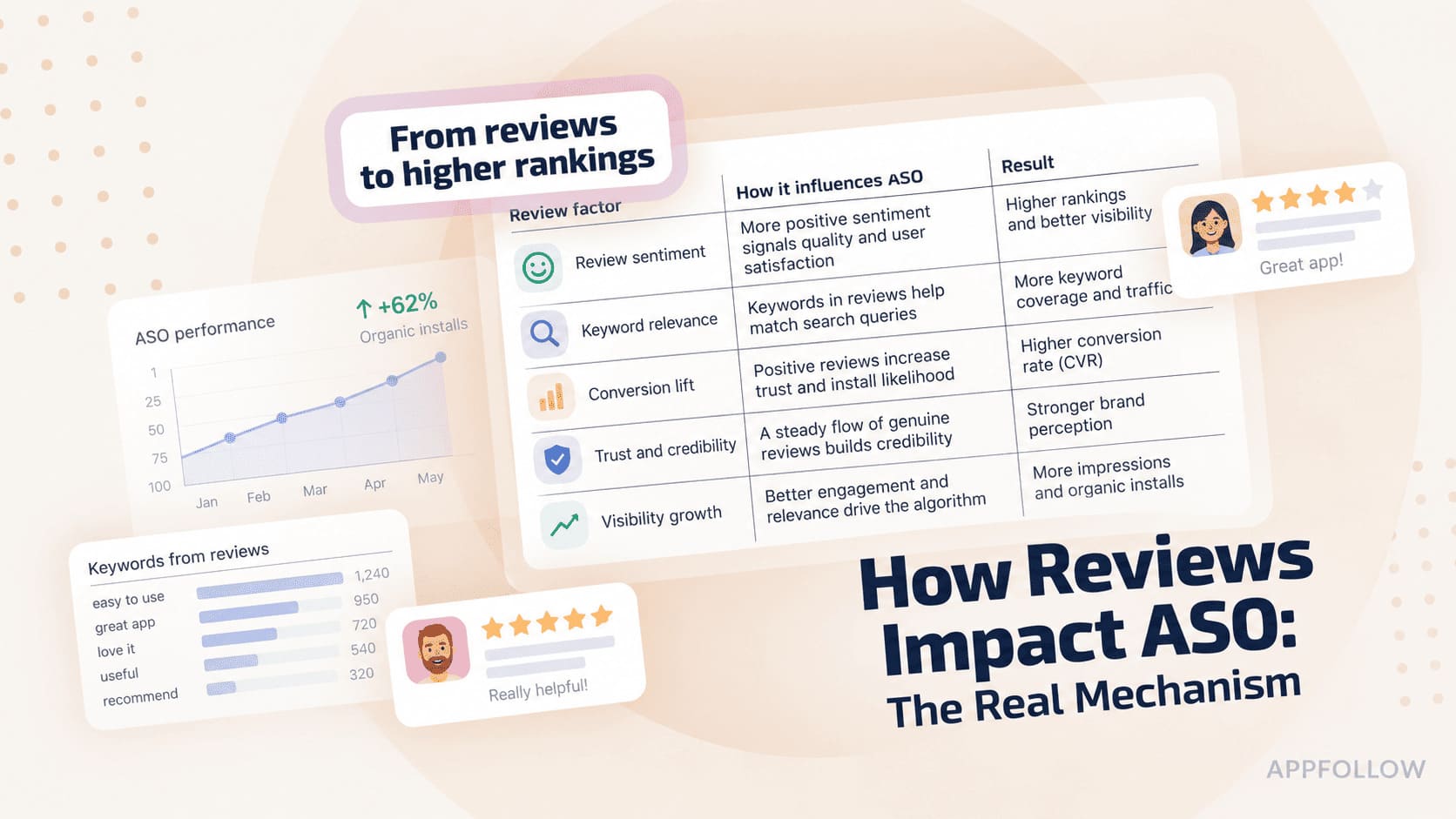
Table of Content:
Reviews reach ASO through three routes, and only one of them is algorithmic. That's why a rating drop so often gets misdiagnosed as a listing problem: conversion softens first, rankings follow weeks later, and by the time the lifetime average catches up the damage has a head start.
Ratings and reviews feed visibility, conversion, and relevance. The mechanics differ between the App Store and Google Play, so don't assume the same playbook transfers across both stores.
Apple states it directly. Its App Store search documentation says results rest on "text relevance (matches for your app's title, subtitle, keywords, and primary category), as well as user behavior (downloads, ratings and reviews, and more)."
So, do app reviews affect App Store ranking? Yes, but not as "more five-star reviews equals higher rank." Your star rating changes conversion, review velocity exposes a quality shift, and review language surfaces relevance signals worth feeding back into metadata.
This is written for ASO and app-growth managers with enough review volume that reading the inbox chronologically stopped working. It draws on Apple and Google's documentation, AppFollow's app reputation benchmarks 2026 covering 92.9M reviews across roughly 20,700 apps, and the workflows our Professional Services team runs with customers.
Here's what it closes:
- Which of the three signals is actually algorithmic, and which two get misread
- Where rating thresholds bite, and what to use instead of a flat 4.5 target
- Why replying lifts ratings in one category and lowers them in another
- The weekly loop that turns review language into validated keyword tests
Key insights
- Reviews reach ASO by three routes: ratings are a named App Store search signal, your star rating changes install conversion, and review text exposes vocabulary your metadata missed. Only the first is algorithmic.
- Replying lifts ratings by +1.39 in Health & Sports and drops them by -0.58 in Education, measured across 92.9M reviews. Reply coverage isn't the goal, and in some categories it's the wrong target entirely.
- Velocity warns you earlier than the average does. Your lifetime rating is diluted by everything that came before, and on the App Store it carries no recency weighting at all.
- Category average is your threshold, not 4.5. The 2026 spread runs from 4.36 at the top to 3.77 at the bottom, so an identical 4.1 is a liability in one category and an advantage in another.
- Two alert lines are worth hard-coding today: 3.5 stars, and your category average, whichever sits higher.
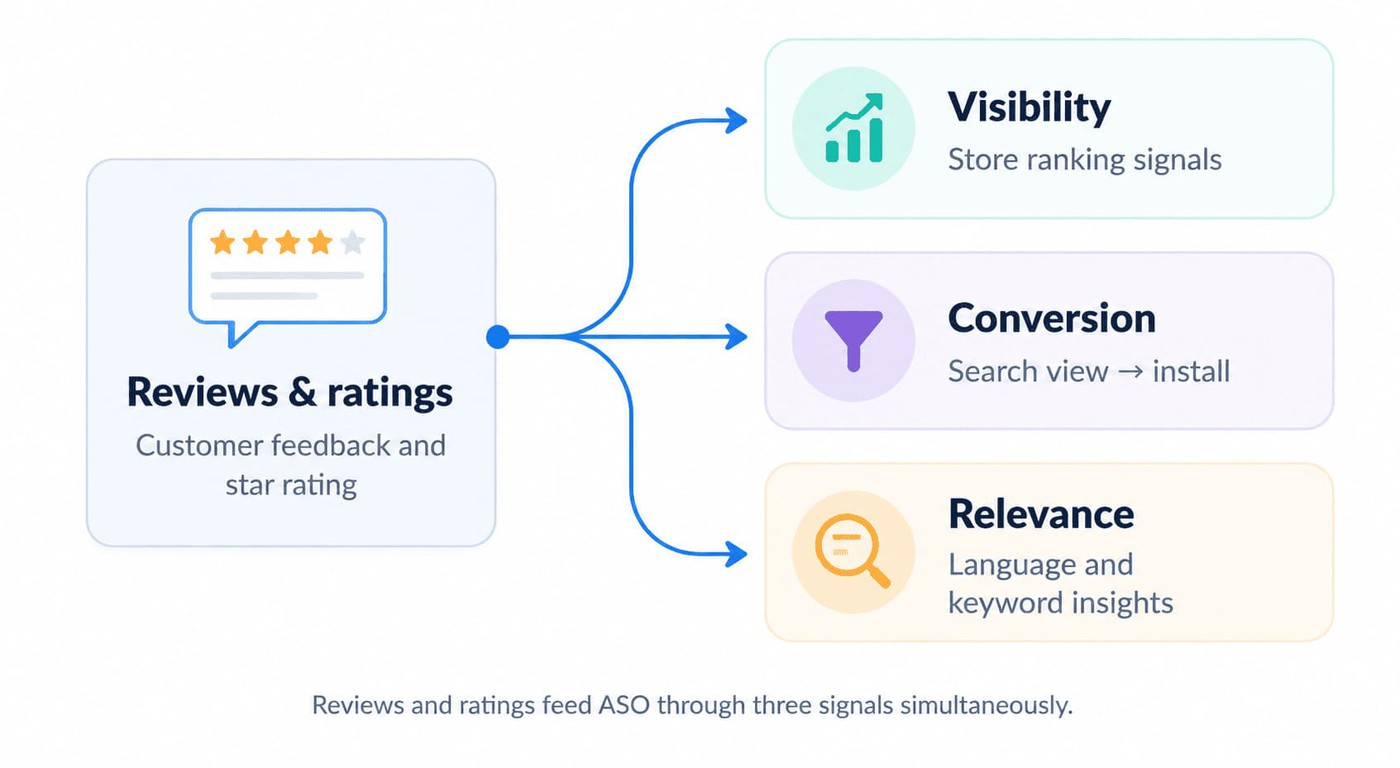
How reviews and ratings actually feed ASO
Three signals make the relationship diagnosable: visibility, conversion, and relevance. Reviews shape how stores assess your app, how people react when they find it, and what you learn from the words they use. Keep the scope honest, though. Reviews are one input among the broader ASO ranking factors, not a ranking system of their own.
What counts as a review signal in ASO?
A review signal in ASO is any part of your ratings and reviews that store ranking systems read, or that a user reads before deciding to install. Three things qualify: the numeric rating, the volume and recency of the ratings behind it, and the text of the reviews themselves.
Two neighbouring concepts get confused with it. A review signal is not a ranking factor you control directly the way a title or keyword field is, because users generate it and you only influence it. It is also not a reputation metric, which measures how your team handles reviews rather than what the store does with them.
Ownership follows from that split. Rating and volume belong to whoever owns product quality and prompt timing. Review text belongs to ASO, because it carries language. Reply behaviour belongs to support, and it feeds straight back into the first one.
A food delivery app at 4.1 in a category averaging 4.36 has all three live at once: the rating sits below the pack, recent velocity says whether that's recovering, and the reviews are probably full of "late" and "wrong order" in words the listing never uses. Our primer on app ratings covers how each store builds the number itself.
The visibility signal: ratings, volume, and velocity
Ratings and reviews are a documented App Store search signal, and text relevance sits in the same Apple sentence, which means a strong rating will not rescue an irrelevant listing.
Google Play arrives at a similar place by a different route. Ratings and reviews feed its quality and discovery systems, and the number users see is recency-weighted.
Google Play's ratings documentation puts it plainly: "the rating that users see on Google Play is weighted towards more recent ratings to reflect changes and updates that you make to your app." A Play rating is a trailing indicator of the last few months, not of an app's whole history.
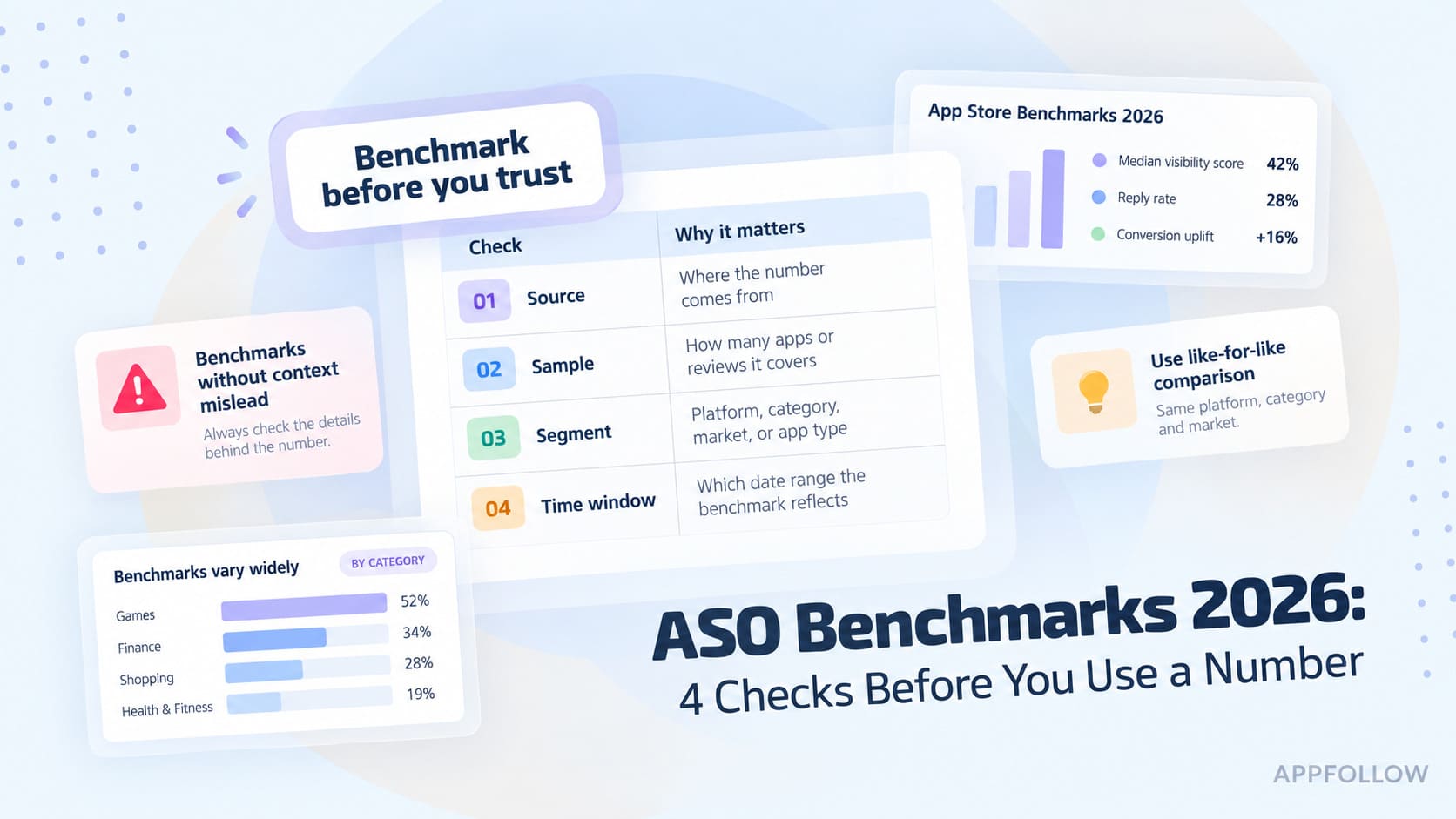
AppFollow's 2026 benchmarks put the industry rating spread between 4.36 at the top (Productivity) and 3.77 at the bottom, where Social and Auto & Vehicles sit.
Set two alerts: 3.5 stars, and your category average, whichever sits higher.
A flat 4.5 target misleads teams in half the categories on the store, because the number means nothing without the neighbourhood.
Volume changes the weight of all of it. A 4.8 built on 200 reviews carries less algorithmic weight than a 4.6 built on 12,000, which is why a small app's rating swings look dramatic and mean little, while a large app's 0.1 slip represents thousands of people.
Ratings become much more useful when you stop treating the average as a standalone KPI. I want to see what happened to rating velocity around the release, whether keyword positions moved afterward, and whether the change holds.
Yaroslav Rudnitskiy, Senior Professional Services Manager, AppFollow
Rating signals move in a fixed sequence, and knowing it explains why teams feel permanently late. Velocity moves first, since it reflects only the reviews arriving now. The average moves second, diluted by everything that came before. Rank moves last, if it moves at all. Watching the average means reading the slowest number in the chain.
Holding period matters as much as sequence. A 3-day spike after a launch push tells you about the push, not the product, so give any change two full weeks before concluding anything.
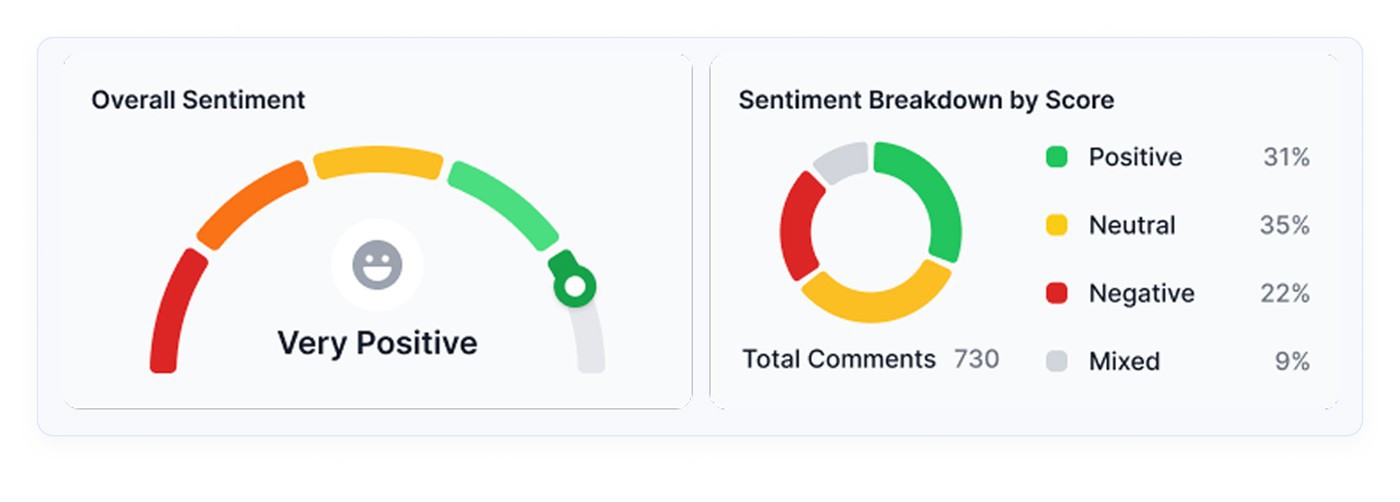
Sentiment moves earlier still, because it reads text instead of waiting for stars to accumulate. AppFollow derives its customer sentiment score from the balance of positive against negative reviews, which surfaces a regression within 24 to 72 hours of a release.
The conversion signal: how your star rating decides installs
Do app ratings affect downloads? Yes, and the route into ASO runs through installs. Apple counts downloads among its customer-behavior search signals, so a weaker install rate feeds back into the loop that produced the impression. That is the mechanism behind "the rating drop cost us rankings."
Apple's ratings and reviews guidance adds a warning worth reading before anyone reaches for the reset button: while resetting your summary rating makes it reflect your current version, "having few ratings may discourage potential users from downloading your app." A bad history can be wiped, but the result is a thin listing, and thin listings convert worse.
A 1-star listing beside a 4.5-star competitor has a trust problem to solve before its screenshots, copy, or features get a turn. Our analysis of app rating impact covers what happens to installs at each stage of a decline.
Here's what I check first: the rating trend against install conversion.
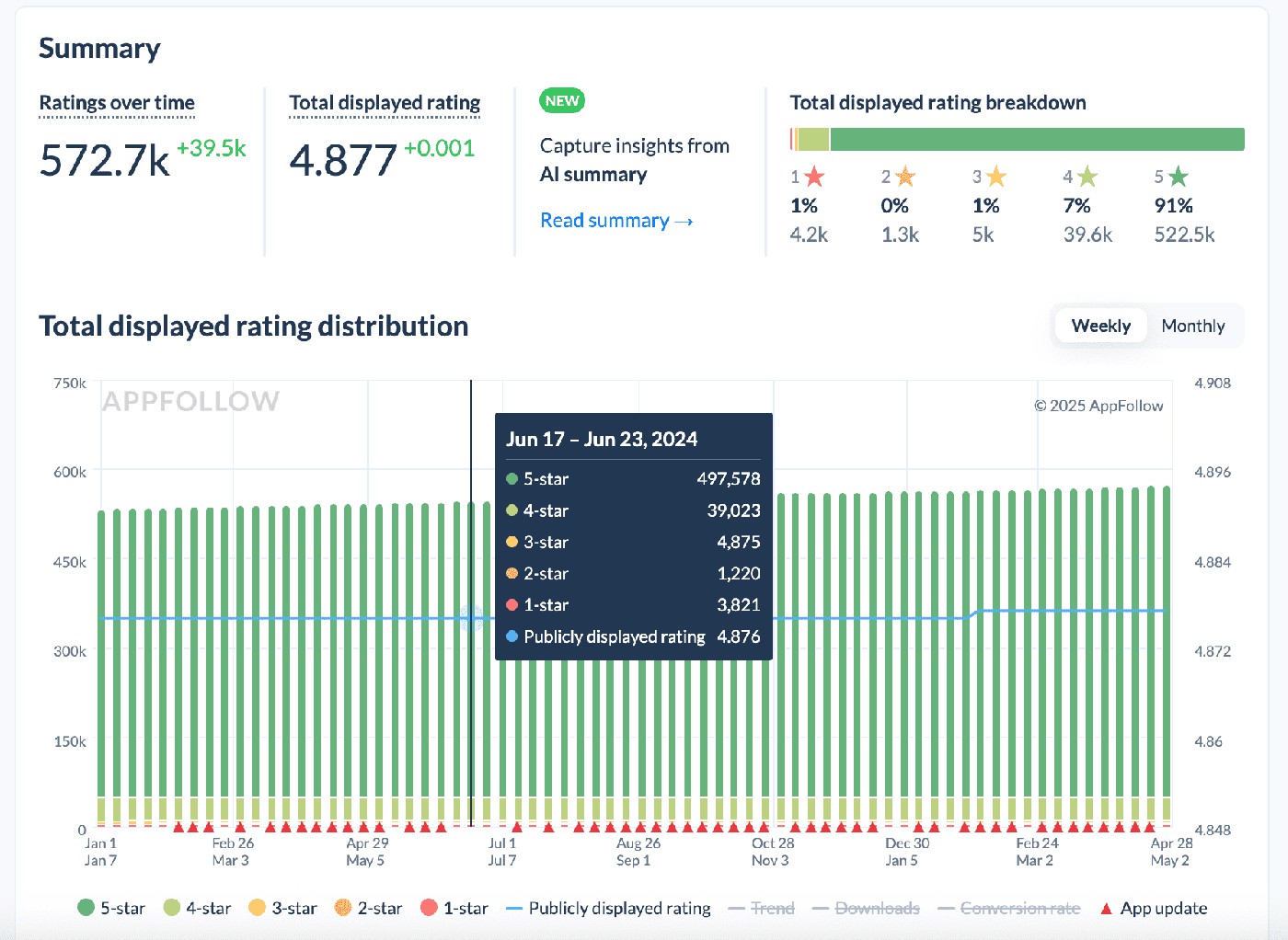
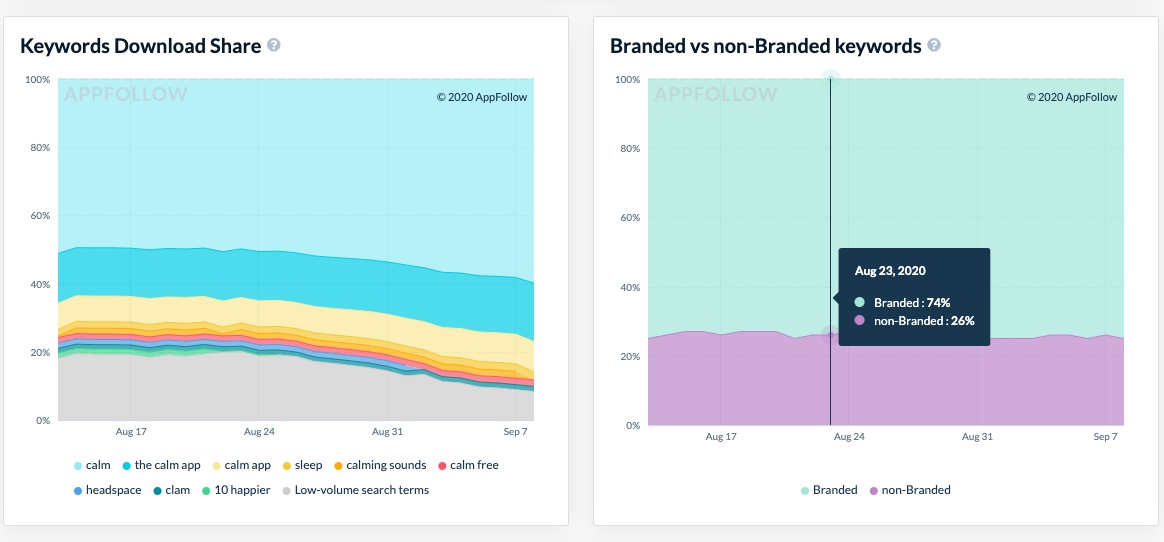
Two trends changing direction in the same week point at reviews. Read the new negative reviews before rebuilding screenshots. Conversion falling while the rating holds flat points somewhere else entirely, and reviews are a red herring.
The relevance signal: the keywords hiding inside your reviews
Stars tell you how customers feel. Their words tell you what they call the product.
Reviews surface feature names, jobs-to-be-done, complaints, and phrasings your metadata research missed, usually because your team named the feature and your users didn't agree. Recurring language is a keyword hypothesis, not something to paste into the listing.
Google's discovery systems use user feedback to understand app quality and relevance, but review text does not get indexed as keywords. The safer play is to mine the language for semantic patterns, then validate promising terms on volume, difficulty, and existing rankings before anything reaches the store.
Mining needs help at scale. Sentiment scoring and semantic tagging sort thousands of reviews into recurring themes, which is the only realistic way to spot a phrase appearing 340 times without reading 340 reviews. AppFollow's customer sentiment analysis handles the scoring, and custom semantic tags let you define categories that matter for your app rather than accepting generic buckets.
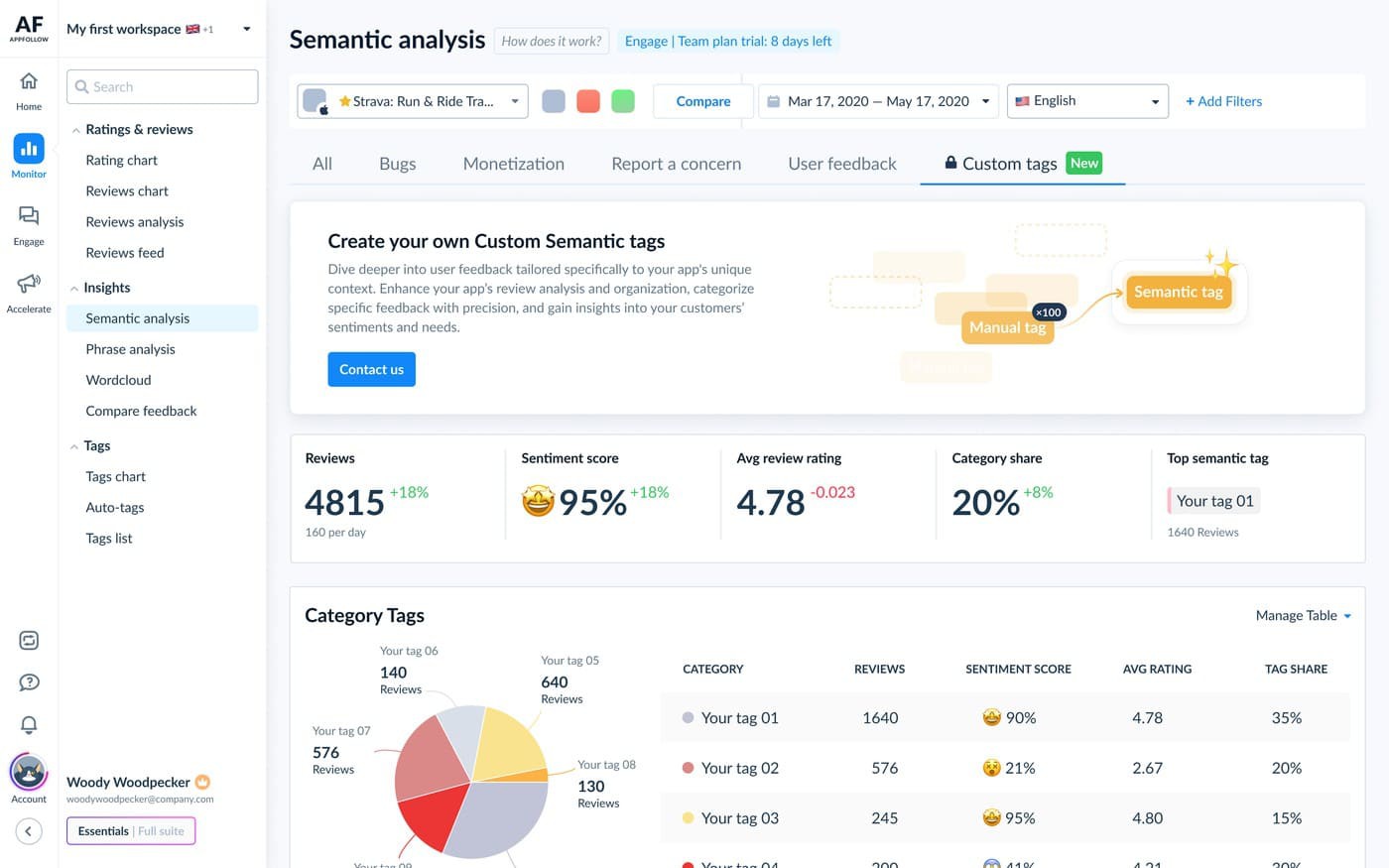
Candidates then need somewhere they can be judged. In the ASO keyword rankings tool, each term carries Popularity, Difficulty, and a Keyword Effectiveness Index, so a phrase your users love but nobody searches gets killed before it costs a metadata slot.
cta_free_trial_yellow
What the data shows: reviews, ratings, and ranking movement
Apple and Google both document that ratings and reviews feed discovery, yet neither publishes a formula converting a rating change into ranking positions. Treat ranking movement as correlation unless you can isolate the variables around it.
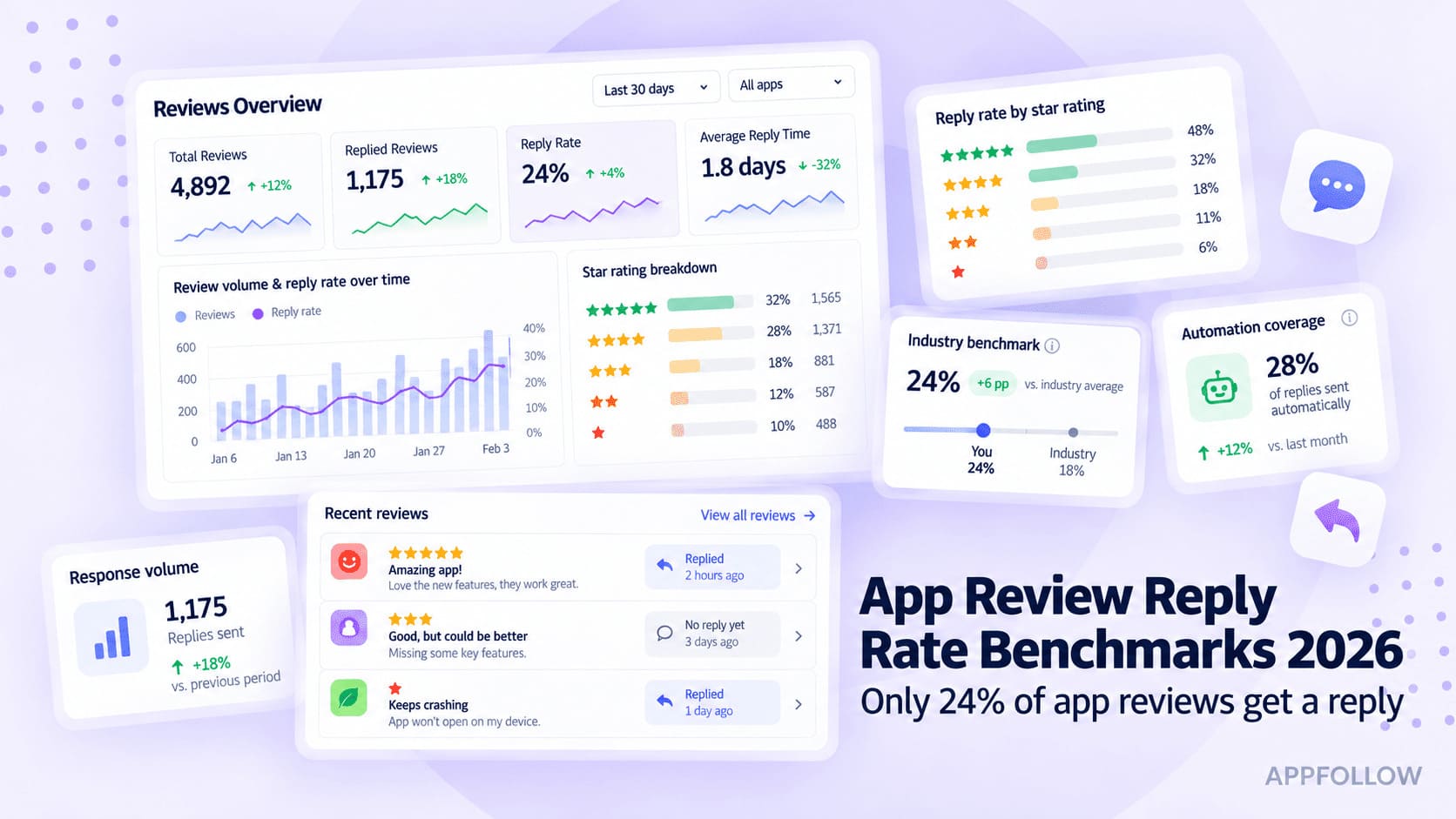
Replies are the exception, because they're the part you control and the part that has been measured. Across 92.9M reviews between July 2025 and July 2026, AppFollow's benchmarks put the market reply rate at 24.5%, so three in four app reviews go unanswered. Teams on AppFollow reply to 41%.
The effect of those replies on rating is not uniform, and that is the finding worth carrying into your SLA. Health & Sports sees replies move the rating by +1.39. Education sees -0.58. Same behavior, opposite outcome, which means the effect tracks what users expect from your category rather than replying being inherently good. Reply speed splits along similar lines, with Finance averaging 43 hours against Education's 204.
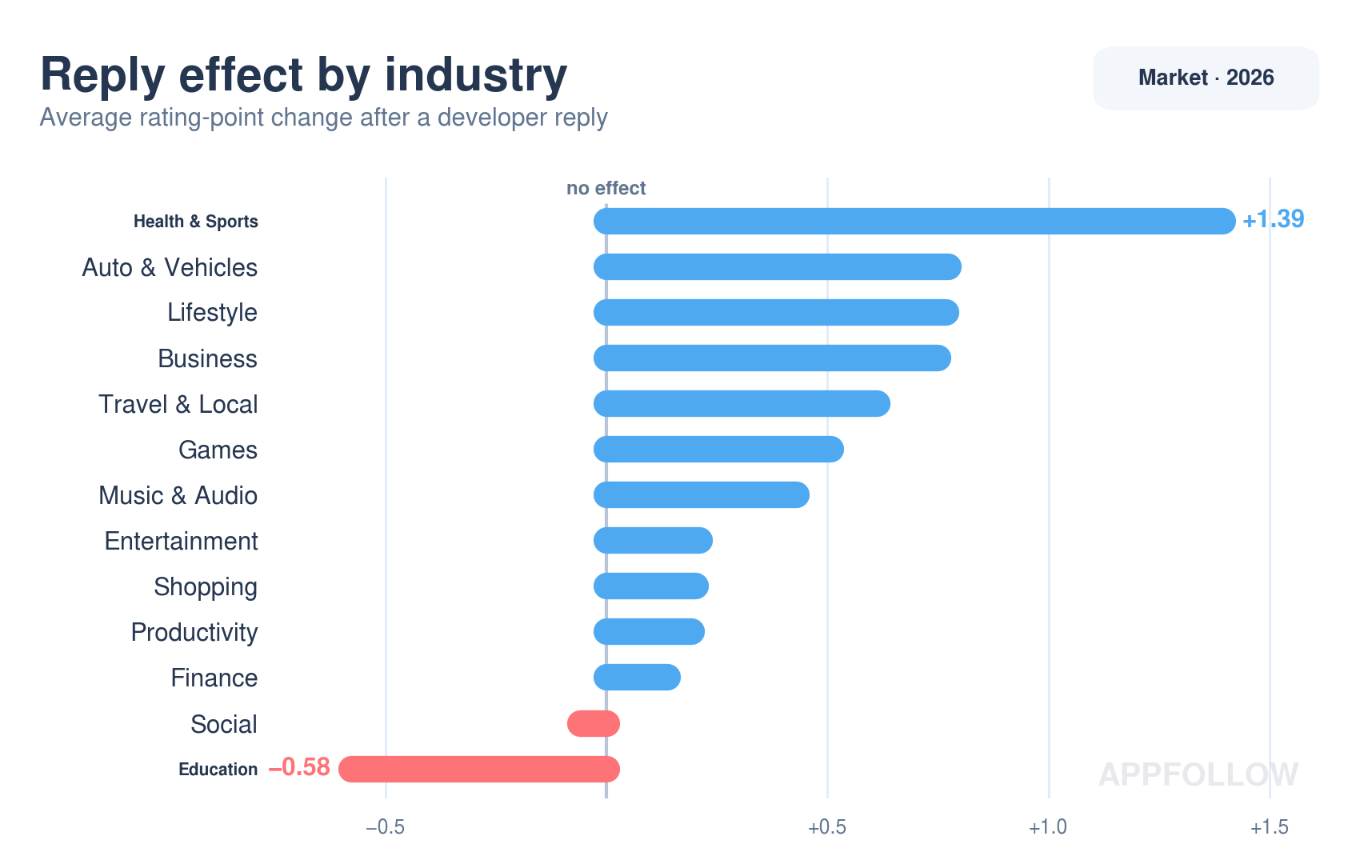
Replying moved ratings in opposite directions depending on the category. Across 92.9M reviews, Health & Sports gained 1.39 stars on replied reviews while Education lost 0.58.
Rating thresholds: where the drop-off gets expensive
No universal line exists where 4.2 is bad and 4.3 is fine. Your benchmark is the competitive set on the results page, and the category average is a defensible proxy for it.
The 2026 spread gives you the calibration. A category clustered near 4.36 makes 4.1 visibly below the pack, even though 4.1 sounds healthy in isolation. Over in Social, where the average is 3.77, that same 4.1 becomes an advantage worth protecting.
Below 3.5 stars, visibility drops measurably, and above 4.0 the relationship between rating and ranking tightens, per our ASO ranking factors analysis. Those two numbers are the alert lines. Crossing either one downward stops being a monitoring question.
Games need their own baseline. The gaming app reputation benchmarks 2026 report breaks out rating, reply, and sentiment figures by genre, and average mobile game rating 2026 gives the store-level picture.
Review velocity after an update or feature
Lifetime review count tells you scale. Velocity tells you what's happening now, and it catches a bad release while you can still act on it.
Baseline first: your median daily new-review count and median daily rating over a stable 30-day window, calculated per store. Then watch for the break.
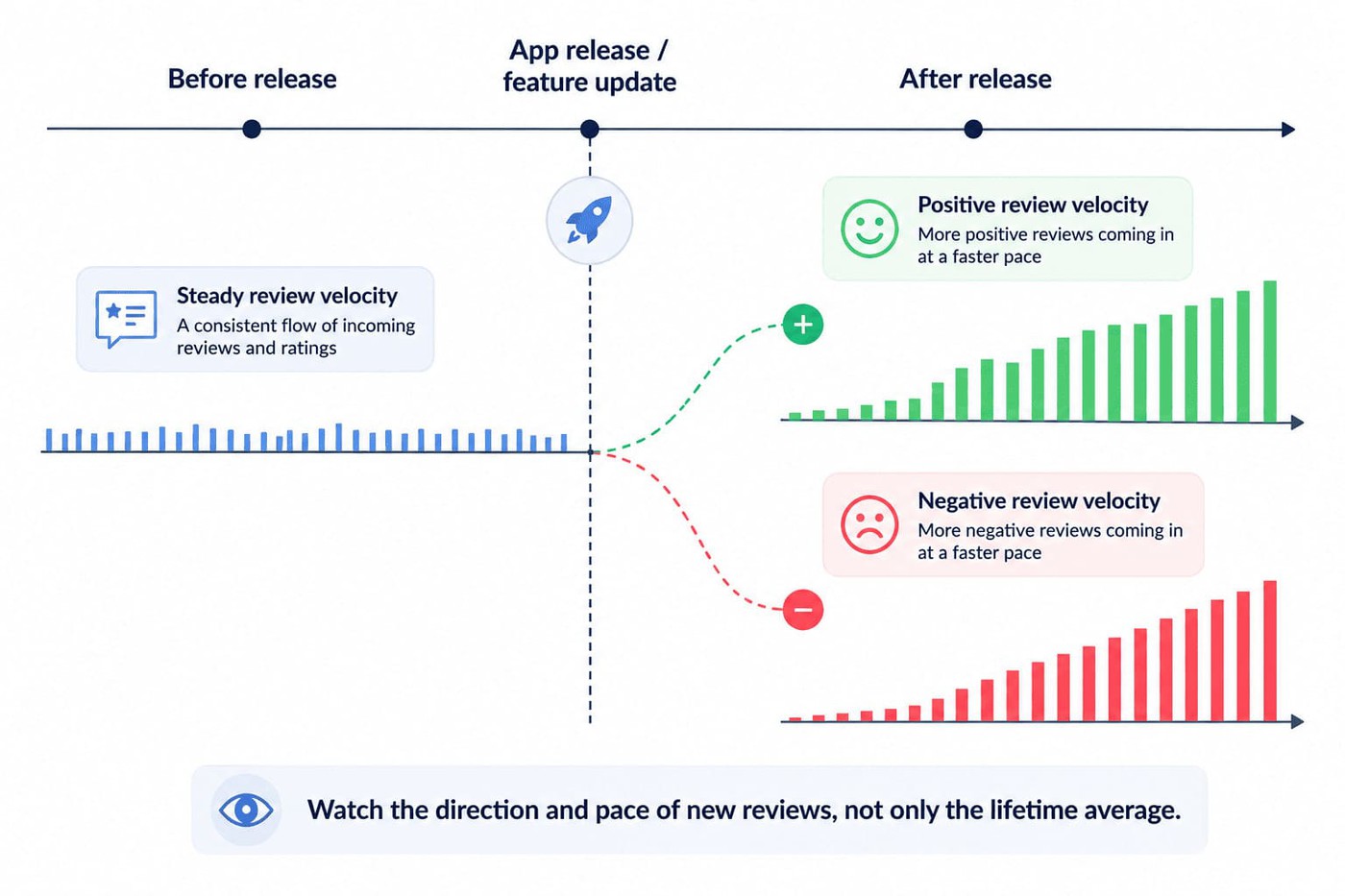
A run of three days where new ratings land more than 0.5 below that median, or where 1-star volume more than doubles, reads as a release regression rather than noise. Those are starting values, not laws. Tighten them if your volume is high enough that they fire weekly, loosen them if a single angry Tuesday sets them off.
Verify by checking whether the affected reviews cluster on one version number. Spread evenly across builds, and the cause is external, a payment provider outage or a store-wide issue, where shipping a hotfix changes nothing.
Annotation makes the timeline readable. Releases, LiveOps events, monetization changes, crash spikes, and ratings-prompt changes all go on the same axis as new ratings. A negative spike sitting directly under a version marker is diagnostic. The same spike found six weeks later is an obituary.
Prompt timing changes velocity directly, so it belongs on the same chart. Ask after a meaningful positive interaction rather than at an arbitrary session count, then watch the two weeks that follow.
Games get hit hardest, since a single balance change can turn a rating inside a weekend. Game rating drop recovery covers the dig-out if that has already happened.
App Store vs. Google Play: same reviews, different rules
You need two playbooks, because the stores don't calculate, reset, or display ratings the same way.
Mechanic | App Store | Google Play |
|---|---|---|
Rating calculation | Summary rating is specific to each territory | Displayed rating is weighted toward recent ratings |
Reset option | Developer can reset the summary rating when releasing a new version | No equivalent version-release reset |
What that means for you | A bad launch in one market stays contained to that market | A bad quarter fades on its own if the next quarter is better |
Ranking role | Ratings and reviews are named search signals | Reviews feed quality and discovery systems |
The practical consequence sits in the third row. On Google Play, time is on your side after a bad patch, so shipping the fix and driving fresh ratings is usually enough. The App Store gives no such help, because the territory rating holds its shape until you either out-volume the old reviews or reset. Resetting costs the volume that made the rating credible, which loops back to Apple's own warning.
Check the current rules in Apple's ratings and reviews overview and Google Play's ratings documentation before designing a workflow around either store.
cta_get_started_purple
The weekly workflow: turning reviews into ASO gains
Run this as a weekly loop: monitor, respond, feed back, measure. Cadence matters because review problems age badly. A complaint tied to yesterday's release is evidence. The same pattern found six weeks later explains damage already done. This is the operating routine I use for managing app store ratings and reviews.
1. Monitor and segment reviews across stores
Start by getting App Store and Google Play feedback into one view, which matters most when you run several apps or locales. AppFollow pulls reviews from the App Store, Google Play, Steam, and Trustpilot into a single workspace once the store integrations are connected, and lets you choose whether an app's feed delivers negative reviews, positive reviews, or all of them.
Narrow it deliberately after that. Filter to your lowest ratings on the current version and group what's there with tags, so recurring complaints collapse into countable themes instead of a wall of individual opinions. What you're looking for is the break in the pattern: a velocity spike against your baseline, a sentiment shift, or a tag suddenly concentrated on the newest build.
Here's my Monday view: reviews filtered by rating and grouped by tag, current version only.
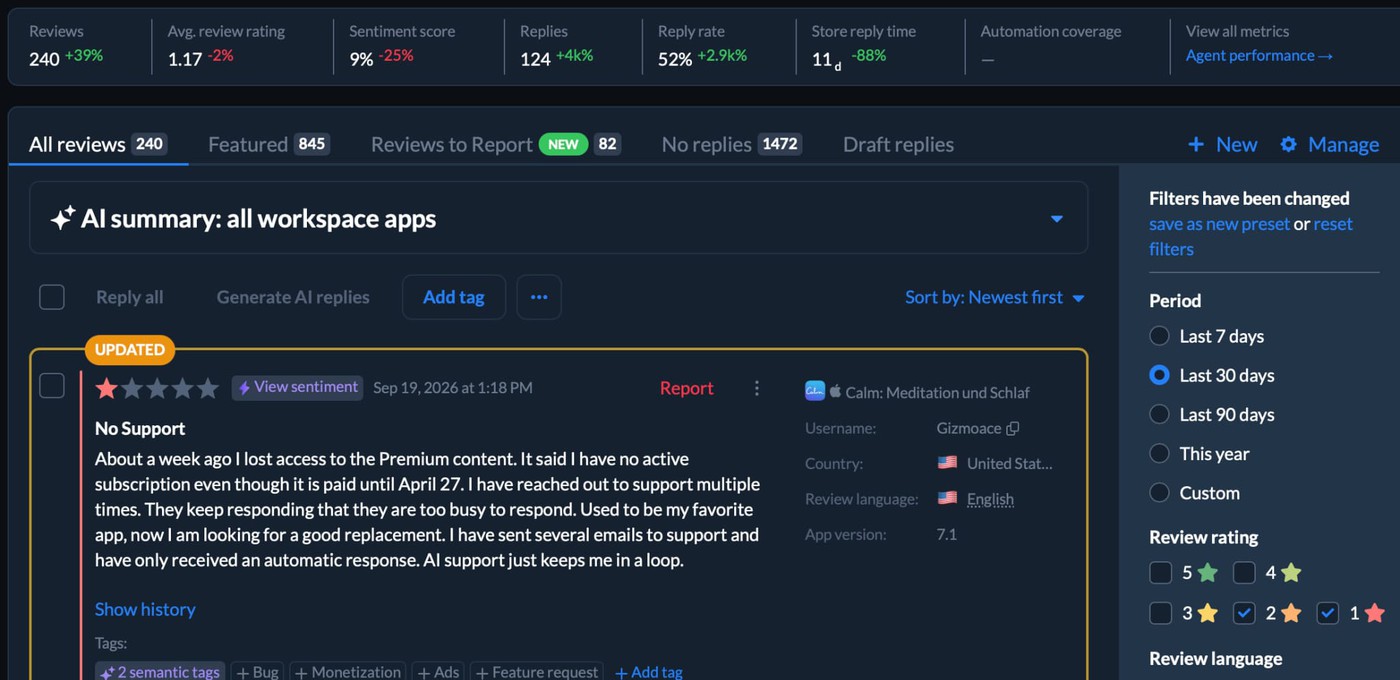
Triage by movement, not by age. A tag that jumped from 2% to 15% of your 1-star volume this week outranks a complaint steady at 20% for a year. The steady one is a known product trade-off that product already owns. The jump is new, which means something you shipped caused it.
Setting this up from scratch is covered in our guide to reputation monitoring. Past a few thousand reviews a month the bottleneck shifts from noticing to sorting, which is how to manage app reviews at scale and how to analyze app store reviews automatically both address.
2. Respond to protect rating and conversion
Three kinds of review are worth replying to for the rating: a bug you've fixed in a shipped build, a feature the user misunderstood and you can explain in two sentences, and a billing or account problem support can resolve today. Everything else gets a reply for the benefit of future readers.
Reviews outside those three rarely earn a rating update, so an SLA that treats them equally wastes the queue. The benchmark says the same thing: replying lifts the rating by +1.39 in Health & Sports and drops it by -0.58 in Education, so volume of replies is not the goal. Relevance is.
Speed still helps, within reason. Finance teams average 43 hours and that's the fast end of the market, so a 48-hour target on the solvable-issue queue is defensible without pushing anyone into empty responses.
Reply templates can carry the repetitive cases and AI-generated drafts handle the first pass, with a human taking over the moment context matters. Our templates for responding to negative app reviews cover the phrasings that tend to earn an update.
The failure mode to watch is template drift. Once coverage climbs past roughly 60%, generic replies start landing on reviews that needed a specific answer, and users call it out publicly.
Scale changes what's possible.
Toca Boca took its reply rate from 36.77% to 71.76% over a single half-year and added 26.7K stars to its post-reply ratings, a case broken down in our mobile game review management guide.
Roughly doubling coverage produced five figures of recovered rating weight, which is the argument for automating the repetitive half of the queue rather than hiring for it.
The useful SLA isn't "reply to everything immediately." Prioritize reviews where a response can change the outcome: a solvable product issue, a misunderstood feature, or a user who is still engaged enough to update their rating.
Ilya Kataev, Professional Services Team Lead at AppFollow
Engagement is the filter most teams skip, and it can be applied before writing anything. A user who left a detailed 2-star review last week is reachable, while one who left "bad" eleven months ago and churned is not. Sort the negative queue by recency and review length before sorting by star rating, and the reachable ones surface on their own.
Verify the loop by tracking rating updates on reviews you replied to, not reply count. Store consoles show the edit. An updated-rating share near zero after a month means the prioritization is wrong even when coverage looks healthy.
3. Feed review language into metadata and the roadmap
This is the stage most workflows skip, and skipping it is what keeps review management a cost centre. Split recurring feedback four ways: keyword opportunities, conversion friction, bugs, and feature requests. Only the first is yours.
Customer wording is valuable precisely because it's the language your semantic map missed. It still has to survive validation before touching metadata.
Run each candidate against Popularity, Difficulty, and Keyword Effectiveness Index, then check whether you already rank for a close variant, since adding a synonym you own can cost more than it gains. Our guide to ASO keyword cannibalization covers spotting that overlap across a portfolio. A phrase appearing constantly in reviews with no search volume is a product insight, not a keyword.
Change one metadata element at a time and give it a full 14 days, or attribution becomes guesswork. The common failure is shipping a review-sourced phrase alongside a new screenshot set in the same release, then arguing about which one moved the number.
Everything else belongs to someone else, and routing is part of this step rather than an afterthought. Bugs go to product with the tag and the volume attached. Repeated UX confusion goes to whoever owns that flow, and feature demand lands on the roadmap with a count beside it.
Selection and placement across both stores is covered in ASO keywords once you have candidates.
4. Measure the impact on rankings and conversion
Close the loop by putting rating, review velocity, conversion, and keyword rank on one timeline. Annotate it with releases, metadata edits, product fixes, and ratings-prompt changes. Without the annotations, six weeks from now you'll have movement with no context and an argument nobody can settle.
Track the terms you're testing in the ASO keyword rankings tool, which shows daily rank changes, all-time best position, and a rank history chart per keyword, plus a live ranking simulator for the ones you're actively moving.
Did it work? I check rating and keyword movement together.
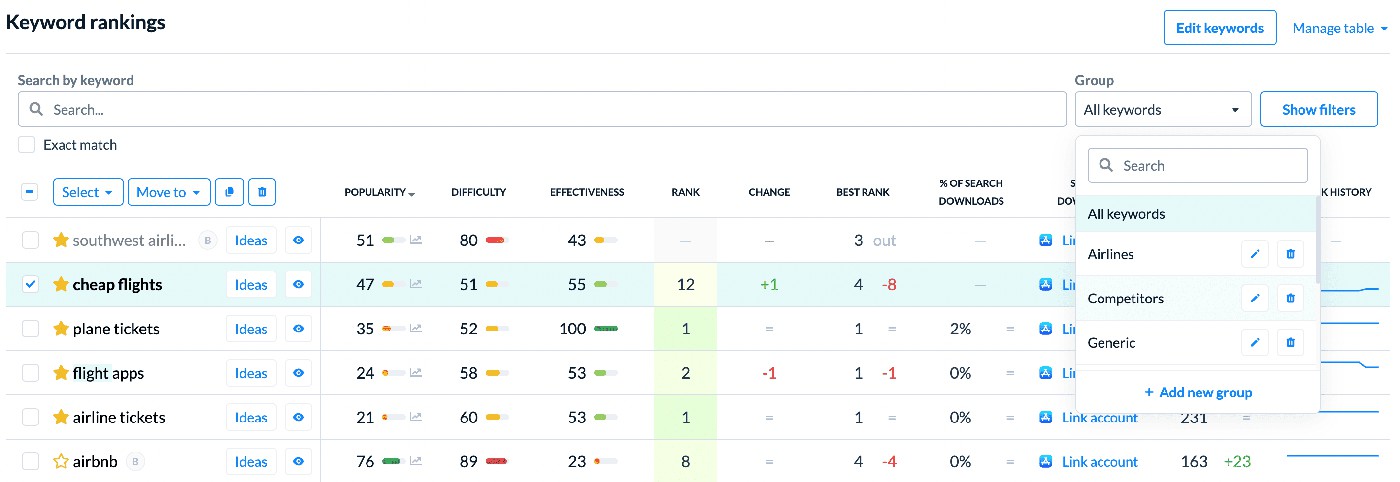
Four weeks is the minimum before calling it. Rankings recovering after rating and conversion improve means keep the change and keep watching. Rating recovering while rankings sit still means reviews weren't your constraint, so look at relevance, competitive shifts, or category saturation instead of pushing harder on the same lever.
cta_get_started_yellow
Mistakes that quietly cap your ASO
The three-signal model makes these easier to diagnose. Usually the problem isn't that nobody watches reviews. It's that the team watches the trailing signal, asks for ratings at the wrong moment, or leaves useful feedback stranded in a queue nobody else can see.
Watching the average rating and ignoring velocity
A 4.6 looks reassuring until the last two releases turn out to be averaging 3.8. The warning sign is specific: your lifetime rating barely moves while your weekly new-review average falls. On the App Store, where the territory rating has no recency weighting, that gap can stay hidden for months.
A rising 4.3 usually means the product is getting better. Sitting still at 4.6 can mean it's getting worse while history covers it. Neither number outranks the other, and direction of travel is what your alerts should watch.
Triggering the ratings prompt at the worst possible moment
Your ratings prompt should follow a moment of satisfaction rather than interrupt frustration. Crude session counts still trigger plenty of them, regardless of what just happened in the app.
Fire a prompt after a crash, a failed payment, an aggressive paywall, or a punishing level, and you've handed an annoyed user a shortcut to the store. Both StoreKit review requests and the Google Play In-App Review API provide the mechanism. Choosing the context is your job, and both platforms quota the prompt, so a wasted trigger is a real cost.
Map prompts to completed actions: a finished workout, a successful transfer, a cleared level on the first try, an export that worked. Then watch rating velocity for two weeks and compare it against your baseline. Our guide to improving app ratings goes deeper on prompt placement across push, in-app, and email.
Keeping reviews inside the reputation team
Here's the expensive one. Support sees a complaint repeatedly, replies to it, closes the ticket. ASO never learns the customer's vocabulary and product never sees the pattern.
One of the most expensive review mistakes is a routing problem. Support can see the same complaint for weeks, while ASO never sees the language and product never sees the pattern. By the time the rating starts moving enough to get everyone's attention, that signal has already been sitting there for too long.
Dzianis Shalkou, Senior Professional Services Manager at AppFollow
Automatic routing is the fix, because anything depending on someone remembering will eventually not happen. Tag-based rules can push a review into Slack, Zendesk, Jira, or Helpshift the moment it's classified, and AppFollow's integrations cover more than twenty destinations including Salesforce and Tableau.
Crash complaints deserve their own lane, since a tagged review carries the device, OS, and build engineering needs to reproduce it. Our playbook on handling bug reports in app store reviews covers that hand-off end to end.
Each bucket needs an owner and a trigger volume so nothing waits for a weekly meeting:
Review pattern | Owner | Trigger |
|---|---|---|
Crash or bug tag | Product or engineering | Any tag clearing 10% of weekly 1-star volume |
Recurring UX confusion | Design or the flow owner | Same tag two weeks running |
Unfamiliar product vocabulary | ASO | Phrase appearing in 20+ reviews per month |
Billing or account issue | Support | Same day |
Reviews stop being reputation cleanup when the people who can act on them actually see them, on a schedule that beats the rating.
Automate the reviews-to-ASO loop with AppFollow
The loop gets messy when reviews sit in store consoles, keyword movement sits in another tool, and sentiment gets assembled by hand in a spreadsheet nobody trusts. Keeping those signals close enough to investigate together is the practical argument for doing this in one place.
Start with the reviews. Once your store integrations are connected, feedback from the App Store, Google Play, Steam, and Trustpilot lands in one workspace, where custom tags route what arrives and templates plus AI-generated drafts handle the repetitive replies. That gives app rating review management software a real job inside the ASO loop: spot the issue, decide whether a reply can change the outcome, watch what happens next.
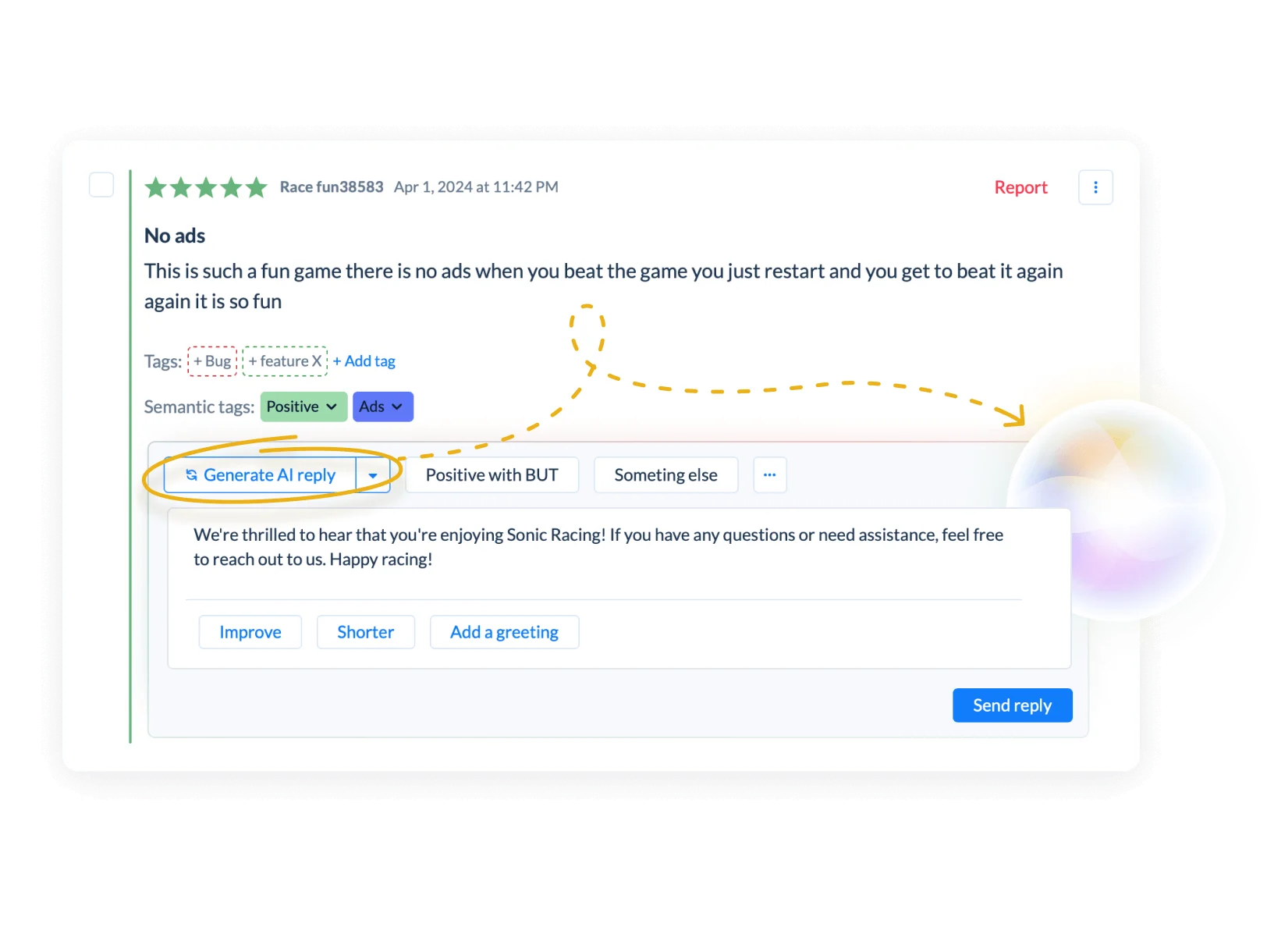
For a few dozen reviews a week you can read everything. At a few thousand you can't, and that's where scoring earns its keep. Sentiment tracking and semantic tagging surface the recurring friction and the recurring vocabulary, which are the two outputs this workflow needs.
The hypothesis then goes back to the numbers. The ASO keyword rankings tool tracks unlimited keywords across both stores in every country, with daily rank changes and a rank history chart per term, so a phrase pulled out of a review last month has a visible trajectory rather than a hunch attached to it.
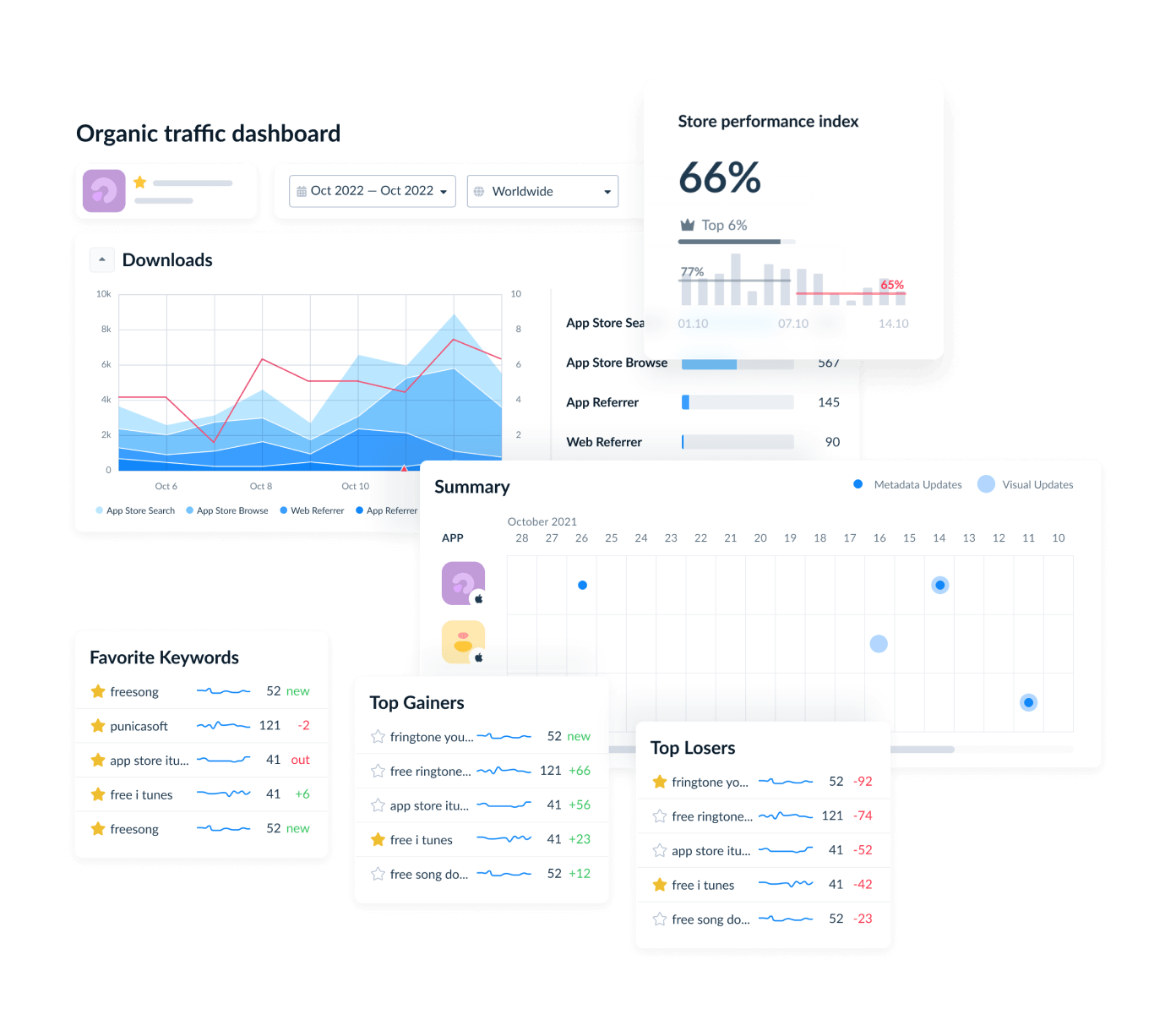
This is the view I want at the end of the loop: reviews, sentiment, and ranking movement close enough to diagnose together.
From there the decision is simpler. Keep the change when the signals improve together, investigate when they diverge, and look elsewhere when reviews clearly aren't driving the movement. Some views require store API or integration setup, and the available metrics depend on the accounts you connect.
cta_get_started_purple
FAQs
Do app reviews affect App Store ranking?
Yes. Apple's search documentation names ratings and reviews among the user-behavior signals, alongside downloads and text relevance. Reviews also work indirectly, since your visible rating shapes conversion and downloads are a separate signal. That's how reviews impact ASO, without a reviews-to-rank formula existing.
Do app ratings affect downloads and conversion?
Yes. Your rating appears while users are still deciding whether your app deserves a closer look, so a weak one creates hesitation before screenshots get a turn. Apple warns that too few ratings can discourage downloads as well, which is why resetting a summary rating carries a cost.
How many reviews do I need to move rankings?
No published threshold exists. Ten new reviews can matter for a small app and disappear inside a large one, since a 4.8 from 200 reviews carries less weight than a 4.6 from 12,000. Track review velocity, rating direction, conversion, and keyword movement against your own 30-day baseline instead.
What is a good app store rating?
Your category average, not a universal number. AppFollow's 2026 benchmarks put the spread between 4.36 in Productivity and 3.77 in Social and Auto & Vehicles, so 4.1 reads as weak in one category and strong in another. Below 3.5 stars, visibility drops measurably across categories.
Does replying to reviews improve ratings or ASO?
Replying is not a ranking hack, but it measurably moves ratings. AppFollow's 2026 benchmarks show replies shifting ratings by +1.39 in Health & Sports and by -0.58 in Education, so the effect depends on your category. Prioritizing solvable problems is how to improve app store rating through replies rather than generic responses.
How do I turn app reviews into keyword ideas?
Tag recurring language, then validate each candidate on popularity, difficulty, and whether you already rank for a variant. Neither store indexes review text as keywords, so treat it as a hypothesis source. A phrase appearing constantly with no search volume is a product insight, not a metadata change.
How is ASO different for App Store vs. Google Play when it comes to reviews?
Apple's summary rating is territory-specific and can be reset with a new version. Google Play weights recent ratings more heavily, so a bad quarter fades if the next one improves. Time helps you on Play and doesn't on the App Store, which should change how urgently you respond.
How fast do rating changes affect rankings?
Neither store publishes a lag. Mark the date of the change, then track rating, review velocity, conversion, and keyword positions together and give it four weeks. Several signals moving in sequence is something worth investigating, not proof of causation.
![[Webinar recap] What gaming apps get wrong (and right) in the app stores](https://cdn.appfollow.io/blog/static/appfollow_91581b29-8387-4dbd-88b5-2009875121ac.jpg)
