ASO Keywords: How to Search, Prioritize, and Optimize App Store Keywords

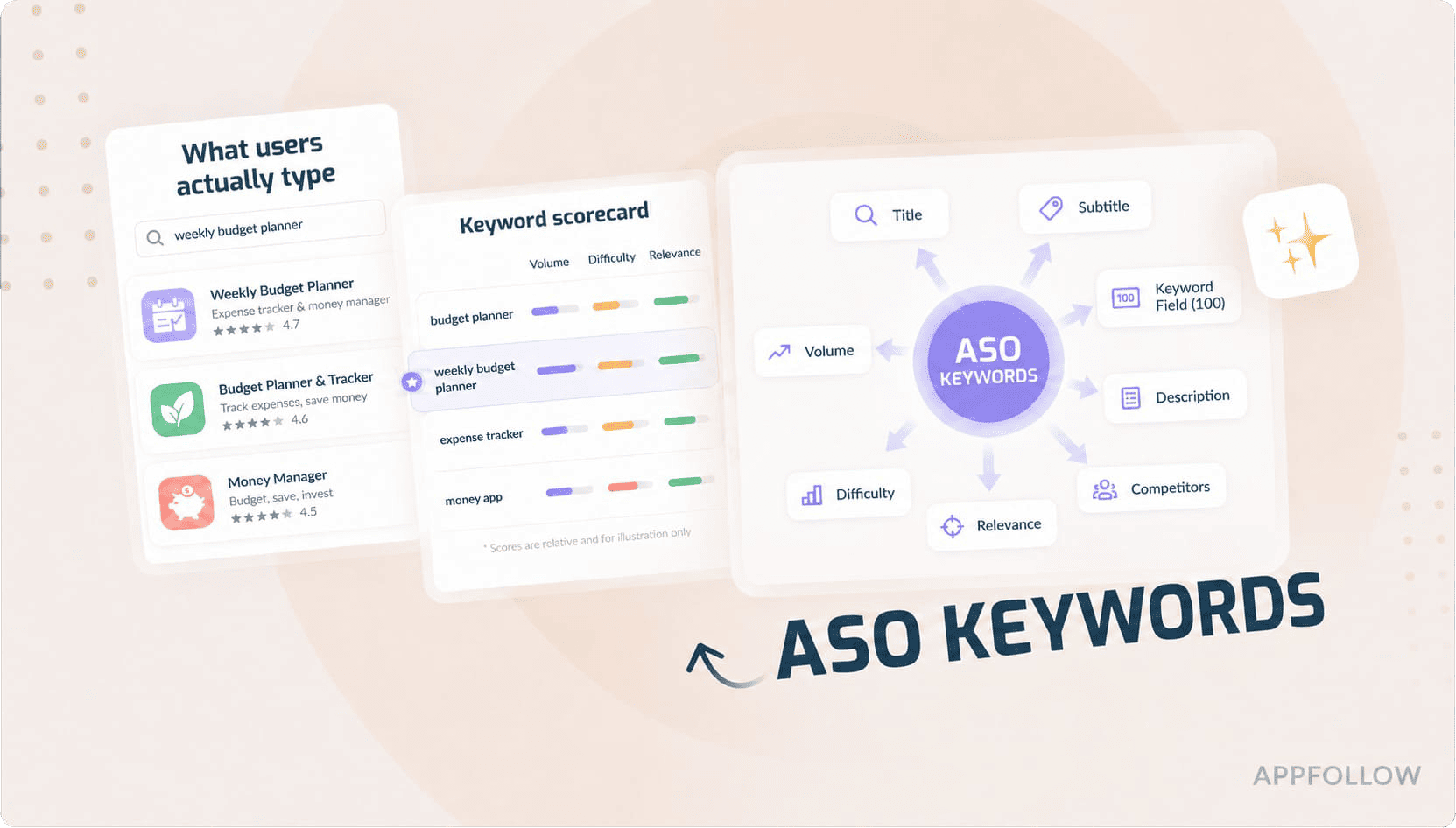
Table of Content:
- What are ASO keywords?
- What are ASO keywords?
- What Is ASO Search and How do App Store algorithms work?
- How to Search Keywords for App Store Optimization
- How to choose the right ASO keywords
- Where to place keywords in App Store and Google Play metadata
- ASO Keywords for Google Play — What's Different and What It Means for You
- Best ASO keyword research & tracking tools in 2026
- How to Track Your Positions and Improve ASO Keyword Ranking
Search is where app discovery gets real. Apple says 70% of App Store visitors use search, and nearly 65% of downloads happen right after it. Yet most teams still treat ASO keywords like a hunch problem. They chase volume. Or they guess.
This guide shows how to search keywords for app store optimization, sort the terms worth keeping, place them where they matter, and track what actually moves across iOS and Google Play.
It pulls together fresh insight from Ilia Kukharev, Product Manager, Yaroslav Rudnitskiy, Senior Professional Services Manager, Karen Taborda, Customer Growth Team Lead, plus lessons from Miro’s cross-device product team and Vizor’s player feedback workflows.
- Which ASO search terms bring installs, not just impressions?
- Where should your strongest keywords live on iOS and Google Play?
- How do you spot lower-volume phrases with sharper intent?
- When rankings move, what should you track before touching metadata?
What are ASO keywords?
ASO keywords are the words and phrases people type into the App Store and Google Play when they’re looking for an app. They are the terms that help stores decide whether your app deserves visibility for that search, and whether that visibility is likely to turn into an install.
That second part matters.Because the goal is qualified discovery. The right searcher sees your app, taps through, and installs.
Apple says App Store search results are shaped by
- text relevance from your title,
- subtitle,
- keywords,
- and primary category,
- plus user behavior such as downloads, ratings, and reviews.
Google Play says it first tries to understand the intent behind the query, including synonyms, then uses metadata like title, description, and category, along with other signals, to decide which apps best address that search.
So yes, app store ASO keywords matter. A lot. But not because they look good in a spreadsheet.
For example: A budgeting app can rank for “money app” and still waste the impression. Too broad. Too messy. That query can mean banking, loans, investing, crypto, expense tracking, almost anything.
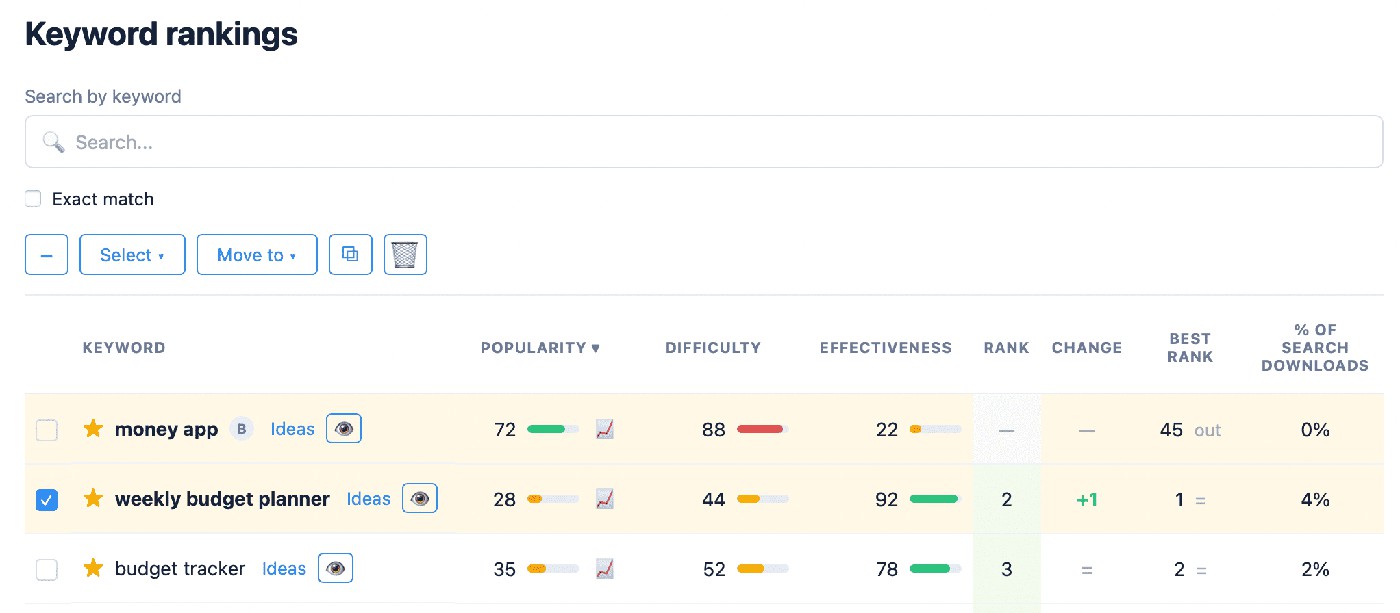
Shift the match to “weekly budget planner,” and now the intent sharpens. The user knows what they want. The listing makes more sense. The chance of install climbs. That’s what good keywords app store optimization looks like in real life. It closes the gap between what the user meant and what your app actually does.
A strong keyword strategy also needs range. Your list of ASO app store optimization keywords should not be built only on big category terms.
Some phrases attract volume.
Some attract fit.
Some do both if you’re lucky and disciplined.
That’s where ASO keyword optimization gets practical: finding the terms that bring the right user, not just the most eyeballs ⬇
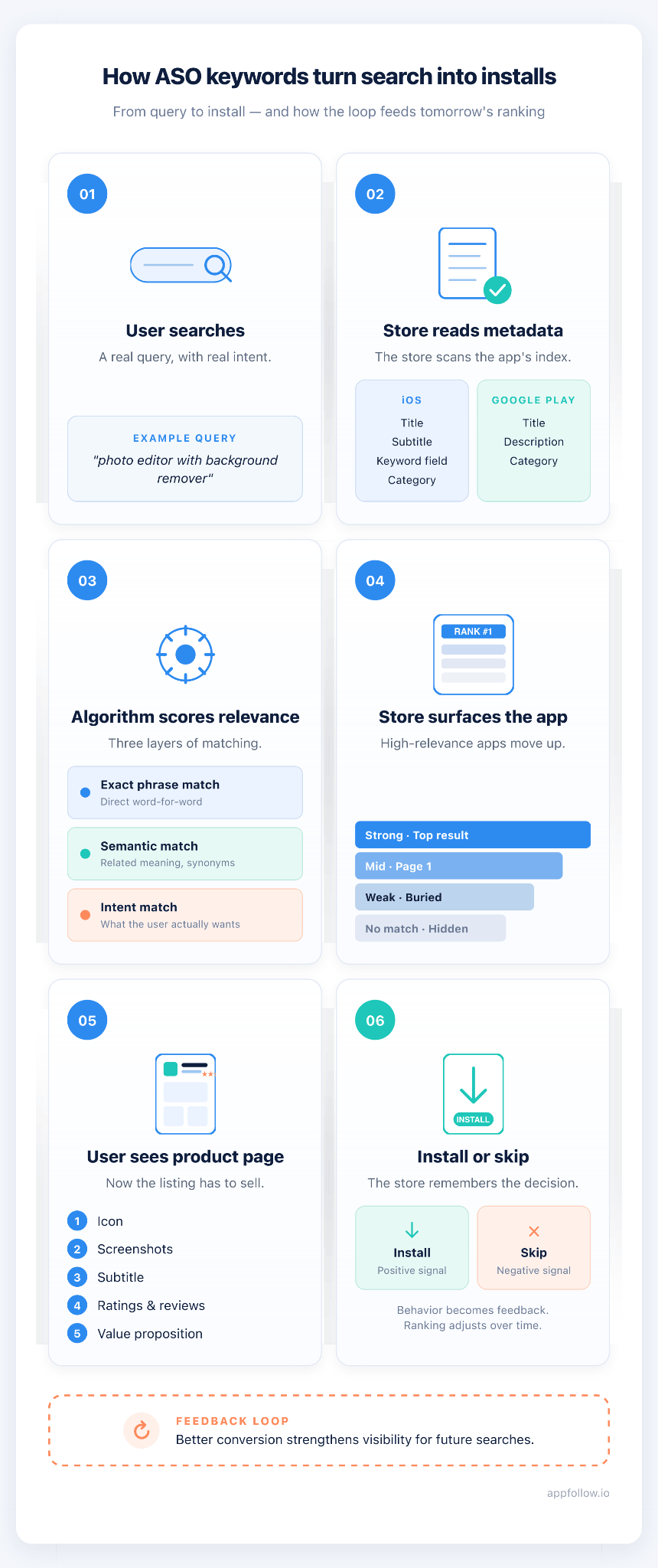
What are ASO keywords?
ASO keywords are the words and phrases people type into the App Store and Google Play when they’re looking for an app. They are the terms that help stores decide whether your app deserves visibility for that search, and whether that visibility is likely to turn into an install.
That second part matters.Because the goal is qualified discovery. The right searcher sees your app, taps through, and installs.
Apple says App Store search results are shaped by
- text relevance from your title,
- subtitle,
- keywords,
- and primary category,
- plus user behavior such as downloads, ratings, and reviews.
Google Play says it first tries to understand the intent behind the query, including synonyms, then uses metadata like title, description, and category, along with other signals, to decide which apps best address that search.
So yes, app store ASO keywords matter. A lot. But not because they look good in a spreadsheet.
For example: A budgeting app can rank for “money app” and still waste the impression. Too broad. Too messy. That query can mean banking, loans, investing, crypto, expense tracking, almost anything.
Shift the match to “weekly budget planner,” and now the intent sharpens. The user knows what they want. The listing makes more sense. The chance of install climbs. That’s what good keywords app store optimization looks like in real life. It closes the gap between what the user meant and what your app actually does.
A strong keyword strategy also needs range. Your list of ASO app store optimization keywords should not be built only on big category terms.
Some phrases attract volume.
Some attract fit.
Some do both if you’re lucky and disciplined.
That’s where ASO keyword optimization gets practical: finding the terms that bring the right user, not just the most eyeballs ⬇
The three keyword types you’re really working with
- Exact-match keywords - the exact phrase the user types like a photo editor.
- Partial-match or semantic keywords are related wording the algorithm interprets as relevant like image editing app.
Apple’s current App Store search experience also includes app tags generated with LLMs from the metadata you provide, which is a strong hint that semantic understanding is becoming more visible in discovery. - Long-tail keywords are specific multi-word phrases with lower volume and usually stronger intent like photo editor with background remover.
Such keywords don’t always impress on volume charts. They often impress where it counts, on conversion.
Branded vs. Non-Branded ASO Keywords
Branded keywords are names people already know: competitor apps, category leaders, big product brands.
Non-branded keywords describe what the app actually helps someone do, like “habit tracker,” “expense manager,” or “photo editor.”
In paid acquisition, Apple Ads explicitly supports brand, category, competitor, and discovery campaign types, so going after competitor names is a real paid tactic. In organic ASO, though, non-branded terms usually do more of the growth work because they capture users before brand loyalty is locked in.
Branded terms show you who owns attention today. Non-branded terms show you where demand still has room.
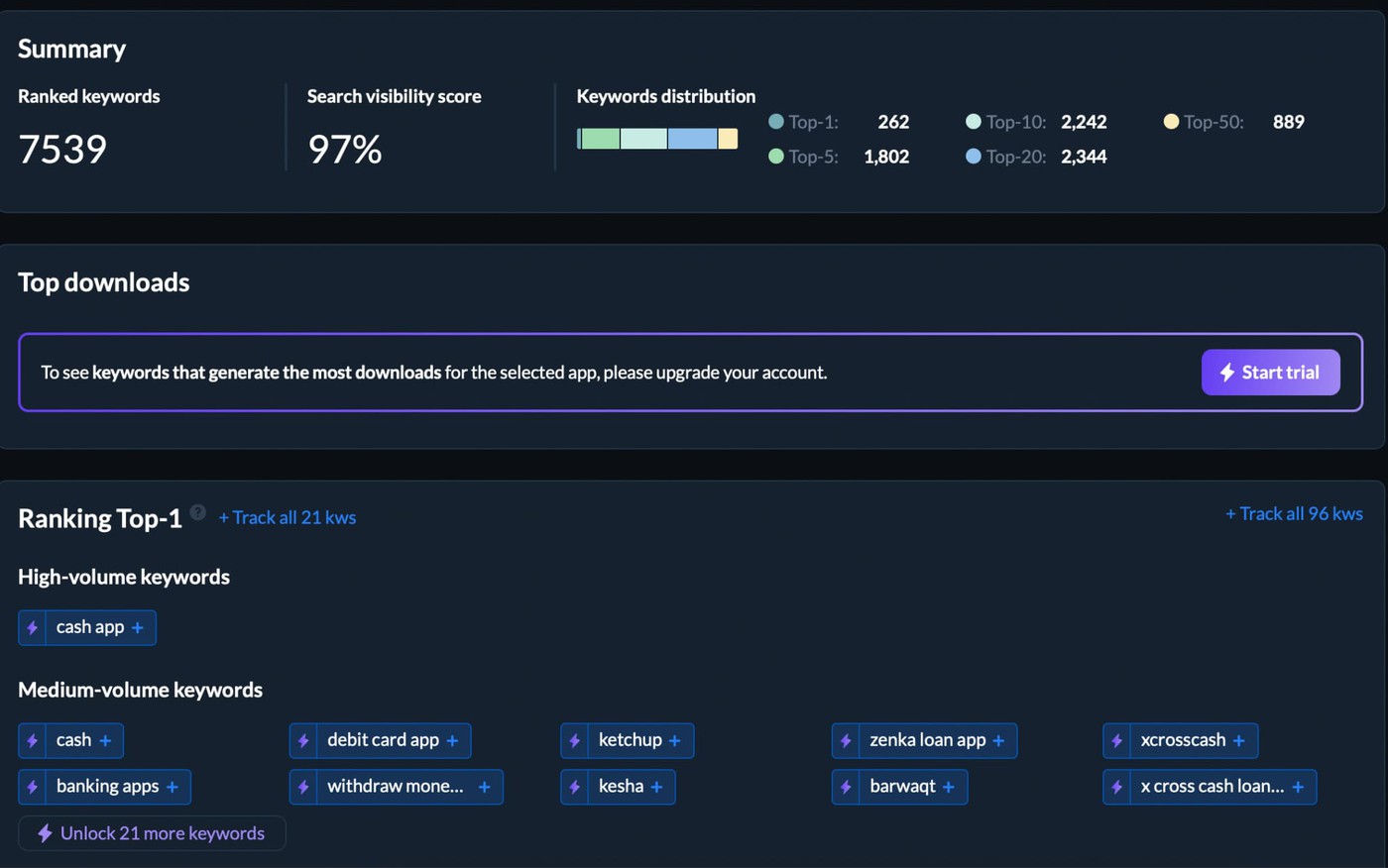
A competitor keyword view can help here because Keyword Spy surfaces the keywords competitor apps rank for, which gives you intelligence on both branded and generic search territory.
Keyword type | What it includes | Best use | Main limitation |
Branded | Competitor names, category leaders, known brands | Paid conquesting, market mapping, understanding who owns intent | Hard to win organically if users are searching for a specific brand |
Non-branded | Generic terms describing the app’s function | Organic growth, category discovery, install-focused keyword targeting | Broad terms can get crowded fast |
The biggest terms often come with the hardest climb. Easy keywords can be so niche they barely move the needle. The goal of ASO keyword optimization is to find terms where volume, difficulty, and relevance align favorably. That is why strong app store ASO keywords often sit in the middle: enough demand to matter, weak enough competition to enter, and a clear fit with what your app actually does.
Keyword metrics that actually matter in ASO 2026
Not every keyword deserves a slot in your metadata. Some look promising and do nothing. Some look small and quietly bring the installs you actually want. That’s why app store ASO keywords need to be judged on three things before they ever make the cut.
A keyword is only valuable if you can rank for it and the right user wants what’s waiting on the other side.
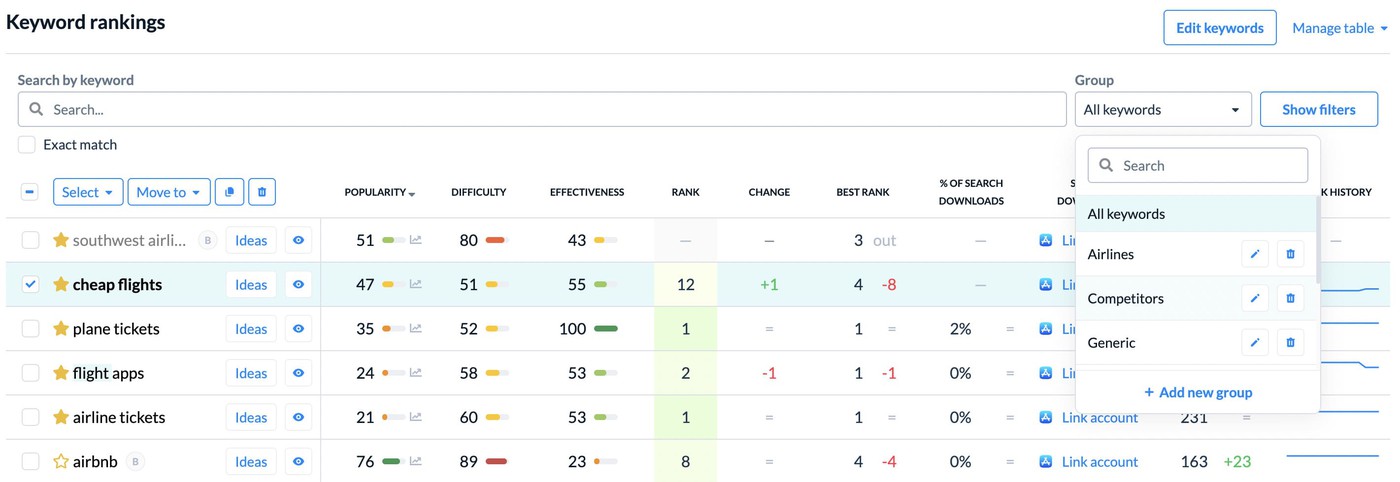
- First, search volume. That tells you how many people search the term each month. Bigger number, bigger upside. Also, bigger fight. High-volume keywords tend to attract the strongest apps in the category, which means the traffic is tempting but the climb is brutal.
- Then comes keyword difficulty, or KD. This is your reality check. It tells you how hard it will be to break into the results based on the apps already sitting there. For a new app or a mid-sized one, staying under 30 is often the smarter move. You want keywords you can enter, not just admire.
- And then there’s relevance, the metric teams love to underrate right up until conversion drops. Does the keyword actually describe your app? Does the user who searches it land on your page and think, yes, this fits? If not, the traffic is noisy. It won’t convert well, and weak post-click behavior can make the ranking harder to hold.
A simple way to assess a keyword set:
- High volume, high difficulty: attractive, expensive, often unrealistic early on
- Low difficulty, low volume: easier win, sometimes too small to matter
- Medium volume, low difficulty, high relevance: usually the sweet spot
That’s the center of good judgment. The goal of ASO keyword optimization is to find terms where volume, difficulty, and relevance align favorably. In keyword dashboards like our’s, that means comparing demand, competitiveness, and fit side by side instead of chasing the loudest number in the column.
What Is ASO Search and How do App Store algorithms work?
App store search engine optimization, or ASO, is the process of helping your app show up when someone searches inside the App Store or Google Play.
Think of app stores as search engines with a much smaller control panel.
On Apple, search results are influenced by text relevance from your app’s title, subtitle, keywords, and primary category, plus user behavior like downloads, ratings, and reviews. | On Google Play, Google says it uses metadata such as title, description, and category, then weighs other signals to decide which apps best address the query. |
That’s why ASO app search optimization feels more direct than web SEO. You still have ranking signals you cannot fully control, like install velocity, review quality, tap-through rate, and conversion rate. Yet your keyword choices remain the clearest lever in the stack. Change the wording, tighten the intent match, improve the listing, and you can actually see the effect.
Apple is also getting less literal about matching. Search results can now include app tags generated with large language models from the metadata you provide, which tells you something important: exact-match terms still matter, but concept matching matters more than it used to.
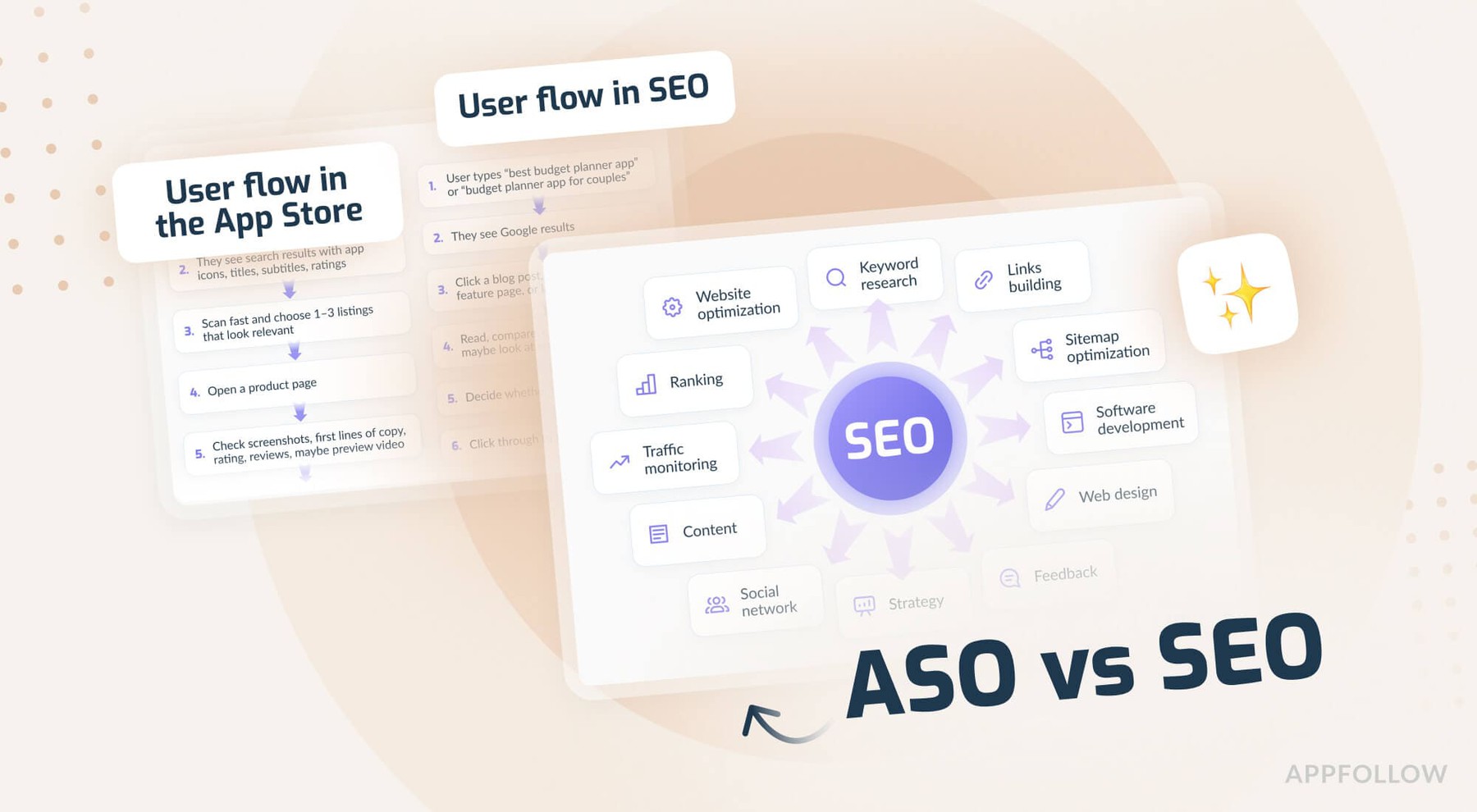
Read also: ASO vs SEO
App Store Search vs. Web Search
Web SEO leans heavily on links, content depth, topical authority, and site-wide trust | ASO leans harder on metadata text, relevance, ratings, downloads, and conversion behavior |
Web search works across hundreds of noisy signals | ASO runs on a smaller set of tightly controlled inputs |
Implication: your keyword decisions usually have a more immediate effect in ASO than they do in classic SEO
That last point is the one worth remembering. Web SEO often feels like steering fog. In app stores, the box is smaller. Fewer levers. Sharper consequences. If your metadata is vague, the algorithm gets a blurry picture. If your keyword targeting is precise, the store has a better shot at putting you in front of the right user.
App Store vs Google Play keywords
Factor | App Store | Google Play |
|---|---|---|
Indexing model | Lexical — explicit keyword fields | Full-text — whole listing indexed |
Dedicated keyword field | Yes — 100 chars (iOS) | No — keywords live in the description |
Description indexed for ranking | No (conversion only) | Yes |
Keyword repetition | Avoid; use each field once | Natural repetition helps (~2–3% density) |
Reviews affect relevance | Minimal | Can contribute |
Native A/B test | Product Page Optimization (visuals) | Store Listing Experiments (visuals + text) |
Localization | Multiple locales per storefront | One language per listing (+ up to 50 custom store listings) |
Change cadence | ~few days to apply; review every 1–2 mo | ~1 day for text; read new-app results after 3–4 wk |
How the App Store Ranks Apps for a Given Keyword
When someone types a query into ASO search, the App Store starts with a simple filter: does this app look relevant enough to show up at all? Apple says search results are influenced by the text in your title, subtitle, keywords, and primary category.
That is only the opening move, though.
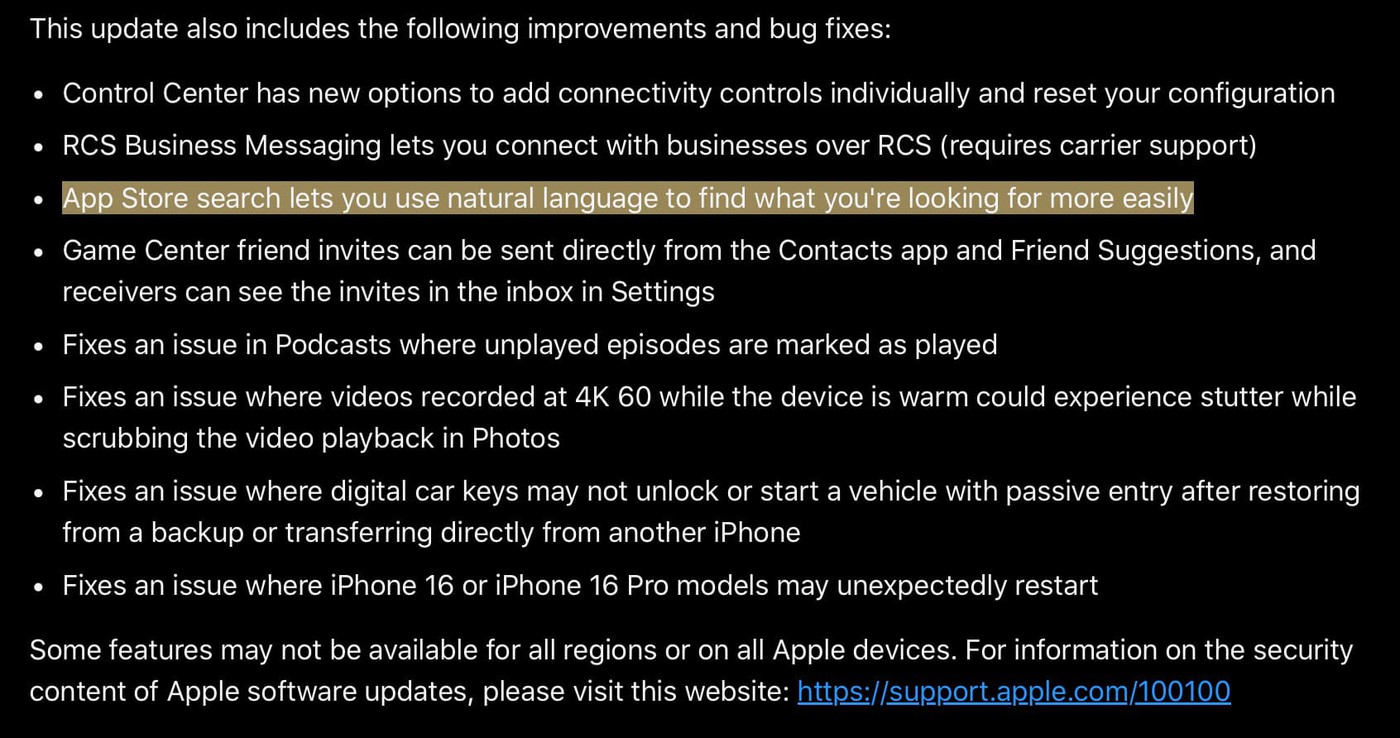
The store also tries to understand meaning, not just wording. Apple now says people can search in natural language, and search results may include app tags generated with LLMs from the metadata you provide.
So ASO app store search optimization is about helping the store understand the job your app does and the intent it fits.
Then performance takes over. Once your app gets surfaced, the algorithm has better evidence to work with:
- do people tap?
- do they install?
- do ratings and reviews support the match?
- does the listing convert well enough to justify keeping that visibility?
Apple says user behavior, including downloads, ratings, and reviews, influences search results. Which means a keyword in metadata can get you indexed, but it cannot save a weak result.
Good ranking starts with relevance. Durable ranking starts when the listing earns the install.
A practical way teams watch this is by pairing two views after a metadata update:
- a live ranking check for the exact keyword
- a broader search visibility view to see whether overall discoverability is improving
That combination matters because one keyword can spike for a day and tell you very little. A broader visibility score shows whether the app is ranking for more terms and holding stronger positions across the keyword set.
In AppFollow, teams use Keyword Live Ranking for the first check and Search Visibility Score for the second one.
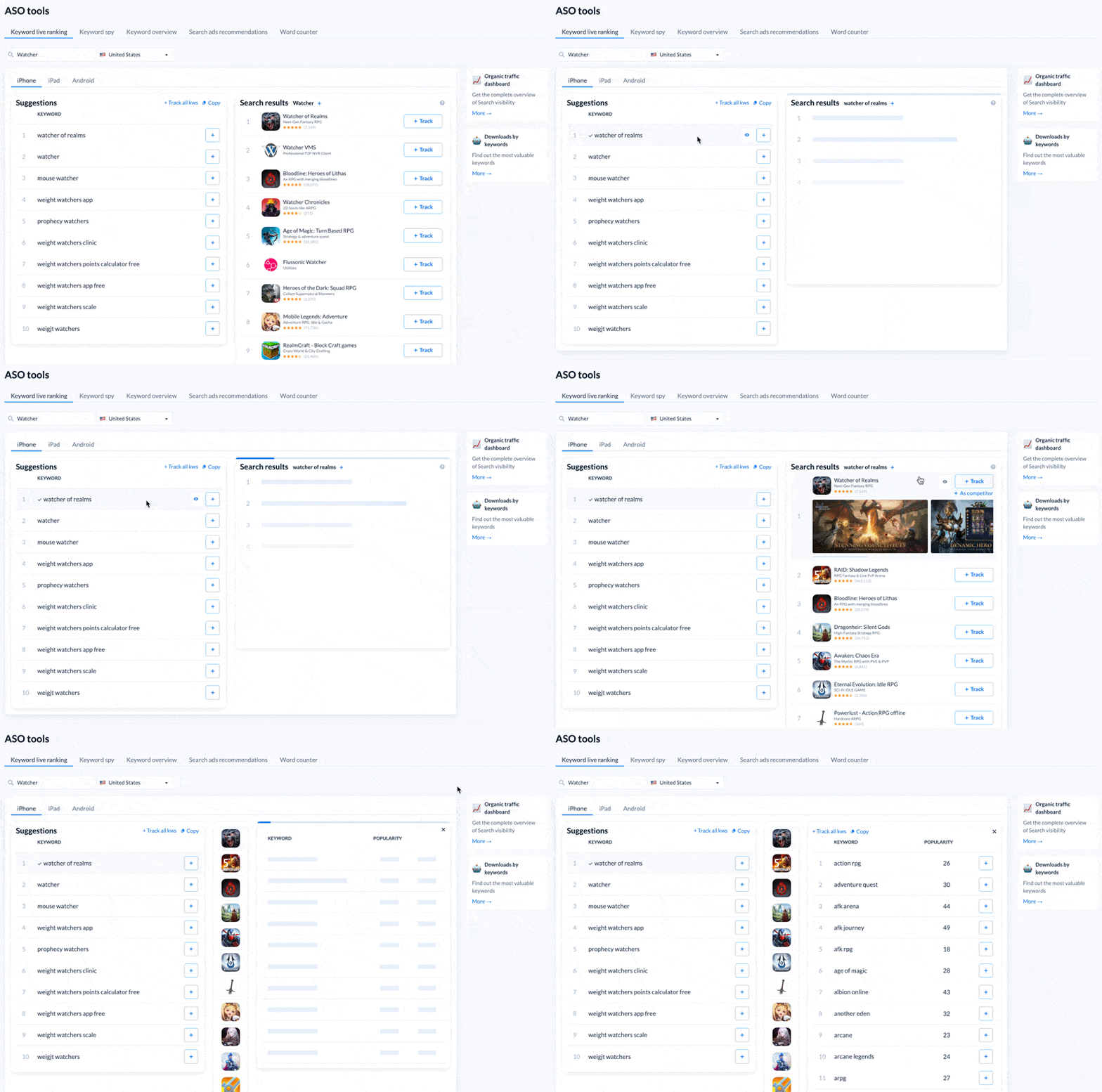
It is a clean way to separate a temporary jump from real momentum.
So the ranking logic is less mysterious than it looks:
- metadata match gets you considered
- semantic fit helps you get surfaced
- post-impression performance decides whether you deserve to stay there
That is the whole game, really. Not keyword placement alone. Keyword placement plus proof
How to Search Keywords for App Store Optimization
Most teams do not lose at keyword research because they skip a tool. They lose earlier. They start with the wrong language.
This workflow comes from the kind of pattern AppFollow teams and their clients see over and over: rankings move, visibility shifts, installs follow, and the strongest wins usually start with better keyword framing, not just better tracking.
Good app store search optimization begins when you figure out how real users describe the thing your app helps them do.
The five steps of ASO search:
- Build your seed keyword list
- Expand it with store suggestions and real query language
- Study competitors to spot overlaps and gaps
- Score terms by relevance, difficulty, and search demand
- Prioritize, group, and track what deserves a slot
1. Build Your Seed Keyword List
The first phase of keyword research for ASO is simple, but not easy. You need the raw language of demand.
Start with the obvious terms. Then pressure-test them with your user’s.
When somebody types a query into ASO search, they are not thinking about your roadmap, your naming conventions, or the way your internal docs label features. They are trying to solve something.
That means your seed list should come from four places:
- Core features. What the app literally does. Examples: calorie tracker, interval timer, expense tracker.
- Category language. The broad label a user might start with. Examples: budgeting app, workout app, photo editor
- User problems. The outcome or pain point behind the search. Examples: stop overspending, sleep better, plan meals
- Synonyms and everyday phrasing. The words normal people actually type
“Budget planner” often beats “personal finance manager” for one reason: it sounds like a search, not a pitch.
Write the phrase a tired user would type with one thumb, not the phrase your team would put on a slide. Keep the first pass tight. Ten to thirty terms is enough.
You are not building the final keyword universe yet. You are building starting material for keyword research ASO. If the seed list is bloated, every step after it gets sloppier. If the seed list is sharp, expansion gets easier, scoring gets cleaner, and the keywords you finally ship have a much better chance of turning visibility into installs.
2. Analyze Competitor Keywords
This is where ASO keyword research stops being guesswork.
Pick 3 to 5 apps that keep showing up in your category and treat them like evidence. Not inspiration boards. Evidence. You’re trying to see which words the store already trusts in this market.
Start with the visible stuff first. Read their titles. Then subtitles. Then descriptions. Look for repeated language, not clever phrasing. The repeated words matter more because they usually point to the category terms that keep getting rewarded.
What to pull from each competitor:
- the core phrase in the title
- the supporting angle in the subtitle
- repeated terms in the description
- keywords they rank for that your app does not
That last one is the real prize.
A manual scan helps you hear the language. It does not show you the full search picture. For that, you need ranking data. A competitor keyword dashboard lets you compare overlap, missing terms, and positions side by side, which is how teams using AppFollow usually separate obvious category phrases from the quieter gaps worth testing.
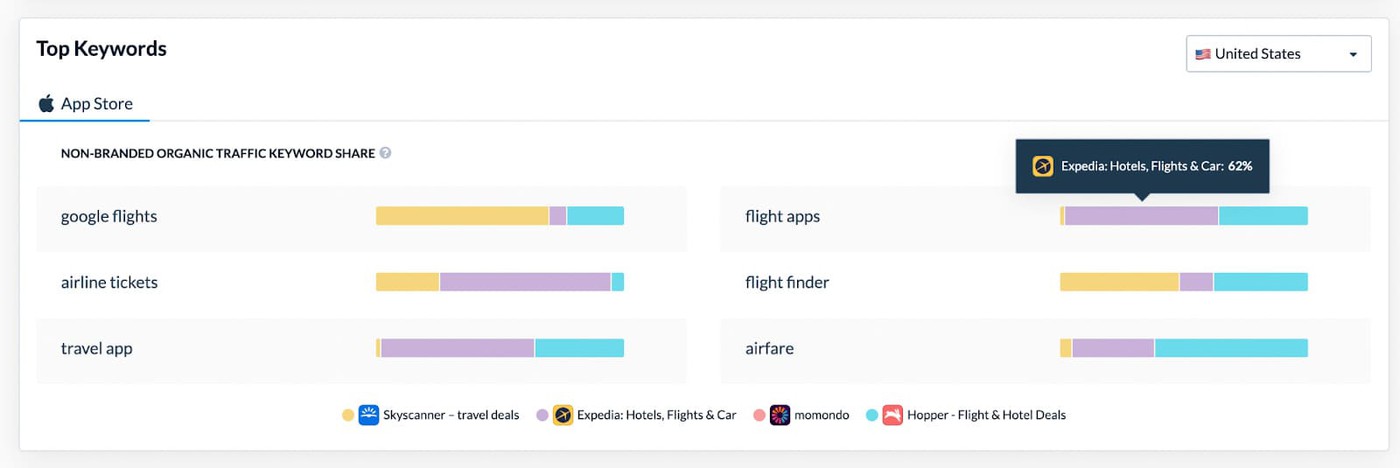
Done right, app store optimization keyword research becomes less about copying competitors and more about reading the map they already drew with their rankings.
Keep one filter on the whole time: fit. If a competitor ranks for a term that does not honestly describe your app, leave it. Visibility without relevance turns into bad traffic fast.
The point of this step is simple. Find the language your category already wins with. Then decide where your app has a real shot.
3. Use an ASO Keyword Search Tool to Expand & Validate
Brainstorming gives you a starting point. It does not tell you whether the phrase has enough demand, whether the lane is overcrowded, or whether a close variant is the better bet.
That is the real job of an app store optimization keyword tool.
You put in one seed term. The tool gives you a wider market vocabulary back. Not just cousins of the phrase, but signals: which keywords have search demand, which ones are hard to break into, which variants trend, and how wording changes across countries and stores.
AppFollow’s ASO views are built around exactly that mix, showing keyword visibility, popularity, rank, and difficulty, with AI assistance for idea generation and competitor data layered into the same workflow.
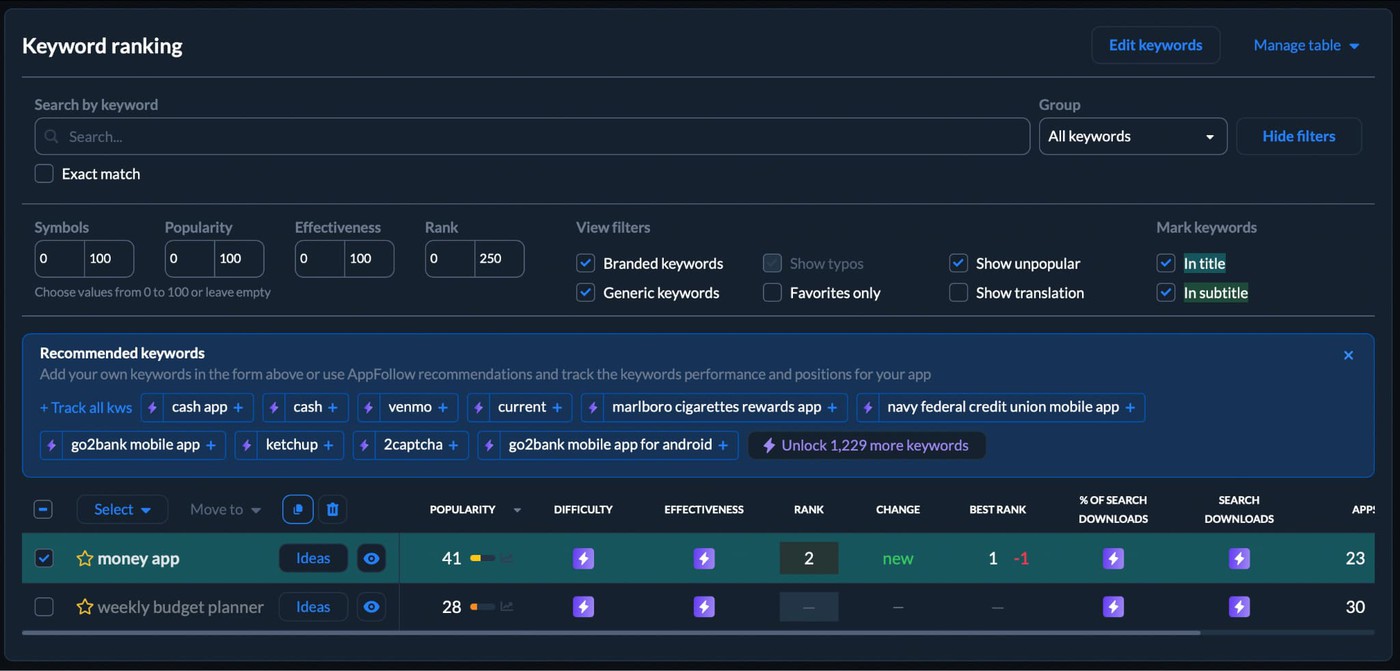
A simple working flow looks like this:
- enter one seed keyword
- scan the suggestion set for adjacent intent
- cut weak matches first
- compare volume against difficulty
- group similar phrases into clusters
- export a shortlist that still sounds like your user
A tool should not make the decision for you. It should make the bad decisions easier to spot.
This is where ASO keyword search stops being a word hunt and starts looking more like filtering. Say you begin with “meal planner.” A decent tool will surface nearby phrases like “weekly meal plan,” “meal prep planner,” or “family meal planner.” Some will look bigger and worse. Some smaller and cleaner.
The interesting ones usually sit in the middle. Enough search demand to matter. Low enough resistance to be realistic. Strong enough fit to convert.
In practice, teams doing keyword search ASO inside AppFollow usually work from one dashboard view into another. They start with the suggestion layer, then check difficulty, then compare what competitors already rank for and what those terms actually bring them in store performance.
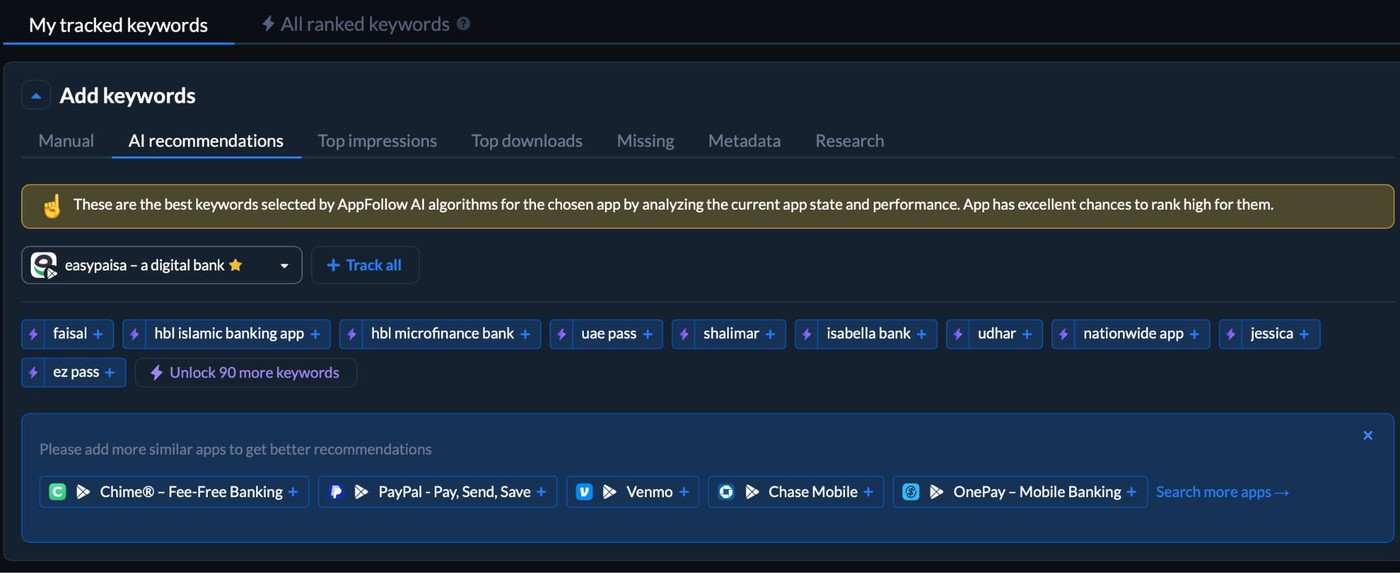
That matters because a keyword that looks attractive in isolation can fall apart once you see who owns it and how crowded the results really are.
4. Score and Prioritize Your Keyword Shortlist
Once you have 50 to 100 candidates, the job is no longer discovery. It is selection. Most teams keep too many. Then they wonder why the metadata ends up vague.
Cut the list to 20 to 30 app store optimization keywords you can actually support.
A simple scoring card works well:
- Volume: 1 to 10. Higher score = more search demand
- Relevance: 1 to 10. Higher score = cleaner fit with what the app really does
- Difficulty: 1 to 10, inverted. Lower KD gets the higher score because it is easier to win
Add the three numbers. Then read the result like a decision, not a spreadsheet.
- A keyword with big volume and weak relevance should make you nervous.
- A keyword with easy competition and no demand is not much better.
- The terms worth keeping usually sit in the middle. Enough search activity to matter. Enough fit to convert. Enough room to enter.
Keep your shortlist in three groups:
Bucket | What belongs there | Why it matters |
Core targets | strong relevance, decent volume, manageable difficulty | these are your main metadata bets |
Quick wins | terms where you already rank somewhere | easier to improve than cold-start keywords |
Reach terms | higher volume, higher difficulty phrases | longer-term targets, not first-priority slots |
That second group gets ignored too often. If you already have a little ranking history, even a weak one, the store has already associated your app with that query. Sometimes moving from rank 28 to 12 is far easier than forcing your way into a brand-new keyword from zero.
That’s why teams often keep one scoring sheet open next to a ranking dashboard. In AppFollow, they usually sort the shortlist by current position, difficulty, and visibility together, then flag the terms that already have traction but are underperforming.
That view makes prioritization less emotional and a lot more useful.
The point of ASO keyword optimization is not to chase the biggest phrases. It is to choose the ones your app can honestly win, then give those terms enough support to turn visibility into installs.
5. Assign Keywords to Metadata Fields Strategically
Now that you know how to search keywords for app store optimization, the last move in this workflow is placement.
And placement matters because the fields do not carry the same weight.
Apple says App Store search relevance is influenced by matches in the title, subtitle, keywords, and primary category. Google Play points developers to the title, short description, and full description as core store-listing text, and warns against repetition or stuffing.
So do not spread your best keyword everywhere and hope for the best. Give each field a job.
Use the fields like this:
- App name / title. Put your single most important keyword here. This is the strongest slot you control. On Apple, the app name and subtitle both appear in search-facing surfaces. On Google Play, the title helps users find and understand the app.
- Subtitle on iOS / Short description on Android. This is your second-priority placement. Use it to support the title with a close variant, feature angle, or sharper intent phrase. Apple’s subtitle appears under the app name on the product page. Google says the short description should summarize the app’s biggest benefits in 80 characters or less.
- Keyword field on iOS. Save this for secondary terms. Apple gives you 100 characters, comma-separated, and explicitly says not to repeat words already used in the app name, subtitle, or category.
- Description. Write this for humans first. It matters more on Google Play, where the description is part of the store-listing text Google uses to understand the app. Apple is much clearer that promotional text does not affect search ranking, so app store keyword optimization has to respect the store you’re writing for.
One practical way teams handle this is to keep the shortlisted keywords beside a ranking and visibility view while assigning metadata. The term with the best mix of relevance, demand, and winnability gets the title. The next layer supports it from the subtitle or short description. The leftovers go into the iOS keyword field or the fuller Google Play copy.
We’ll go deeper on field-by-field placement in the next section.
Read also: Keyword research & analysis - How to find and prioritize keywords in AppFollow

How to choose the right ASO keywords
Most teams choose keywords backwards. They see volume first, get excited, and only later notice the term barely matches the app. That is how you end up ranking for traffic that does not install.
- Start with relevance. Always. If the keyword does not describe what the app actually helps the user do, cut it. Apple’s own search guidance makes this plain: App Store results depend on text relevance and then on user behavior like downloads, ratings, and reviews. So a mismatched term can win impressions and still lose where it counts.
- Then look at popularity. Not because the biggest number wins, but because a keyword nobody searches is dead weight. Appfigures’ filtering logic is useful here: first separate terms people actually search for from the ones that only sound right in a brainstorm.
- After that, check the difficulty. This is where app store keyword optimization gets real. A popular phrase with brutal competition can waste months. A smaller phrase with cleaner intent and weaker competition can move faster and convert better. That is usually the better bet, especially for newer apps or products outside the category leaders. Appfigures also recommends choosing keywords that are relevant and within reach, not just popular.
- Last comes install intent. Ask the question most dashboards cannot answer for you: if somebody searches this term and lands on the page, will they feel they found the right app? That is the step teams skip, and it is why app store keywords optimization often fails in practice. “Money app” looks huge. “Weekly budget planner” looks smaller. The second one usually carries far sharper intent. Better fit. Better conversion. Better signal back to the store.
A fast way to pressure-test each keyword:
- Does it describe the app honestly?
- Do enough people search it to matter?
- Can we realistically compete for it?
- Does the searcher sound ready to install something like this?
If one of those answers is weak, the keyword drops.
That is the core of ASO keyword optimization. Not building the longest list. Not chasing the loudest term. Choosing phrases where relevance is obvious, demand is real, competition is survivable, and the user is close enough to action that visibility can actually turn into installs.
“The mistake I see most often is treating keyword volume like the final answer. It is only one variable. A term becomes useful when it matches the product, sits within competitive reach, and brings a user who is actually likely to install. If the keyword looks good in a dashboard but is weak on intent, it is usually the wrong keyword.”
- Yaroslav Rudnitskiy, Senior Professional Services Manager - ASO guru
Where to place keywords in App Store and Google Play metadata
Finding the right keyword is only half the job. Placement decides whether the store can actually connect that term to your app.
That is where a lot of keyword work quietly breaks down. Teams do the research, build a decent shortlist, then scatter terms across fields as if every slot carries the same weight. It does not.
Apple is very direct about this. App Store search uses matches in your title, subtitle, keywords, and primary category, alongside user behavior signals. Google Play points developers to the title, short description, and full description as core store listing text, with the title especially important for helping users find and understand the app.
The fields worth treating strategically are:
- App title / name
- Subtitle on iOS
- Short description on Google Play
- Keyword field on iOS
- Full description, especially for Google Play
App Title / Name — Your Most Valuable Keyword Real Estate
If you only get one placement decision right, make it this one.
The title is the strongest metadata slot you control on both stores. Apple includes the app title in its search relevance logic. Google says the title is particularly helpful for users to find and learn about the app, and caps it at 30 characters or less. Apple also limits app names to 30 characters, and its subtitle to 30 characters.
So the rule is simple: Put your #1 keyword in the title, as close to the beginning as you can manage without making the name sound robotic.
That last part matters more than people think.
The store reads the title. Users do too. A title that sounds awkward can undercut conversion even if the keyword placement is technically correct. So this is not the place to cram three phrases into one line and call it app store optimization keywords work. One strong term, written naturally, usually beats a cluttered title every time.
A good pattern looks like this:
- brand + core keyword
- brand + function + qualifier
- brand + high-volume term + sharp support term
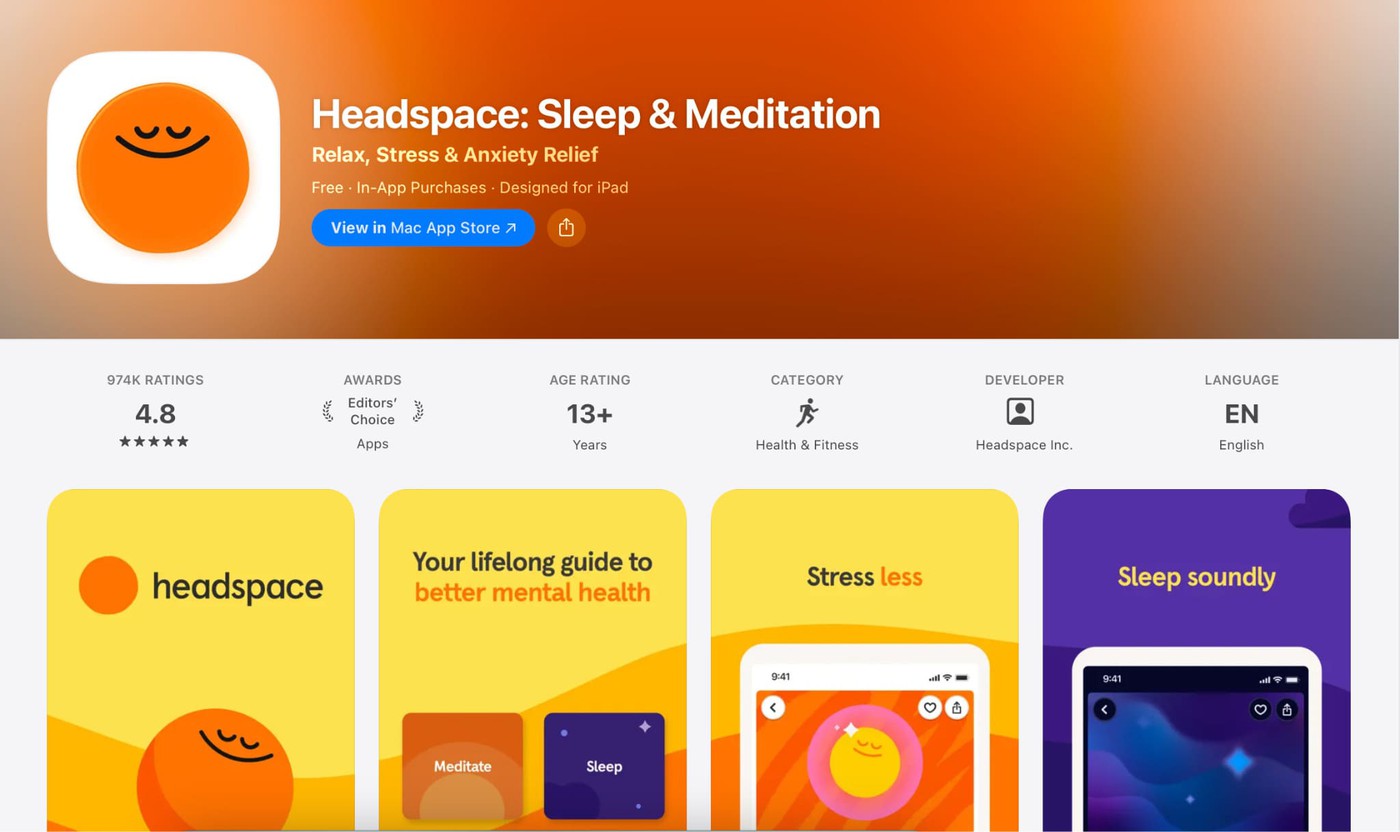
That is why the current Apple listing for Headspace is a useful example. It uses “Headspace: Meditation & Sleep”, which gives the title a broad category signal with “meditation” and a second, clearer use-case signal with “sleep,” without turning the name into a keyword pile.
A few working rules to keep the title clean:
- lead with the keyword that matters most
- keep the phrase readable out loud
- use one strong concept, not three weak ones
- treat every extra word like it has rent to pay
The practical side of app store keyword optimization starts here. Your title is not just another field. It is the place where relevance gets stated most clearly. If the keyword belongs anywhere first, it belongs there.
“The title should carry the clearest signal in your metadata. If your most important keyword is missing from the app name, you are making the store work harder than it should. I would rather see one high-fit term in a clean title than three keywords squeezed in for the sake of coverage.”
- Yaroslav Rudnitskiy, Senior Professional Services Manager - ASO guru
Subtitle (iOS) and Short Description (Android)
The title gets the spotlight. This field pair does the precision work.
On iOS, the subtitle gives you 30 characters to add meaning under the app name, and Apple includes it in search relevance. On Google Play, the short description gives you 80 characters and sits right at the front of the listing, where users see it before deciding whether to dig deeper.
Google treats developer-provided metadata, including description text, as part of how it figures out which apps match a query.
So this is not the place to echo the title with slightly different wording.
Use it to do what the title could not fit.
What this field should carry:
- your second most important keyword
- your third keyword, if it still reads naturally
- a use case, feature angle, or sharper qualifier that broadens the search footprint
A quick example makes the difference obvious.
If the title already covers “budget planner,” the subtitle does not need to say “best budget planner app.” That wastes the slot.
A stronger move would be something like “weekly spending tracker” or “expense planner for couples.” Now the metadata is doing more work. New signals. Cleaner intent. Better chance of matching a wider set of searches without bloating the title.
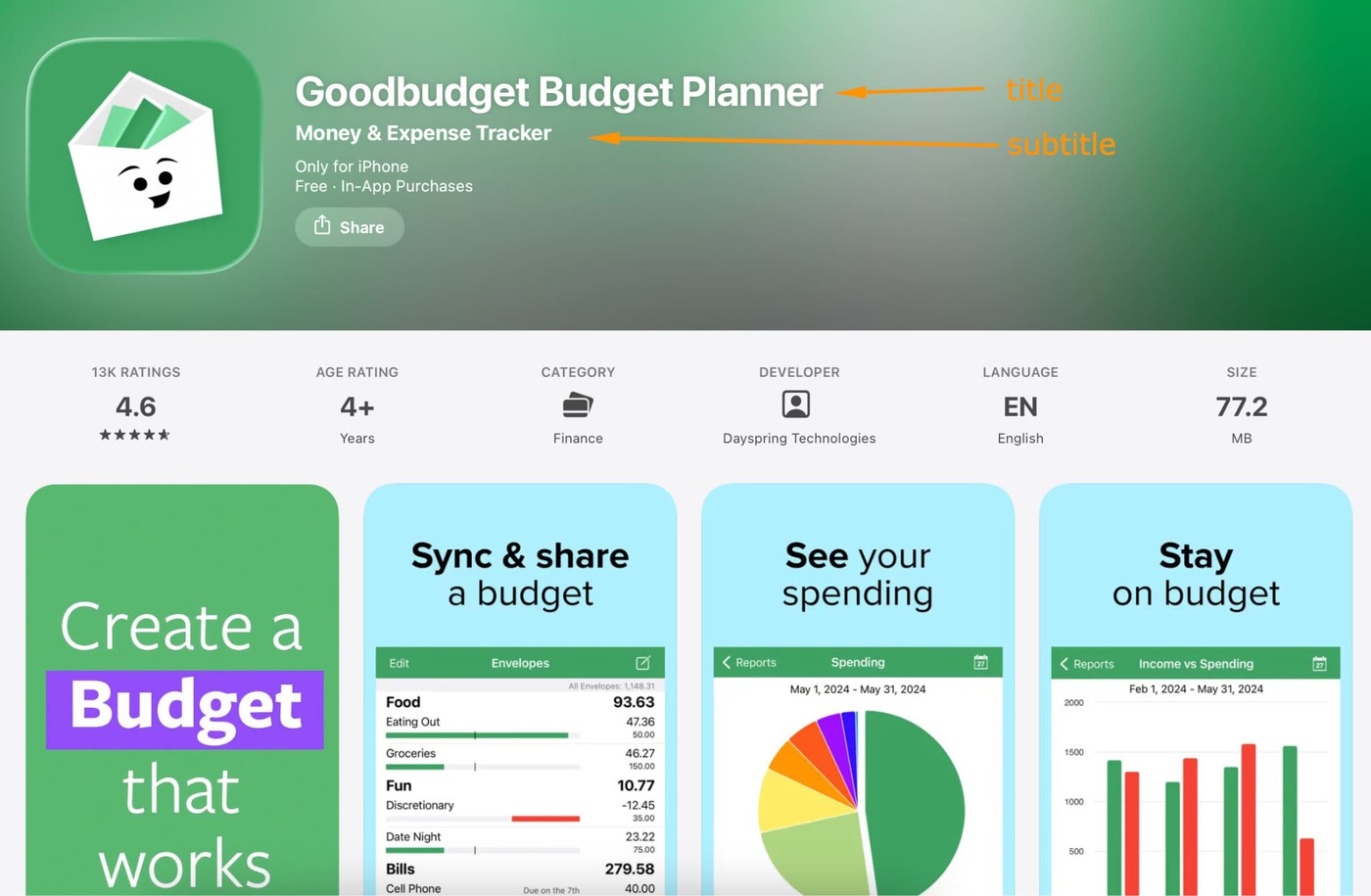
Think of the subtitle and short description as your supporting cast. They should make the lead stronger, not repeat its lines.
A simple rule helps here:
- Title = core category term
- Subtitle / short description = adjacent intent, feature, audience, or outcome
Before you lock the field, check three things:
- Does it add a new keyword signal?
- Would a human understand the app faster after reading it?
- Does it still sound like language someone would trust, not metadata trying too hard?
That third one matters more than it looks.
When these fields are written well, they make the listing feel clearer and more specific. When they are lazy, they just create repetition. And repetition is expensive when you only get 30 or 80 characters to work with
The iOS Keyword Field — 100 Characters, Infinite Leverage
This field is invisible, which is exactly why people misuse it. Nobody sees it. Apple does. That changes the job.
In Apple app store search optimization, the keyword field is not copy. It is compression. You get 100 characters total, terms are comma-separated, and Apple explicitly says to skip spaces after commas if you want to fit more in.
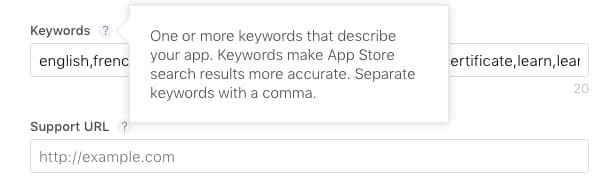
Apple also advises against repeating words already used in the app name, subtitle, or category because those are already indexed, and it treats singulars and plurals as duplicates for this purpose.
So the first rule is “stop wasting room.” What stays out:
- words already used in the title
- words already used in the subtitle
- competitor names
- trademarked terms
- plural duplicates
- filler words that do not open new search intent
Apple’s review guidelines are clear that metadata should not be packed with trademarked terms, popular app names, or irrelevant phrases just to game search. The best keyword fields look efficient. Every term adds coverage the visible metadata could not carry.
What belongs in the field instead:
- secondary terms that did not earn title space
- sharper modifiers
- long-tail components
- adjacent intent words that widen discovery without blurring fit
That is where strong app store ASO keywords earn their keep.
Say your title already covers the core category and your subtitle handles the main use case. The keyword field should move sideways, not backward. Add the missing search language. Fill the semantic gaps. Support the listing with terms that bring new intent, not the same intent repeated three times.
A clean starter string might look like this:
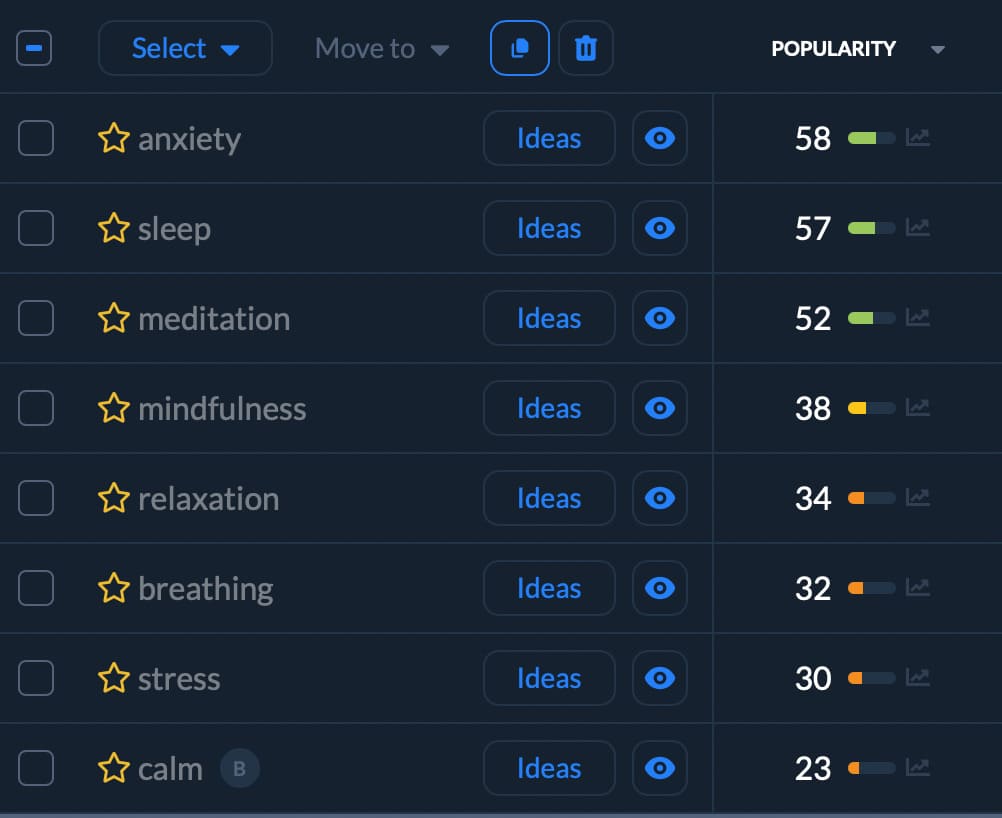
Useful, yes. Finished, probably not. If you still have room left, use it. Empty characters do not help you rank. Apple gives you 100 for a reason.
“Teams often lose this field to repetition. They reuse title terms, add plural variants, or throw in a big competitor name and hope for spillover. The better move is tighter than that. Use the keyword field to expand search coverage with terms that add new intent and still describe the app honestly.”
- Yaroslav Rudnitskiy, Senior Professional Services Manager - ASO guru
App Description — Writing for Both Users and the Algorithm
This is the field where teams most often blend two jobs that should stay separate.
On iOS, the description helps sell the app. On Google Play, it helps sell and rank the app.
Apple’s own search guidance is the clue. It says App Store search relevance comes from matches in the title, subtitle, keywords, and primary category. Notice what is not on that list: the description. So for iPhone apps, the description is where you explain value fast, reduce hesitation, and give the user a reason to install now.
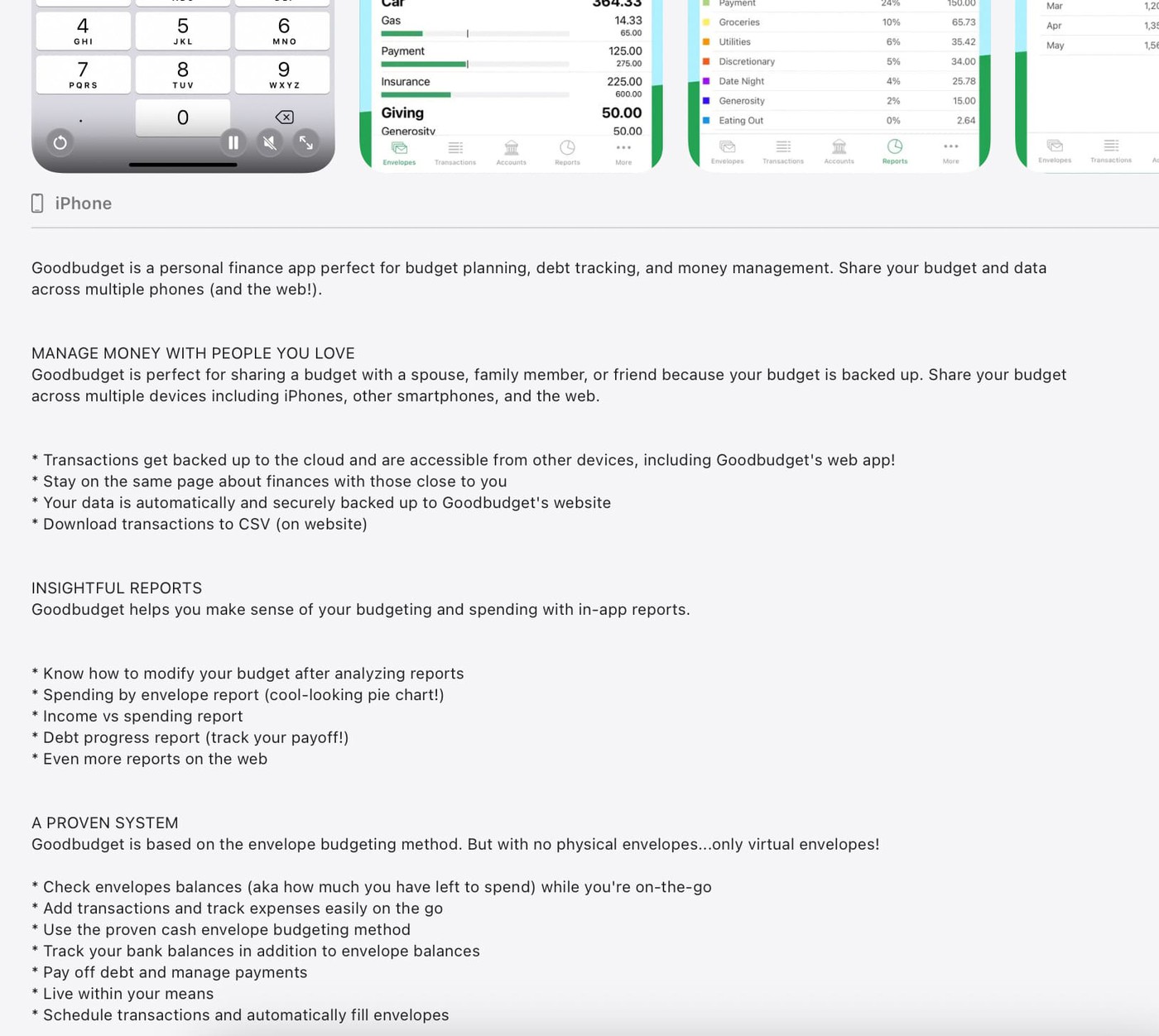
Google Play works differently. Google says it uses developer-provided information such as the title, description, category, graphic assets, and app content and functionality to understand which apps best address a query. It also says a full description can run up to 4,000 characters, while the short description should stay within 80 characters.
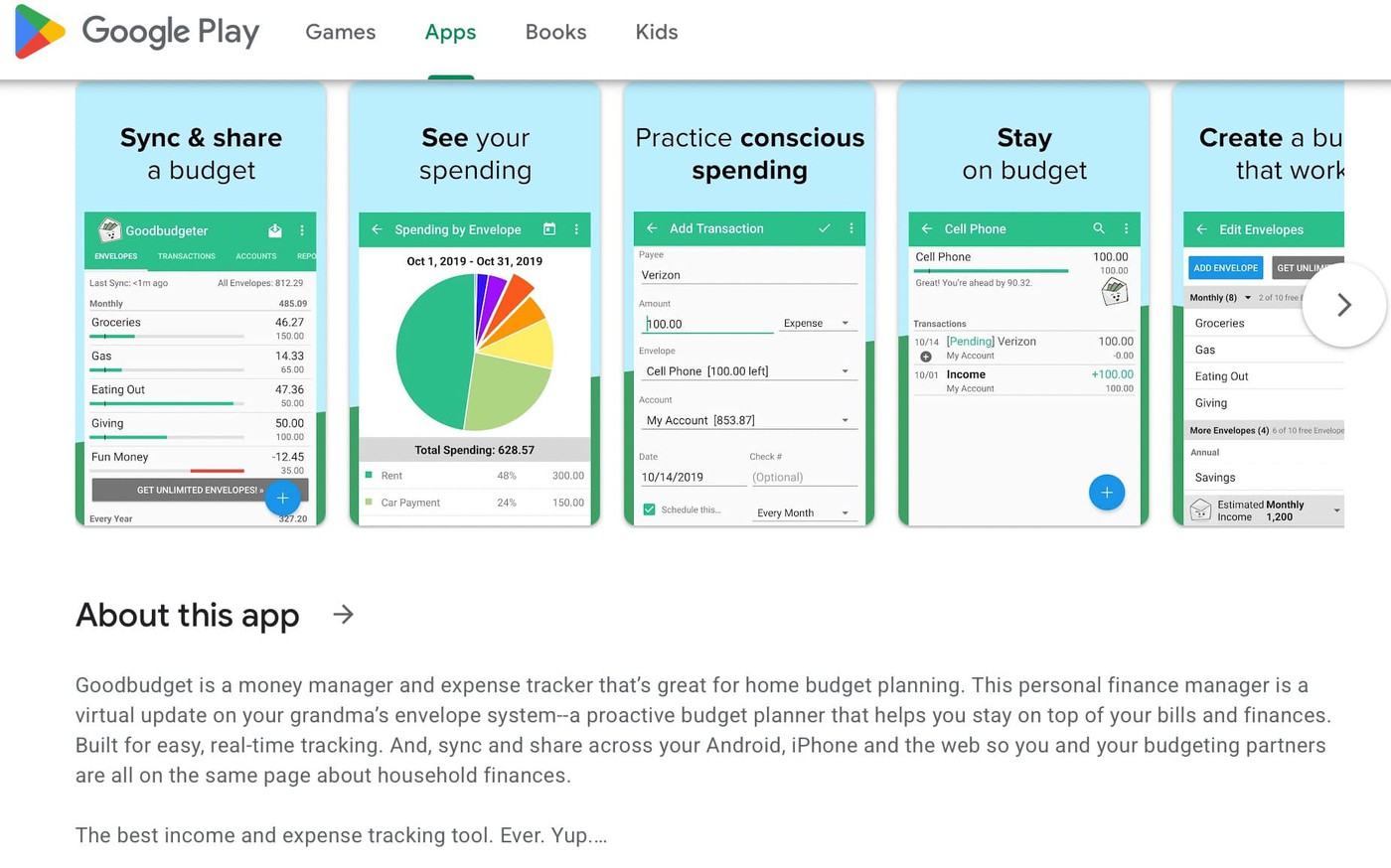
That changes the writing job.
For iOS
Write the description like a conversion copy. Use it to answer the questions a user has after discovery:
- What does this app actually do?
- Who is it for?
- Why is it better than the alternatives already on my phone?
- What happens if I install it today?
This is where keywords app store optimization needs discipline. If you already handled search terms in the title, subtitle, and keyword field, stop trying to force them into the description for ranking reasons. Apple is not reading this field the way Google Play does. Users are.
For Google Play
Treat the full description more like a landing page. That does not mean stuffing it with every keyword on your shortlist. Google’s policy explicitly tells developers to avoid repetitive or unrelated keywords or references, and warns that excessive repetition can violate metadata policy.
The practical move is simpler than people make it:
- work your main keyword into the opening naturally
- use your most important terms 2 to 3 times across the full description if they genuinely fit
- spread them through meaningful sections instead of bunching them together
- write in complete, persuasive language that still reads like a person wrote it
That is where ASO keywords google play teams care about actually start earning their place. Not because you forced them in, but because the description clearly matches the app’s purpose, features, and use cases.
“The description should not do the same job on both stores. On iOS, it needs to convert the user who already found you. On Google Play, it can support discoverability too, but only if the keyword use still feels native to the product story. Once it starts sounding engineered, you usually lose the user before you help the algorithm.”
- Lucija Knezic, Senior CSM & Product Strategy Manager at Appfollow
A quick rule to keep nearby:
- If the sentence sounds unnatural when read out loud, rewrite it.
- If the keyword appears because the user would expect to see it there, keep it.
- If it is only there for the crawler, it is probably doing damage.
That split is the real one. Apple description for persuasion. Google Play description for persuasion plus search support. Get that right, and the field starts working like a smart asset instead of a text box you fill because the store asked for one.
ASO Keywords for Google Play — What's Different and What It Means for You
Google Play changes the game before you even start writing. There is no dedicated keyword field to hide your strategy in. The store listing text you control is the title, the short description, and the full description.
Google says it uses developer-provided information such as the title, description, category, graphic assets, and app content and functionality to understand which apps best address a query. That means your keyword strategy has to live in visible copy, not in a tucked-away metadata box.
That shift matters because ASO keywords google play are about writing a description that carries relevance without sounding engineered. If your copy reads like a keyword dump, you do not just risk weaker conversion.
You also run into Google Play’s metadata policy, which explicitly tells developers to avoid repetitive or unrelated keywords and to keep the description clear and well written.
How Google Play indexes keywords if there is no keyword field
On Google Play, the description does part of the ranking work. Not all of it, but enough that placement matters.
So think of the full description a little more like a web page. Structure helps. Clear sections help. Natural repetition helps too, up to a point. Google does not publish an official keyword density target, so I would not treat 2 to 3 percent like a law.
What matters more is this: your core term shows up enough times for the page to feel obviously relevant, while the whole thing still reads like useful product copy. Google’s own guidance emphasizes benefits in the short description, a full description up to 4,000 characters, and warns against repetition or stuffing.
A practical way to handle ASO keywords google play looks like this:
- put the primary term in the title if it belongs there
- work the main keyword into the short description naturally
- use the full description to reinforce the core term a few times across distinct sections
- add close variants where they genuinely match the feature or use case
- read it out loud before publishing, because stuffed copy is obvious fast
That is the real difference from keywords app store optimization on iOS. Apple gives you a separate keyword field. Google Play makes the description carry more of the load. So your job is not to cram more phrases in. It is to write a stronger, clearer listing that signals relevance to the algorithm and still makes a human want the app.
Google Play Keyword Research — What's Unique?
Google Play gives you a wider listening field. With iOS, a lot of keyword research for ASO stays inside the store. Android pulls you outward. Into Google Search. Into visible competitor copy. Into query data from your own web presence, if you have one.
That changes the research habit.
Start with the places where search language leaks out in plain sight:
- Google Suggest. Useful because Autocomplete predictions are built from real searches, including common and trending completions. That makes it a fast way to catch phrasing real people already use, not wording your team invented in a planning doc.
- Related searches and suggestions inside Google Play. Not because the store is handing you a keyword plan, but because it shows how the category is being framed at the moment. That language is often cleaner than your brainstorm.
- Google Search Console, if your app has connected web pages. The Performance report shows which queries bring traffic to your site. That turns your web search data into a useful source of Android keyword ideas, especially when your app and website solve the same job.
- Competitor descriptions. On Google Play, rival descriptions are fully visible. That makes them much more useful for ASO keyword research than on iOS. Read them for repeated feature terms, user outcomes, and category language. Do not read them like copy to borrow.
The smartest Android keyword ideas often come from outside the keyword tool first, then get validated inside it.
That last step still matters. A phrase can sound right and still be weak. A good ASO workflow needs one place to check demand, difficulty, rank, and competitor overlap before the term graduates into metadata.
Top 3 Google Play description best practices for keywords
Google Play gives this field real weight, so the description cannot just “sound nice.” It has to help the store understand the app and help the user want it.
That starts earlier than most teams think.
Google says the short description is the first text users see on the app detail page, and users can expand it to view the full description.
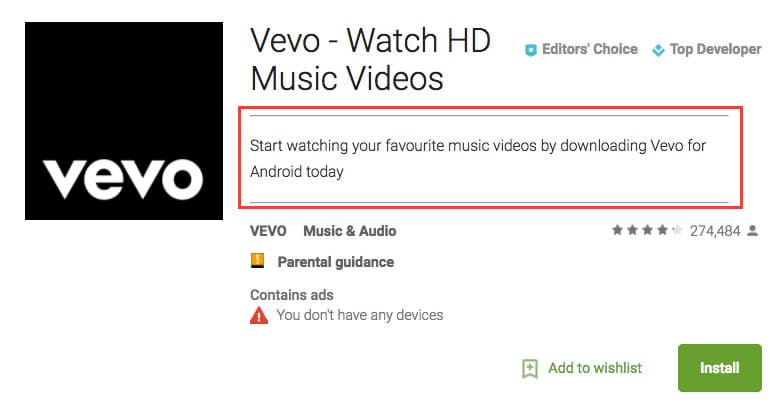
It also warns against repetitive or irrelevant keywords and says the description should stay clear and well written.
So if you want the keyword strategy that actually works, start here.
1. Put the main keyword above the fold
“The first visible lines do more work than people give them credit for. If the core term belongs anywhere, it belongs there. Not jammed in. Not dressed up. Just placed in a sentence that makes the app’s job obvious right away. When AppFollow clients improve that opening line, the listing usually becomes easier for both the store and the user to understand.”
- Yaroslav Rudnitskiy, Senior Professional Services Manager - ASO guru
Your biggest keyword should appear in the opening section users see before they tap for more. If it is missing there, you are hiding the signal that matters most.
2. Break the description so people can actually read it
Use:
- short paragraphs
- bullets where they make sense
- quick feature-to-benefit blocks
- clear section breaks
This is not cosmetic. Dense copy slows the reader down. Cleaner structure helps Google Play read the page better too because the intent becomes easier to follow.
“A wall of text usually means two losses. The user stops scanning, and the keyword pattern starts feeling forced. The better descriptions breathe. They move. They let each feature, use case, and keyword theme land without tripping over the next one.”
- Karen Taborda, Customer Growth Team Lead at Appfollow
3. Repeat the core keyword, but change the sentence around it
One mention explains the category. Another can tie it to a feature. A third can connect it to an outcome.
That is the version of repetition Google Play can live with. Mechanical reuse is where listings start sounding spammy, and Google explicitly tells developers to avoid that.
“I would rather see the main keyword show up three times in three different ideas than five times in one tired pattern. Good repetition feels invisible. The phrase stays recognizable, but the sentence keeps moving. That is usually what separates a description that ranks from one that only looks optimized in a doc.”
- Dzianis Shalkou, Senior Professional Services Manager
That is the real test, honestly. If the keyword helps the sentence say something useful, keep it. If it is only there because someone wanted one more mention, cut it.
Best ASO keyword research & tracking tools in 2026
The best ASO tools for keyword research and tracking pair a large, fresh keyword database with daily rank monitoring and competitor gap analysis, so you grow high-value organic installs — not just traffic.
Tool | Best for | Keyword research |
|---|---|---|
AppFollow | All-in-one ASO + review management | Discovery, difficulty & popularity, AI ideas, competitor keywords |
AppTweak | Data-rich ASO intelligence | Suggestions, volume, difficulty, AI recommendations |
Sensor Tower | Market & competitive intelligence (enterprise) | Keyword research + download/revenue estimates |
ASOMobile | Budget-friendly for indie / SMB | Keyword suggest & check, semantic core, 90+ countries |
Asodesk | ASO automation + reviews | Auto-suggestions, difficulty, organic reports |
How to Track Your Positions and Improve ASO Keyword Ranking
Finding the keyword is not the finish line. It is the moment the real work starts.
Rankings move because stores are alive. Competitors rewrite metadata. New apps show up. Ratings swing. Download momentum changes. Sometimes the algorithm starts reading intent a little differently than it did last month.
Apple says search results are shaped by text relevance and user behavior. Google Play says it uses the information developers provide, then weighs other signals to decide which apps best address the query.
That is why ASO keyword ranking cannot be treated like a one-time result. It is a moving signal. You place the keyword, watch what happens, and then decide whether the issue is relevance, competition, conversion, or product quality.
What Affects Your ASO Keyword Ranking?
Two buckets matter. Keep them separate in your head, because they solve different problems.
The signals you control directly
These tell the store what your app should rank for.
- title
- subtitle or short description
- iOS keyword field
- Google Play description
- how clearly the wording matches the search intent
Apple is explicit here. App Store search uses matches in the title, subtitle, keywords, and primary category. Google Play likewise relies on listing information such as the title and description to understand relevance.
Good placement helps. Strong relevance helps more. A keyword in the wrong field, or in the wrong sentence, still weakens the signal.
The signals that decide whether you keep the rank
These are harder to push directly, but they often separate a temporary appearance from a durable position.
- install volume
- rating and review quality
- conversion from the listing
- retention and broader user behavior
- overall app experience
Google says rankings are influenced by ratings, reviews, downloads, and other factors tied to user experience. Apple also points to downloads, ratings, and reviews as part of how search results are determined.
Perfect metadata can still lose to a better-performing app. The store may understand what you want to rank for and still decide somebody else deserves the spot.
That is the part people hate, because it means ASO keyword optimization is never just metadata work.
A term can be placed beautifully and still underperform because the icon is weak, the screenshots do not sell the value fast enough, the reviews make the app look risky, or the product page simply does not convert. Apple’s product page guidance and Google Play’s listing guidance both point to the importance of clear assets and helpful store copy for the user experience.
A cleaner way to track the problem is this:
If ranking drops… | Look at… |
after a metadata edit | wording changes, field placement, intent match |
while competitors rise | their title/subtitle updates, ratings, review trends |
with stable metadata | download momentum, conversion, store assets |
on one keyword only | keyword relevance, competition, historical fit |
across many keywords | broader algorithm shift or listing quality issue |
That is the practical mindset.
Metadata tells the store what the app is about.
Performance tells the store whether users agree.
When those two line up, rankings usually get easier to grow. When they do not, the keyword is rarely the only problem.
How to Monitor Your ASO Keyword Positions
After the app store optimization keyword search is done, the tempting move is to check rankings once in a while and hope the trend is obvious.
It usually isn’t.
Search positions move in small ways before they move in obvious ones. A keyword slips from 6 to 9. A competitor edges up on the same phrase in two countries. A metadata update helps one cluster and quietly hurts another. If you are checking by hand, you miss the pattern and overreact to the wrong thing.
Rankings are easier to fix when you catch the shift early, before it turns into a trend.
That is why manual checking is weak once the keyword set gets real. It does not scale. It is also unreliable. Store results can vary by market, device, and context, so one spot check tells you less than people think.
What useful monitoring looks like in practice:
- Daily snapshots. You want one clean rank read for every target keyword, every day. Not because you need to act every day. Because without a steady baseline, you cannot tell whether the move is noise or a direction.
- History, not just today’s number. A rank of 8 is almost meaningless on its own. A chart tells the story. Rising for