Crash and bug reviews after a release: a game team’s playbook

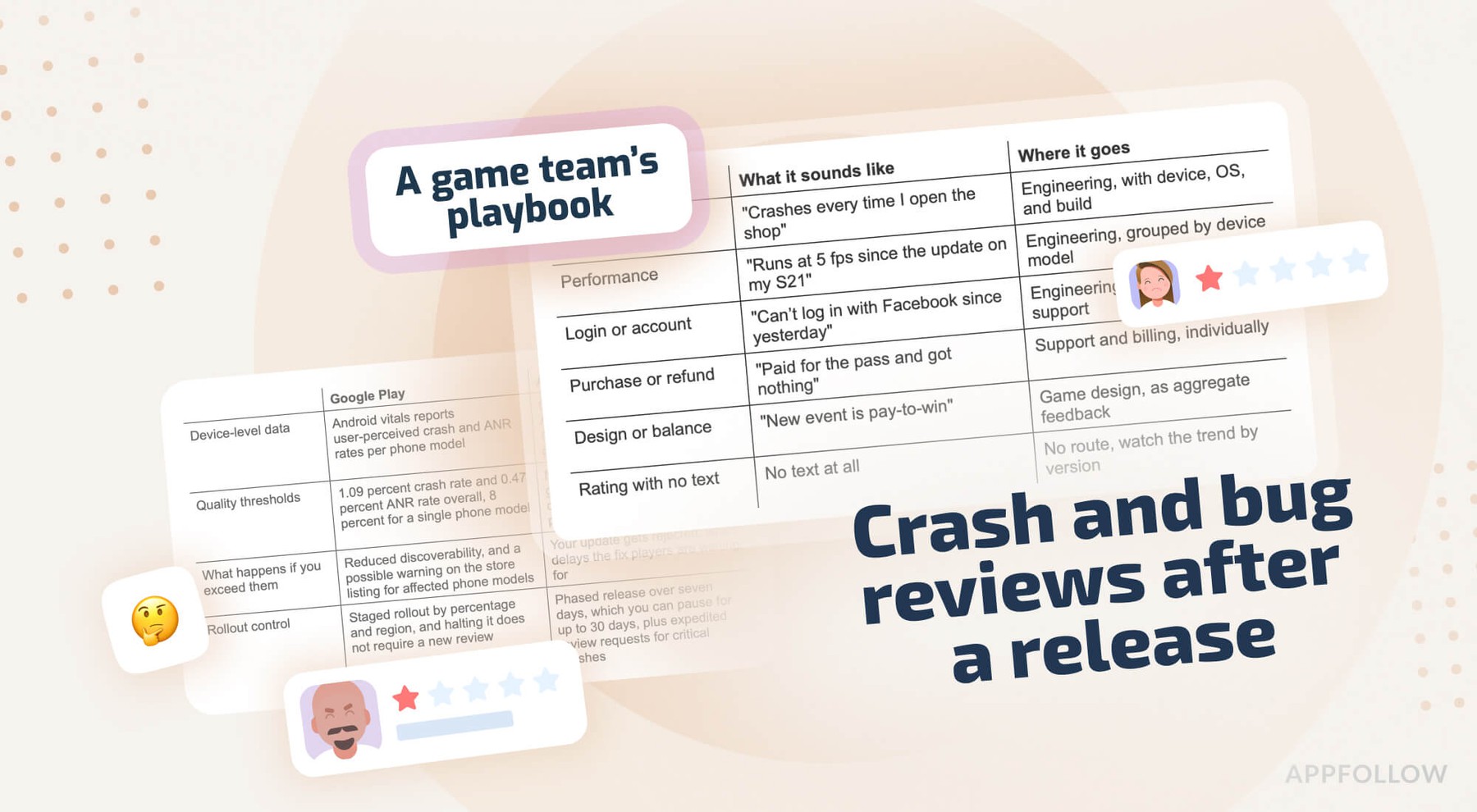
Table of Content:
- Key insights
- Why bug and crash complaints hit game apps hardest
- How to handle bug reports in App Store reviews: your first 48 hours
- How to communicate known bugs to your community
- Crash reports flooding your reviews: next steps
- Performance issues on specific devices (iOS vs Android)
- How to turn bug reports into positive reviews
- How AppFollow helps game teams manage bug and crash reviews
- Before your next release
- FAQs
When a release introduces a regression, the first evidence never comes from the bug tracker; it comes from the store, as one-star reviews describing a crash on the loading screen. Knowing how to handle bug reports in App Store reviews is a question about a narrow window: the hours between a release going live at 10 a.m. and the first reliable count of who is affected, when the volume of complaints is visible, and the cause is not.
One must treat these waves as incidents with stages: detection, tagging, routing to engineering, a public statement of the known issue, and a follow-up once the fix is out. Managing app store ratings and reviews after a defective build is a routing exercise, and how to respond to negative app reviews is the second question. The first is which team each review belongs to. The studios that recovered fastest wrote the routing down before the release that needed it.
Key insights
- Reviews reporting technical failures carry a device model, an OS version, a build number, and a timestamp, more context than a support ticket usually contains.
- Triage on day one matters more than reply speed, because sorting the complaints establishes whether one defect is involved or several, and which build introduced them.
- A public statement of known issues reduces duplicate complaints, since players who find it are less inclined to write the same review.
- App crash complaints cluster by device model, a pattern Google measures and penalizes once the rate on one phone model passes 8 percent of daily active users.
- Reviews can be edited on both stores, so teams that respond to app reviews again after a fix recover some of the one-star ratings left during the incident.
Why bug and crash complaints hit game apps hardest
A technical complaint is a review reporting that the game failed to work: crashes, freezes, degraded frame rates on hardware that ran the previous build, battery drain, overheating, authentication loops, purchases charged but never delivered, lost save data. Reviews objecting to monetization, such as those calling a new event pay-to-win, fall outside it.
Both are negative, and only the first carries a version number that makes it actionable. App reputation management for games begins with separating them as they arrive, since each goes to a different part of the studio. Broader reputation monitoring practice applies here too, with the qualification that a crash wave develops faster than other reputational events.
Games are more exposed to this than most app categories, for structural reasons.
Installs concentrate around a launch or a LiveOps beat, so a defective build reaches much of the audience within a day rather than over a quarter, and because ratings feed store ranking and product page conversion, a decline in the average raises the cost of user acquisition already committed. Apple has also generated review summaries on product pages since iOS 18.4, produced with large language models and refreshed at least weekly for apps with enough reviews.
That rollout is phased, currently English and limited to a set of apps in the United States, and where a summary exists, recent crash complaints are part of the material it draws on.
Technical complaint vs general negative review
Tagging precedes replying. The tag applied on day one is the field that answers the question three days later of how many players reported a symptom, and it decides whether a review becomes an engineering ticket or stays with the community team.
Review type | What it sounds like | Where it goes |
|---|---|---|
Crash or freeze | "Crashes every time I open the shop" | Engineering, with device, OS, and build |
Performance | "Runs at 5 fps since the update on my S21" | Engineering, grouped by device model |
Login or account | "Can’t log in with Facebook since yesterday" | Engineering or LiveOps, plus support |
Purchase or refund | "Paid for the pass and got nothing" | Support and billing, individually |
Design or balance | "New event is pay-to-win" | Game design, as aggregate feedback |
Rating with no text | No text at all | No route, watch the trend by version |
Single reviews seldom contain reproduction steps, so the pattern across a set of them carries the diagnostic value. Twenty reviews describing the same failure on the same build also supply what a crash log does not, which is what players were doing when it happened.
What ignoring crash reviews really costs
On Android, the cost is quantified in public documentation. Google treats user-perceived crash rate and user-perceived ANR rate as core vitals, with bad behavior thresholds at 1.09 percent and 0.47 percent of daily active users across all devices, and 8 percent for any single phone model.
Titles above those figures become less discoverable, and a warning can appear on the store listing telling the reader the app may not work properly on their phone. Apple applies pressure through reviews instead, since guideline 2.1 provides for rejecting builds that crash or show obvious technical problems, which means a hotfix assembled in a hurry can be rejected and cost another day.
Reread the App Store review guidelines before any submission made under time pressure, having lost a day to that once.
How to handle bug reports in App Store reviews: your first 48 hours
Counting complaints accurately requires an allowance for latency in the feed. App Store reviews reach a monitoring tool every one to three hours, and Google Play reviews every ten to fifteen minutes where a console connection is active, and store moderation adds up to 24 hours on Google Play and between 8 and 72 hours on the App Store, so the reviews visible at 3 p.m. are a sample of what has been written.
Triage: detect and tag the spike
Alerting is configured before a release. A spike alert on review volume scoped to the new version reports the problem while a working day remains, and an alert on the bug semantic tags reports its character. Finding the same problem by manual inspection costs the morning, which is how we found ours the first time. The ability to monitor app store reviews continuously is a precondition for either alert, since a spike is defined against a baseline from an ordinary week. Pairing the review feed with app performance monitoring supplies the other figure: the number of players who hit the defect and wrote nothing.
Four questions are answerable within the first hour:
- How many reviews
- Which build
- Which store
- Which countries
One build on one store across every country indicates a release problem. Concentration in a single country points to a server, a partner SDK, or a payment provider before it points to the client.
Route real bugs to engineering without losing the thread
A tagged review becomes a ticket, and the ticket keeps the review with it. AppFollow forwards tagged reviews into Slack and into help desks including Zendesk, Freshdesk and Intercom natively, and into other systems through a webhook or the API, so the bug tracker a studio already runs can receive them. Configuring this as workflow automation, rather than relying on someone to copy text into Jira at midnight, is what kept our routing working through a bad week.
- What to put in a bug ticket built from a review
- Review text, in the original language and in translation
- Star rating and the date it was written
- Device model and OS version
- App version and store, plus country
- The review ID or permalink, so you can find this player again
- How many other reviews carry the same tag on the same build
The last item determines priority, since engineering responds differently to a report covering forty players than to one covering a single reviewer. The review identifier is kept for the reason discussed in the final section, where it becomes the way back into the conversation.
How to communicate known bugs to your community
Silence during a known issue increases the number of reviews. Players with no way to tell whether we knew about the problem described it again, and each description arrived as another one-star. A public acknowledgement gives the team one formulation to repeat and gives players a reason to stop repeating themselves.
Write a known-issues reply that reduces repeat complaints
The reply we settled on has four elements: the problem named in the reviewer’s words, confirmation that it is known and under investigation, a workaround or a timeframe the team can honor, and instructions if the problem persists. Apple asks that responses stay concise, avoid marketing language, and be personalized where possible rather than reproduced identically beneath similar reviews. Further review response examples cover the reviews unrelated to defects.
Known-issues reply template
Hi (name), thanks for flagging this. The loading screen crash in (1.14.2) is a known issue, and the team is working on it now.
(Clearing the cache and restarting) gets most players back in, and your progress is safe on our servers. If it continues after the next update, email (support) with your device model.
Length decides the wording. A Google Play developer reply is capped at 350 characters, documented in the Reply to Reviews API and enforced in the console. Apple publishes no limit, so the figures circulating for the App Store are community estimates rather than a specification. We wrote every template to 350 characters, which meant one version posted on both stores without an edit.
Three habits cost us more than they saved. Disputing the star rating achieves nothing. Asking for a reinstallation we knew would not help wasted the reviewer’s time and produced a second complaint. Naming a date engineering had not committed to turned one dissatisfied reviewer into two once the date passed.
Keep the message consistent across stores and updates
Consistency across channels matters because players compare them. The same wording belongs on the App Store, on Google Play, and wherever the community sits, which for us meant Discord and a pinned patch note, since different explanations in different places read as disorganization. Where reviews arrive in a dozen languages, the template gets translated; a reply the recipient cannot read does not affect the complaint rate.
The step we forgot was retiring the message. A template announcing a fix keeps announcing it for weeks after the fix ships unless someone edits it, and Google discourages posting automated replies with the stated intention of revising them later. The template update belongs in the release checklist beside the patch notes, and the app store reply to reviews workflow is easier to keep current from one interface than from two developer consoles.
Crash reports flooding your reviews: next steps
Two hundred one-star reviews rarely represent two hundred problems. Three or four problems of different magnitude is the usual shape, so the work of the second day is establishing which is which before the reply capacity is spent on the wrong one.
Separate crash signal from noise
Semantic analysis groups reviews by meaning, so an app crash report gets a bug tag whether the reviewer wrote that the game crashes, closes by itself, or throws them to the home screen. AppFollow’s bug tags include crash, app freeze, connection issues, device issues, battery, login and access, payment issues, slow, overheating, and data loss, close to the taxonomy engineering already uses, and filtering these by app version turns a set of complaints into counted clusters. Correlation with crash data through monitor app performance establishes whether a cluster is large or loud.
Two points about counting settled most of our disagreements with engineering. Reviews undercount incidence, since a small proportion of affected players write anything, so cluster size works as a ranking signal and fails as an estimate of reach. Android vitals counts users per day while Crashlytics counts sessions, so one incident yields two percentages depending on which dashboard is quoted. Google documents the gap with its own example: a player who opens the game three times in a day and crashes once shows as 100 percent in Vitals and 33 percent in Crashlytics.
Prioritize by impact and reply at scale
Clusters get ranked by players affected and severity, and we respond to app reviews in that order rather than the order they arrived. Data loss and failed purchases go first, whatever the volume, because those players request refunds and do not return. A cosmetic defect on one device can be covered by the known-issues message.
Templates make the volume manageable under two constraints. They need variation, since a hundred identical replies beneath a hundred reviews read worse than no reply. And the mechanics matter: Google’s reply API permits 2,000 replies per app per day and notifies the reviewer only on the first reply to a review they created or edited. We keep approval mode on for the duration of an incident.
cta_get_started_yellow
Performance issues on specific devices (iOS vs Android)
Performance issues on specific devices are the complaints general review advice omits and the ones we saw most. Fragmentation, variation between GPU families, and differences in thermal behavior leave a title stable for most players and unplayable for a minority, all of whom are writing reviews.
Spot device and OS specific patterns
Filtering bug-tagged reviews by device model and OS version usually reveals a pattern in the performance issues described: one Android version, one manufacturer, one GPU family, or every device below a certain amount of RAM. Where reviews name a device and store data does not confirm the pattern, we put the question in the reply. Reviewers supply the exact model when asked.
Google Play | App Store | |
|---|---|---|
Device-level data | Android vitals reports user-perceived crash and ANR rates per phone model | Crash data by device through App Store Connect and Xcode Organizer, with no published per-model threshold |
Quality thresholds | 1.09 percent crash rate and 0.47 percent ANR rate overall, 8 percent for a single phone model | No public threshold, though guideline 2.1 rejects builds that crash or show obvious technical problems |
What happens if you exceed them | Reduced discoverability, and a possible warning on the store listing for affected phone models | Your update gets rejected, which delays the fix players are waiting for |
Rollout control | Staged rollout by percentage and region, and halting it does not require a new review | Phased release over seven days, which you can pause for up to 30 days, plus expedited review requests for critical crashes |
What to say in replies | Name the Android version and model, ask for the exact device if the pattern is unclear | Name the iOS version, and mention the build the fix will land in |
Sources: Android vitals for the crash and ANR thresholds, and the App Store Review Guidelines for guideline 2.1.
Coordinate the fix and set expectations by platform
Timing differs enough between the platforms that one promise made on both will be wrong on one of them. Google Play permits a staged rollout to be halted within minutes, which stops the spread without waiting on anyone. The corrected build still goes through Play review, which usually clears in hours to a few days.
An App Store fix also passes through review, and a crash affecting a large share of players is one of the grounds on which Apple will consider an expedited request. Expedited review is rationed and gets refused, so we planned around it as a possibility and never as a schedule.
So stagger the message: tell Android players the fix was rolling out and iOS players it had been submitted, with confirmation to follow. Resetting the iOS summary rating on a new version is possible per territory and seldom worth it, since it removes the volume that makes an average credible and leaves the written reviews in place.
How to turn bug reports into positive reviews
Reviews can be edited on both stores, and both notify the reviewer when a developer responds, which makes a one-star left during an incident temporary. Apple sets this out in its guidance on ratings, reviews, and responses. Few teams work it deliberately, and we did not either until we counted what it was worth.
The reply-then-follow-up loop that lifts ratings
The sequence runs four steps over a week or two: a reply during the incident carrying the known-issues message, the fix shipping, a second reply on the same review naming the version that corrected the defect, and one request that the reviewer consider updating their rating. Offering currency, items or anything else in exchange for a rating counts as manipulation on both stores and costs more than the rating is worth. On the composition of the reply, the guidance on how to respond to negative reviews covers tone and structure.
Post-fix follow-up template
Hi (name), following up on the crash you reported. Version (1.14.3) is live and fixes the loading screen issue on (device).
The details you gave us helped the team reproduce it. If the game runs properly now, we would appreciate you updating your review. Either way, glad to have you back.
One Android mechanic bears on the follow-up. Where we had already replied during the incident and the reviewer never edited their review, the second reply did not generate a notification. On iOS, the reviewer is notified whenever a developer responds, and App Store Connect can email the team when a reviewer edits a review it replied to, which is the trigger we used for measurement.
Close the loop after the fix ships
Filtering by tag, affected version and reply status produces the follow-up list, which is why the review identifier went into the ticket. Apple recommends describing the fix in the release notes and replying to older reviews to tell those users about it, so both happen in one session. Half an hour covers a few hundred reviews.
Reply effect measures the outcome by counting rating changes after a reply and within three months, a figure that needs careful reading. AppFollow’s research indicates most changes to reviews happen without any developer reply, so the comparison worth making is between the update rate of the replied group and the unreplied group.
How AppFollow helps game teams manage bug and crash reviews
The workflow above needs four capabilities in one place, which is what app store review management software does. Reviews from the App Store, Google Play, and Steam arrive in one feed with filters for device, OS, app version, country, language, semantic tag, and reply status, so AI-powered review management works on the filters triage already needs.
Detection comes first. Auto-tag rules run every ten minutes against untagged reviews from the preceding 14 days, and teams that monitor app store reviews across both stores in one feed get spike alerts and AI summary alerts triggered by bug tag thresholds in Slack or by email.
Routing follows, with tagged reviews delivered to Slack, Zendesk, Freshdesk, Intercom, and other help desks natively, or elsewhere through a webhook.
Replying is third. Teams respond to app reviews with templates, bulk actions and AI replies configured with custom instructions, approval mode holds replies for a second reader, and automatic translation covers languages nobody on the team reads. Measurement is fourth, with reply effect recording whether replies preceded rating changes and agent performance recording reply time and workload through the incident.
The limits should be stated. It does not fix the defect; full reply and version data depends on store console connections, semantic analysis is a paid add-on, and no tool guarantees a rating recovers. Setup takes an afternoon, which is an argument for doing it before a release. A free AppFollow trial covers the next crash spike and puts replies in one place, and correlating reviews with performance data is a separate step in App Monitor.
Before your next release
Three preparations are worth finishing while nothing is on fire: a review spike alert scoped to the next version, a known-issues reply written and translated in advance, and a named owner for the post-fix follow-up. AI-powered review management runs all three from one place, and the trial is more useful when started before a release than after one.
cta_get_started_purple
FAQs
How should I respond to negative app reviews about bugs?
Knowing how to respond to negative app reviews about bugs comes down to four elements: naming the problem in the reviewer’s terms, stating whether it is known, offering a workaround or a timeframe the team can honor, and saying where to go if it continues. Apple suggests prioritizing the lowest star ratings and the reviews mentioning technical issues with the current version where answering all of them is impractical.
What do I do when players report bugs right after a release?
Work the first 48 hours as an incident. Confirm the spike against the new version, tag reviews by defect type, route the reproducible ones to engineering with device, OS, and build, publish one known-issues message everywhere, and hold the remaining reply capacity until the largest cluster is identified.
How do I handle crash reports flooding my reviews?
Cluster them by symptom and app version rather than answering in date order, then rank the clusters by players affected and severity, answer the largest first with varied templates, and let the known-issues message cover the rest. Cross-check cluster sizes against crash data, since reviews undercount reach.
A bug only affects certain devices, how do I respond?
Filter bug-tagged reviews by device model and OS version to confirm the pattern, then name the device in the reply so the reviewer can see the report was understood. On Android, the per-model figures in Android vitals are the reference, since a crash or ANR affecting 8 percent of daily active users on one phone model costs visibility on that model.
Can a negative bug review become positive?
Yes, since both stores allow reviews to be edited and notify the reviewer when a developer replies. The sequence is a reply during the incident, the fix shipping, a second reply naming the corrected version, and one request that the reviewer update their rating. Nothing should be offered in exchange, and the conversion rate is modest.
How do I manage negative app reviews on the App Store and Google Play at scale?
Put both stores in one monitored feed, tag reviews automatically by topic and version, let templates and automation handle the repetitive volume, and reserve human replies for the reviews that warrant them. Route defects to the tracker engineering already uses.