What are the benefits of AI-powered review management for mobile apps?

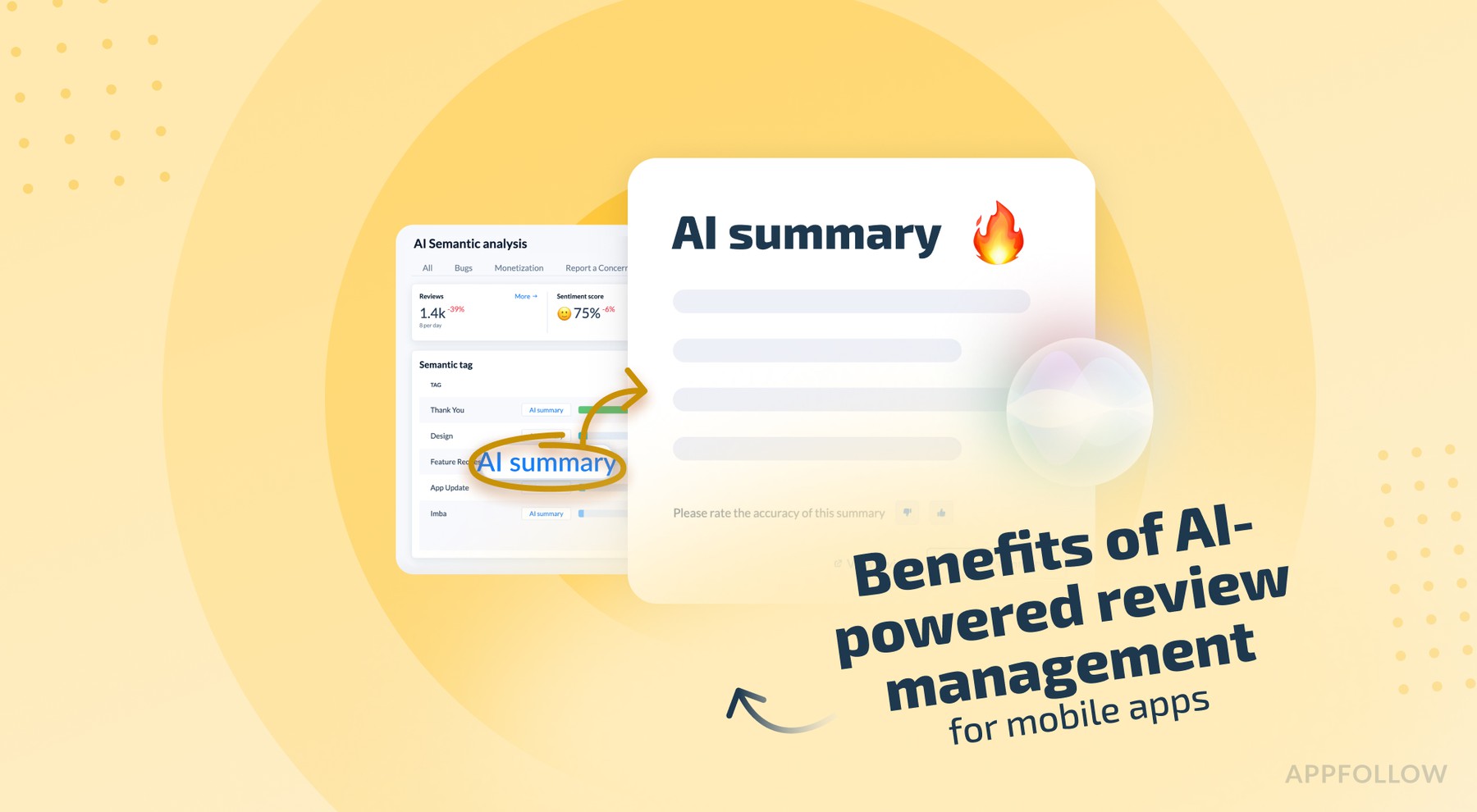
Table of Content:
This piece is here to answer that honestly.
Not with feature lists. Not with hype. With real outcomes app marketers care about: speed, signal, sanity, and ratings that don’t quietly decay after the last release.
Here’s what AI-powered review management changes when it’s done right:
- Cuts response time from days to hours (without burning out your support team)
- Surfaces real product issues early, before ratings slide or churn spikes
- Turns thousands of reviews into usable insight, not unread noise
- Saves your reputation before it gets a big problem
If you’re managing reviews at any kind of scale, multiple apps, frequent releases, and global users, these benefits aren’t “nice to have.” They’re the difference between reactive damage control and steady reputation growth.
So let’s break it down. One benefit at a time.
Speed up support response time
With app review management tools, support agents and product managers stop copying and pasting canned replies or sorting spreadsheets. The AI does 35–50% of routine review work (as Roku’s team saw), so everyone can focus on product improvements, growth strategies, or, finally, an actual lunch break.
- For example, the review management tool’s AI takes on the routine “thank you” and “we’re sorry” replies, so your team can focus on the reviews that really need a human touch
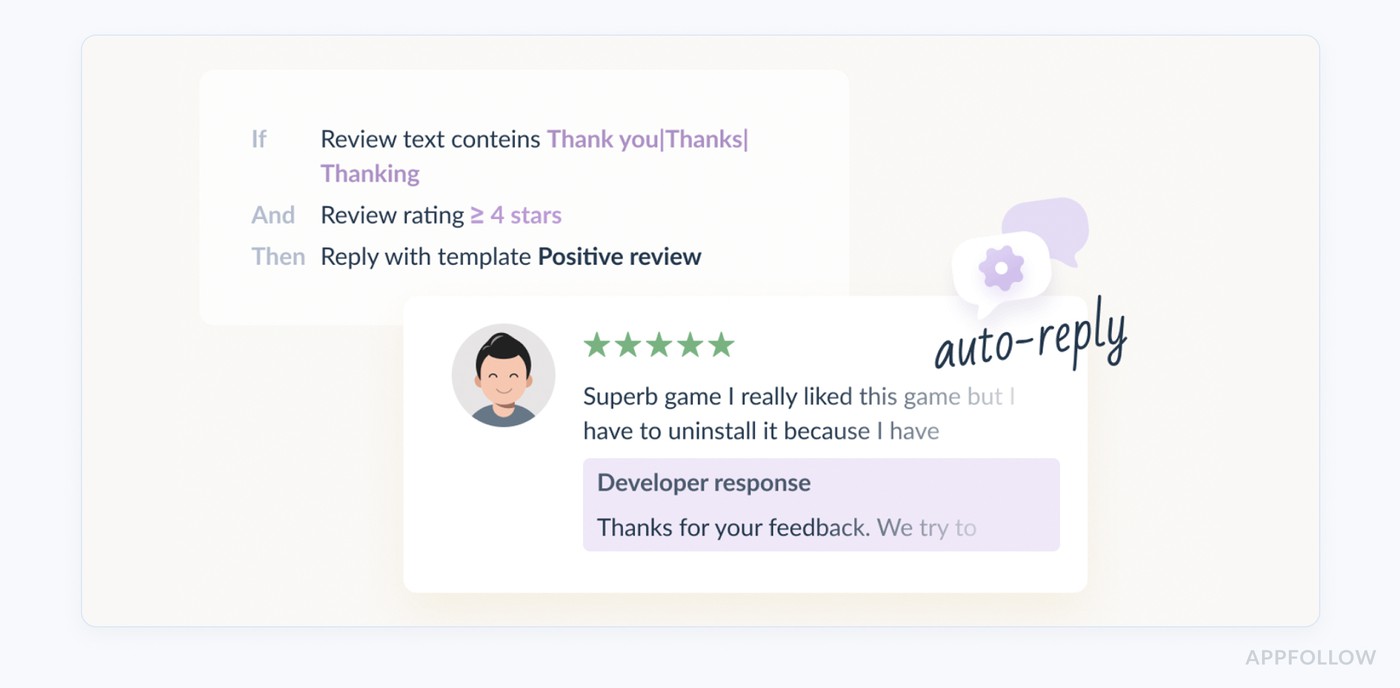
- Before app review management automation, marketers spent hours typing “Thanks!” or apologizing for known issues. Today, smart app review reply tools can draft those messages on autopilot.
- Another case is crafting fast personalized replies to any customer review in one click
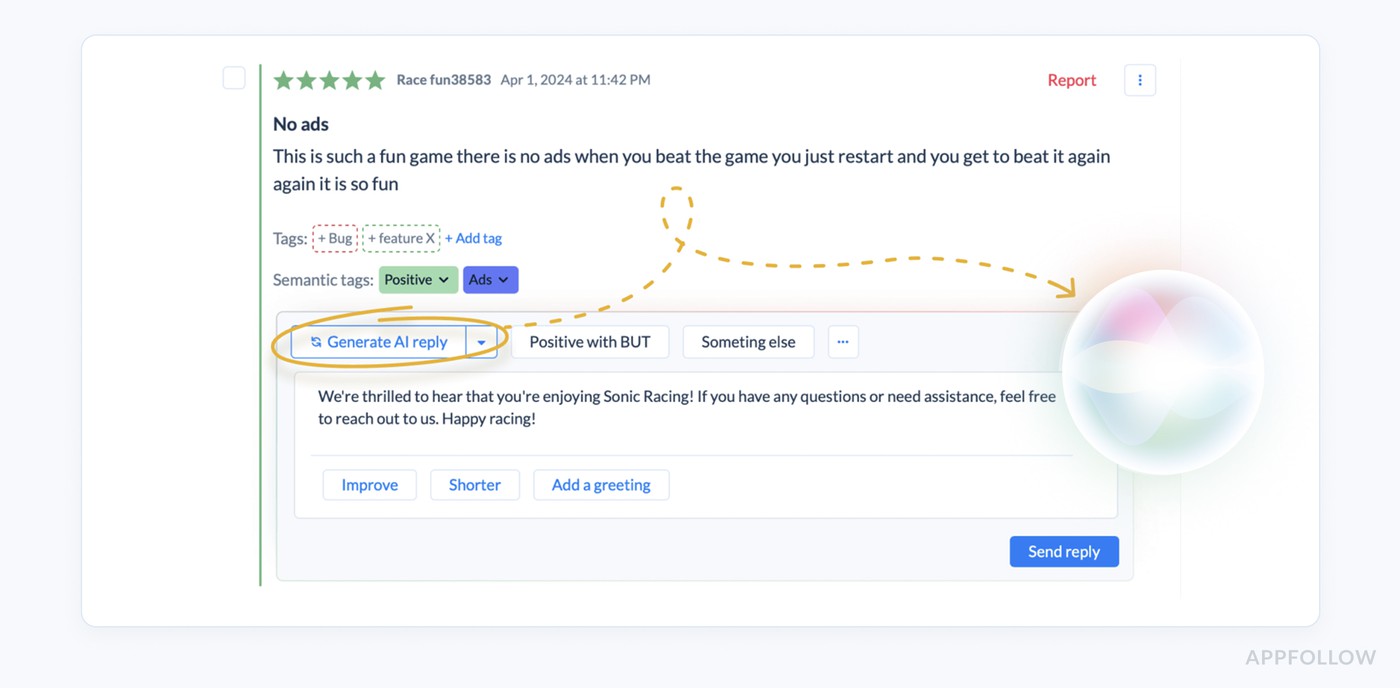
Real-world results speak for themselves: BitMango ramped up its review response rate by 2,3X in just three days using AI auto-replies.
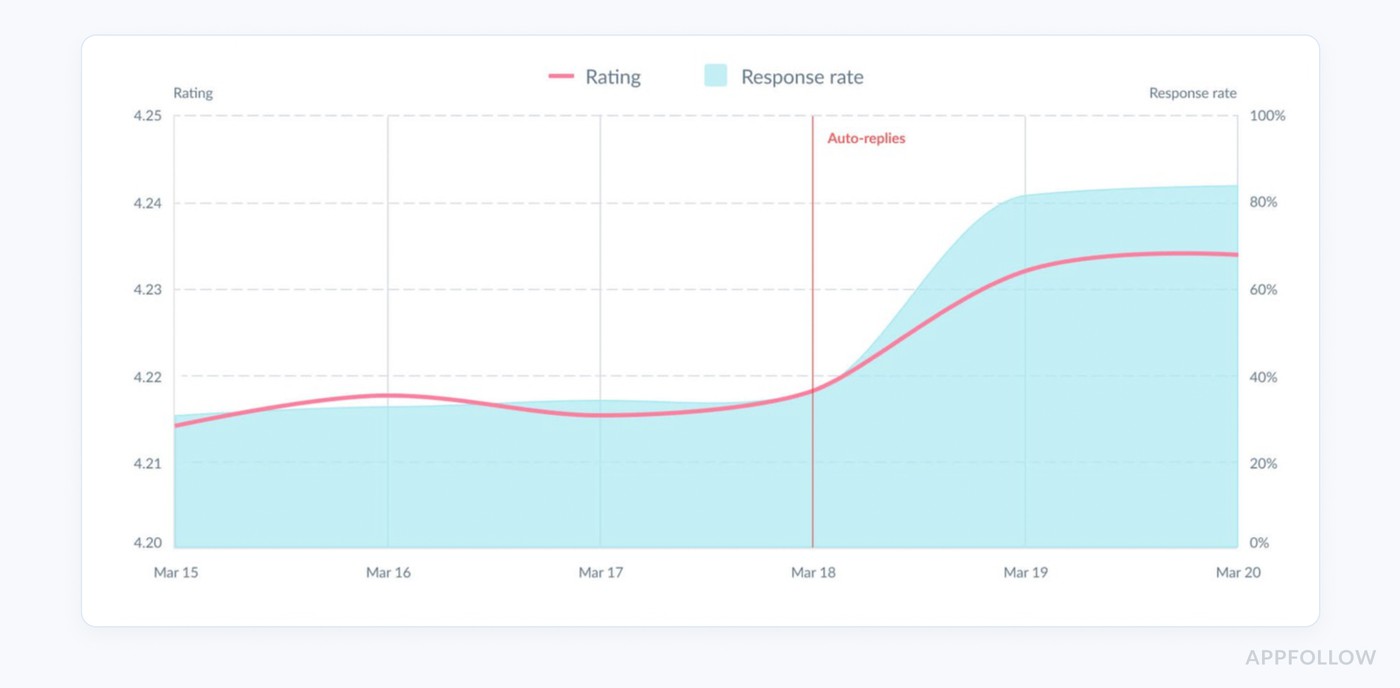
Using 10 Auto-reply rules, the team covered over 2,000 reviews in just three days!
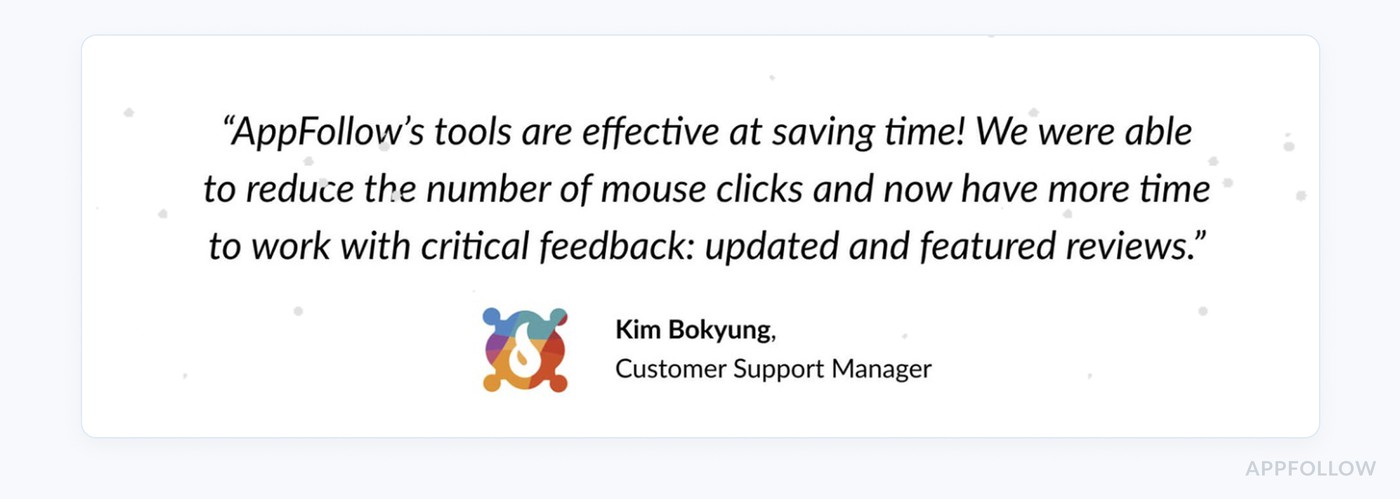
Across multiple mobile gaming case studies, publishers managing 100+ apps consistently report that AI-powered reply automation reduces the effort required to handle thousands of player reviews.
Understand the global trend of audience feedback to your app
No human can read every review (often thousands per day), but AI can. Modern tools ingest reviews from all app stores and countries, translating them automatically, then use NLP to tag sentiment and topics.
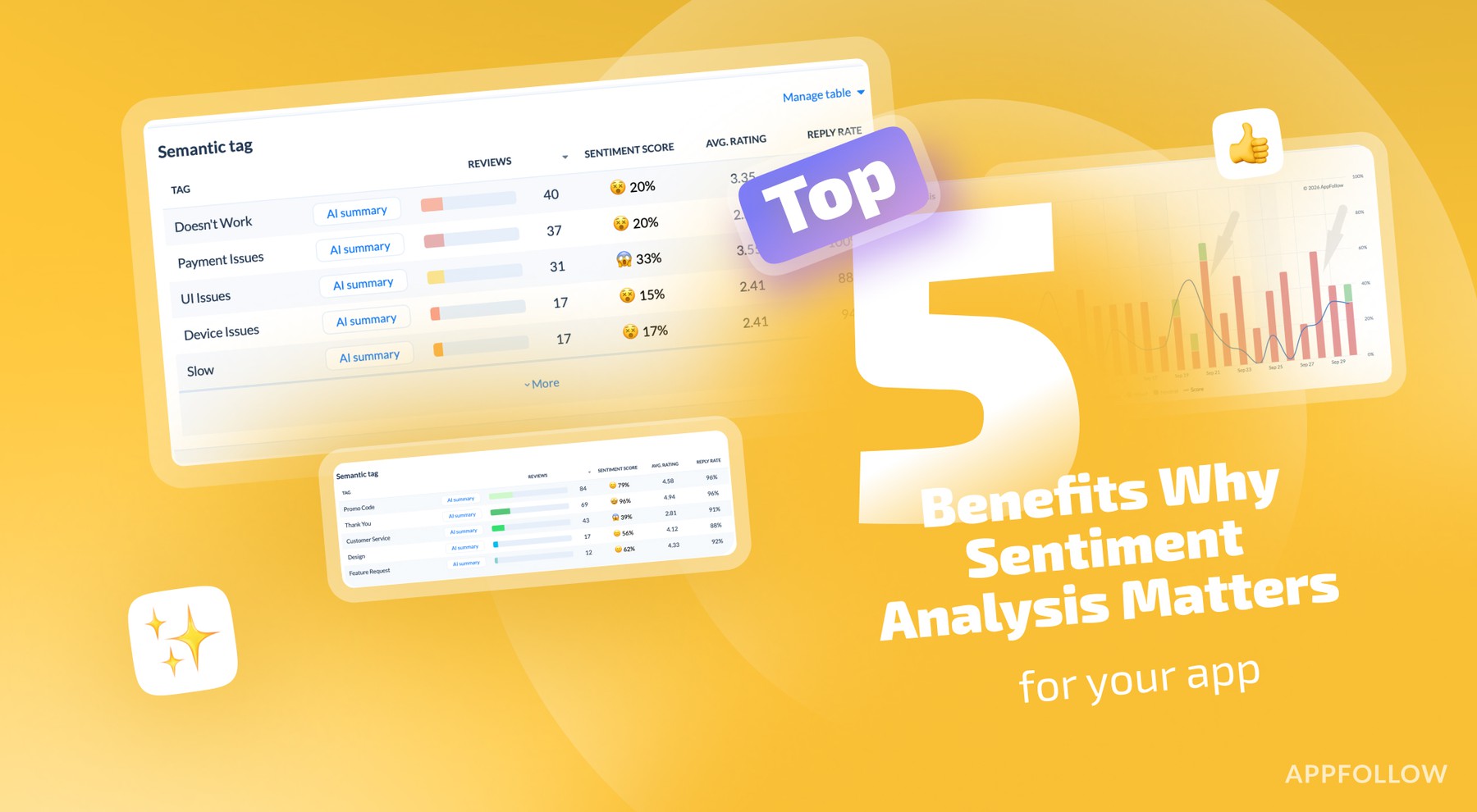
In AppFollow, the Semantic Analysis algorithm processes all app reviews and assigns Semantic Tags to these reviews:
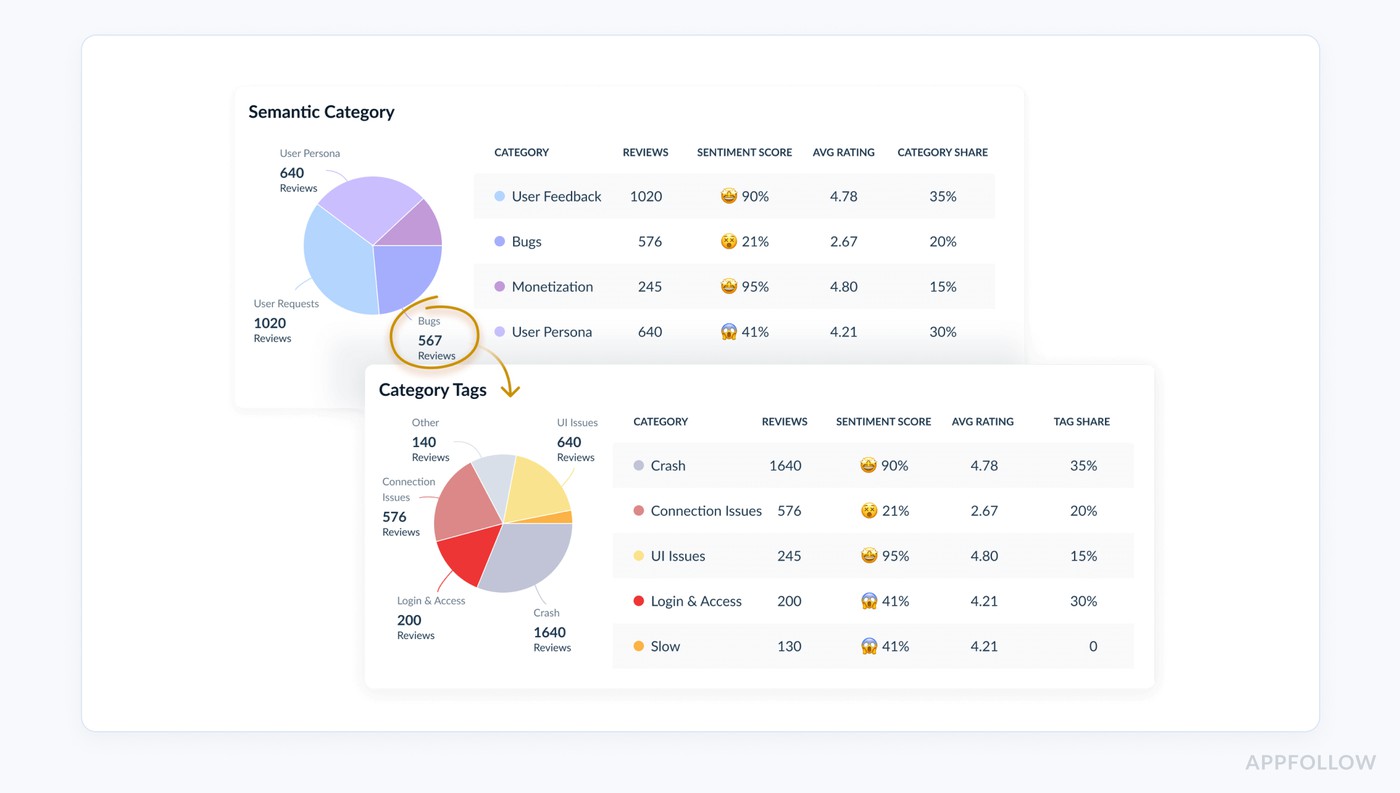
In practice, this means AI will surface trends like “many users love Feature X” or “help, the app crashes on login.”
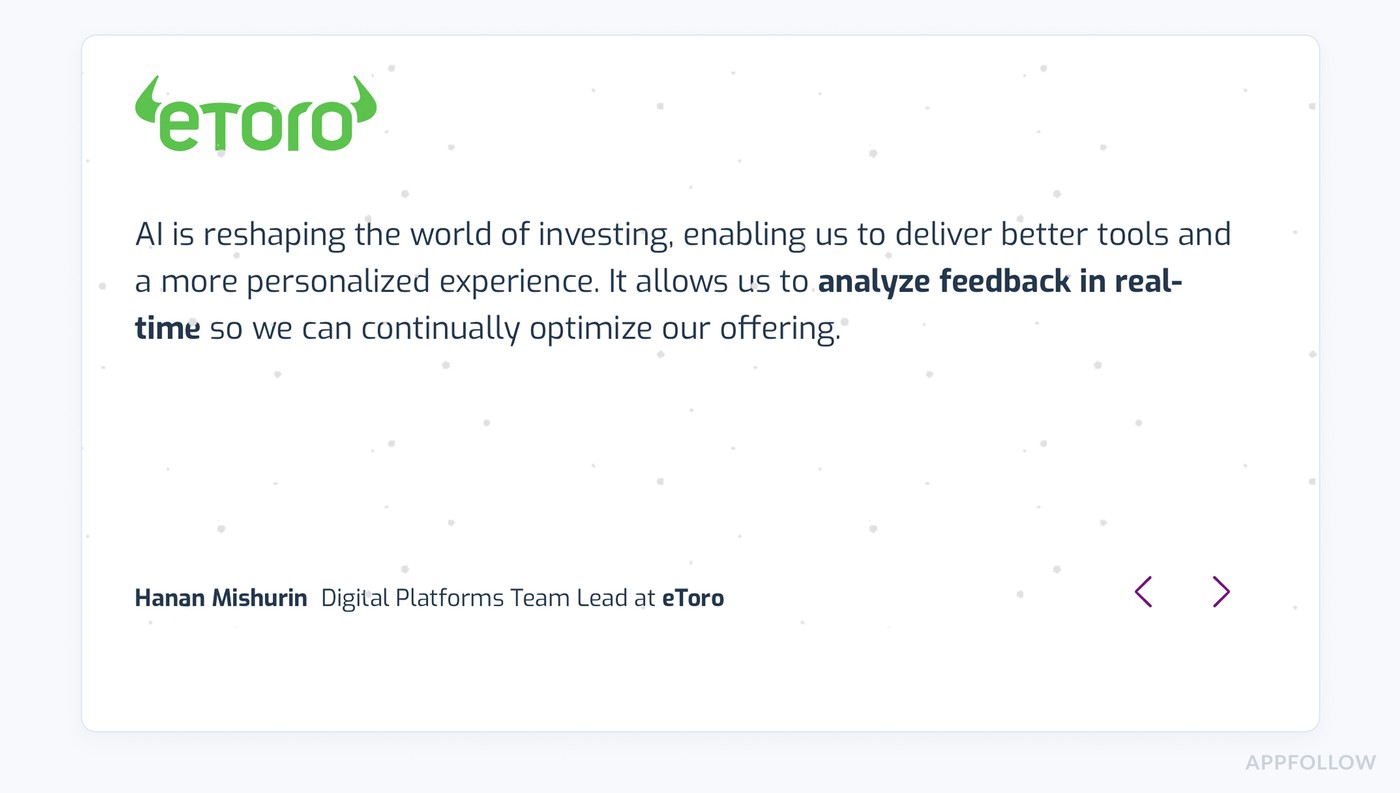
Even large brands lean on it: eToro’s team says
NBCUniversal praises AI for “surfacing sentiment shifts in real time” so they fix issues before subscribers quit.
In short, AI reads what humans can’t: every review.
Fix bugs faster by turning reviews into a release feedback loop
Not every review deserves equal attention. Review tools make that obvious.
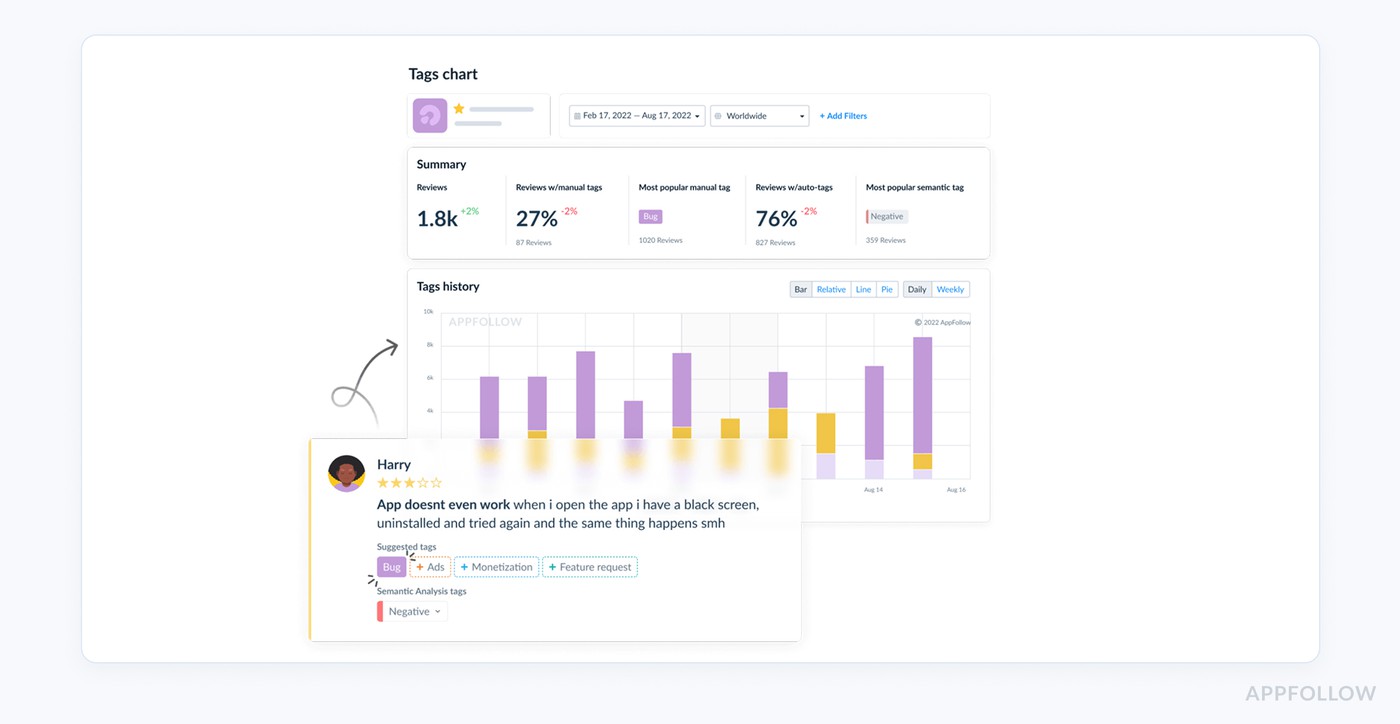
They auto-triage the scary stuff, 1★ reviews mentioning “crash,” “refund,” “can’t log in”, and pushes them to the top using smart tags (sentiment, rating, keywords). That’s your early-warning system.
For example, in AppFollow, you have a special dashboard with the tags of the app in one place, so it is easier to see the problem than in the list of app store reviews:
Another feature product marketers use to improve their app performance is AI Summary Comparison. Here is what it looks like in AppFollow:
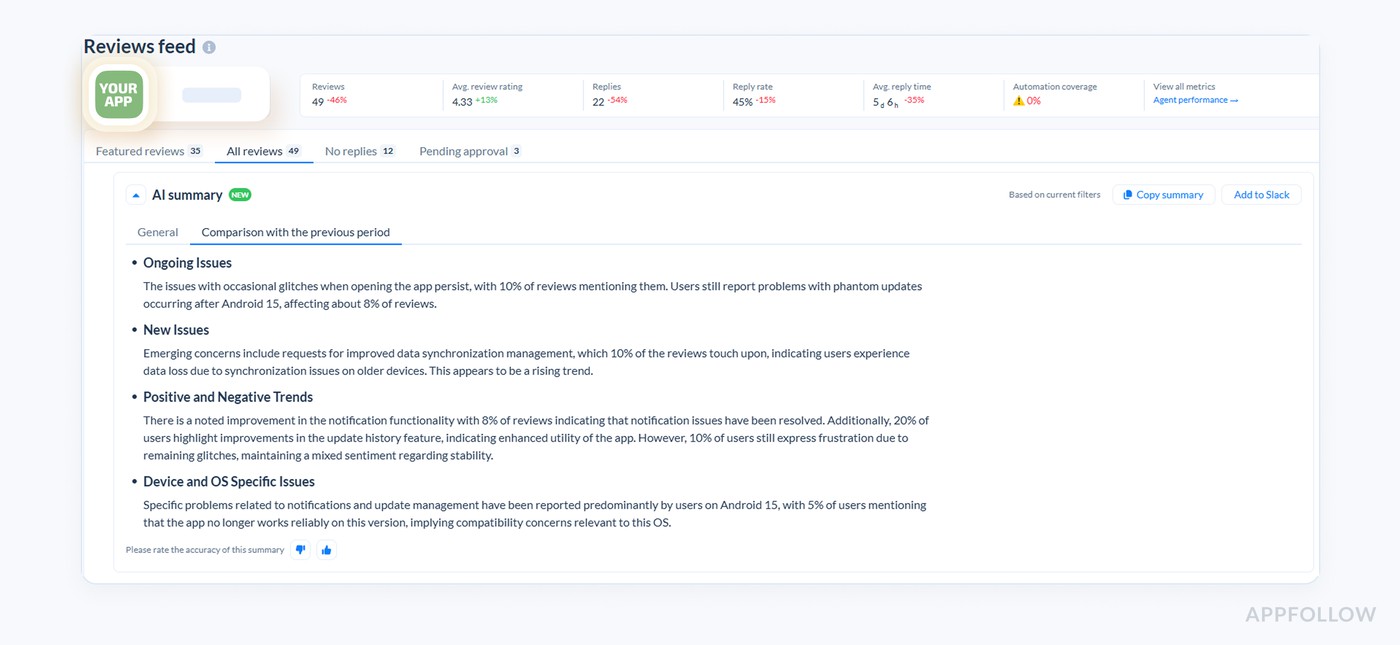
You compare feedback before vs. after the patch and see what changed across Ongoing Issues, Positive Feedback, Suggestions.
- Did “login broken” disappear?
- Did a new issue replace it?
- Can you report results without reading 600 reviews?
That’s how you move fast and stay confident you fixed the right thing.
Save your app reputation
App review tools help you save your app reputation by doing one thing really well: they shorten the time between “problem started” and “team reacts.”
How they do it:
1) Real-time alerts on the reviews that can hurt you most
Instead of checking dashboards when you “have time,” you get notified when something urgent happens.
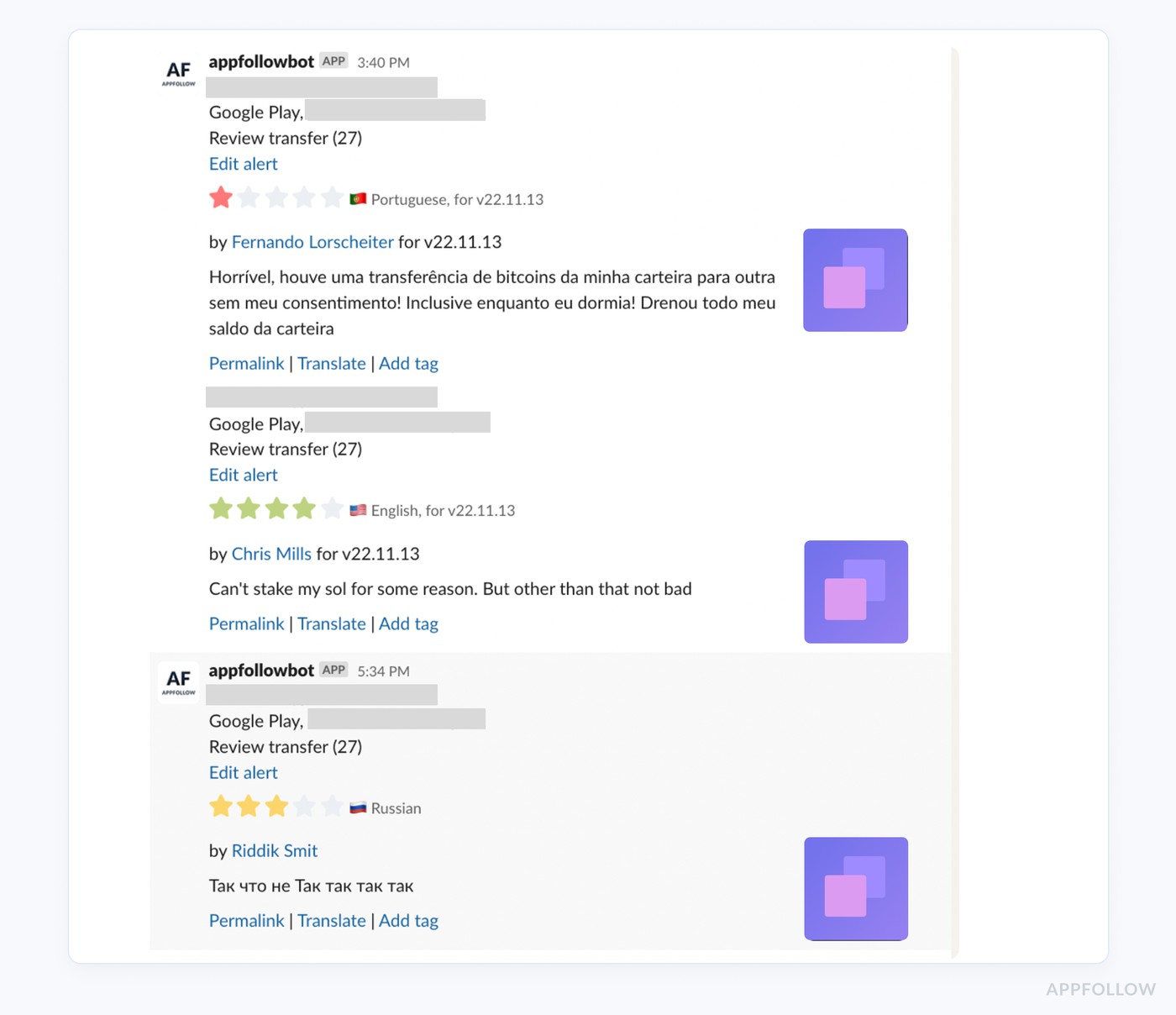
AppFollow, for example, lets you set Reviews feed alerts so you’re notified whenever a new review matches your filters, and those alerts can go straight to Slack, Telegram, or email.
Here is what it looks like in Slack:
If you want to catch reputational damage early, the obvious trigger is 1★ reviews, but the smarter setup is:
- 1★ + keywords like crash/login/refund
- sudden spikes in a specific country
- reviews after a release version
There’s also a separate alert specifically for rating shifts: Total Rating Change notifies you if your rating changes by 0.1 or more within 24 hours, because even a small drop can affect conversion.
We’ve learned faster responses can increase the chance of users updating their reviews by up to 30%.
2) Auto-triage so urgent issues hit the top of the queue
Most teams lose time not because they can’t fix things, but because they can’t spot patterns fast.
AI-based review analysis groups feedback by sentiment and topics (think: “login loop,” “crashes on Android 13,” “subscription renewal”). When the same issue repeats, it stops looking like “a few angry people” and starts looking like “this release broke something.”
A fintech example: after a version update, AI caught a spike in reviews mentioning “login” and “looping.” Within two hours, the issue was identified as a bug on Android 13 affecting Samsung Galaxy M-series users. The fix went out the same day, and the rating bounced from 3.8 to 4.5 over the next week.
That’s reputation protection in real life: detect → route → fix → recover.
3) “Report a concern” workflows for spam/offensive/policy-breaking reviews
Some reviews shouldn’t be “handled”; they should be removed.
AppFollow’s Report a Concern feature is designed to let teams report spam or inappropriate reviews directly (supported for App Store and Google Play).
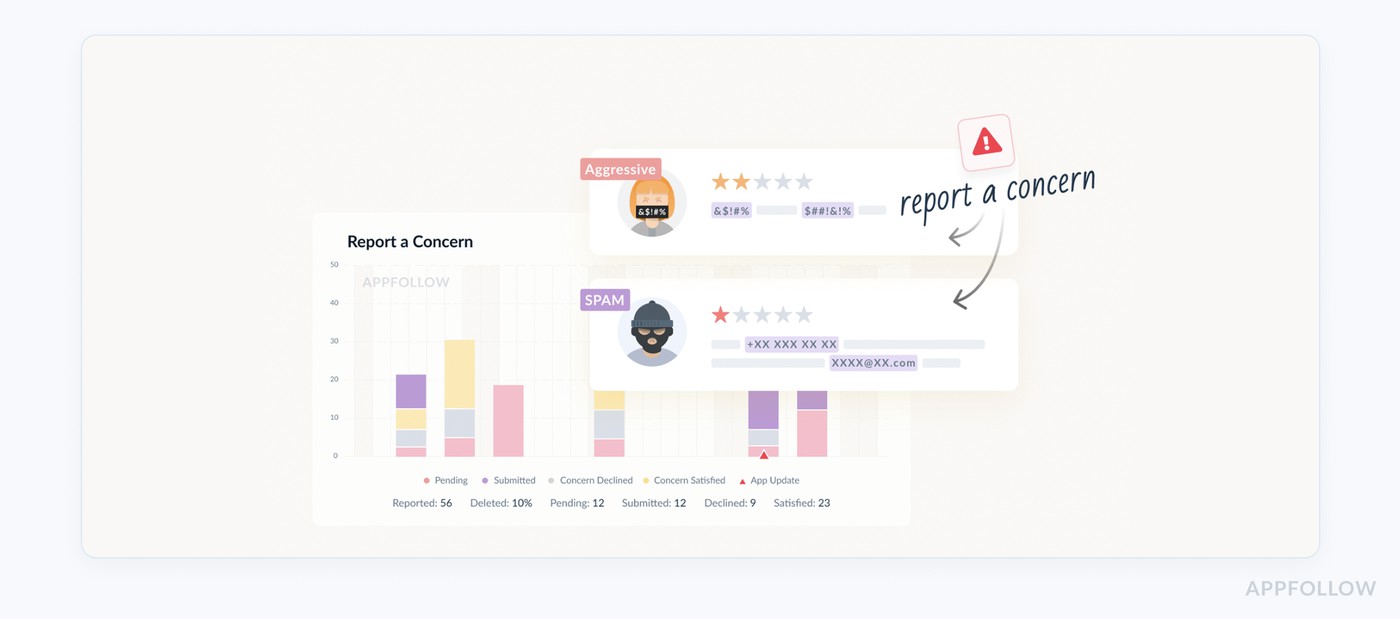
This matters because spam waves can tank your rating without reflecting product quality. A report workflow gives you:
- a faster way to flag policy violations
- less context switching between consoles
- a clearer operational process (who reports what, when)
Never miss user feedback again with AI-powered reputation management with Appfollow
Monitor user feedback, automate review responses, and gain actionable insights, all while saving costs at every turn.
The path to reaching a 4.5+ star rating has never been easier.
cta_free_trial_purple
FAQs
What is AI-powered review management for mobile apps?
It’s the difference between reading reviews and running a review operation.
AI-powered review management uses language models to sort reviews into themes (billing, bugs, UX friction, feature requests), flag what’s urgent, and help draft replies. So instead of “we’ll get to it when we can,” you’ve got a system that tells you: this is a fire, this is feedback, and this is just someone having a bad Tuesday.
Will AI replies make us sound like a bot?
Only if you let it ship on autopilot.
The smart play is: AI writes the first version, your brand voice edits the last 10%. You set rules like “auto-draft for 4–5★ praise,” “human review for refunds and account issues,” and “never guess when a user reports a crash.” Then your replies stay fast, specific, and human. No “We value your feedback” beige nonsense.
How does AI help you catch product issues faster?
Because it turns messy noise into patterns you can act on.
A human sees 200 reviews and feels overwhelmed. AI groups them and says: “Hey, 37 people mentioned ‘login loop’ after the latest Android update.” That’s not a vibe. That’s a ticket. And it means you can move from damage control to fix + recovery before your rating takes a long nap.
What should we automate, and what should stay manual?
Automate the stuff that’s repetitive and safe:
- tagging and routing (who needs to see what)
- drafting replies for common themes
- alerts for spikes (1★ surges, “crash,” “won’t open,” “charged twice”)
Keep humans on anything that can blow up: billing, account access, privacy, harassment, legal, anything where you need to investigate before you speak. Automation is for speed. Humans are for judgment.
Does replying to reviews actually improve ratings?
It can, but not because “responding is good.”
Ratings improve when users feel seen and get unstuck. A fast reply that gives a clear fix, acknowledges the pain, and sets expectations (“we’ve shipped a fix in v6.2.1”) can turn a 1★ into a revised rating. Even when it doesn’t, you’re still protecting conversion. Because a silent app looks abandoned, and users notice.
Read also
The top 10 app store optimization tools in 2026 (and when to use each)
How can sentiment analysis be used to improve customer experience?
Why app stores nudge app companies to respond to reviews
How App Store Optimization Tools Enhance App Visibility?
How does automated review management improve customer engagement?