App store optimization for Google Play: the game team's guide

Table of Content:
- Key insights
- What app store optimization Google Play actually means for games
- The Google Play ranking factors game teams can move
- How to run a Google Play ASO keyword workflow for games
- Find and prioritize Android game keywords
- Games-specific Play Store ASO tactics that move the needle
- Turn UA install spikes into organic rankings
- Use pre-registration, featuring, and LiveOps to sustain momentum
- Google Play ASO best practices for game teams
- Track which campaigns actually move your Google Play rankings
- FAQs
- Where should I put keywords for ASO on the Play Store?
You spend on user acquisition. Google Play features the game. A seasonal update lands at the right moment. Installs jump, the chart looks great for a week, and then traffic cools and your visibility slides with it.
That work of making the gains stick has a name: app store optimization Google Play, the ongoing practice of improving an Android game's store listing and the player-experience signals around it so the game ranks and converts better in Google Play search and browse. For games, it reaches past metadata. Install velocity matters, but so do conversion, ratings, stability, and what the players you acquired actually do next.
This guide covers app store optimization for Google Play in a crowded genre, using mobile RPGs as the running example. The same workflow fits strategy, puzzle, and simulation. I will show how to connect UA, creative testing, and LiveOps to organic installs that have a better chance of holding.
Here is the short version before we dig in.
Key insights
- ASO on Google Play runs on more than metadata. Listing relevance tells Play where a game belongs, while installs, ratings, engagement, and technical quality affect how confidently it surfaces that game.
- Your long description gives Play searchable context. Use it to build semantic relevance around the genre and mechanics, not as leftover marketing copy.
- A UA push or featuring win creates install velocity, but traffic alone won't rescue a weak listing. Poor conversion leaves most of that potential organic uplift on the table.
- Store listing experiments let you test the icon, screenshots, and video against real conversion data, so creative optimization becomes measurable instead of a design debate.
- Track keyword positions before and after releases, campaigns, and LiveOps events. Otherwise a three-day spike can look like a win it wasn't.
What app store optimization Google Play actually means for games
For games, app store optimization Google Play works through two kinds of levers. On-metadata factors tell Play what your game is and where it belongs. Off-metadata signals reflect what happens once players find and install it. Google confirms that search weighs relevance alongside app quality and user feedback, though it doesn't publish the weighting behind its algorithm.
On-metadata | Off-metadata |
Title and descriptions | Downloads and install velocity |
Category and creatives | Ratings and reviews |
Store listing | Engagement and technical stability |
So Google Play app store optimization can't stop at keyword placement. Your Google Play Store listing establishes relevance, and player response plus product quality decide whether that visibility holds. That feedback loop is a big part of how ASO differs from SEO: you optimize inside a marketplace where the product experience feeds back into discovery.
How the Google Play algorithm ranks games
Take an RPG chasing a competitive genre term. Repeating "RPG" ten times won't push it up. Google uses your listing to judge relevance and also weighs behavioral signals, and it says so plainly in its guidance on getting discovered on Google Play search: downloads, ratings, and reviews all feed discovery.
Technical quality counts too. Android vitals can affect Play visibility, and Google's overall bad-behavior thresholds sit at a 1.09% user-perceived crash rate and 0.47% user-perceived ANR rate. Retention and install velocity are useful diagnostics, but Google doesn't disclose individual ranking weights for them, so I treat them as evidence, not dials.
On Google Play, I wouldn't diagnose a ranking problem from metadata alone. With games especially, I want to know what happened after the install spike: did the listing keep converting, did ratings hold, and did product quality support the traffic we sent there?
Yaroslav Rudnitskiy, Senior Professional Services Manager at AppFollow
Google Play ASO vs App Store (iOS): the differences that matter
App store optimization Android needs its own workflow, because the mechanics diverge from iOS in ways that change tactics.
Area | Google Play | Apple App Store |
Keywords | Listing copy, indexed | Dedicated keyword field |
Description | Indexed for discovery | Different indexing role |
Creative testing | Store listing experiments | Product page optimization |
Campaign pages | Custom store listings | Custom product pages |
The biggest tactical gap is the keyword field. On Google Play there isn't one, so your descriptions carry the relevance that iOS packs into a hidden field. That means Google Play store ASO and app store optimization for iOS can share positioning and creative ideas, but metadata and testing need store-specific execution. Treating the two stores as one job is the mistake that quietly wastes effort.
Now that the mechanics are clear, look at the factors your game marketing can actually move.
The Google Play ranking factors game teams can move
Good app store optimization Android starts by separating what you can edit from what players decide. I split Android app store optimization into two buckets, because they need different owners. Your ASO team controls the listing. Players generate a second set of signals after acquisition, shaped by product, UA, and LiveOps.
That distinction matters. Otherwise an Android ASO team spends weeks tuning metadata when the real problem is a weak conversion rate, a rough release, or players leaving right after install.
On-metadata factors you control in the listing
Start with relevance. Most aso android wins begin right here: your app title carries the strongest keyword signal, followed by the short and long descriptions. For an RPG, that doesn't mean cramming "RPG" everywhere. Use the metadata to move from the broad genre into the terms that describe what players actually get: turn-based combat, open-world exploration, idle progression, hero collection.
Then switch hats and think conversion. Your icon has to earn the tap in a crowded result set. Screenshots, promo video, and the feature graphic turn that curiosity into an install. Category and genre choices add context about where the game belongs.
For Google Play store ASO, I prioritize fields by the job each performs: metadata builds relevance, creatives sell the game once it appears. Strong Google Play app store optimization treats metadata as the input and player behavior as the verdict.
Off-metadata signals players generate: installs, retention, ratings, stability
This is where ASO Android crosses into game operations. Google confirms downloads, ratings, reviews, and app quality can influence discovery, and that Android vitals affect visibility. It does not publish a ranking weight for retention, uninstall rate, install velocity, or keyword-rich reviews, so I wouldn't sell those internally as proven levers.
They are still useful diagnostics. UA changes acquisition volume. LiveOps brings players back and creates fresh demand. A strong update can lift retention and Google Play ratings, while a bad build sends crash rates, ANRs, and negative reviews the wrong way.
For a game team, that gives you a better operating model than "optimize the description." Watch what happens around each campaign and release: installs, conversion, retention, rating and review movement, Android vitals, then keyword positions. You are looking for patterns across the system, not a ranking-factor percentage Google has never published.
To read those patterns, you need a repeatable keyword workflow.
cta_get_started_purple
How to run a Google Play ASO keyword workflow for games
When I run this for a game, I cut the keyword work to three jobs: find terms the game can realistically win, place them where they carry weight, then measure what moves. That keeps google play aso optimization tied to evidence instead of a metadata refresh every few months.
Find and prioritize Android game keywords
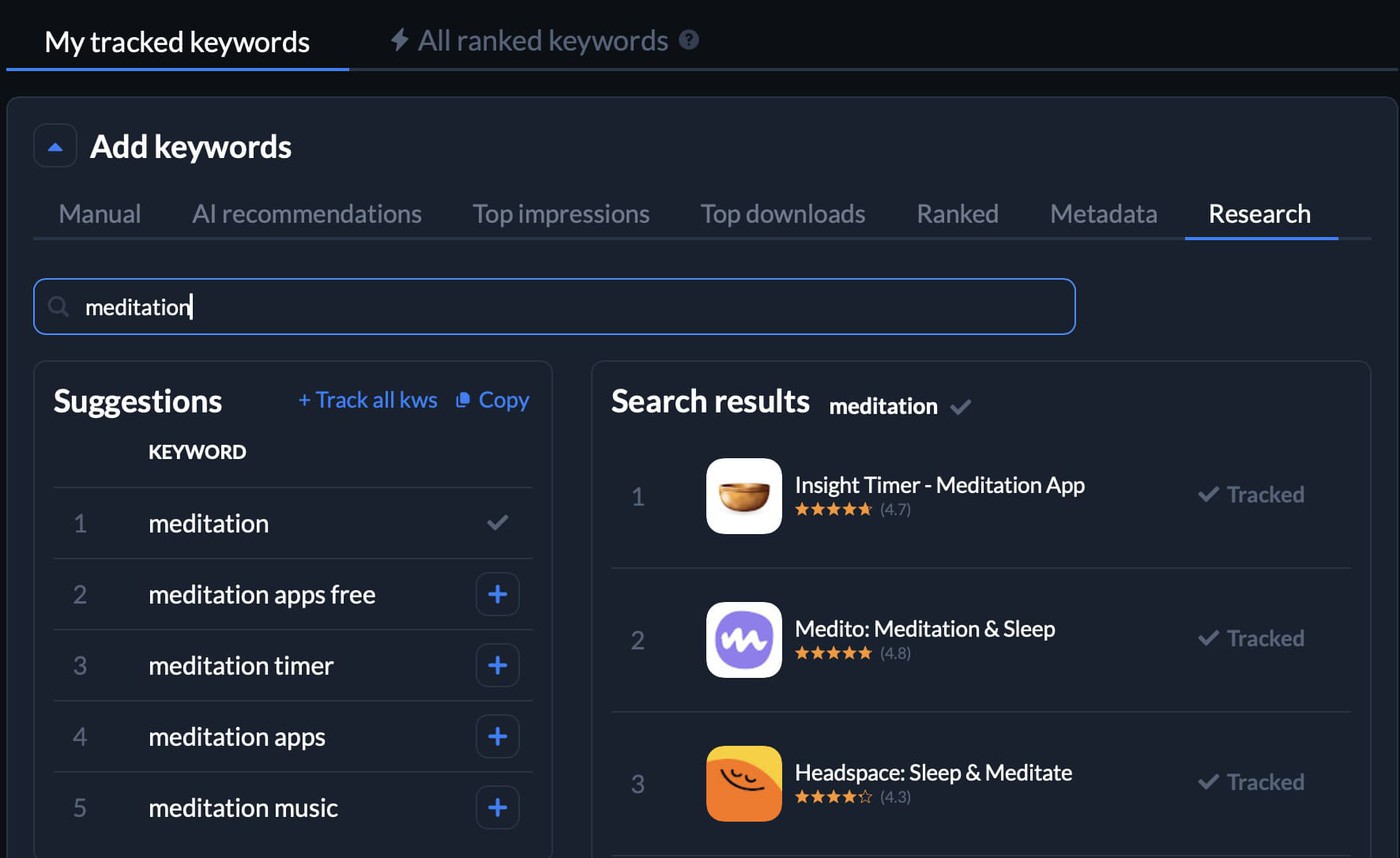
- Build wider than the genre. Start with genre and subgenre terms, then add mechanics, progression systems, player intent, competitor vocabulary, and Google Play autosuggest. In an RPG, that takes you from "RPG" into turn-based RPG, hero collector, or open-world fantasy game. AppFollow's free ASO keyword tools help expand that first list.
- Score the opportunity. Look at volume, difficulty, relevance, and current rank together. A high-volume term with brutal competition and mediocre fit is rarely your smartest first target. In a crowded aso play store category, a smaller query you can reach the top 10 for often contributes more real visibility.
- Prioritize clusters, not isolated words. Your play store aso plan should cover the vocabulary around the game's actual proposition, which gives Play more context than one trophy keyword ever will.
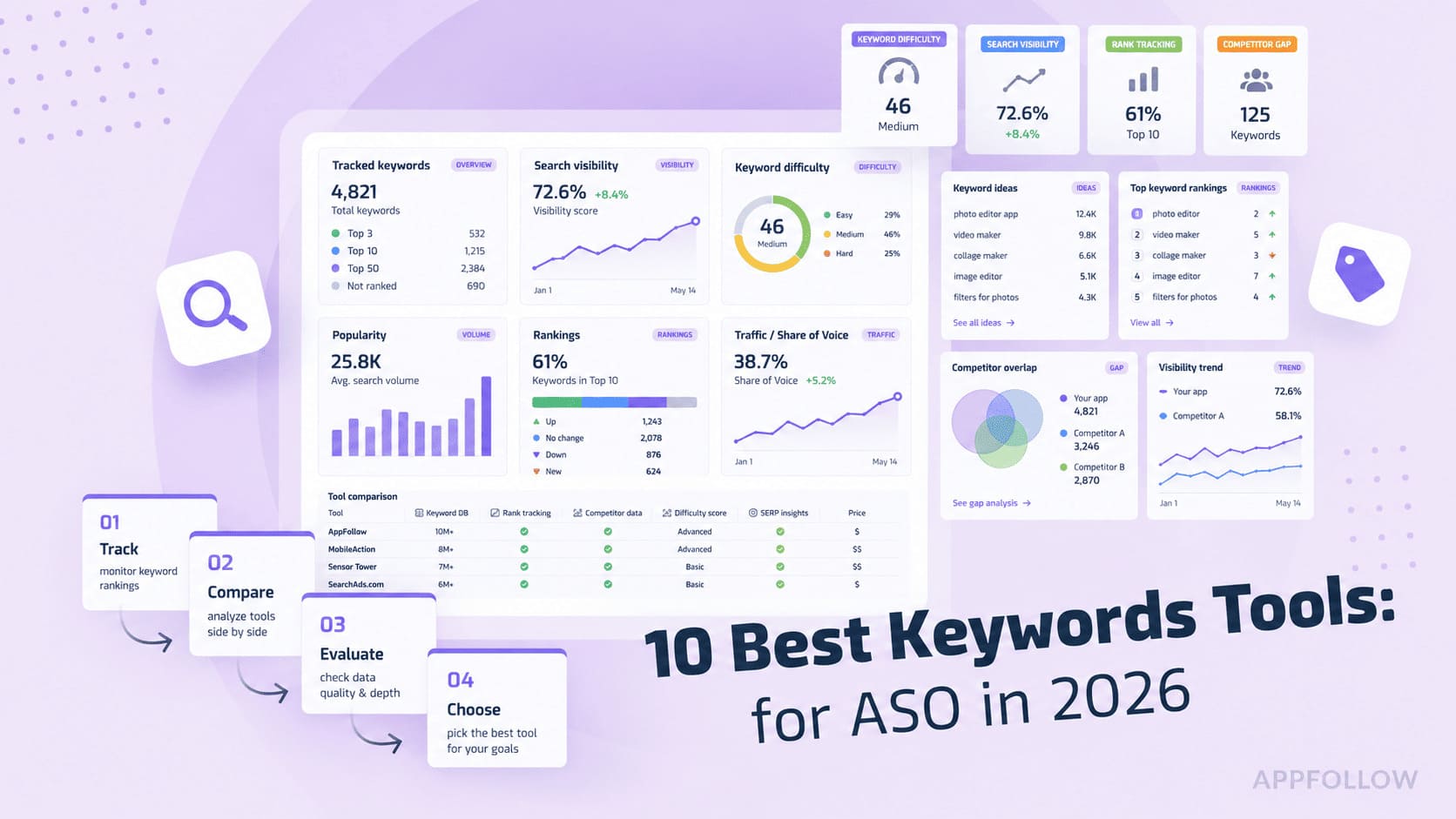
Read also: ASO Keywords - How to Find, Prioritize, and Track App Store Keywords
Place keywords across the Play Store listing
Once you have the target set, aso play store execution comes down to placement: put each term where it does the most good.
- Lead the title with your highest-priority term when it fits the positioning naturally. Don't sacrifice the game's name or make the title read like a search query.
- Use the short description to widen the semantic footprint. Pair important terms with the mechanic or benefit that gives a player a reason to tap.
- Build supporting relevance through the long description. Google advises developers to use relevant keywords in store-listing descriptions while avoiding repetitive or unrelated use. For app store optimization for Google Play, that makes the long description useful space, not a keyword landfill.
Write for the player first. If an extra exact-match phrase makes the sentence worse, you have found the stopping point.
Track rankings and iterate
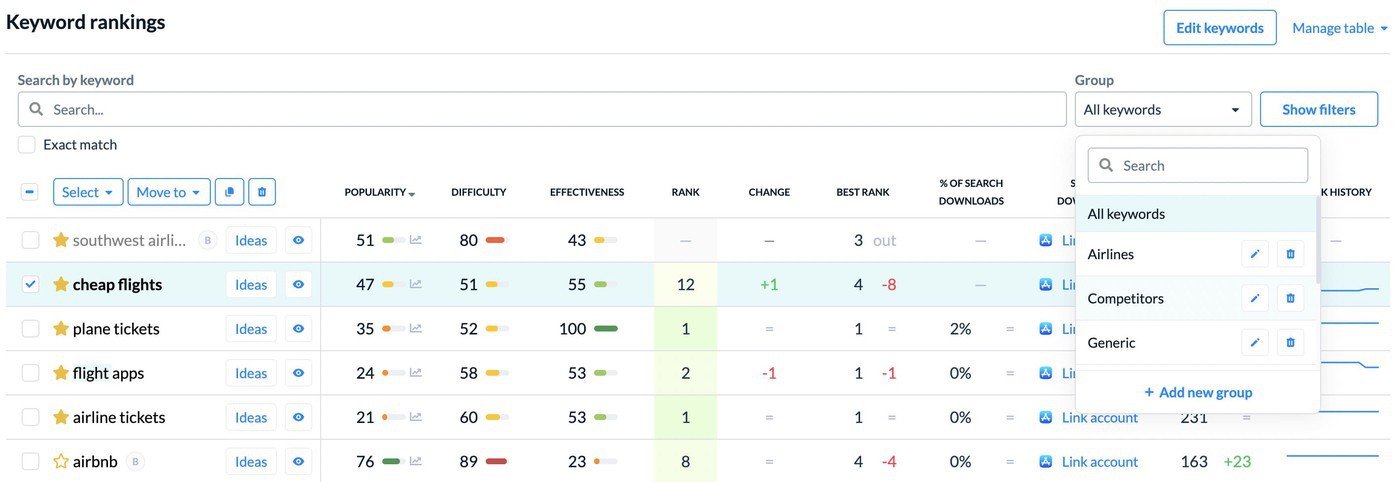
Publishing the metadata isn't the finish line. Track your target Google Play app rankings weekly, then annotate the dates that could explain movement: a UA push, featuring, new build, LiveOps event, or creative rollout. Check whether the uplift survives after the event ends. A keyword moving from #18 to #8 during a campaign and settling at #10 is progress. Hitting #8 for three days before falling back to #18 is a spike.
Use Google Play app rankings to watch genre movement while you do it.
That measurement discipline is what turns metadata work into a real workflow. Now game-specific tactics can turn it into a growth engine.
cta_get_started_purple
Games-specific Play Store ASO tactics that move the needle
Here is where app store optimization Google Play stops behaving like a metadata exercise. Your listing sits inside a bigger growth loop. UA creates traffic, creatives decide how much of it converts, and LiveOps gives players reasons to return. The useful move is coordinating those moments instead of optimizing each on its own calendar.
Turn UA install spikes into organic rankings
I wouldn't scale UA just to manufacture an install-velocity spike. Google doesn't publish a rule that buying X installs earns Y positions, and the organic uplift isn't guaranteed.
For ASO for android app growth, the better sequence starts before the campaign. Get the listing converting first. Then concentrate relevant acquisition around a launch, major update, or seasonal beat, and track keyword positions through the spike and after spend drops.
What matters is the tail. If a campaign brings qualified players, conversion holds, and target keywords settle above their pre-campaign positions, you have something worth repeating. If rankings fall straight back, more budget won't fix the underlying ASO problem.
A UA spike is most useful to ASO when the store page is ready before the traffic arrives. If conversion is weak, you've bought a larger sample of the same problem. What I watch next is whether keyword positions stay elevated after paid volume comes back down.
Karen Taborda, Customer Growth Team Lead at AppFollow
Win the store listing experiment: icon, video, screenshots
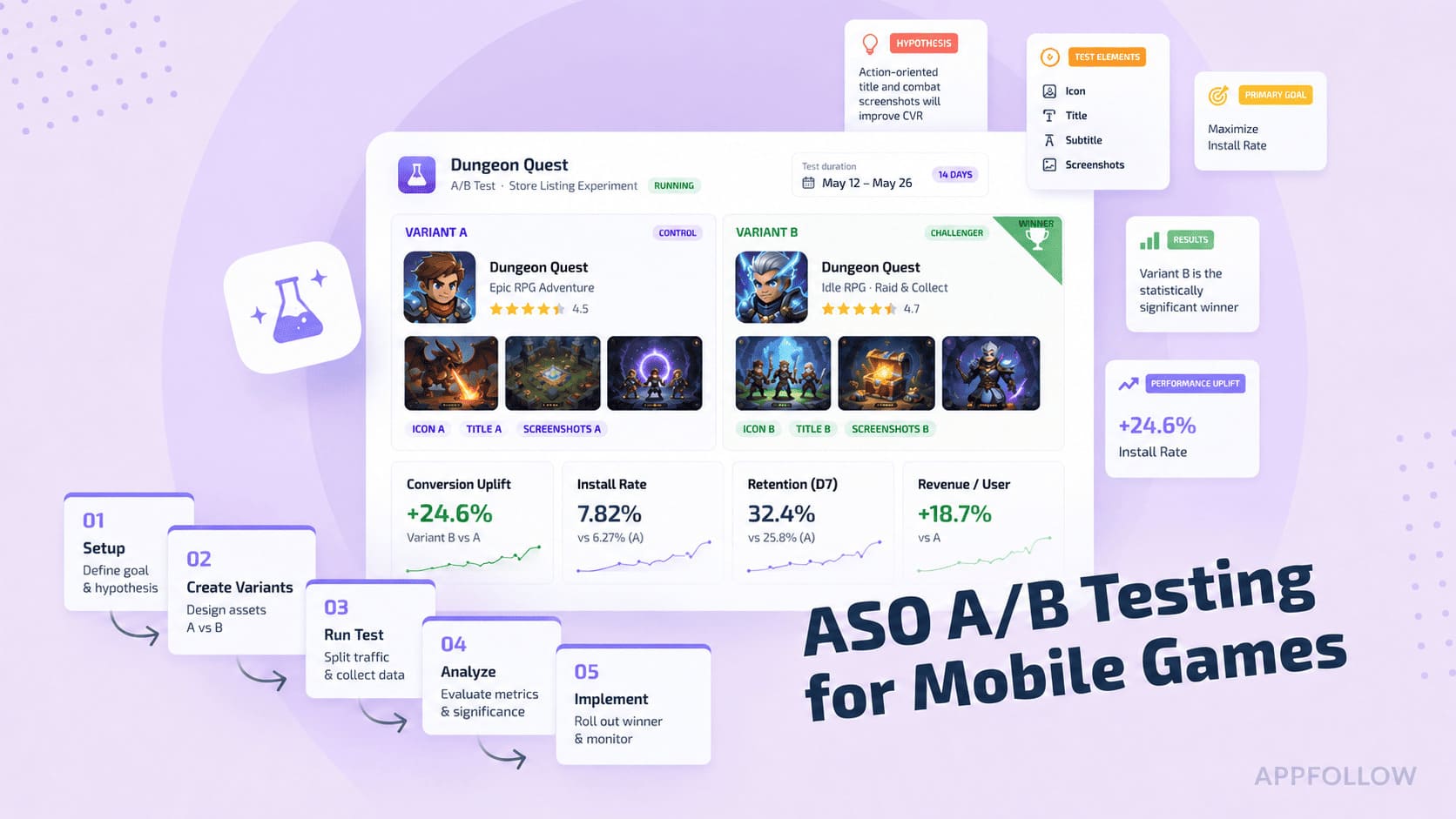
Game creatives deserve experiments, not committee votes. Google Play lets you run store listing experiments against your current listing and judge variants on real acquisition performance.
For an RPG, test a proposition rather than "new art." Does combat footage beat character collection? Does showing progression earlier outperform a cinematic opening? Change one meaningful idea so the result tells you something you can reuse.
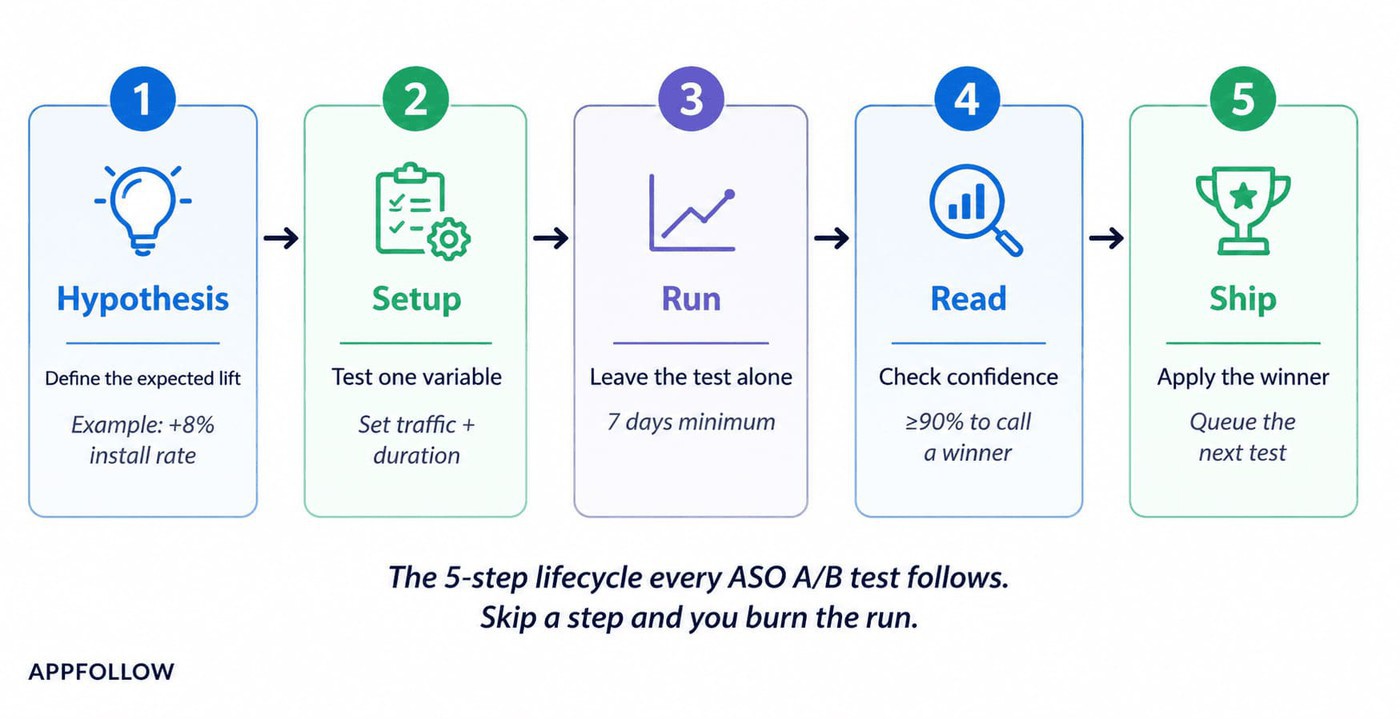
Don't call a winner from an early percentage swing. Traffic mix and sample size can make a promising first few days evaporate once the experiment matures.
Read also: ASO A/B Testing for Mobile Games - A Practitioner’s Guide to Store Listing Experiments

Use pre-registration, featuring, and LiveOps to sustain momentum
For a new game, pre-registration builds a pool of interested players before launch. Google notifies them at release, and eligible devices can auto-install, which concentrates day-one demand.
Google Play featuring can amplify discovery, but you can't self-nominate for it. Google recommends a strong store listing and notes that top-performing apps may be selected for promoted lists, so treat featuring as a reward for the fundamentals rather than a lever you pull.
After launch, LiveOps gives you more moments to work with. Seasonal events, major content drops, and custom store listings reconnect acquisition creative with what's happening inside the game.
LiveOps feedback collection process:
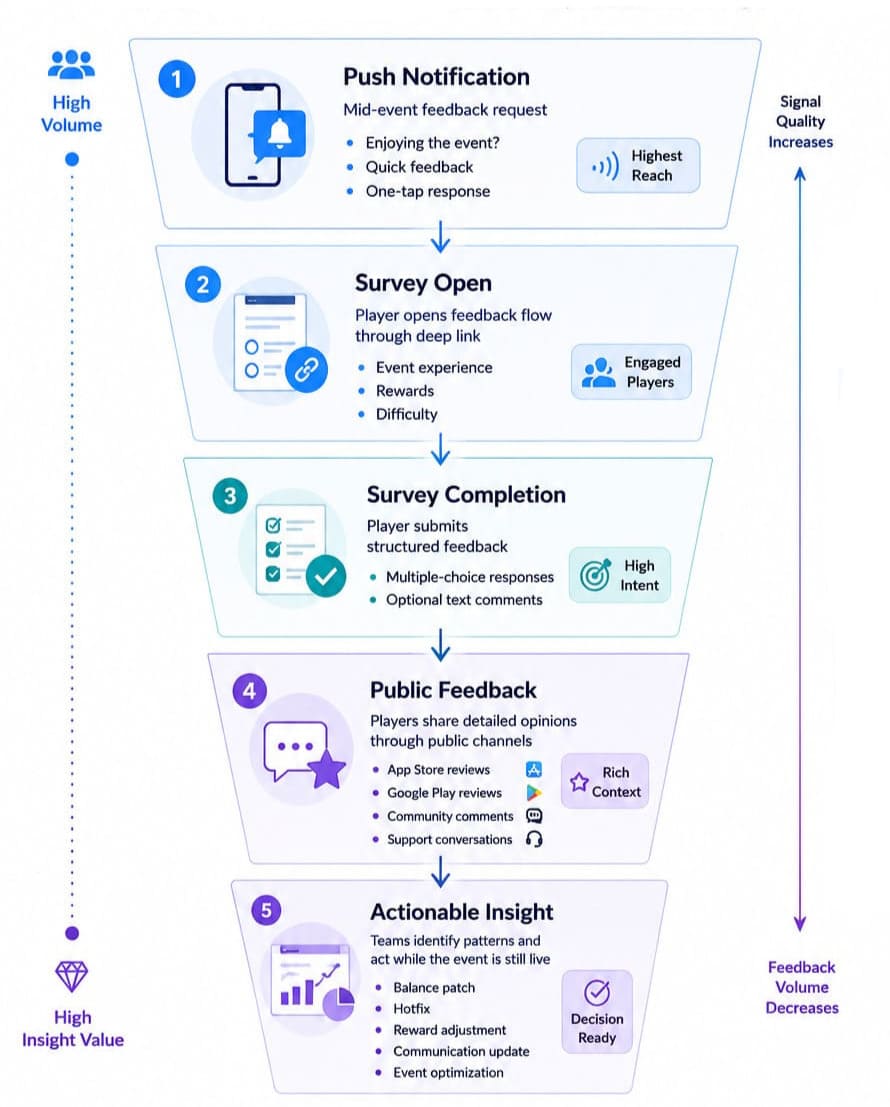
Treat each as a measurable visibility window, then check whether installs, conversion, ratings, and keyword positions improved after it closed.
Next, turn those tactics into a repeatable routine.
Google Play ASO best practices for game teams
For the broader mechanics, AppFollow's ASO search best practices are a useful checklist. Game teams carry an extra complication: UA, LiveOps, releases, ratings, and store creative can all move at once. At scale, I care less about adding another tactic and more about knowing which change produced the result.
Fix conversion before you scale UA
I have watched teams treat paid acquisition as the accelerator while the listing is still leaking installs. That gets expensive fast. Establish your baseline store-listing conversion rate first, then test the creative most likely to move it.
With an RPG, that might mean a combat-first screenshot sequence against a gallery led by characters and world-building. Keep the winner, then raise campaign spend.
Metric to watch: store-listing conversion rate, segmented by traffic source or market when volume allows. Skip this and you are buying more visits to a page you already know needs work.
Put ratings and Android vitals in the ASO conversation
A major update ships. Crash complaints appear in reviews. The rating starts sliding while the ASO team is still discussing keywords. One problem, split across three dashboards.
After every substantial release, watch rating movement and recurring review themes alongside crash and ANR trends in Android vitals. If reviews mentioning crashes spike after version 8.2, route that evidence to the release team instead of compensating with metadata or new screenshots. Once the fix ships, keep watching the same cohort.
Metric to watch: rating by app version, with crash and ANR trends as the diagnostic layer.
Give every major update one store hypothesis
This is where measurement discipline tends to vanish. A studio launches a build, changes the icon and screenshots, refreshes LiveOps messaging, then scales UA. Three weeks later installs are up, and nobody can say what worked.
The mistake I see most often is changing too many things at once. A new build goes live, UA scales, screenshots change, ratings move, and three weeks later nobody can explain which signal actually helped. Good ASO teams leave themselves enough measurement discipline to learn from the release.
Ilya Kataev, Professional Services Team Lead at AppFollow
Attach one measurable store-listing hypothesis to each major update. Run the experiment long enough to reach a conclusive result, document the winner, and carry that learning into the next release.
Metric to watch: experiment conversion uplift versus control.
Track which campaigns actually move your Google Play rankings
Once you are tracking more than a handful of keywords, the spreadsheet starts fighting back. Add two markets, a few competitors, a UA campaign, a seasonal update, and ratings after the latest build, and aso google play becomes a measurement problem rather than a metadata one.
That is where ASO Google Play earns its keep. I use the workflow in AppFollow's ASO platform to connect three jobs that are easy to misread in isolation.
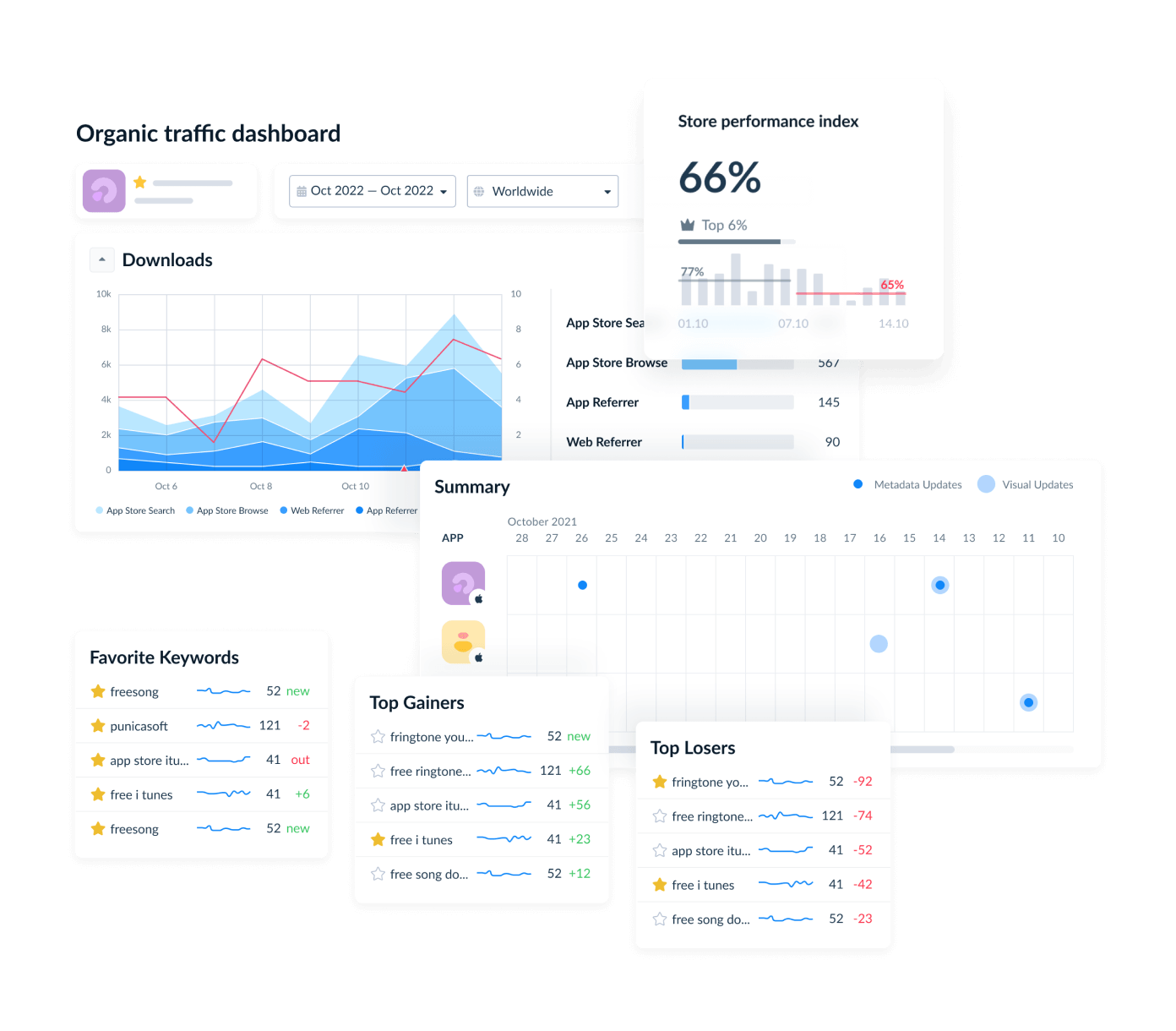
- Build a keyword set you can defend. Start from the genre universe above, then compare broad category terms with subgenre, mechanic, and feature keywords. AppFollow lets you research keywords, assess popularity and difficulty, check competitors, and track the terms you decide are worth pursuing. The output isn't a giant list. It is a smaller set with a reason to exist: relevant, valuable enough to target, realistic enough to monitor.
- Find out whether the campaign moved rankings. Put keyword positions on a timeline, then mark the date UA scales, featuring lands, or a major LiveOps update ships and watch what follows. A jump during the campaign is nice. A target keyword that settles several positions above its old baseline after traffic normalizes is the signal worth chasing.
- Check what happened to players behind the ranking curve. Look at rating movement, review volume, sentiment, and recurring review topics around the same release. Suppose the RPG climbs for several target keywords after a content update, but reviews fill with crash complaints and the rating slips. That is not a clean ASO win. It is an early warning that the product signals under the acquisition spike need attention.
The loop is an event, then ranking movement, then player response, then next decision. AppFollow needs the relevant app and tracking connected before that history becomes useful, and none of these signals guarantees a ranking increase.
cta_get_started_purple
FAQs
What is ASO for Google Play?
It is the ongoing work of improving an app's visibility and conversion across Google Play search and browse. For games, that means keyword-relevant metadata and store creatives, then watching what happens to installs, ratings, reviews, and technical quality once players arrive.
How is Android ASO different from iOS ASO?
Android ASO relies on Google Play's own metadata and testing mechanics. Play uses listing text, including the description, to judge relevance, while Apple provides a dedicated keyword field. Creative-testing tools differ too, so don't duplicate one optimization workflow across both stores.
Where should I put keywords for ASO on the Play Store?
For aso for play store listings, lead the title with your most valuable relevant term, then use the short description to expand context. Work supporting terms into the long description naturally. Skip density targets. Repetition that makes the copy worse can hurt the conversion you are trying to lift.
Does paid user acquisition improve Google Play rankings?
Paid UA can create an install spike and give you more conversion data, but it does not guarantee higher organic rankings. Get the listing converting before scaling, mark the campaign dates, then track whether target positions stay above their previous baseline after paid traffic drops. Done well, aso for android lives in that gap between the spike and the baseline.
Which tools help with Google Play ASO?
Tools for aso google play store workflows should cover keyword research, difficulty or popularity estimates, rank tracking, competitor monitoring, and ideally ratings and reviews. AppFollow supports those, though your needs shift by portfolio size and markets. Compare the best ASO tools before committing to an aso for google play store stack.
Do I need separate strategies for Google Play and the App Store?
Yes. App store optimization for iOS and Android applications can share audience research, positioning, and creative ideas, but execution should be store-specific. Metadata indexing, keyword targeting, experimentation, and discovery surfaces differ. Keep the strategy shared and measure rankings and conversion separately on each store.