The 2026 app store optimization checklist for iOS and Android

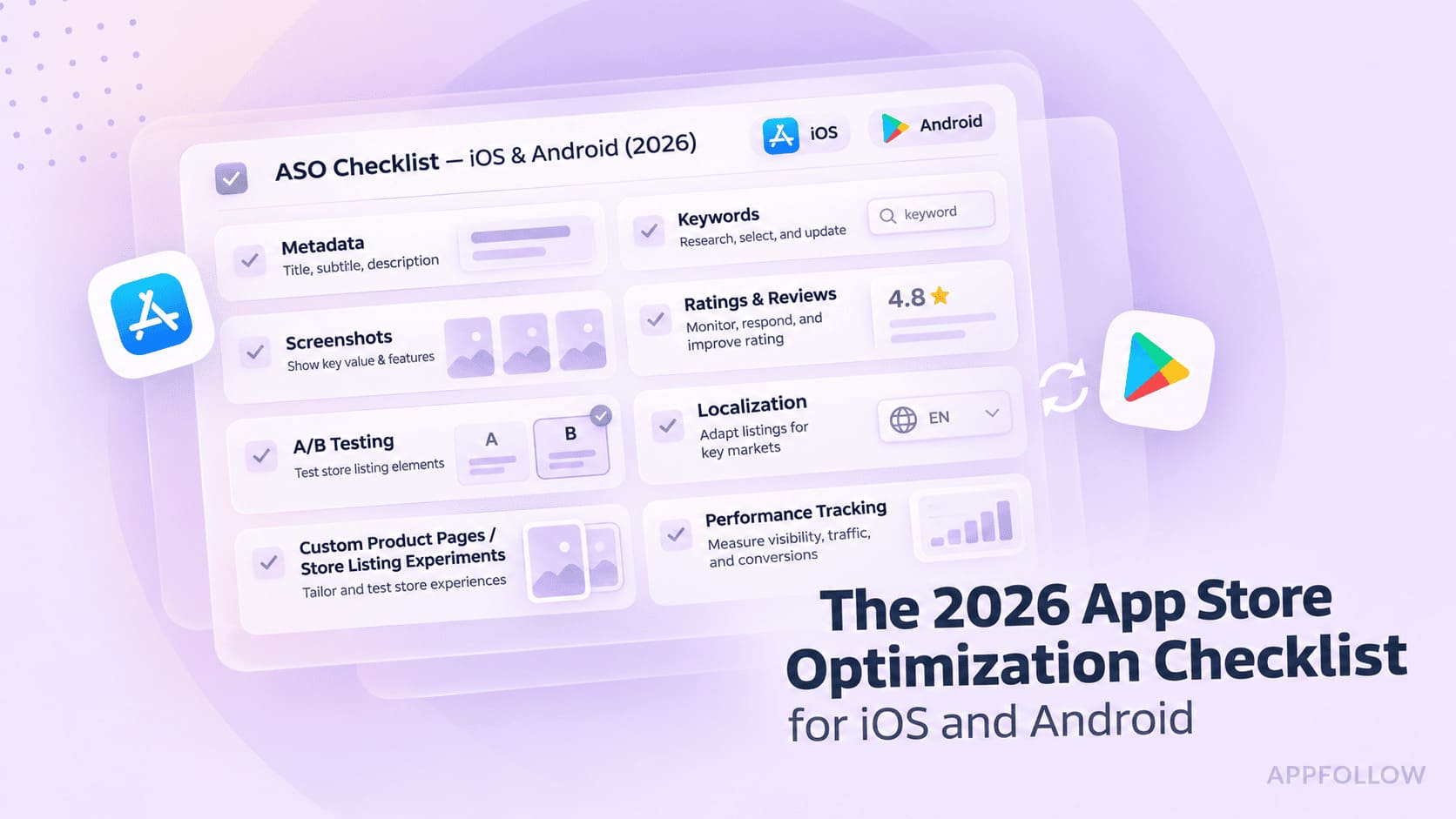
Table of Content:
An app store optimization checklist sets out what to check before, during, and after an App Store or Google Play launch. It covers the work that helps people find your app and decide whether to install it.
Start with the store and country you’re shipping to. Give each task an owner and decide what will count as done. After launch, use the same checklist to record what changed and decide what to test next.
Key insights
- Assign someone to check rankings, conversion, and reviews after the listing goes live. Give them a first review date before launch.
- Keep separate drafts for the App Store and Google Play. The metadata fields and reporting metrics differ.
- Pre-launch work defines target markets, keywords, metadata plans, creative briefs, and the baselines used to judge launch performance.
- Launch-day checks confirm every field, creative asset, category, localization, and store requirement before the listing enters review.
- Use the first complete reporting window as a baseline before testing a change or expanding to another locale.
Checklist at a glance
- Pre-launch. Pick markets. Shortlist local search terms, check competitors, and map keywords to store fields. Draft metadata, choose categories, brief creatives, and record your baseline.
- Launch. Check the title, subtitle or short description, keyword field, and full description. Review the icon, screenshots, video, and localizations. Confirm categories, plan the rating prompt, and clear submission checks.
- Post-launch. Track ranks and conversion by market. Triage reviews, run a controlled test, revisit keywords, and schedule the next localization and listing audit.
The pre-launch ASO checklist
Settle your markets and keyword targets before design starts. The creative team needs to know which audience it’s speaking to and what the first screenshot has to show.
Keyword research and competitor analysis
- Pick your launch markets. Rank countries by demand, product fit, and whether your team can support users there. Record the storefront, listing language, and owner for each market. Check which localizations each storefront can index before assigning keywords.
- Build a seed list for each market. Start with the words customers use in support tickets, reviews, and store autocomplete. A shortlist of 30 to 50 candidate terms is a workable starting point. Group them by intent so you can see where several terms answer the same search.
- Check demand and difficulty in the same storefront. When the shortlist spans several markets, compare each one in AppFollow Keyword Tracking. Start with relevance, then compare the Popularity score, Difficulty where available, and the apps in the Top 10. If the leaders solve a different problem, take the term off the title shortlist.
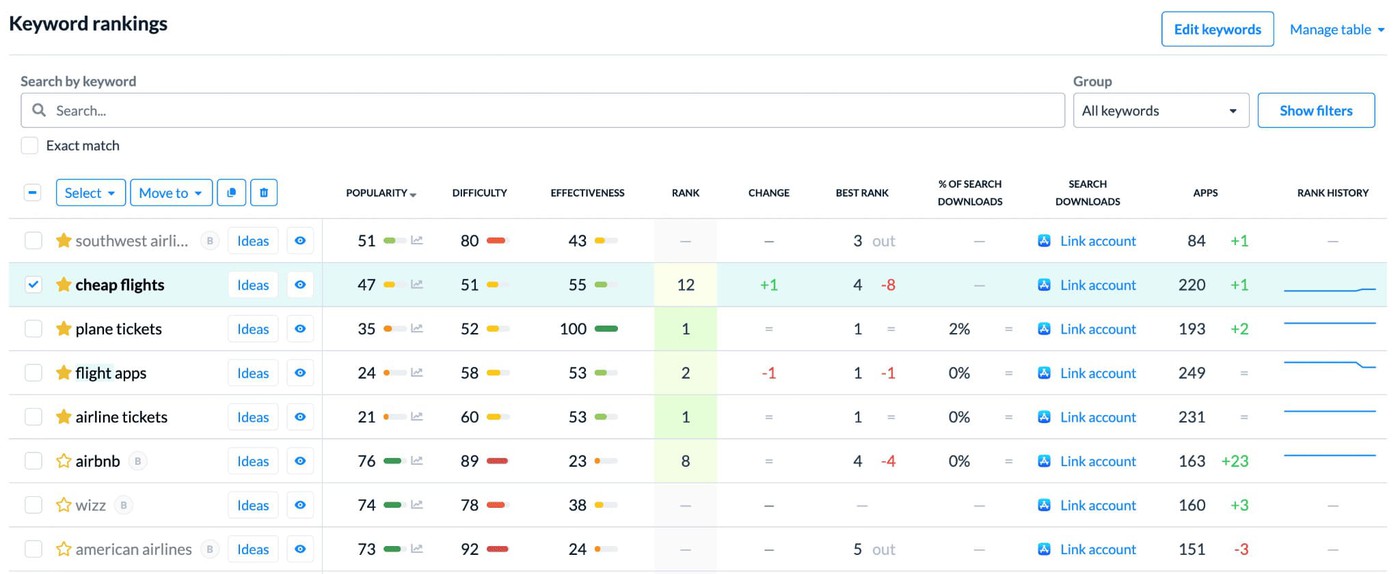
Product reference. Compare Popularity, Difficulty, and current rank in Keyword Tracking before shortlisting a term. AppFollow Help Center
- Analyze competitor keywords and rankings. Record which terms close competitors rank for, including their positions and target countries. Copying their terms without checking local demand can fill metadata with irrelevant targets.
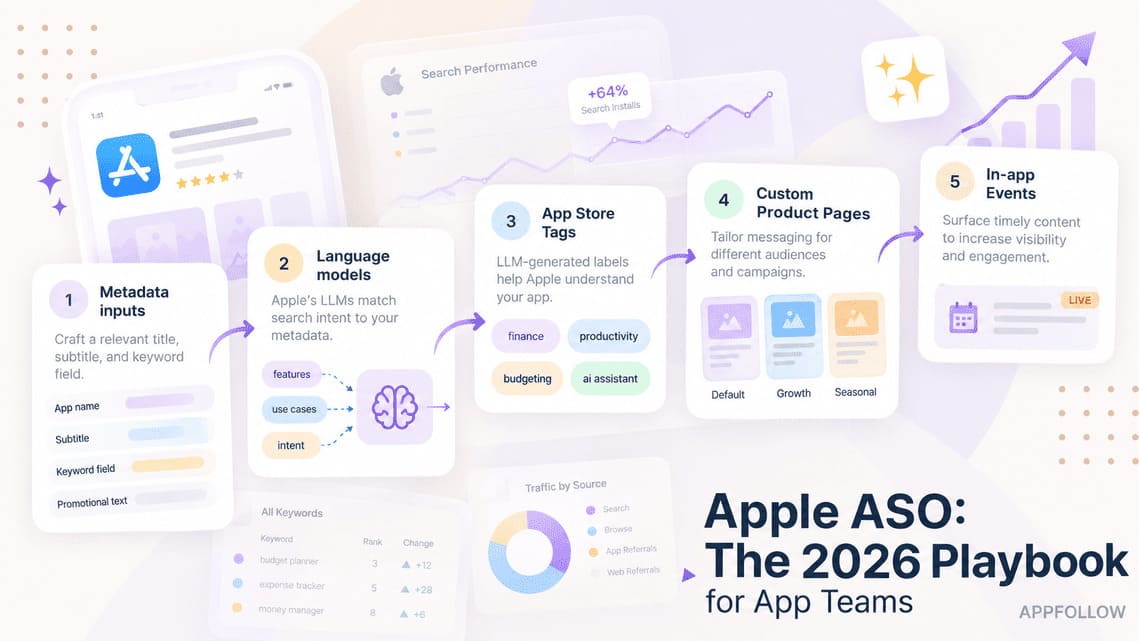
- Map terms to the fields each store gives you. On iOS, split relevant words across the app name and subtitle and save unused terms for the keyword field. For Google Play, choose a clear title and work related phrases into the short or full description where they help explain the app. Keep a separate map for each locale.
The decision comes from demand and competition together, never either score alone. Recalculate the shortlist for every country because a strong term in one market may be weak elsewhere.
“Teams often build one global keyword list, then translate it market by market. That misses how people actually search locally. Before assigning a term to metadata, check its popularity, difficulty, and competitor rankings in that country. If the data changes, the keyword choice should change too.”
— Yaroslav Rudnitskiy, Senior Professional Services Manager (ASO), AppFollow
- Choose categories that match what the app does. Set the App Store primary category and add a secondary one if it fits. On Google Play, pick the closest category and relevant tags. Write down why you chose them so the team can revisit the decision if the app’s main use changes.
- Draft one metadata sheet per store and locale. Include the title and full description for both stores. Add the subtitle and keyword field for iOS and the short description for Google Play. Give the reviewer the draft copy and its character or byte count before anyone pastes it into the console.
- Brief the icon, screenshots, and preview video. Give design the target audience, locale, store specs, and the feature the first frame needs to show. Ask for one alternative worth testing after launch. For example, compare a real product screen with an image that leads with the outcome.
Record a baseline before you change the listing. For a relaunch, save the current keyword ranks, conversion, rating, and review count for each store and market. For a new app, record your first complete reporting window after release. Keep the date range, traffic source, and metric definitions with the numbers so the next comparison uses the same inputs.
cta_free_trial_purple
The launch-day ASO checklist
Run these checks in App Store Connect and Play Console before you submit. On release day, open the live listing in each priority market and record when the approved version went public.
App store listing optimization: title, description, and screenshots
- Finalize the title. Keep the brand recognizable and use the clearest relevant search term if it fits naturally. Apple and Google Play both cap the name at 30 characters, so check the localized version of each title in its console.
- Write the iOS subtitle and Google Play short description separately. Both support conversion, but they occupy different fields and follow different constraints. Finish when each line adds meaning without repeating the title.
- Fill the App Store keyword field. Separate terms with commas and skip spaces after the commas. Remove words already covered by your app name. App Store Connect specifies a 100-byte limit, so validate the finished field in each locale before you submit.
- Write a full description for each store. On Google Play, use relevant search language where it helps explain the app. On iOS, lead with what the app does and who it helps. Use the store-specific description examples to check whether the opening lines make the value clear.
Make the first screenshot earn its place. Show the screen that proves the app’s main benefit. Then view the first three screenshots at listing size. Ask someone unfamiliar with the app to tell you what it does and who it’s for. Their answer will show you what the gallery still needs to explain.
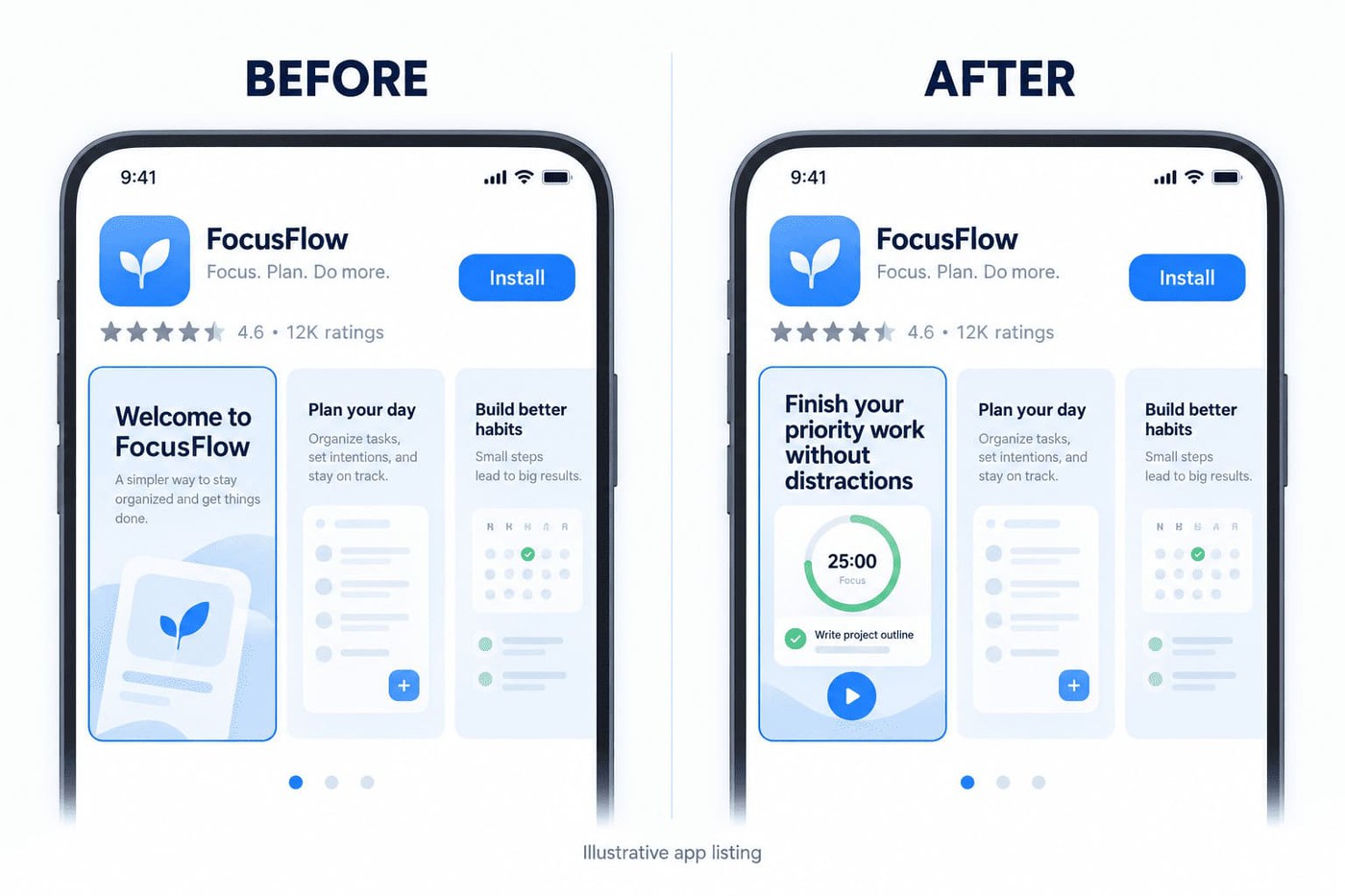
- Add a preview video if motion helps. A screen recording can show how a gesture works or how fast a task takes. Before shipping, watch the store preview on a phone with the sound off. Can someone follow the action and read the captions?
- Finalize the app icon at search-result size. Check contrast, legibility, and similarity to nearby competitors before exporting the required files. Approve it inside a crowded category result, not on an isolated design canvas.
- Localize metadata and creatives for priority markets. Adapt keywords, claims, screenshot order, and cultural cues instead of translating everything literally. Mark each locale complete after a native reviewer approves both text and visuals.
- Confirm categories and tags in both consoles. Check that each selection reflects the app’s core use case and intended competitive set. Record any change from the approved pre-launch plan before submission.
- Choose when to ask for a rating. Let users finish something meaningful first, such as saving their first workout. Use the native prompts for the App Store and Google Play. On Android, call the review flow at the chosen moment without asking users how they plan to rate you.
- Clear the submission checks in both consoles. Confirm the privacy disclosures, age rating, creative files, and contact information. Then check the build and any reviewer instructions in App Store Connect or Play Console before sending the release for review.
Once the listing is approved and published, save its version and timestamp. That record becomes the baseline for post-launch ranking and conversion checks.
The post-launch ASO checklist
Keep the published listing version and release date beside your weekly numbers. If something moves, check whether the change is limited to one term, one market, or one traffic source before you edit the listing.
Track keyword rankings and A/B test
Track priority keywords by store and country. Keep a watchlist for the terms you put in metadata. Agree in advance which movement triggers a closer look. For example, investigate a priority term that drops out of the top 10 for three days in a row.
When a term crosses your threshold, open Rank History in AppFollow. Select the keyword, country, and date range. Compare the days before and after the listing change, then check which apps now hold the top positions.
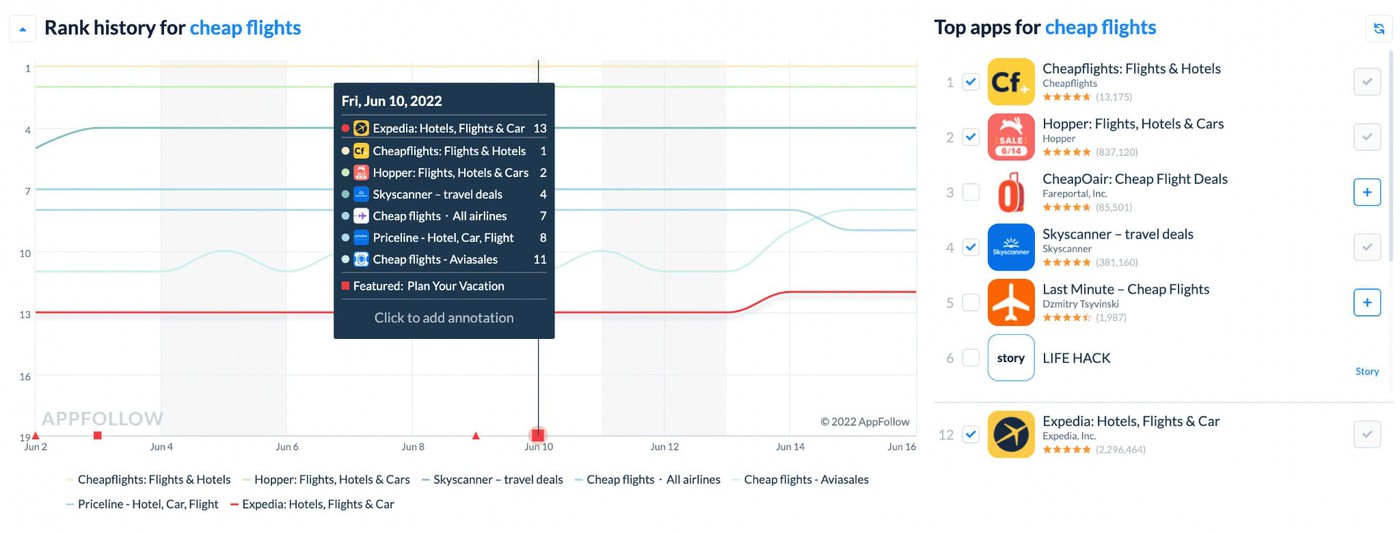
Product reference. Rank History shows positions for the selected term over time. Top apps shows who ranked alongside it. AppFollow Help Center
If one term fell and related terms held steady, check whether the latest listing still contains the relevant words. Look at the current Top 10 for that query too. A drop after release gives you a date to investigate. The chart alone can’t tell you what caused it.
- Test one change at a time. Start with a hypothesis you can check, such as whether showing the app’s main screen first increases conversion. Use Apple’s Product Page Optimization for icons, screenshots, or previews. Google Play experiments also support localized text tests. Keep the control when the result is inconclusive. Track keyword ranks separately after rollout.
- Read the reviews behind a rating drop. Start with the affected store and date window. Group reports of the same problem and check which app versions appear in the reviews. Give support the posts it can answer. Send recurring issues to product with a few examples and the affected version when available.
- Compare conversion within each store. App Store Connect divides downloads and pre-orders by unique-device impressions. In Play Console’s listing report, use visitors, listing clicks, and click-through rate. Check installs separately. Compare the same market, traffic source, and date window before you act on a change.
- Revisit keywords when the evidence changes. If a priority term drops and related terms hold steady, check the live metadata and current top results. Compare search downloads for the same storefront before choosing a replacement.
For HyperHug’s Oxide: Survival Island, the AppFollow team focused on recovering a lost priority term in the US App Store. It reported 34% more search downloads in the two weeks after the January 2026 metadata update than in the two weeks before it. Use the same comparison window to review your own release. Treat the result as a before-and-after observation.
- Pick the next market you can support. Check local search demand, product readiness, and whether the team can handle support in that language. Give the chosen market an owner and a review date. When Komorebi prepared Roulette+ for 10 new localizations, the team researched search terms and competing apps for each locale before writing the listings.
- Schedule a quarterly listing audit. Reopen the relevant checks sooner after a major release, policy change, sharp rank loss, or new-market launch. Start from what changed and record what you’ll check again at the next review.
“A workable post-launch cadence separates monitoring from changes. Review rankings, conversion, and feedback weekly, but update metadata only when evidence identifies a specific problem. Otherwise, teams create movement they cannot explain and lose the baseline needed to judge the next test. ”
— Ilya Kataev, Professional Services Team Lead, AppFollow
If a release changes several assets at once, log the changes together. Use the next controlled test to isolate the effect of the asset you suspect.
Run the ASO checklist across stores and markets
A ranking drop tells the ASO lead where to look. A rating drop gives support a different job. When several markets are live, start with the affected store and release window so both teams investigate the same change.
In AppFollow’s Reviews Feed, narrow the queue by date, rating, and reply status. Then read the reviews before choosing a filter for the issue.
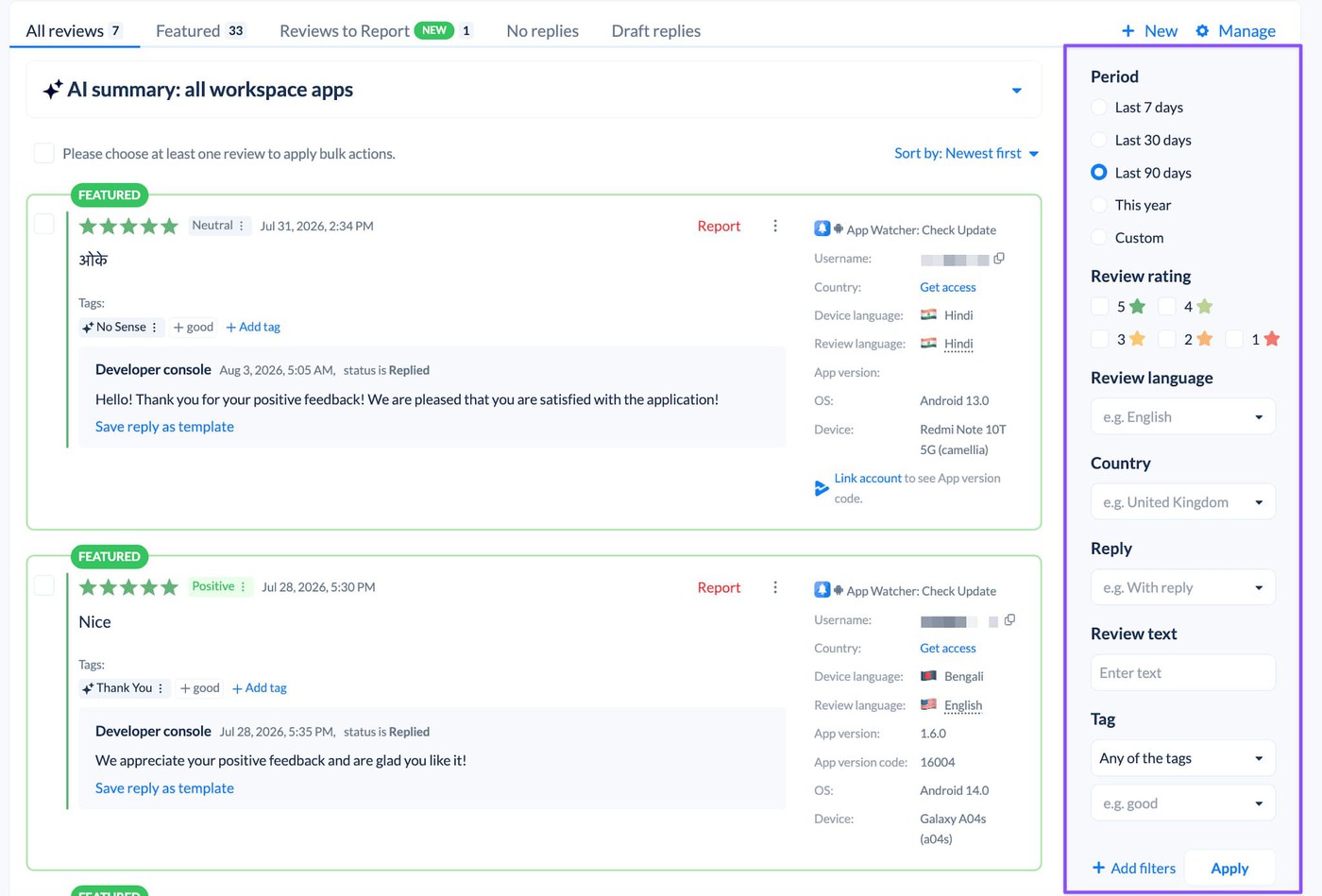
Product reference. In Reviews Feed, use Period, Review rating, and Reply to narrow the queue before reading individual reviews. AppFollow Help Center
Suppose several recent one-star reviews say the login screen loops. Filter for reviews without a reply, then check the country and app version where the store supplies them. Support can reply from AppFollow after the relevant source connection is set up. Give product a handful of examples and the release number so the team can try to reproduce the issue. Some Google Play reviews lack country or version data, so leave those records unassigned until you can verify them.
For the weekly ASO review, set up a Keywords Summary Report for the app and markets you own. Open the largest movers in Keyword Tracking and compare the current Top 10 before revising metadata. You’ll have a short list of terms to investigate before the next release.
Use App Store Connect or Play Console to submit builds, complete privacy declarations, and run store experiments. AppFollow’s ranking history and review features vary by plan.
cta_get_started_purple
ASO checklist FAQs
The details below help when you’re choosing fields, setting a review cadence, or deciding how much tracking you need.
What is an app store optimization checklist?
An app store optimization checklist is an ordered set of actions for improving store visibility and listing conversion. It covers research before launch, listing decisions at release, and measurement after publication. Teams use it to assign owners, verify completion, and prevent important ASO work from ending when the app goes live.
What should an ASO checklist include?
An ASO checklist should include market and keyword research, metadata planning, creative production, localization, and store-compliance checks. After launch, add keyword tracking, conversion monitoring, review management, controlled tests, and recurring audits. Every item needs a completion criterion or metric, so “optimize screenshots” becomes an observable task rather than a standing ambition.
Is ASO different for the App Store and Google Play?
Yes. The App Store has a dedicated keyword field and subtitle. Its full description explains the app on the listing and can appear in web search. Google Play has a short description and a full description, so write both for people browsing or searching in Play.
How often should you redo your ASO?
Review ASO signals weekly, but change the listing only when evidence supports a specific decision. Run a broader audit quarterly and after a major release, ranking drop, store-policy change, or new-market launch. This cadence preserves a usable baseline while keeping keywords, creatives, localization, ratings, and reviews aligned with current performance.
Do you need a tool for app store optimization?
Start with the store consoles and a shared release log. If your weekly review depends on pulling the same keyword positions for several markets, a rank tracker saves that recurring work. Keep the release log so the team can compare rank changes with what actually shipped.
What is the first thing to optimize?
For a new listing, choose the market and the search intent the app serves. That gives you a direction for the title and first screenshot. For a relaunch, check the numbers first. If visitors have held steady and fewer people take the next step, start with the listing’s message or creatives.