App Store Optimization Description: A Practical 2026 Guide for App Store & Google Play

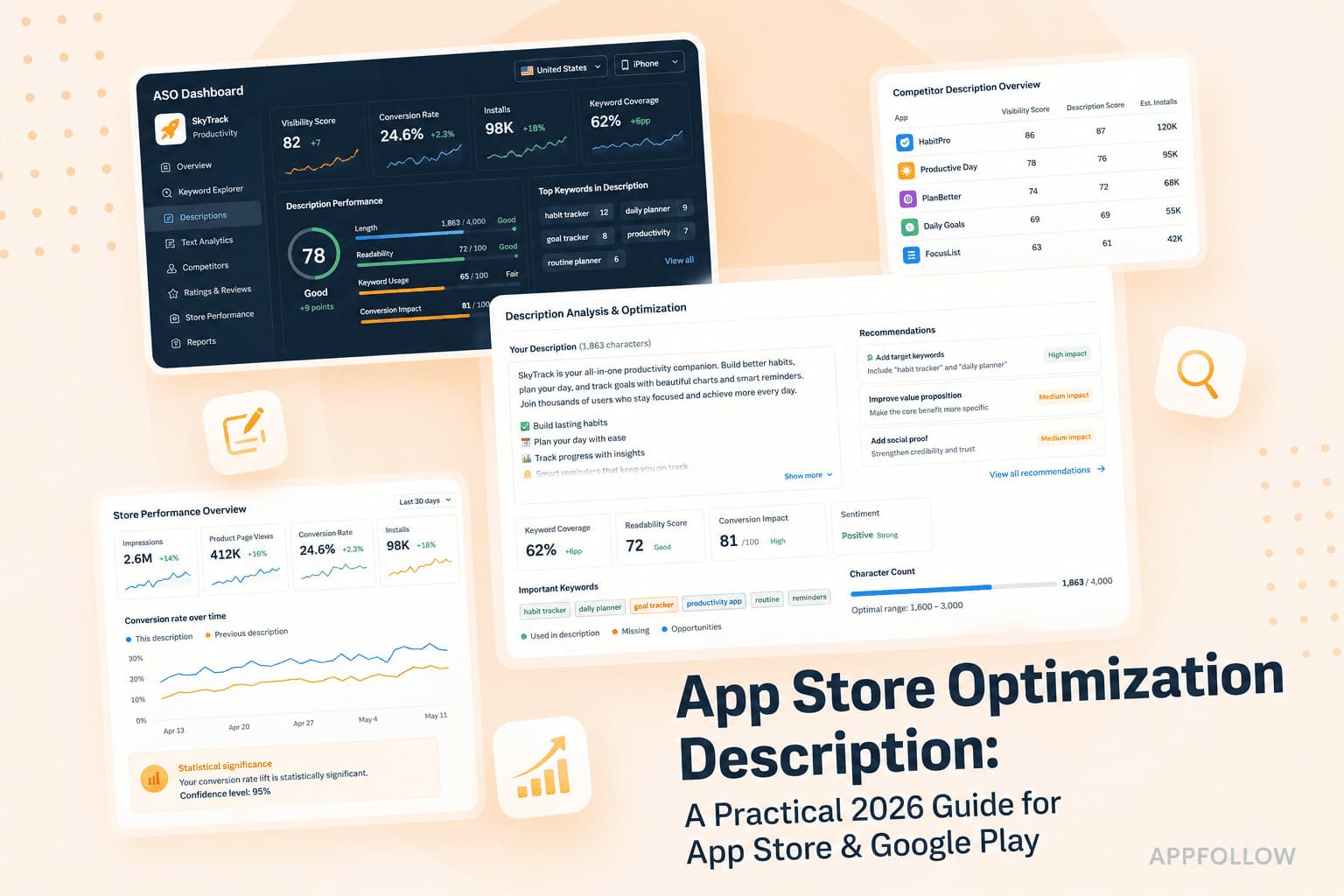
Table of Content:
An app store optimization description is often the last thing teams write before launch. They spend days refining screenshots, debating icon concepts, and tuning keywords for the App Store and Google Play. Then the description gets whatever time is left.
That habit costs installs.
The description is one of the few metadata assets that sits directly between visibility and action. On Google Play, the short description and long description influence how the store understands your app. On Apple's platform, the description helps users decide whether your app deserves a download after they've already discovered it. Same field category. Very different job.
I have reviewed hundreds of app listings over the years, and the pattern repeats itself. Strong products regularly underperform because the copy never explains the outcome clearly enough. The reverse happens too. A sharper description can improve conversion without changing a single feature.
This guide
- compares how App Store Connect and Google Play Console handle descriptions,
- shows a writing process that supports both ranking and conversion,
- walks through annotated good-versus-bad examples,
- and explains how to measure the impact of every change you make.
You'll start with store differences, move into writing tactics, learn how to avoid common mistakes, and finish with a practical tracking framework.
Key insights: why the description field is the most under-leveraged surface in ASO
An app store optimization description influences far more than most teams realize, yet it is often treated as a box to fill rather than a growth lever to optimize.
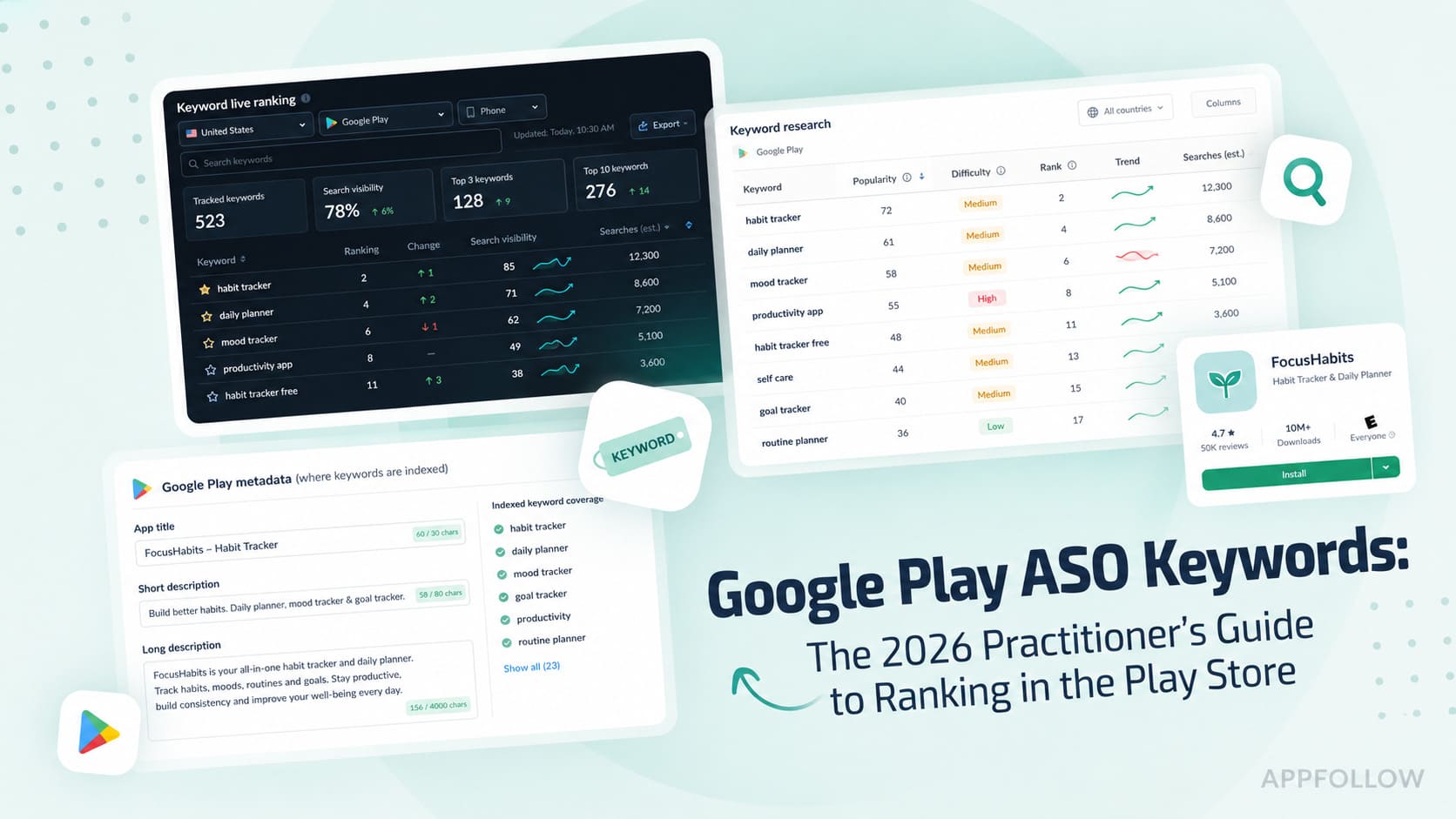
- Google Play looks at far more of your description than many teams realize. Both the 80-character short description and the 4,000-character long description help Google understand what the app does and which searches it may be relevant for. If keyword placement matters anywhere in ASO copywriting, it matters here.
- Apple takes a very different approach. The description itself doesn't help you rank for keywords. Visibility comes primarily from the app name, subtitle, and keyword field. Once someone lands on the product page, that's when the description starts doing its real job: helping them decide whether the app is worth downloading.
- Very few people read all 4,000 characters. Most install decisions happen fast. I've seen teams spend days polishing paragraphs that sit below the fold while barely touching the opening lines. In reality, the first couple of hundred characters often do most of the heavy lifting.
- The highest-converting descriptions usually lead with the outcome, not the product. A budgeting app that promises to help users "see where their money goes in 60 seconds" tends to generate more interest than one that opens with a list of features. That pattern shows up again and again in store listing experiments.
- Another thing worth paying attention to is freshness. Listings that stay untouched for months rarely perform as well as those that are reviewed regularly. Strong ASO teams revisit descriptions, screenshots, and supporting copy every few weeks, especially when rankings or conversion start to drift.
- Localization is one of the fastest ways to expand reach. Even a handful of additional markets can unlock meaningful install growth. Google Play makes that easier by allowing teams to manage metadata separately for dozens of locales instead of treating every market the same way.
“I see teams rewrite their screenshots, icons, and feature graphics several times before they revisit the description. Yet the description is the only metadata surface that directly influences what users think after discovery and, on Google Play, what the algorithm understands before discovery. Small improvements compound because they affect both visibility and conversion at the same time.”
— Yaroslav Rudnitskiy, Senior ASO Specialist at AppFollow
How descriptions work on App Store vs. Google Play
Many teams make the mistake of using the same description strategy on both stores. The fields may look similar, but they serve different purposes.
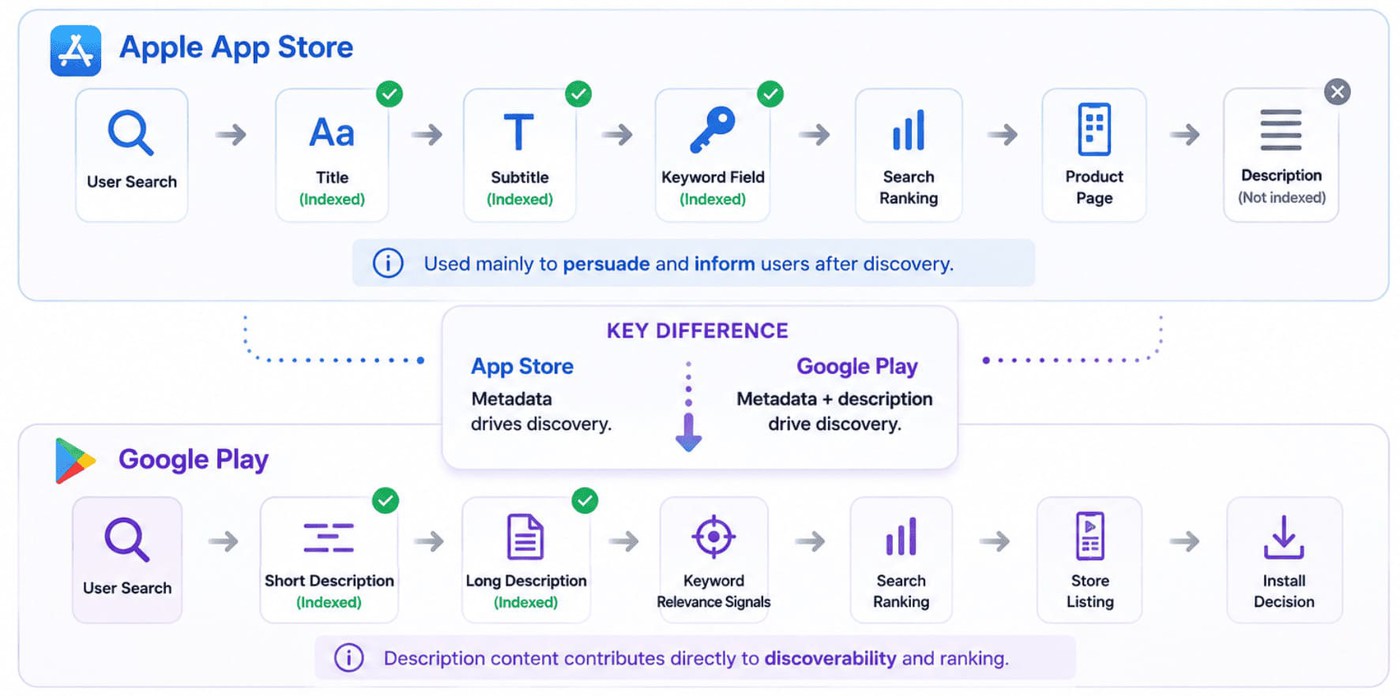
On the Apple App Store, discovery happens primarily through the app title, subtitle, and keyword field. The description itself does not contribute to keyword rankings. Its job is to convince users to install once they've already found the app.
On Google Play, the description plays a much larger role in search visibility. Both the short description and long description help Google understand app relevance and can influence keyword rankings. As a result, keyword placement and topic coverage matter more in Google Play descriptions than they do in Apple's ecosystem.
The comparison below shows how each store indexes metadata and where descriptions fit into the ASO process.
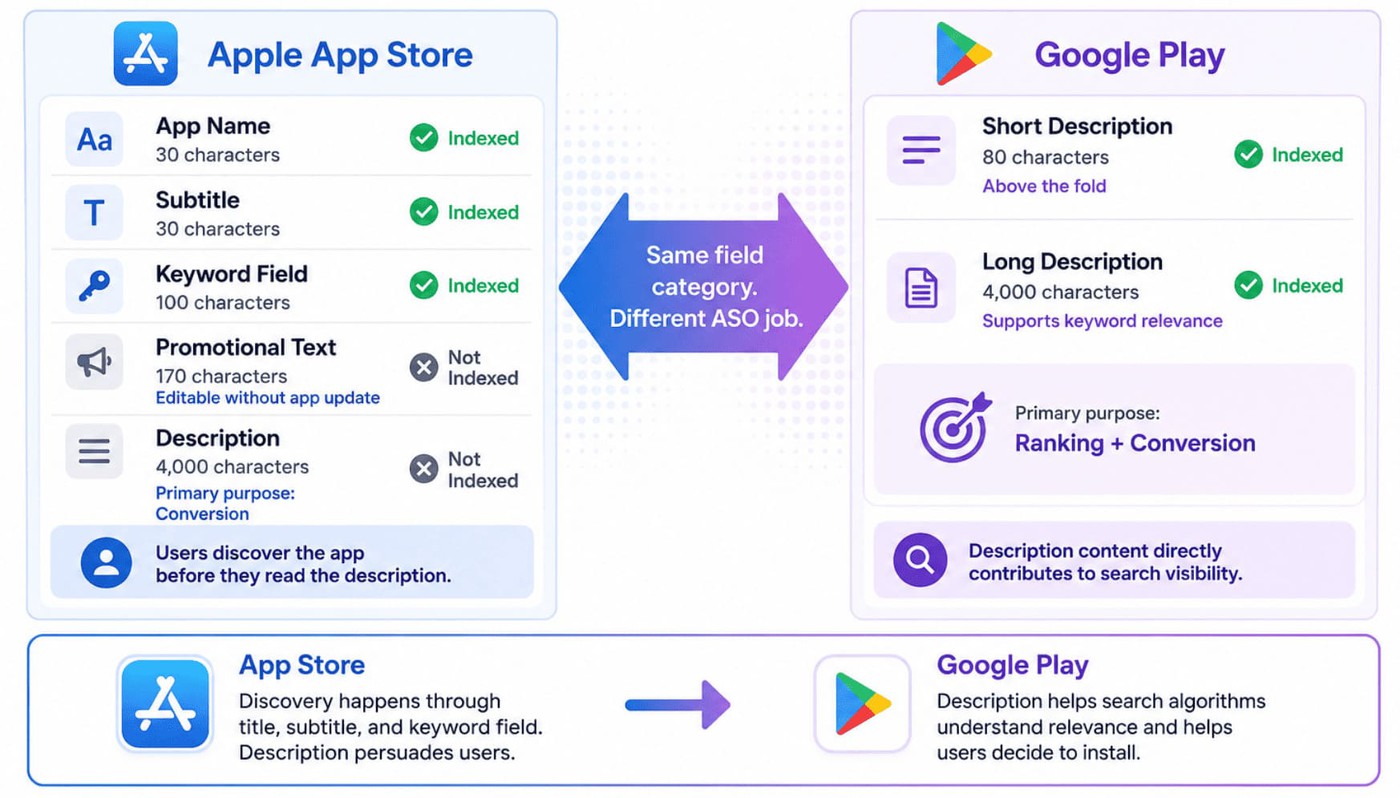
An app store optimization description only works when it reflects how each store handles metadata, and confusing Apple's rules with Google's remains one of the most common ASO mistakes.
Field | Store | Character limit | Indexed for keywords? | Editable without app update? |
Description | App Store | 4,000 | No | No |
Promotional text | App Store | 170 | No | Yes |
Short description | Google Play | 80 | Yes | Yes |
Long description | Google Play | 4,000 | Yes | Yes |
Read more: App Store Optimization Title - The 2026 Playbook for iOS & Google Play
How the App Store treats your description (and what is actually indexed)
Many teams still assume Apple reads the description the same way Google does.
It doesn't.
In App Store Connect, search visibility comes primarily from the app name (30 characters), subtitle (30 characters), and the hidden 100-character keyword field. The description itself is not indexed text for keyword rankings. Its job starts after discovery.
Think of the description as a conversion copy. Someone has already found your listing. Now you need to explain why the app deserves space on their phone.
Apple also gives you promotional text, a 170-character field that sits above the description. Unlike the description, promotional text can be updated without submitting a new version, which makes it useful for seasonal campaigns, feature launches, and limited-time offers.
Bad: "BudgetPro is a comprehensive personal finance application with advanced budgeting functionality." | Better: "See where every dollar goes. Build a budget in minutes and stay on track without spreadsheets." |
The second version gives the user a reason to care before it talks about the product.
How Google Play treats your description (short + long, both indexed)
Google Play Console follows a different model. Both the short description (80 characters) and long description (4,000 characters) contribute to discoverability and conversion.
That makes the ASO Google Play short description one of the most valuable pieces of copy in your entire listing. It appears above the fold, influences relevance, and is often the first message users read.
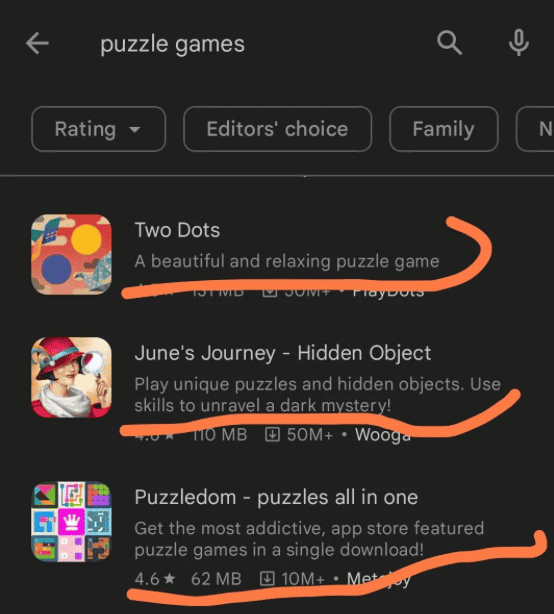
The long description gives Google Play more context about your app, but it still needs to be written for people. Most teams naturally work their primary keywords into the copy, then focus on explaining benefits, features, and use cases in plain language.
Presentation matters as much as wording. A description that's broken into short sections is easier to scan than a wall of text. Bullet points can help, too. I pay particular attention to the opening lines because, on many devices, users only see about 167 characters before the "More" cut-off. Those first few sentences often determine whether anyone keeps reading.
Bad: "Track expenses, manage finances, create budgets, monitor spending, control money." | Better: "Track spending, build smarter budgets, and save more with personalized insights." |
Both versions target the same topic. Only one sounds like something a real person would want to install.

How to write an ASO description that ranks and converts
A strong app store optimization description has to do two jobs. On Google Play, it helps search algorithms understand relevance. On both stores, it helps convince a real person to install the app. Miss either side of that equation and performance suffers.
Lead with the benefit, not the feature
The fastest way to weaken an ASO description is to spend the opening sentence talking about the product instead of the outcome.
Most users never read the full description. Many won't even expand it. What they do see is the first impression you create in the opening 167 to 252 characters. That's where the value proposition belongs.
Consider this example:
Before "BudgetPro is a feature-rich personal finance app with multiple tools to help you manage money, create budgets, and monitor expenses." | After "Spend less. Save more. See where every dollar goes in under 60 seconds." |
The second version immediately answers the question every user is asking: what's in it for me?
cta_get_started_purple
A simple structure works remarkably well:
- First line: state the benefit in plain language.
- Second line: describe the outcome with something concrete. Numbers help. "Track 200+ habits" lands better than "track habits."
- Third line: add credibility through users, ratings, awards, press mentions, or a familiar use case.
"The single change we recommend most often is moving the first benefit to the first line. Teams spend precious space explaining what the app is before explaining why someone should care. Once the outcome moves to the top, conversion rates often improve without changing anything else in the listing."
— Ilya Kataev, ASO Lead, AppFollow
Place keywords with intent (and respect what each store actually indexes)
Good app description optimization starts with understanding where keywords belong.
Google Play looks at both the short description and the long description when evaluating relevance, so keywords still matter. The challenge is fitting them into a copy that doesn't feel written for a search engine.
I've reviewed plenty of descriptions that read like someone pasted the same phrase into every sentence because they were worried about rankings:
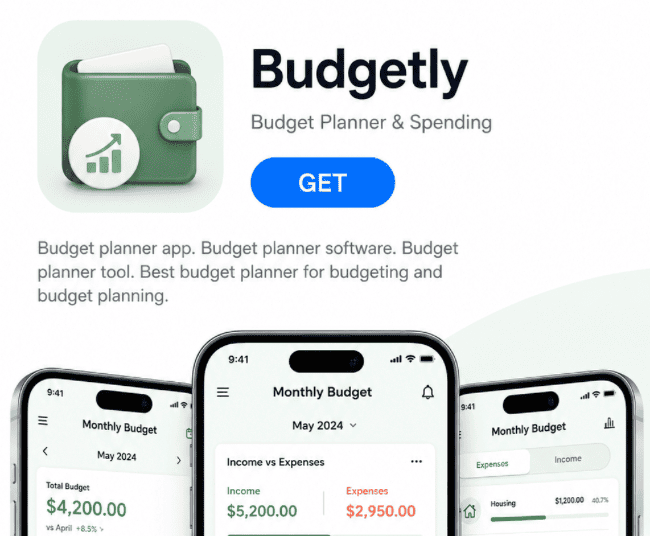
Technically, the keyword is there. The problem is that nobody talks like that.
A stronger version might look something like this:
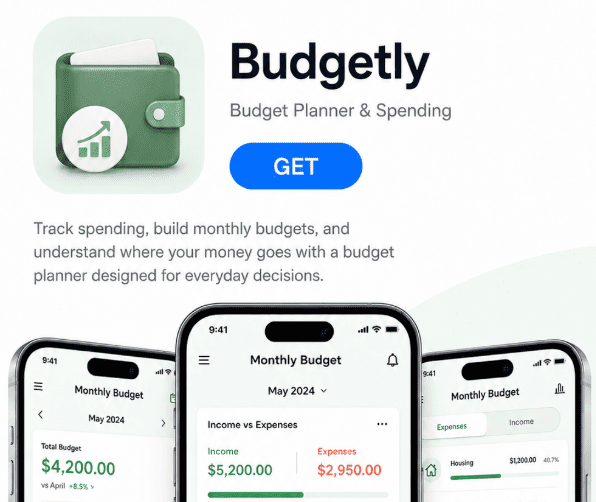
The keyword is still present, but it supports the message instead of dominating it. When descriptions read naturally, users are more likely to engage with them. Google has become much better at understanding context, so stuffing the same phrase into every line usually creates more problems than it solves.
Apple requires a different approach. Search visibility comes from the title, subtitle, and keyword field. Trying to force keywords into the description rarely helps because users see the copy while Apple's ranking system largely ignores it.
Use the description to expand on the promise introduced elsewhere in the metadata. Explain outcomes. Address objections. Give people confidence to install.
Write for scanning because structure beats prose
A beautifully written description can still be lost if nobody reads it.
Store listing visitors skim. They jump between screenshots, ratings, reviews, and snippets of text. Scannable copy keeps attention longer and improves comprehension.
Three practical rules help:
- Keep paragraphs short. One or two sentences is usually enough.
- Place feature bullets in the middle of the long description, not at the top.
- Add section breaks every 400-500 characters to reset attention.
Google Play allows light formatting through line breaks and simple visual structure. Some teams use emojis sparingly to create anchors for the eye. Apple presents plain text, which makes spacing and paragraph rhythm even more important.
A useful framework looks like this:
- Outcome: What problem does the app solve?
- Key features: What makes that outcome possible?
- Social proof: Who uses it and why do they trust it?
- Call-to-action: What should the user do next?
That structure supports conversion rate goals while remaining easy to scan.
One final point. ASO localization should never be treated as a translation exercise. High-performing teams adapt language, search behavior, and cultural context for each market. The best localized descriptions often look very different from the source version because they are built around how users actually search and evaluate products in that country.
Description mistakes that quietly kill installs
Most description problems are not dramatic. Rankings don't collapse overnight and conversion rarely falls off a cliff. Instead, small mistakes compound over time, leaving installs on the table month after month. These are the three issues I see most often.
Burying the benefit
The first 167-252 characters receive the most attention, yet many teams spend that space introducing the company instead of the outcome.
Poor example: "FitTrack is an innovative health and wellness company dedicated to helping users improve their lifestyle through advanced mobile technology." A user scanning a store listing learns almost nothing from that sentence. | Better example: "Lose weight without counting calories. Track meals, workouts, and progress in under 60 seconds a day." The second version immediately answers the question every user is asking: what's in it for me? Lead with the outcome. Explain the product afterward. |
Writing the same copy for both stores
An app store optimization description should reflect how each platform actually works.
I still see teams copy the same description into App Store Connect and Google Play Console, then wonder why visibility stalls on Android. Apple's description exists primarily to convert users who have already discovered the app. Google Play indexes both the short and long description, which means keyword placement matters.
A description written purely for persuasion can perform well on iOS while missing valuable ranking opportunities on Google Play. The strongest teams treat each store as its own environment rather than maintaining a single universal version.
Keyword stuffing
Keyword stuffing remains one of the fastest ways to make a good product look untrustworthy.
Poor example: "Habit tracker, daily habit tracker, best habit tracker, habit tracker app, habit tracker for goals..." Nobody enjoys reading that, including Google's algorithms. | Better example: "Build better routines with a habit tracker that helps you plan goals, monitor streaks, and stay accountable every day." The target keyword is still present, but it appears naturally within a sentence written for humans. |
As a rule of thumb, keep keyword density around 2-3% for your most important terms and focus on readability first.
The last mistake is the one I see most often. Teams rewrite the description, publish the update, and move on. A few weeks later, nobody knows whether rankings improved, conversion increased, or installs changed at all. That's where most optimization programs break down. If you can't connect a description update to a measurable outcome, you're guessing. The next step is building a feedback loop that shows what worked and what didn't.
cta_get_started_yellow
Test, track, and refine your description with AppFollow
An app store optimization description update without measurement is little more than a guess. Once the new copy goes live, the real work begins. The dashboards below help connect a description change to the ranking and conversion outcomes that follow.
Use the ASO Dashboard to see if conversion actually moved
Every description update starts with the same question: Did it improve installs?
AppFollow's ASO Dashboard helps answer that question by bringing together visibility, conversion, and acquisition metrics from both stores in one place.
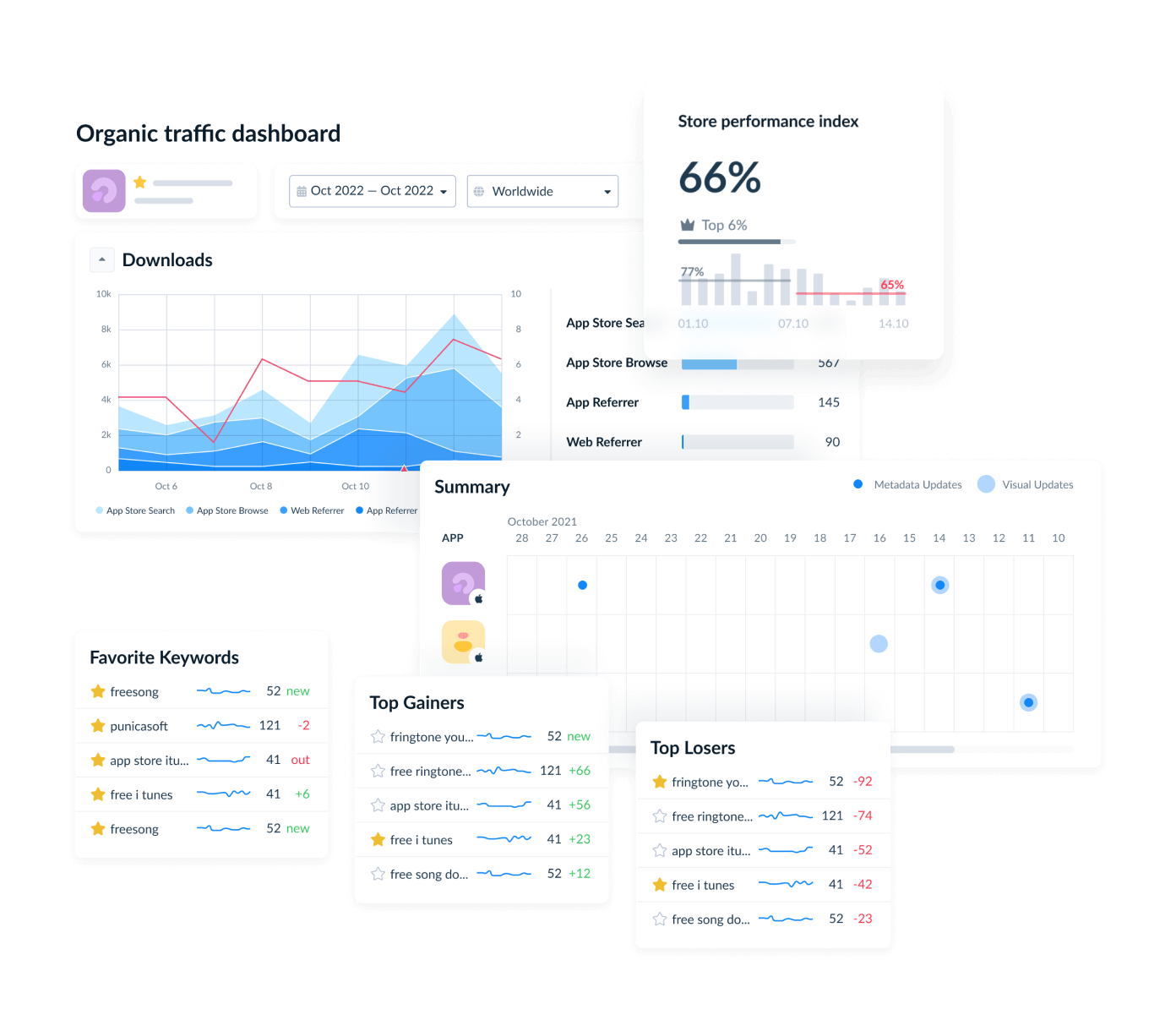
Instead of jumping between interfaces, you can tie a description update to a specific date and watch what happens over the next 7-14 days.
That matters because App Store and Google Play measure funnel performance differently. Apple reports impressions and product page activity. Google focuses on store listing visitors and acquisition outcomes. Looking at those metrics separately often makes comparison difficult. The dashboard normalizes the data so changes in conversion rate and install velocity are easier to interpret across platforms.
When a description rewrite produces a meaningful conversion lift, you'll see it. If performance stays within the normal range of fluctuation, you know it's time to test a different angle rather than assume the change worked.
Use the Keyword Tracking dashboard to see if rank actually moved
Google Play descriptions influence discoverability, so a copy change should eventually appear in ranking data.
AppFollow's Keyword Tracking dashboard monitors daily keyword positions across countries and locales, then overlays metadata changes directly onto the timeline. That makes it easier to connect a specific edit to a specific outcome.
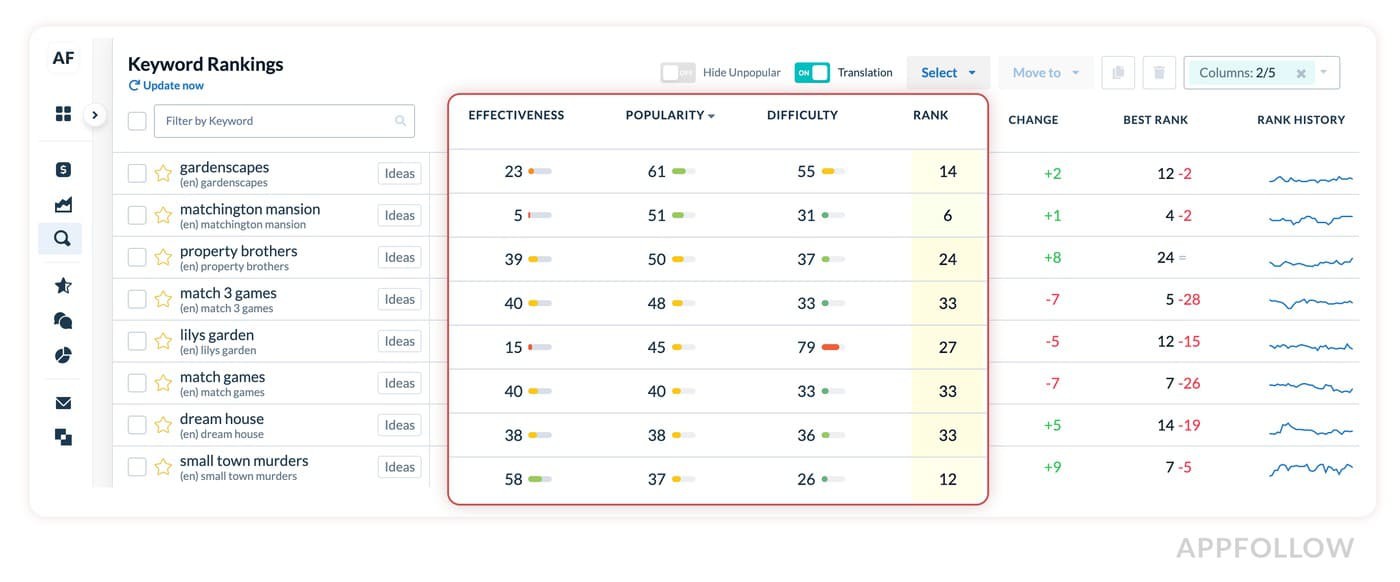
I've seen teams make what looks like a minor wording change, then spend weeks wondering whether it had any impact. Maybe "habit tracker" becomes "daily habit planner" in the short description. Instead of guessing, you can look at the ranking data a few days later and see which term gained visibility, which one lost ground, or whether the change made no measurable difference at all.
I like this workflow because it closes the feedback loop. Write the copy. Publish the update. Watch the rank diff. Decide what to do next based on evidence rather than instinct.
Use Competitor Intelligence and Metadata History to learn from rivals
Most teams spend all their time studying their own listings. Valuable lessons often come from competitor behavior.
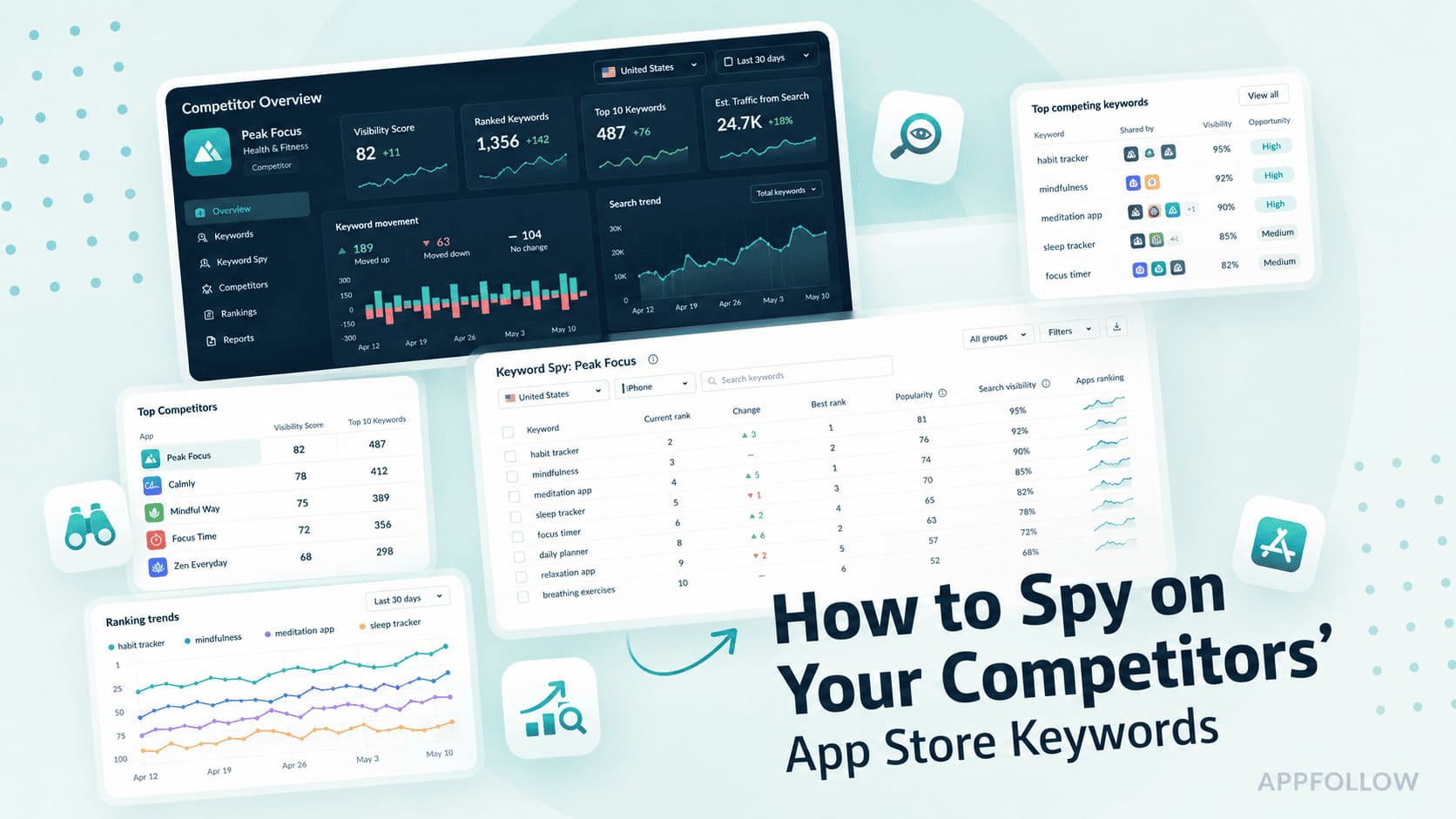
AppFollow's Competitor Intelligence tracks metadata updates across competing apps, including titles, subtitles, short descriptions, long descriptions, and screenshots. Each change is timestamped, which makes it possible to compare listing updates with ranking movement over time.
Sometimes a competitor gains visibility after rewriting their positioning. Sometimes rankings move after a screenshot refresh. Occasionally, nothing changes at all. Every scenario teaches you something.
Metadata History brings the same level of visibility to your own listing. Every version is preserved, making it easy to compare description changes against conversion, keyword rank, and store performance metrics.
cta_get_started_purple