App Store Optimization Title: The 2026 Playbook for iOS & Google Play

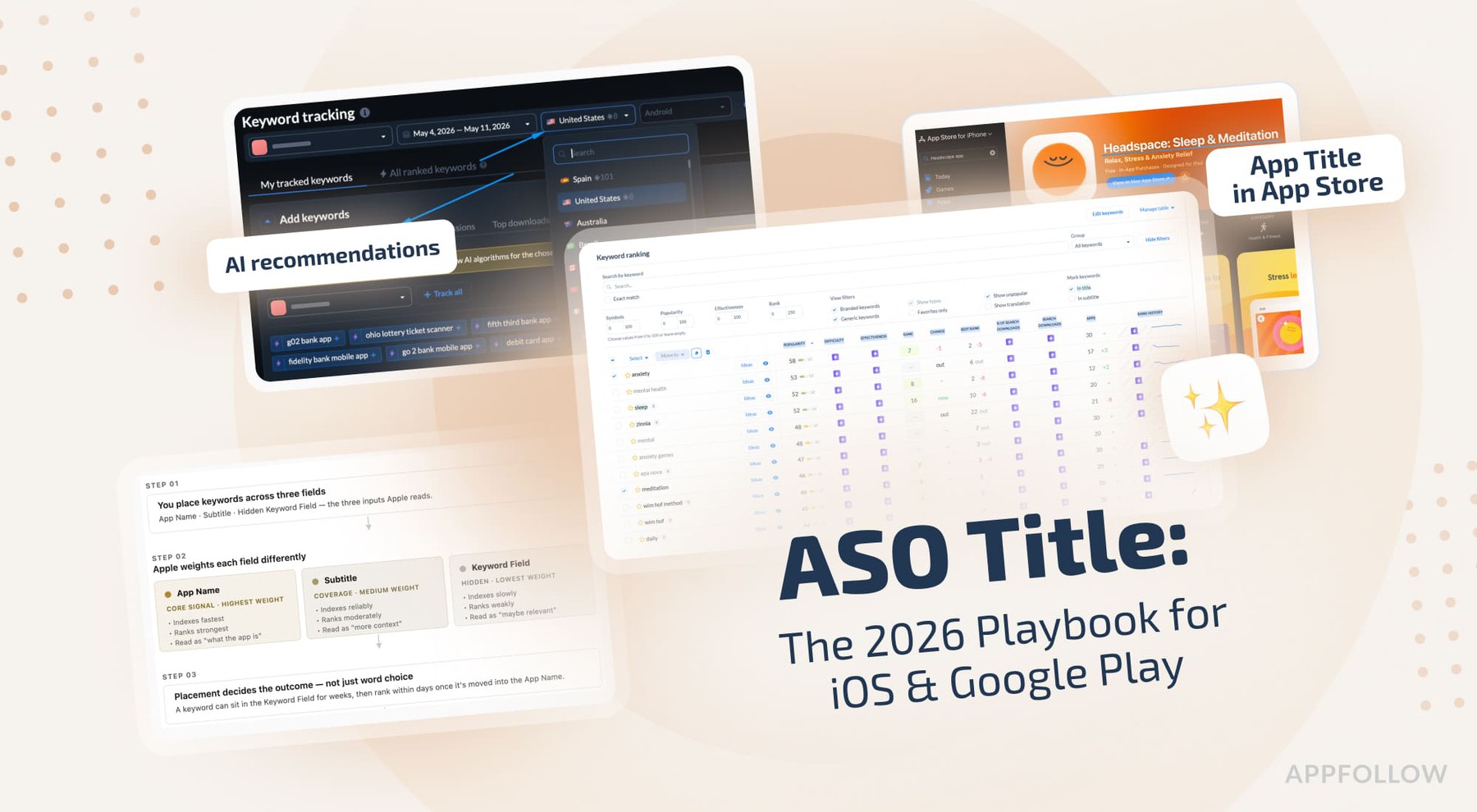
Table of Content:
- Key insights
- What is an app store optimization title?
- App store title character limits in 2026
- How app title indexation works
- How to pick keywords for your app title step-by-step
- ASO title formulas that work in 2026
- 5 Common ASO title mistakes and how to fix them
- How to A/B test your ASO title without losing rank
- Real examples: before & after ASO titles
- Optimize your app title with AppFollow
Getting the app store optimization title right looks simple until you see what it does. I’ve seen apps move from page two into the top five just by tightening keyword placement and aligning with real search intent. You get 30 characters on iOS and Google Play. That’s it. Every word in your ASO title has to carry ranking weight and still make sense to a human scanning results.
This guide pulls together the latest thinking from AppFollow experts like Yaroslav Rudnitskiy, Lucija Knezic, and Veronika Bocharova, along with patterns we’ve seen across client accounts.
So before you scroll, think about this:
- Why do some titles rank in days while others stall for weeks?
- What moves rankings: the keyword, the placement, or the structure?
- When does a brand help, and when does it hold you back?
- How do you test changes without risking your current positions?
Let’s break it down.
Key insights
If you only take a few things from this guide, make it these. The app store optimization title looks small, yet it carries an outsized impact on both visibility and conversion. I’ve seen a single keyword shift in the ASO title move an app into top results within days, but I’ve also seen careless changes cut installs just as fast. These are the patterns that consistently move app store rankings:
- The app store optimization title is the highest-weighted ranking signal on both iOS and Google Play, often driving two to three times more impact than keywords in other fields.
- You get 30 characters for your app title, so strong titles combine a recognizable app name with one high-intent keyword that matches real search demand.
- ASO title, app title, and app name all refer to the same core field. Apple and Google label it differently, but the ranking function is identical.
- Keyword placement matters more than keyword volume. A single term in the title can outperform multiple terms placed in secondary fields.
- Titles that mirror how users search tend to rank faster than creative or brand-heavy phrasing.
- Never ship a title change without validation. Even small edits can shift both ranking and conversion at the same time.
- Early rank tracking is your safety net. Catch movement fast, then double down or roll back before installs take a hit.
What is an app store optimization title?
An app store optimization title is the name of your app that drives both ranking and first-click decisions. People say ASO title, but it’s simply your app title, the field stores use to determine relevance, and users use to decide whether to tap. You get 30 characters, so every word has to earn its place.
I’ve seen teams underestimate this. The algorithm reads your app name as a core signal, while users read it as a promise, and the overlap is where most gains and losses happen.
“Your title is the only field your store algorithm trusts as a strong ranking signal, AND that every user reads before they install. Nothing else in your store listing has to do both jobs at once.”
— Yaroslav Rudnitskiy, Senior Professional Services Manager & ASO guru
ASO title vs. app name vs. app subtitle
These terms sound interchangeable until you try to improve app store rankings. On iOS, the app name carries the main weight. The app subtitle adds supporting keywords and context. Google Play keeps one app title and relies on the rest of the listing to expand meaning.
I’ve seen titles overloaded while the subtitle sits unused, which usually hurts performance. A cleaner split works better. Let the title focus on one strong keyword, then use the subtitle to widen coverage.
Here’s how they compare:
Field | Store | Character limit | Ranking weight | Purpose |
App name | iOS | 30 | Very high | Primary keywords + brand |
App subtitle | iOS | 30 | Medium | Supporting keywords, context |
App title | Google Play | 30 | Very high | Primary keywords + brand |
Why your app title is the heaviest ASO ranking signal
The app store optimization title has more impact than any other editable field. Apple confirms that metadata affects match relevance and placement matters. Keywords in the title index faster and rank higher than those placed elsewhere.
I’ve watched apps move from outside the top 20 into the top 5 by shifting one keyword into the title. When it sits in the ASO title, the store doesn’t need to infer intent. It’s already clear.
That weighting matters because most discovery still starts with search. Industry studies regularly estimate that around 65% to 70% of App Store downloads come from search and browse behavior. A title change is one of the few ASO edits that can directly influence both relevance and tap-through rate at the same time.
For the full picture beyond title, subtitle, and keyword fields, see how ASO ranking factors work across metadata, conversion, ratings, reviews, and download behavior.
ASO title vs. app store SEO title (web)
This is where confusion comes in, especially if you’re coming from web SEO. The HTML title tag of your listing page does not affect in-store rankings. It only influences how your page appears in Google search.
The same app can have two completely different titles depending on where users find it. A website page might use an SEO title like “Headspace: Mental Health App for Meditation & Sleep,” while the App Store title is simply “Headspace: Sleep & Meditation.” One is written for Google’s search engine and clicks on the web. The other is written for App Store indexing, readability, and ranking limits inside Apple’s ecosystem.
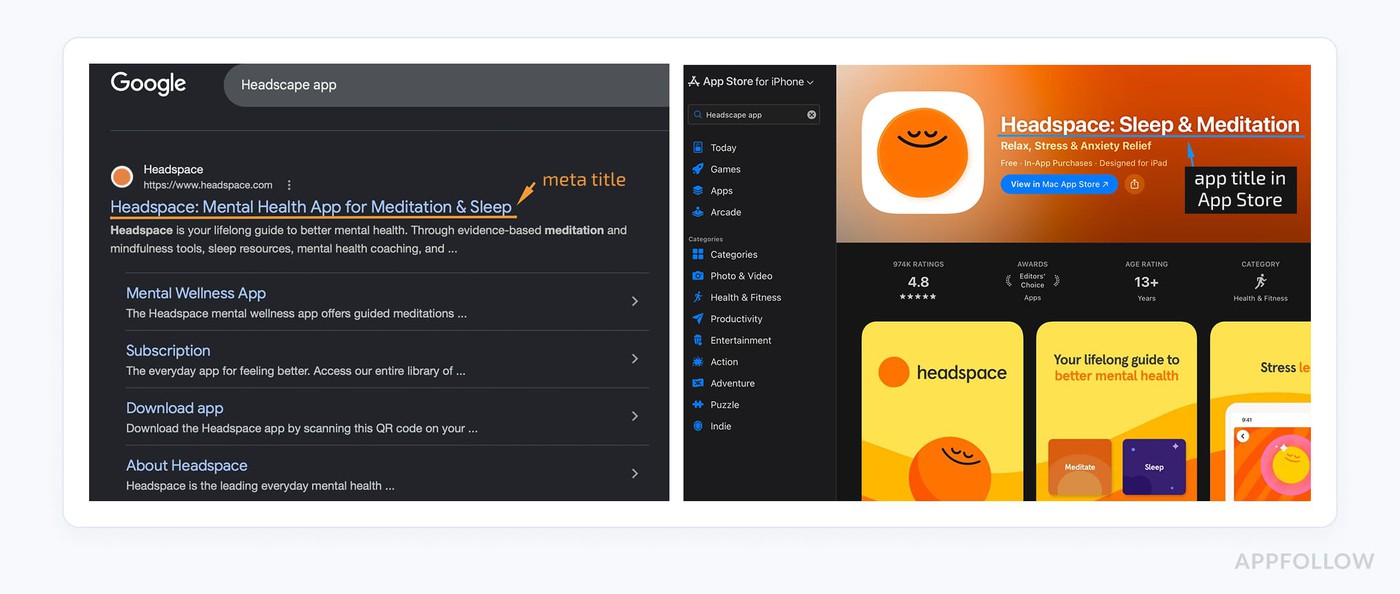
The rules are different, too. SEO title tags usually allow around 50 to 60 characters before truncation in Google results. Apple gives you 30 characters for the app title. That limit forces prioritization. Every word has to earn its place.
If you’re optimizing for app store SEO on the web and expecting movement inside the store, you’re solving the wrong problem. The only title that directly affects App Store rankings is the one inside the store.
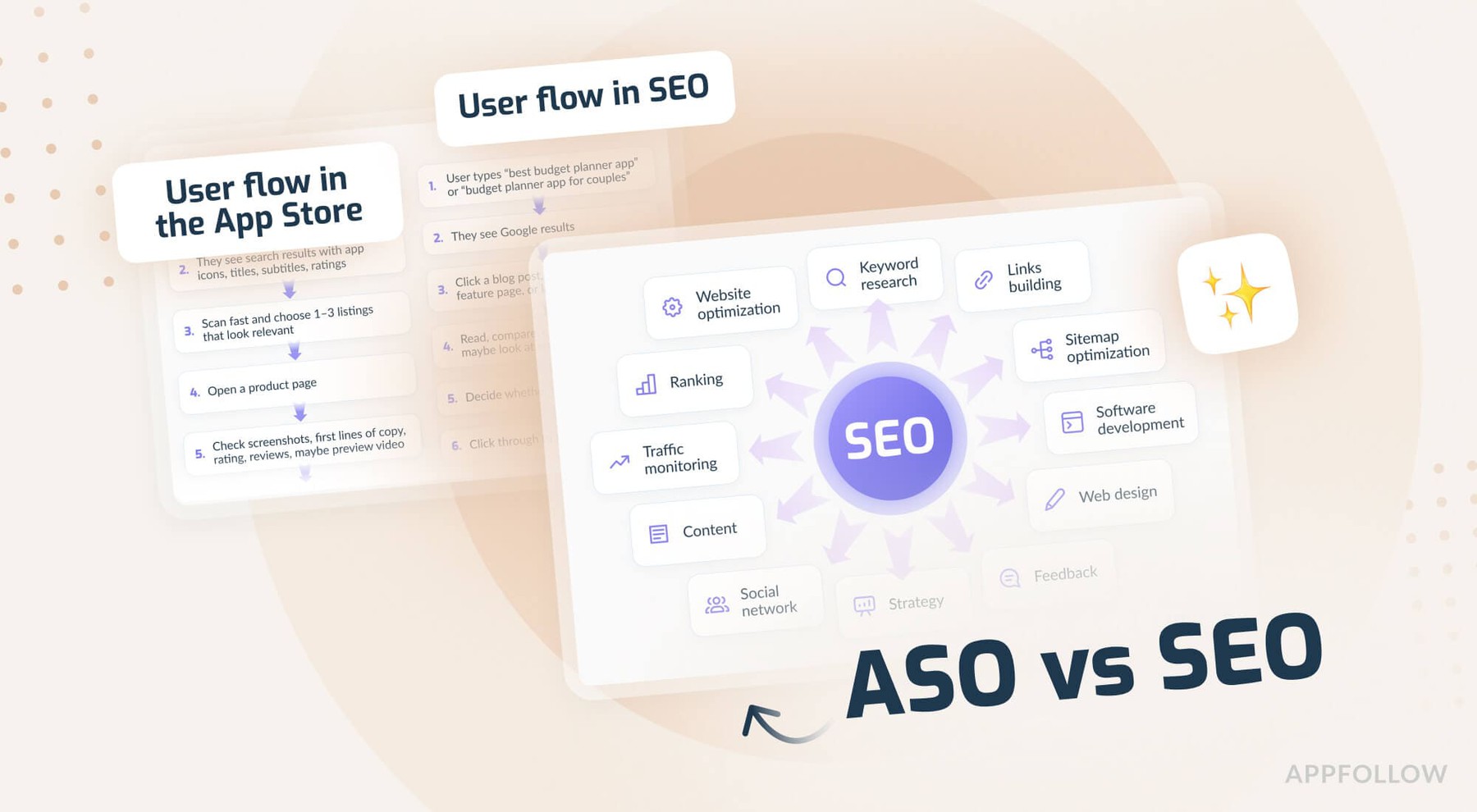
If you’re comparing store search with Google search, this ASO vs SEO breakdown explains where the two overlap and where they split.
App store title character limits in 2026
The app store title character limit is 30 characters for the app title on both iOS and Google Play, with supporting fields extending how you cover keywords without extending the title itself.
The structure is layered. The title leads; everything else supports it.
iOS | Google Play | Indexed for ranking | Visible to user | |
App Title / App Name | 30 characters | 30 characters | Yes (very high) | Yes |
App Subtitle | 30 characters | N/A | Yes (medium) | Yes |
Keywords Field | 100 characters | N/A | Yes (high) | No |
Short Description | N/A | 80 characters | Yes (medium) | Yes |
Long Description | N/A | 4000 characters | Yes (lower weight) | Yes |
iOS App Store: 30 characters for the App Name
Apple gives you 30 characters for the app title, and this field carries the strongest ranking weight. Treat it like prime space. Keywords placed here tend to index faster and rank higher than anywhere else.
The limit forces focus. When a title tries to cover too much, it usually fails to rank for anything meaningful.
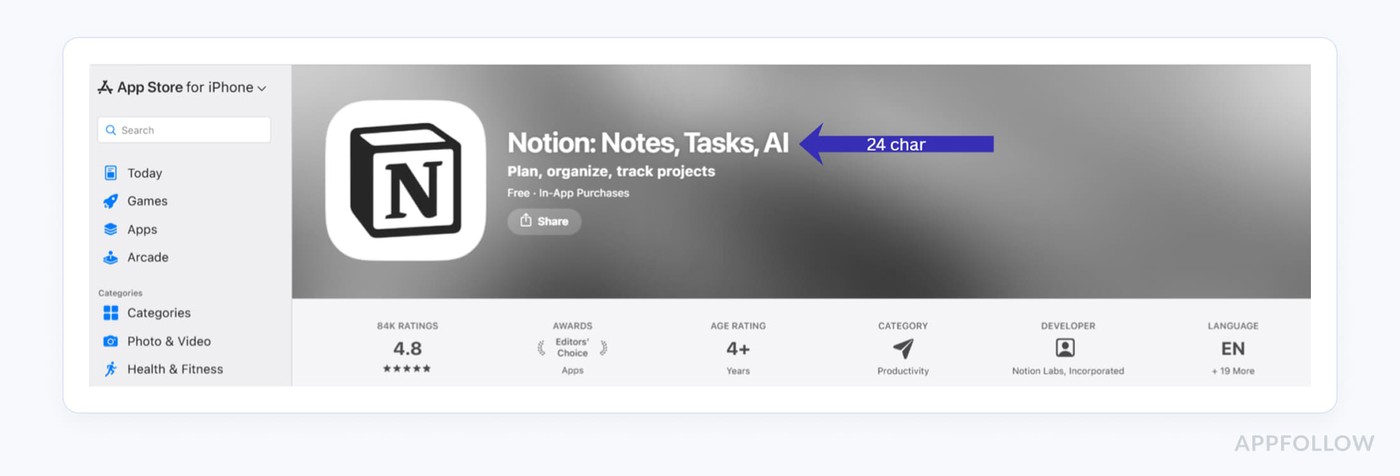
iOS App Store subtitle: 30 characters
The app subtitle also caps at 30 characters and works as a supporting layer. It’s indexed, so it expands keyword coverage, especially for secondary terms that didn’t fit into the title.
Use it to reinforce relevance without competing with the main keyword. A clear split between title and subtitle usually improves visibility across more queries without weakening the core signal.
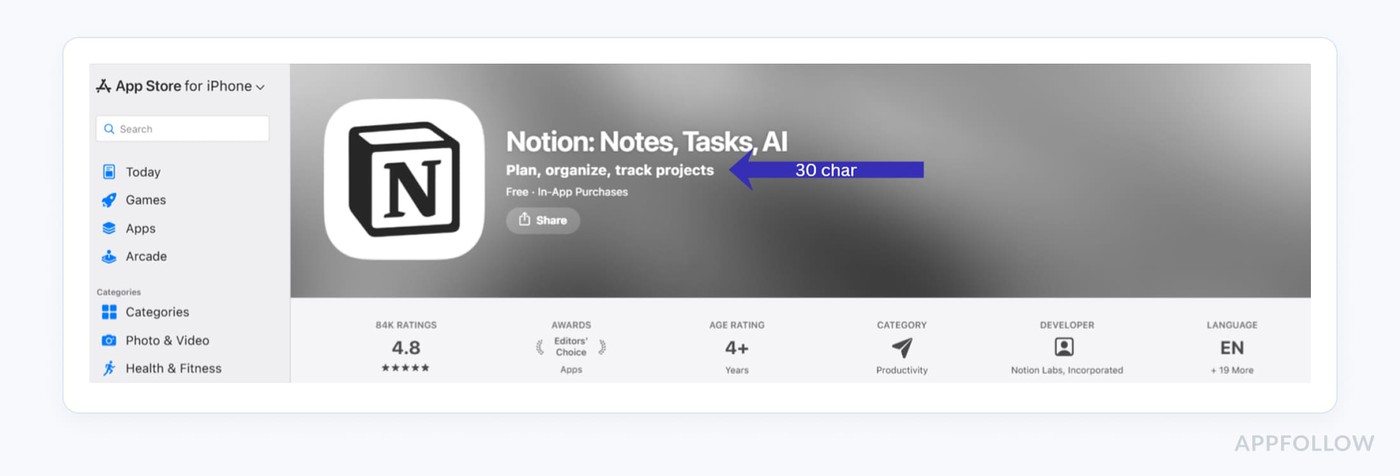
iOS keywords field: 100 characters (separate, hidden)
The iOS app store keywords field gives you 100 characters and stays invisible to users. This is where precision matters. Apple’s app store keywords rules leave no room for repetition or filler. I’ve seen teams waste space here simply by structuring it poorly.
Used well, it completes your keyword map alongside the title and subtitle, though it doesn’t carry the same weight as the visible fields.
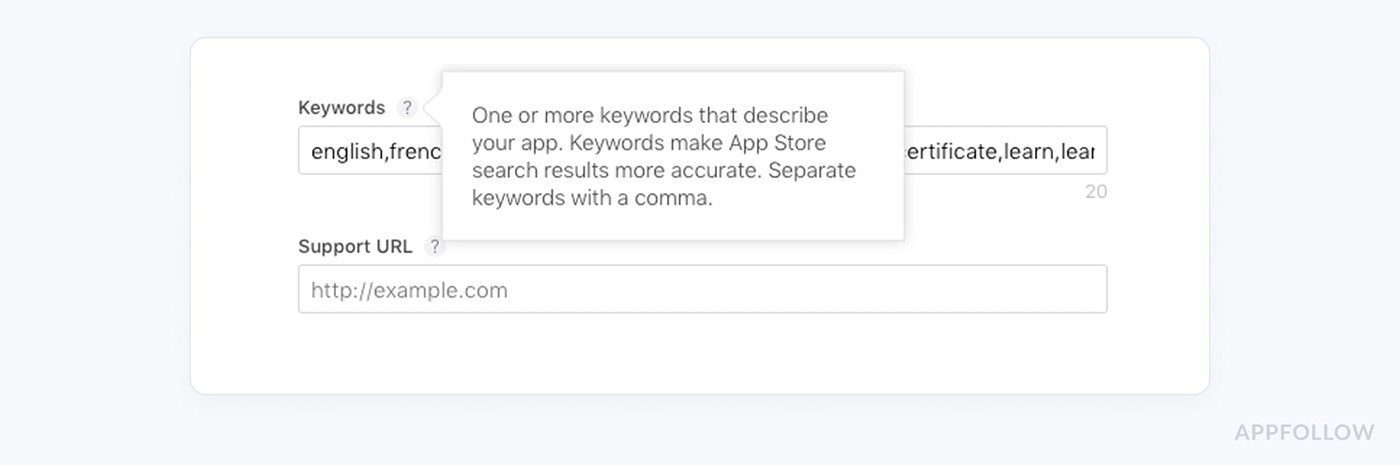
If iOS is your main growth channel, this guide to Apple app store search optimization goes deeper into metadata hierarchy, localization, and keyword field cleanup.
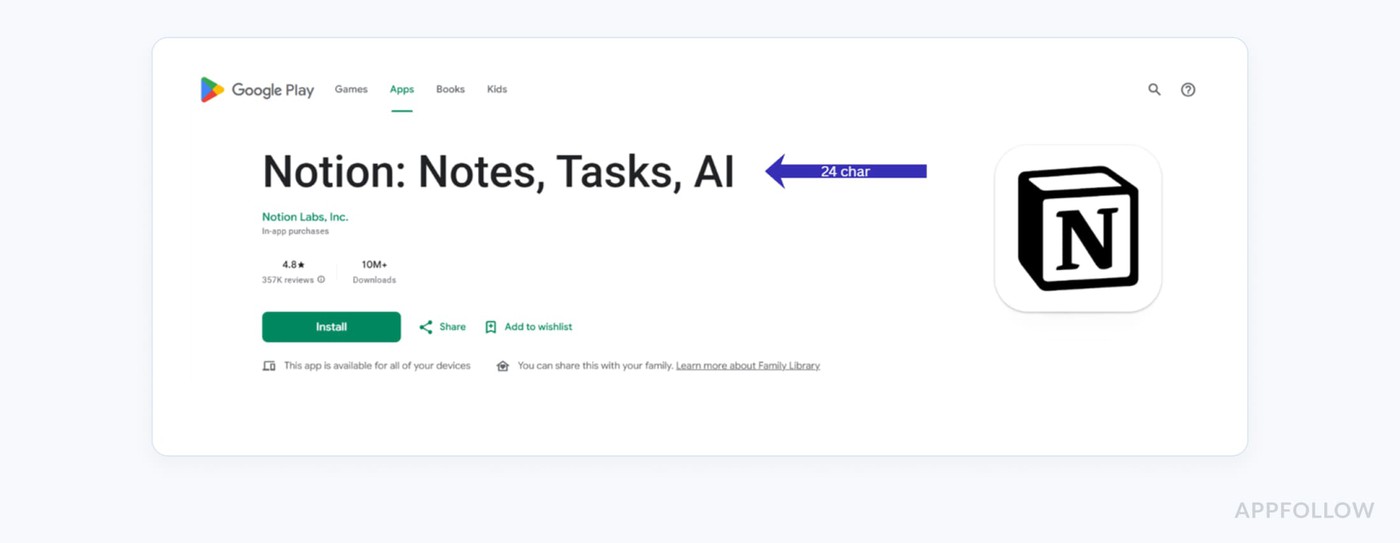
Google Play app title: 30 characters
Google Play also limits the app title to 30 characters. That reduction from 50 pushed teams toward cleaner naming. The title still carries strong weight, though Google relies more on context across the listing. I’ve noticed that keyword-heavy phrasing without clarity tends to underperform. Readability affects conversion, and conversion feeds ranking, so clean titles usually win.
Google Play short description: 80 characters
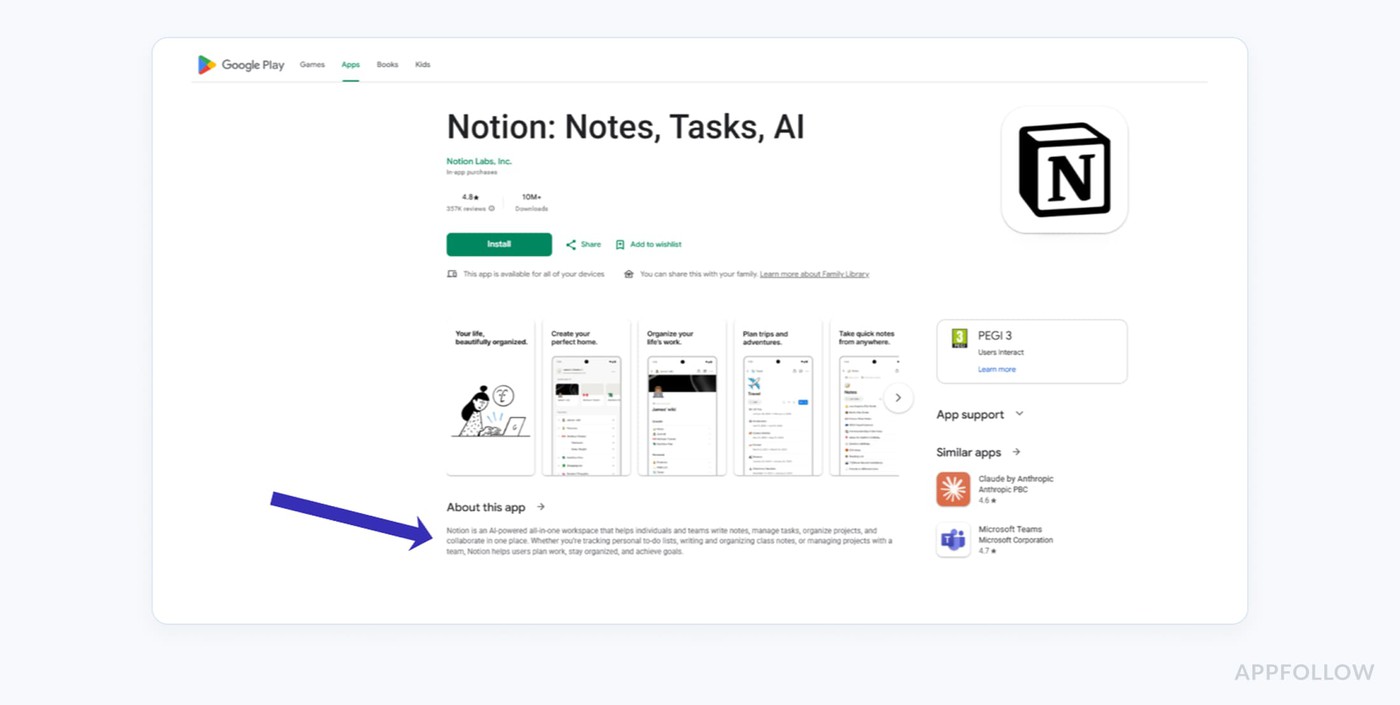
The short description gives you 80 characters to extend meaning. It’s indexed and visible, so it affects both discovery and conversion. Treat it as a continuation of the title, not a repeat. When the title captures the main keyword, the short description can add intent or clarify the use case. That combination helps the system understand relevance and gives users a clearer reason to install.
What changed in 2025–2026
Limits stayed stable, but enforcement tightened. Apple has become stricter with promotional language in the app name, especially under its metadata rules and guidance around creating product pages. Titles that read like ads instead of product names are more likely to get flagged.
Phrases like “Best Budget Tracker,” “#1 Fitness App,” or “Free VPN Unlimited Fast Secure” now trigger closer review more often than they did a few years ago.
Google Play is moving the same way. Excessive capitalization, repeated keywords, and unnatural phrasing in the app title are more likely to trigger suppression. Titles such as “FITNESS WORKOUT GYM TRACKER” or “Chat App Dating App Singles App” are exactly the kind of patterns Google has been discouraging in its metadata guidance.
The stores are not just indexing keywords anymore. They evaluate how credible and readable your listing looks. That’s the real shift. You still work within the same limits, but there’s less tolerance for forcing keywords into place. Cleaner titles tend to perform better.
How app title indexation works
App title indexation works by giving the strongest ranking weight to keywords placed in the title, which are indexed faster and with higher confidence than those in other fields.
You’ve probably seen this without naming it. Add a keyword, wait, nothing happens, move it into the title, and rankings begin to shift. That’s not random. In app search optimization, placement defines priority. Once you understand how stores read metadata, ASO on-page stops feeling like guesswork.
How iOS indexes the App Name and subtitle
iOS builds relevance from the app name, subtitle, and hidden app store keywords, but it doesn’t treat them equally. The app name leads. Keywords placed there tend to index quickly and rank higher because Apple treats them as the core signal.
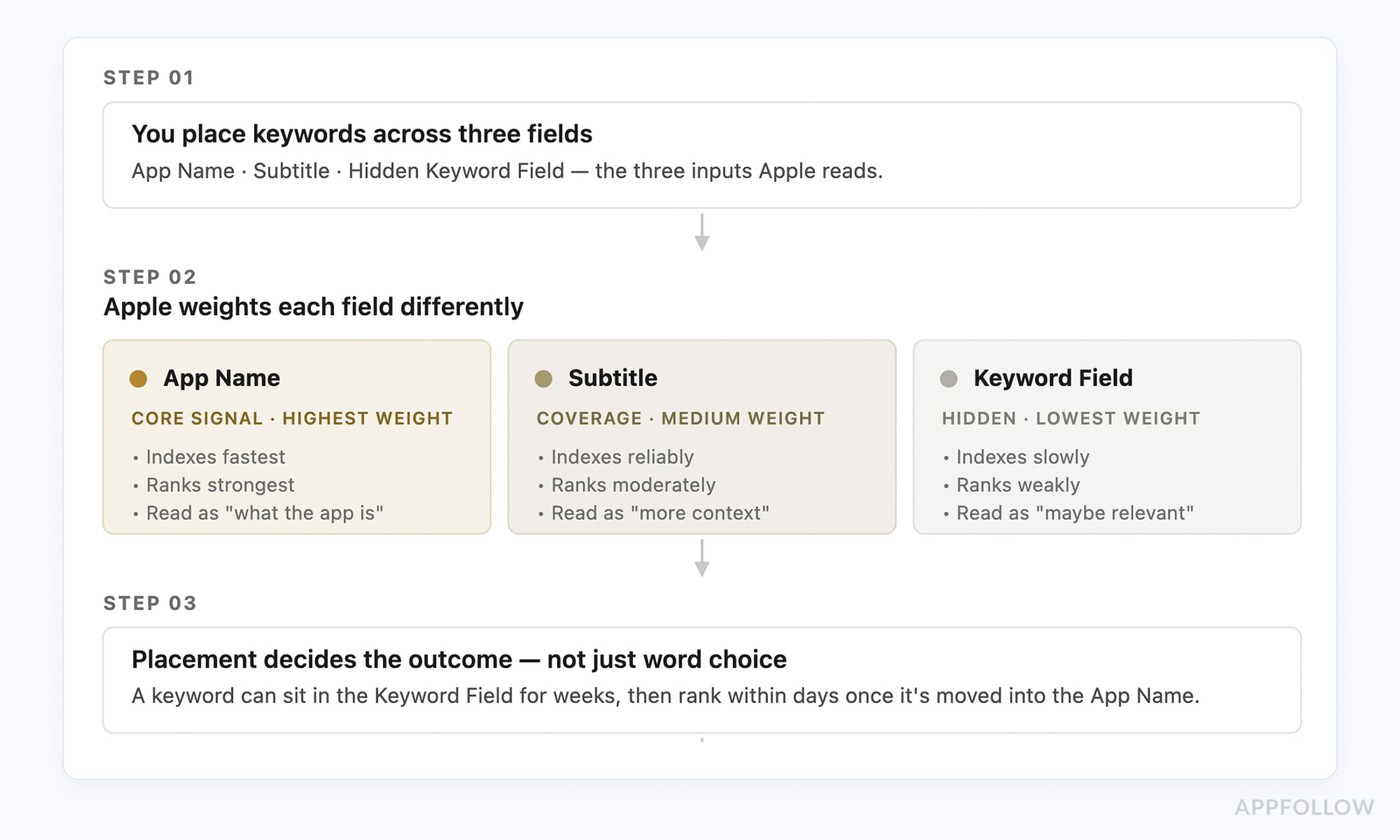
I’ve seen keywords sit in the keyword field for weeks, then start ranking within days after moving into the title. That’s how indexation behaves.
How Google Play scans your title and short description
Google Play reads your app differently, though the hierarchy still holds. The title drives app store search, while the short description reinforces meaning. Both fields are scanned together, so consistency matters more than repetition.
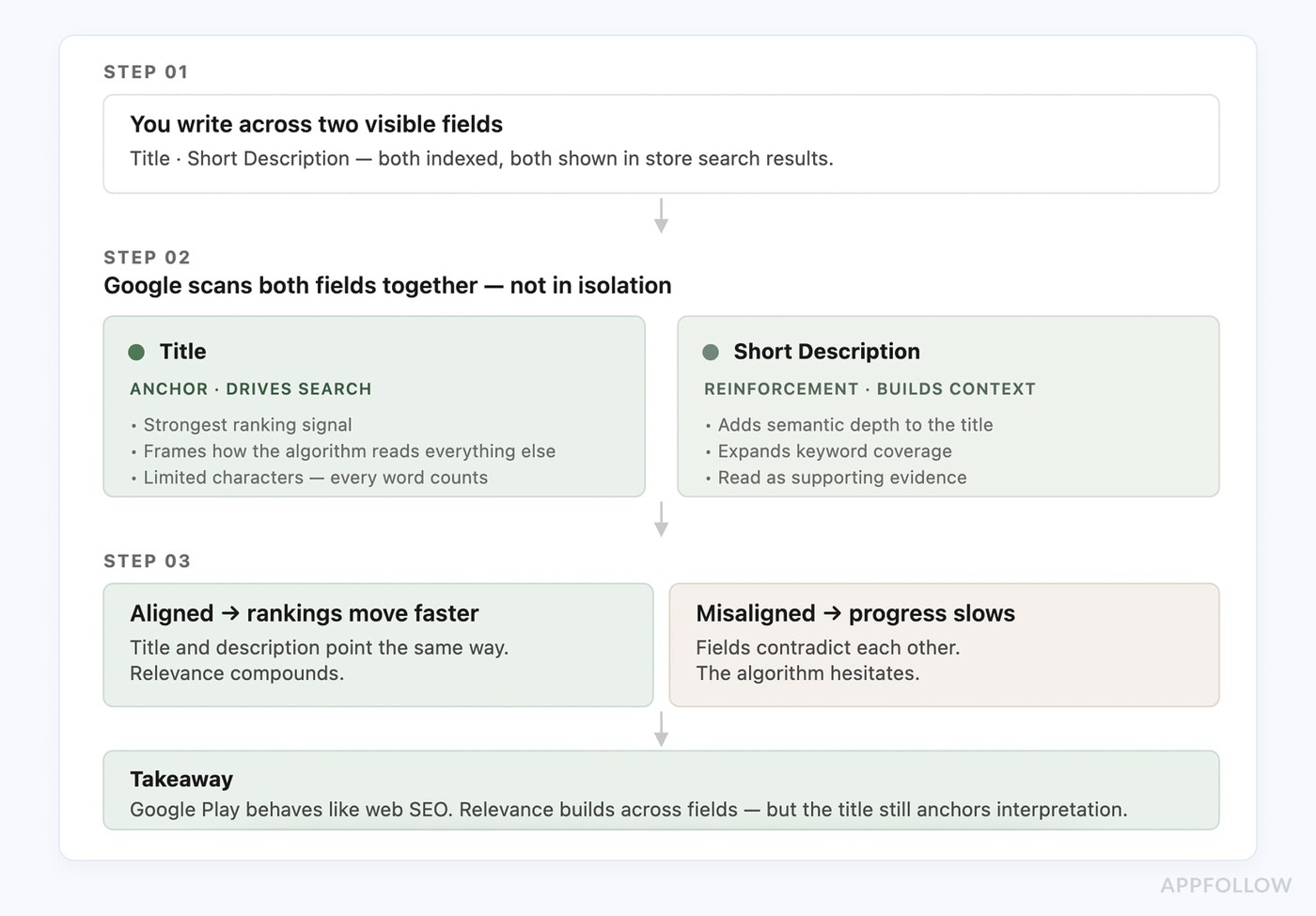
From what I’ve observed, rankings move faster when the title and description align semantically. If they point in different directions, progress slows. The system works closer to web SEO. Relevance builds across fields, but the title still anchors interpretation and influences app store rankings the most.
Brand name vs. keywords: where the weight sits
This is where trade-offs become visible. You need a brand, yet every character spent on branding reduces space for ranking. In practice, keywords carry more weight for visibility.
AppFollow data backs this up:
“We see roughly a 2.4x average rank improvement when a target keyword moves from the iOS keyword field into the App Name. The keyword field is your safety net; the title is your engine.”
— Lucija Knezic, Senior CSM & Product Strategy Manager at AppFollow
The strongest titles usually balance both. Apps like “Calm: Sleep & Meditation,” “Duolingo: Language Lessons,” or “Flo Period & Cycle Tracker” keep the brand visible while still telling the store exactly what the product does. The keyword explains the use case. The brand builds recognition over time.
I usually keep a short brand cue and use the rest for a high-intent keyword that reflects real app store search demand. When teams lean too heavily on brand, growth slows. Once they rebalance toward keywords, rankings tend to move faster. The system reads your metadata literally, so clarity wins over creativity.
How to pick keywords for your app title step-by-step
You pick keywords for your app title by identifying high-intent queries you can realistically rank for, then narrowing that list to one primary keyword supported by a few relevant terms.
Most teams overcomplicate this. I’ve seen lists with hundreds of ideas and no clear direction. Good keyword research is about focus. You’re choosing one term that can carry rankings, then building around it. Think of this as a repeatable ASO checklist, not a one-off task.
For the deeper workflow behind seed lists, volume, difficulty, and competitor gaps, use this ASO keyword research guide.
Step 1: Build a seed keyword list
Start wide. Pull ideas from search suggestions, competitor titles, reviews, and even support tickets. I usually gather 20 to 50 raw terms without filtering. At this stage, you’re collecting language, not judging it.
What matters is how users describe the problem. That gap shows up often. Strong ASO techniques start with real phrasing.
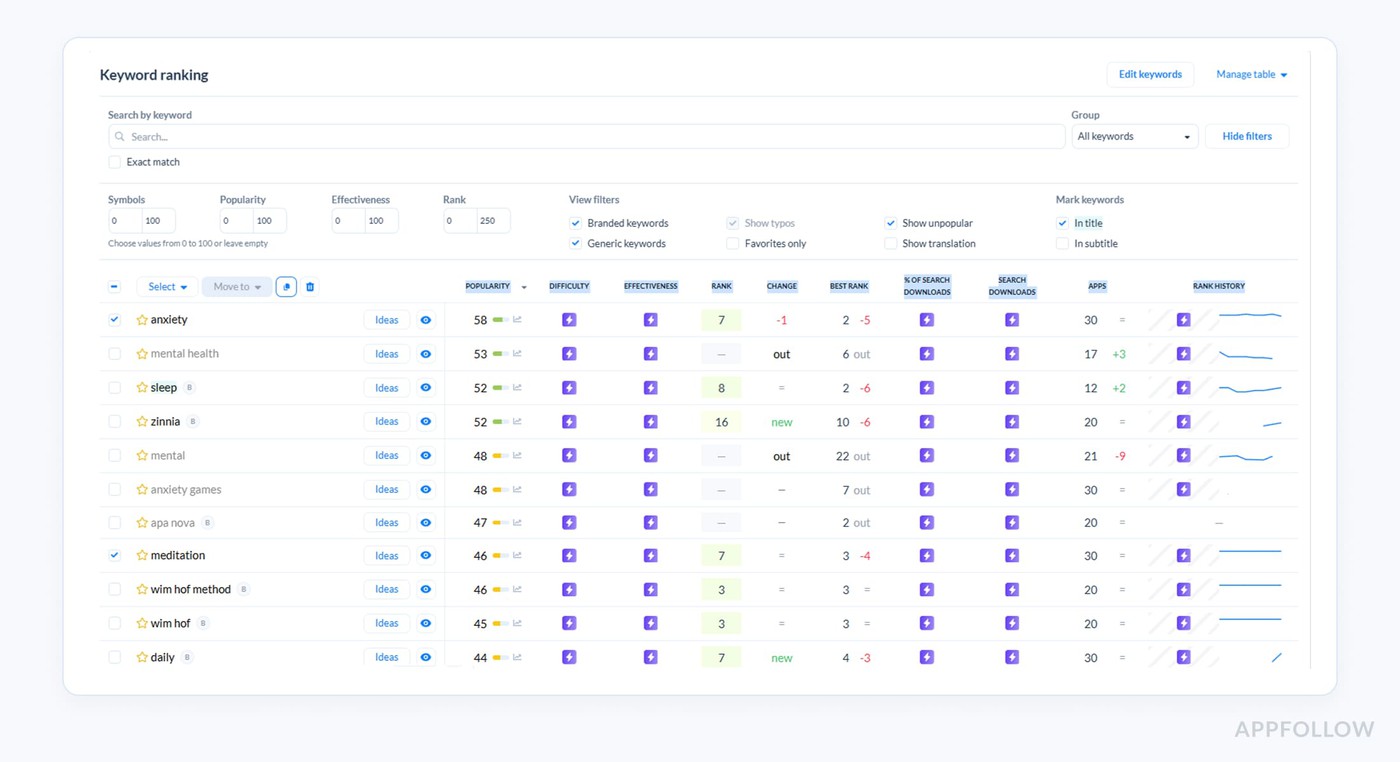
Inside AppFollow, this process usually starts in Keyword Research. You can pull keyword ideas from competitor metadata, then evaluate them by popularity, difficulty, ranking potential, and estimated search downloads before narrowing the list down.
Step 2: Score volume, difficulty and CVR potential
Once you have a list, pressure test it. Popularity shows demand. Difficulty shows how competitive the keyword is. Effectiveness helps you estimate whether the opportunity is realistically worth pursuing.
Teams often chase high-volume terms that never convert. A broad keyword like “fitness” can attract impressions but still bring weak installs because the intent is too vague. A more specific query with lower popularity often performs better because the user already knows what they want.
Inside AppFollow, these metrics appear side by side, along with rank movement and estimated search downloads. I usually prioritize keywords with balanced popularity and effectiveness scores over massive terms with extreme difficulty. A keyword ranking at position 12 can be a stronger opportunity than one sitting far out of reach.
Step 3: Map keywords to user intent
Now, each keyword needs to match a clear user goal. Ask what the person is trying to accomplish when they search.
Some keywords signal browsing. Others signal action. Terms like “planner,” “tracker,” or “daily schedule” usually convert better because the intent is specific. If a keyword doesn’t connect to a real use case, it probably doesn’t belong in your title.
Keyword | User intent | Funnel stage |
daily planner | Looking for a general planning tool | TOFU |
study planner | Searching for a planner tied to school tasks | MOFU |
meal planner app | Trying to solve a specific problem | MOFU |
budget tracker | Ready to compare functional apps | BOFU |
habit tracker | Looking for a repeatable routine tool | MOFU |
The closer the keyword sits to a clear task or outcome, the more likely it is to convert after the tap.
Step 4: Validate against competitor titles
Before locking anything in, look at what already ranks. Check the top results for your target keyword and study their titles.
You’ll see repeated structures and common phrases. Sometimes you’ll spot gaps. Those gaps matter. A clearer or more focused title can stand out without breaking relevance. This step is about understanding what the algorithm already trusts. Most app store optimization tools surface competitor rankings and title patterns, which makes this process faster.
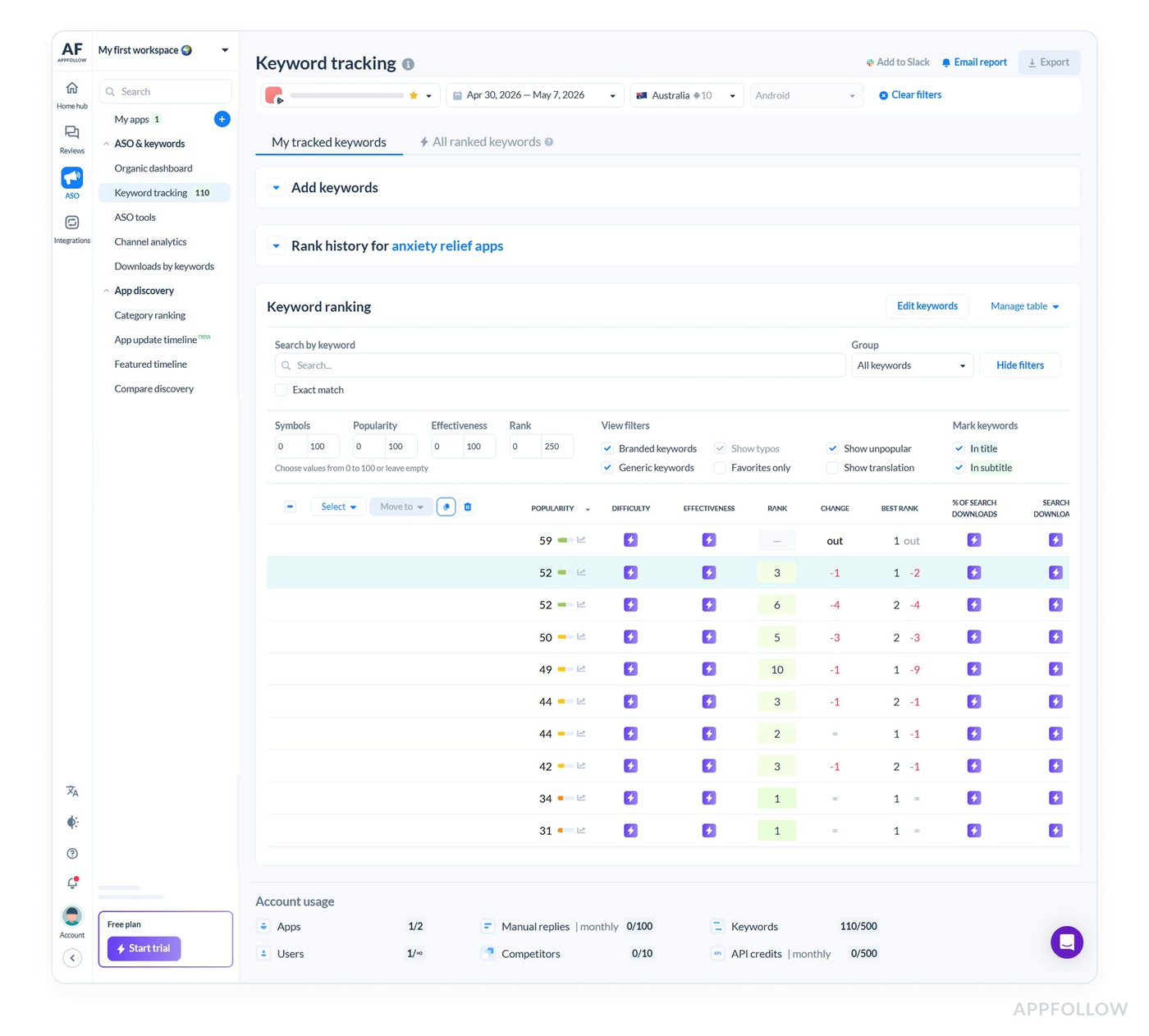
Keyword tracking in AppFollow. Track your app performance with a free trial
Step 5: Localize instead of just translate
Keywords used in the US might not exist in Germany or Japan in the same form. Localization means rebuilding your keyword set using local data. I’ve seen apps unlock new growth just by adapting their keyword strategy per market.
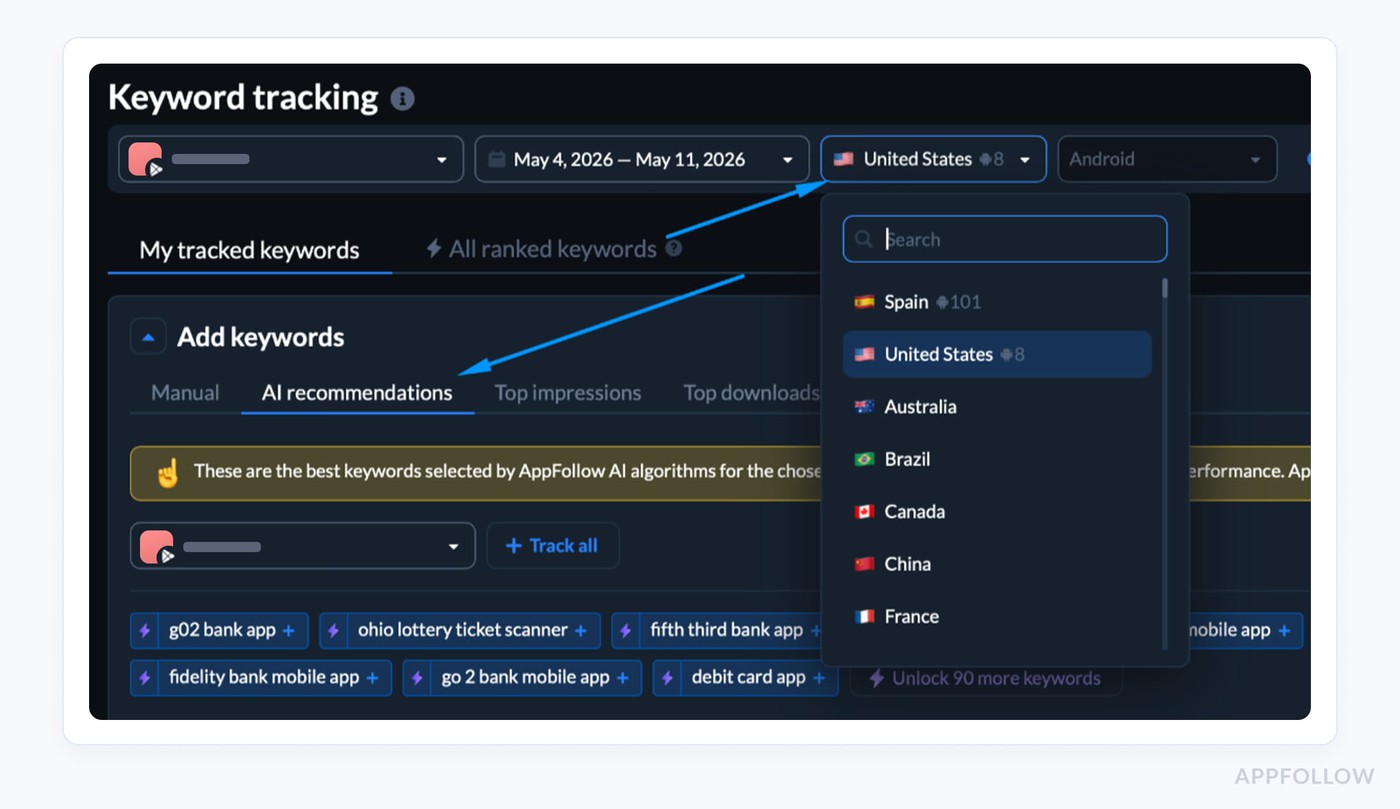
Inside AppFollow, keyword research can be filtered by country, which changes both ranking data and AI keyword recommendations based on the selected market. That matters because user intent changes across regions. A keyword with strong visibility in the US might have low search demand somewhere else, while local phrasing can uncover opportunities your original title would miss entirely.
It takes more effort, but strong ASO guidelines point in this direction for a reason.
ASO title formulas that work in 2026
The ASO title formulas that work in 2026 balance a clear primary keyword with just enough brand to build trust without weakening ranking potential.
I’ve tested enough variations to see the pattern. Structure matters almost as much as the keyword. When your app title optimization follows a clean format, both the algorithm and the user process it faster.
Strong app name optimization reduces friction, and that’s what moves app store rankings.
The ‘Brand: Keyword cluster’ formula
This is the safest starting point. You lead with your brand, then add a tight keyword cluster that explains what the app does.
Formula: Brand + ":" + Primary keyword + Secondary keyword
Example: “FinTrack: Budget Planner & Expense” (30 characters)
I’ve seen this work best for newer apps where the app name ASO is still building. The keywords carry ranking weight, while the brand gains recognition over time.
The ‘Keyword | Brand’ formula
This flips the order. The keyword comes first, so relevance is immediate, and the brand follows as support.
Formula: Primary keyword + "|" + Brand name
Example: “Workout Planner | FitTrack App” (30 characters)
I use this when ranking matters more than brand recall. It tends to perform well in crowded categories where users scan fast and choose based on function.
The ‘Brand — Category’ formula
This works only when the brand already has traction. The category term reinforces meaning without relying on keywords to explain the product.
Formula: Brand name + "—" + App category
Example: “Notion — Productivity Workspace” (29 characters)
Without brand recognition, this format struggles. With it, you get cleaner naming while holding position in app store rankings.
ASO title formulas per category
Different categories behave differently, and I’ve seen patterns emerge depending on how users search.
- Productivity. Users search by task. Example: “Task Planner: To Do & Calendar” (30 characters)
- Fintech. Trust matters more than creativity. Example: “SafeBank: Budget & Expense Tracker” (30 characters)
- Mobile games. Brand and theme drive installs. Example: “Zombie Rush: Survival Shooter” (29 characters)
- Dating. Intent is emotional and outcome-based.
Example: “DateNow: Chat & Meet Singles” (30 characters) - Fitness. Users search for outcomes or routines. Example: “FitTrack: Workout & Meal Planner” (30 characters)
The formula stays consistent. The emphasis shifts based on how users search in each category.
5 Common ASO title mistakes and how to fix them
The most common ASO title mistakes come from overloading the title or ignoring how the rest of the metadata supports it.
Teams either push too many keywords into one line or treat the title as a standalone field. Most fixes are small: a few adjustments usually bring performance back in line with how stores rank apps.
Keyword stuffing the title
This is still one of the most common ASO mistakes. Teams try to force every possible keyword into the title, expecting broader visibility. The result is usually the opposite. Rankings stall because the title becomes unreadable and weakens conversion at the same time.
A title like “Workout Fitness Gym Tracker Planner Calories” looks like metadata, not a product. Compare that with something cleaner like “FitTrack: Workout Planner.” The second version gives the algorithm a clearer signal and gives users something they can process instantly.
“Stores have become much better at detecting intent stuffing. Relevance now depends as much on readability as keyword presence.”
— Yaroslav Rudnitskiy, Senior Professional Services Manager at AppFollow
The safest fix is usually the simplest one: one primary keyword, one supporting phrase, then stop.
Trademark and Apple/Google policy violations
This issue often stays invisible until an update gets delayed or suppressed. Using competitor names, adding claims like “#1” or “Best,” or stuffing the title with promotional language can trigger rejection.
Apple and Google increasingly treat metadata as a trust signal, not just an indexing field. A title such as “Free VPN Fast Secure Unlimited” might still contain valuable keywords, but the phrasing looks manipulative.
he safer approach is to treat the app title as identification, not advertising.
Skipping localization for the top 5 storefronts
Many teams stop after English optimization, and that leaves a surprising amount of visibility untapped.
Search behavior changes across regions, even when the product stays the same. A budgeting app targeting Germany, for example, may rank better for “Ausgaben Tracker” than a direct translation of “expense tracker.”
“Localization works best when you adapt to how users search locally, not when you translate your US metadata word for word.”
— Lucija Knezic, Senior CSM & Product Strategy Manager
The structure can stay similar. The keywords usually cannot.
Title-only thinking: forgetting the subtitle and keyword field
A strong ASO on-page setup spreads meaning across fields instead of forcing everything into the title.
On iOS, especially, the subtitle and keyword field expand coverage and support ranking. Teams that ignore them often end up with overloaded titles and weak metadata structure overall.
I usually treat the title as the primary signal, the subtitle as context, and the keyword field as coverage expansion. That separation keeps the listing readable while still broadening discoverability.
Changing the title without an A/B test
This mistake is avoidable, yet it still happens constantly. A title change affects visibility and conversion at the same time, so pushing updates live without validation creates unnecessary risk.
I’ve seen stable rankings disappear overnight after a rushed title edit. Recovery takes time because indexation needs to settle again.
“Teams often test visuals first, even when metadata is the real bottleneck. A title can limit discovery long before screenshots ever matter.”
— Karen Taborda, Customer Growth Team Lead at AppFollow
Even small wording changes can shift performance. Testing first usually costs less than recovering later.
How to A/B test your ASO title without losing rank
You A/B test your ASO title without losing rank by validating the idea first, tracking keyword movement, and rolling out only when ranking and conversion signals hold.
Here’s the safest workflow:
- Pick one title hypothesis. Decide what you’re testing: keyword-first, brand-first, or a different primary keyword. Do not change the title, subtitle, screenshots, and description all at once.
- Set your baseline. Record current rankings for every keyword in the old title, plus CVR, impression-to-install rate, and search downloads.
- Test the message before rollout. Use Apple PPO or Google Play experiments to see whether the new positioning improves conversion. Apple won’t isolate the title directly in search, but it still helps you catch weak messaging before release.
- Track old and new keywords in parallel. Watch whether the new keyword starts gaining rank while the old one holds or drops.
- Roll out only when the data holds. Wait for stable performance across several days, not one spike. If rankings fall and CVR doesn’t compensate, roll back fast.
“The biggest mistake teams make is testing the wrong thing — they A/B test the icon when their title is leaving 40% of relevant search volume on the table. Audit your title first; everything downstream gets cheaper.”
— Veronika Bocharova, Customer Success Manager at AppFollow
Apple Product Page Optimization (PPO)
Apple’s PPO lets you test product page variants, though not the title directly in App Store search results. What you’re really testing is whether the positioning behind the title improves conversion once users land on the page.
A title can increase keyword visibility and still hurt installs if the messaging no longer matches user expectations. I usually treat PPO as a conversion filter before a metadata rollout. If screenshots, subtitles, or supporting copy perform worse around the new positioning, the title itself is probably misaligned.
Small apps often need extended test windows before the data becomes reliable. One useful detail: in Apple Search Ads, the ASO link title can vary across creatives, which gives teams another way to pressure test messaging before changing organic metadata.
Google Play Store listing experiments
Google Play gives you more flexibility and faster feedback loops. Store listing experiments can test titles, short descriptions, icons, and screenshots directly against each other, with traffic automatically split between variants.
In practice, this makes Google Play closer to a real metadata A/B testing environment than iOS. I’ve found that meaningful conversion differences often appear within days on higher-volume apps. The platform also reports confidence levels directly, which helps reduce guesswork when deciding whether a variation is statistically strong enough to ship.
One pattern shows up often: keyword-heavy titles may improve impressions but weaken install conversion if readability drops. That’s why practical ASO techniques rely on balancing visibility with clarity instead of optimizing for ranking alone.
What to measure: keyword rankings, visibility trends, and competitive movement
A title change only works if it improves both discoverability and installs.
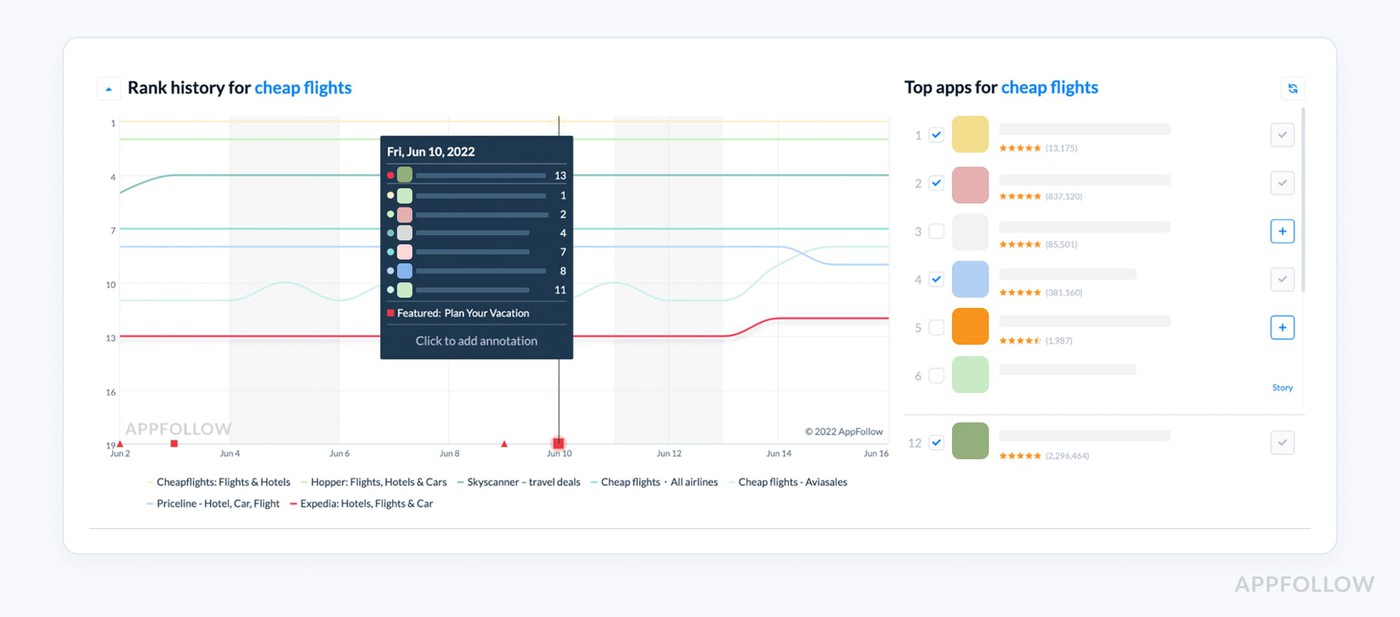
I usually watch three signals together: keyword rankings, search visibility, and competitor movement. The screenshot above is a good example. You can see which apps rank for a target query, how positions shift over time, and whether your app is gaining ground against competitors instead of moving in isolation.
AppFollow’s Keyword Tracking makes this easier because it tracks rankings historically across your old and updated title keywords in parallel. The platform also surfaces Search Visibility Score trends, which estimate how visible your app is across indexed keywords and ranking positions.
One thing I pay close attention to is whether a new keyword increases visibility but weakens position stability. A temporary spike is not the same as sustainable ranking growth. Metrics like Keyword Popularity Score and Keyword Effectiveness Index help filter out keywords that look attractive but are too competitive or too weak to drive meaningful traffic.
How long to run a title test
Stop too early, and you react to noise. Wait too long, and you slow down decisions.
I usually look for one to two weeks on high-traffic apps, longer if volume is low. You need enough data for confidence, not just trends. What matters most is consistency. If one variant performs better across days, it’s usually safe to move forward.
Rolling back safely
Not every test wins; that’s fine if you can recover fast. The challenge is that rollback is not instant.
When you revert a title, rankings take time to settle. I’ve seen recovery take several days depending on the competition. That delay is why early tracking matters. The safer approach is to monitor continuously and act before losses compound.
Real examples: before & after ASO titles
Real ASO gains usually come from tightening keyword focus, matching search intent, and validating changes over time with measurable ranking and install lifts. Pure title-only case studies are rare because most ASO updates happen alongside creative or localization changes. Still, the patterns below show up consistently across real optimization campaigns and illustrate how app title optimization influences visibility over 30, 60, and 90 days.
Productivity app: a 19-position rank lift in 60 days
This productivity app started with a brand-led title that wasn’t capturing task-based searches. The updated version introduced clearer intent and stronger keyword alignment.
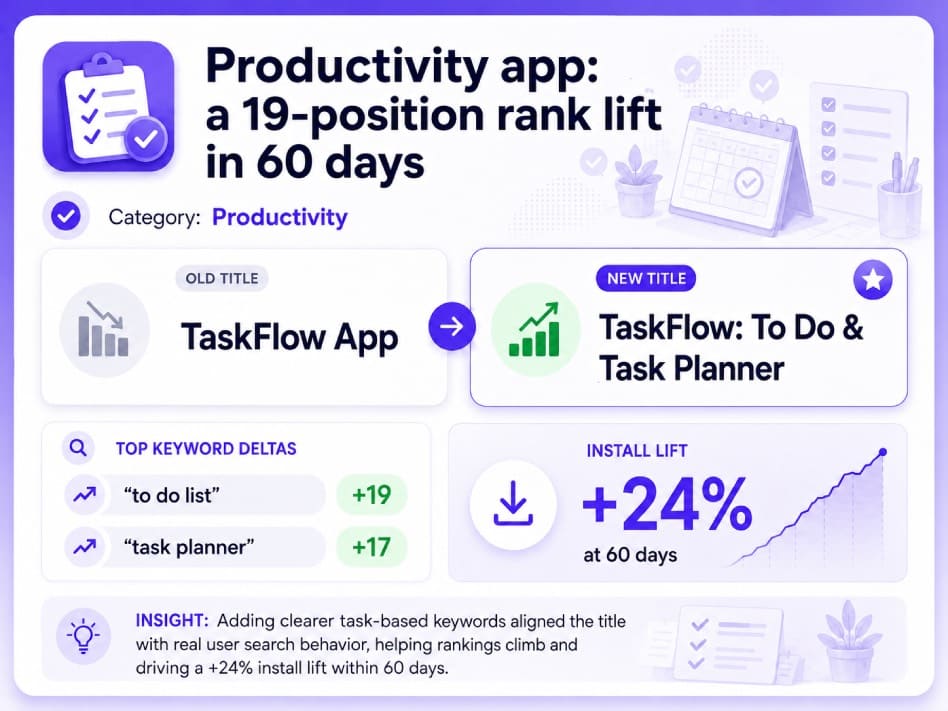
The shift worked because the title finally matched how users searched. Rankings moved first, then installs followed once visibility improved.
Mobile game: brand-first vs keyword-first title test
In mobile games app store optimization, branding matters, but genre keywords still influence discovery. This title update balanced both.
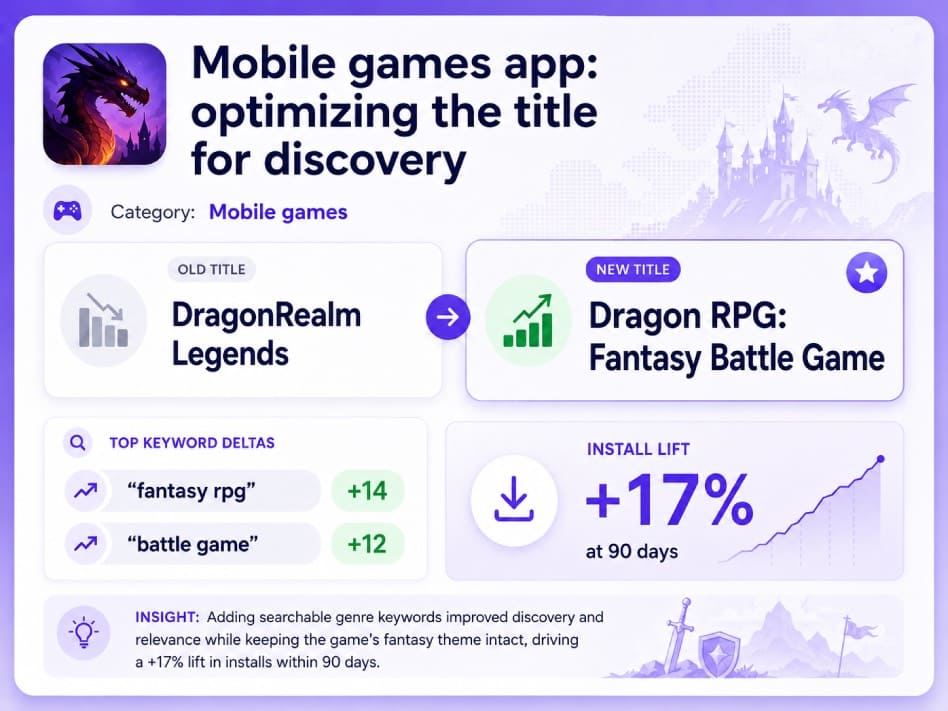
The original title relied almost entirely on brand identity. Adding searchable genre terms improved relevance without losing the game’s theme.
Fintech app: localizing the title for DACH
Localization often changes performance faster than teams expect. This fintech app kept an English title in German storefronts for too long.
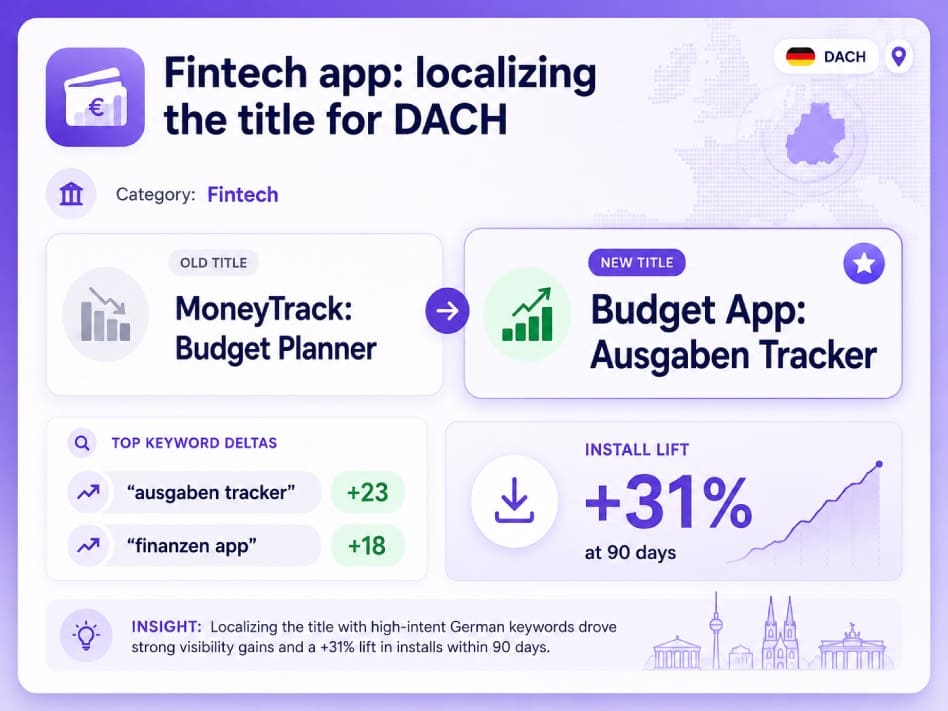
Once the title reflected local search behavior instead of direct translation, rankings climbed quickly. Most ASO success stories follow the same pattern: clearer intent creates stronger visibility.
Optimize your app title with AppFollow
AppFollow helps you optimize your app title by giving you the data you need to choose, test, and refine it without guessing.
Out platform brings keyword research, ranking data, and user language into one workflow, so decisions stay grounded in what drives visibility. Scattered data tends to slow teams down and introduce uncertainty into the process. When everything sits in one place, it becomes easier to move from idea to validation without second-guessing.
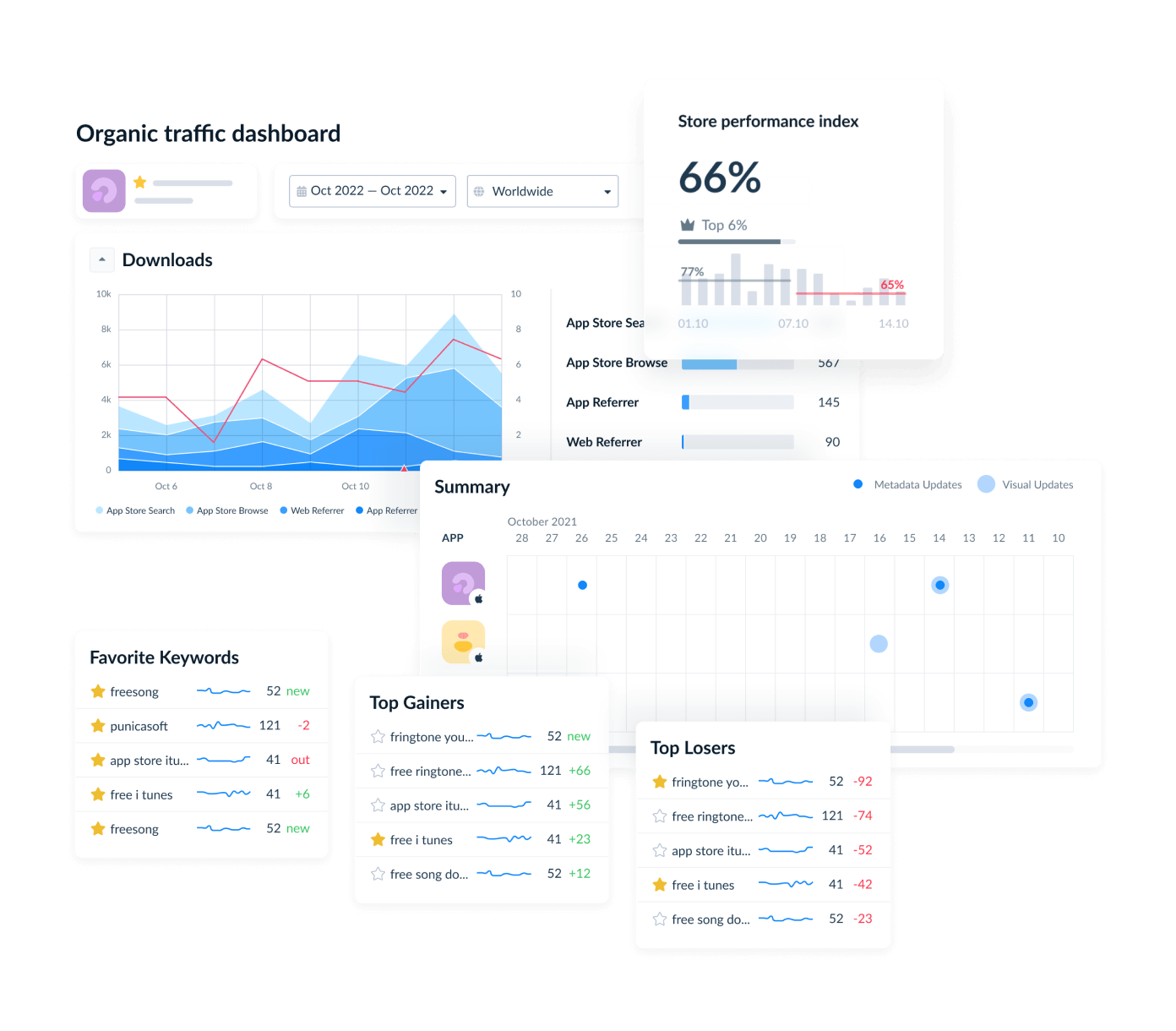
- ASO Tool & Keyword Research. This connects directly to how you build and filter keywords. You can expand a seed list, check search volume and difficulty, and see which competitors already use those terms in their titles. It keeps your choices tied to real demand.
- Rank tracker. Once a new title goes live, you need fast feedback. The tracker monitors rankings across iOS and Google Play, so you can spot shifts early. Those first movements often tell you whether the change is working.
- ASO audit. Sometimes the issue isn’t obvious. The audit reviews your title, subtitle, keyword field, and short description against competitors, which helps you see where you’re underperforming.
- Reviews & ratings. Users describe your app differently from how your team does. Those phrases often reveal better keywords. Pulling that language into your metadata can improve both relevance and conversion.