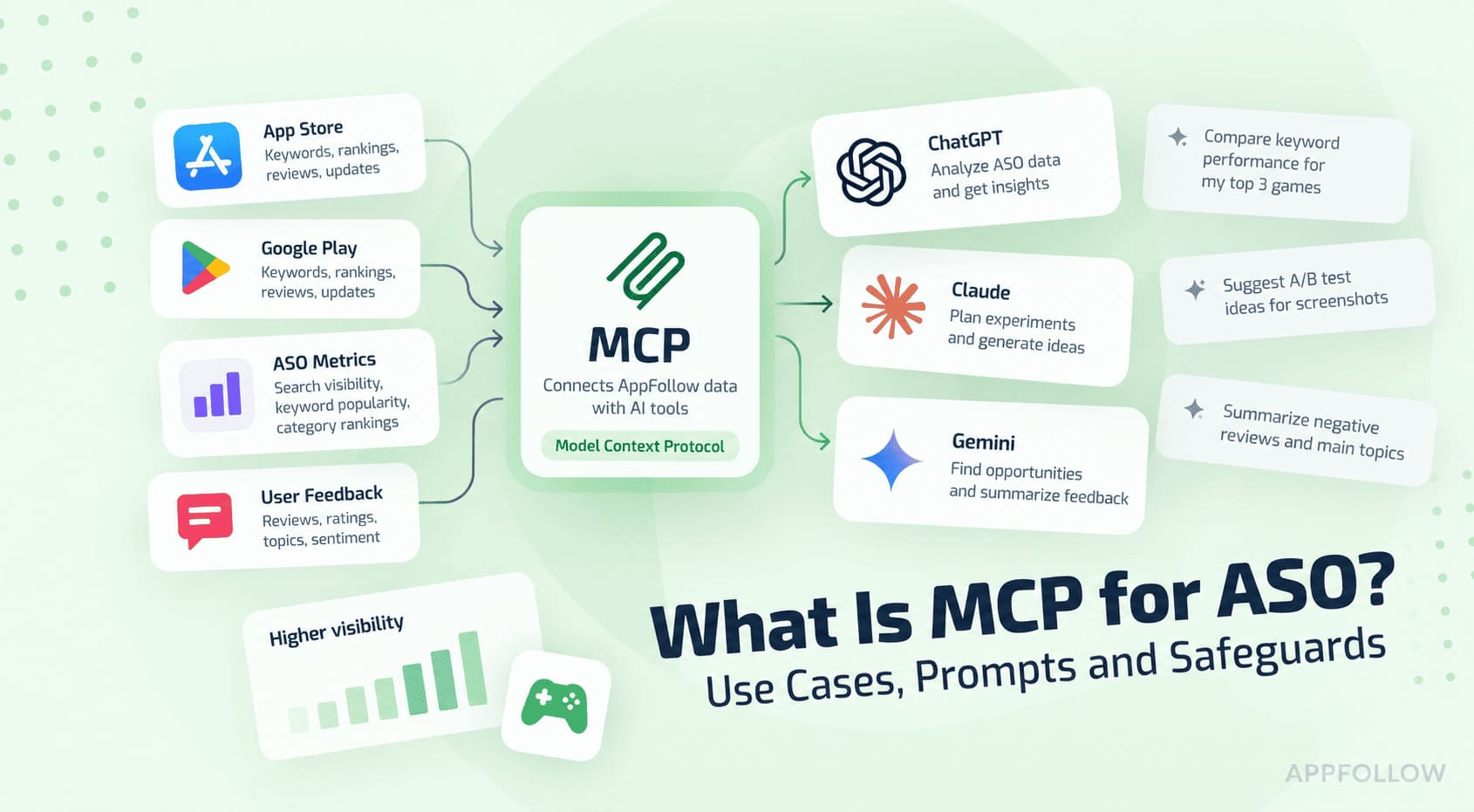
App store MCP servers, compared: what each one gives your AI, and what it costs

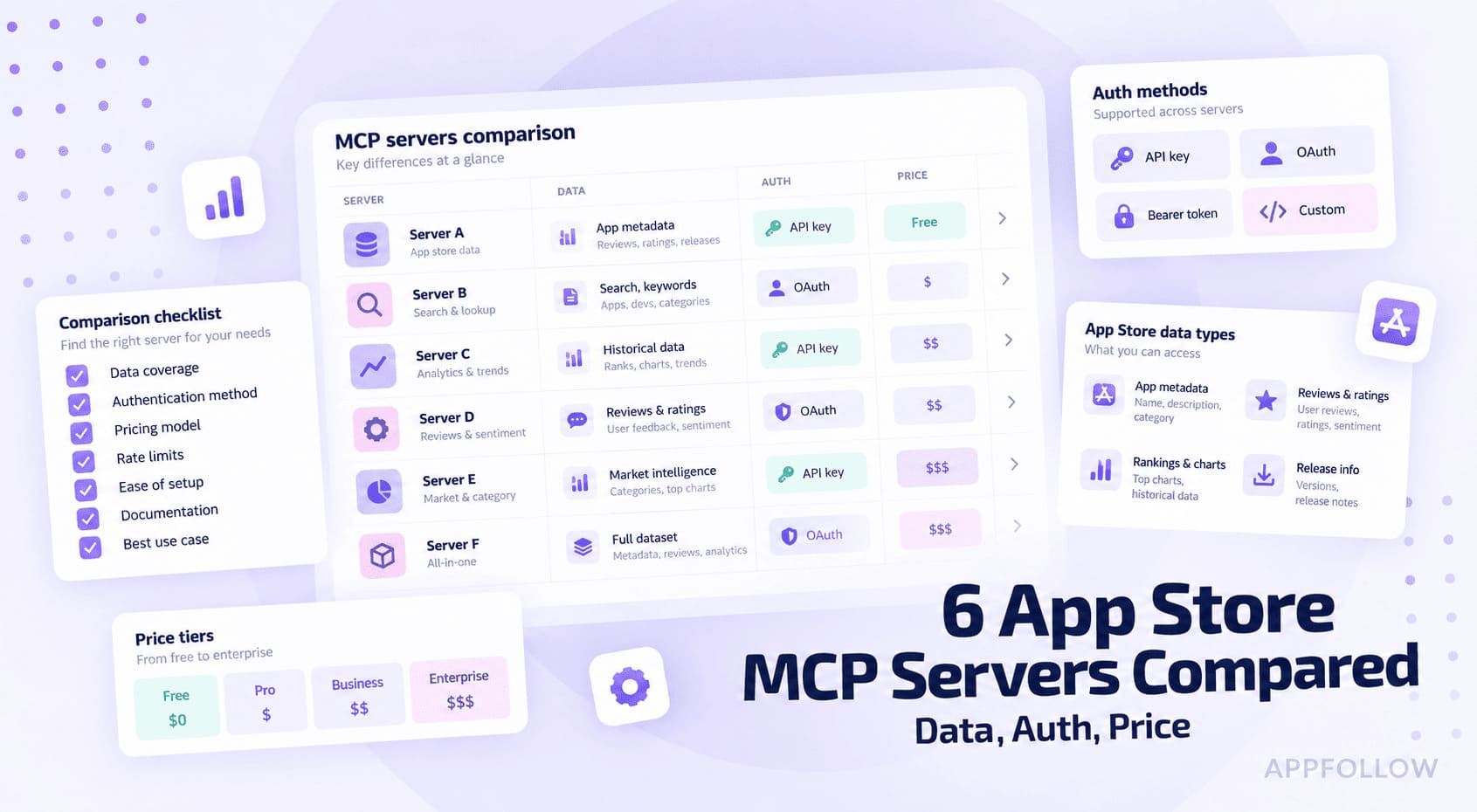
Table of Content:
- Key insights
- How we evaluated these app store MCP servers
- How the six app store MCP servers compare
- What is an app store MCP server?
- How to choose the right app store MCP
- AppFollow: best for review operations plus ASO in one place
- Appbot: best for review analytics and sentiment, if that is the whole job
- AppTweak: best for deep ASO and Apple Search Ads intelligence
- MobileAction: best for ASO plus deep Apple Search Ads intelligence
- Appfigures: best for a cheap, full-featured MCP with public pricing
- Sensor Tower: best for enterprise market and revenue intelligence
- Which app store MCP fits your team
- What to watch out for before you connect an MCP
- FAQ
Six of the app-store tools you already use now have an MCP server, and the pitch barely changes between them: pull your reviews, ratings, and app store optimization data straight into Claude, ChatGPT, or Cursor, no dashboard, no CSV exports.
What that pitch hides is the part that decides whether it is worth connecting. All six of these app store MCP servers are built by the vendor, but that shared label hides the differences that matter: the protocol may be free while the data behind it runs on a paid plan or metered credits, and what each server actually exposes ranges from review sentiment to revenue estimates.
This comparison is for app marketers, publishers, and developers who want live store data inside an AI agent without connecting it blind. We compared current vendor documentation and public pricing in September 2026 across six tools:
- AppFollow,
- AppTweak,
- Appfigures,
- Sensor Tower,
- MobileAction,
- and Appbot.
You will see what each MCP actually exposes, which are official versus community-built, how each one authenticates, and what it really costs once you get past the free protocol.
There is no single best MCP here, only the right one for the job you are automating, and what separates them is data coverage and access, not the protocol itself.
Key insights
If you read one block before picking an MCP, read this one. These are the patterns that separated the six app store MCP servers once we lined up their documentation and pricing side by side.
- Pick your primary job before your tool. The six split into two camps: review and sentiment servers, and ASO or market-intelligence servers. Almost none do both at real depth through MCP, so the tool should follow the job, not the reverse.
- "Free MCP" is a framing, not a price. The protocol is free everywhere. The data behind it runs from about $10 a month to quote-only enterprise contracts, so what you are really choosing is a data plan with an MCP attached.
- Stick to vendor-official servers. All six here are built and run by the vendor. The free community scrapers on GitHub are a different risk class: nobody patches a volunteer MCP when Apple or Google changes an endpoint.
- Auth varies more than the data does. Options run from Google OAuth with no key, to raw API keys, to credit-metered access. That choice sets your security blast radius if a token leaks, and how predictable your monthly bill is.
- "Has an MCP" does not mean your plan includes it. At least one server locks the MCP to a specific tier, so confirm which plan unlocks it before you assume access.
- No single MCP covers the whole app-store stack. Each exposes a slice of its platform, so expect to connect two servers if you need reviews and market intelligence in the same workflow.
How we evaluated these app store MCP servers
We did not run these MCPs against a live app portfolio, so you will not find latency numbers or accuracy scores below. What we did do is compare each server against its own vendor documentation and public pricing, on the same criteria, in September 2026. Here is what qualified a tool and how we judged it.
The candidate pool started where app teams already spend their time: the ASO tools and review-management platforms you would recognize from any shortlist. From there, a server had to clear three bars to make the comparison:
- expose real app-store data through MCP (reviews, ratings, ASO keywords, rankings, download and revenue estimates, or ad intelligence) tied to an account or API rather than a loose scrape;
- be usable today through documented setup, whether that is a hosted endpoint, an OAuth connector, or a published package;
- connect to the MCP clients app teams actually run: Claude, ChatGPT, Cursor, and the like.
That left six: AppFollow, AppTweak, Appfigures, Sensor Tower, MobileAction, and Appbot. All six are vendor-official: the company builds and runs the MCP, which is the first reason to trust what it returns. We deliberately left out the community scraper MCPs floating around GitHub. They can be handy for a quick lookup, but they are not tied to a paid account and nobody patches them when Apple or Google changes an endpoint, so they are the wrong foundation for a workflow you will rely on.
Every server was scored on the four things that actually move the decision, not the feature lists:
- what store data it exposes, because an MCP that reads reviews is a different tool from one that reads revenue estimates;
- how it authenticates, from Google OAuth with no key to an API key to credit-metered access, since that sets the blast radius if a token leaks;
- which plan or tier unlocks the MCP, because at least one gates it behind a specific plan;
- store coverage across iOS, Google Play, and anything beyond.
We verified every capability and price against the vendor's official docs and pricing page, then compared them field by field, in September 2026. Prices move, so treat them as a snapshot and re-check before you commit, especially the quote-only tiers. AppFollow lists in euros; we converted to dollars at the research-date rate, so a few cents of drift is normal.
One last thing, since it shapes how you should read this. AppFollow publishes this comparison and has its own MCP in the lineup. We held it to the same four criteria as everyone else, and where a competitor fits a narrower job better, that section says so.
How the six app store MCP servers compare
Here are the four criteria from the last section, lined up across all six servers. All six are vendor-official, so that is not the differentiator here; what differs is the data each exposes, how you connect, and what you pay. The first table is what each one gives you. The second is what it costs to connect. Find the row that matches your job, then jump to that profile.
What each MCP gives you
Read the reviews and ASO columns together. That pairing is where the servers stop looking interchangeable.
MCP | Best-fit job | Reviews | ASO and keywords | Ad intelligence |
|---|---|---|---|---|
Reviews + ASO | Deep, with replies | Yes | No | |
ASO + ad intel | Yes | Deep | Yes | |
App intelligence + ASO | Yes, with reply | Yes | Yes (Apple Ads) | |
Market intelligence | No | Limited | Yes (ad creatives) | |
ASO + Apple Ads | Yes (App Store) | Yes | Deep | |
Reviews + sentiment | Deep, sentiment and topics | No | No |
What each MCP costs to connect
Same six servers, now by how you authenticate and what you pay to start.
MCP | Auth | MCP unlock tier | Entry price (USD) | Free tier or trial |
|---|---|---|---|---|
AppFollow | Google OAuth, no key | Any plan (Owner/Admin) | About $22/mo (ASO, annual) | Free plan, 10-day trial |
AppTweak | API key | Any active API subscription | ASO from $79/mo; MCP via API (quote) | 7-day trial |
Appfigures | OAuth or API key | Most tiers | Free tier; from $9.99/mo | Free plan, trial |
Sensor Tower | API token | Enterprise contract | Quote only (about $5,000 to $20,000+/yr) | None public |
MobileAction | API key, credit-metered | API access | Dashboard from $12.50/mo; MCP via API | 7-day trial |
Appbot | Account connection | Large plan and up | From $166/mo (Large, annual) | 14-day trial |
Two patterns do most of the deciding. Scan the reviews column against the ASO column and you will see almost no server is strong in both, so the "best" MCP only exists relative to the job you name first. Auth is the second divider: the no-key OAuth option keeps your security exposure low, while the credit-metered ones make cost the number to watch as usage climbs.
What is an app store MCP server?
An app store MCP server is a small adapter that exposes a tool's store data (reviews, ratings, keywords, rankings, estimates) as tools an AI client like Claude, ChatGPT, or Cursor can call in plain language. It runs on the Model Context Protocol, an open standard for connecting AI assistants to outside data, so the same server works across those clients.
It is not a new data source. It is a new way to reach data you could already pull from the vendor's API or dashboard. The difference is who does the work. With an API you write the call, parse the JSON, and build the report. With an MCP the model picks the right endpoint, calls it, and answers in context, so a question becomes the query.
It is also not a public scrape or the model guessing. The server authenticates as you and returns your live account data, or the vendor's licensed estimates, which is why every one of these needs a login or a key.
A concrete example: instead of exporting a CSV of app store reviews, filtering to one star, and pivoting by country, you ask the agent to summarize this week's one-star complaints for the US and Germany, and it calls the reviews tool and answers. Same data, far fewer steps.
Two boundaries keep expectations honest. An MCP does not unlock data your plan cannot already see, and it still spends your account's API credits, so a chatty agent left running can burn through them faster than a human clicking through a dashboard.
So the real question is not whether an MCP is impressive. It is which one carries the data your job depends on, at an auth model and a price you can live with. That is the next section.
How to choose the right app store MCP
The table narrows the field. Turning it into one choice takes three passes: the job first, then how you connect and pay, then whether a single server actually covers you.
Start with the job you are automating
The quickest route to the wrong MCP is starting from a brand you already pay for. Start from the question you want the agent to answer, then match it to the servers that carry that data.
- Reviews and sentiment at volume (support triage, release feedback, sentiment trends): AppFollow or Appbot. Appbot when reviews and sentiment are the whole job, AppFollow when you also work ASO and want reply workflows in the same place.
- ASO and keyword research (rank tracking, keyword gaps, competitor terms): AppTweak or MobileAction for depth, Appfigures for a lighter, cheaper entry.
- Market and competitive intelligence (download, revenue, and category estimates): Sensor Tower, with Appfigures as the budget alternative that also gives you your own actuals.
- Apple Search Ads and paid (bids, top advertisers, custom product pages): MobileAction for depth, with AppTweak and Appfigures also carrying paid-keyword data.
Weigh auth and budget, not just data
Two servers can carry identical data and still split on fit, because how they authenticate and how they bill land on different desks: security and finance.
On auth, match the model to whoever has to approve it. If a security reviewer balks at a long-lived API key sitting in an agent config, AppFollow's no-key Google OAuth is the easiest to sign off. The key-based servers (AppTweak and Sensor Tower, or Appfigures if you use its key instead of OAuth) put a secret in the client config, so scope it narrowly and rotate it. MobileAction's credit-metered access turns an unbounded agent into a budget risk, so cap it before you hand it to a team.
On budget, the cheapest real entry is Appfigures at about $10 a month, then MobileAction near $12.50. Sensor Tower sits at the other end, quote-only and enterprise-priced. And check the tier before you assume access: Appbot only exposes its MCP on the Large plan and up, so a Small or Medium subscription will not connect no matter what the feature page says.
If budget is the hard limit, start at Appfigures or MobileAction. If security sign-off is the hard limit, AppFollow's no-key OAuth clears review fastest.
When one MCP server is not enough
The comparison's blunt finding is that almost no server is strong in both reviews and ASO, so a combined job usually means two connections.
If you run review operations and deep ASO from the same team, pair a review-first server (AppFollow or Appbot) with an ASO-first one (AppTweak or MobileAction). Before you wire up the second, add up the credits. Two metered servers plus a chatty agent is the fastest path to a surprise bill, so set per-server limits and lean on the flat-plan or OAuth options where the data allows.
One failure mode shows up again and again: a team connects three servers to be safe, then nobody owns which agent query hits which paid account, and the credits drain with nothing to show for it. Connect the minimum that covers the job, and give one person the bill.
With the framework set, here is each server in detail, judged on the same four criteria.
AppFollow: best for review operations plus ASO in one place
If your agent's main job is reviews, ratings, and ASO, and you want it live without minting an API key, this is the one to try first. We verified its tools, auth, and pricing against AppFollow's MCP documentation and pricing page.
Best for: teams running reviews and ASO from the same desk.
Skip it if: you need market or revenue estimates, or Apple Search Ads data.
Auth: Google OAuth or SSO, no API key.
Entry price: free plan to start; ASO tier about $22/mo billed annually.
What the MCP exposes, through the AppFollow MCP:
- reviews and review replies, ratings, and app rankings;
- keywords and ASO data;
- apps and collections, generated reports, and remaining API credits;
- AI Toolkit ready-made workflows like feedback analysis and ASO analysis, triggered by name.
Where it wins. Two things set it apart. It authenticates with Google OAuth and no API key, so there is no secret to place in the client config or rotate, usually the fastest path through a security review. And among the servers here, it is the one that pairs review and reply workflows with ASO under that no-key auth, so a single connection answers both "what are users complaining about this week" and "which keywords moved after the update" without swapping tools.
Where it falls short. It is not a market-intelligence tool. If you need download and revenue estimates for apps you do not own, or Apple Search Ads bid and advertiser data, this MCP will not carry it. For competitor download and revenue estimates, Sensor Tower or Appfigures fit better. For paid-ads intelligence, MobileAction does. And if reviews and sentiment are the whole job with no ASO in sight, Appbot's narrower focus may be enough.
Pricing and access. A free plan gets you started, and MCP access is open to any Owner or Admin. Watch the credits, though. The Free and ASO tiers ship limited API access, so a busy agent can outgrow them faster than a human clicking a dashboard, which pushes you toward Essential (near $138 a month billed annually) for fuller API access.
cta_get_started_purple
Appbot: best for review analytics and sentiment, if that is the whole job
If reviews and sentiment are the entire brief and ASO is someone else's problem, Appbot goes deeper on classification than anything else here. We verified its data, MCP availability, and pricing against Appbot's own documentation.
Best for: review analytics and sentiment across stores, with no ASO needed.
Skip it if: you need keywords, rankings, or market and ad data.
Auth: account connection, no API key.
Entry price: the MCP starts on the Large plan, from $166/mo billed annually.
What the MCP exposes, via Appbot's review intelligence:
- review sentiment across your apps;
- topics, custom topics, and emotions pulled from review text;
- star ratings and how they move over time;
- years of review history across the iOS App Store, Google Play, Mac App Store, and Microsoft Store.
Where it wins. Appbot's edge is classification depth. It tags sentiment, topics, custom topics, and emotions (Appbot reports 93%+ accuracy), over years of history and across more stores than most, including the Mac App Store and Microsoft Store. Through the MCP and its Ask Appbot feature, an agent can query all of that in plain language, while drafting and publishing replies stays inside Appbot's own AI Replies and Auto Replies, so tone and approval rules never move into the agent.
Where it falls short. There is no ASO here: no keywords, no rankings, no download or revenue estimates, no ad intelligence. It is a review-analytics tool and nothing else. The pricing catch matters too. The MCP only appears on the Large plan, from $166 a month billed annually, so a Small ($49) or Medium ($99) subscription cannot connect no matter what the feature page implies. If you need ASO alongside reviews, AppFollow carries both. For market or paid-ads data, Sensor Tower or MobileAction fit.
Pricing and access. Plans run Small at $49 a month, Medium at $99, then Large from $166, all billed annually, with monthly pricing higher. Only Large and Premium expose the MCP and Ask Appbot, and API access is a separate paid add-on. Large ships a 14-day trial, so you can test the MCP before committing.
AppTweak: best for deep ASO and Apple Search Ads intelligence
When the job is keyword research, competitor gaps, and paid-search intelligence rather than reviews, AppTweak exposes the widest ASO toolset here through an official MCP. We verified its tools, auth, and pricing against AppTweak's documentation and pricing page.
Best for: deep ASO, keyword research, and Apple Search Ads competitor intelligence.
Skip it if: your job is review management and sentiment.
Auth: API key.
Entry price: ASO plans from $79/mo; the MCP runs on the API, priced separately. 7-day trial.
What the MCP exposes, through AppTweak's official MCP:
- keyword research: suggestions, search volume, and difficulty;
- app keyword rankings and live organic search results;
- top charts, category rankings, and app metadata;
- download and revenue estimates, plus app reviews;
- competitor analysis, keyword-gap opportunities, and keyword data across 100+ countries;
- paid keywords competitors bid on in Apple Search Ads;
- a full ASO report, with remaining API credits on tap.
Where it wins. Breadth, delivered as an official dedicated MCP with access to all endpoints. The keyword-gap and paid-keyword tools turn "where are competitors beating us organically and in Search Ads" into a single query, and keyword coverage spans more than 100 countries, which matters if you ship in many markets. For an ASO manager or agency, most of the daily workflow is reachable in plain language.
Where it falls short. It is not review-first. AppTweak pulls reviews, but sentiment and reply workflows are not the strength, so for review operations AppFollow or Appbot lead. The API key lives in the client config, so scope and rotate it. And pricing is the fuzziest in this comparison: the MCP is metered by API credits and AppTweak's API pricing is not public, so you will likely need a quote. If you want ASO at a clear public price, Appfigures starts far lower.
Pricing and access. AppTweak's ASO Intelligence plans start at $79 a month (Essential, $949/yr) and climb through Grow at $299 and Grow Plus at $549, with Enterprise quote-based. The MCP itself runs on the AppTweak API and authenticates with an API key, and API access is arranged separately from those plans, so confirm what your subscription includes. A 7-day trial with 100,000 API credits lets you test the MCP before you commit.
MobileAction: best for ASO plus deep Apple Search Ads intelligence
If you run organic ASO and Apple Search Ads together, MobileAction goes deepest on the paid side while keeping keyword and estimate data in the same agent. We verified its data, MCP model, and pricing against MobileAction's documentation and pricing page.
Best for: ASO teams running Apple Search Ads who want organic and paid intelligence in one agent.
Skip it if: your job is review management and sentiment, or you need flat, predictable pricing.
Auth: API key, credit-metered.
Entry price: ASO dashboard plans from $15/mo ($12.50 annually); the MCP runs on your API access and burns credits, so confirm terms.
What the MCP exposes, through MobileAction's MCP:
- keyword rankings and history, top charts, and app details;
- download and revenue estimates;
- App Store reviews as full text or as statistics (ratings, keyword frequency);
- your tracked dashboard keywords by locale, plus sales data;
- Apple Search Ads market paid keywords, top advertisers, and bid history;
- custom product page (CPP) activity and competitor creatives, with a 30-day lookback;
- impression share by category, with credits spent and remaining shown on every response.
Where it wins. Nothing else here goes as deep on Apple Search Ads. Bids, top advertisers, CPP activity, bid history, and impression share are all reachable, alongside organic keyword and estimate data, so for a combined UA and ASO team "what are competitors bidding on, and how has their custom product page changed this month" is a single query. The credit meter is unusually honest about it too: every response reports what it spent and what is left, which makes an agent's cost visible instead of a month-end surprise.
Where it falls short. It is not review-first. Review data is App Store-focused and there are no sentiment or reply workflows, so AppFollow or Appbot lead for review operations. The credit metering cuts both ways: an unbounded agent can drain your balance, so cap it before a team uses it. And the MCP rides on API access, which MobileAction sells as a quote-based product, so the $15 dashboard plan may not include it. Confirm what your subscription covers. For flat, public ASO pricing, Appfigures is simpler.
Pricing and access. ASO Intelligence runs Lite at $15 a month ($12.50 annually, 100 keywords), Basic at $69 ($59 annually, 500 keywords), and Pro at $239 ($199 annually, 1,500 keywords), with Enterprise quote-based and a 7-day trial. The Apple Ads campaign manager is free up to $10,000 in monthly ad spend. The MCP itself uses your existing API key and shared credit balance, priced per endpoint, so confirm API and MCP terms with MobileAction. Clients today are Claude, ChatGPT, and Gemini.
Appfigures: best for a cheap, full-featured MCP with public pricing
If you want a real, broad MCP without enterprise pricing or a sales quote, Appfigures is the cheapest clear path here, at the cost of running a local CLI. We verified its tools, auth, and pricing against Appfigures' documentation and pricing page.
Best for: indie devs and small teams who want a full, low-cost MCP for app metrics and ASO.
Skip it if: you want a hosted one-click connector, or deep review sentiment.
Auth: OAuth or API key, run as a local CLI.
Entry price: free tier to try; MCP from $9.99/mo, public pricing, no quote.
What the MCP exposes, through the Appfigures CLI run as an MCP server:
- your own downloads, revenue, and subscription actuals, with estimates for other apps that scale with the plan;
- 120+ fields across ranks, ratings, and metrics through an explorer;
- store data: charts, categories, featured placements, and listings;
- reviews you can search, aggregate, and reply to;
- keyword rankings with competitiveness scores, paid keywords, and historical trends;
- audience demographics and cross-app usage;
- Apple Ads campaign data and SDK detection.
Where it wins. It is the cheapest clear path to a real official MCP. Pricing is public and starts at $9.99 a month, the CLI and MCP are free and open source, and there is no API subscription to negotiate, which is the catch on the two ASO tools above. The breadth is unusual for the price: your own downloads, revenue, and subscription actuals sit alongside reviews, keywords, demographics, and 120+ fields, all reachable from the low tiers. Auth is your choice of OAuth or a key, stored in the OS keychain rather than pasted into a config in plain text.
Where it falls short. It runs as a local command-line tool (Node 22 and up, launched with af mcp), not a hosted one-click connector, so setup is more technical and it lives on a machine rather than a shared endpoint. Fine for a developer, more friction for a non-technical team. Estimates for apps you do not own scale with the plan: the cheap tiers cover your own apps well, but broad competitor and market estimates live on the higher tiers, up to unlimited on Amplify at $1,399.99, where it stops being the budget option and starts competing with Sensor Tower. And reviews are present with reply, but sentiment and topic depth are not the focus, so AppFollow or Appbot lead there.
Pricing and access:
- Free to start, then Connect at $9.99 a month (25 keywords),
- Monitor at $44.99 (100 keywords, daily rank updates),
- Optimize at $149.99 (500 keywords),
- Boost at $599.99 (adds Apple Ads Intelligence),
- and Amplify at $1,399.99 (unlimited app intelligence on any app).
Annual billing saves 20 percent, paid plans include a trial, and API access is included at most tiers, so what you see is what you pay. Your own apps are covered from the low tiers; broad market estimates scale up with the plan.
cta_get_started_purple
Sensor Tower: best for enterprise market and revenue intelligence
When the job is market sizing, competitor revenue, and category trends rather than your own reviews or keywords, Sensor Tower is the benchmark data, now reachable from an agent. We verified its MCP tools, auth, and pricing model against Sensor Tower's documentation and pricing page.
Best for: enterprise teams that need authoritative market and revenue estimates in an agent.
Skip it if: you need reviews, ASO keyword tracking, or public, entry-level pricing.
Auth: API token.
Entry price: quote-only, enterprise (independent estimates put it at roughly $5,000 to $20,000+ a year).
What the MCP exposes, through Sensor Tower's MCP:
- app metadata: details, ratings, and categories;
- entity search across apps and publishers;
- category rankings, the top apps by category;
- download estimates, with trends;
- revenue estimates and forecasts;
- advertising creatives for ad intelligence;
- utility lookups for country and category codes.
Where it wins. Authoritative estimates. Sensor Tower's download and revenue numbers are a category benchmark, and the MCP puts them into an agent, so "estimate this competitor's US revenue trend and where it ranks in its category" becomes one question instead of a dashboard session. The ad-creatives tool adds a paid-intelligence angle most of the others do not carry.
Where it falls short. There are no reviews through the MCP, and ASO keyword tracking is not in the current toolset, so this is a market-intelligence server, not a review or ASO one. The MCP also exposes a core subset, roughly eight tools, of Sensor Tower's much larger platform, so it is narrower than the full product. And pricing is the least accessible here: quote-only, enterprise, with no public tier or trial.
For reviews, AppFollow or Appbot fit. For cheaper estimates plus your own actuals, Appfigures does. For ASO keywords, AppTweak or MobileAction.
Pricing and access. Sensor Tower customizes pricing per customer, with no public tiers or free trial. Independent estimates put contracts in roughly the $5,000 to $20,000+ per year range, so this is an enterprise commitment rather than a card-on-file signup. The MCP needs a Sensor Tower API token that comes with the contract, and runs as a server you configure with that token.
Which app store MCP fits your team
The framework in the abstract is one thing. Here is how it lands for four common setups, with the pick and the trade-off for each.
- You are an indie developer or small studio watching every dollar. Start with Appfigures. It is the only MCP here with public pricing from $9.99 a month and no API quote, and running a local CLI is no obstacle for a developer. You get your own downloads, revenue, and ASO data in an agent, plus reviews with reply. If reviews are your main lever and you want a hosted, no-key option, AppFollow's free tier is worth a look alongside it.
- You run reviews and support for a high-volume app or game. If you also touch ASO and want reply workflows in one connection, AppFollow fits, and its no-key OAuth is usually the easiest to get past a security review. If reviews and sentiment are the entire job, Appbot goes deeper on topics and emotions, but budget for it: the MCP only appears on the Large plan at $166 a month, so a cheaper Appbot subscription will not connect.
- ASO is yours, and you want keyword and competitor work in an agent. AppTweak carries the widest ASO toolset, and MobileAction matches it while going deeper on Apple Search Ads, so pick by whether paid search is central. Both meter usage through API credits and price the API by quote, so pin down that cost before you commit. If you want ASO at a flat public price, Appfigures is the cheaper, simpler start.
- You size markets and track competitors at enterprise scale. Sensor Tower is the market-estimate benchmark, and its MCP puts download, revenue, and category data into an agent, at enterprise, quote-only pricing. If you also run Apple Search Ads, pair it with MobileAction for bids and CPP depth, since Sensor Tower's MCP carries neither reviews nor keyword tracking.
None of these is a one-way door. Before you commit, walk the boundaries that trip teams up after they connect.
What to watch out for before you connect an MCP
The demo always looks clean. These are the boundaries that turn up a week later, once an agent is calling the server on its own, with the fix for each.
- Credit burn is the first surprise. An agent calls endpoints far more often than a person clicking a dashboard, and on the credit-metered servers (MobileAction, and AppTweak or Sensor Tower through their API credits) that adds up fast. You notice when the balance drops between check-ins. Set a per-agent or per-server limit before a team touches it, prefer the flat-plan or OAuth options for high-frequency work, and watch the per-response credit readout where the server shows one.
- A free protocol is not free data. The MCP layer is free everywhere, but your plan has to include it. Appbot only exposes the MCP on its Large tier at $166 a month, and AppTweak and MobileAction run it on API access they price by quote. The tell is a connection that fails or returns thin data on a cheap plan. Confirm the unlock tier and the API terms before you wire the server into anything that matters.
- Estimates are estimates. Download, revenue, and keyword-volume figures from these servers are modeled, not ground truth, the exception being your own account's actuals. An agent will state a modeled number with the same confidence as a real one, so two tools can disagree on the same competitor. Label estimates as estimates in anything that leaves your team, sanity-check the magnitude, and lean on your own actuals, from Appfigures or AppFollow, wherever you have them.
- An API key in an agent config is a standing risk. A key sitting in a client config is a long-lived secret that an autonomous agent uses on its own, so if the config leaks or the agent is compromised, your data access goes with it. This one is hard to notice by design. Prefer no-key OAuth where it fits (AppFollow), scope keys to the minimum, rotate them, and store them in a keychain rather than plain text (Appfigures does this) instead of handing a shared agent an unbounded key.
- Community scrapers drift. The six here are vendor-official, but a search will surface community scraper MCPs too. They are not tied to an account and tend to break quietly when Apple or Google changes an endpoint, so the data goes stale or starts erroring with no one on the hook to fix it. Use them only to fill a genuine gap, treat the output as best-effort, and monitor it rather than trusting it in a standing workflow.
Handle these five and an MCP earns its place in the workflow instead of becoming a quiet liability. Here are the questions teams still ask before they connect.
cta_get_started_yellow
FAQ
A few questions that come up right before teams connect one of these.
Is there a free app store MCP server?
The MCP protocol is free, but the data behind it usually is not. Appfigures has a free tier and the cheapest paid entry at $9.99 a month. Community scraper MCPs are free too, but they are unmaintained and break when a store changes an endpoint.
Which app store MCP includes app reviews?
AppFollow and Appbot go deepest on reviews, including sentiment and replies. Appfigures exposes reviews with reply, and AppTweak and MobileAction carry App Store review data. Sensor Tower's MCP does not include reviews; it focuses on market estimates.
Do I need an API key to connect an app store MCP?
It depends on the server. AppFollow uses Google OAuth with no key. AppTweak, Sensor Tower, and MobileAction authenticate with an API key or token in the client config. Appfigures lets you choose OAuth or a key stored in your OS keychain.
Which MCP is best for ASO and keywords?
For depth, AppTweak carries the widest ASO toolset, and MobileAction matches it while going deeper on Apple Search Ads. For a cheap, public-priced start, Appfigures is simplest. Compare the wider set of ASO tools if you also weigh features beyond the MCP.
Can I use an app store MCP with ChatGPT or Cursor?
Yes. MCP is client-agnostic, so one server works across assistants. Most here support Claude, ChatGPT, and Cursor, while MobileAction lists Claude, ChatGPT, and Gemini. Check each vendor's docs for the exact client list before you set up.
Does an app store MCP replace the API or dashboard?
No. It is a new access path to the same data, not a new source. You still authenticate with your account and spend your plan's API credits, and the dashboard and API stay available for exports and bulk work.