How to Spy on Your Competitors' App Store Keywords (and Turn Their ASO Into Your Downloads)

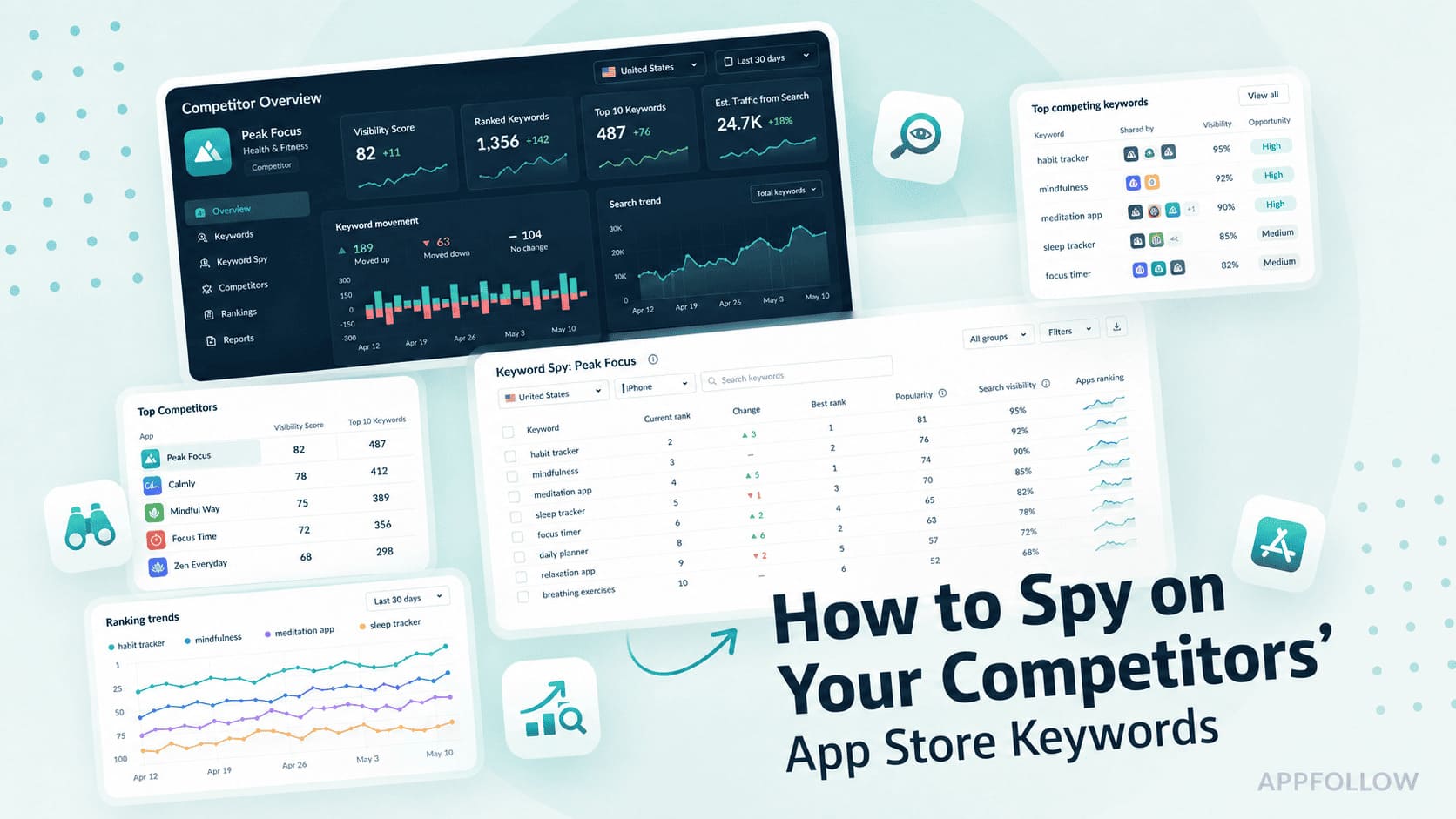
Table of Content:
- Why competitor keyword analysis is different in the App Store than on Google
- The 6-step methodology (what you'll learn in this guide)
- Step 1: Identify your real ASO competitors
- Step 2: Reverse-engineer your competitors' App Store keywords
- Step 3: Run a keyword gap analysis to find the opportunities they're winning and you're missing
- Step 4: Filter the gap list by volume, difficulty, and relevance
- Step 5: Score the shortlist for conversion intent (the step nobody else publishes)
- Step 6: Validate winners with a metadata test (PPO and SLE)
- What to do when you have no rankings yet (the cold-start problem)
- How often to re-run competitor keyword analysis
- Case study: Komorebi used Keyword Spy and competitor analysis to reach 6,000 daily downloads
- How AppFollow helps you run competitor keyword analysis as a system
If you're looking for competitor keywords app store teams actually use to drive downloads, start by forgetting the idea that competitor research is about copying metadata. The real value sits in the gap between what competitors rank for and what users install after they see those rankings.
Most guides explaining how to find competitors' keywords stop at visibility. They show you who ranks for a term and leave you with a spreadsheet full of keywords. The hard part is figuring out which of those keywords are worth stealing, which ones convert, and which ones only generate impressions.
When teams try to spy on competitors' keywords, they usually focus on titles, subtitles, and descriptions. I learned to look somewhere else first. Hidden keyword coverage, install velocity, conversion signals from Apple Search Ads, and increasingly, AI search visibility across ChatGPT and Perplexity often reveal opportunities that never appear in a competitor's visible metadata.
The keywords your top competitors rank for tell you which terms are worth chasing, but only if you can see what's actually driving their installs, not just their impressions. That's where competitor app keyword research becomes useful. A solid ASO competitor analysis combines keyword rankings, conversion intent, and keyword gap analysis into a repeatable process.
Need the short version? Start with the quick answer below
- To analyze competitors' app rankings and identify new keyword opportunities that convert, identify your top 5–10 ranking competitors,
- Export every keyword each ranks in the top 10 for, and run a keyword gap analysis to isolate terms they rank for that you don't.
- Filter the gap list by search volume, keyword difficulty, and relevance,
- Then score the shortlist for conversion intent using install-rate proxies before validating winners with a metadata test.
Why competitor keyword analysis is different in the App Store than on Google
Competitor keyword analysis works differently in app stores because rankings depend on metadata, storefront-level indexing, localization, and conversion signals that don't exist in traditional search. If you've done SEO before, some of the workflow will feel familiar. You'll still identify competitors, find gaps, and prioritize opportunities.
The data behind those decisions changes once you're working inside the App Store or Google Play. That's why App Store vs Google competitor keyword research requires a different toolkit and a different way of thinking about visibility.
Five things that change when you move from SEO to ASO
A lot of SEO concepts still apply in app stores. You still research competitors, look for gaps, and prioritize opportunities. The data available to you is different, though, and that changes how competitor analysis works in practice.
1. The App Store has a hidden keyword field
The first surprise for most SEO practitioners is the hidden keyword field. Google has nothing comparable. In App Store Connect, developers get 100 characters per locale that users never see. That's where many apps place valuable search terms, alternative phrasing, and long-tail keywords. If you're trying to find competitor app keywords, visible metadata only tells part of the story.
2. Apple Search Ads reveals search demand differently
Apple Search Ads exposes a Search Ads Popularity (SAP) score from 1 to 100 for individual keywords in specific countries.
I often treat SAP as an early signal of where search demand is concentrating. A keyword with sustained popularity and growing advertiser interest usually deserves a closer look before it becomes crowded.
3. Rankings are tied to storefronts, not the web
Geography behaves differently in ASO. Google largely indexes content from a global web, while app stores rank keywords separately by storefront.
A keyword that performs well in the United States may struggle in Germany, France, or Japan. Apple's 40+ locales and Google Play's 70+ markets each create their own competitive landscape.
4. Cross-localization expands your keyword footprint
Localization goes deeper on iOS because of cross-localization. Secondary locales can contribute additional indexed terms to a primary storefront, effectively expanding your keyword footprint without creating a separate listing.
Competitors who understand cross-localization often rank for terms that don't appear obvious from their primary metadata.
5. Conversion signals are easier to connect to keywords
Apple Search Ads provides keyword-level performance signals, while AppFollow's App Performance surfaces conversion trends by country, store, and time frame. That context helps explain not just where an app ranks, but why it continues to hold those positions.
Why this matters for competitor analysis
When people talk about SEO vs ASO competitor analysis, they're often describing two very different research projects. Traditional SEO competitor research focuses on content gaps. You identify topics another site ranks for, then decide whether to create competing content.
An app store keyword spy workflow goes much further. You're examining visible metadata, inferring hidden keyword-field strategy, reviewing Apple Search Ads signals, evaluating per-country visibility, and looking for evidence that a keyword drives installs rather than just impressions. A keyword gap analysis still matters, but it's only one piece of the picture.
The deliverable changes, too. Instead of producing a content calendar, you're building a metadata roadmap. Instead of asking which blog post to publish next, you're deciding which keywords belong in an ASO title, subtitle, keyword field, or localized storefront. Tools that combine keyword intelligence, localization data, and performance metrics make that process far more manageable.
AppFollow's per-country ASO intelligence is one example of how teams bring those signals together instead of jumping between disconnected reports.
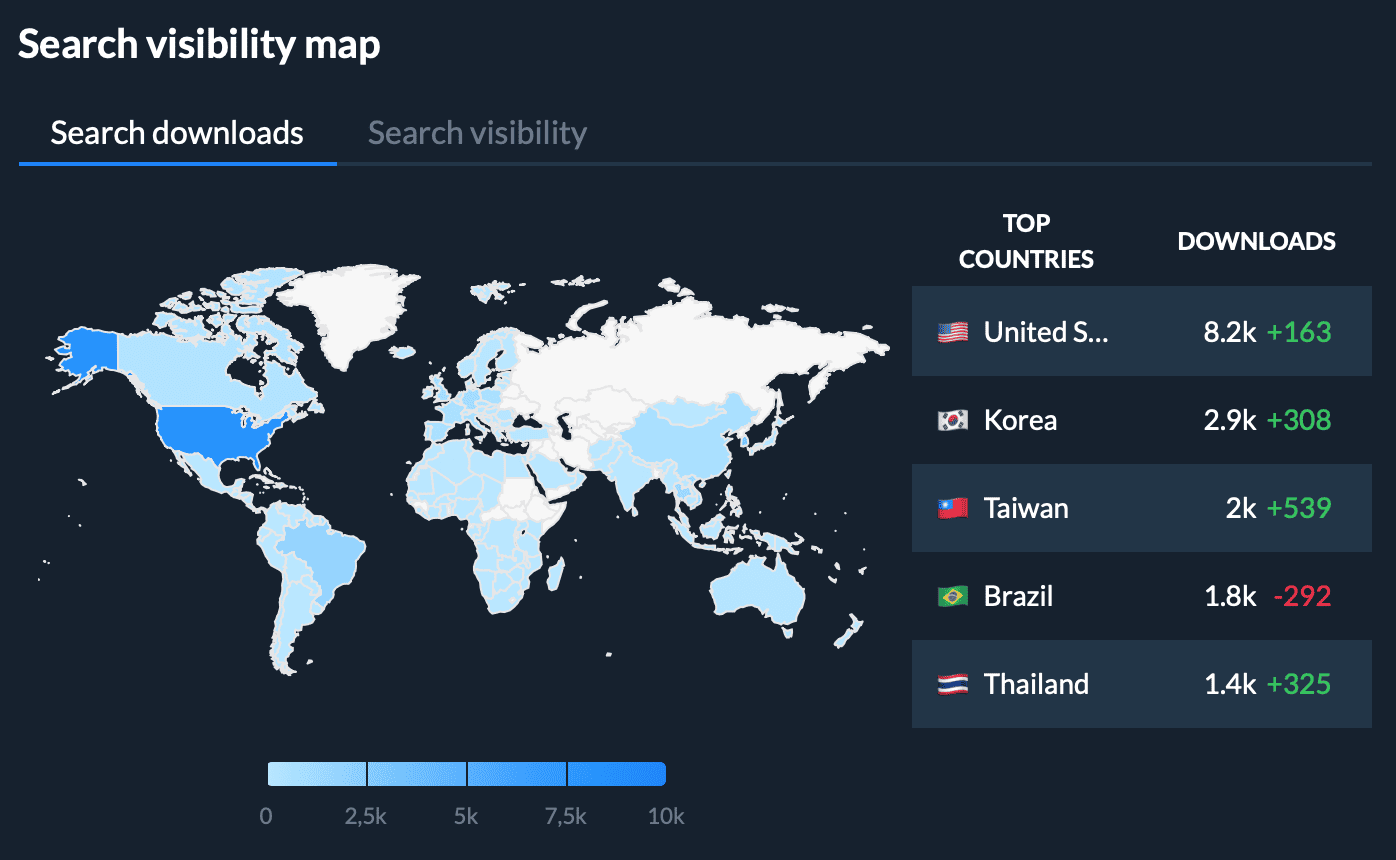
Check how it works live with a free account.
The 6-step methodology (what you'll learn in this guide)
Most teams make competitor research harder than it needs to be. They collect hundreds of keywords, build giant spreadsheets, and still struggle to decide what to do next. A practical competitor keyword analysis methodology follows a much simpler path.
- First, identify who you're actually competing against in search.
- Then figure out what they're ranking for, where the gaps exist, and which opportunities are most likely to drive installs.
- Finally, test your assumptions and measure the outcome.
Here's the full framework before we break down each step.
Action | Tool category | Output |
Identify your real ranking competitors | Compare Discovery, Top Charts | List of 5–10 competitor apps |
Export every keyword competitors rank for in the top 50 | Keyword Spy | Raw keyword inventory |
Run a keyword gap analysis | Keyword Tracking, Compare Discovery | Keywords competitors rank for, that you don't |
Filter the gap list by volume, difficulty, and relevance | ASO scoring tools | Priority shortlist |
Score the shortlist for conversion intent | CVR proxies, Apple Search Ads data | CVR-weighted shortlist |
Validate winners with a metadata test | Product Page Optimization (PPO), Store Listing Experiments (SLE) | Published changes and measurement loop |
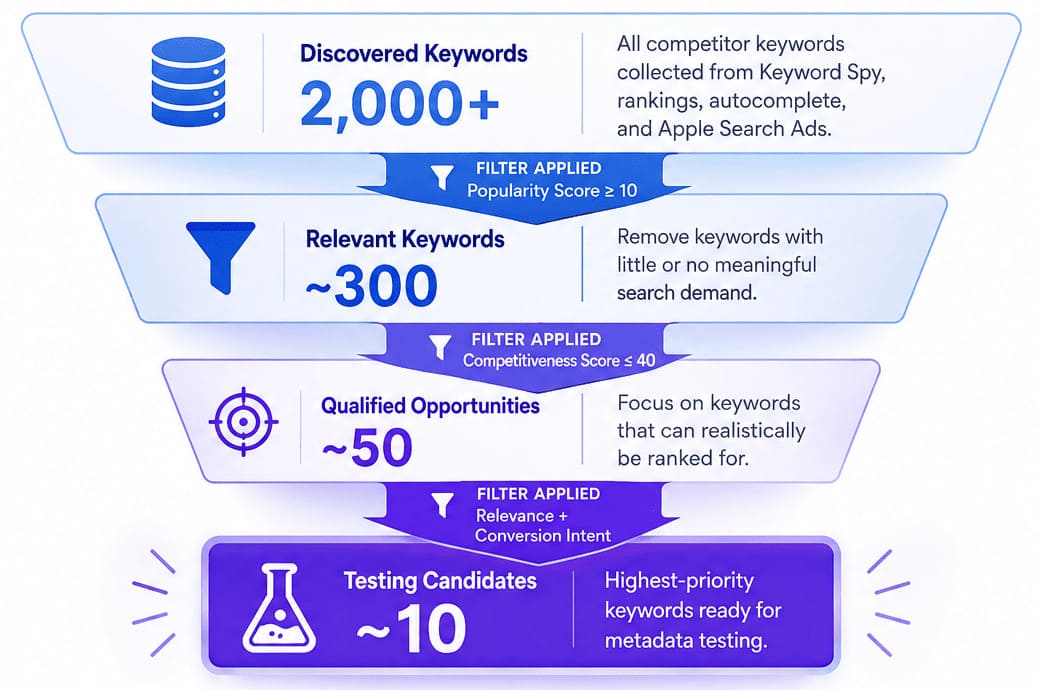
If you've ever wondered how to do competitor ASO analysis without drowning in data, this workflow provides a clear answer. Each step narrows the opportunity set. The process starts with thousands of potential keywords and ends with a handful of validated candidates worth adding to your metadata.
One thing I like about this approach is that every step produces a specific output. You're never collecting data for the sake of collecting data. By the time you reach the testing stage, you've already completed a keyword gap analysis for apps, filtered out weak opportunities, and prioritized keywords based on actual business value. That's what turns competitor research from an interesting exercise into an ASO growth system.
Step 1: Identify your real ASO competitors
Before you can find competitor app keywords, you need the right competitor list. Many teams focus on business competitors because they're familiar names. ASO competitors are different. They're the apps competing for the same search visibility, often on the same keywords.
If you're asking, "Who are my ASO competitors?" start with search behavior, not market perception.
From the App Store category top charts
Pull the top 50 apps in your primary App Store category and sub-category for each target country. Focus on apps with a similar audience, product maturity, and positioning.
The biggest brand in the category isn't always the most useful benchmark. AppFollow's Top Chart Rankings help surface competitors across multiple storefronts without manually checking each market.
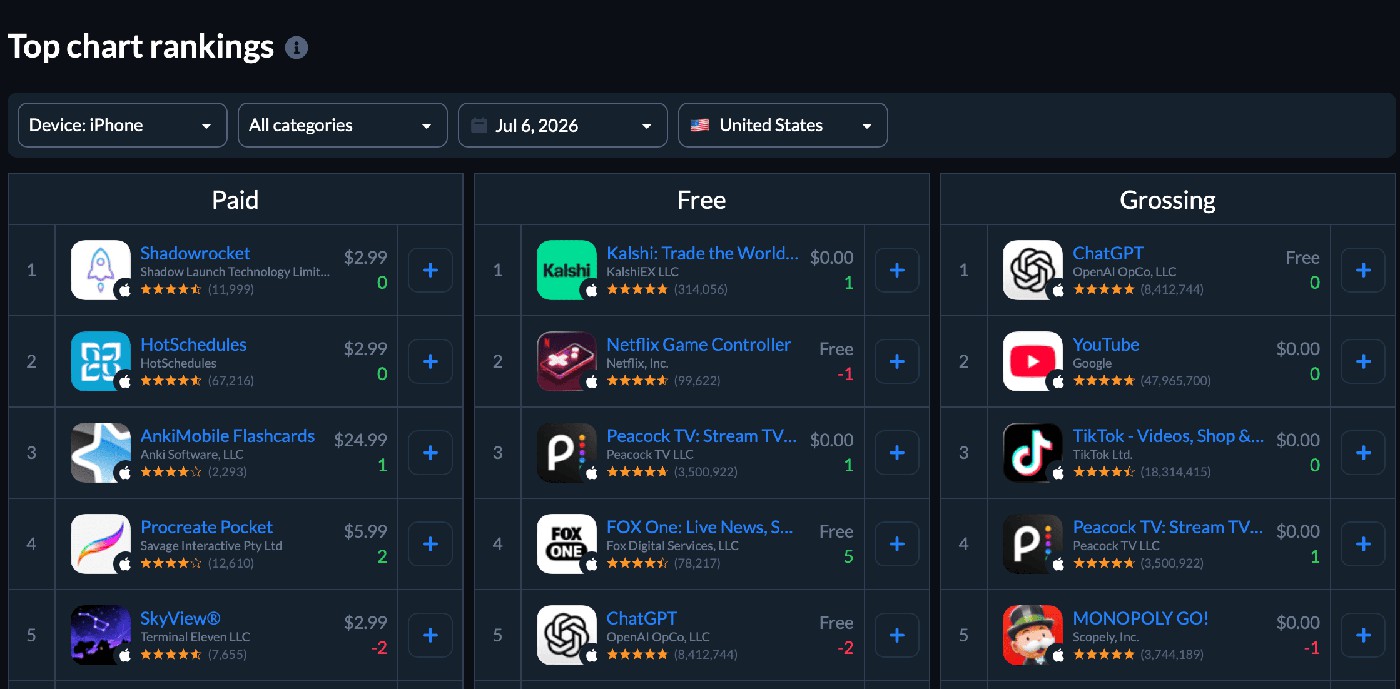
Check how it works live with a free account.
From keyword-rank reports (the apps appearing on your terms)
Look at the apps ranking in positions 1–10 for your most important keywords. Then combine those rankings across your top keyword set. The apps that appear repeatedly are usually your real ASO competitors because they're already competing for the same intent.
This is often the fastest way to identify ASO competitors you may have overlooked.
From AI search results (the 2026 layer)
AI platforms are becoming part of app discovery. So you should search prompts such as "best meditation app for sleep" or "budget app for couples" in ChatGPT, Claude, Perplexity, and Gemini. Any app that appears consistently is competing for visibility in an emerging discovery channel, even if it doesn't rank near you in the App Store yet.
From Apple Search Ads impression share
If you run Apple Search Ads, review the apps competing for impression share on your target keywords. Their presence suggests they're investing in the same audience and intent. In many cases, paid competition becomes a leading indicator of future organic competition.
To validate the list, use AppFolow’s Compare Discovery's Market Leaders view to map competitor performance by country.
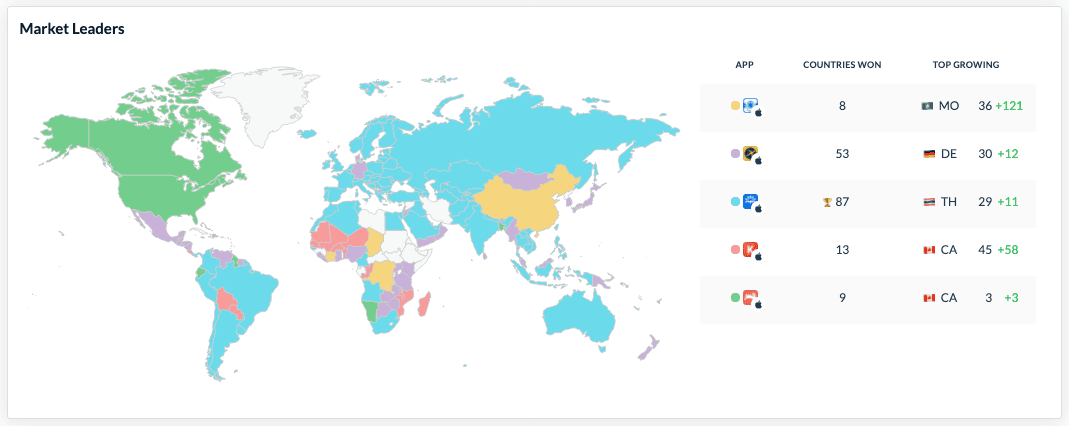
The Countries Won metric highlights where competitors outperform you, while Brand Power helps separate true keyword competitiveness from brand-driven traffic. Together with Top Chart Rankings, it creates a much clearer picture of who you're actually competing against.
cta_get_started_purple
Step 2: Reverse-engineer your competitors' App Store keywords
To spy on competitors' keywords, start with the signals you can see before chasing the ones you can't. Most competitor keyword research begins with metadata because that's where apps reveal their priorities.
App Store titles and subtitles carry significant ranking weight. On Google Play, the title and short description serve a similar purpose.
When you check competitor keywords in these fields, you're looking at their most deliberate keyword bets.
Reading the visible metadata
Review the title, subtitle, and descriptions of your top competitors. Pay attention to recurring phrases, category terms, and modifiers. If several apps consistently target the same keyword combination, that's usually a sign the term matters.
Visible metadata won't show the entire strategy, but it reveals the keywords competitors consider important enough to feature prominently.
Inferring the hidden keyword field
The real detective work starts with iOS. Apple's 100-character keyword field remains invisible to users, yet it influences rankings. You can often reverse engineer an ASO strategy by comparing rankings against visible metadata. If an app ranks for a keyword that doesn't appear in its title, subtitle, or description, there's a good chance that term lives in the keyword field.
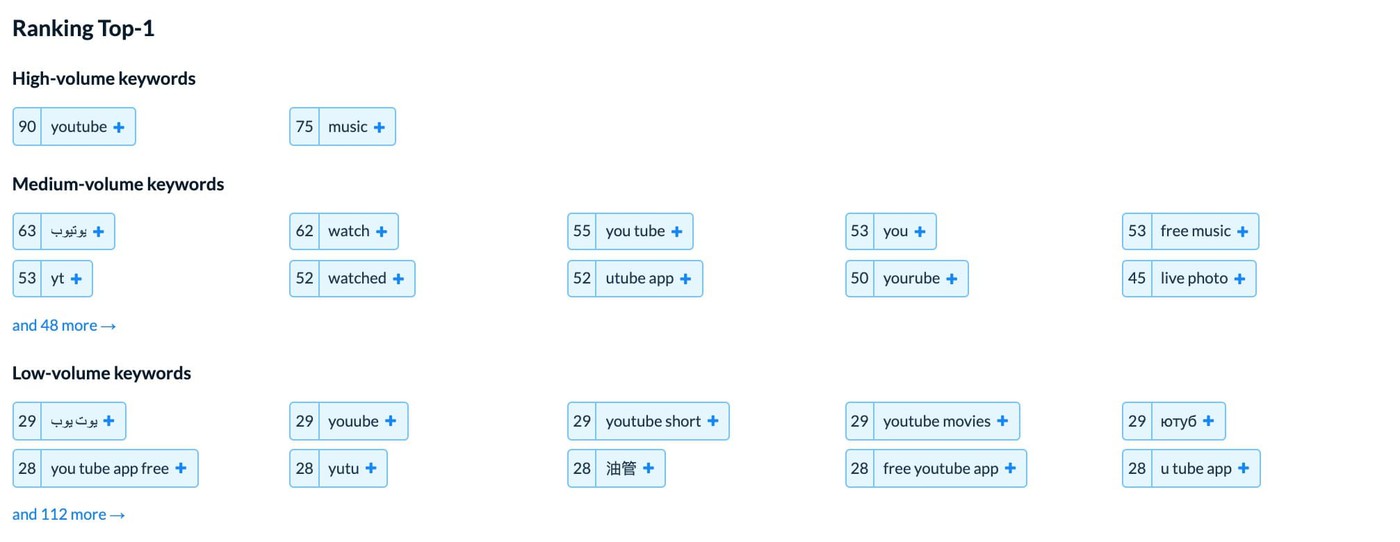
AppFollow's Keyword Spy surfaces every keyword a competitor ranks for and highlights which ones contribute most to downloads.
"Repetition feels safe. On iOS, it usually wastes space. Apple already indexes words from the app name, subtitle, and category, so using the same terms again in the keyword field just burns characters you could have spent on fresh search intent."
— Yaroslav Rudnitskiy, Senior Professional Services Manager (ASO), AppFollow
Auto-suggest mining and Apple Search Ads spillover
Autocomplete suggestions reveal what users actually search for in each locale. At the same time, Apple Search Ads broad match uncovers related terms Apple associates with your category. Together, these sources expose keyword opportunities that may never appear in visible metadata.
Keyword Spy brings those signals together through ranked keyword reports, Top Downloads data, and ranking buckets, making it easier to see competitor app keywords, identify install-driving terms, and prioritize opportunities worth investigating further.

Check how it works live with a free account.
Step 3: Run a keyword gap analysis to find the opportunities they're winning and you're missing
A keyword gap analysis identifies keywords that competitor apps rank for in the top 10 of an app store search result, but your app does not. It is the foundational ASO methodology for finding net-new keyword opportunities without guessing intent. Competitors have already validated which terms drive impressions in your category.
The three gap types worth chasing
A gap report can be overwhelming the first time you see it. Hundreds of missing keywords don't mean hundreds of opportunities. In practice, most of the value comes from three specific types of gaps, and each one deserves a different level of attention.
Gap Type 1: Keywords you're close on. I always look here first. If your app ranks between positions 11 and 20, you're already within striking distance of page-one visibility. A small metadata update, stronger relevance signal, or localization adjustment can sometimes push these keywords into the top 10. For most teams, this is the highest-ROI section of any competitor keyword gap report.
Gap Type 2: Missing keyword clusters. Individual keywords matter less than patterns. Suppose several competitors rank for "translate," "translation," and "English to Spanish." That's not three separate opportunities. It's evidence of a translation cluster your app isn't addressing. Spotting these themes helps you uncover entire areas of user intent rather than isolated keywords.
Gap Type 3: Long-tail opportunities. Long-tail keywords usually contain three or more words and often come from autocomplete behavior. Search volume is lower, but competition tends to be lower, too. These phrases rarely appear during manual research, which is why they're often some of the most valuable discoveries in an ASO gap analysis.
Filter the gap list
A raw competitor keyword gap can easily contain thousands of keywords. Most of them won't matter. Start by filtering for a Popularity score of at least 10 and a Competitiveness score of 40 or lower. That usually reduces the list to a manageable set of opportunities worth evaluating.
To prioritize further, compare your app against market leaders. AppFollow's Compare Discovery includes an Organic Discovery Performance matrix that visualizes Search Visibility Score across competitors, while the Top Keywords view highlights non-branded organic keyword share.
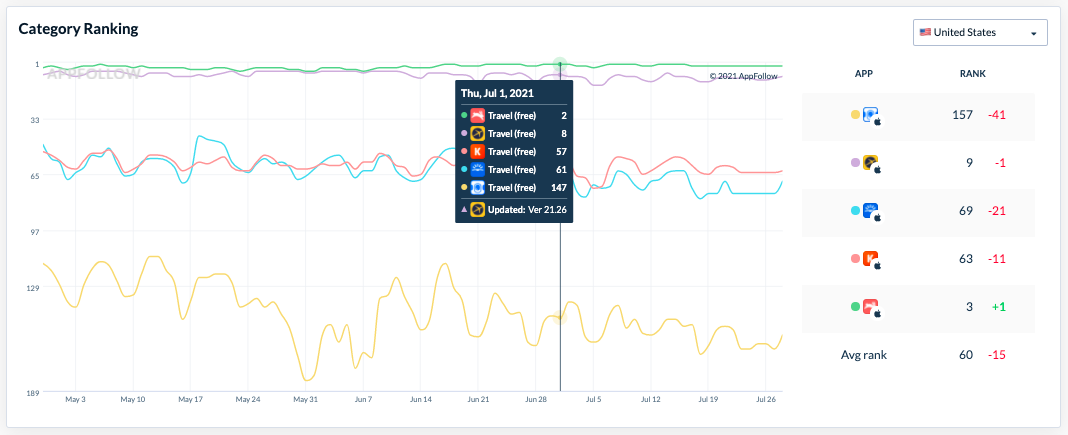
Together, those views help identify which keywords drive genuine discovery rather than brand searches, making ASO benchmarking far more actionable.
Step 4: Filter the gap list by volume, difficulty, and relevance
Keyword discovery gets all the attention. Filtering is where the real decisions happen. A competitor report can contain hundreds or even thousands of keywords. Most aren't worth pursuing. When I prioritize ASO keywords, I run every candidate through the same sequence: volume, difficulty, relevance, and brand conflict. If a keyword fails one test, it doesn't move forward.
Think of it as a simple decision tree. Does the keyword have enough search demand? Can you realistically rank for it? Does it match your core value proposition? Will users searching for it actually install your app? Only then does it earn a place on the ASO keyword shortlist.
Filter | What to check | Recommended threshold | Action |
Search volume | Popularity score | ≥ 10 | Remove low-demand keywords |
Difficulty | Competitiveness / Keyword Difficulty | ≤ 40 for most apps, ≤ 60 for category leaders | Remove unrealistic targets |
Relevance | Match to core value proposition | Relevant / Borderline / Irrelevant | Keep only relevant keywords |
Brand conflict | Competitor brand terms | Avoid most branded keywords | Remove unless a clear opportunity exists |
Country fit | Market-level demand | Review by country | Prioritize markets with proven demand |
The relevance filter is the one teams skip most often. A keyword can have healthy search volume and manageable competition yet still produce poor results. Generic keywords that don't align with your app may generate impressions without generating installs.
Filtering isn't a one-time exercise, either. Run a full pass when building your initial inventory. After that, monitor the shortlist weekly and refresh the complete analysis monthly. Competitor rankings move, metadata changes, and new apps enter the category.
AppFollow's Alerts help surface ranking shifts and metadata updates as they happen, while per-country popularity data makes it easier to filter competitor keywords based on actual market demand rather than assumptions.
Step 5: Score the shortlist for conversion intent (the step nobody else publishes)
Most competitor keyword research ends once rankings are identified. That's a mistake. Rankings tell you where visibility exists, but they don't tell you whether that visibility turns into downloads.
Why rank alone is the wrong signal
A competitor sitting at position #1 isn't automatically your best target. I've seen keywords generate plenty of impressions and very little action. App stores reward relevance, downloads, engagement, and other behavioral signals, so rankings often reflect traffic potential rather than conversion potential. The competitor keywords that convert are the ones worth chasing, not simply the ones occupying the highest positions.
Five conversion proxies worth using
Since you can't see a competitor's conversion rate (CVR) directly, you need proxies.
Start with rank stability. An app that consistently holds positions #2 or #3 is often converting well enough for the algorithm to keep rewarding it.
Look at branded and generic keywords separately. Branded searches frequently convert in the 10% to 30% range. Generic keywords tend to sit much lower. Long-tail keywords often land somewhere in between but can perform surprisingly well because user intent is more specific.
Pay attention to phrase length. A query like "meditation app for sleep" usually reveals more intent than a broad keyword such as "meditation."
Apple Search Ads adds another signal. A high SAP score suggests Apple sees meaningful demand around a keyword.
Finally, compare candidates against your own historical performance. If users already convert on related terms, similar keywords may deserve a higher score.
"The best seasonal keywords are not the ones everybody sees in the middle of the rush. They're the ones you catch just before the rush becomes obvious. That's where the ranking gap is still small enough to close."
— Veronika Bocharova, Customer Success Manager, AppFollow
Seasonal keyword discovery often produces some of the highest-CVR competitor opportunities because intent arrives before competition peaks.
Build a simple scoring model
Score each keyword from 1 to 5 across five factors: volume, difficulty, relevance, conversion proxy, and strategic fit.
Score | Action |
18–25 | Add to testing queue |
12–17 | Monitor and revisit |
Below 12 | Deprioritize |
This approach creates a shortlist of profitable ASO keywords instead of a list of popular ones. AppFollow's App Performance provides the conversion, download, and impression data needed to evaluate your own keyword performance, while Compare Discovery's Store Performance Index helps estimate competitor strength using search visibility, organic acquisition, ratings, and reviews.
Together, they support a more conversion-aware keyword selection process.
cta_get_started_yellow
Step 6: Validate winners with a metadata test (PPO and SLE)
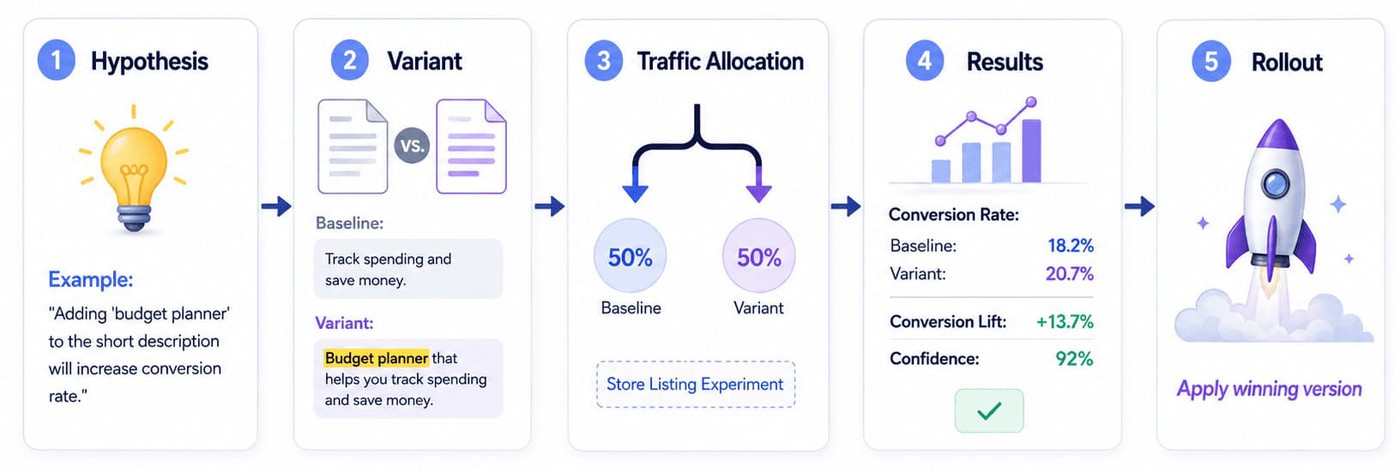
A keyword isn't proven because a competitor ranks for it, but when it improves your own visibility. That's why every competitor keyword analysis should end with an ASO metadata test. Both Apple and Google provide free experimentation tools that let you test changes before committing to them permanently.
On iOS: Product Page Optimization (PPO)
Product Page Optimization in App Store Connect allows up to three variants alongside a baseline version. Apple handles traffic allocation automatically, and tests can run for up to 90 days.
The goal isn't simply to measure conversion rate. If you're testing a new keyword in the title or subtitle, watch keyword rankings alongside CVR. A keyword that improves visibility without hurting conversion is often worth keeping. Treat the metadata change as the experimental treatment and the ranking movement as part of the result.
On Google Play: Store Listing Experiments
Store Listing Experiments offer a similar workflow inside Google Play Console. You can choose the audience, define traffic allocation, and compare alternative metadata versions against your existing listing.
Most keyword testing happens in the short description because that's where Google Play keyword strategy often has the greatest impact. Focus on one change at a time. Testing multiple keyword themes in the same experiment makes it difficult to understand what influenced the outcome.
How long to wait before calling a winner
Patience matters. I rarely trust results from the first few days of a test. Two weeks should be the minimum; three weeks is usually better, assuming enough traffic reaches the experiment.
Look for sustained rank improvement rather than short-term spikes. A keyword moving from position 18 to position 8 and staying there is a stronger signal than a brief jump that quickly disappears. Flat conversion rates combined with improved rankings are often positive outcomes because the keyword is attracting additional traffic without reducing listing performance.
AppFollow's Alerts can help track these changes by recording metadata updates and connecting them to ranking movement over time. That creates a clear testing history and makes it easier to identify which keyword changes actually influenced visibility.
What to do when you have no rankings yet (the cold-start problem)
Most competitor keyword workflows assume your app already ranks somewhere. New launches don't have that luxury. If you're tackling ASO for new apps or planning ASO before launch, the goal is to build an initial keyword universe before you have ranking data of your own.
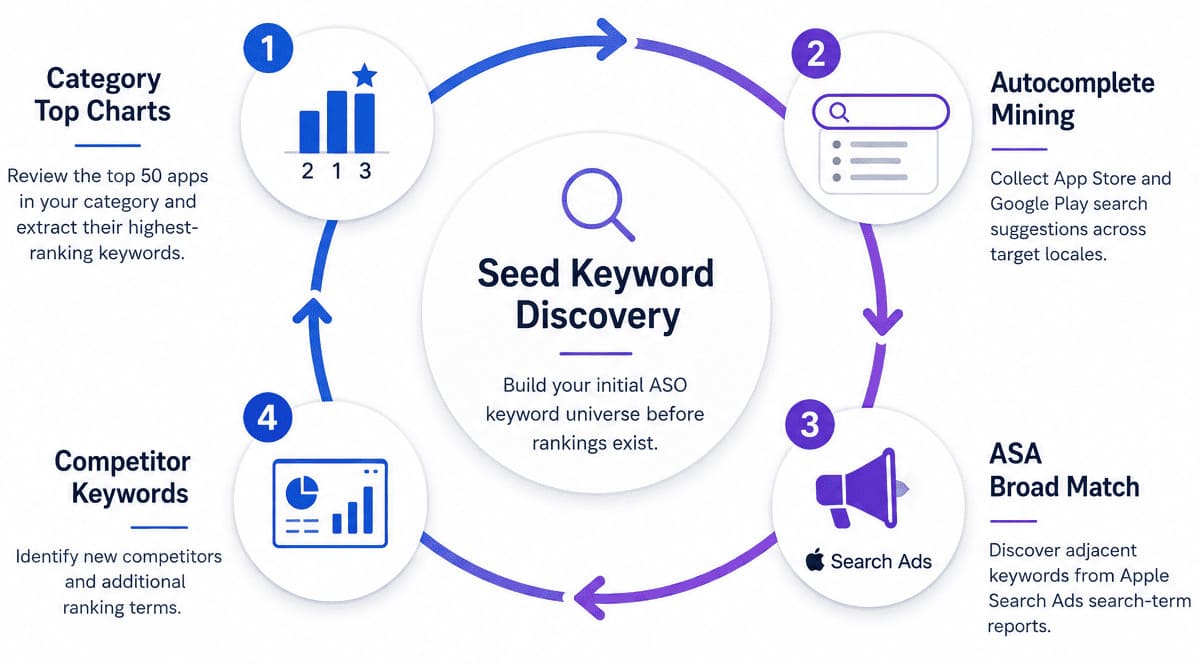
- I usually start with category leaders. Pull the top 50 apps in your category and collect the top keywords each one ranks for. You don't need every keyword. Even taking the top five terms from each app can produce a list of roughly 250 seed keywords. From there, remove duplicates and group similar phrases into themes.
- Autocomplete is the next source. Type your category root keyword into the App Store and Google Play search bars. A meditation app might start with "meditation." A budgeting app could start with "budget." Record every suggestion that appears across your target markets. These recommendations come directly from real search behavior, which makes them valuable early indicators of demand.
AppFollow's Keyword Live Ranking helps automate this process across countries and locales. - Apple Search Ads can accelerate discovery further. Launch a small broad-match campaign around a handful of seed keywords and let it run for a couple of weeks. The search-term report often reveals adjacent queries you wouldn't have considered during manual research. Since Apple is matching users to related intent, the results provide useful signals about how the category is structured.
Cold-start ASO is really a cycle of discovery. Category top charts generate seed keywords. Autocomplete expands the list. Apple Search Ads uncovers related demand. As rankings begin to appear, competitor analysis becomes much more precise. Tools such as Top Chart Rankings and Keyword Live Ranking make that process easier to repeat as your visibility grows.
How often to re-run competitor keyword analysis
The biggest mistake I see is treating running a competitor analysis as a one-time project. Rankings shift, metadata changes, and new competitors enter the category all the time. The teams that maintain visibility turn competitor research into a recurring process.
Daily or continuous: Monitor your top five competitors for metadata changes and ranking movements. A title update, subtitle change, or sudden ranking gain often signals a strategic shift worth investigating. AppFollow's Alerts can track these changes automatically, so you don't have to manually check competitor listings every day.
Weekly: Review the keyword shortlist you built during the filtering stage. Watch for keywords moving closer to the top 10, new opportunities appearing, or competitors losing visibility. This is usually enough to spot meaningful changes before they affect your rankings.
Monthly: Run a full refresh of your competitor keyword inventory. Recalculate the shortlist, identify new entrants, and decide which opportunities should move into testing. Monthly reviews are also a good time to revisit localization opportunities and market-specific keyword performance.
"One of the easiest iOS wins to miss is treating localization like a publishing chore instead of a keyword lever. Add another English locale, and you are opening another place to support search coverage. That gives teams more room for long-tail terms, regional wording, and secondary phrases that never should have been forced into the primary locale in the first place."
— Yaroslav Rudnitskiy, Senior Professional Services Manager (ASO), AppFollow
Competitor analysis works best when it's paired with ongoing localization reviews. New markets often create new keyword opportunities long before they appear in your primary storefront.
Case study: Komorebi used Keyword Spy and competitor analysis to reach 6,000 daily downloads
Komorebi, a Japanese publisher with more than 60 million downloads across 100+ apps, faced a familiar ASO challenge when launching Roulette+. The company wanted to grow visibility beyond its existing markets and expand across 10 App Store localizations, including the United States, Mexico, the United Kingdom, Korea, Germany, Brazil, France, Russia, Canada, and Traditional Chinese markets.
To identify keyword opportunities, AppFollow's ASO Consulting team used Cross-localizations in the App Store, Keyword Spy, and Timeline.
As explains:
“Using AppFollow's Timeline feature, we did a competitor analysis to find what keywords were working well in bringing in traffic for others in the same market.”
— Ilya Kataev, Professional Services Team Lead at AppFollow
The team then used Keyword Spy to uncover gaps between Roulette+ and competing apps.
“We checked which keywords Roulette+'s competitors were ranking for but had not been used in their metadata. These keywords are valuable nuggets of opportunity.”
— Ilya Kataev, Professional Services Team Lead at AppFollow
Instead of guessing which keywords might perform well, the team focused on terms competitors had already validated through rankings and traffic. Those insights informed metadata and localization decisions across multiple markets.
The results were significant. After eight months, Roulette+ reached 6,000 daily downloads and increased App Store installs by 711%. Growth extended beyond Europe and the United States into newer regions such as Brazil and the Middle East.
This Keyword Spy case study shows how competitor analysis can uncover proven keyword opportunities and help scale visibility across multiple countries without relying on trial and error.
How AppFollow helps you run competitor keyword analysis as a system
Everything we've covered so far can be done manually. The challenge is doing it consistently across countries, competitors, and app stores. That's where AppFollow shifts competitor app keyword research from a project into an operating system.
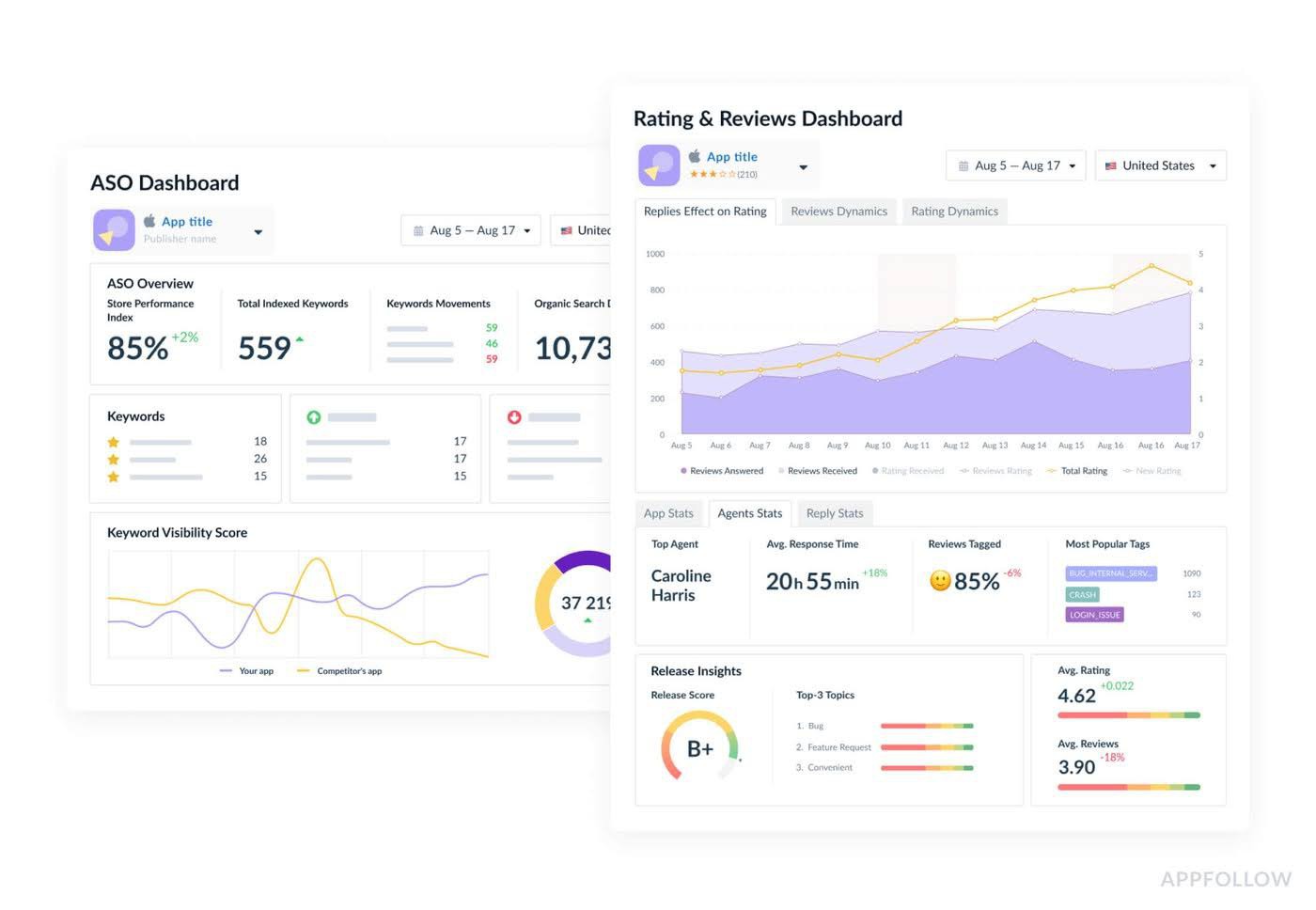
- Keyword Spy sits at the center of the workflow. It shows every keyword a competitor ranks for, along with Search Visibility Score, ranking position, and country-level performance. The Summary view provides the complete keyword inventory. Top Downloads highlights which keywords contribute the largest share of installs and includes Popularity Score data. Ranking buckets break opportunities into Top-1, Top-5, Top-10, and Top-50 positions, making it easier to prioritize where to compete.
- Compare Discovery helps answer a different question: which competitors matter most? You can benchmark up to five apps at once using metrics such as Store Performance Index, Brand Power, and Organic Discovery Performance. The Market Leaders view visualizes competitive positioning by country and includes the Countries Won metric. Top Keywords surfaces Non-branded Organic Keyword Share, helping separate genuine discovery traffic from branded demand. For stakeholder reporting, results can be exported directly to PDF.
- Competitor analysis extends beyond keywords. Compare Feedback adds competitor review intelligence through ratings trends, top tags, customer-satisfaction signals, and Semantic Insights by country for Enterprise customers. Review data often reveals unmet user needs that later become keywords and positioning opportunities.
- Alerts provide the always-on layer. Metadata changes, ranking shifts, featuring events, and review anomalies are tracked automatically across competitors and markets, turning periodic audits into continuous monitoring.
For teams that want support beyond software, AppFollow Growth Consulting provides end-to-end execution. The team has optimized more than 500 apps and games, supports 40+ language localizations, and reports an average 30% organic uplift after app page optimization. Competitor research and analysis is one of the core service areas.
"Teams lose speed when they spread effort across visibility, conversion, and reputation at the same time. The better approach is to identify which layer is underperforming enough to hold back the others. If your app already gets search traffic, keyword work has done its part for now. The next question is whether the store page is converting that attention.
In AppFollow, teams usually validate that by comparing visibility, traffic, downloads, and conversion rate side by side, then filtering by country, store, and channel."
— Ilia Kukharev, Product Manager at AppFollow
The goal of ASO competitor analysis is to know which action to take next. AppFollow brings keyword intelligence, competitor monitoring, review analysis, performance metrics, and consulting into a single workflow so that decision becomes easier to make.
cta_get_started_purple