Review management for hyper-casual vs mid-core games: two playbooks

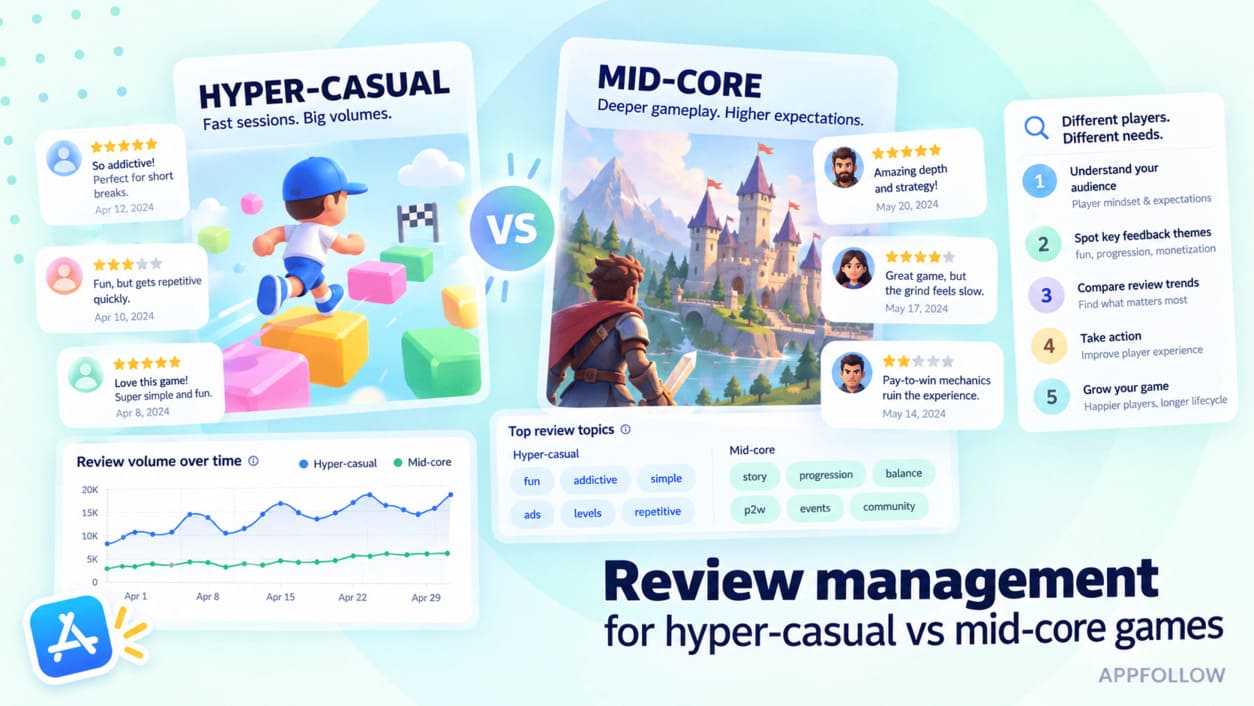
Table of Content:
- Key insights
- Why review management differs by game genre
- Managing reviews for hyper-casual games
- Managing reviews for mid-core games
- Review management for hyper-casual vs mid-core games: side by side
- Review metrics that matter for each genre
- How to manage reviews on all app stores at ones with Appfollow
- Frequently asked questions
Picture two Monday mornings. One inbox belongs to a hyper-casual hit: hundreds of one-stars saying “too many ads,” “keeps crashing,” or simply “boring.” The other belongs to a mid-core title, where a player has written six paragraphs on why last week’s balance patch broke progression.
That contrast is the whole of review management for hyper-casual vs mid-core games. Genre changes the volume and depth of what arrives, and it changes what deserves your attention. For mobile game companies running several titles, one universal workflow becomes expensive noise.
Good app review management matches effort to signal. Hyper-casual mobile game reviews need fast triage, pattern detection, and selective intervention. Mid-core feedback earns more human attention, because a single detailed review can expose a balance, economy, or live-ops problem.
Below are both playbooks side by side: what to automate, what to answer personally, what to send to product, and which metrics are worth watching.
Key insights
- Genre changes the value of a review. Volume, depth, urgency, and what deserves action all depend on how players engage with the game.
- For hyper-casual games, triage beats handcrafted replies. Tag recurring complaints, watch for sudden shifts around crashes, ads, or first-session friction, and reserve human time for the exceptions.
- Mid-core games need more human attention. Detailed feedback on balance, progression, monetization, and updates can feed live-ops decisions directly.
- Replying correlates with a better rating in both genres, at very different costs. Across 51.5 million gaming reviews, apps that reply at all average 3.61 stars against 3.18 for apps that never reply.
- The scoreboard changes with the genre. Hyper-casual: topic distribution, review velocity, sentiment shifts. Mid-core: priority-response rate, feature sentiment, rating movement after updates.
Why review management differs by game genre
Review behavior is set before anyone reaches the store. Session depth, monetization model, player investment, and lifecycle all shape what players notice and how much detail they put into a review. Hyper-casual game development creates a fundamentally different feedback problem from a live-ops-heavy title.
Your review process should follow those mechanics. This sits alongside ASO for games, but the job is different: you are deciding which player signals deserve action after the install.
Hyper-casual vs mid-core: the two profiles
Hyper-casual games are built around one simple mechanic, near-zero onboarding, and short repeatable sessions. Helix Jump, Going Balls, and Bridge Race all fit the model. Monetization leans on advertising, in a market where ad-monetized titles now account for 83% of mobile game downloads according to Sensor Tower’s gaming ad monetization research. Hybrid models have spread as studios adapted the genre, but the ad load is still what players write about.
Mid-core games ask for commitment. Clash of Clans, RAID: Shadow Legends, Marvel Contest of Champions: progression systems run deeper, sessions carry more context, and IAP or hybrid monetization makes retention and long-term player value the thing that matters.
Quick profiles:
Dimension | Hyper-casual | Mid-core |
|---|---|---|
Typical session | Short, repeatable | Longer, deeper |
Monetization | Primarily ads | IAP or hybrid |
Player investment | Low | High |
Lifecycle | Shorter | Longer, live-ops driven |
Review stream | High volume, shallow | Lower volume, deeper |
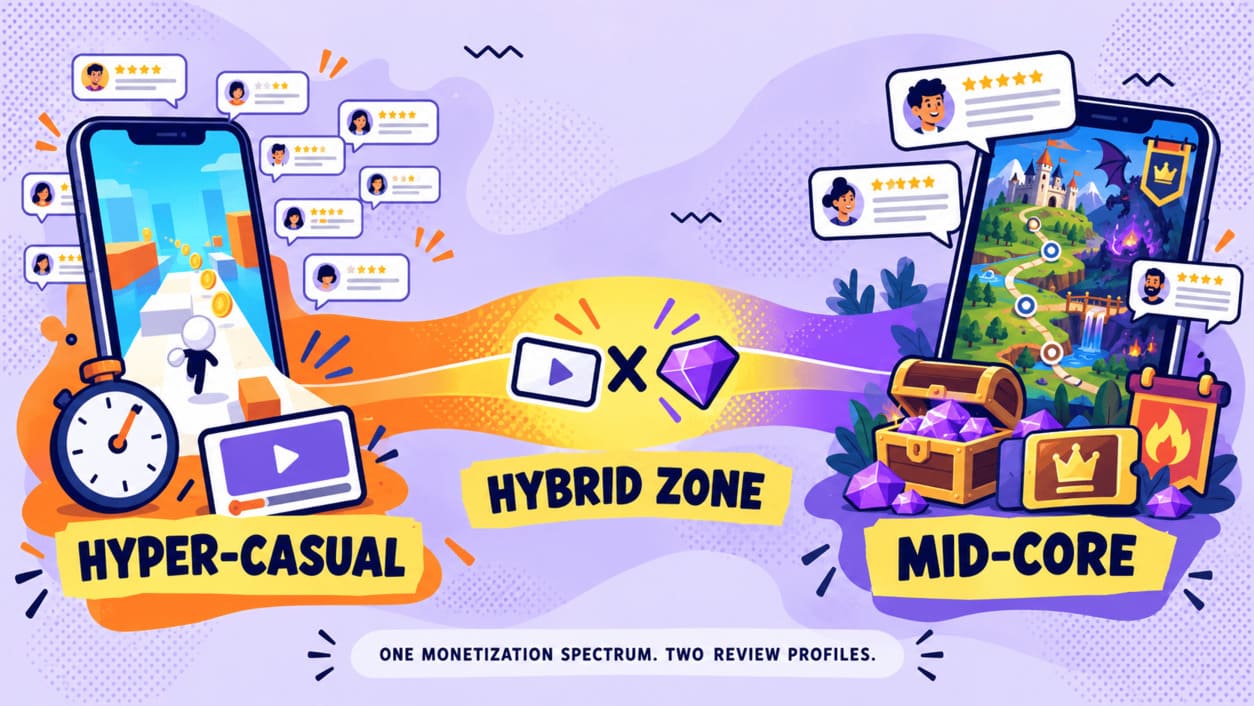
The monetization split is not as clean as it once was. AppsFlyer’s State of App Monetization found hypercasual games running hybrid models reached a Day 90 ARPU of $0.60 against $0.47 for ad-only, and Android mid-core titles on hybrid hit 146% Day 90 ROAS against 93% for IAP-only. Both genres are drifting toward the middle. Their review streams have not converged with them.
The review dynamics that change everything
One caveat before the numbers, because it shapes how you should read any benchmark on this topic. Published retention and monetization data is cut by app-store category — Casual, Strategy, Puzzle, Role Playing — not by the hyper-casual and mid-core tiers studios actually plan around. No vendor we could find publishes a rigorous tier-level comparison.
Anyone who quotes you a clean “hyper-casual D1 vs mid-core D1” figure is mapping categories onto tiers, and usually not saying so.
What the category data does show is that early retention is not the dividing line. In GameAnalytics’ 2025 mobile gaming benchmarks, covering 11,600 games and an average of 1.48 billion monthly active users through 2024, median Day 1 retention sits in a fairly narrow band across genres: roughly 20% for Casual, 19% for Strategy, 18% for Action, with Role Playing the low outlier near 15%.
So Day 1 will not tell you which playbook you need. What separates the two review streams is session depth and accumulated investment: how much a player knows about your game by the time they decide to write something. A hyper-casual reviewer is usually describing the first ten minutes. A mid-core reviewer has often been playing for months and writes accordingly.
That runs straight into the inbox. A hyper-casual stream repeats a small set of complaints: intrusive ads, crashes, difficulty spikes, loading problems, friction that appeared within minutes of install. At scale, the pattern matters more than any single angry review.
Mid-core feedback carries context. Players discuss progression walls, balance changes, event design, bugs, monetization, and features they have lived with for weeks. One detailed review may contain several product signals.
So the operating rhythm changes. Hyper-casual teams need to spot a surge fast enough to catch a broken build. Mid-core teams need enough human judgment to understand why sentiment moved and whether live ops should respond.
Dzianis Shalkou, Senior Professional Services Manager, AppFollow:
“With hyper-casual games, you rarely learn much from one review. The signal appears when hundreds of players start complaining about the same ad pattern, crash, or difficulty spike. Mid-core is different — a single detailed review can tell you what’s wrong with progression because that player has enough history to explain it.”
What Shalkou is describing is a difference in where the information lives. In hyper-casual, the unit of information is the cluster, and any individual review is a noisy sample of it. In mid-core, the unit of information is the review itself, because the player has supplied the context that a hyper-casual reviewer never had.
In practice: the same 200 reviews mean different things. Two hundred hyper-casual reviews mentioning ads is one finding. Two hundred mid-core reviews about a new event might contain four: pacing, reward curve, a bug, and a monetization objection. Reading them as a single number loses all four.
What to do next: decide which unit your game produces before you design the workflow. If it is the cluster, build for aggregation. If it is the review, build for routing.
Managing reviews for hyper-casual games
If you are working out how to manage reviews for a hyper-casual game, drop inbox zero as a goal. At high volume the individual review is the wrong unit of work. Look for patterns first: what keeps appearing, what suddenly changed, and which issues can actually cost you a player in the first session.
Handle massive review volume with tagging and automation
Start by turning the review stream into topics: ads, crashes, loading, difficulty, purchases, first-session friction. Thousands of reviews collapse into a handful of problems you can measure and assign.
AppFollow’s Semantic Analysis assigns tags automatically across four categories — Bugs, Monetization, User Feedback, and Report a Concern — and a single review can carry more than one.
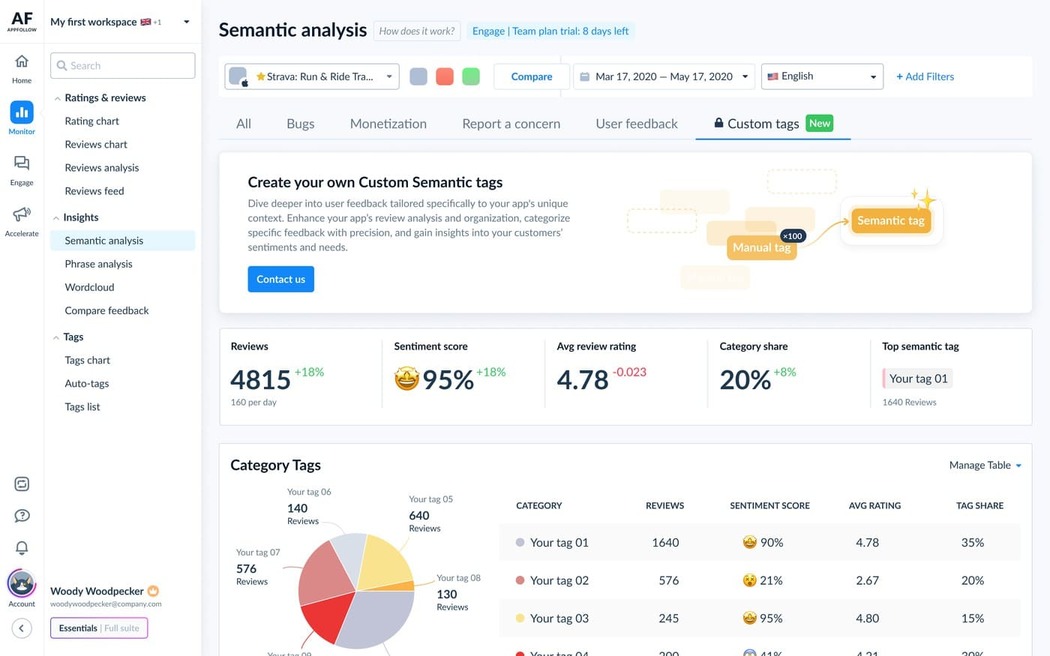
From there, workflow automation handles the predictable volume while priority tags reach a human.
Automate triage first, not every response. A cluster of crash complaints after an update deserves attention. The fiftieth generic complaint about ad frequency does not need its own reply to be useful — it needs to be counted.
At this volume, tags are the only way to see the game:
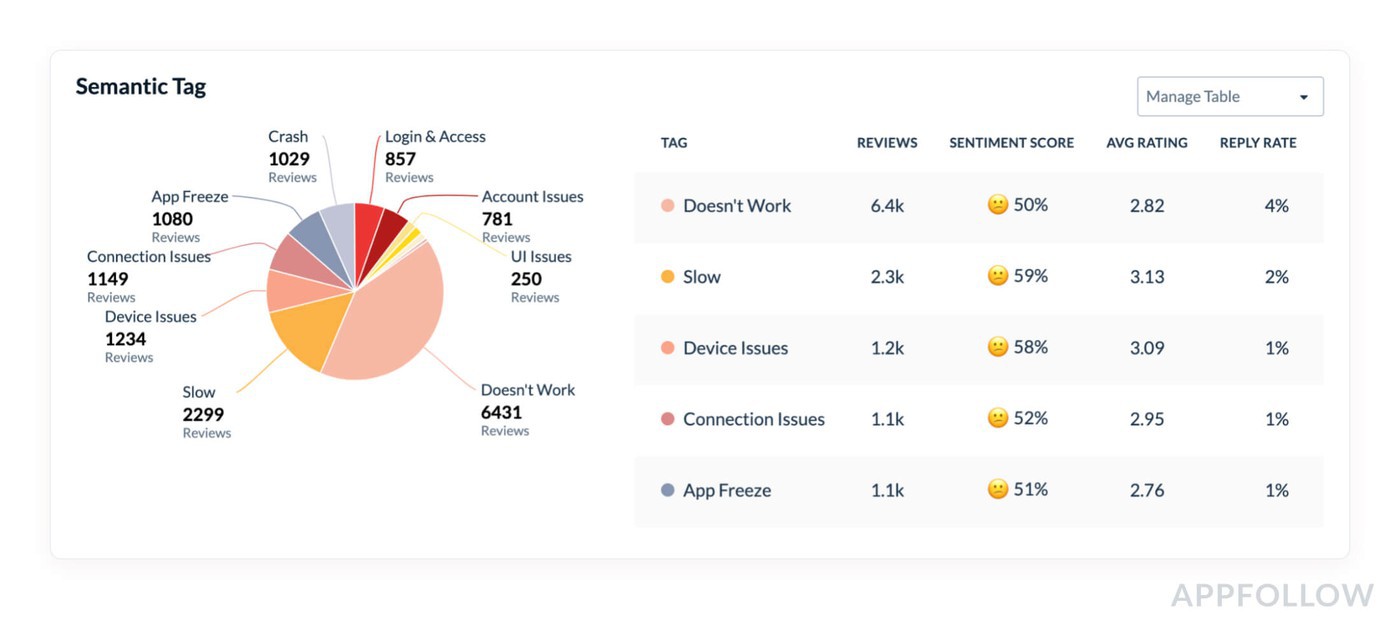
Once the dominant themes are visible, you know where to investigate.
What to act on, and what to let ride
Use one filter: could this issue lose a new player before the game has a chance to retain them?
Crashes and regressions go to the top, especially when they cluster around one version. First-session blockers earn the same urgency, since a hyper-casual player who bounces in the first two minutes is unlikely to return.
Watch ad complaints for sudden movement rather than absolute volume. Unity’s interstitial best-practice guidance recommends A/B testing pacing and capping against impressions, retention and ARPU together: “if you increase the frequency of your system-initiated ads, and you see after two weeks that D1 retention dropped, without a big enough increase in your ARPU, then try reducing the frequency or tinkering with the placement.”
That advice was published in 2021 and we have not found a public dataset since that quantifies ad load against churn. Which means a complaint spike after a monetization change is a prompt to go and check your own retention numbers. It is not itself the evidence.
Taste can wait. “Boring,” “too easy,” or “too hard” means little in isolation. A sudden cluster around the same level is a different object entirely. Promote the pattern, not the loudest player.
Use sentiment as an early warning signal
Lifetime rating hides what just happened. A game with 200,000 ratings barely moves its average when a bad build ships, which is exactly when you need to know.
Filter sentiment and semantic tags to the affected app version, then compare the recent window against the one before it. AppFollow supports App Version as a filter on both the reviews feed and Semantic Analysis, so you can isolate a build rather than reading a blended lifetime number.
Watch sentiment after each release:
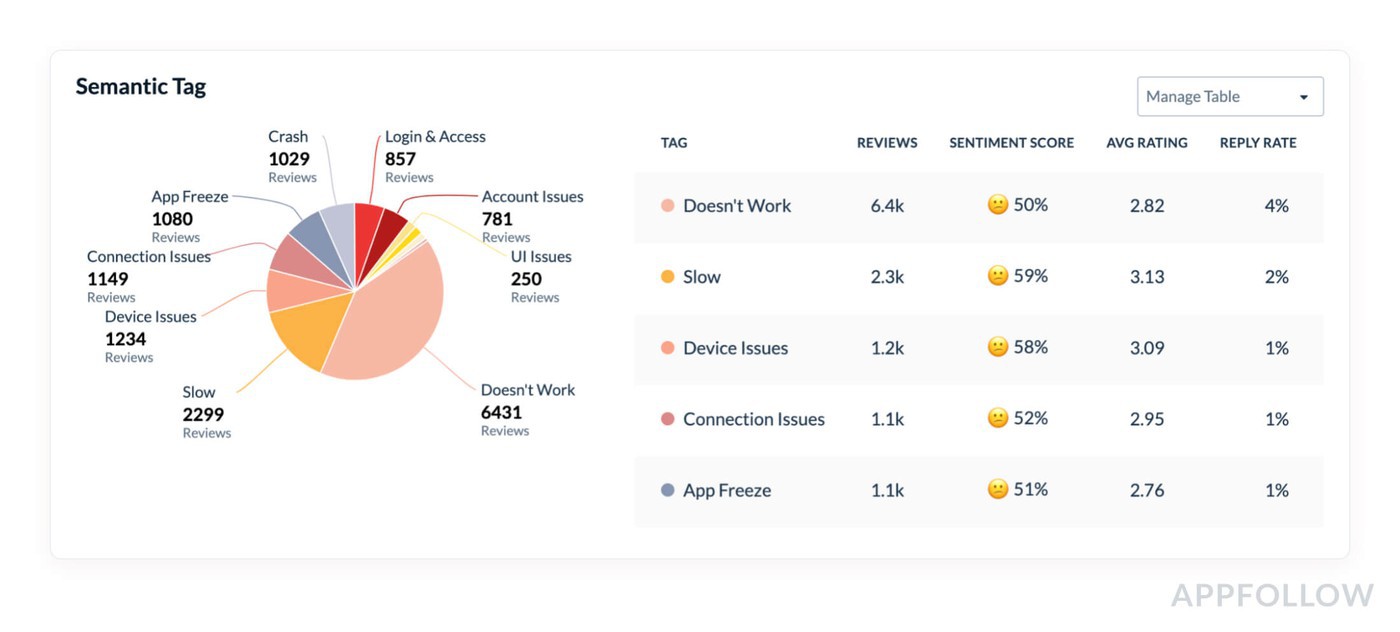
A shift narrows the search. It does not close it. If negative reviews suddenly concentrate around crashes, ads, or onboarding friction, line that timing up against your mobile game retention curve and the rest of your mobile game metrics before deciding what changed.
Ilia Kukharev, Product Manager, AppFollow
“The useful signal is rarely one negative review. It’s the change in the pattern. If a new version goes live and complaints about crashes or ads climb with it, you have a very specific place to investigate.”
The value here is timing rather than diagnosis. Review sentiment is one of the earliest signals a team gets, because a frustrated player often writes on the day the problem appears. Reviews land within hours. A D7 cohort needs a week before it can tell you anything.
In practice: treat the sentiment shift as a timestamp and a topic, then hand both to whoever owns the build. “Negative reviews mentioning crashes tripled starting with 2.14.0” is an actionable handoff. “Sentiment is down” is not.
What to do next: set an alert on your crash and monetization tags rather than on your star rating. The rating is a lagging average; the tags move first.
Mid-core flips almost every one of these priorities.
Managing reviews for mid-core games
With mid-core games the expensive mistake is treating detailed feedback as inbox clutter. A player who has spent months learning your economy has context. Their review may identify a balance problem, explain why an event feels unrewarding, and flag a monetization change that altered the experience — in the same paragraph.
That depth deserves a different workflow.
Community-first response: reply like a human
Personalization matters more here because players can tell whether you understood the complaint. When you respond to negative reviews, address the mechanic, update, or problem they actually named. “Thanks for your feedback” followed by a template paragraph does nothing for someone who just diagnosed your progression curve.
Templates still help — for structure and tone, not for content. Write the skeleton once, then rebuild each reply around what the player actually said. Our positive review response examples show the pattern on the easier half of the inbox, which is the right place to learn it before applying it to a furious three-paragraph review about your economy.
Keep promises out of it unless the fix is committed. “We’ve shared this with the team” is safer than inventing a roadmap in a store reply.
Both stores are built for the follow-up, which is the part most teams skip. Apple states that “when you respond, the reviewer is notified and has the option to update their review”, and lets you edit a response at any time, with only the latest version shown.
Google is more specific. After you reply, the user “receives a push notification and an email notification”, and Play Console’s Updated Ratings section reports whether users raised, lowered, or kept their original rating.
That mechanism is the whole argument for coming back after a fix ships. A one-star review from a mid-core player is not a permanent record. It is an open conversation with a notification attached.
Turn deep feedback into live ops
Here is how to turn mid-core feedback into live ops: stop storing it as prose.
Tag reviews by the thing they describe — balance, progression, economy, monetization, event, feature, patch — then track recurrence. Ten reviews about the same progression wall are useful to game live ops when they arrive as one visible theme. As ten disconnected store comments, they are invisible.
Semantic Analysis does the first pass automatically, but mid-core themes are usually specific to your game rather than generic, so this is where a Categorization Agent earns its place: you define the categories that match your economy and your content calendar, and it applies them as reviews arrive. Routing rules then push recurring themes to whoever owns the decision, through Slack, Zendesk, Salesforce, or a webhook.
Once a change ships, return to the reviews that raised it and tell those players what changed.
Tagged by feature, feedback becomes a backlog:
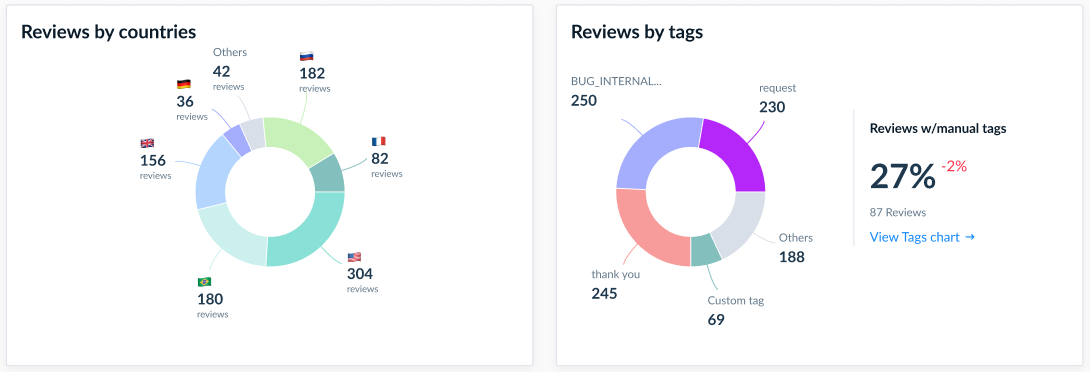
Route the top themes to design and live ops, and keep the review IDs attached so you can close the loop when the fix lands.
Protect the rating through updates and events
Mid-core review streams deserve extra scrutiny around balance patches, events, progression changes, and monetization updates. Compare review velocity, sentiment, recurring tags, and star-rating movement before and after each release.
A spike is context, not a diagnosis. Read what changed inside the reviews before deciding whether the patch, the economy, the event design, or a technical fault caused the reaction.
Ilya Kataev, Professional Services Team Lead, AppFollow
“With mid-core games, the review spike after an update is only the starting point. The rating tells you there’s friction; the review themes tell you where to look.”
Two updates can produce identical rating drops for opposite reasons. One is a bug, fixable in a hotfix. The other is a deliberate economy change that players understood perfectly and rejected. A rating cannot tell those apart. The tag distribution inside the spike usually can, within a day.
So the post-release check is a comparison, not a reading: pull the tag mix for the review window, set it beside the previous version’s, and see what moved. If “bug” dominates, engineering owns it. If “monetization” or “progression” dominates, you have a design decision that needs a communications response as much as a code one. Make that a standing checklist item rather than something you reach for when the average drops, because by then the window for a fast response has usually closed.
cta_get_started_purple
Review management for hyper-casual vs mid-core games: side by side
Put the workflows next to each other and the split is stark. Hyper-casual teams are extracting a reliable signal from volume. Mid-core teams process fewer reviews, but individual players routinely supply enough context to influence a product or live-ops decision.
Dimension | Hyper-casual | Mid-core |
|---|---|---|
Review volume | Very high; themes repeat heavily | Lower; each review carries more context |
Feedback depth | Shallow and immediate | Detailed, tied to long play history |
Typical complaints | Ads, crashes, loading, first-session friction, difficulty | Balance, progression, economy, monetization, bugs, events |
Response strategy | Triage first; automate the repetitive volume | Prioritize specific, human replies |
Human attention | Exceptions, spikes, high-impact issues | Detailed feedback and community-sensitive issues |
What reaches product | Recurring issues with clear volume or urgency | Themes affecting balance, progression, features, live ops |
Monitoring cadence | Continuous; watch sudden shifts by build | Continuous, with extra scrutiny around patches and events |
Monetization sensitivity | Ad load and interstitial frequency | IAP value, economy changes, offers, progression |
Key metrics | Topic volume, sentiment shifts, crash-complaint share | Priority-response rate, feature sentiment, rating movement |
The biggest difference is where human attention goes. In hyper-casual, investigate the cluster before the individual comment. Mid-core usually rewards the opposite: read the detailed review first, then check whether other players describe the same underlying problem.
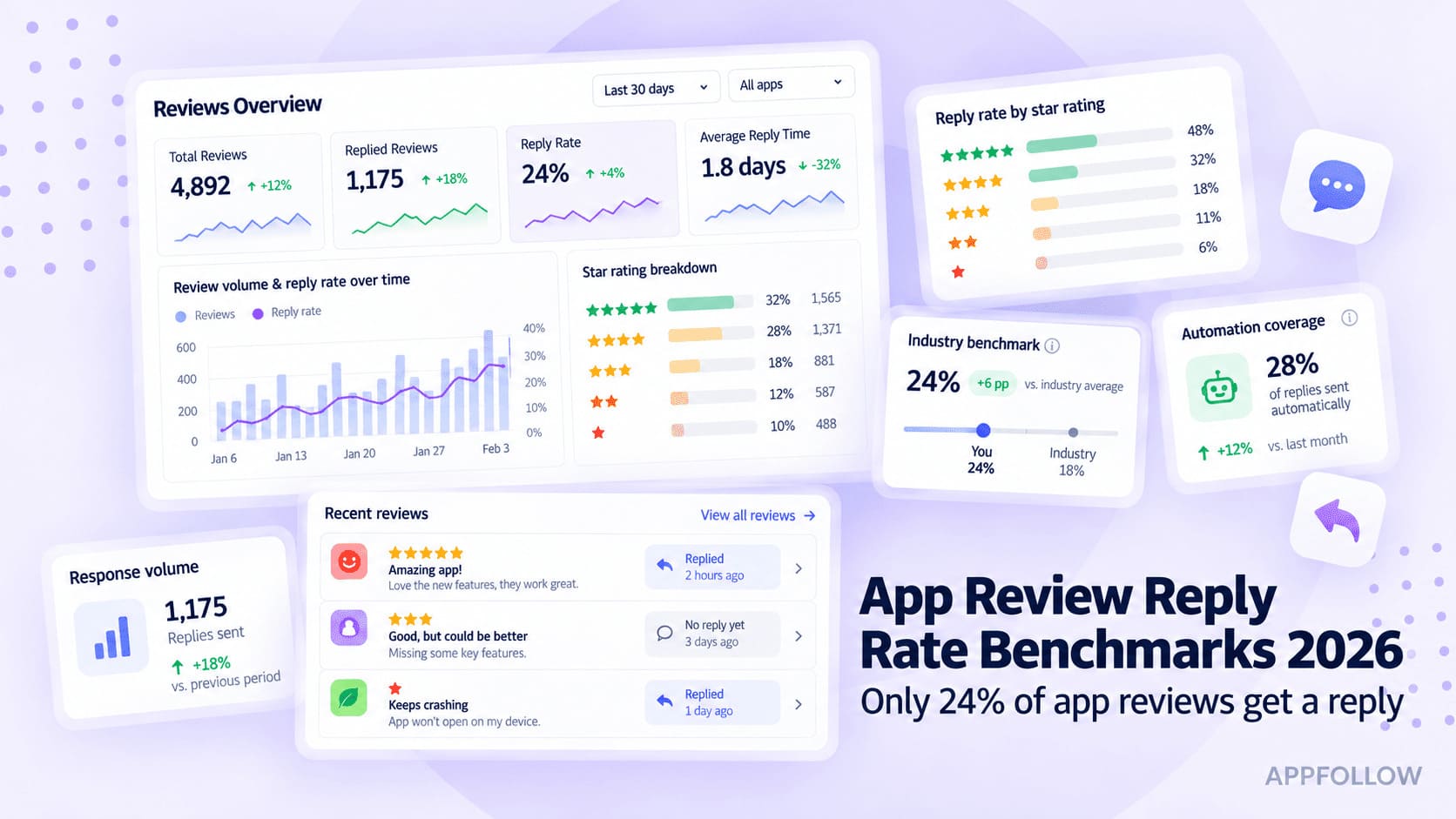
Reply-rate economics differ just as sharply, and AppFollow’s own gaming reply rate benchmarks show it by category. Across more than 22,800 gaming apps, Board games reply to 47% of Google Play reviews and Casino to 44.8%, while Sports sits at 4.7%. A 50% reply rate on a game receiving 40 reviews a day is a staffing decision. On a game receiving 4,000, it is a different business.
Review metrics that matter for each genre
A universal review dashboard makes two very different games look deceptively similar. The right review metrics for mobile games depend on what your workflow is supposed to catch, so pick KPIs that prove the genre-specific playbook is working.
Hyper-casual KPIs
For hyper-casual, movement and concentration matter more than conversational depth.
Track review volume and velocity first — a sudden increase gives you the timestamp, and tag distribution tells you what caused it. Then watch the share of reviews mentioning crashes or performance problems, and the sentiment profile of the current build against the last one.
Time to response matters selectively. Measure how fast priority issues get acknowledged or escalated, rather than chasing a response rate across thousands of near-duplicates. The gap is large enough to plan around: in the same AppFollow study, AI-powered replies went out in 24.8 hours on average against 299.3 hours when handled manually. At hyper-casual volume, that is the difference between catching a broken build on day one and finding it the following week.
The practical scoreboard is compact: review velocity, tag distribution, crash-complaint share, sentiment by build, and time to priority action. If those hold steady, knowing your average review length will not help you.
Mid-core KPIs
Mid-core needs a scoreboard built around relationship quality and product feedback. Track the response rate on priority reviews, break sentiment down by feature, patch, event, or recurring topic, and after a meaningful update compare rating movement against what players are actually discussing.
Context helps here. The gaming reply rate benchmarks put the global blended reply rate for gaming apps at 24.8%, and apps replying to 30–50% of reviews carry a 3.77 average rating against 3.25 for apps replying to under 1%. That is a correlation across 51.5 million reviews, not a guarantee — better-resourced teams reply more and also do other things well — but it gives you a defensible target to argue for in a planning meeting.
The mid-core scoreboard for rating analysis:
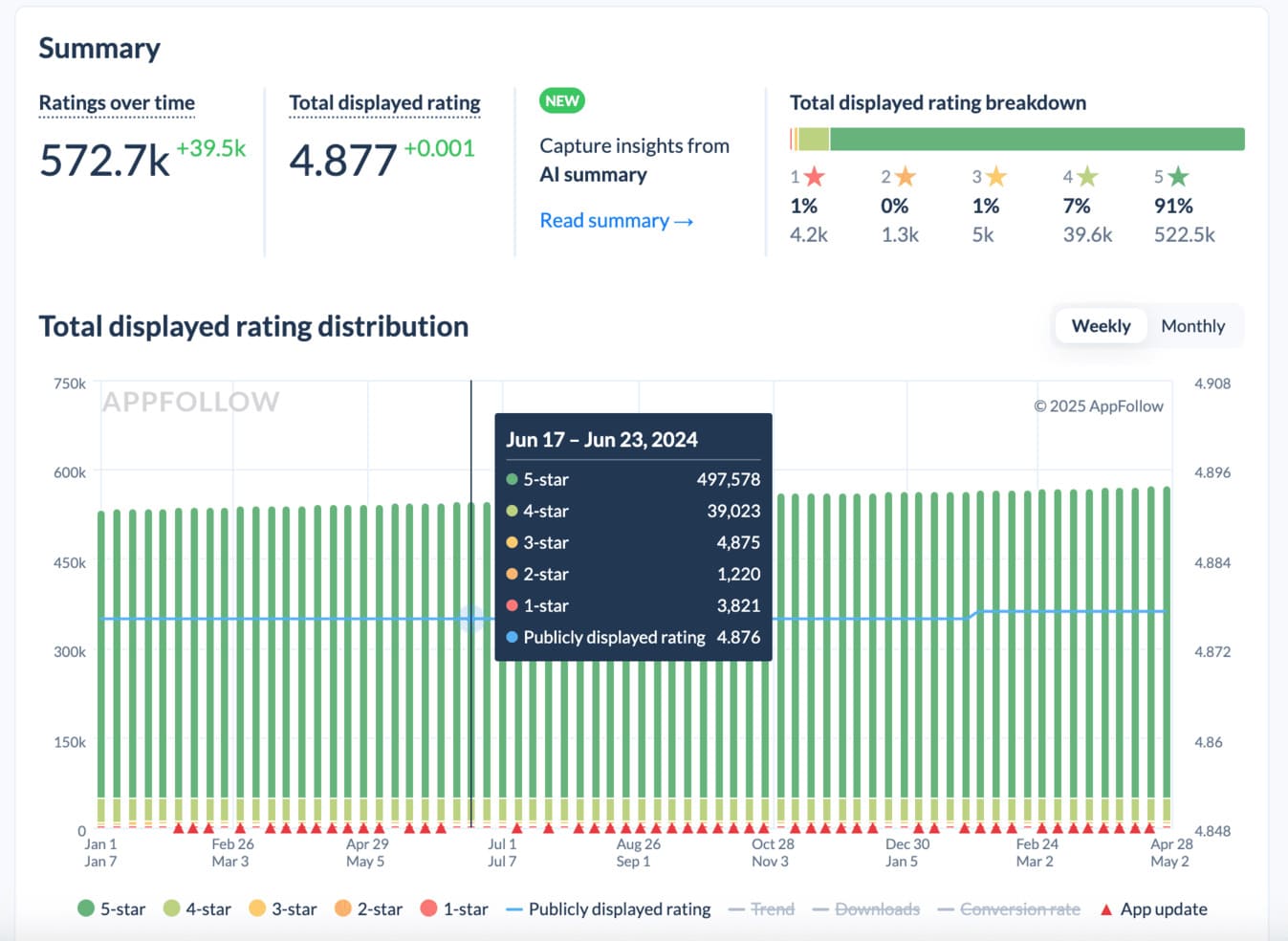
Sitting below your category’s reply rate, or watching your rating slide while peers hold steady, points you at a problem without naming it. Pair the benchmark position with feature sentiment and review themes to find the likely cause.
And if the question is whether players are bouncing before they ever install, AppFollow’s conversion rate benchmark compares your conversion against category averages by country — which separates a reputation problem from a store-listing one.
cta_free_trial_yellow
How to manage reviews on all app stores at ones with Appfollow
Once the playbook changes by genre, the tooling has to change with it. App review management has the same three jobs in both cases: make the review stream readable, catch meaningful movement, and send each signal to the right place without creating another inbox someone has to babysit.
Make review volume readable
AI-Powered Review Management brings reviews from both stores into one workspace and structures them with Semantic Analysis, Semantic Tags, and AI Summary. Semantic Analysis supports 20 languages across three language packs. Separately, auto-translate renders incoming reviews in your working language so the feed stays readable regardless of market.
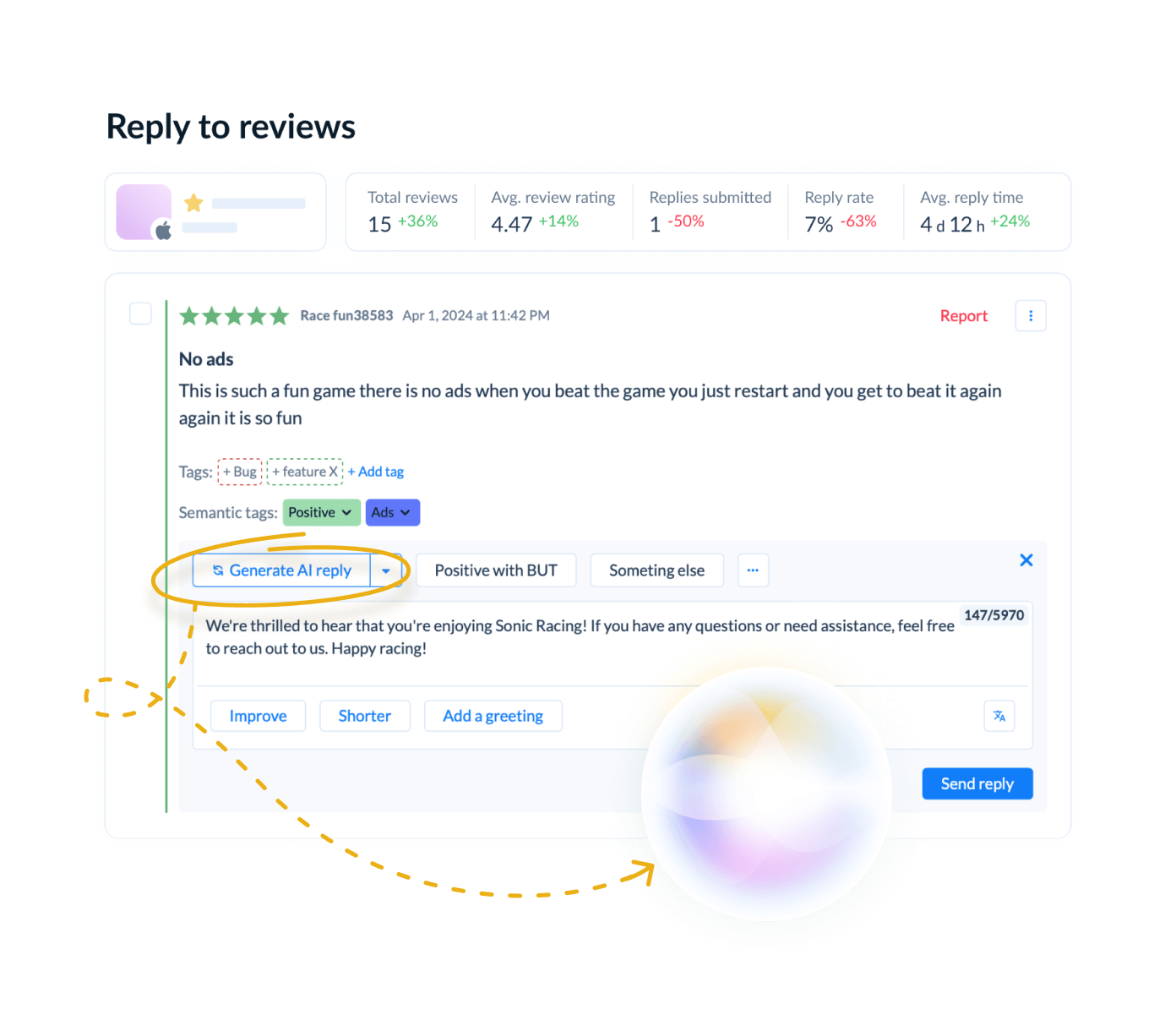
For hyper-casual teams, that makes volume tractable — instead of reading thousands of near-duplicates, you watch which themes are gaining share. For mid-core, the same analysis pulls balance, progression, monetization, and feature feedback out of long reviews so it can reach game live ops.
One honest limitation: auto-translation applies to incoming reviews only. A back catalog needs a support request.
Put reputation changes in context
A rating drop tells you something happened. Sentiment and tag distribution narrow down what.
The App Reputation Index scores overall store health from 0 to 100%, combining search visibility, ratings and reviews performance over the last 90 days (review count, reply rate, store reply time) with recent updates and category rank. It is a health check rather than a diagnosis: a falling index tells you which of those inputs slipped, and the review themes tell you why.
Automate the predictable, route the important
This is where review management becomes an operating workflow rather than inbox maintenance. AppFollow’s Automation Agents run on triggers and conditions, among them review rating, semantic tag, review text, app version, device country and reply source. They come in three types: a Support Agent that replies using templates or AI-generated responses, a Categorization Agent that applies topics and tags, and a Rating Protection Agent that flags emerging issues.
cta_free_trial_purple
Frequently asked questions
How does review management differ for hyper-casual vs mid-core games?
Hyper-casual review management is a scale and triage problem: automate classification, watch recurring themes, and reserve human attention for high-impact issues. Mid-core needs more individual engagement, because detailed reviews expose problems with balance, progression, monetization, or live ops. The comparison table above sets out both playbooks.
Should you reply to every review in a hyper-casual game?
No. At high volume a 100% response rate is rarely the best use of a team. Auto-tag incoming feedback, identify priority themes, and reply or escalate when a review points to crashes, payment problems, first-session blockers, or a sudden spike. Let repetitive low-signal feedback contribute to the trend instead.
What do mid-core players complain about most?
Common mid-core themes are game balance, progression, monetization, bugs, events, and changes introduced by updates. The valuable part is the detail those players supply. Tag by feature or patch, then look for recurring themes worth investigating by product, design, or live ops.
Which review metrics matter for mobile games?
Hyper-casual: review velocity, tag distribution, crash-complaint share, sentiment by build, and time to priority action. Mid-core: priority-response rate, sentiment by feature or update, rating movement after releases, and reply-rate benchmarks against category peers. The KPI set follows the workflow, not a universal dashboard.
How can review sentiment predict churn in hyper-casual games?
Treat it as an early-warning signal, not a forecast. Reviews arrive within hours of a bad build, while a D7 retention cohort takes a week to mature. If a specific complaint spikes on a new version, compare that timing against your retention and performance data before assuming why players are leaving.
How do I manage game reviews across both app stores?
Bring both stores into one monitored workflow rather than checking them separately. Centralize reviews, apply consistent tags, track sentiment and recurring topics, then route priority feedback by rule. Both stores notify the player when you reply, so a resolved issue is always worth returning to.
Your genre gives you the operating model. Make it concrete: pick the matching playbook, set your tags and routing rules around the signals that matter, and review the KPIs monthly. Adjust when the review stream tells you the workflow is missing something.