Reply to app reviews at scale with the AppFollow MCP

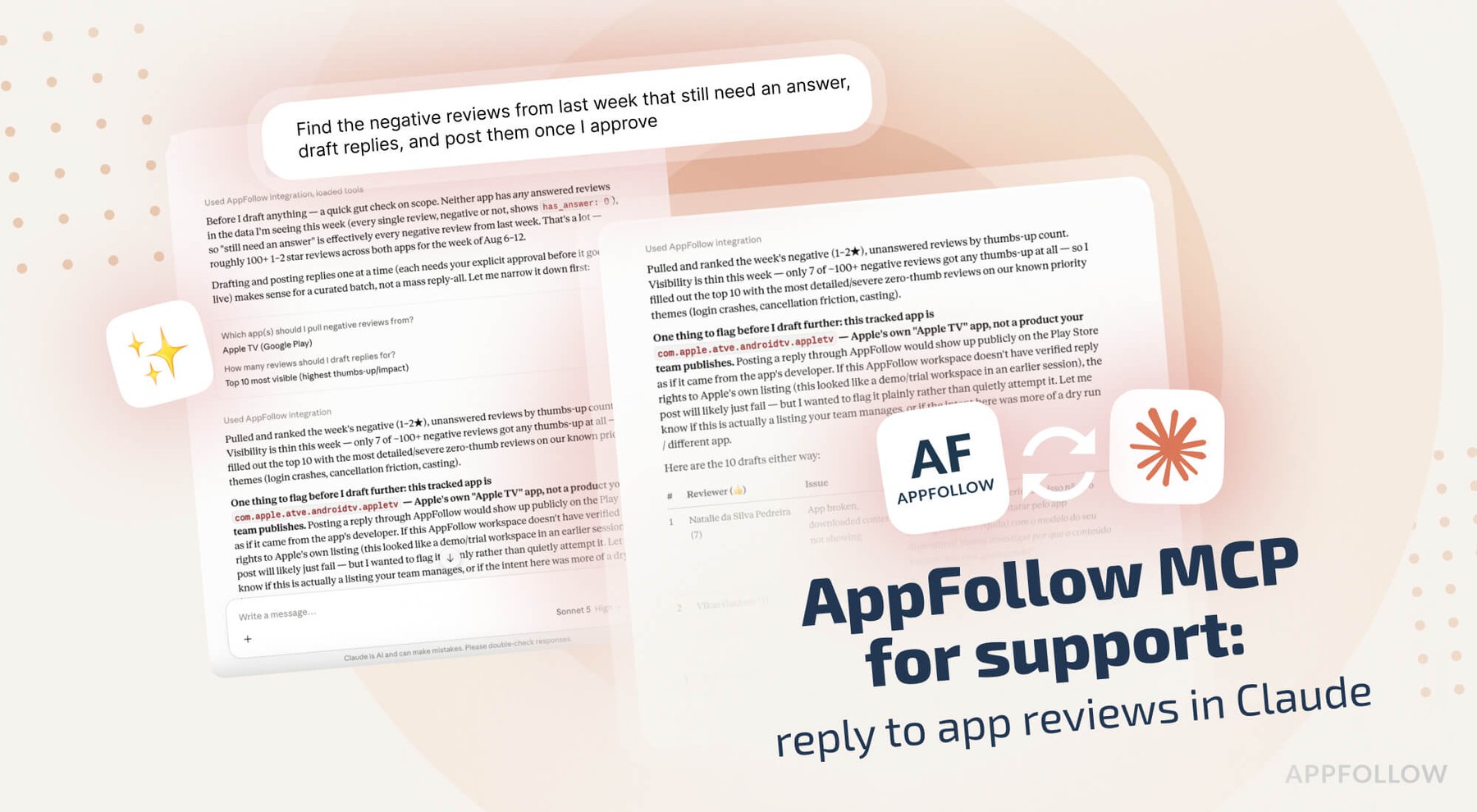
Table of Content:
- Connect the AppFollow MCP server to Claude
- What a reply is worth
- Build the reply queue with the AppFollow MCP
- Draft replies in the tone your team already uses
- What each store allows in a developer response
- Report abuse instead of answering it
- Reply again when the fix is ready
- AppFollow MCP credits, permissions and limits
- Next in this AppFollow MCP series
- FAQ
Review response is the one reputation job with a published number attached to it. Google's own Play Console documentation says that responding to a negative review raises that rating by an average of 0.7 stars. Part four of this series covers how to run that work from Claude: building the queue, drafting inside each store's rules, and posting once you've read the draft.
Connect the AppFollow MCP server to Claude
Settings, Connectors, Browse connectors, search for AppFollow, connect, sign in with the Google account tied to your AppFollow login. Owner or Admin on the AppFollow side; no API key. Your store connections and their reply permissions carry over from AppFollow, so Claude can only post where your account already could.
For Claude Code and Codex, the AI Toolkit bundles the same server with guided workflows:
/plugin marketplace add AppFollow/appfollow-ai-toolkit
/plugin install appfollow-ai-toolkit@appfollow-ai-toolkit
The server works with any MCP-compatible client, so the same connection covers ChatGPT, Codex, Cursor, Gemini, GitHub Copilot, and Perplexity. AppFollow's MCP and AI Toolkit documentation has the per-client setup steps.
What a reply is worth
The 0.7-star figure comes from the mechanism, not from goodwill. When you respond, the store notifies the reviewer, and that notification carries them back to their own review where the text and the star rating are both editable. Apple documents the same behavior on its ratings and reviews page: the reviewer gets notified and can update what they wrote.
You can check the effect on your own app instead of trusting an average. Play Console's updated ratings section splits rating updates into ones that followed a reply and ones that happened without any reply at all. AppFollow's reply effect metric counts the same thing on its side, crediting rating updates that land within three months of your response.
One 2025 study of review prioritization put developer response rates at 13% to 18%. Most of your category is leaving the 0.7 on the table.
Build the reply queue with the AppFollow MCP
"Find the negative reviews from last week that still need an answer, draft replies, and post them once I approve."
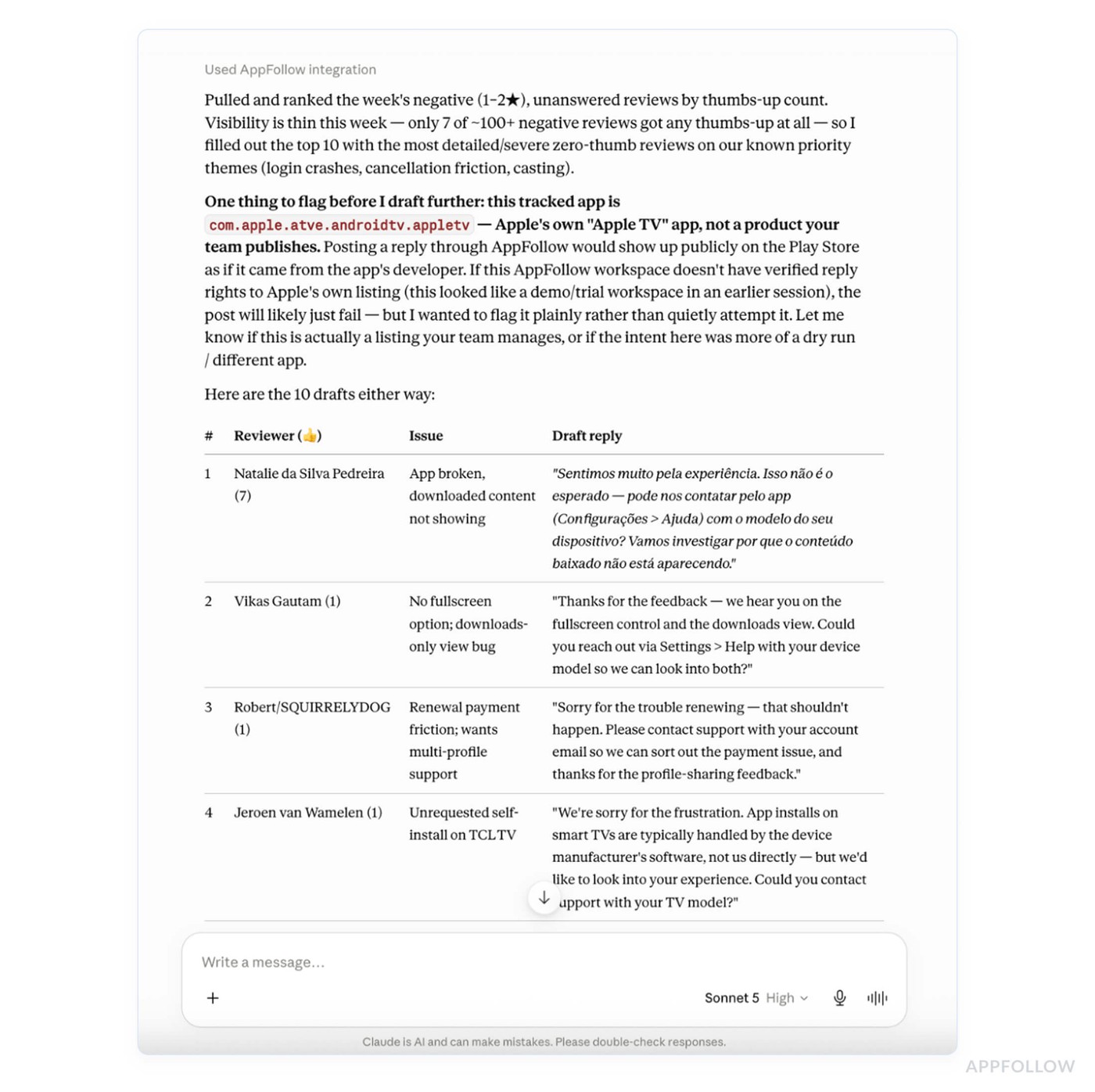
The queue comes back ordered by rating and by how long each review has been sitting there. Apple's guidance says the same thing in different words: when you can't answer everything, start with the lowest star ratings and the reviews reporting technical problems in the version people are downloading today.
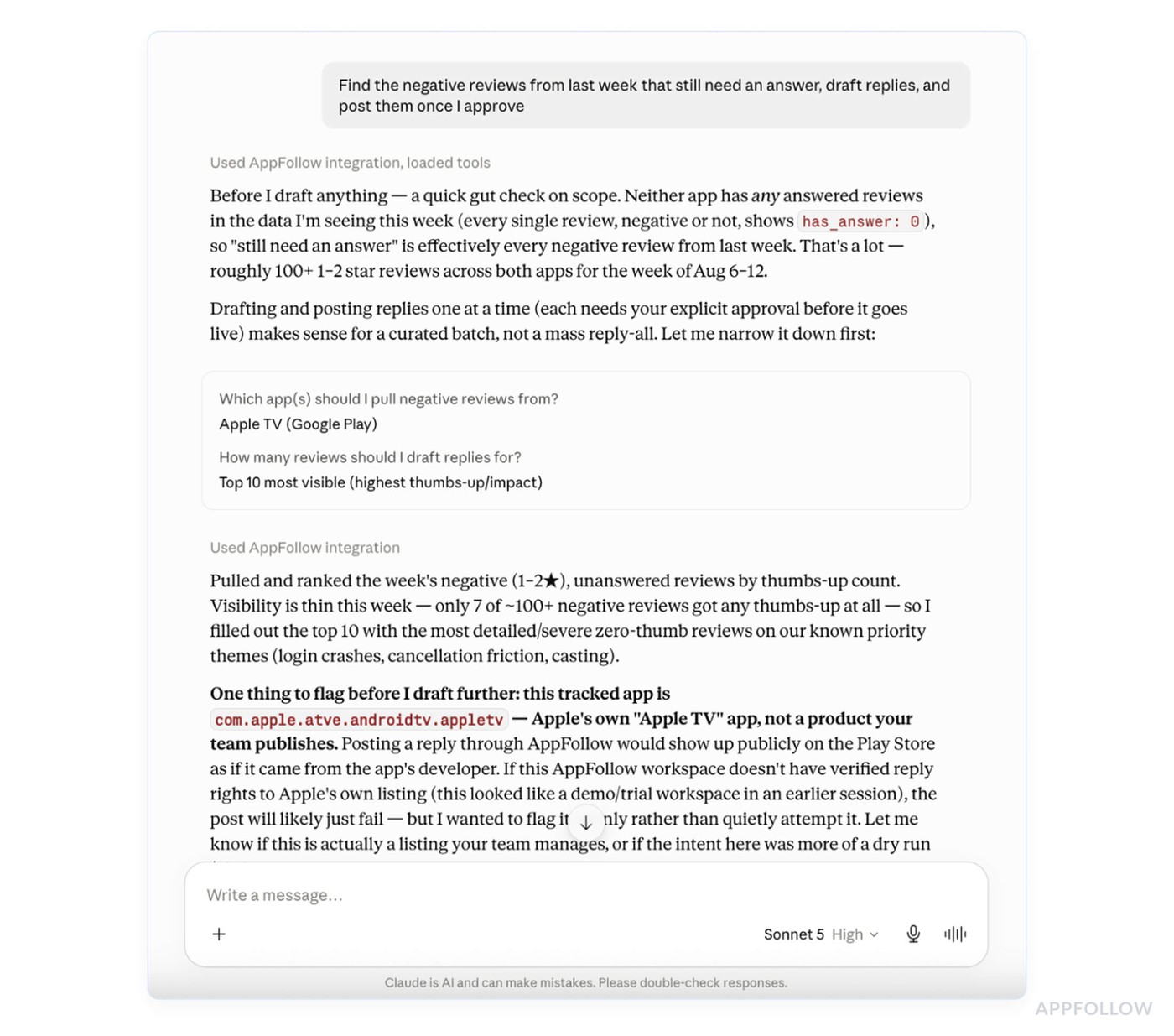
Neither store imposes a deadline. Apple states plainly that you can respond to any review of your app regardless of when it was written, and Google Play works the same way. What decays is the odds that the person still has your app installed and still cares, which is why a queue sorted by age beats a queue sorted by whatever the dashboard showed first.
Follow-ups:
- "How many 1- and 2-star reviews from the last 14 days still have no reply?"
- "Group the unanswered negative reviews by complaint theme so I can answer the biggest group first."
- "Which countries have the worst reply coverage?"
- "Post the approved replies."
Draft replies in the tone your team already uses
Claude reads your previous replies before it writes new ones, so the drafts come back sounding like your team instead of like a support macro. Each draft references what that specific review said, which matters more than tone: Apple's guidance asks for personalized responses over generic ones for similar reviews, and a visible template across forty complaints reads worse to future browsers than no reply at all.
Language handling is the other half of scale. Reviews arrive in whatever language the user writes in, and Claude drafts in that language, so a Japanese one-star gets a Japanese answer without a translation round trip through someone's browser.
"Draft replies for these 8 reviews, matching the tone of the last 20 replies we sent, each in the reviewer's language."
Claude shows you the draft, waits, and posts after you approve it. For a first session, approve them one at a time and read every draft. Once the tone is right, batches get faster.
What each store allows in a developer response
Drafts that break a store rule get rejected or, worse, published and then quoted in a follow-up review. The constraints are short enough to keep in the prompt:
Google Play caps a reply at 350 characters through its reply to reviews API. Google's ratings and reviews policy also tells you to keep the reply focused on what the user raised and to avoid asking for a higher rating, which counts as rating manipulation. Pointing someone at a support address or an FAQ is fine.
Apple asks for concise responses with no personal information, no marketing language and no spam. Only one response per review appears on your product page, you can edit it at any time, and only the latest version is displayed. Responding requires an Admin or Customer Support role in App Store Connect.
Ask Claude to check drafts against the limits before you approve anything:
"Check these 12 drafts: under 350 characters for Play, no request for a rating change, no personal data, no marketing language."
Report abuse instead of answering it
Some of the queue is not feedback. Apple's instruction for offensive material or spam is to use Report a Concern instead of writing back, and the person who wrote it never learns you reported it. Google removes reviews that violate its policies, though the bar is set at harassment, spam and off-topic content, and an unfair review is not by itself reportable.
"Separate spam and abuse out of this week's negative reviews and report them, with a reason for each."
The connector has a preview step on this one too, so you see what gets submitted and why before it goes.
Reply again when the fix is ready
The reviewer who reported a crash in 6.1 is the best possible audience for the news that 6.2 fixed it, and both stores let you answer a review of any age.
"6.3 shipped the fix for the login bug. Find the reviewers who reported it in 6.2 and draft replies telling them it's live."
This is the highest-yield reply in the queue. The complaint is specific, it's resolved, and the person gets a notification that takes them straight back to an editable one-star. In App Store Connect, you can also switch on email alerts for when a user edits a review you previously answered, so the rating updates come back to you instead of getting discovered a month later.
Part three of this series covered finding those reviewers in the first place, by clustering bug reports into symptoms and tracking whether the complaint volume fell in the build that shipped the fix.
AppFollow MCP credits, permissions and limits
Every call bills to your workspace API credits at that method's rate, and a session that pulls a week of reviews, drafts twenty replies, and posts them will cost more than a single lookup. Ask for get_credits when you're working through a backlog.
Reply permissions come from your AppFollow store connections. If an account can't reply to a store today, connecting Claude doesn't change that. Google's reply API also caps posting at 2,000 replies a day, which only matters at portfolio scale.
Two limits worth knowing before you plan around this. Reviews clear store moderation before they appear at all, so the queue you see in the morning is not the full picture of last night. And an approved draft is still your responsibility once it's public: read them, especially the ones answering an angry review about money.
Next in this AppFollow MCP series
Part five is the leadership view: one line per app across the portfolio, the titles moving the wrong way, and the monthly report that used to take a day of exports.
cta_get_started_purple
FAQ
Does replying to app reviews improve your rating?
Google's Play Console documentation puts the average lift at 0.7 stars for a reply to a negative review. The mechanism is the notification: the reviewer is brought back to their review, where both the text and the star rating can be edited.
Can Claude post replies to app reviews automatically?
It drafts and posts, with your approval between the two. Each draft is shown before anything is published, and the connector has a preview step on the reply tool. Automatic posting without review isn't how the workflow is built.
How long do I have to reply to an app review?
There's no store deadline. Apple lets you respond to any review regardless of when it was written, and Google Play is the same. What fades is the chance the reviewer still has your app installed, so treat age as a priority signal instead of a cutoff.
How many characters can a Google Play reply be?
350, through Google's reply to reviews API. Apple doesn't publish a hard limit but asks for concise responses. Ask Claude to check drafts against both before approving.
Can Claude reply in the reviewer's language?
Yes. Drafts come back in the language the review was written in, matched to the tone of your previous replies. This is most of the value for teams supporting a dozen locales without a dozen native speakers.
What should I do with abusive or fake reviews?
Report them instead of replying. Apple's Report a Concern option exists for offensive material and spam, and the reviewer isn't told you reported it. Google removes reviews that break its policies, though disagreeing with a review isn't grounds.
Does the AppFollow MCP use my API credits?
Yes. Each call runs through the public API and bills to your workspace at that method's rate. Drafting and posting a backlog costs more than a single lookup. Check the balance with the get_credits tool or in the MCP token section of your API dashboard.