What are the most effective tools for AI-powered review management?

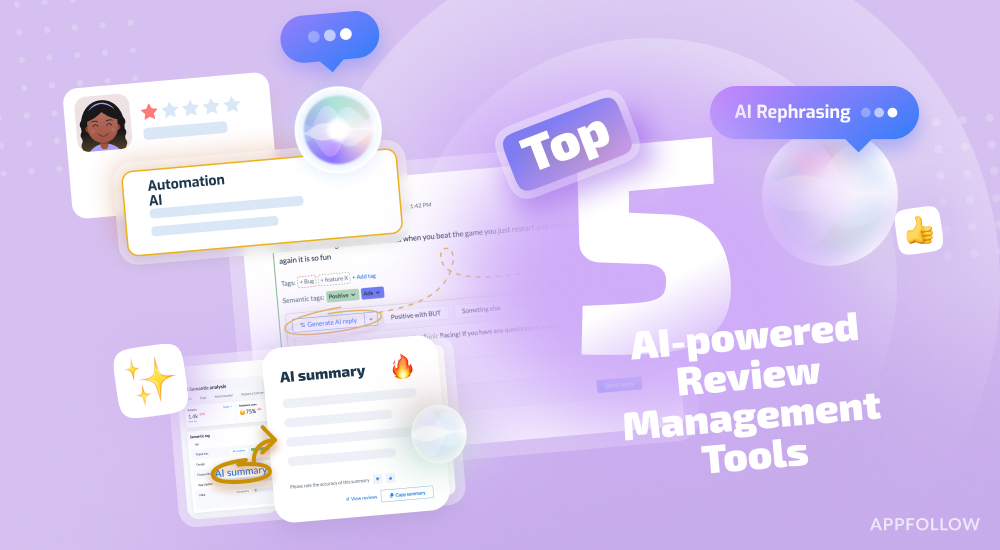
Table of Content:
By saying “effective” AI-powered review management, in this post I don’t mean “it can draft a polite response.” I mean speed + quality + coverage + workflow fit:
- near-instant handling of the easy stuff,
- on-brand replies that don’t sound like a bot,
- full coverage across app stores and feedback sources,
- and automation that routes the right issues to the right humans before your rating takes the hit.
That’s the real game.
Recently, we finished a 7-day research on the best AI review management tools. And here’s the proven shortlist you can start with:
- AppFollow (best for high-volume mobile teams that need autonomous replies in any language with brand tone + workflow automation),
- Appbot (best for support-first orgs that want review-to-ticket operations),
- AppTweak (best for ASO-led teams who want reviews alongside store growth work),
- Appfigures (best for indie/lean teams who want simple monitoring + ops basics),
- App Radar (best for ASO + lightweight review workflows).
If you’re here for the most effective, focus on the criteria below ⬇
How to choose the best AI-powered review management tool?
The right choice defines what kind of team you want to be: the team that replies when someone remembers or the team that runs review management like an operation.
Here’s the practical checklist companies use to pick the best AI-powered review management platform – for app stores and web feedback channels.
What to look for (and why it matters):
- Coverage: app stores + web sources (not just “we support iOS”). Make sure it pulls reviews from the places your reputation lives: Apple App Store + Google Play, and ideally, web sources your brand is tracked on.
- AI replies that can stay on-brand (not “polite robot mode”). The tool should let you control tone, structure, and “what we never say,” plus handle common flows (bug → workaround → support link, billing → refund path, etc.).
- Multilingual support that’s native, not just translated. Look for AI that can write in the user’s language (with correct tone), not merely translate English into awkward local phrasing.
- Smart triage: auto-tagging + issue clustering you can trust. You want semantic tagging (login bug, crashes, subscription renewal, delivery delays) and the ability to cluster similar complaints into themes.
- Automation rules that match real workflows (routing + SLAs). The tool should let you set rules like: “1★ + keyword ‘refund’ → billing queue,” “crash mentions → engineering,” “VIP users → priority,” “new version spike → alert.”
- Integrations where your team already works (Slack, Zendesk, Salesforce, etc.) If reviews can’t flow into your existing support and product tools, they’ll die in yet another dashboard.
- Analytics that measure outcomes, not vanity. Look for metrics like response time by rating, backlog by category, volume trends by version, and agent/team performance.
- Safety + governance controls (so AI doesn’t create a new problem). You need permissions, approval flows, restricted phrases, and clear boundaries for what AI can auto-reply to (and what must be reviewed by a human).
And here are solutions that meet this criteria ⬇
Top 5 most effective tools for AI-powered review management
- AppFollow → best for mobile app teams managing high review volume across markets. The platform is built for operational speed: AI reply suggestions in any language, plus tagging, saved views, AI summaries, and automation workflows that keep reviews moving instead of piling up.
- Appbot → best for support-led orgs that want reviews to behave like support tickets. Strong fit when your goal is turning store feedback into a structured workflow – routing, tracking, and closing the loop with product/support without losing context.
- AppTweak → best for ASO teams who want review management alongside store growth work. Makes sense when reviews are one input in a broader ASO workflow – useful if the same team owns keywords, metadata, competitors, and review response hygiene.
- Appfigures → best for lean teams who want straightforward review monitoring and reply workflows. Practical if you need visibility and basic response operations without a heavyweight process – especially when one person (or a tiny team) owns “keep the stores clean.”
- App Radar → best for ASO + lightweight review ops in one place. A good middle ground when you want review handling tied to ASO routines, but you’re not running a full-blown review operations machine.
Next, I’ll break these tools down feature-by-feature so you can see which one fits your workflow.
cta_free_trial_purple
Comparison table of 5 AI-powered review management tools
When you compare AI-powered review management tools, start with features, not brand names. Because the feature set is what will work (or fail) for your workflow: how replies get written, routed, automated, analyzed, and measured.
Below is a side-by-side comparison of our shortlist based on the must-have capabilities teams rely on in real review ops.
Feature | AppFollow | Appbot | AppTweak | Appfigures | App Radar |
AI reply personalization | + | + | + | - | + |
Multilingual replies | + | + | + | + | + |
Auto replies | + | + | + | - | - |
Reply templates | + | + | + | + | + |
Semantic analysis | + | + | + | + | + |
Spam/offensive reporting | + | - | - | + | - |
Alerts integrations | + | + | + | + | + |
Agent/team performance analysis | + | - | + | - | - |
If you want a more in-depth analysis of each tool with its pricing, pros, and cons, check the article “Top 7 Best Appstore Review Management Software: Features & Price”.
FAQs
Can AI reply in multiple languages without sounding robotic?
Yes, but only if the tool does more than translate. You want native-language generation that respects tone (friendly vs formal), structure (short vs detailed), and cultural norms (how direct you can be, how you apologize, what’s considered “polite”).
The easiest test: pull 20 real reviews in Spanish, German, and Japanese, generate replies, and ask a native speaker on your team one question: “Would you believe this was written by a human support agent?” If the answer is “kinda,” it’s not ready for production.
How do I stop AI from replying to the wrong reviews?
Give AI guardrails and routing rules, then force anything risky through an approval flow. In practice, that means:
- auto-reply only to low-risk categories (praise, simple how-to, known FAQs)
- never auto-reply to billing/refunds, safety/legal, account access, or anything with strong негатив/anger
- route by rating + keywords + tags (e.g., “refund” → billing queue, “crash” → engineering)
- block sensitive phrases and require human approval above a certain severity
If a tool can’t do rules + permissions cleanly, it will eventually embarrass you.
Can I manage reviews where my team already works (Slack/Zendesk/Salesforce)?
You should, otherwise reviews become “that other inbox” nobody owns. The right setup pushes reviews into the places your team already lives: Slack for alerts and triage, Zendesk/Salesforce for ticketing and ownership, and product tools for trend visibility.
The win is continuity: the same workflows, the same SLAs, the same accountability.
Read also: AI-Powered Review Management
What’s the fastest way to test if a tool will work for my app?
Run a 7-day reality test with your reviews. Not a demo. Not a sandbox.
Pick one market and one app, then track four numbers:
- % of reviews processed,
- median response time,
- how often humans had to rewrite AI replies,
- how many reviews turned into actionable issues/tickets.
If those metrics improve in a week, the tool fits your workflow. If you’re still “setting things up” by day five, it probably won’t stick.
Read also
- How App Store Optimization Tools Enhance App Visibility?
- How does automated review management improve customer engagement?
- 5 Review Management Software For Google Play Store Compared
- Top 5 Review Management Software for Apple App Store
- The top 10 app store optimization tools in 2026 (and when to use each)
- 10 Best App Analytics Tools: Features & Pricing Comparison
How Toca Boca increased Reply Rate by 109% and added 26.7K Stars