Why app stores nudge app companies to respond to reviews

Table of Content:
Short story from us: a major gaming client got an email from Apple's App Review team. No warning, no previous conversation, just a message…
"Your rating is quite low, and you should bring it up," the team wrote, showing them several negative reviews. "You don't pay attention to what the users are saying."
This company had never replied to app reviews actively before, as they didn't think it mattered. Then Apple told them it did.
We've heard this story four or five times in the past year from different companies: gaming studios, streaming apps, productivity tools. Apple and Google are reaching out to developers about low ratings. The message is pretty simple: start responding to users. How come? How does it work? What’s the gain for the app stores?
Let’s take a closer look, then!
App stores are watching
Something changed in how Apple and Google deal with developers. They used to just publish guidelines about responding to reviews, but now they're contacting companies directly.
The gaming company we mentioned is part of a big publisher (hope it’s okay, we’re keeping everyone private here). Their operations manager said: "Personally, we never saw this as a business important thing." Apple's email changed that fast. Within a few weeks they were looking at review management tools and setting up automation.
What Apple says in their guidelines
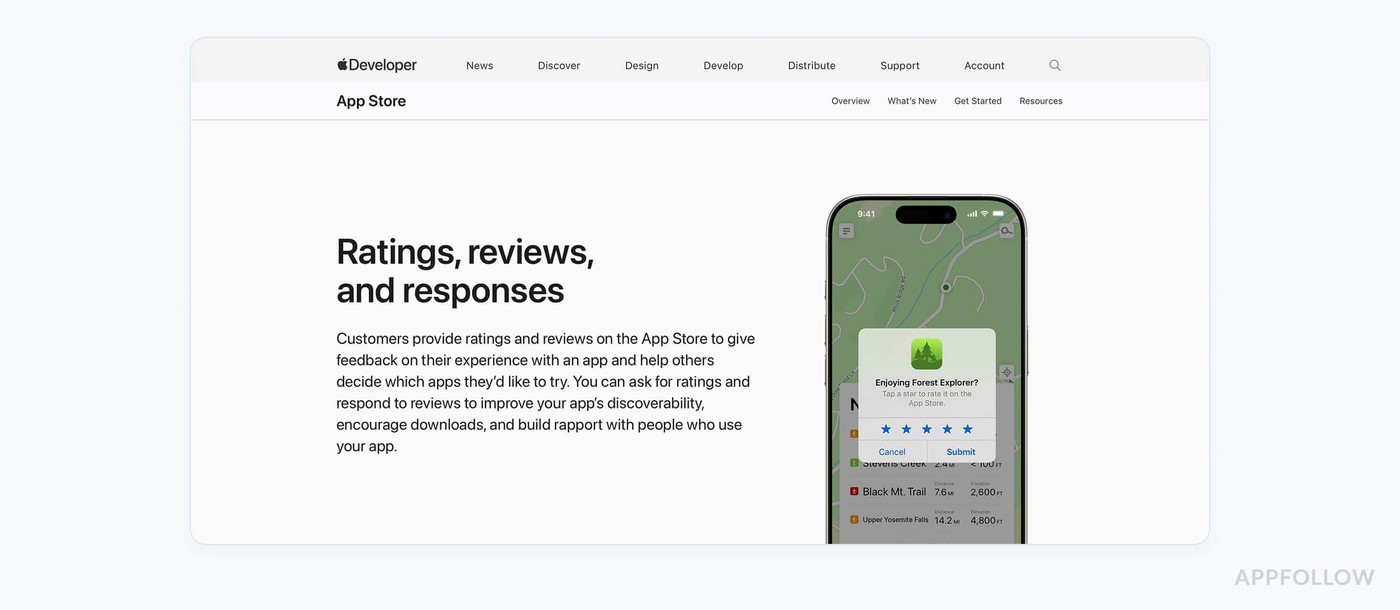
Apple has documentation about ratings and reviews. The guidelines say: "If you can't respond to every review, consider prioritizing reviews with the lowest star ratings or those mentioning technical issues with the current version of your app."
So they want you to focus on negative reviews and technical problems first.
The guidelines cover a few things:
- You need to acknowledge what users say. Apple wants developers to "clearly acknowledge the reviewer's feedback" and tell them you're working on problems. Generic responses probably don't help much.
- Timing matters. Apple says to reply quickly to new reviews after a major release. That's when users are most active and most likely to care about your response.
- Tell users about fixes. When you fix something users complained about, put it in your release notes. Reply to those reviews and let people know you fixed their problem. Apple thinks this helps win back unhappy users.
- Respond to featured reviews. Apple's algorithm shows reviews with developer responses more often. They tend to surface in the "Most Helpful" section.
The official documentation doesn't mention what we're seeing now. When Apple's review team emails you directly about your rating, they're doing something different, more than just following the developer guidelines. Someone looked at your app and decided you need to do better.
Google takes a different approach
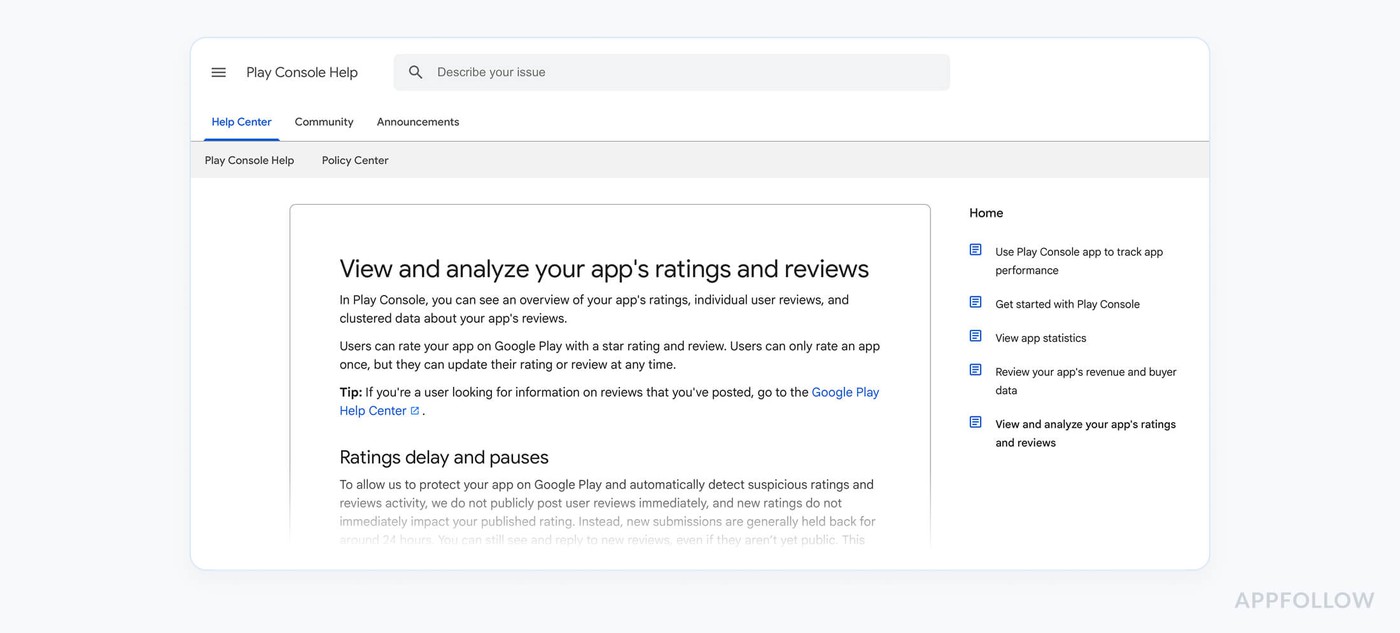
Google Play has their own guidelines. They focus on showing you data instead of calling you out directly.
Google shares some numbers: "Responding to a negative review can increase that rating by an average of +0.7." For an app sitting at 3.5 stars, getting that boost on your responded reviews could push you toward 4.0 stars (where the real moneymaking begins!).
Google's best practices:
- Be nice. "These are your users and you want to help them find a resolution, not burn bridges. Do not post content that is abusive, hateful, dismissive, or threatens or harasses others."
- Keep it relevant. Google tells you not to use review responses for promotions or solicitations. "Users don't find solicitations and promotions relevant or useful."
- Track when users update reviews. Google has systems for monitoring when users change their reviews after you respond. Their benchmarks section shows you how different topics affect your rating.
Apple tends to be more direct. They'll send you an email with specific bad reviews. As one developer said: "Google is more, I can't say relaxed, but... compared to Apple is a little bit different."
Google's algorithms watch too, though. If you keep ignoring reviews, you'll see it affect your visibility and featuring. They just don't call you about it as much.
What happens when you ignore reviews
Companies that don't respond to reviews see problems.
Your app becomes harder to find. Both app stores use ratings and engagement in their ranking algorithms. An app with a 3.8 rating and no responses usually ranks lower than an app with 3.9 and active engagement.
- You won't get featured. Apple and Google's editorial teams look at apps with good ratings and active developers. If your rating is low and you're not talking to users, they won't notice you.
- Users get louder. In the gaming company case, some users actually downgraded their positive reviews to get attention.
- You miss technical problems early. A lot of bugs get reported in reviews first. If you're not reading them, you won't know about crashes or compatibility issues until they spread.
Also, a few things explain why Apple and Google are pushing harder on review engagement right now.
AI review summaries are new. Starting in iOS 18.4, Apple added AI-generated summaries to app pages. These summaries pull highlights from user reviews. When a potential user sees a summary that says "users report crashes and poor support," that hurts more than scattered individual reviews.
There are millions of apps now. The stores need ways to show which apps are actually maintained. Developer engagement with reviews became a signal for that. An app with OK ratings and active responses often does better than a higher-rated app where the developer is silent. Subscriptions only work if developers maintain relationships with users, too - the stores benefit when their apps care about feedback and keep users around.
And, of course, platform reputation matters. Both Apple and Google face questions about app quality and user experience. Apps with poor ratings and no developer engagement make the whole platform look bad. If they push developers to engage, they protect their own reputation.
What companies do
When companies get contacted by Apple or Google, their response follows some patterns.
They look for tools fast. Companies that were managing reviews manually suddenly need automation. The gaming company went from doing nothing to checking out automation platforms in two weeks.
They use automation with human oversight. Most companies don't go fully automated. They set up systems to handle basic positive reviews and common questions automatically. Then they flag sensitive stuff, technical problems, or safety issues for humans to handle.
They build prioritization systems. Companies create triage based on Apple and Google's advice: featured reviews first, then negative reviews, then updated reviews where users changed their rating, then long, detailed feedback. What’s more, review response becomes a KPI. It shifted from "nice to have" to something customer support teams get measured on. Response times and rating improvements become metrics people track.
That's the reality. When Apple tells you your app needs better review engagement, you can't just say "maybe next quarter." You need to find something that works without breaking the budget. Companies need to show users and the stores that someone is listening. The question is how to do it at scale without spending too much.
How AppFollow handles this
AppFollow gives you everything you need to scale review responses across App Store, Google Play, and other stores from one dashboard. No jumping between platforms, no missing reviews because you forgot to check Samsung Galaxy Store.
AI does the reading
AI Summary reads hundreds of reviews and tells you the main themes instantly. After a major update, you can see what's breaking without reading every complaint individually. Filter by negative reviews from the last week, get a summary in seconds. Your team knows what to fix before the pattern becomes a crisis.
The summary updates when you change filters, too. Want to see only reviews mentioning crashes? Done. Want to analyze feedback from Japanese users specifically? Done. You get immediate insights instead of spending hours reading.
Automation handles volume
Auto replies work through templates and rules you set up. Five-star reviews get automatic thank you messages in the reviewer's language, bug reports get acknowledgment, and common questions get answered immediately.
You create templates that feel human. AppFollow translates them automatically into each user's language. One template works across all your markets; the gaming company that got contacted by Apple went from zero responses to covering their positive reviews in days using this.
AI replies go further than templates. They read each review and write personalized responses based on what the user said. Every response is unique. You set the tone and rules, AI handles the writing.
Tags show patterns
Auto tagging sorts reviews into categories automatically. Crashes, payment problems, feature requests, UI complaints. You see patterns immediately. When 30 reviews mention login errors after your update, the system shows you that as a trend.
Tags help you prioritize. Critical bugs get flagged for immediate human attention, positive feedback with suggestions gets routed to product teams, and support tickets get created in Zendesk or Jira automatically when tags indicate technical issues.
Reply effect tracks results
The system shows you if responses help. When users update their ratings after you reply, AppFollow tracks that. You can see which responses work and which ones need improvement. Compare AI reply performance to human responses. Figure out which scenarios need automation and which need personal attention.
Google says responding to negative reviews can boost ratings by 0.7 stars on average. AppFollow shows you if that's happening with your responses specifically.
Alerts catch problems early
Slack notifications are sent when sentiment drops or ratings fall below your threshold. Your team gets alerted the moment patterns spike, meaning you don’t need to check dashboards hoping to catch issues. The system tells you when something needs attention.
What happens next
App stores are moving from guidelines to active monitoring.
Waiting for this to go away will probably take a long time. The stores made their position clear. Tools to handle this are getting easier to use. The question is whether you act now or wait until Apple or Google emails you.
Right now, the message from both stores is the same, even if they deliver it differently. Your users are talking. You need to start listening and responding. Apps that stay silent are going to have problems.
Looking to set up a review response system? Knowing how Apple and Google evaluate app engagement helps you figure out where to focus. Build something sustainable that addresses user concerns without overwhelming your team.
FAQ
Why is Apple contacting developers about low ratings?
Apple's App Review team started reaching out to developers with low ratings who don't respond to reviews. They show you specific negative reviews and tell you your rating needs work. This is different from the old way where they just published guidelines and hoped developers would follow them.
What does Apple say about responding to app reviews?
Apple's guidelines say to focus on reviews with the lowest star ratings or technical issues first. They want you to acknowledge what reviewers say and tell them about fixes. When you release an update that fixes something users complained about, put it in your release notes and reply to those reviews.
How does Google Play encourage review responses?
Google shows you data. They say responding to negative reviews can boost ratings by an average of +0.7 stars. Their guidelines tell you to be helpful and keep responses relevant to what users actually said. They track when users update their reviews after you respond and give you benchmarks about how topics affect your rating.
What happens if you don't respond to app reviews?
Your app gets harder to find. Both stores use engagement in their ranking. You won't get featured because editorial teams look at apps with active developers. Some users downgrade their positive reviews to get your attention. You miss early warnings about bugs that show up in reviews first.
Do I need to respond to every app review?
No. Focus on what matters. Negative feedback, technical issues, featured reviews. A good response to a 1-star review matters more than responding to every 5-star review. Build something that handles low star ratings, technical problems, featured reviews, and detailed