How to turn negative feedback into product improvements: app review management for game teams

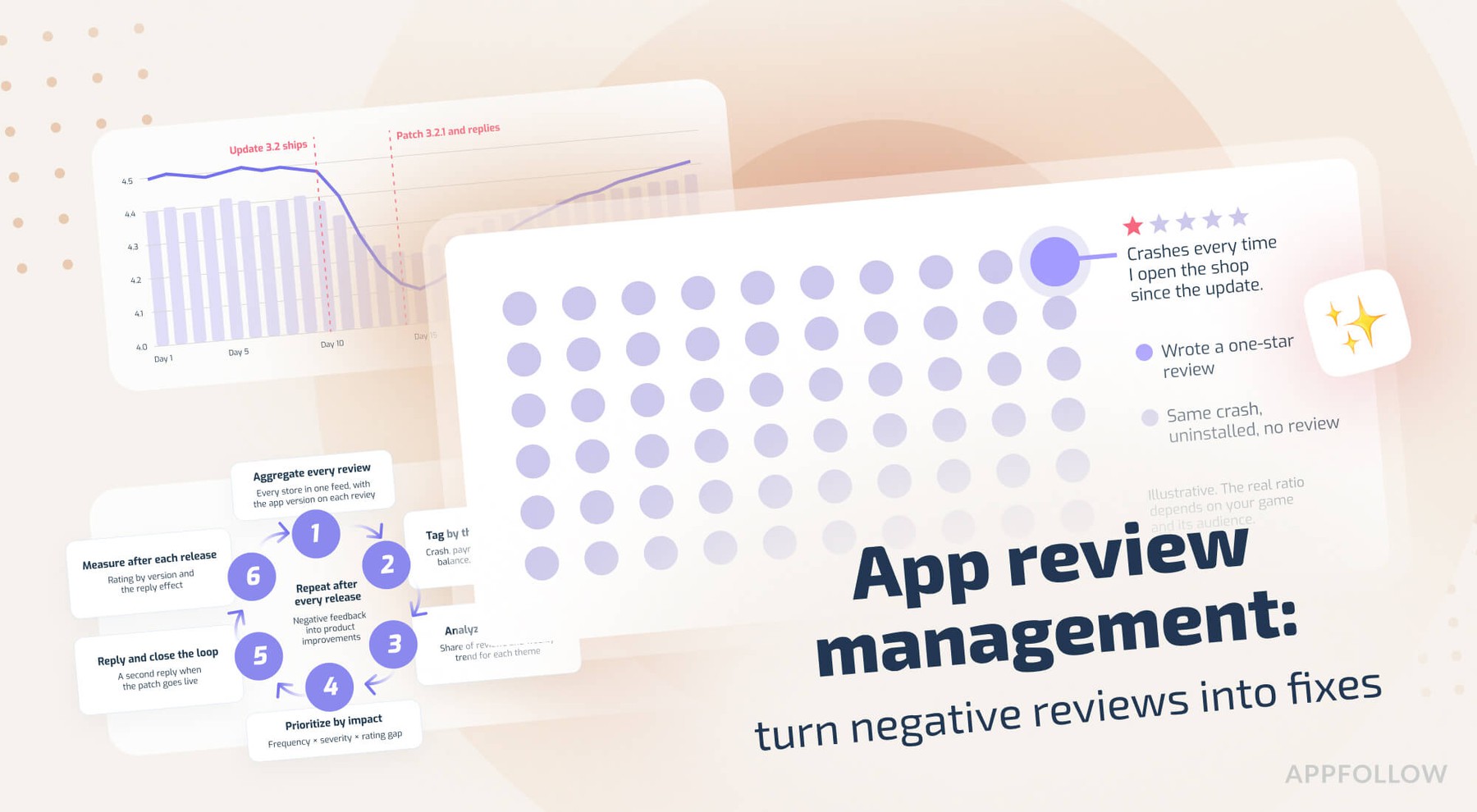
Most rating drops after an update have one specific cause, and players name it in the reviews hours before your retention dashboard shows anything unusual. Catching that signal early and getting it to the right team is the whole point of app review management.
A login loop in version 3.2 or a price hike on the starter pack (pick your poison), and by the next morning a few hundred one-star reviews describe the issue in detail. The hard part is the volume of player feedback. A live game with a decent player base can get thousands of app store reviews a week across App Store, Google Play, Galaxy Store, AppGallery, and Steam, in a dozen languages, and nobody has time to read them all, never mind turn them into Jira tickets.
Below is the six-step process we recommend to game teams who want to turn negative feedback into product improvements and keep the average rating (and store conversion) healthy through live ops.
Main takeaways
- Negative reviews are the cheapest product research a live game gets, because players name what broke and which build broke it.
- Ratings are an ASO input: Apple shows the summary rating in search results, and Google Play weights recent ratings more, so a bad update costs installs within days.
- A six-step loop covers the work: aggregate, tag, analyze, prioritize, reply, and measure the result.
- Customer feedback analysis only works with counts, since the loudest complaint and the most frequent complaint are often two different issues.
- Replies move ratings. Google says users update their rating by +0.7 stars on average after a developer reply.
Why negative reviews are your cheapest product research
Most negative reviews are bug reports or feature requests, plus a star rating and, on Google Play, the device and app version. SaaS companies pay for surveys to run a voice of customer program, and a game gets the same data for free in the store, typed on a phone keyboard by players who cared enough to leave a review.
What a one-star review tells you
Some one-star reviews are noise, like rage after a lost PvP match or a bare "worst game ever." The rest carry specifics like a level number or a missing purchase, and those specifics come in clusters.
A match-3 studio that changes its energy system will see "energy" in a spike of reviews within a day or two, long before the aggregate rating moves much. When 40 reviews in one day mention level 212, you're looking at a bug, and the players already gave you the level number.
The players who never write a review
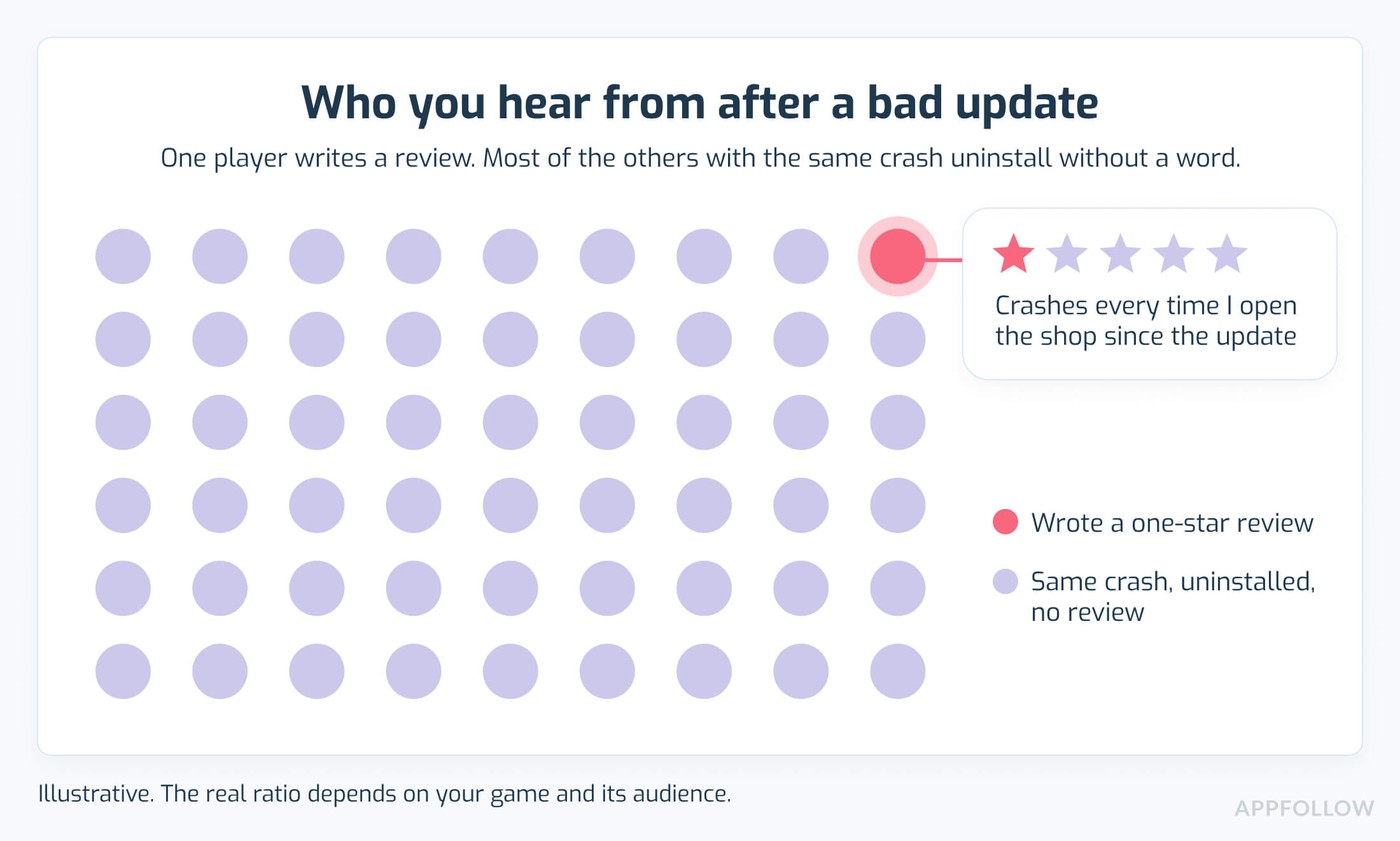
For every player who complains, many more hit the same problem and uninstall without a word. They show up later as a dip in D7 retention with no obvious cause, which makes each written complaint worth a lot more than one data point.
Feature requests in two- and three-star reviews
Mid-rating reviews come from players who like the game and want more from it, like a replay option for events or a way to skip the tutorial on a second account. That's roadmap research you'd otherwise pay a user research agency for, and it becomes a product feedback loop once somebody tags and counts those requests every week.
"A one-star review is the shortest product spec you'll ever get from a player. Treat each angry review as a line item in the backlog, with an owner and a status."
- Ilia Kukharev, Product Manager, AppFollow
In practice, every negative review should end up with a theme tag and a team. If a review has neither after 48 hours, nobody owns it, and it probably has 20 siblings with the same problem. Doing this by hand across five stores and ten languages is slow, and it's usually the first process a team drops during a release crunch.
The ASO cost of ignoring player feedback
Ratings and reviews affect two numbers an ASO manager owns: store conversion and search visibility.
How app ratings and reviews influence store conversion
Apple's ratings and reviews guidance says the summary rating appears on your product page and in search results. A player scrolling search results compares your 4.1 with a competitor's 4.6 before opening either page, and a crash review with a few hundred helpful votes stays near the top of your listing for as long as it keeps collecting votes.
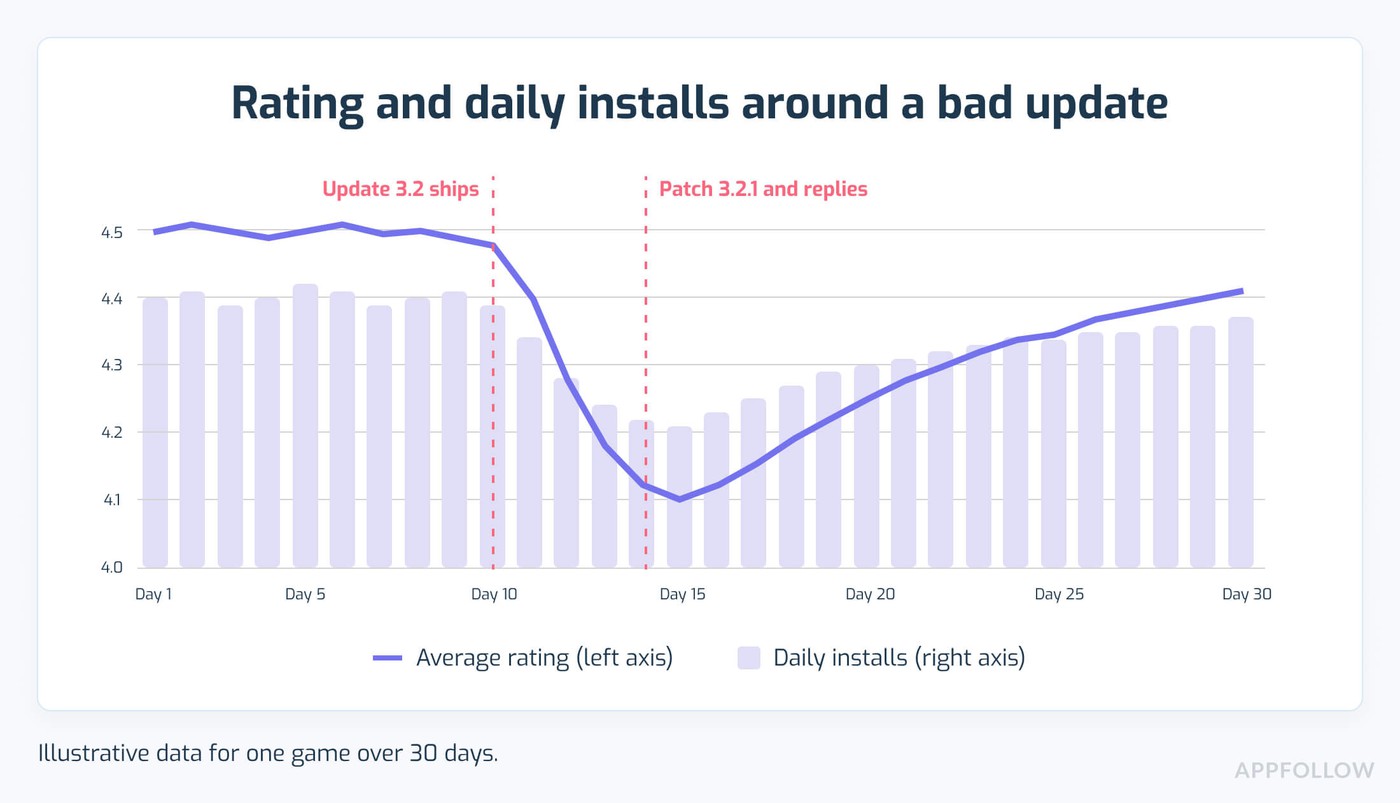
On Google Play, a broken update hurts even faster. In 2019, Google changed how Play ratings are calculated to give recent ratings more weight than the lifetime average, so a bad build can cut the displayed rating within days. Mobile game reviews also come in waves after events and patches, which makes the swings bigger.
Reviews as an ASO ranking factor
Neither store publishes its ranking formula. Apple does tell developers that responding to reviews helps discoverability. The indirect effect is easy to follow: a lower rating cuts taps from search, which cuts installs, and install velocity is one of the few ranking inputs most ASO specialists agree on for both stores.
Make review monitoring part of your ASO strategy, with a named owner and a weekly check.
The compounding cost of a slow response
A rating dip during a UA push is the expensive version of this problem. You pay for the ad click either way, and the store page converts worse.
Some quick math (illustrative numbers, your category will differ): a listing that converts 30% of paid visitors at 4.5 stars might convert 25% at 4.1. On 100,000 paid store visits a week, that's 5,000 fewer installs from the same budget.
"Players see your rating before they see a single screenshot. If it slides half a star during a UA push, you pay for store visits that never turn into installs. I'd put review work on the ASO team's plate for that reason alone."
- Yaroslav Rudnitskiy, Senior Professional Services Manager, AppFollow
The practical version: check the rating trend before you scale spend on a new campaign, and if it's already slipping, fix and reply first, then raise the budget.
AppFollow pulls Google Play reviews every 10 to 15 minutes when the Play Console is connected (App Store reviews every one to three hours, after store moderation), and rating-change and review-spike alerts go to Slack or email, so you can monitor app performance and catch a post-update dip on day one.
Read also: App Store Optimization for Games: The 2026 Playbook for Indie Devs and Publishers
The app review management framework: from a bad review to a shipped fix
Turning negative feedback into product improvements is a repeatable six-step loop: aggregate every review, tag it by theme, analyze the clusters, prioritize by impact, reply to the reviewer, and measure the result. App review management is the process of collecting, tagging, analyzing, and replying to app store reviews so the product team gets the findings.
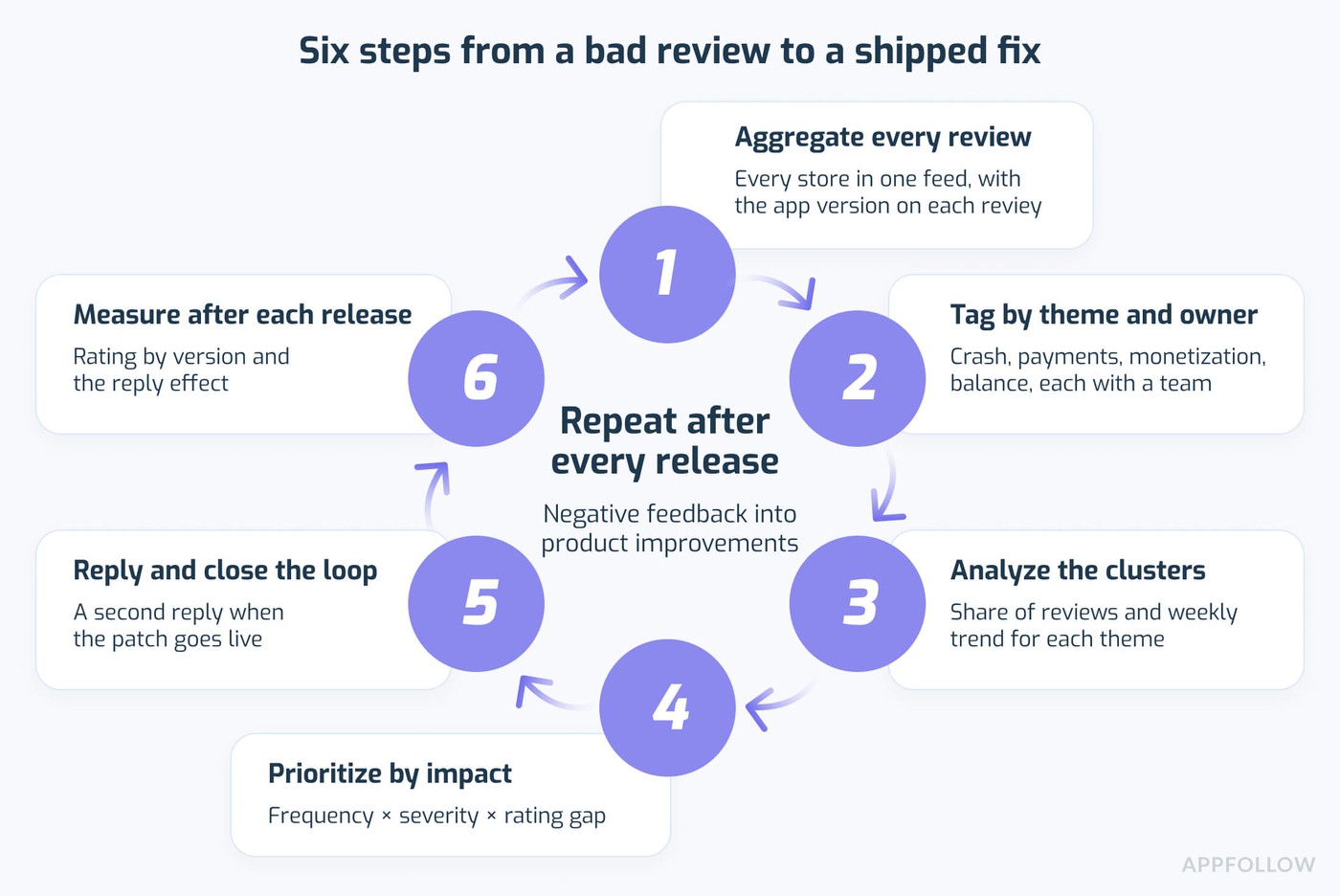
- Aggregate every review in one place.
- Tag each review by theme and owner.
- Analyze sentiment and find the clusters.
- Prioritize clusters by impact.
- Reply to reviewers and close the loop.
- Measure the result after each release.
1. Aggregate every review in one place
A cross-platform game collects reviews in four or five consoles: App Store Connect, Google Play Console, Samsung's Galaxy Store Seller Portal, AppGallery Connect, and Steamworks for the PC build. None of them gives you a view across stores.
The minimum useful setup is one feed where every review carries store, country, language, app version, rating, and date. Don't skip app version, since it's the only way to tie a complaint to a specific build. If support runs in-app feedback through Zendesk or Helpshift, add those tickets to the same view, because players often send the same complaint through both channels.
AppFollow's app review management tool collects reviews from all of these (plus the Microsoft Store) into one feed and auto-translates them into one working language.
2. Tag each review by theme and owner
Tagging is what makes a feed countable, so start with a short list of themes and give each one an owning team:
Tag | Typical review text | Owner |
Crash or freeze | "closes when I open the shop", "black screen" | QA and engineering |
Connection | "keeps disconnecting in PvP" | Backend |
Payments | "paid but no gems", "refund" | Payments and support |
Monetization | "pay to win", "energy", "too many ads" | Product and economy design |
Balance | "new hero is broken", "matchmaking" | Game design |
Feature request | "please add", "wish there was" | Product |
Keep the list under 20 tags. Past that, people stop tagging consistently and your counts get noisy (ask anyone who inherited a workspace with 140 tags, including "bug" and "bugs 2").
A typical auto-tagging rule: rating is 1 or 2 stars, and the text contains "crash|freeze|black screen", then apply the Crash tag and ping the QA channel in Slack. In AppFollow, auto-tag rules run every 10 minutes and cover the last 14 days of untagged reviews when you create one, so a new tag has history from the start.
3. Analyze sentiment and find the clusters
Counting beats reading once you pass a few hundred reviews a week. For each theme, track four numbers: its share of all reviews, the average rating inside it, the week-over-week trend, and the split by app version and country.
A theme that jumps from 2% to 9% of reviews after version 3.2 deserves more attention than a steady 15% complaining about ads, because the ads complaint is baseline for a free-to-play game and the jump is new.
Keyword rules catch "crash" and miss "kicks me back to the home screen every time I open the shop." Sentiment analysis of app reviews with a semantic model reads meaning across phrasing and languages, which matters when a third of your players write in Portuguese or Korean.
AppFollow's semantic analysis (a paid add-on, 20 languages) sorts reviews into categories like Bugs and Monetization, and AI summaries condense any filtered view into a short theme list. The reviews management lessons in AppFollow Academy cover the setup.
"The loudest reviews tell you what hurts this week. To find out what deserves a sprint, you have to count every review by theme, and in my experience the overlap between those two lists is small."
- Ilya Kataev, Professional Services Team Lead, AppFollow
Run both views: the newest one-star reviews daily for fires, theme shares weekly for the roadmap.
4. Prioritize clusters by impact
A simple score is enough: frequency x severity x rating impact. Frequency is the cluster's share of reviews in the last 14 days. Severity is a 1-to-3 scale, with 3 for anything that blocks play or payment, 2 for a degraded experience, and 1 for cosmetic issues and wishes. Rating impact is the difference between your app's average rating and the cluster's average.
Cluster (illustrative) | Share of reviews | Severity | Rating gap | Score |
Shop crash on v3.2 | 9% | 3 | 2.8 | 76 |
Energy cap too low | 12% | 2 | 1.9 | 46 |
Ads between levels | 15% | 1 | 1.2 | 18 |
Guild chat request | 4% | 1 | 0.6 | 2 |
Take the top items to sprint planning with the review count and five sample quotes for each. Numbers like "212 reviews in 10 days, average rating 1.3" end most prioritization debates quickly. The handoff from support to product usually has no owner, so give it one, plus a fixed slot in the planning calendar.
Check competitors before you commit. If every game in your genre gets energy complaints, that's a genre norm and a lower priority than a crash that's unique to your build. AppFollow's benchmark report, part of its app competitor analysis toolset, compares up to 20 apps on sentiment score and bug share, with the top semantic tag for each.
5. Reply to reviewers and close the loop
Replies are the part of the loop that recovers rating points. Google says users update their rating by +0.7 stars on average when developers reply (same 2019 announcement), and both stores notify the reviewer about a developer response.
Name the specific issue and say what happens next, with a version number or a date. When the patch has been shipped, reply a second time and ask the player to update the review. Most teams skip that second reply.
"Hi Sam, thanks for the details on the shop crash. We found the cause, and the fix is in version 3.2.1, out this week. Once you update, let us know if the shop opens normally for you."
Known issues and refund requests follow patterns, so templates or AI replies with an approval step can cover them in the player's language. Keep people on monetization complaints and anything with a long, specific story, because those players can tell a canned reply from a human one.
If you respond to app store reviews by hand today, start by automating the replies to your top two known issues. AppFollow's workflow automation rules send template or AI replies to matching reviews, either live or held for approval.
"Teams fix the bug and forget the reply, which is half of review management. If nobody tells the player the fix is live, that one-star stays on the listing, and your average stays at the same level. The reply is the part that moves the number."
- Dzianis Shalkou, Senior Professional Services Manager, AppFollow
The simplest fix is a saved filter: 1- and 2-star reviews tagged with the resolved issue and no second reply yet. Work through it on patch day.
6. Measure the result after each release
Measuring is how you prove the loop to people who don't read reviews. Track this after every patch:
- Average rating for the new version compared with the previous one
- The fixed cluster's share of new reviews, which should fall within a week or two
- Response rate and time to first response
- Reply effect, meaning the share of replied reviews where the player raised the rating afterward
Send a one-page version to product and live ops after each release. In AppFollow, rating analysis splits ratings by the last four versions and by country, and the reply effect metric counts rating changes within three months of a reply.
How AppFollow turns player feedback into product improvements
AppFollow runs the six steps above for game teams that don't want to hire extra people for review work. Studios like Riot Games, Playrix, Wargaming, Gameloft, Azur Games, and Supersonic use AppFollow for gaming to handle app review management across their portfolios.
Aggregate and monitor at scale
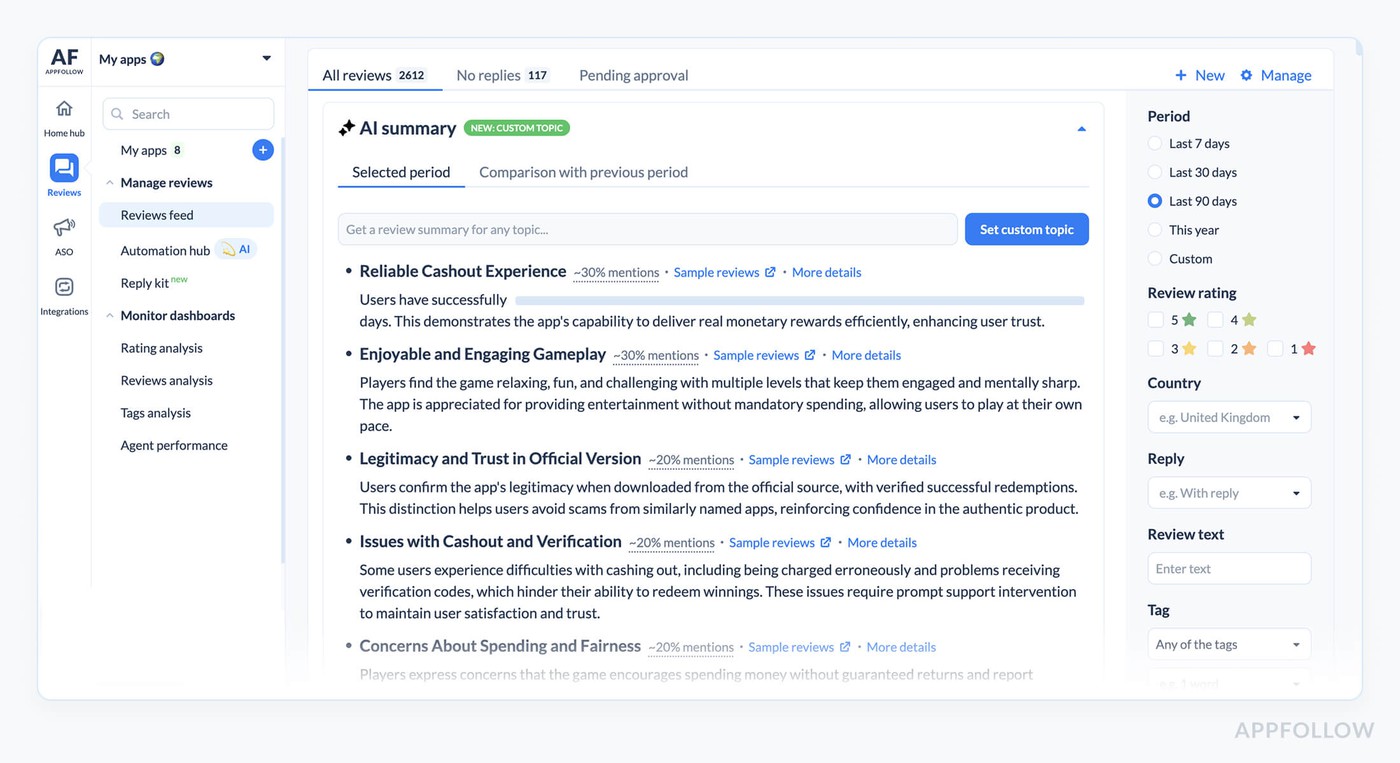
One feed covers every store from step 1, and alerts for review spikes and rating changes go to Slack, Discord, Microsoft Teams, or email.
Automatic tagging and routing
Auto-tag rules on text, rating, sentiment, and semantic tags send crash reports and payment issues to the team that owns them, and tagged-review alerts put each cluster in the right Slack channel.
Player sentiment analysis and AI summaries
Phrase analysis lists the most common phrases in your reviews with their average rating and trend, next to the semantic categories. AI summaries turn a few thousand post-patch reviews into a short theme list for the morning standup. Kolibri Games put it simply: "AppFollow automatically organizes actionable insights for us."
AI replies and workflow automation
AI replies follow your custom instructions for tone and come out in the reviewer's language. Automation rules can also report spam or abusive reviews to the store, with an approval mode for anything that needs a human check.
Roku, a streaming company with the same volume problem, now tackles 35 to 50% of its reviews with AppFollow and cut response time by 10x. G5 Entertainment spent 24% less time on repetitive tasks after adding AI to its user communication.
Roadmap and competitor intelligence
Categorized reviews give product managers counts they can plan around, and the benchmark report from step 4 adds the competitor view.
"At a few hundred reviews a day, manual tagging turns into a full-time job for somebody who has a different job. Let rules handle the obvious stuff, and keep people on the reviews where a person makes a difference."
- Lucija Knezic, Senior CSM & Product Strategy Manager, AppFollow
A good first week looks like this: rules for your top five themes plus AI summaries on 1- and 2-star reviews. Everything else can stay manual until you trust the tags.
If you want to try it on your own game, start a free trial and connect one app first.
What the six steps look like in three live-game scenarios
The scenarios below are composites of common live-game patterns, with illustrative numbers.
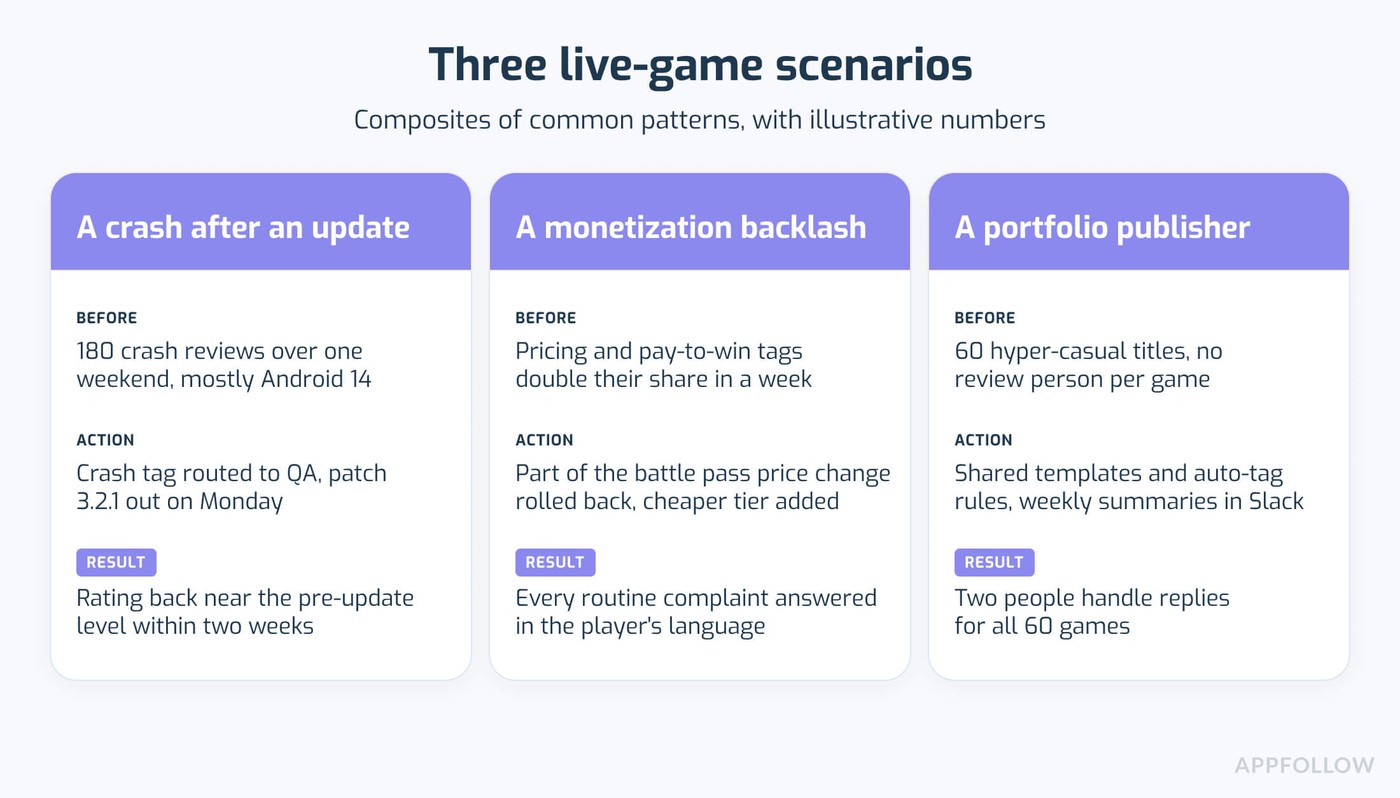
A crash after an update
Version 3.2 ships on a Friday at 6 p.m. By Saturday morning a review-spike alert fires, and auto-tags put 180 new reviews into the Crash bucket, mostly from Android 14 devices. QA reproduces it by noon and 3.2.1 goes out on Monday. Support replies to every tagged reviewer with the patch note, and two weeks later the rating for 3.2.1 is back near the pre-update level.
A monetization backlash
After a battle pass price change, semantic analysis shows the pricing and pay-to-win tags doubling their share within a week. Product rolls back part of the change and adds a cheaper tier. Automation replies to routine complaints in eight languages, and the community team writes personal replies to the longest, angriest reviews.
A portfolio publisher
A publisher with 60 live hyper-casual titles can't staff a review person per game. One set of workspace-wide templates and auto-tag rules covers the whole portfolio, and weekly feedback summaries in Slack flag which titles had a bad week. Two people handle replies for all 60 games.
"The studios I see grow their rating reply to a bad review within a day, then reply again once the fix is in the build. Most teams underrate that second reply."
- Veronika Bocharova, Customer Success Manager, AppFollow
Put that second reply on the patch checklist next to the release notes, so it goes out on the same day as the patch.
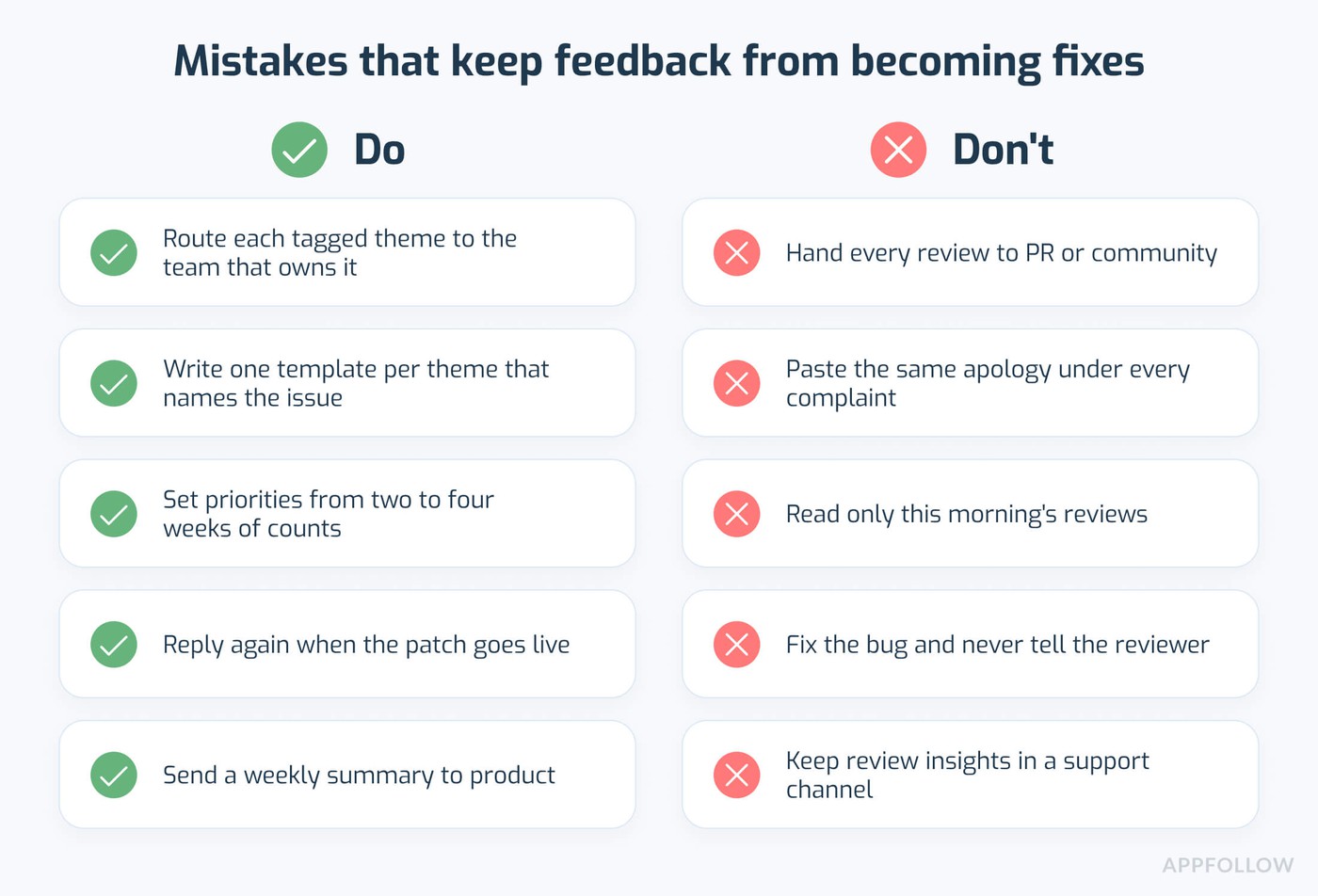
Common mistakes that keep feedback from becoming fixes
- Handing reviews only to community or PR. Their job is tone and reputation, so the counts never reach anyone who owns a roadmap.
- Generic replies. "Sorry for the inconvenience" on 400 different complaints reads like a bot, and players say so in their next one-star review. Auto-reply tone can still be specific, with one template per theme.
- Reading only the newest reviews. The feed shows what came in this morning, and priorities come from counts over two to four weeks.
- Fixing without a reply. The bug is gone, and the one-star review and the rating hit are still there.
- Review insights stuck in a support channel. If no product manager reads the weekly summary, reviews never influence the roadmap, and players churn over the same issue for months.
cta_get_started_purple
FAQ
How do you turn negative feedback into product improvements?
You turn negative feedback into product improvements with a six-step loop: aggregate reviews from every store, tag them by theme, analyze which themes grow, prioritize by frequency and severity, reply to reviewers when the fix ships, and check the rating by version afterward. Run the loop again after each release.
How do you respond to negative app reviews?
Reply within a day and name the specific issue, with a version number or date for the fix. Skip generic apologies. When the patch goes live, reply a second time and ask the player to update the review, since that second message gives the player a reason to change the rating.
Do negative reviews hurt your app store ranking?
Yes, mostly through conversion. Apple shows the summary rating in search results and on the product page, and a lower rating means fewer taps and installs, which weakens keyword positions over time. Google Play gives recent ratings more weight, so one bad update can move the displayed rating within days.
Does replying to reviews improve your app rating?
Yes, in many cases. Google reports that users who get a developer reply update their rating by +0.7 stars on average. AppFollow's own reply effect data shows most rating changes happen without any reply at all, so treat replies as a recovery tool for the reviewers you reach and track the result per reply.
How do game studios manage reviews at scale?
With automation on the repetitive parts: one feed for all stores, auto-tag rules that route crashes and payment issues to the right team, AI summaries for daily checks, and templates or AI replies for common questions. Studios like Playrix and Wargaming use AppFollow for this work, so their people spend time on the edge cases.