Run portfolio checks and monthly reports with the AppFollow MCP

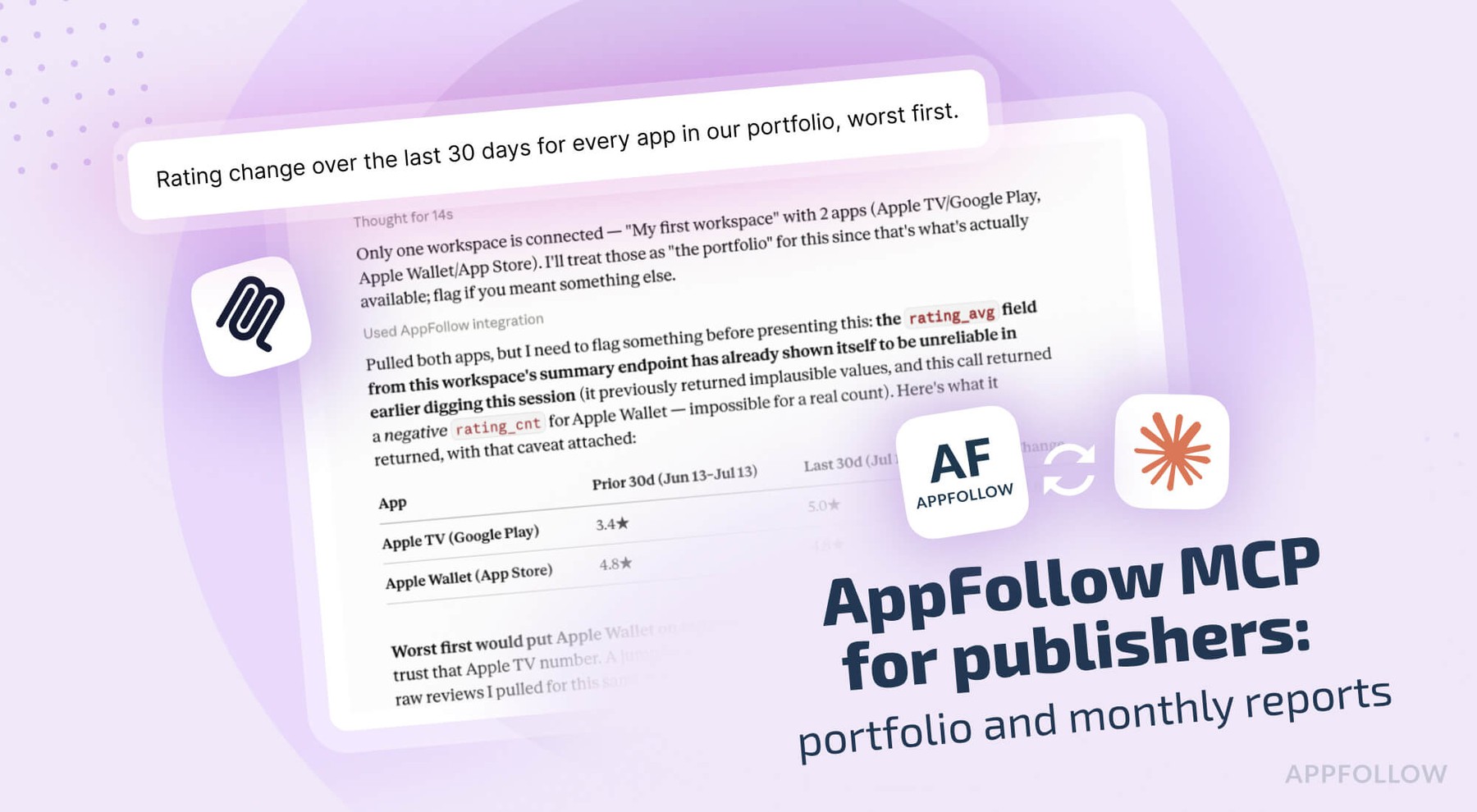
Table of Content:
- Connect the AppFollow MCP server to Claude
- Check the whole portfolio in one question
- Early warning: the gap between rating and sentiment
- Build the same monthly report every month
- What to automate outside Claude
- Add the install split from the ASO report
- Export your full review history with the AppFollow MCP
- What to do once the data is yours
- AppFollow MCP credits, permissions, and limits
- FAQs
Twelve live titles, Monday morning, and the only honest answer to "which ones need attention this week" is that somebody would have to open twelve dashboards to find out. By the time that's done, it's Wednesday, and the answer covers last week. Been there, done that.
Part five of this series covers the three jobs that only exist at portfolio scale: the weekly scan across every title, the monthly report that has to look the same every month, and getting your own review history out as a file you can load into a warehouse. Publisher ops is where the review and ASO data stops being a per-app question, after all.
Connect the AppFollow MCP server to Claude
Settings, Connectors, Browse connectors, search for AppFollow, connect, sign in with the Google account tied to your AppFollow login. Owner or Admin rights; no API key.
For Claude Code and Codex, the AI Toolkit ships the same server with guided workflows:
/plugin marketplace add AppFollow/appfollow-ai-toolkit
/plugin install appfollow-ai-toolkit@appfollow-ai-toolkit
Open with "what apps and workspaces do we have?" so Claude has the full list of store IDs up front. On a portfolio this call does more work than anywhere else in the series, since every question after it fans out across every app in that list.
The server works with any MCP-compatible client, so the same connection covers ChatGPT, Codex, Cursor, Gemini, GitHub Copilot and Perplexity. AppFollow's MCP and AI Toolkit documentation has the per-client setup steps.
Check the whole portfolio in one question
"Across all our live titles, which two need attention this week and why?"
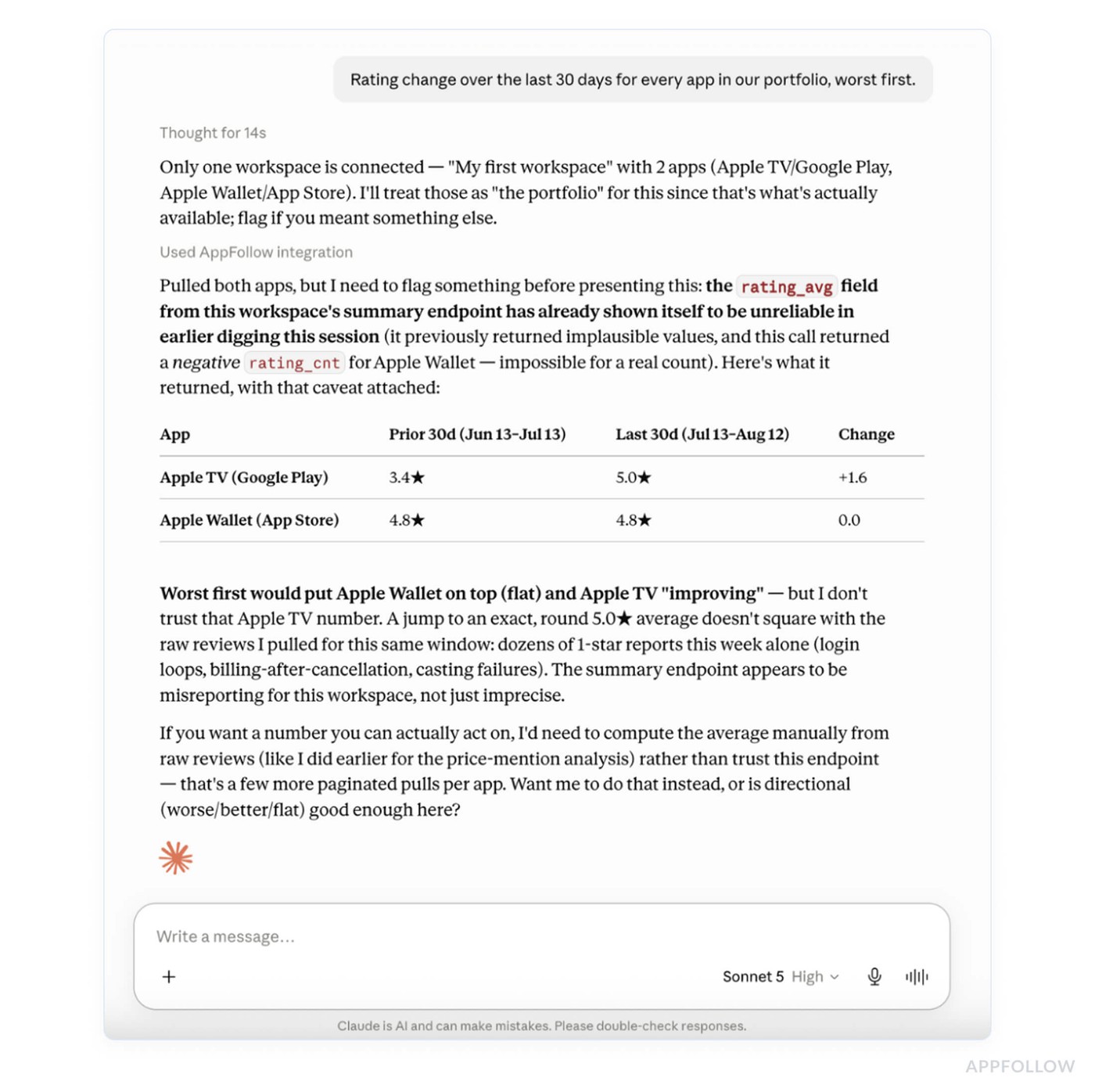
Every app comes back on one line: rating now against 30 days ago, review volume, which way sentiment is moving, and the biggest complaint theme. Under the table sits the answer you asked for, naming the titles moving the wrong way, what's driving each one, and what to do first.
Nobody should accept "Title C needs attention" without seeing the line it came from, and the one-line format means a twelve-app portfolio fits on a screen.
Follow-ups:
- "Rating change over the last 30 days for every app in our portfolio, worst first."
- "Same table, split by store."
- "Which title is taking the sharpest turn in review sentiment this month?"
- "Rank the portfolio by unanswered 1- and 2-star reviews."
Early warning: the gap between rating and sentiment
"Which title has the widest gap between its store rating and the sentiment of this month's reviews?"
A store rating is an accumulated figure that takes weeks to react, something part two of this series goes into properly. Sentiment reacts immediately. A title whose current sentiment sits well below its displayed rating is carrying damage that hasn't been counted yet, and you have a few weeks to fix it before the number catches up and starts costing conversions.
Once a title is flagged, the drill-down is the product workflow: release health against the previous version, what's new in the complaint themes, and whether the last update caused it.
Build the same monthly report every month
"Build the monthly ASO report: keyword movements, category rank, ratings and what reviews say."
What comes back is the report stakeholders already expect. Keyword gains and losses, each with its popularity score so the big movers sort to the top. Category rank trend. The ratings trend with its star mix. Review themes. A summary at the top saying what changed and what to do next month.
Repeatability is the whole value, and it's the thing hand-written prompts destroy. When five people each write their own version, you get five reports whose numbers don't line up, and month two can't be compared to month one. Running the same question produces the same shape, which is what makes a trend visible.
If you're in Claude Code or Codex, the toolkit's /feedback-analysis and /aso-analysis commands go further: both produce a self-contained HTML file you can send to whoever needs it, as well as a structured findings file that another agent can read to file tickets.
Follow-ups:
- "Same report for the last 7 days, only what changed."
- "Which keyword movements this month were on the highest-popularity terms?"
- "Which of our tracked keywords crossed into the top 10 this month, and which fell out?"
- "Turn this into a five-bullet exec summary."
What to automate outside Claude
Some of this shouldn't need a person to ask for it. AppFollow covers the scheduled half, and you set each one up once:
- Feedback summary alerts, weekly every Monday or monthly on the 1st, with sentiment shifts and the themes behind them, delivered to Slack or email.
- Review spike alerts on unusual surges in volume, which is how you hear about a bad release on a Saturday.
- Total rating change alerts and app update alerts, per title.
- AI summary alerts tied to a semantic tag crossing a threshold, so a wave of payment complaints pings the channel with a link to the reviews behind it.
- Regular reports with review counts and rating changes, daily, weekly or monthly, to Slack, Telegram or email.
The MCP tools don't create any of these, so alerts stay a dashboard job. Their job is to flag movement. The follow-up question is what Claude is for.
Add the install split from the ASO report
With App Store Connect and Google Play Console connected to AppFollow, the monthly report picks up the install split between store search and browse, which is the difference between your keyword work paying off and your featuring paying off. Part one of this series covers that split and what each failure case looks like.
Export your full review history with the AppFollow MCP
"Pull every review for our flagship since January and save it as a CSV we can load into our warehouse."
This goes past the 10,000-row ceiling on dashboard exports. Every row carries rating, title, body, author, date, store, country, language, app version, whether you replied, and the reply text, so what lands is analysis-ready.
Claude writes to a file instead of pulling 40,000 rows into the conversation, which is the only reason a job that size is practical at all. What you land is a queryable table. Scrolling 40,000 rows through a chat window helps nobody.
If a warehouse is more than you need, AppFollow pushes to Tableau as well.
Ask for the count first. "How many reviews are in that window before we pull them?" costs one cheap call and tells you what the export will cost in credits.
Follow-ups:
- "Export all reviews for our five apps for the last two years, one CSV per app."
- "Same export, plus a column flagging which ones we answered."
- "Export (competitor)'s reviews for the last year so we can compare the complaint mix."
What to do once the data is yours
Join it with what only you have
Reviews carry app version and country. So do your subscription events, your support tickets, and your churn data. That join answers questions neither system can answer alone: whether the cohort complaining about the paywall went on to cancel, or whether the countries filing the most bugs are the ones churning fastest.
Run your own taxonomy over it
Generic theme labels are fine for a weekly scan and useless in a roadmap conversation, because they miss your product team's own vocabulary. With the raw text in a table, you can classify against your own categories and re-run the classifier whenever the taxonomy changes, with no second pull and no extra credits.
Look further back than any dashboard window
Three years of releases in one table show how the complaint mix shifted across them, which is what tells you whether the thing everyone complains about now is new or three years old.
Review data includes author names from some stores, so the file belongs under whatever policy already covers your support data. Decide where it lives before you create it.
AppFollow MCP credits, permissions, and limits
A single app's two-year history across both stores costs real credits, and five apps cost five times that. Ask for the count first, then check get_credits, then run the export.
Everything Claude sees is scoped to your AppFollow permissions, and which methods you can reach depends on your subscription. Workspace structure carries over too, so a question about "all our titles" covers every workspace your account has access to.
It's built on store data plus whatever you've connected to AppFollow. An app with 11 reviews this month will produce a sentiment reading that moves on one angry user. Weight the small titles accordingly, and ask for review volume next to every rating so the thin ones are obvious.
Freshness is worth knowing too. A newly added app starts collecting reviews within about two hours, though a back catalog of 4,000 reviews or more needs up to two days. After that, App Store reviews refresh every one to three hours and Google Play every ten to fifteen minutes when a console connection is active, with store-side delays of up to 36 hours on a bad day.
cta_get_started_purple
FAQs
Can Claude check all my apps at once?
Yes. Ask across the portfolio and you get one line per app with rating now against 30 days ago, review volume, sentiment direction and the top complaint theme, plus a direct answer about which titles need attention. Scope matches your AppFollow account permissions.
How do I get the same report every month?
Ask the same question each month, or use the toolkit's /aso-analysis and /feedback-analysis commands in Claude Code or Codex, which run fixed workflows and return the same report shape every time as an HTML file plus a structured findings file.
Can I export more than 10,000 reviews?
Yes. The 10,000-row ceiling applies to dashboard exports. Over MCP, Claude writes results to a file as it pulls, so jobs in the tens of thousands of rows work. Ask for the review count in the window first so you know the credit cost.
What columns does the review export include?
Rating, title, body, author, date, store, country, language, app version, whether you replied and the reply text. That's enough to join against your own subscription or support data on version and country.
Can Claude compare our apps against competitors?
Yes, for the apps you track as competitors. You can pull their review history, compare complaint mixes, and put their ratings trend next to yours. Competitor data is public store data, so it covers reviews and ratings and leaves out their installs. AppFollow's benchmark report packages the same comparison for up to 20 apps with market averages beside each metric, and that one lives in the dashboard.
Do I need the ASO report connection?
Only for the install side. Without App Store Connect and Play Console connected, the monthly report still covers keywords, category rank, ratings and review themes. With them, it adds the split between search and browse installs.
Does the AppFollow MCP use my API credits?
Yes, and portfolio work costs more than single-app work because every question fans out across every title. Large exports are the biggest line item. Check the balance with get_credits or in the MCP token section of your API dashboard.