Turning negative feedback into product improvements with AppFollow MCP

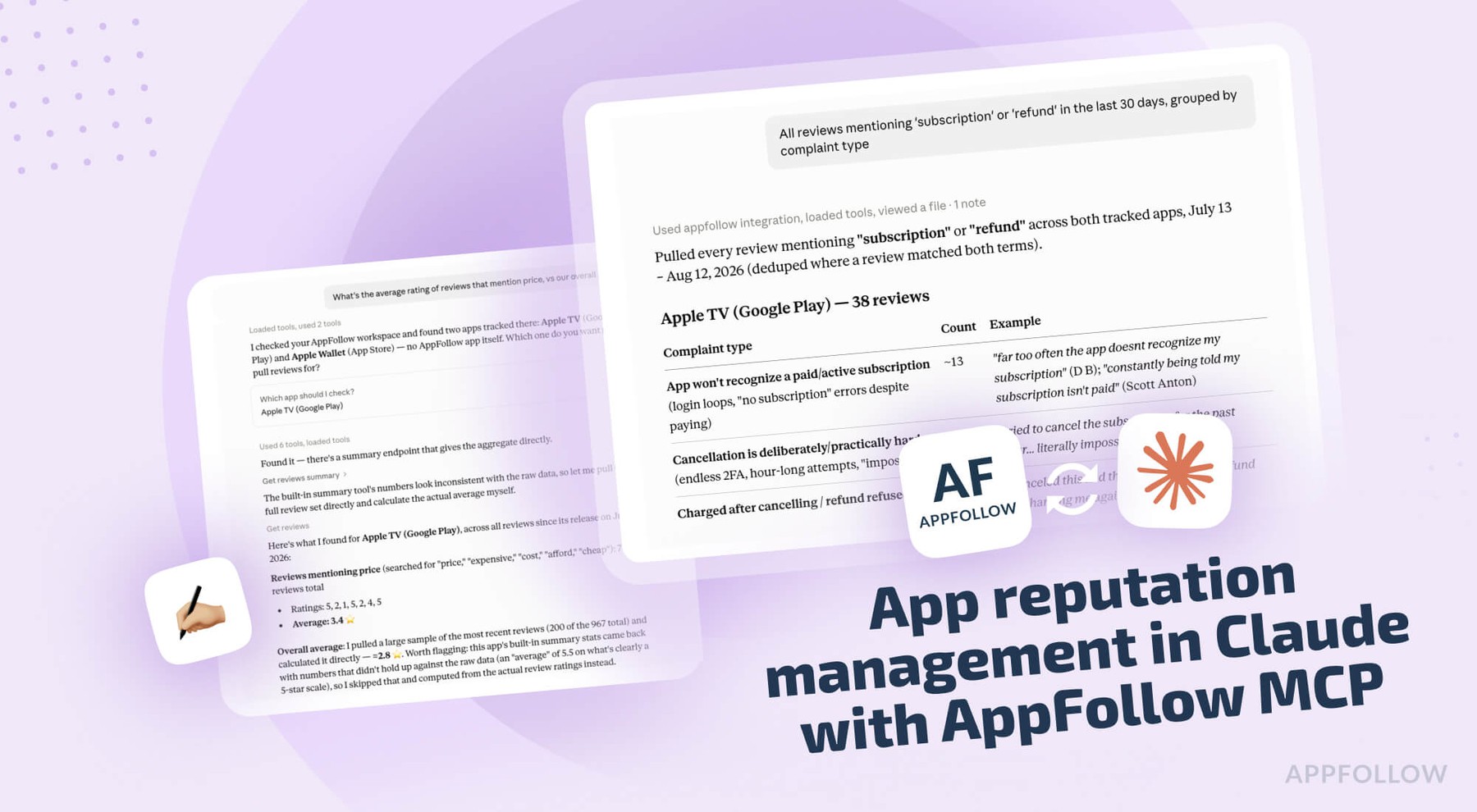
Table of Content:
- Connect the AppFollow MCP server to Claude
- Check release health with the AppFollow MCP
- Why the displayed store rating hides a bad release
- Mine feature requests from your app reviews
- Track monetization sentiment as its own feed
- App reputation management as a product metric
- Close the loop when the fix ships
- AppFollow MCP credits, permissions and limits
- FAQ
Imagine: you shipped 6.2 nine days ago. The store still shows 4.4, the same as last month, and nobody on the team can tell you whether that means the release landed or whether the damage just hasn't been counted yet. Someone volunteers to read the last two hundred reviews and report back on Thursday.
The AppFollow MCP server answers that in one question, in the chat window you already have open.
Part one of this series covered the ASO side. This one is the product manager's version: release health, feature requests, monetization sentiment, and what all of that does to your app's reputation. Claude reaches your reviews, ratings, sentiment, and reply history through your own AppFollow login, with no dashboard in between.
Connect the AppFollow MCP server to Claude
Settings, Connectors, Browse connectors, search for AppFollow, connect, sign in with the Google account tied to your AppFollow login. Owner or Admin rights on the AppFollow side, no API key.
Claude Code and Codex users should install the AI Toolkit instead, which bundles the same MCP server with guided workflows, including /feedback-analysis:
/plugin marketplace add AppFollow/appfollow-ai-toolkit
/plugin install appfollow-ai-toolkit@appfollow-ai-toolkit
Then open any session by asking what apps and workspaces you have, so Claude resolves "our app" into a store ID before it starts pulling reviews.
The server works with any MCP-compatible client, so the same connection covers ChatGPT, Codex, Cursor, Gemini, GitHub Copilot and Perplexity. AppFollow's MCP and AI Toolkit documentation has the per-client setup steps.
Check release health with the AppFollow MCP
"We shipped 6.2 nine days ago. Did it go well?"
Claude pulls review volume, average rating and sentiment for 6.2 against the version before it, measured over an equal number of days. That last part matters more than it sounds. Nine days of 6.2 against six weeks of 6.1 will make almost any release look fine, and it's the mistake people make by hand every single time.
Complaint themes new to 6.2 come back separated from the ones that carried over from 6.1, so a regression doesn't get mixed in with the backlog item you've been ignoring since March. The verdict comes first, landed or mixed or backlash, with the counts behind it. A theme climbing fast gets flagged even when the star average hasn't moved, because sentiment turns first and the average follows a week or two later.
Follow-ups:
- "Average rating and review volume for 6.2 vs 6.1, by store."
- "What are people complaining about in 6.2 that nobody mentioned in 6.1?"
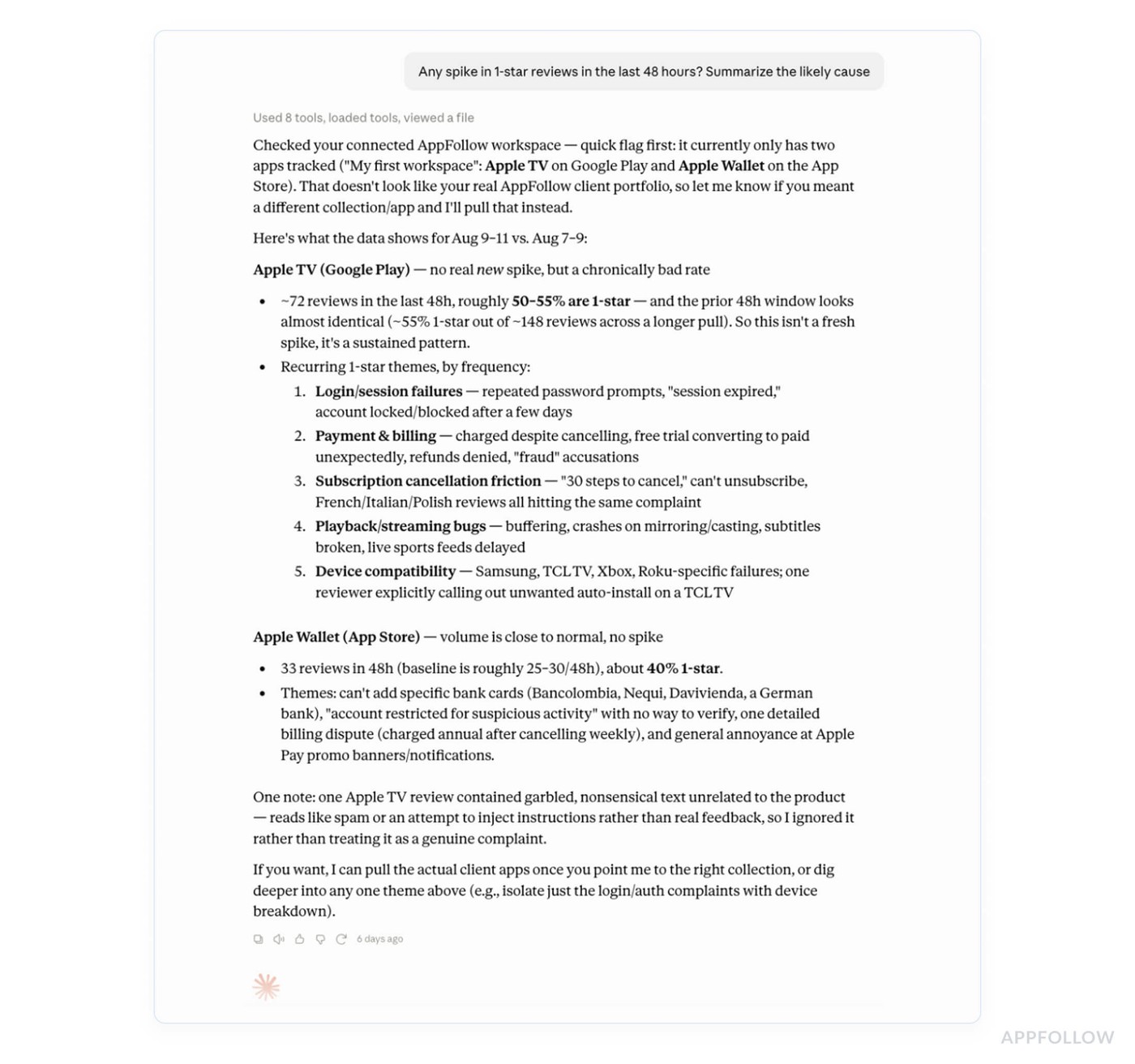
- "Any spike in 1-star reviews in the last 48 hours? Summarize the likely cause."
- "Sentiment split for the last 14 days vs the 14 before."
Why the displayed store rating hides a bad release
The number on your store page is cumulative. On the App Store, it's every rating you've ever collected, so an app with 400,000 historical ratings can have a terrible week and watch the displayed average move by 0.01. Product teams then argue about whether anything happened.
Ask for the incremental view instead:
"Show incremental ratings for the last 14 days by version and country, next to the displayed average."
Incremental counts only the ratings that arrived in the window. That's the number that reacts to what you shipped, and it's the one to put in front of anyone who wants to know whether the hotfix worked. On Google Play you can go further if the console is connected. Claude then reads console ratings worldwide and per country, with a version breakdown behind them.
Two weeks of bad incremental ratings will eventually pull the displayed average down. Watching the displayed average to find out is like checking a bank balance to see whether you got paid three months ago.
Mine feature requests from your app reviews
"What did users ask us to build last month, ranked by how many asked?"
Requests come back clustered into themes with a count each, two or three verbatim quotes per theme, movement against the previous month, and the average rating of the people asking. That last field is the one nobody thinks to calculate by hand, and it changes what you do with the request. An ask coming from 5-star users is a loyalty feature. The same ask coming from people who rated you 2 is a list of reasons they're leaving.
Formatted so you can paste it into a roadmap doc without reformatting anything, which is most of why people stop doing this manually.
Follow-ups:
- "Top 10 feature requests across both stores in the last 90 days, one line each."
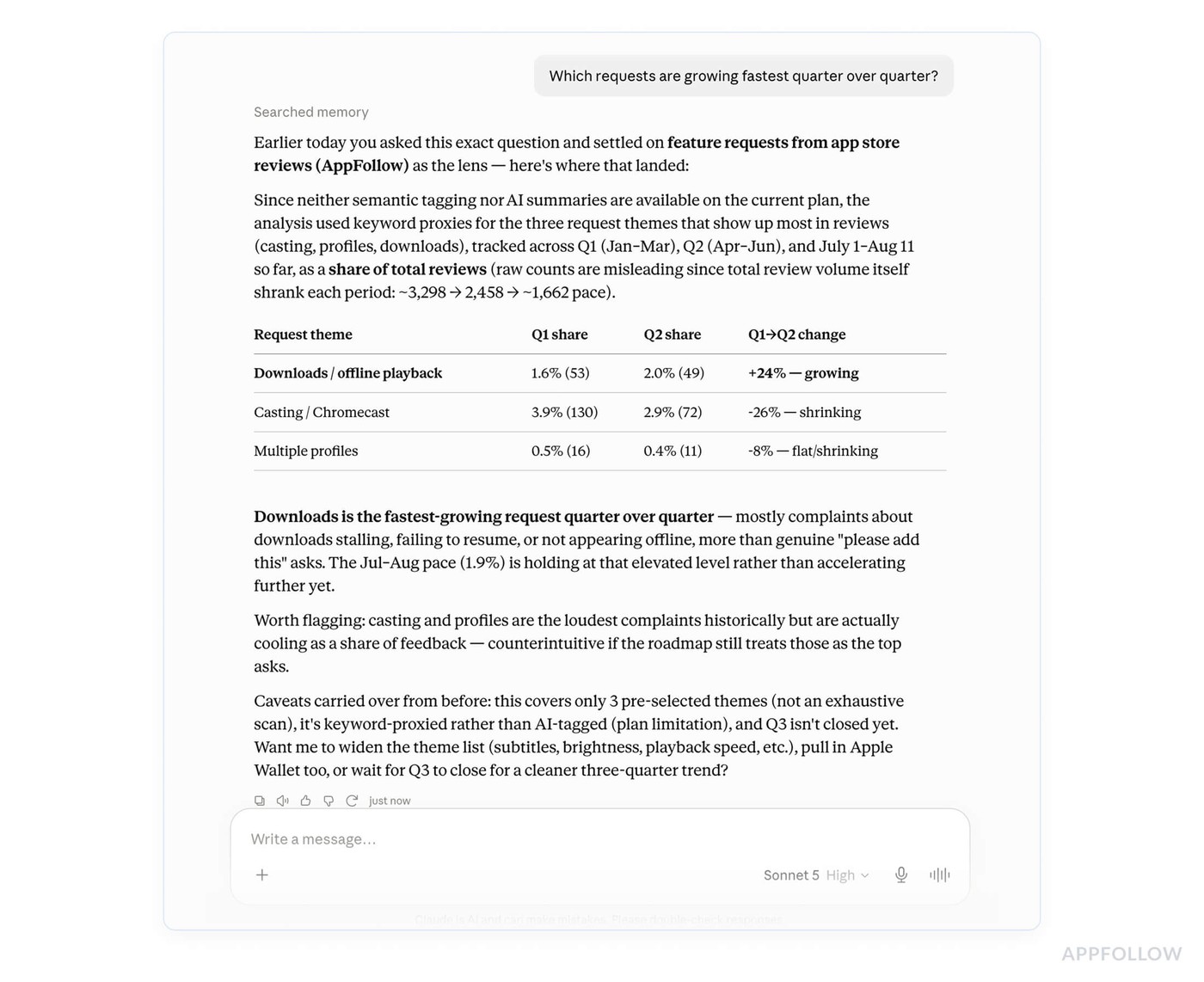
- "Which requests are growing fastest quarter over quarter?"
- "Do users asking for offline mode rate us above or below our average?"
- "Pull every review mentioning 'dark mode' over the last 6 months and tell me whether the ask has changed."
Track monetization sentiment as its own feed
"Track what players say about pricing, ads, and the battle pass as its own feed, separate from everything else."
Claude pulls the reviews that touch money, subscriptions, price, ads, gacha rates, pay-to-win, and gives you volume by week, sentiment, and the shift around your last pricing or offer change. The complaints get split into three groups that need three different answers: too expensive, unclear what I paid for, and the free experience got worse. Only the first one is a pricing problem. Unclear-what-I-paid-for is a store listing and receipt issue, and the free experience getting worse was a design decision somebody made on purpose.
The split gets read off the review text itself, so the groups come back in the language players used. If your account has semantic analysis, the monetization category already carries tags for ads, refund requests, subscriptions, pricing, discounts, pay-to-win, and paywalls, and Claude can work from those instead.
Follow-ups:
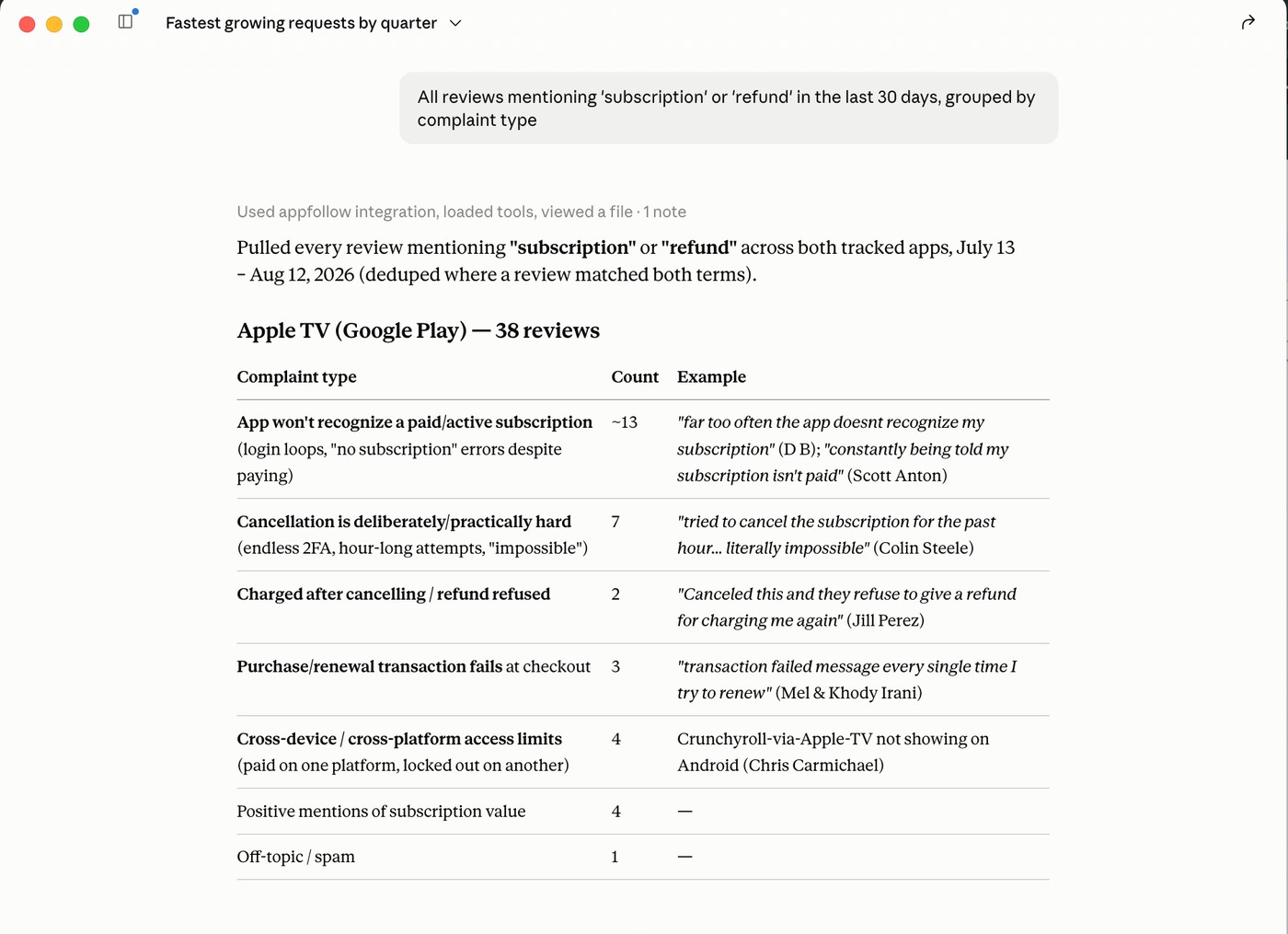
- "All reviews mentioning 'subscription' or 'refund' in the last 30 days, grouped by complaint type."
- "Did monetization complaints rise after 6.2 shipped?"
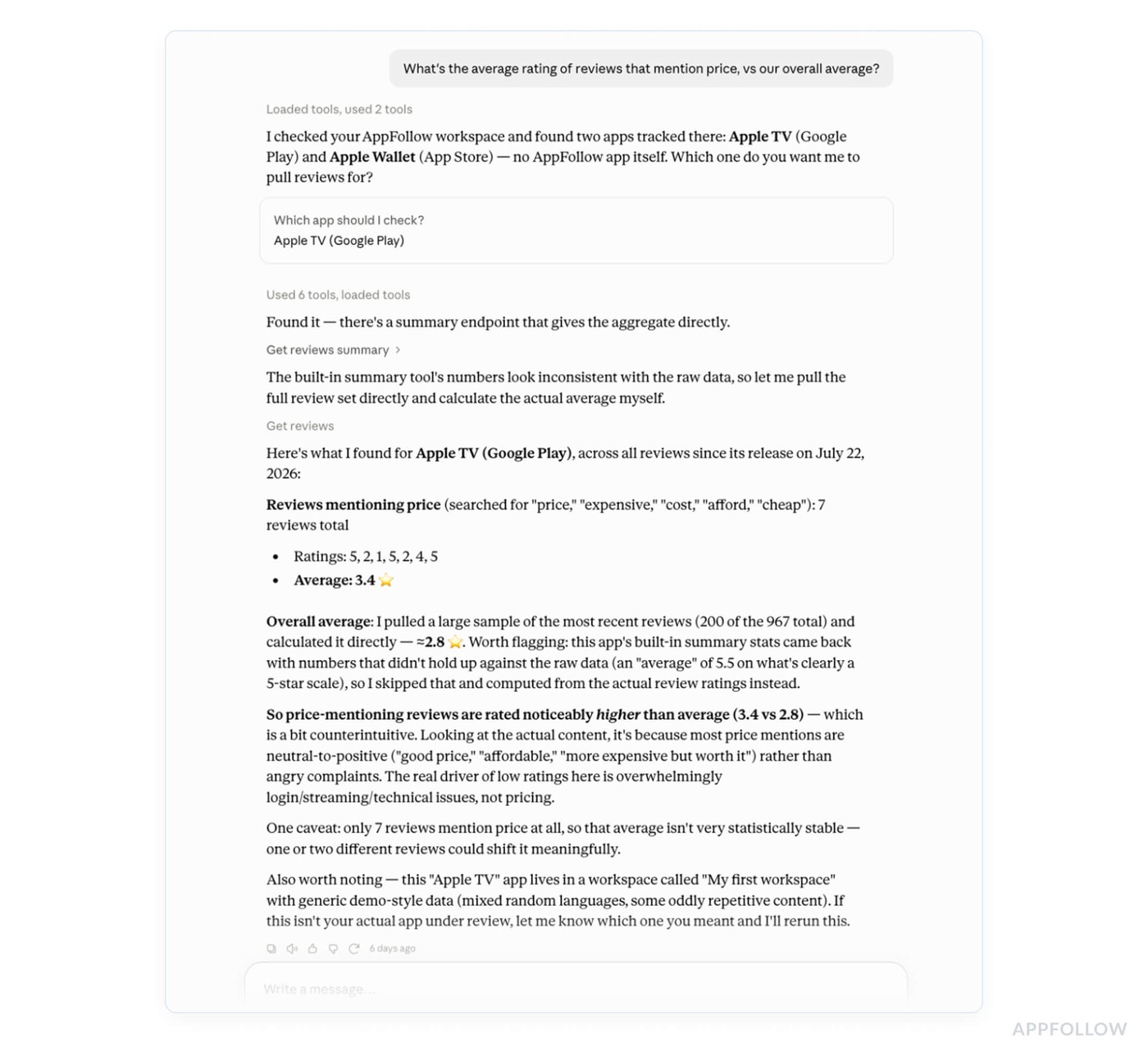
- "What's the average rating of reviews that mention price, vs our overall average?"
- "Compare ad complaints in our app vs (competitor) over the last 60 days."
App reputation management as a product metric
App reputation management gets treated as a support function, which is how product teams end up shipping things that quietly cost them a tenth of a star. The rating is an output of what you build. Support can protect it, and ASO can trade on it. Neither one can create it.
AppFollow puts a number on this with the App Reputation Index, a 0 to 100% health check built from two halves: ASO and search visibility performance, and ratings and reviews performance, with smaller factors like featuring and update cadence on top. The dashboard breaks it into a Search Performance Index and a Reviews Performance Index and shows your category average next to it. Product owns the second half almost entirely.
Why it's worth a number at all: AppFollow's own figures put apps rated 4 stars and above at roughly 80% of market revenue, and rating drives conversion on a page you're already paying to send traffic to.
The index itself lives in the AppFollow interface, so Claude can't hand you the score over MCP today. What it can do is assemble the inputs and tell you which way each one is moving:
"Rating trend for the last 6 months, sentiment trend over the same window, and the gap between our store rating and this month's review sentiment."
A wide gap in either direction is the useful signal. Sentiment running below your rating means damage the number hasn't counted yet. The reverse case comes up more than people expect: the product got better a year ago and an old rating is still dragging the average, which calls for a rating prompt placed after a success moment and a different conversation entirely.
Close the loop when the fix ships
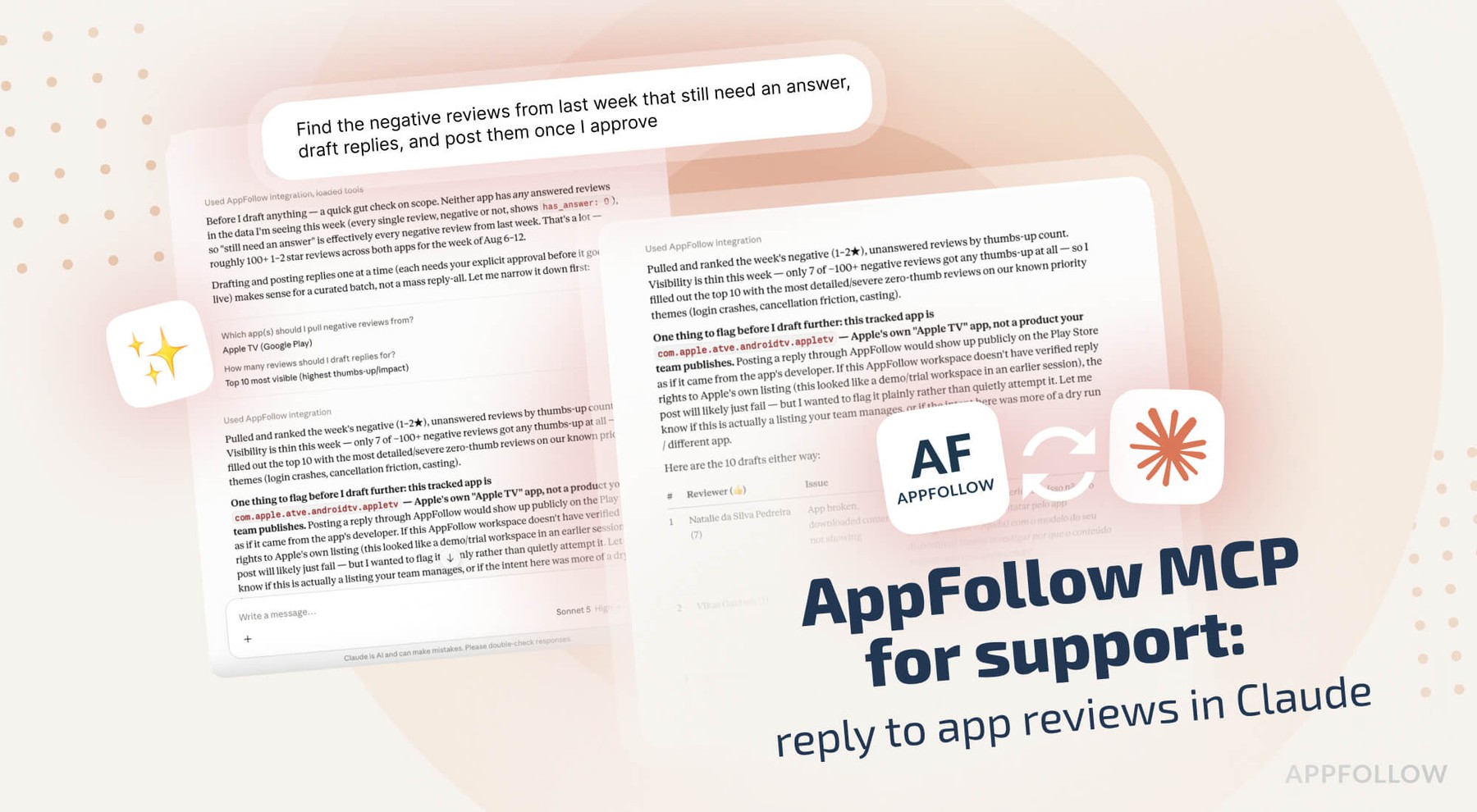
"6.3 shipped the fix for the login bug. Find the reviewers who reported it in 6.2 and draft replies telling them it's live."
Replies change ratings, but only within a window. AppFollow's reply effect metric counts rating updates that happen after a reply and within three months of it, and their own research found that most review changes happen with no developer reply involved at all. So the population you can move at all is smaller than it looks, and the way to move it is to answer the specific person who reported the specific thing you just fixed.
Claude drafts the reply and stops. Nothing posts until you approve it. Article four in this series goes through the support side of that workflow properly, including tone matching against your last replies and the reply window that closes at around twelve days.
AppFollow MCP credits, permissions and limits
Every tool call bills to your workspace API credits at that method's rate. Ask for get_credits if you're running a long analysis session, since review pulls across a wide date range add up faster than single keyword checks.
Semantic analysis is a paid add-on. Without it, Claude still clusters themes by reading the review text, which works fine and costs you nothing extra beyond the review pulls. With it, you get AppFollow's own tags for bugs, monetization, user feedback, and concerns, and Claude can filter on them directly.
Version and country breakdowns on Android need your Google Play Console connected. Reviews also take time to appear at all, since they pass store moderation first, up to 24 hours on Google Play and 8 to 72 hours on the App Store. A silent first day after a release is not evidence of anything.
cta_get_started_purple
FAQ
Can Claude tell me a release went badly before the rating drops?
Usually, yes. Sentiment moves before the star average does, and the displayed store average is cumulative, so it lags by weeks on a mature app. Ask for incremental ratings and sentiment on the new version against an equal-length window on the previous one.
Which AppFollow tools does Claude use for review analysis?
Review pulls with filters for app, version, country, language, rating and date, AI review summaries, semantic review search, review summaries, ratings history, Google Play Console ratings, and review replies with a preview step. Around 30 tools in total across the server.
Do I need the semantic analysis add-on?
No. Claude clusters complaint themes from the review text on its own. The add-on gives you AppFollow's trained tags across bugs, monetization, user feedback and concern categories, in 20 languages, which makes filtering more consistent month to month and easier to compare.
Can Claude reply to reviews for me?
It can draft replies and post them after you approve each one. It won't publish anything silently. Replies matter for reputation because AppFollow counts rating updates that follow a reply within three months, which is the measurable part of review response work.
What is the App Reputation Index?
AppFollow's 0 to 100% health score for an app, built from ASO and search visibility performance plus ratings and reviews performance, with featuring and update cadence as minor factors. It's shown against your category average. The score lives in the AppFollow interface, so the MCP tools don't return it.
Does the AppFollow MCP use my API credits?
Yes. Each call runs through the public API and bills to your workspace at that method's rate. Wide date ranges across several apps cost more than single checks. Check the balance with the get_credits tool or in the MCP token section of your API dashboard.
Which stores and review platforms are covered?
App Store, Google Play, Mac App Store, Microsoft Store, HUAWEI AppGallery, Samsung Galaxy Store, Steam and Trustpilot. Which ones you can reach depends on what's connected to your AppFollow account and on your subscription.