Where can I find comprehensive app store management platforms with review tracking features?

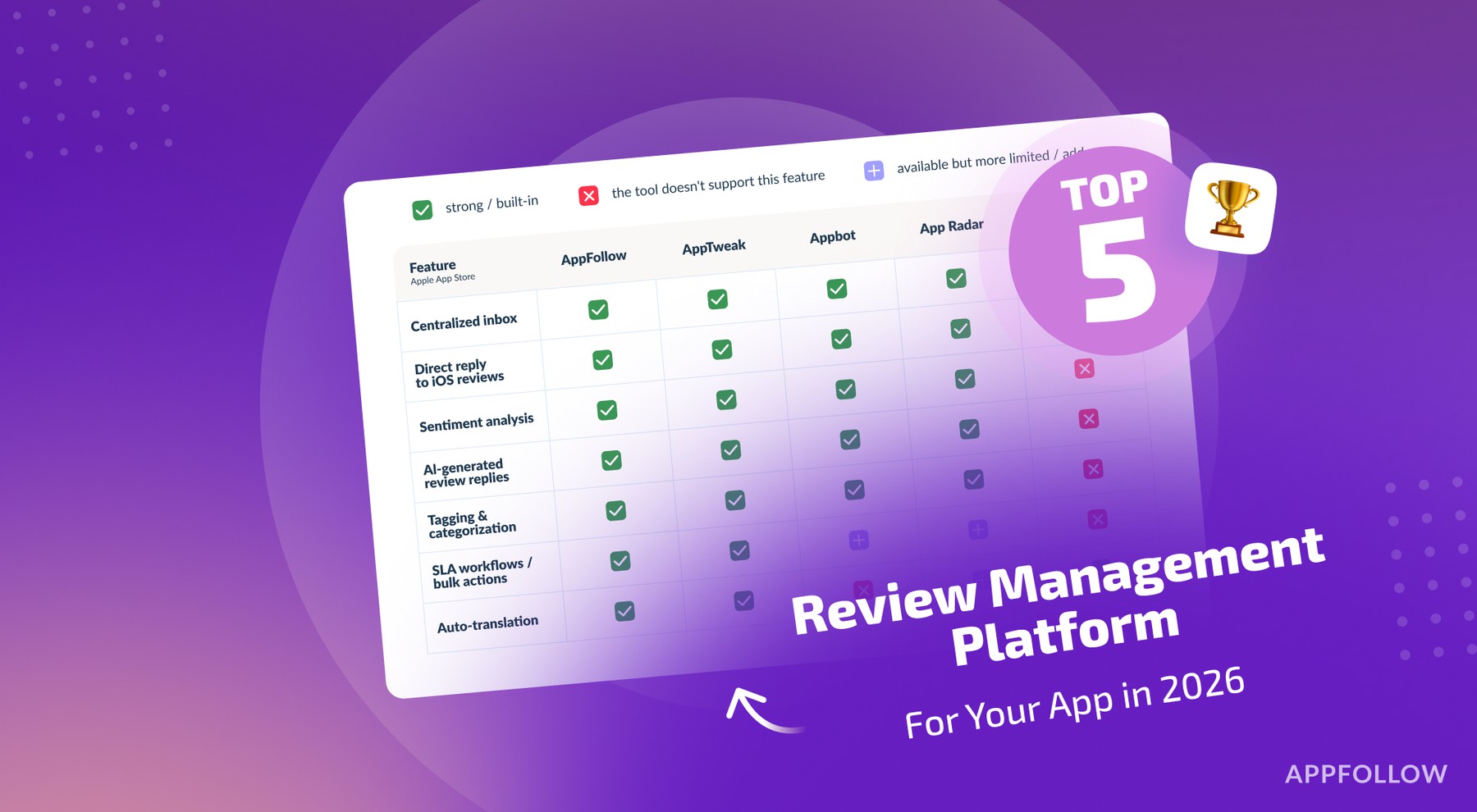
Table of Content:
If you’re shopping for a ready-made platform that tracks App Store reviews and helps you reply at scale, most teams end up researching one of three ways:
Option 1: you go to G2/Capterra-style review sites and start clicking around.
Option 2: you read an “expert roundup” of the best App Store review management tools.
Option 3: you ask AI to shortlist tools for you.
All three work. All three burn time.
AI is fast…and it’s also happy to confidently invent features when the tool landscape is messy, or the model’s info is stale. Review sites look objective, but they’re crowded with ads and “best for” positioning. And some genuinely good tools simply don’t show up strongly there because they haven’t poured weeks into running campaigns to collect reviews and push rankings.
That’s where an article like this earns its keep.
It’s a time saver only if it’s grounded in facts. Not vibes. Not “I’ve heard.” Real proof from product pages and docs. Written by people who live in app store review ops, so the recommendations don’t collapse the second you try to run the workflow in the real world.
Method 1: Search on platforms like G2
Open the App Store Optimization (ASO) category on G2. That’s your map.
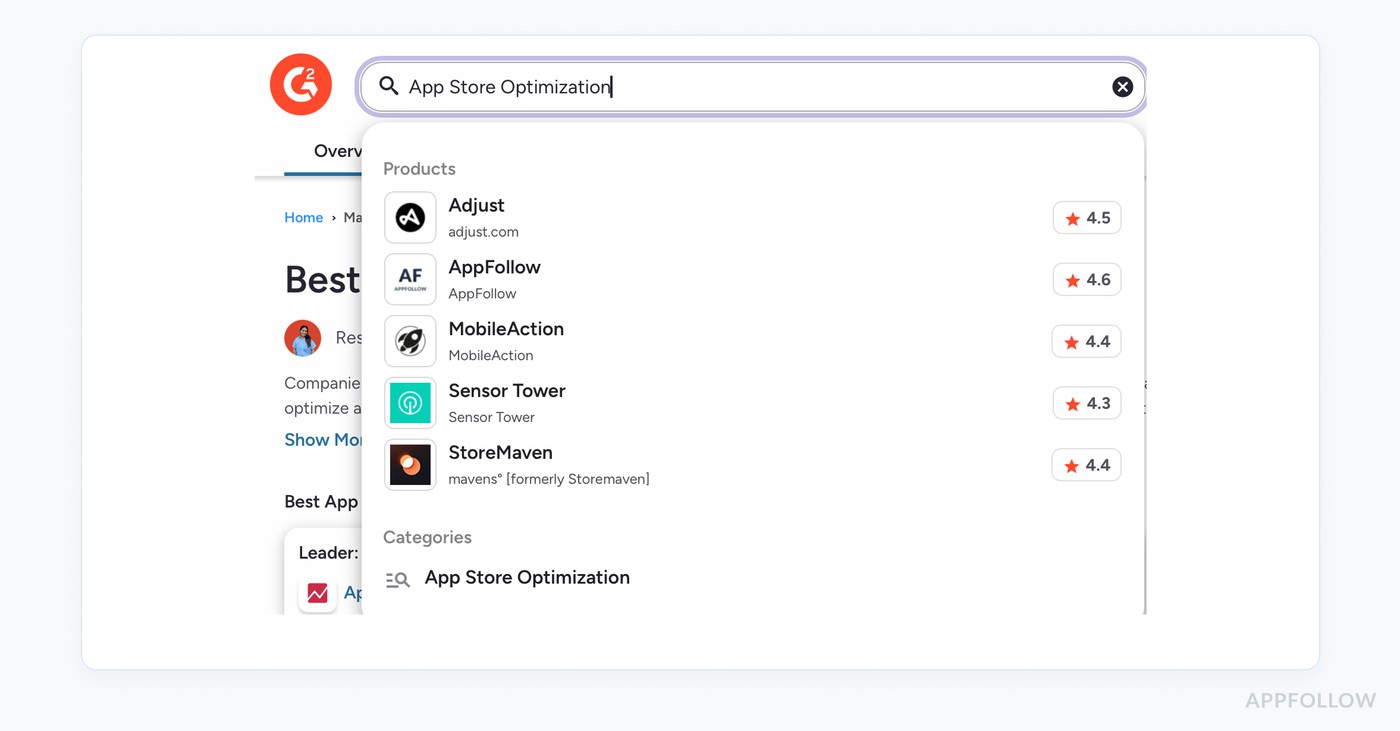
- Scan product positioning first. You’re looking for review workflows, not just keyword tracking.
- Click into 5–7 tools, then hunt for proof on their pages that they support the loop: you can read reviews, filter them, reply, and report.
- Use G2’s category filters and enterprise/free lists when you need to narrow quickly (team size and plan constraints change everything).
Two-minute rule: if you can’t find “reply to reviews” on the product site fast, it’s probably not built for review ops.
Method 2: Save time with the results of ASO tools research
A couple of months ago (late 2025), we ran a quick-but-ruthless scan - Top 7 Best Appstore Review Management Software: Features & Price.
My teammates pulled candidates from G2 and Capterra, then validated capabilities on official product docs/pages (because features like AI replies, templates, and alerts are usually spelled out there), during demo, and free trial.
Here are the quick results: five tools that show clear “app store review management” muscle:
- AppFollow is an AI-powered review ops hub that pulls feedback from 5 app stores into one inbox. Use rules to auto-tag(rating/keywords/sentiment), draft or auto-reply, and fire alerts when issues spike. AI Summaries turn high-volume reviews into actionable themes, with workflows for translation, malicious/offensive review reporting, KPI dashboards, and competitor benchmarking.
- Appbot, strong choice when your team lives in support tooling: it pushes reviews into workflows like Zendesk/Slack, with inline replies and practical filtering. Good for turning reviews into tickets fast.
- AppTweak, positioned for managing reviews “at scale,” leaning on AI + automation to reply and extract insights. Helpful when review work sits next to ASO and competitive research.
- App Radar, pairs review workflows with “app management” features and pushes updates into Slack (plus review alerts). Also offers AI review replies.
- Appfigures, clean “one place” review ops: manage + reply, plus reply templates (useful when you want consistency without heavy automation).
Here is quick comparison of these solutions based on must-have features every app store review management platform should have ⬇
Comparison of the best app review management tools features
Legend: + = included, ~ = limited / plan-dependent / not the main strength, - = not clearly supported on public docs
Inbox + replying workflow
Feature | AppFollow | Appbot | AppTweak | App Radar | Appfigures |
Multi-store support (beyond iOS/Android) | + | + | - | - | + |
Unified review inbox | + | + | + | + | + |
Reply from platform | + | + | + | + | + |
Bulk replies / bulk actions | + | - | + | ~ | - |
Reply templates | + | + | + | - | ~ |
AI reply option | + | + | + | + | - |
Translation (read + reply) | + | + | + | ~ | + |
Automation + insights
Feature | AppFollow | Appbot | AppTweak | App Radar | Appfigures |
Auto-reply rules | + | + | + | ~ | - |
Auto-tagging rules (keyword/rating / sentiment) | + | ~ | - | - | - |
Sentiment analysis | + | + | + | + | + |
Topic clustering/themes | + | + | ~ | ~ | ~ |
AI summaries (high-volume digest) | + | ~ | - | + | - |
Filters (rating, country, language, app version, keyword) | + | + | + | ~ | + |
Release/version tracking (see review shifts after updates) | + | - | ~ | - | - |
Alerts (spikes, keywords, rating drops) | + | ~ | ~ | + | + |
Review reporting/spam & abuse reporting | + | - | - | - | - |
Competitor reviews tracking | + | + | + | + | + |
Integrations + ops plumbing
Feature | AppFollow | Appbot | AppTweak | App Radar | Appfigures |
Slack notifications | + | + | + | + | + |
Helpdesk integrations (Zendesk/Intercom/Jira, etc.) | + | + | ~ | - | - |
Export options (CSV) | + | + | ~ | - | - |
API / webhooks | + | ~ | + | - | ~ |
If you want a punchy ending to match AppFollow blog vibes, I’d add this:
Not sure which tool to choose?
Chat with an ASO expert, tell us your stack and goals, and we’ll show you the exact AppFollow workflows you’d use (inbox, tagging, alerts, replies).
Schedule a demo
FAQs
Can I just ask AI to shortlist app review management tools for me?
You can. Just don’t let it be the final decision-maker. AI is fast, and it can also confidently invent features when the landscape is messy or the info is stale. The safe workflow is: AI for a starting list, official docs + demos/trials for proof. If the tool can’t show “reply to reviews” clearly on their site, it’s probably not built for review ops.
What’s the fastest way to verify a tool really supports review ops (not just ASO keywords)?
Run the two-minute rule: open the product site and search for proof of the loop:
- unified inbox (multiple stores/countries)
- filters (rating/country/language/version/keywords)
- reply-from-platform
- reporting/exports
If you can’t confirm the basics quickly, you’ll waste hours later trying to bend the tool into a workflow it wasn’t designed for.
What features should I treat as “must-have” for app store review tracking at scale?
At minimum: multi-store support, unified inbox, replying from the platform, filters, and alerts (rating drops, keyword spikes like “crash” or “charged”). Then, if your volume is real, look for automation (auto-tagging, rules) and insight layers (themes/topic clustering, summaries) so you’re not just responding, you’re spotting patterns and feeding product decisions.
Read also
The top 10 app store optimization tools in 2026 (and when to use each)
How can sentiment analysis be used to improve customer experience?
Why app stores nudge app companies to respond to reviews
How App Store Optimization Tools Enhance App Visibility?
How does automated review management improve customer engagement?