Steam reviews for game developers: why they matter and how to manage them

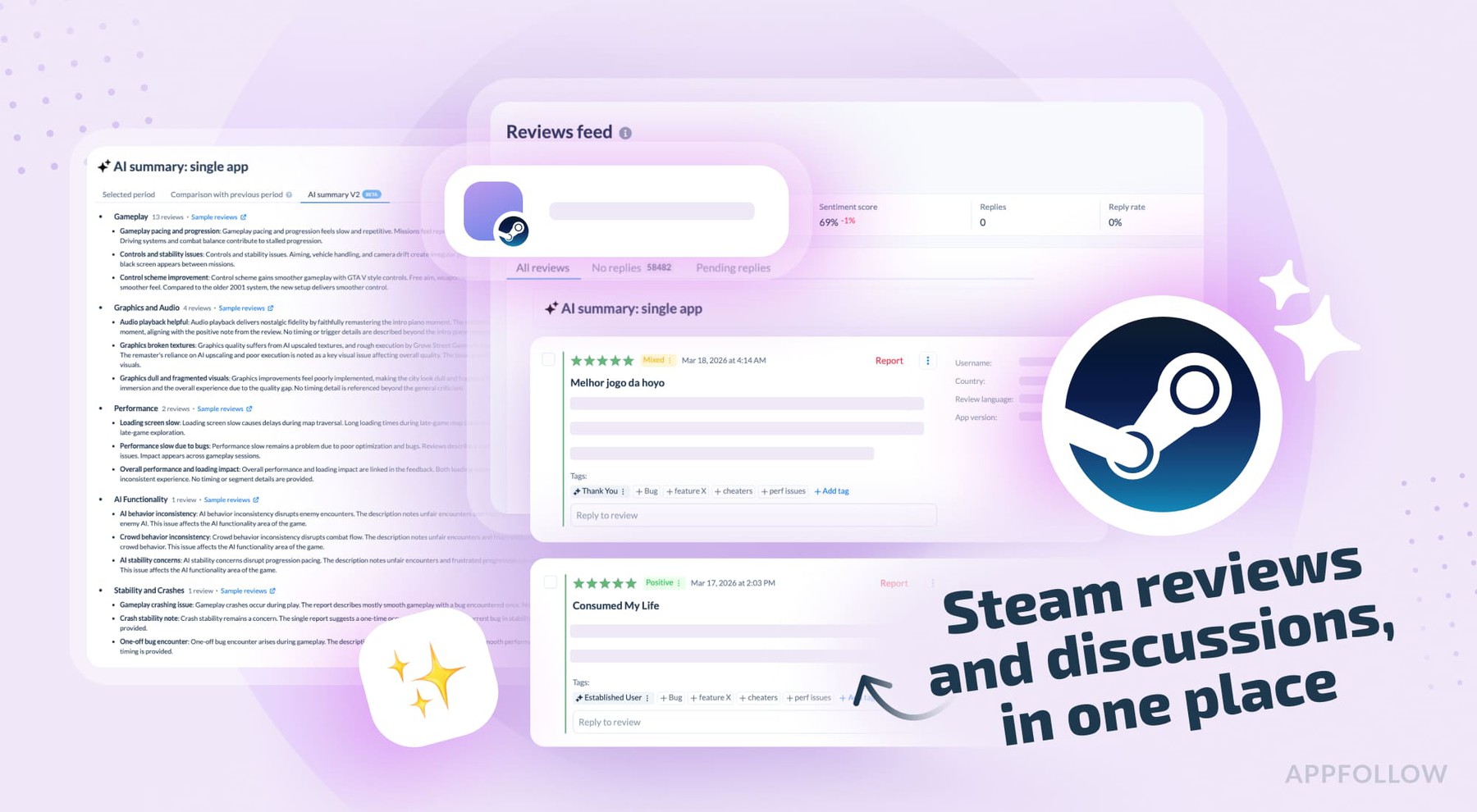
Table of Content:
There's a thing that happens to a lot of games on Steam.
A developer ships an update, something shifts in the player base, and within hours, the review page starts moving. Reviews come in fast, some long and detailed, some just a thumbs down with three words of explanation. If the update touched something players cared about, or if there was already some underlying frustration building, it can turn into a significant volume of negative feedback in a short window.
That's more or less the normal experience of shipping on Steam. It's a loud platform with a very engaged community, and it surfaces feedback in ways that app stores don't.
AppFollow is adding Steam as a supported review (available now) and discussion (available soon) source, now available in beta testing. Here's some context on why that matters.
What Steam reviews look like
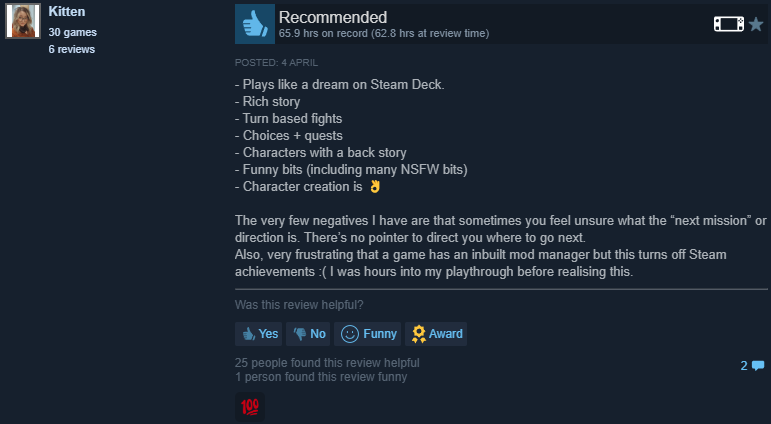
The rating system on Steam is binary. Players recommend the game, or they don't. The thumbs-up/thumbs-down score gets calculated and displayed on the store page as a label, ranging from "Overwhelmingly Negative" to "Overwhelmingly Positive," and it influences whether people buy the game. Steam also lets buyers filter by recent reviews, which means a bad week of feedback is immediately visible to anyone considering a purchase.
The reviews themselves tend to be longer and more specific than what you usually see on mobile platforms. Players explain what changed, what broke, what they want back. There's also a voting system where other players can mark a review helpful or funny, which pushes certain reviews to the top regardless of how representative they are.
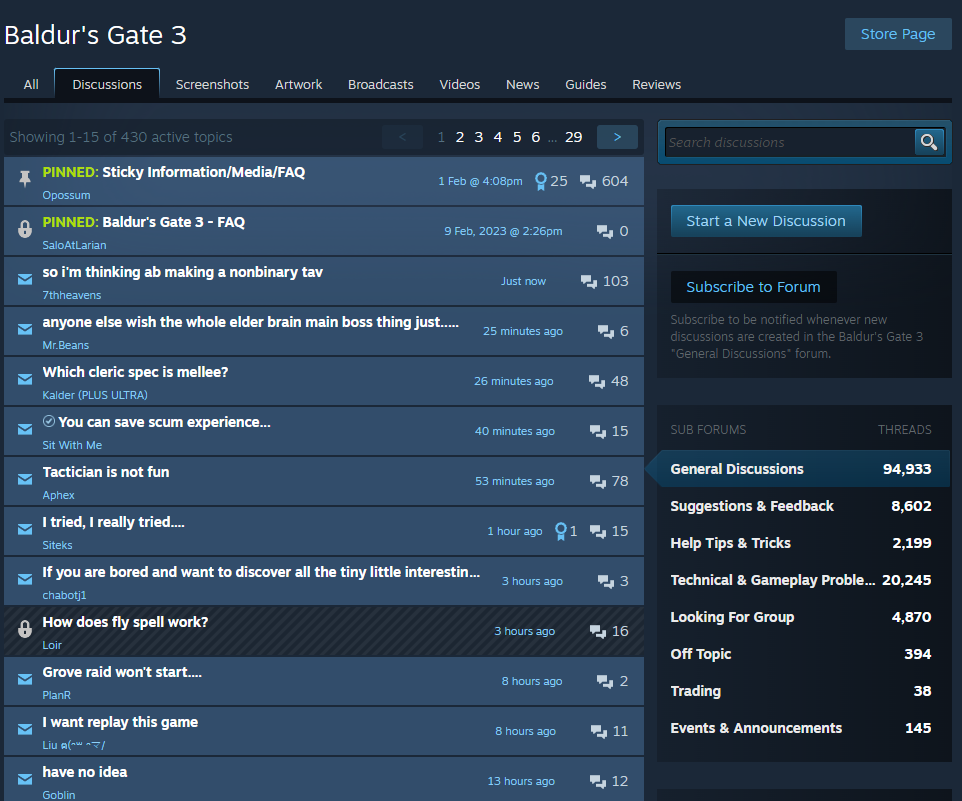
On top of reviews, Steam has a discussions section that works like a forum. Players post threads about bugs, requests, and complaints. Some threads get hundreds of replies and a lot of upvotes. Discussions often reflect where sentiment is heading before it hits the review page, which makes them worth paying attention to separately.
How this compares to app store reviews
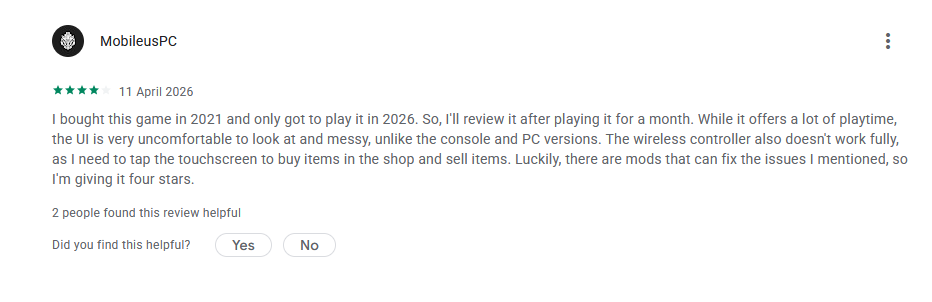
Mobile reviews and Steam reviews come from different contexts. App store reviews are often prompted by an in-app nudge at a specific moment, which produces shorter, more impulsive feedback. Steam reviews are self-initiated, which usually means the player felt strongly enough to write something unprompted.
The level of detail is also different. A mobile review about a crash might say "keeps crashing." A Steam review is more likely to include the hardware setup, the sequence of events that led to the crash, and when it started happening. That's more useful for engineering and product teams trying to reproduce and fix things.
Steam players can comment on each other's reviews, upvote threads, and discuss issues collectively. Feedback on Steam tends to accumulate around shared concerns, which makes it easier to spot patterns rather than isolated complaints.
The ownership dynamic is different as well. Most Steam players have paid for a game upfront, often at a higher price than a mobile app, and they tend to expect it to keep working and improving. That shapes the tone of the feedback they leave.
Review bombing: what it is and why it happens
Review bombing is when a large number of negative reviews come in over a short period, usually in response to something specific rather than the game's overall quality. It happens regularly on Steam, and it's worth understanding because it can look like a product crisis in the data when sometimes it's a signal about a specific decision, and sometimes it genuinely is a broader problem.
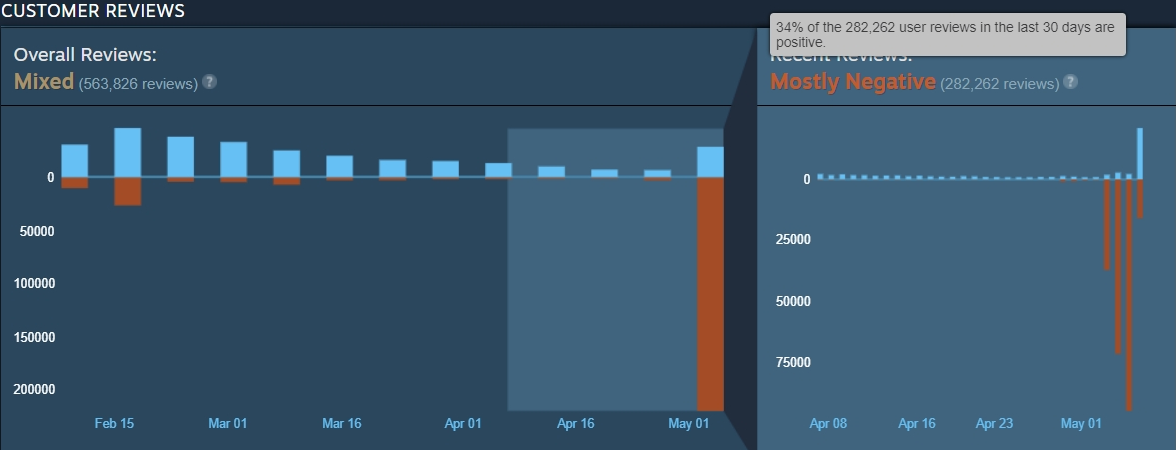
Source: gameworldobserver.com
The most well-documented recent example is Helldivers 2. In May 2024, Sony announced that all Steam players would need to link their accounts to PlayStation Network. Within hours, players united to review bomb the game, and Helldivers 2 received over 330,000 negative reviews in three days. The game's overall rating dropped from "Very Positive" to "Mixed," and its recent score became "Overwhelmingly Negative," with only 14% of reviews in the last 30 days being positive. Sony reversed the decision, and PlayStation confirmed that the mandatory account linking plan would not be moving forward.
That's a case where review bombing worked as intended: a large number of players used the review system to push back against a policy decision, and the developer and publisher responded. But the mechanism doesn't always work that cleanly.
GTA V was review bombed throughout June and July 2017 after Take-Two Interactive issued a cease-and-desist against the modding tool OpenIV, which reduced the game's overall Steam rating from "positive" to "mixed." The game's score never fully recovered. Crusader Kings II was review bombed the same month after Paradox raised prices in some regions. These are examples where developer decisions triggered organized backlash that stayed in the review data long after the moment had passed.
Localization is a less obvious but real trigger.
When a game ships with poor translation for a specific language, or when an update breaks something for a regional audience, players from that community tend to respond together. Steam discussions make coordination easy: a thread pointing out localization failures in Russian, Korean, or Brazilian Portuguese can get hundreds of upvotes in a day, and that sentiment follows quickly into reviews. PlayerUnknown's Battlegrounds was review-bombed primarily by Chinese players after an advert for a VPN service was shown in-game, which was a particularly sensitive issue given internet restrictions in China.
From a data perspective, a spike in negative reviews from a language group after a patch is almost never random. It usually means something broke for that audience. Catching it early, or ideally before reviews even start, requires watching discussion sentiment as well as review volume.
Valve added review histograms to Steam user review scores in 2017 to show how these change over time, with the stated goal of helping potential buyers recognize a short-term review bomb that isn't indicative of the game itself. That helps purchasers, but it doesn't do much for developers who need to understand what's happening while it's happening.
As PC Gamer noted after the Helldivers 2 incident, years of watching review bombings succeed in getting a company's attention has trained PC gamers to turn to Steam reviews as a first reaction to anything they object to. That's the environment gaming companies are operating in on Steam. It's not the same as a mobile platform, although incidents like these certainly happen too, at a smaller scale - Genshin Impact being a popular title for such controversy.
What AppFollow tools can do with Steam data
When you connect Steam to AppFollow, here's what you can work with.
Review management
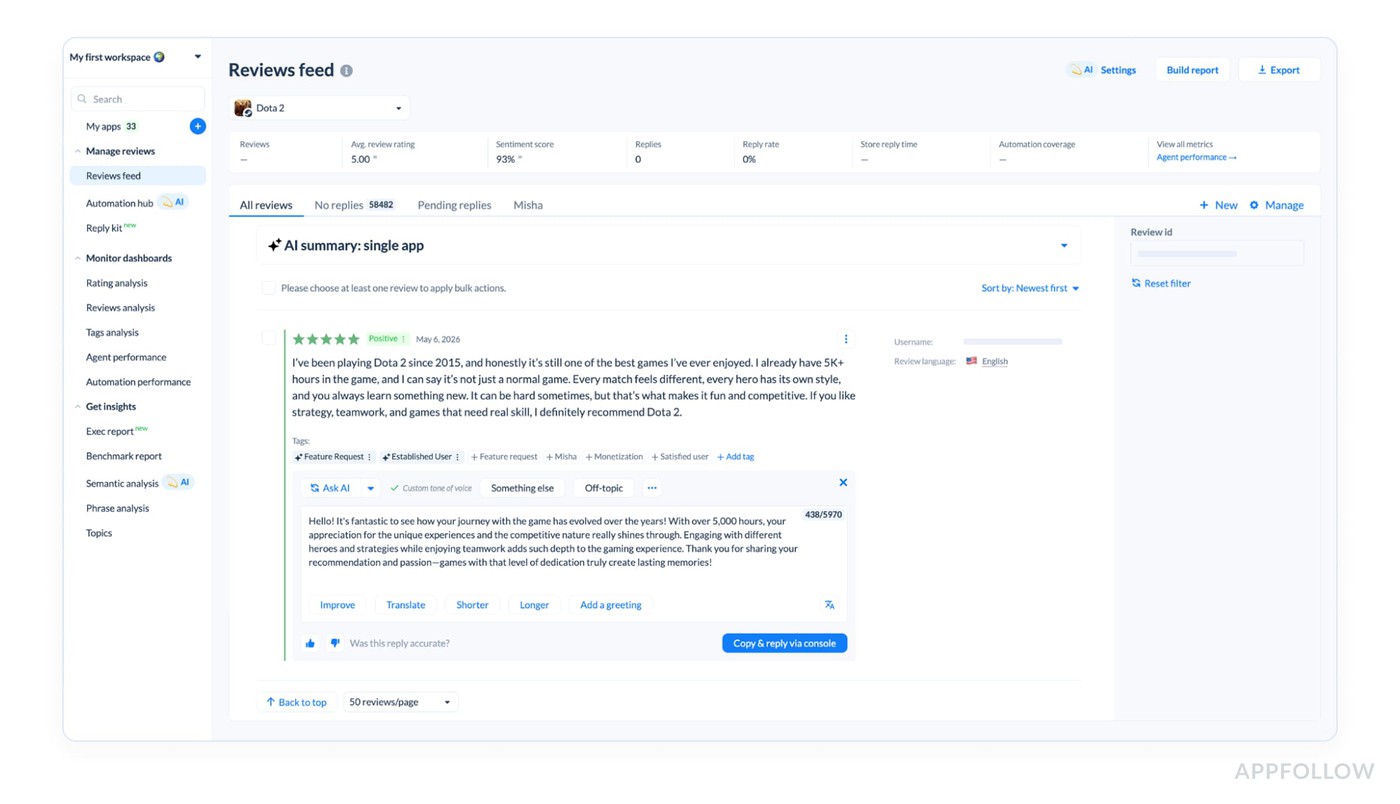
Steam reviews are collected and pulled into the same reviews feed you use for App Store and Google Play. Reviews can be automatically translated, so you're not manually processing feedback from players writing in Korean, Polish, or Spanish. You can see everything in one place without switching between the Steam backend and other tools.
You can respond to Steam reviews from within AppFollow, using templates,
manual replies, or AI-generated responses. If you're handling reviews across multiple stores, being able to reply to Steam from the same tool you use for mobile reduces the overhead of switching between platforms.
You can also apply custom tags to Steam reviews the same way you tag mobile reviews, either manually or through rules that run automatically based
on review content, rating, or language. Useful for separating localization complaints from crash reports from monetization feedback without reading everything individually.
Review data can be exported for use in reporting or for sharing with other teams.
AI summaries
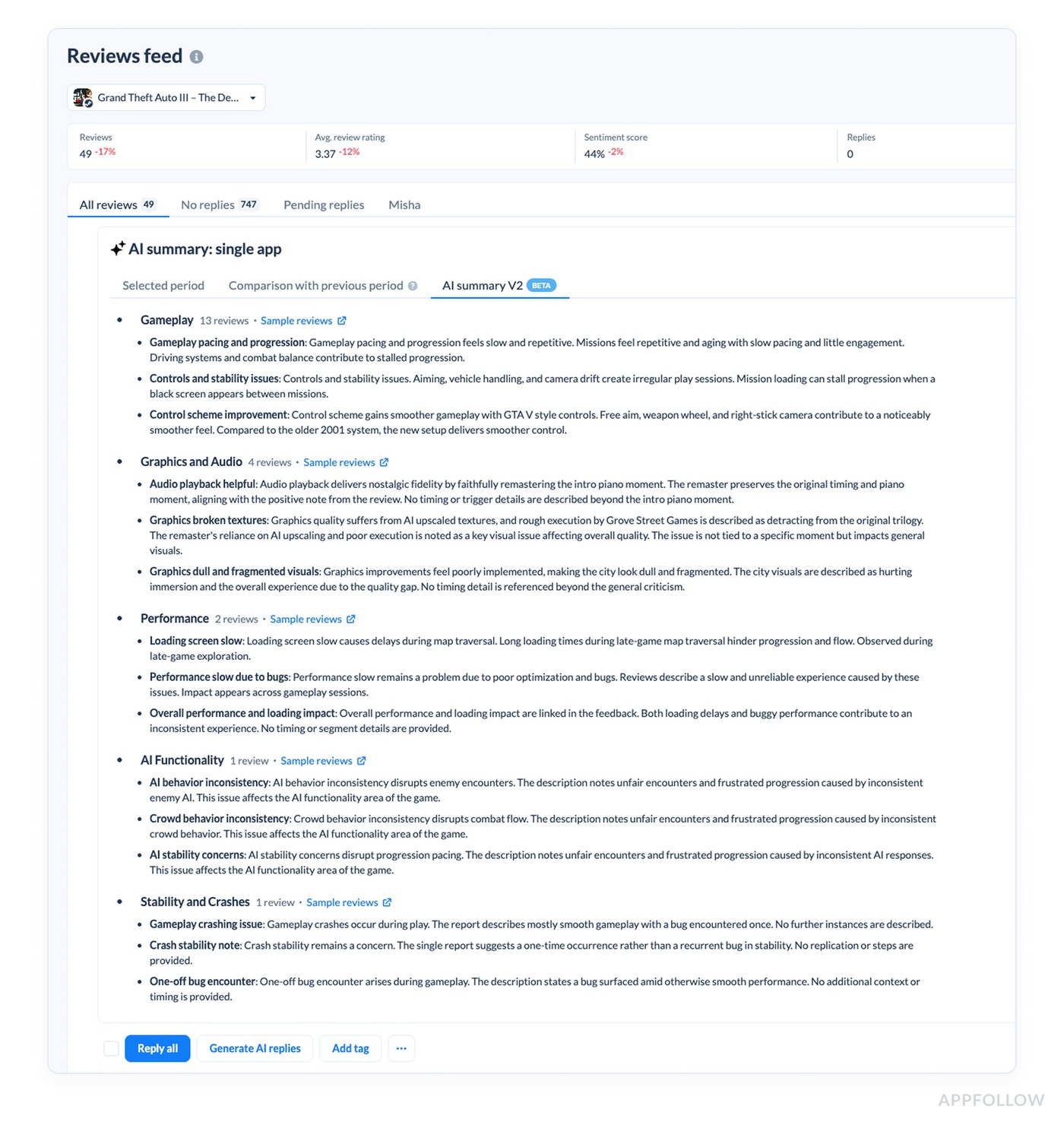
When a lot of reviews come in quickly, an AI summary gives you a fast read on the general tone and topics without going through every review manually. This is particularly useful during a review bombing event, where the volume of feedback makes it hard to see if there's a real signal buried in the noise.
Steam discussions
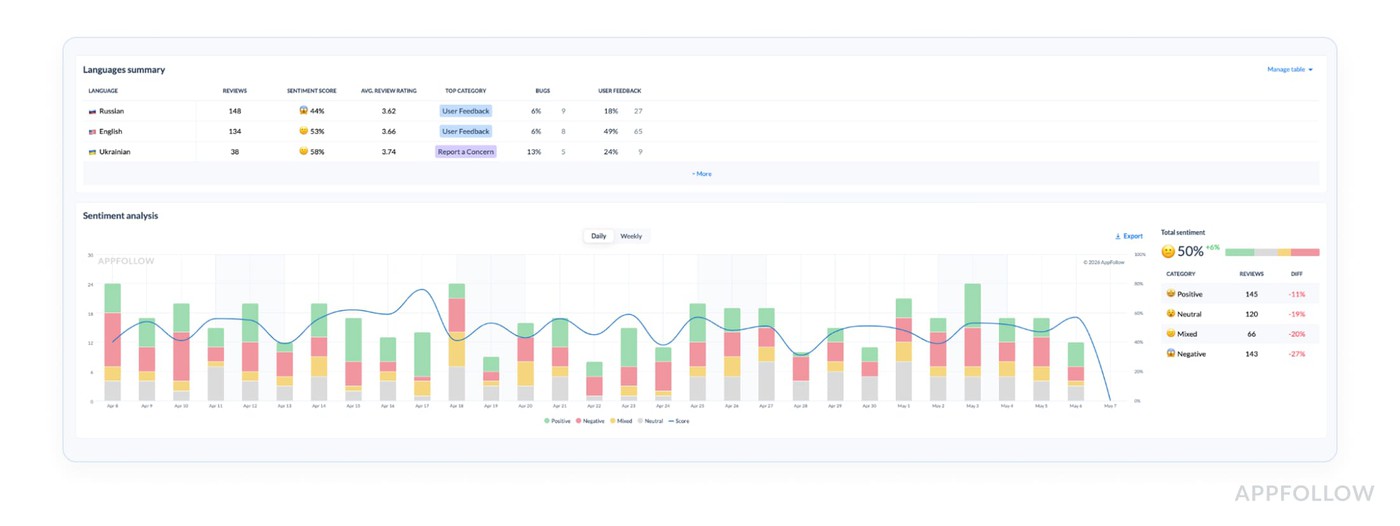
Discussions are collected and available for analysis: sentiment analysis, summaries, and translations. This is read-only in the current beta, but it means you can track forum sentiment alongside review data and get a more complete picture of what's building before it becomes a review problem.
Why it matters for companies on multiple platforms
If your game is on Steam and also on iOS or Android, there's currently a gap between where your feedback lives without your oversight. Mobile reviews go through one workflow, but Steam is a separate thing you check separately, if you check it at all. That gap means you can miss cross-platform signals, or notice them later than you could have.
Discussion sentiment on Steam often moves before reviews do: a thread about a bug that gets traction in discussions is a reasonable early indicator that reviews are going to shift if the bug isn't addressed. Having that in the same tool as your other feedback data makes it easier to act on.
Closed beta
Steam support in AppFollow is currently in closed beta.
The features available in beta include review collection, translation, AI summaries, tagging, reporting, replies, AI replies, and discussion analysis. You can join the beta and get AppFollow free during the trial period. A broader announcement will follow when the integration is ready for general availability.
Sign up for Steam closed beta source
FAQ
What is Steam review bombing and how do I detect it?
Review bombing on Steam is when a large number of negative reviews arrive quickly, usually in response to a specific developer or publisher decision rather than the game's overall quality. Common triggers include controversial updates, changes to monetization, policy decisions like the Helldivers 2 PSN account linking situation, and localization failures for specific regional audiences. You can detect it by monitoring review velocity, comparing review timing against update history, and breaking down reviews by language and region. A sudden spike in negative reviews from a specific language group after a patch usually points to a regional issue, not a general one.
How are Steam reviews different from App Store or Google Play reviews?
Steam reviews tend to be longer, more detailed, and self-initiated, meaning players chose to write them rather than responding to an in-app prompt. The rating system is binary rather than star-based, and the score is displayed prominently on the store page in a way that directly affects whether new players buy the game. Steam also has a discussions forum attached to each game, which functions separately from reviews and often reflects player sentiment earlier.
Can I respond to Steam reviews through AppFollow?
Yes. Steam developers can reply to reviews, and with AppFollow's Steam integration you can manage those replies the same way you handle app store responses, including using templates, AI-generated replies, and bulk actions.
What are Steam discussions and why should I track them?
Steam discussions are forums attached to each game's store page where players post threads about bugs, feature requests, complaints, and general questions. Discussion sentiment often moves before review sentiment does, particularly for regional or localization issues where a community organizes around a shared concern before it reaches the review page. AppFollow collects Steam discussions and makes them available for sentiment analysis, summaries, and translation.
Does AppFollow support Steam alongside other platforms?
Yes. Gaming companies with titles on iOS, Android, and Steam can manage feedback from all platforms in one place. This is useful for catching cross-platform issues early and comparing player sentiment across different audiences.
Is the Steam integration available in AppFollow now?
It's currently in closed beta. Features available in beta include review collection, translation, tagging, AI summaries, replies, and discussion analysis. You can apply to join the beta and access AppFollow free during the trial period. A wider release will be announced separately.
Read also: AppFollow API for App Experience Management