

AppFollow MCP & AI Toolkit.
Your app data inside the AI you already use.
Ask Claude, ChatGPT, Gemini, or Codex for reviews, ratings, and ASO (App Store Optimization) data. Live. No dashboard, no code.
One install gets you both: the AI Toolkit bundles the MCP (Model Context Protocol) connector with ready-made analyst workflows. Free & open source.
One open standard. Works with Claude, ChatGPT, Gemini, Codex & Cursor.
Using ChatGPT, Gemini, Cursor, or GitHub Copilot? See the MCP setup guide

Same data, new interface
Identical to your AppFollow dashboard and API.

Secure by design
Google OAuth. No API keys to manage.

No dashboard required
Ask in Claude, ChatGPT, Gemini, or Codex. Get answers back.
One install. Everything included.
The AI Toolkit ships with the MCP connector built in — plus analyst workflows we keep expanding.
AI Toolkit Recommended
Everything the MCP connector does, plus guided analyst skills and more.
Reports ship as files, ready to share.
New skills land automatically — install once, get every future workflow. Open source on GitHub →
Just the MCP connector
Using the Claude app, ChatGPT, Gemini, Cursor, or GitHub Copilot? Connect the MCP server and ask for reviews, ratings, rankings, and keywords — straight from AppFollow.
Google OAuth or Single Sign-On (SSO). No API keys. No code required, ever. Setup guide →
.png?width=1200&height=1200&name=Untitled%20(1200%20x%201200%20px).png "Untitled (1200 x 1200 px)")
Ask anything, in plain language
"Show me rating charts for my apps this month." MCP builds the answer, live, right in your chat — same data as your dashboard.
Ready-made workflows, open source
Feedback analysis: KPIs, trends, anomalies, plus your top bugs and feature requests.
ASO analysis: keyword positions, opportunities, and metadata fixes.
Run them as slash commands — /feedback-analysis, /aso-analysis and others — and get the same report shape every time. Install the Toolkit ↓
.png?width=1200&height=800&name=Untitled%20design%20(12).png "Untitled design (12)")
Everything AppFollow MCP can do
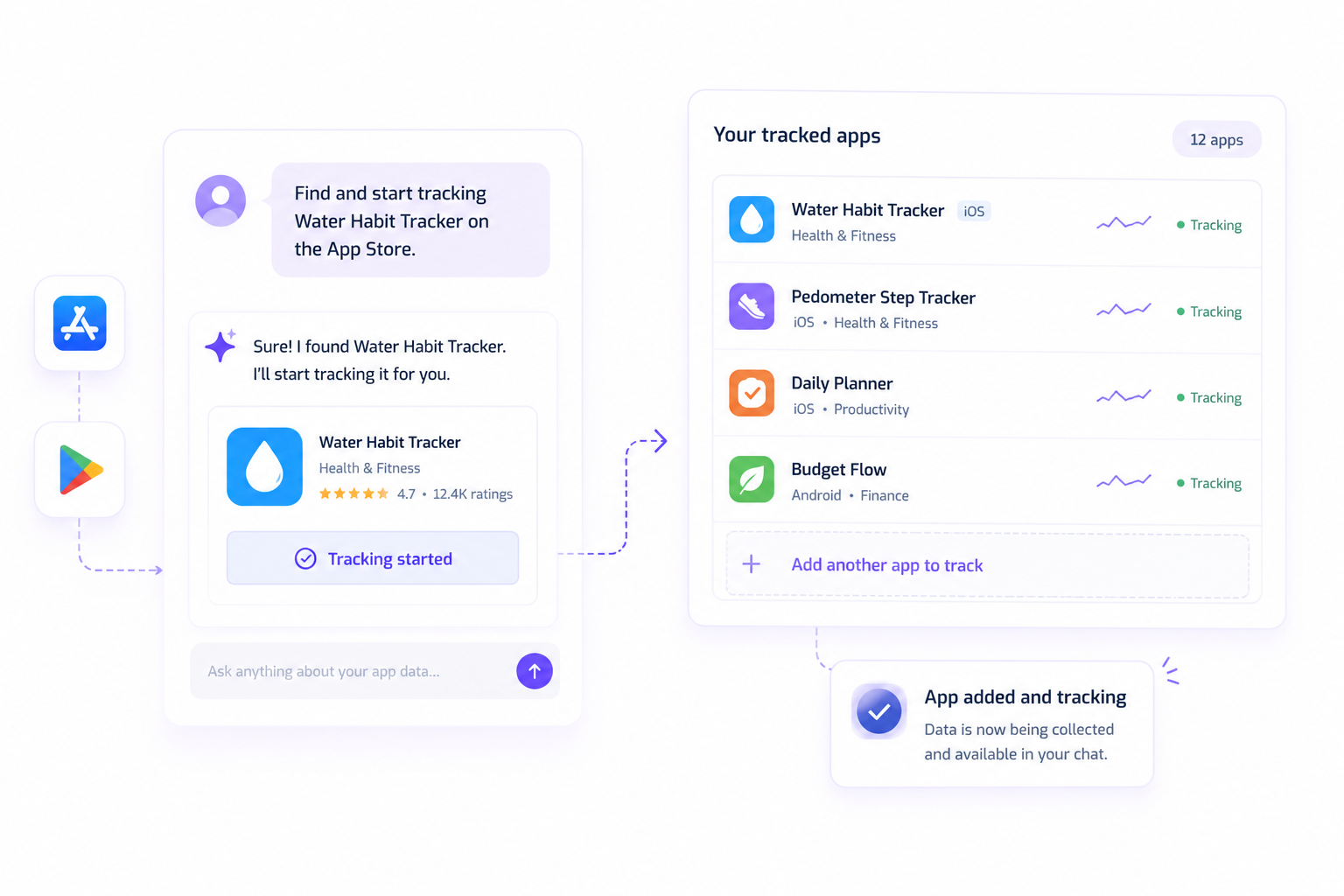
Find & track apps
Find an app on the App Store or Google Play and start tracking it — in one turn.
Feedback, analyzed instantly
KPIs, sentiment trends, and anomalies — plus your top bugs and feature requests, without reading every review.


ASO, analyzed instantly
Keyword positions, opportunities, and metadata fixes — ready for App Store Connect or Play Console.
Shareable, automatable reports
Every report ships as a file you can share, plus data your tracker can turn into tickets.
Something missing? Tell us — right from the chat.

.png "Untitled design (13)")
Works with your AI stack
Same connector, every assistant you use — no separate setup per tool.
One maintained connector beats a DIY script
A DIY script is one more thing your team owns forever — and it breaks the moment a store API changes. MCP is maintained, secured, and supported.
| AppFollow MCP | DIY script | Direct API | |
|---|---|---|---|
| Setup time | Under a minute | Hours to days | Hours (auth + client code) |
| Auth | Google OAuth / SSO, no keys | You manage API keys | You manage API keys |
| Maintenance | Maintained by AppFollow | Your team owns it | Your team owns it |
| New features | Ship automatically | You build them | You build them |
| Works inside your AI chat | Yes — Claude, ChatGPT, Gemini, Codex, Cursor | Only if you build it | No — raw data only |
AI toolkit is easy and useful
Support Team Lead, MobilityWare
Built for teams who live in AI tools, not dashboards
ASO & Marketing
Keyword research and metadata fixes, without leaving the chat.
Product managers
Bugs and feature requests, surfaced automatically.
Builders shipping with AI
Shipped it with Claude Code? Monitor it there too. Install the Toolkit ↓
Engineering teams
Skip the DIY script, get a maintained connector instead.
Get set up in under a minute
Install the AI Toolkit Recommended
Claude Code & Codex. MCP connection bundled — nothing else to configure.
/plugin marketplace add AppFollow/appfollow-ai-toolkit
/plugin install appfollow-ai-toolkit@appfollow-ai-toolkit
Codex: codex plugin marketplace add AppFollow/appfollow-ai-toolkit, then install from /plugins. Sign in with Google on your first request. Source on GitHub →
Or connect just the MCP
AppFollow is an official Claude connector.
1Open Claude → Customize → Connectors → Add → Browse connectors
2Search “AppFollow” → Connect
3Sign in with Google — done!
Using ChatGPT, Gemini, Cursor, or GitHub Copilot? Add the MCP server manually: full setup guide →
FAQ
What can I ask AppFollow MCP for?
Live reviews, ratings, and ASO data directly inside Claude, ChatGPT, Gemini, or Codex — no separate dashboard. One connector covers app tracking, feedback analysis, and ASO analysis, and ready-made workflows (/feedback-analysis, /aso-analysis) ship as slash commands that update automatically.
What is MCP?
MCP (Model Context Protocol) is an open standard that lets AI assistants like Claude, ChatGPT, Gemini, and Codex connect directly to external data sources. AppFollow's MCP connector lets these assistants query your live reviews, ratings, and ASO data.
Do I need API keys to set it up?
No. You connect with Google OAuth or Single Sign-On (SSO) — there are no API keys to generate or manage.
What data does the MCP connector access?
The same data available in your AppFollow dashboard and API — reviews, ratings, keyword rankings, and ASO metadata for the apps you already track. It doesn't expose anything beyond what your account has access to.
Which AI assistants does it work with?
Claude, ChatGPT, Gemini, Codex, Cursor, and GitHub Copilot — any assistant that supports the MCP standard.
What's the difference between the MCP connector and the AI Toolkit?
The MCP connector alone lets you ask ad-hoc questions and get live data back. The AI Toolkit bundles the same connector with pre-built analyst workflows (like /feedback-analysis and /aso-analysis) that return a consistent report shape every time.
