Automating your game app review workflow

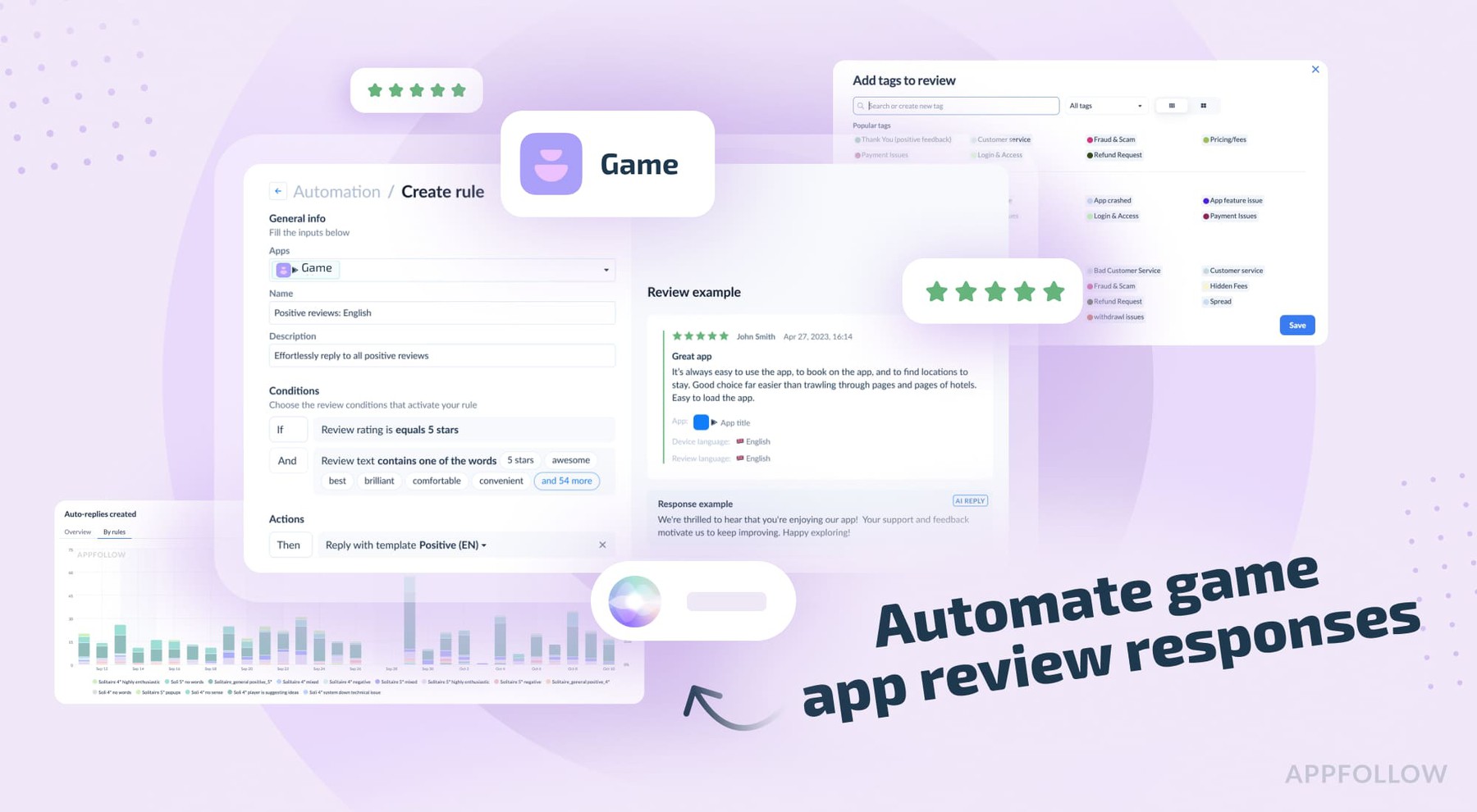
Table of Content:
Game studios with five people sometimes spend 10 hours per week reading reviews. That's two full days. Gone. Just reading what players wrote about your game.
iOS updates reviews every one to three hours. Google Play every 10 to 15 minutes if you connected your console. You check Monday morning and boom, 200 reviews waiting for you. Yay!
Someone on the team tries to keep up. They read everything, sort it mentally, reply to maybe five reviews, send bug reports to engineering, and ignore the rest because who has time? Wednesday rolls around, and they're already behind. Friday hits, and there are 300 more. The pile gets bigger. Eventually, nobody checks anymore unless the rating drops, and suddenly it's everybody's problem.
Then automation showed up and changed how this works. Teams now hit 80-100% reply coverage without hiring extra people. The system handles tagging, templates, and replies. You set it up, update templates every few weeks, and check the numbers. Done. Corner cases still need humans, of course they do. Angry whales, your main money-makers who are dropping thousands, need careful handling. Everything else runs on its own.
So let’s see how it’s done better.
Why automate game app review management?
Bad reviews mess with your app store ranking, duh!
Lower rating equals lower search visibility equals fewer people finding your game organically. A game sitting at 4.5 stars pulls way more downloads than the same game at 3.9 stars. Drop from 4.2 to 4.0 and you're looking at maybe a 20 percent download loss. We’ve seen worse happen to some apps than that.
Responding helps quite a lot. Players who get replies sometimes bump their rating up. AppFollow tracks this as the reply effect. Most rating changes happen with zero developer interaction. The ones who do engage matter because they're still around and cared enough to write something.
Reviews catch bugs before your analytics does, too. Player writes "game crashes when I try to open the shop on Android 13" and you just got actionable bug info. These are the crashes that are happening right now. Some players will write about it. Miss those reviews…well, many more will come soon after.
The volume is most often unmanageable. Free to play games with active players pull 50 to 200 reviews daily across stores. You can read that manually, or you can automate. Pick one because doing both is impossible.
Types of reviews you'll see
Game reviews sort themselves into buckets pretty fast:
- Bug reports
- Crashes
- Freezes
- Login fails
- Payment broken
- Monetization complaints
- Too many ads
- Prices too high
- Energy system sucks
- Pay-to-win garbage
- Feature requests.
- We want new levels, characters, modes.
- Thank you reviews from people who love your game.
- One-star rage from someone stuck on a level and blaming you.
- The list goes on and on and on…a lot of reviews, a lot of buckets.
Different buckets need different replies. Crash report gets acknowledged, ask for device info. Monetization complaint may get reminded about free content. Feature request goes in the roadmap pile. Thank you gets a quick positive reply. Rage review about difficulty may get a canned response because they'll probably delete it once they beat the level anyway.
Reading "game crashes on startup" for the fortieth time is soul-crushing. You know what to say. You've said it 39 times, and you still have to type it again. Copy-paste, change the name, hope you didn't forget. Automation sees the pattern, grabs the template, and sends it. AI can reword it, so it’s not the same for everyone. Set up once, handles the next 10,000 crash reports without bothering you (small print: adjustments are the name of the game, but small ones; the biggest thing is the initial setup)
How the automation works
Here’s the general flow:
- Reviews hit AppFollow from the app stores.
- Auto-tagging rules scan them, slap on tags based on what's in the text.
- Tags trigger automation rules.
- Rules either fire off template replies, generate AI responses, or flag something for a human to check.
- AI summaries watch for weird patterns (you do have to push the button though).
- Review bombing, bug spikes, whatever: Alerts go to Slack or Teams.
- Check the dashboard when you remember to.
- Most replies happen without you.
- Those that do happen with you are the most impactful.
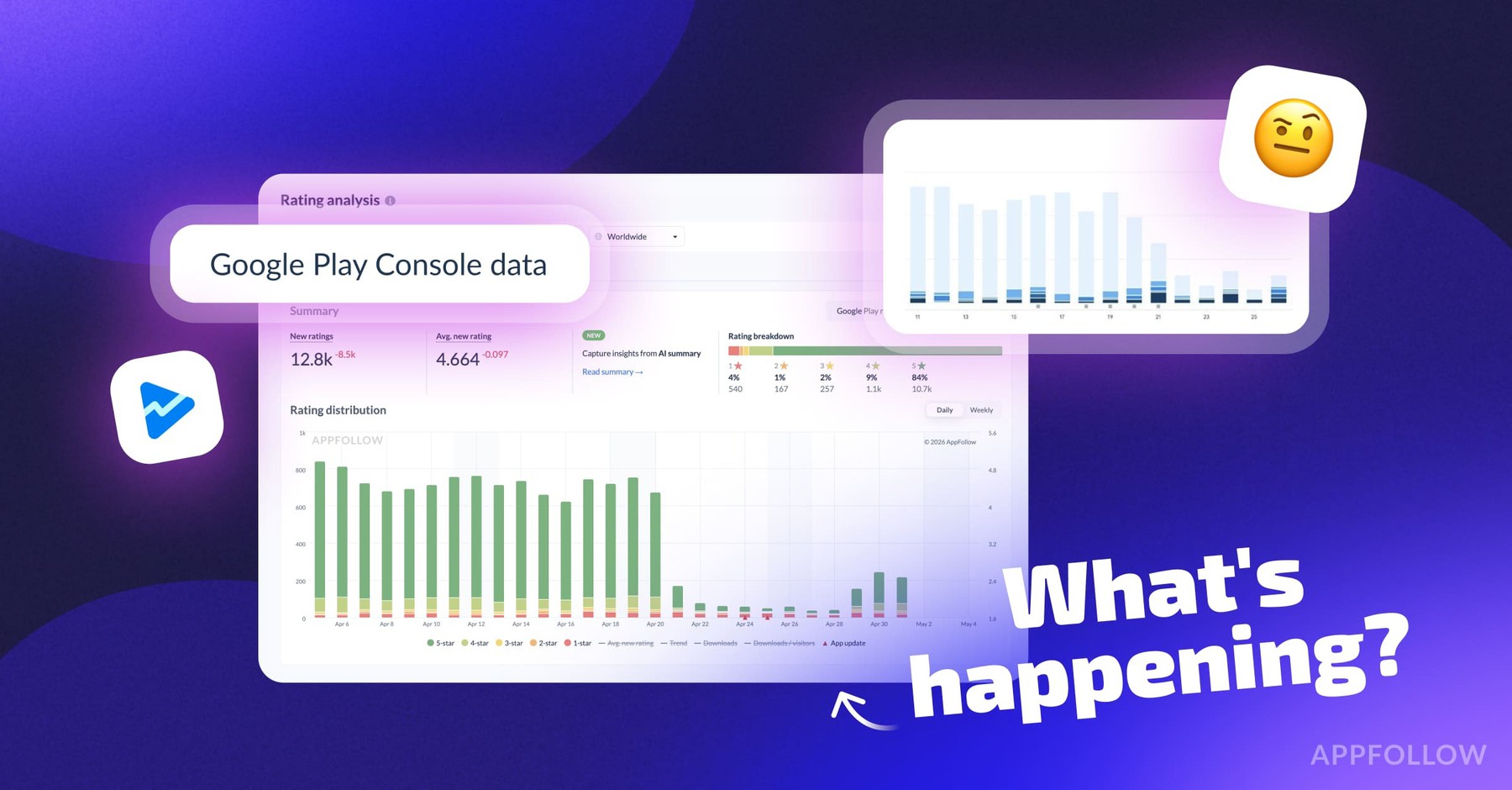
Remember when Genshin Impact got review bombed in September 2021? Rating dropped from 4.6 to 1.6 on Google Play in a few hours. Anniversary rewards were weak, and players lost it. That's what automated alerts catch well. Hard not to when the scale is quite so epic! Most games will never ever see this sort of calamity.
Google blocked 160 million spam ratings and reviews in 2025. Prevented 0.5-star drops from review bombing campaigns on average. These attacks move fast, and they happen constantly. Some can and will launch an offensive review campaign against your successful title. It’s a part of doing something right.
Templates
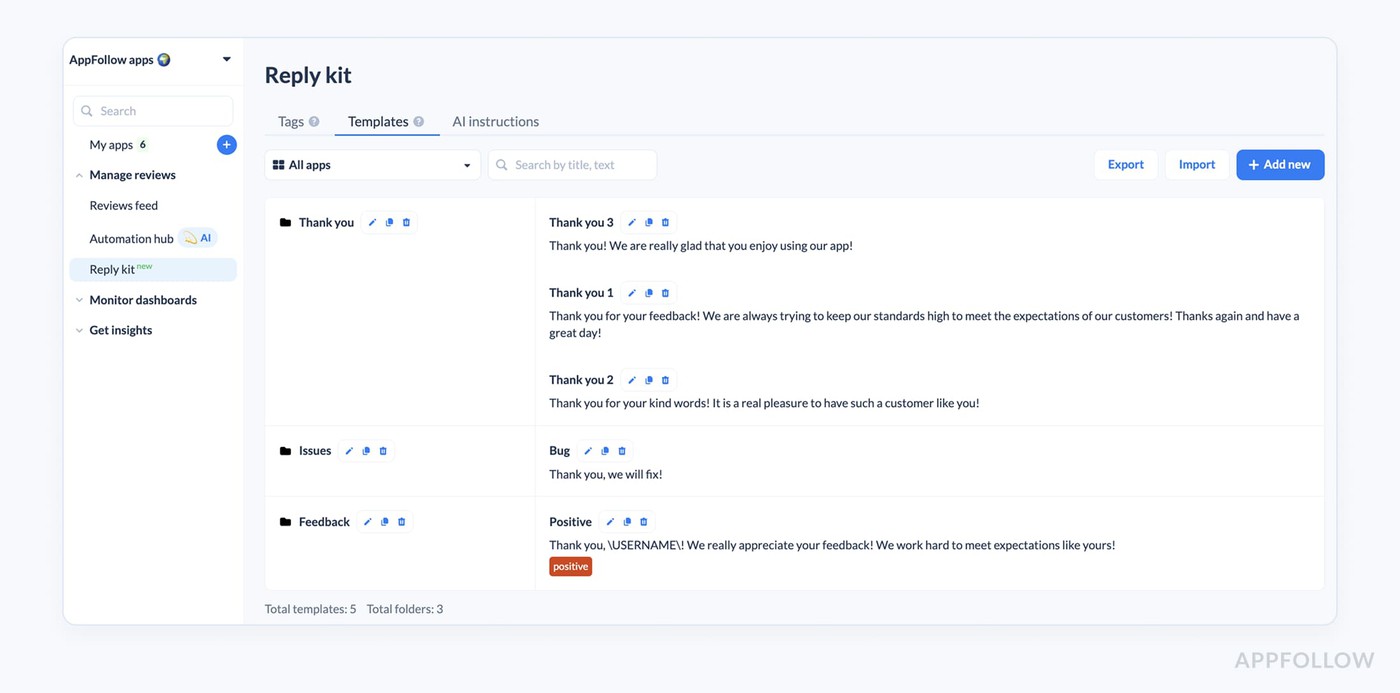
Pre-written replies sitting in folders. Write once, use hundreds of times. AppFollow gives you some basic positive and negative ones to start. You'll want to build your own for your game.
Mobile RPG needs templates for crashes, server problems, payment broken, energy complaints, difficulty spikes, positive vibes, feature requests, gacha rates making people mad. Each template lives in a folder. Make them app-specific or share across your whole workspace.
Templates have variables. Pulls in reviewer name, app name, version number. Keeps it from sounding completely robotic. "Thanks for playing [app_name], [reviewer_name]" turns into "Thanks for playing Dungeon Crawler, Sarah" when it sends. AppFollow can also rephrase the template, so that none of them look boring and similar.
AI replies
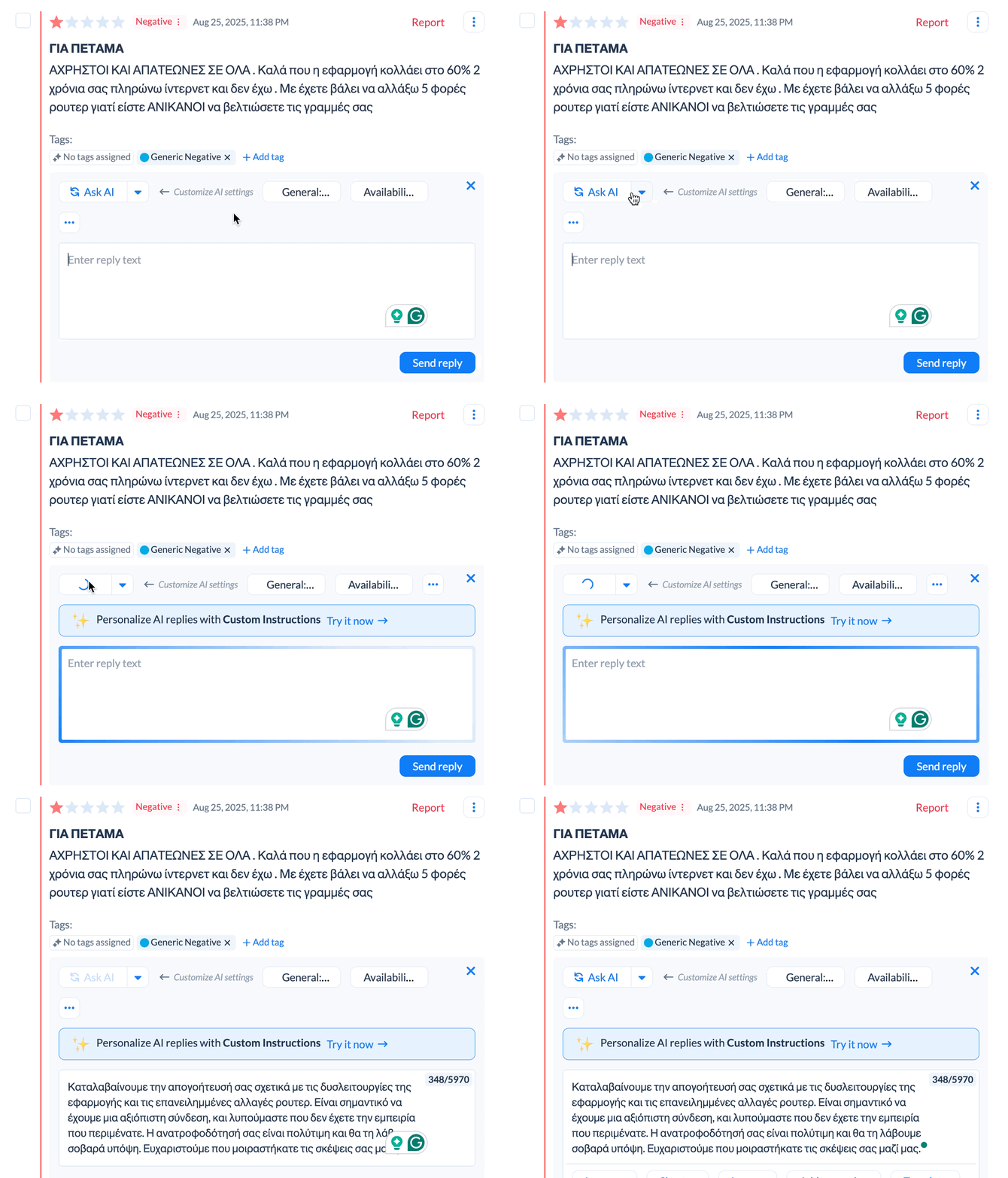
Generate AI replies manually with one click. Set up automation to generate them based on review conditions.
Manual mode works like this:
- You're staring at a review that doesn't fit your templates.
- Someone complaining about a level being too dark maybe.
- Click AI reply button, system spits out a response.
- Refine it. Make it longer, shorter, better. Generate alternatives. Ask them to update rating, redirect to support, whatever.
- Edit if you want, send it.
Free tier gets 15 per month, paid gets unlimited.
In automation mode, you set rules. Reviews between one and three stars, mentions bugs, written in English, no reply yet. Rule runs every 10 minutes. Pick whether replies post immediately or sit in pending for approval.
AI with your docs
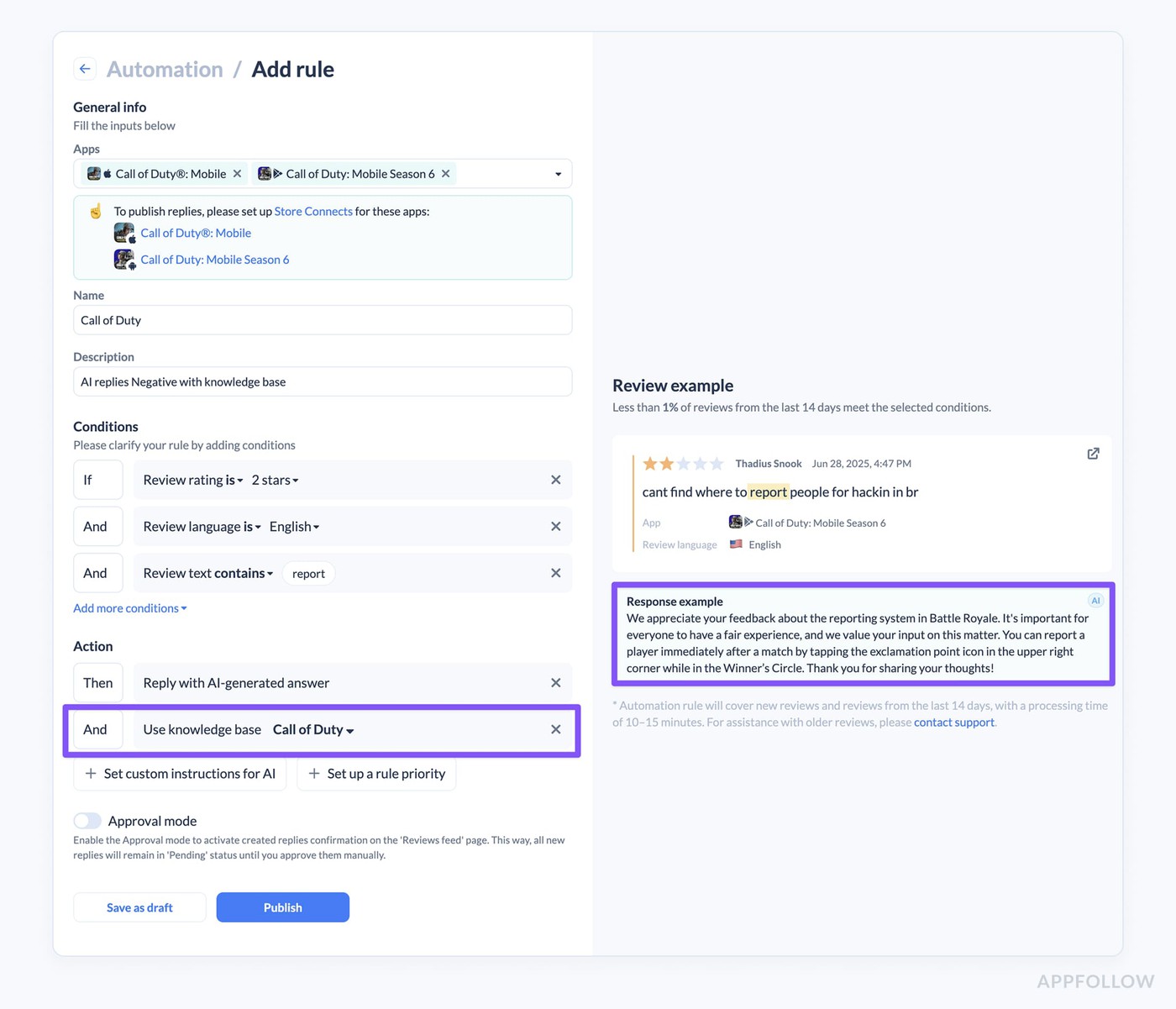
The best bit! Otherwise, how are the robots supposed to know what to say?
Upload help docs, FAQ, internal guides. Text, PDF, Word, markdown, HTML. AI indexes everything, pulls relevant bits into replies when something matches. Player asks "how do I unlock the forge" and AI checks your docs, finds it, generates reply with the steps. Automation replies only.
You can also control how AI replies sound. Tone, style, username yes or no, signature lines. Set per workspace. Manual AI replies get their own instructions. Auto-replies get separate ones.
Auto-tags
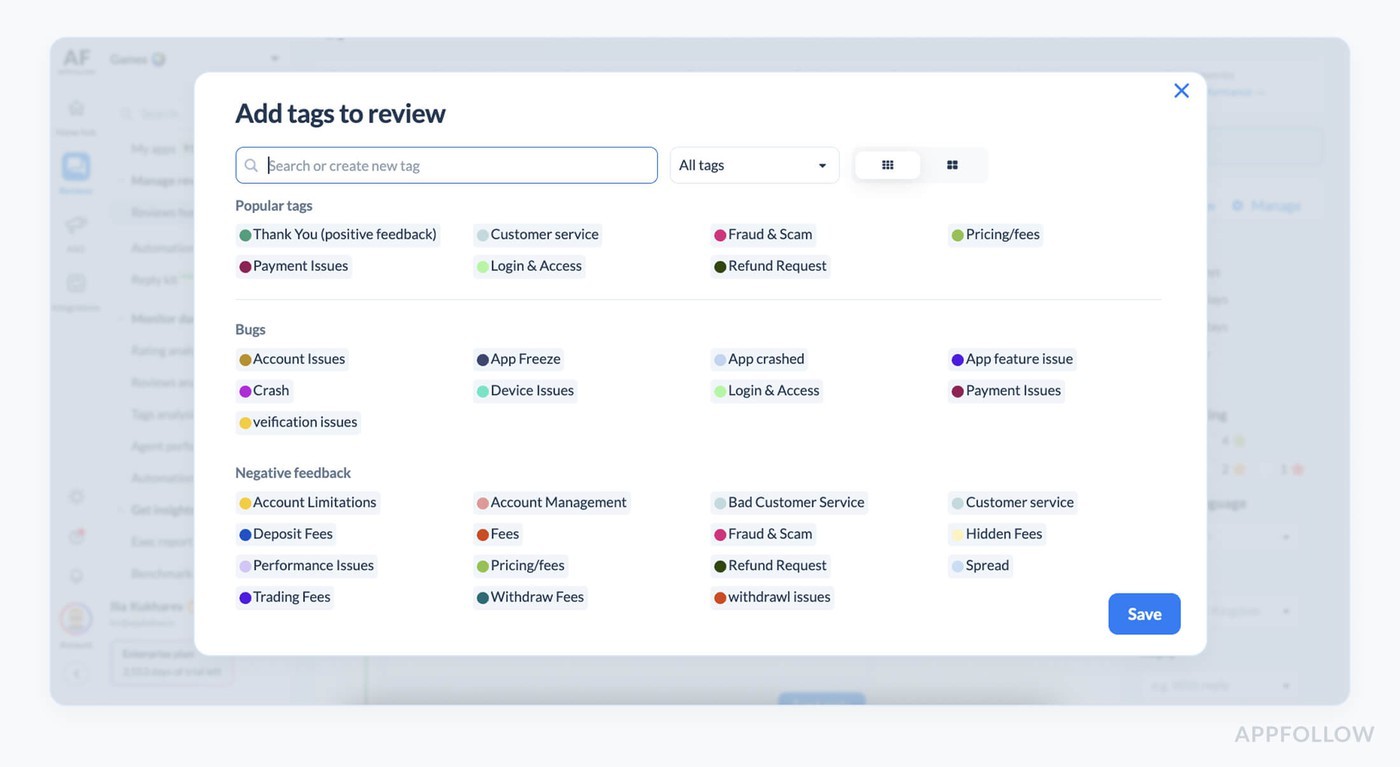
Rules that add tags on reviews automatically based on conditions. Review text, rating, length, language, sentiment, and featured status. System scans every 10 minutes. Create a rule, and it applies to the last 14 days of untagged reviews.
Tags organize everything. Topic, bug type, team ownership. Filter by tags, track trends, trigger automation based on which tags get applied.
There are also semantic tags: pre-built ML tags that AppFollow applies on its own. Bugs like crash, freeze, connection problems, battery drain, payment broken. Monetization like ads, refunds, subscriptions, pricing, pay to win. User feedback like feature requests, design stuff, customer service. Paid add-on. Works in 20 languages!
AI summaries and alerts
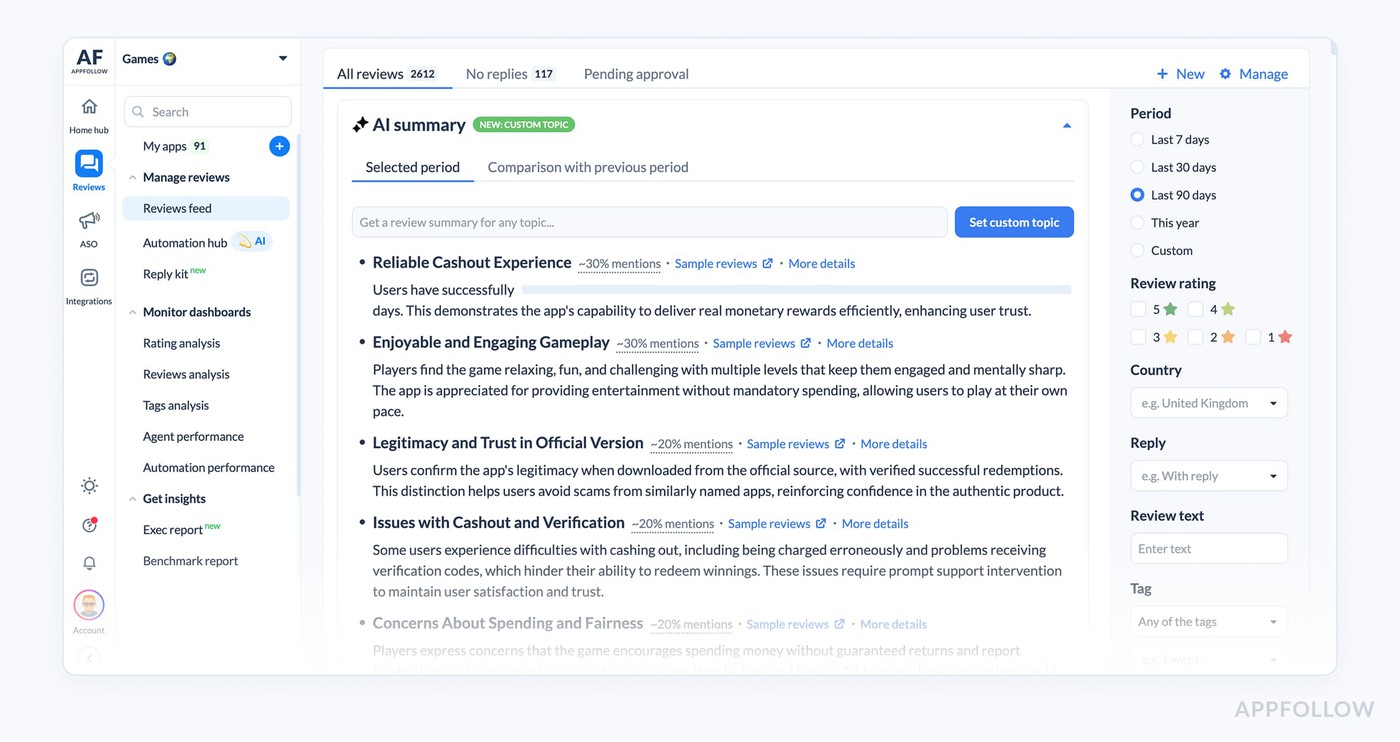
AI summaries pop up automatically.
Reviews feed shows auto-summary of whatever you're filtering, and Reviews analysis breaks it down by country and tag. Custom topics let you throw in a 15 to 20 character prompt, get focused summary on that thing.
AI summary alerts fire when semantic tag conditions are met. Send to Slack or Teams. Configure by tag, count threshold, and timeframe. You can get 50 crash reviews in six hours, and the alert fires, letting you know that yet another fire needs to be put out. Team gets Slack message with AI summary plus link to reviews. This catches review bombing, post-release bugs, and server outages before your rating takes too serious a hit.
Performance tracking
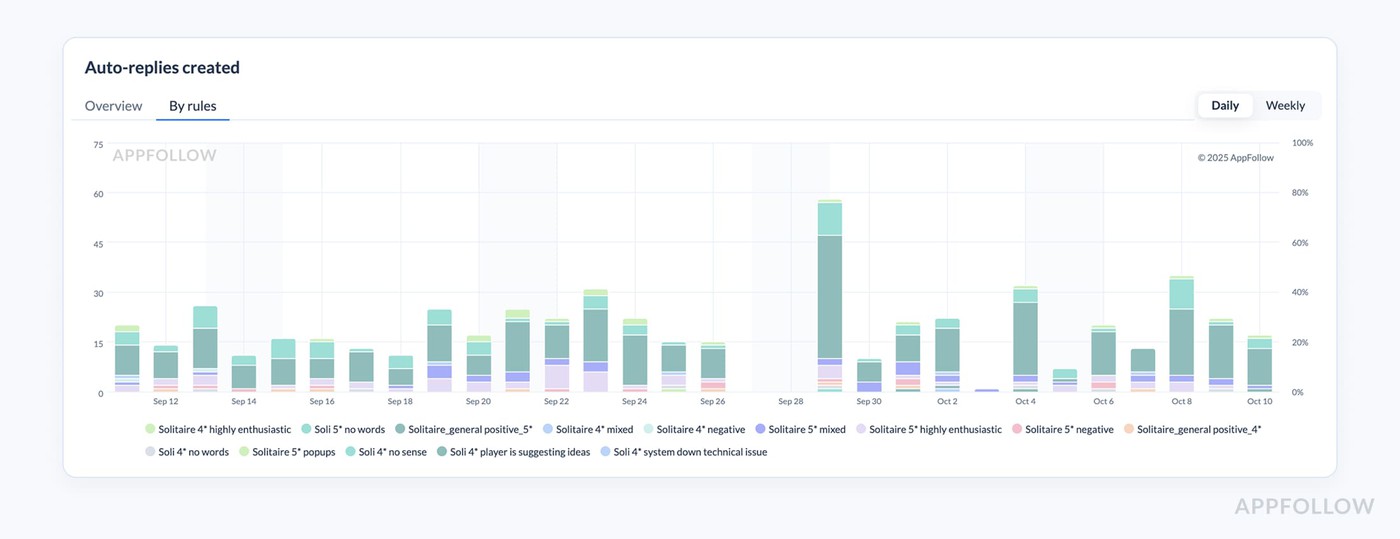
Finally, how do you tell if it all works as intended? Hard numbers.
Automation performance page shows how your rules are doing. Total auto-replies made, concerns reported, automation score (automated replies divided by all replies). Overview tab plus by-rules tab with metrics per rule. Replies created, pending count, last run, replies per day.
What this looks like when it's running
Simple!
- Set up templates for your top 10 to 15 scenarios.
- Crashes, payment fails, difficulty rage, positive stuff.
- Write auto-tag rules. Bugs, monetization, features, positive, spam.
- Make automation rules that shoot template replies at clear situations, generate AI for everything else.
- Start with approval mode. Configure AI summary alert for Slack when crashes spike above 20 in six hours.
The system runs…
Reviews come in, tags stick, replies generate. Some post immediately, some wait. Check pending once or twice daily, fix what needs fixing, and publish. Few weeks later, you trust it more, switch more rules to auto-post. Now you're checking every few days.
New update drops, bug wave hits (when will it end?), AI summary alert fires within an hour. Check reviews, spot the pattern, reply to a few manually, and automation handles the rest. Engineering knows already. Hotfix goes out, wave stops, automation keeps going. Victory!
You're hitting 80 to 100 percent coverage with automation, spending maybe an hour or two weekly on manual stuff, and the rest of your time goes back to something that only a human can do.
The part where nothing is perfect
Automation handles volume. It can’t handle absolutely everything, nor should it.
- Templates need updates when mechanics change or new stuff breaks (and it will).
- AI sometimes misses tone.
- Review bombing = human eyes.
- Angry whales = careful words.
- Weird bugs = investigation.
And, of course, the system needs tuning sometimes. The rule worked great for six months, starts spitting weird replies because the player's language shifted, or something similar. Custom instructions then need tweaking. Auto-tag conditions are grabbing too much false positive stuff, the list goes on. Perfection is unattainable, but the exercise itself is worthwhile.
Still beats reading 500 reviews weekly and typing replies.
Maintenance is maybe an hour weekly once it's stable. The alternative is hiring someone full-time or ignoring reviews, watching your rating slowly die.
Try AppFollow and set up the workflow that’ll keep your ratings high! Works for cross-platform games too, if your title is also on Steam.
cta_get_started_purple
FAQ
How much does game review automation cost compared to hiring someone?
Platforms run somewhere between $500 to $2,000 monthly depending on features and volume. Hiring someone full time costs $70,000 to $100,000 yearly with benefits. That person maybe handles 1,000 to 2,000 reviews monthly. Automation handles thousands. Most game studios save $40,000 to $75,000 yearly using platforms over hiring. Free plans exist with limited AI replies. Paid plans start around $139 monthly for basic features.
Can automated AI replies sound natural or do they all sound like robots?
AI replies can sound pretty natural if you set them up right. Custom instructions control tone, style, whether to use player names. Template variables pull in specific details like app name, reviewer name, version number. AI adapts templates to individual review content so replies don't look copy-pasted. Some replies still need human edits. Approval mode lets you check before they go live. Most teams start with approval mode, switch to auto-post once they trust it. Around 80 to 90 percent of AI replies work fine without edits.
How long does setting up review automation take for a mobile game?
Initial setup takes maybe a day or two if you're doing it right. Write 10 to 15 templates covering main scenarios. Set up auto-tagging rules for bugs, monetization, features. Create automation rules matching reviews to templates or AI replies. Configure alerts for Slack or Teams. Test everything in approval mode. First week you're checking pending replies daily, tweaking templates, adjusting rules. After a few weeks it runs mostly on its own. Maintenance is maybe an hour weekly once stable. Bigger studios with multiple games might take longer getting everything consistent.
Does review automation catch review bombing before it drops your rating?
Automation catches review bombing faster than manual checking. AI summary alerts fire when review volume or sentiment spikes above thresholds you set. Configure alerts by semantic tags, count, timeframe. Get 50 crash reports in six hours and Slack pings your team with summary plus link to reviews. Genshin Impact dropped 4.6 to 1.6 stars in hours during their 2021 review bomb. Automated alerts would have caught that in the first hour when volume spiked. Manual checking maybe notices after a day or two when someone finally checks the dashboard. By then the damage is done and you're playing catchup.
Read also: AppFollow Privacy Policy