[Webinar recap] How to handle Steam reviews when fewer than 1% get a reply

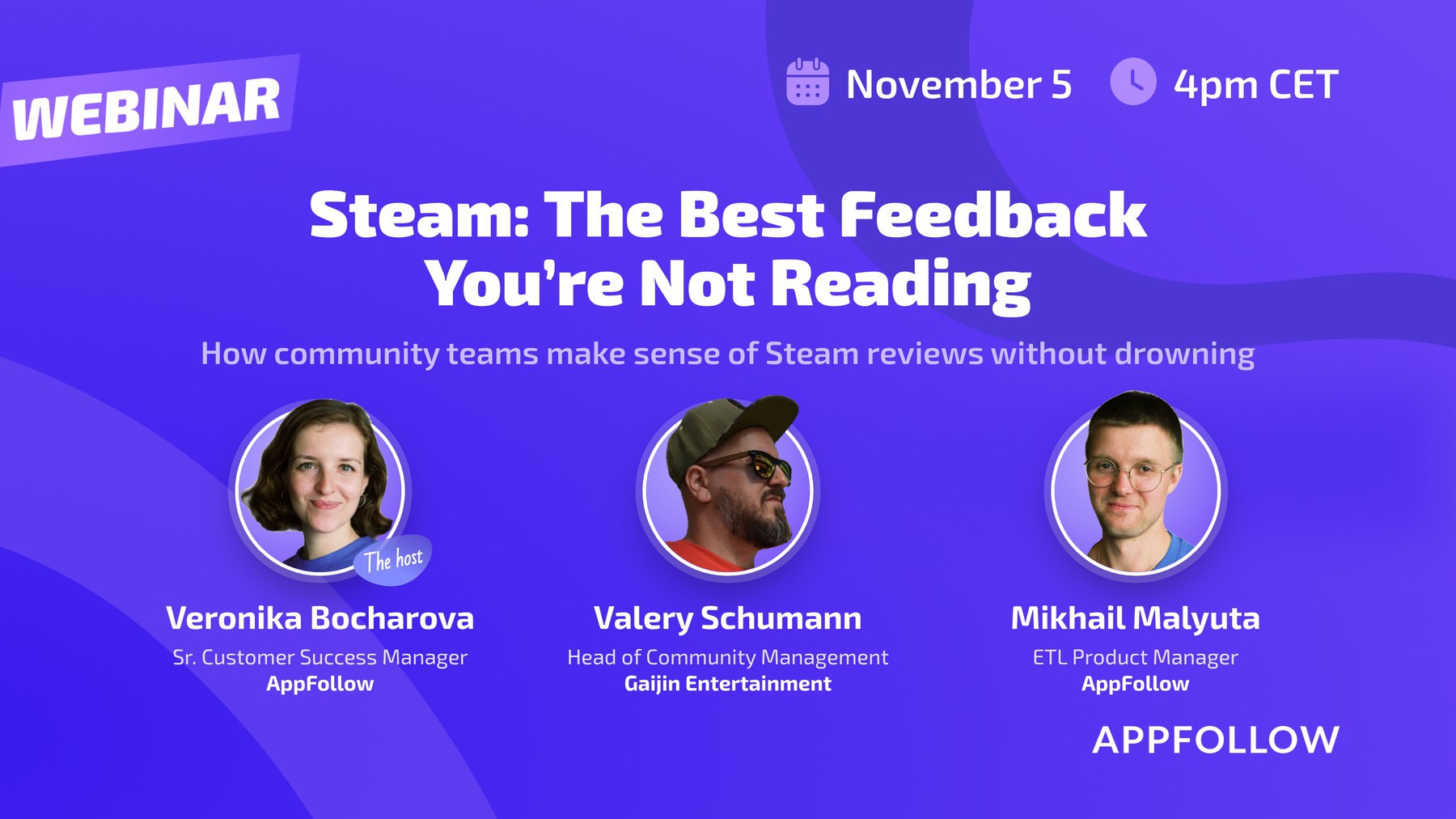
This guide comes out of Steam: the best feedback you're not reading, our webinar on November 5. Our speakers were Valery Schumann, Head of Community Management at Gaijin Entertainment, and Mikhail Malyuta, Data Integrations Product Manager at AppFollow. Veronika Bocharova, Senior Customer Success Manager at AppFollow, was the host.
Fewer than 1 in 100 Steam reviews get a reply from the developer. Across the 390 Steam games tracked in AppFollow, there are 68,331 developer responses to 12,280,084 reviews. That's 0.56%.
Metric | Share | Detail |
Steam reviews with a developer response | 0.56% | 68,331 responses to 12,280,084 reviews |
Games that never replied to a single review | 70% | 273 of 390 games |
Share of all responses from one game | 49% | Borderlands 4, with 33,541 of 68,331 responses |
Take Borderlands 4 out, and the response rate for the other 389 games drops to 0.29%. (The counts cover reviews stored in AppFollow as of November 3, 2026, so history depth varies by game.)
So most Steam feedback goes unanswered, and a lot of it goes unread. A low reply rate isn't automatically a problem, though. The studios that handle Steam well reply less often on purpose and pick their reviews with care. Here's how to do the same.
Know what makes Steam reviews different
If you come to Steam from mobile, four things will catch you off guard.
- Playtime changes the weight of a review. Steam shows each reviewer's playtime. A review from someone with 400 hours tells you more than one from someone with 20 minutes in the game.
- The launch window is unforgiving. A wave of harsh reviews in the first days can sink a new title. Some teams give up on a game after a launch like that.
- Reviews are specific, and big games change slowly. Players often describe the exact fix in detail. You probably can't ship most of those requests quickly, so your answer will usually be moderation or a clear explanation, with no promise of a new feature.
- Communities can get toxic. Language you'd report on Google Play shows up in Steam reviews all the time, and a single review can start a whole thread between players. Before you reply, ask yourself whether your reply will calm things down or add fuel to the fire.
Don't count on replies to flip reviews
There's hope behind most replies: a player leaves a negative review, you answer (or fix the problem), and the player switches the review to positive. On Steam, that outcome is rare.
Steam players can switch a review between positive and negative at any time, with or without a reply from you. Track those switches through the Steam API. Gaijin pipes them into its own analytics. Even in the best case, only about 5% to 7% of negative reviews turn positive after a developer reply.
Watch the other direction too. A sudden spike of positive reviews turning negative tells you about a change. Maybe your last update shifted the meta. Maybe someone organized a review-bombing campaign. Check the context before you react, because those two causes need very different responses.
So why reply at all? Because the reply works on everyone else who reads it. It shows the community that your team reads reviews and takes player opinions seriously. And after a fix, it closes the loop. Go back to the negative reviews about the problem you fixed, tell those players about the fix, and invite them to try the game again.
Reply to the reviews new buyers see first
A Steam store page has two review feeds. Recently Posted runs down the right side and shows the newest reviews. Most Helpful is in the middle of the page, under the DLCs, and most people scroll through it before a purchase.
Reviews move into Most Helpful when they collect engagement: Helpful and Funny votes, awards, and comments within a certain period. Steam doesn't publish the exact formula. In practice it works a lot like YouTube recommendations. The more engagement a review keeps getting, the longer it stays visible. A review doesn't need any useful content to get there, either. Joke reviews with lots of Funny votes have stayed in Most Helpful for up to six months.
That tells you where to spend your replies. Answer the Most Helpful reviews first, including the negative ones. Every potential buyer who scrolls the page will see your reply, and a calm answer to criticism shows them a team that listens to its players.
Choose which reviews get a reply
On mobile, teams often chase a high reply rate. That falls apart at Steam volume. Gaijin gets about 12,300 Steam reviews a month across 10 titles, and War Thunder alone pulled in over 12,000 reviews in two weeks during the Steam Awards. At 300 or more reviews a day, replying to everything means templates. Players spot copy-pasted templates fast, and once they do, every reply you post loses credibility, including the good ones.
So be choosy. Put these reviews at the top of your list:
- Reviews with specific, actionable feedback, even harsh or emotional ones.
- Reviews that describe a real issue you can fix, investigate, or at least log as feedback.
- Reviews in the Most Helpful section.
Give no priority to reviews with nothing but insults in them. A careless reply can turn a quiet review into a fight in the comments.
There's one exception: if you're an indie studio with a manageable number of reviews, reply to all of them. It keeps you close to your players, and for a small game that closeness is one of your best growth tools.
Ask for reviews between hour 2 and hour 80
Your longest-playing players are often your harshest critics. People with thousands of hours know every mechanic, have lived through years of updates, and have their own idea of the game's direction. When your plans don't match that idea, their reviews turn sour. (And of course every veteran knows exactly how to balance the game, market it, and run the studio better than you.)
No formula fits every game, since timing and audience vary a lot. As a rule of thumb, ask for a review after at least 2 hours of play and before roughly 50 to 80 hours. By then players have seen enough to form an opinion, and they haven't built up the frustration that comes with a few thousand hours. Mobile games follow much the same pattern.
Pick a happy moment for the prompt, like an achievement or a good haul of loot after a battle. Then keep it simple: thank them for playing and ask for feedback that will help make the game better for everyone.
Never offer in-game items or any other reward in exchange for a Steam review. Steam's rules forbid it, and you risk getting the game pulled from the store.
Read Discussions and Reddit for the reasons behind a review
A Steam review tells you how a player feels about the game overall. Steam Discussions and Reddit tell you the reasons. That's where you'll find long threads about specific bugs, mechanics, and updates, plus suggestions for fixes and arguments about upcoming changes.
Join those conversations. When players see developers in the threads, they trust the team more, and that trust turns into loyalty over time. Gaijin goes further and replies on every platform its players use: Steam, PlayStation, Xbox, Discord, Reddit, YouTube, TikTok, Instagram, and X.
Pull all of that feedback into one place, and tag each piece by source. For a cross-platform game, the top issue for console players can be completely different from the top issue on PC, and you'll only see that gap with source tags.
Decide whether to build or buy your feedback tool
Gaijin chose to build its own tool. It pulls Steam reviews through the Steam API into its own dashboards and analyzes them in an in-house tool. The tool covers Steam reviews, Steam Discussions, Reddit, Telegram, the official forum, and comments on Gaijin's website. The team can pick sources, filters, and semantic criteria and build a report on reactions to one update, feature, or announcement.
Two things pushed them that way, and they're worth checking for your own studio:
- Fit. Nothing on the market matched their needs, and customizing an outside tool looked like more work than building one from scratch.
- Data access. Their forum and website comments require access to internal systems, and they didn't want to hand the keys to the vault to a third party.
To be fair to the other side: no outside vendor will support your own company forum out of the box, because nobody else has one like it. With AI, a vendor might add support for it eventually, but that takes time and costs money. If your feedback comes mostly from Steam, Reddit, Discord, and the app stores, buying will usually get you there faster.
Set up a support workflow for a small team
Not every studio has Gaijin's volume. One social gaming studio we work with gets about 160 Steam reviews a month on its main title, plus 12 smaller titles. Its forum activity is growing fast: 230 new topics so far in 2026 (up 73% on 2025) and 251 comments (up 79%). Its support team has a workflow worth copying.
Get review work out of the native console
The Steam console has no built-in translator and limited sorting, and the page sometimes jumps back to the top after each reply. At any real volume, that wastes hours. Move review work to a tool without those problems. This team handles reviews in AppFollow and still runs Discussions directly in Steam.
Translate everything into one language
A big share of this team's reviews come from players in China. Browser extensions handle mixed languages badly, so turn on auto-translation and read every review in one feed, in your team's working language.
Send ban complaints to your support team
Many of those Chinese reviews are about account bans. You won't always be able to reverse a ban or change the review score, and that's fine. Aim to help the player. When a case needs an individual look, send the player to your in-game support team.
Reply by content, whatever the section
Prioritize three kinds of requests: feature suggestions, technical issues, and account problems. Use the
same rule in reviews and in Discussions. Judge each message by what it says, and ignore which section it came from. Measure your work by how useful your replies are to players, and forget the reply count.
Use localized templates for standard answers
This team keeps a library of templates that native speakers localized into 10 to 15 languages. Templates keep your reply quality steady, keep one approved voice, and prevent wording mistakes in the answers you give most often. For anything non-standard, write the reply in a language you know and translate it with AI. That mix keeps a small team fast and flexible.
Read every review, then look for clusters
At this volume, you can read every review by hand, so do it. Then use AI Summary to pull out topics and recurring complaints. Don't throw out emotional reviews with no concrete suggestion in them. They still tell you something. When many similar complaints show up in a short window, treat it as a possible problem and look at the trend, beyond the individual reviews.
Agree on what goes to the product team
In this studio, one team publishes all the games and the support team handles reviews and Discussions. When a mass problem shows up, support passes it to the product team. If something is broken, the product team investigates. If many players ask for the same feature, the product team weighs it for the roadmap. Watch hardest in the days right after a release. A cluster of new complaints then usually means the update broke something.
Track a new title from launch day
The launch window does the most damage, so start tracking on day one. One large gaming company with several mobile games connected its new Steam title to AppFollow from day one. The team used AI Summaries and alerts to follow incoming feedback, sort it into insights, and catch new trends in the first weeks. Its production and community management teams worked from the same data, so they could find and fix problems while the launch was still going on.
Tag and count your feedback at scale
Gameloft runs many different games across platforms, several of them on Steam, and nobody can read all those reviews by hand. So the team tags Steam reviews automatically with its own custom taxonomy, then counts how often each theme comes up. On top of that it uses Replies, AI Summary, and a Monitoring agent that emails recurring Steam feedback summaries.
Steam reviews are longer than the average app store review, and players often include technical context that helps spot bugs. Tagging turns that detail into numbers for your priority list. Keyword and tag history helps too, when you need specific information fast and want to get it to the game team the same day.
Use filters missing from the Steam console
Here's what that looks like in AppFollow, using data for Cyberpunk 2077 on Steam from October 6 to November 4, 2026. You add a Steam game yourself, and AppFollow starts collecting its reviews and Discussions right away.
- Sentiment plus tags. Combine negative sentiment with a semantic tag or auto-tag to find negative reviews with specific technical details. If the same detail keeps coming up, send it to your dev team.
- Translation. Read reviews in Chinese and most other languages right in the feed, with no browser extensions.
- Funny votes. Sort by Funny votes and you'll find gems like this one, with 147 Funny votes: "new update is broken and I can't even launch the game." (Players have a dark sense of humor.)
- Playtime. Filter by hours of play. One reviewer with more than 800 hours wrote that an update broke the whole game. If several long-time players say the same thing after a release, a short call with one of them is worth your time.
Turn 18,000 reviews into a short list
Cyberpunk 2077 got about 18,000 Steam reviews that month, or 599 a day, up 158% on the previous period. AppFollow's Topics view sorted every one into categories and subcategories automatically.
- 62% of the reviews had nothing to act on, so Topics grouped them as non-informative. Check a sample, then start with the other 38%.
- Stability and crashes averaged 2.78 stars, against 4.75 for the game overall. Per-topic ratings show you what the overall average hides.
- Arrows flag fast-growing topics. Treat a fast-growing topic as your cue to escalate to the game team.
- Subcategories go deeper. Under Gameplay, a Content pack subcategory collected comments on the game's latest content pack, so you can pull feedback on one release without reading the whole feed.
Reply at scale without losing quality
Five AppFollow customers already reply to Steam reviews at scale. Setup takes four steps:
- Invite AppFollow to your Steam console. Once you grant access, your replies post as official developer responses.
- Create an automation rule, name the agent, and pick the Steam games for it.
- Choose conditions, for example 5-star reviews with positive sentiment.
- Pick the reply logic: templates, AI replies in your own reply style, or drafts that need a person's approval.
Roll it out in two stages. Start with every reply going through approval, and switch approval off once you trust the quality.
Watch Steam, Reddit, and Discord in one feed
Feedback hub puts Steam reviews, Steam Discussions, Reddit, and Discord in one feed, with tags and sentiment working across all of them. Game teams kept naming Steam, Reddit, and Discord as the three platforms with most of their feedback, so we call them the gaming trio. AI Topics are coming to the hub next. Feedback summary alerts and MCP access are due by the end of November, so you'll be able to query your feedback from your own AI tools.
A few things to try this week
- Open your store page, sort by Most Helpful, and count how many of the top 10 reviews have a developer reply.
- Pick one specific complaint that keeps coming up and reply to the most visible reviews about it.
- After your next fix, go back to the negative reviews about that problem and tell those players about the fix.
- Check when your review prompt fires. If it shows up before hour 2 or after hour 80, test a different moment.
- Set a clear rule for escalation to the product team, like a number of similar complaints within a set number of days.
FAQ
Should you reply to every Steam review?
Only if your volume is small. Indie teams with a manageable number of reviews should reply to all of them, because it keeps them close to their players. At a few hundred reviews a day, replying to everything forces you into templates, and players stop trusting copy-pasted replies quickly. At that scale, prioritize specific, actionable feedback such as technical issues and account problems, plus reviews in the Most Helpful section, since new buyers see those first.
How do reviews get into Steam's Most Helpful section?
Reviews start in Recently Posted and move to Most Helpful once they collect enough Helpful or Funny votes, awards, and comments within a certain period. Steam doesn't publish the exact algorithm, but it behaves a lot like a recommendation feed: the more engagement a review keeps getting, the longer it stays visible. That's why joke reviews with little useful content can stay in Most Helpful for months, and why a developer reply there reaches far more people than a reply in the recent feed.
Can you ask players to leave a Steam review?
Yes, as long as you only ask for an honest review. An in-game popup after an achievement is fine. Offering any reward for a review, like in-game items, breaks Steam's rules and can get the game removed from the store. Timing matters too. Ask after at least 2 hours of play and before roughly 50 to 80 hours, when players know the game well and haven't built up long-term frustration yet.