[Webinar recap] Black Friday ASO for shopping apps: what to fix before the Q4 peak

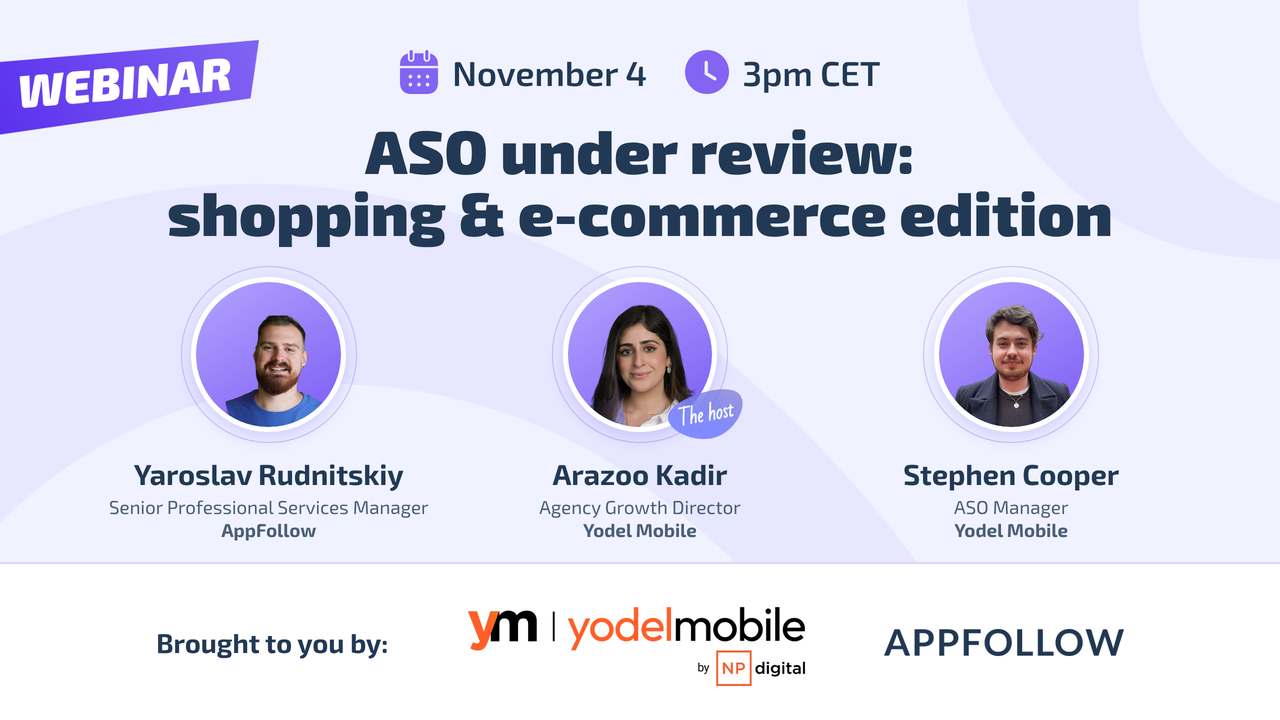
This guide comes out of ASO under review: shopping and e-commerce edition, the live audit we ran with Yodel Mobile on November 4. Arazoo Kadir, Agency Growth Director at Yodel Mobile, hosted it, with Stephen Cooper, ASO Manager at Yodel Mobile, and Yaroslav Rudnitskiy, Senior Professional Services Manager at AppFollow.
You can watch the full recording here:
Shopping apps get more than double their usual installs in Q4, and every one of those installs costs more. Last year, CPIs climbed 14% during Black Friday and Cyber Monday week. So every visit to your store page matters more in Q4.
The examples below come from four retail apps: Primark and Nectar in the UK, Hepsiburada in Turkey, and MediaMarkt across Europe. Almost all of the advice works for any app with a seasonal peak.
Start early, because Black Friday search is predictable
Search interest in Black Friday spikes at the same time every year, from November into early December. You can see it coming months ahead, so plan for it months ahead. Four moves work in any vertical.
Put Black Friday at the start of your keyword field
The later you start, the harder it is to rank for a seasonal term. Get the term into your metadata early, and put it near the front.
The App Store combines your title, subtitle, and keyword field into one long string, and words closer to the start of that string tend to get more weight. That's why smaller brands often move their brand name to the end of the title. Do the same with seasonal terms in your keyword field. "black friday,shopping,fashion,clothes,shoes" gives Black Friday more ranking power than "shopping,fashion,clothes,shoes,black friday". Even if you start now, moving the term to the front should help your ranking for it.
Match your ads with custom product pages
Custom product pages (CPPs) on the App Store and custom store listings (CSLs) on Google Play have been around for five or six years, and most apps still underuse them. Zilch in the UK shows how to use them for a sale. Its default screenshots say "spend with benefits." Its Black Friday page switches to a black background and puts Black Friday in the creative itself.
Put your CPPs to work:
- Link them to paid campaigns. If an ad promises Black Friday deals and the user lands on a default listing with a different message, you'll lose a lot of those users. A CPP keeps the message the same from the ad to the store page.
- Deep link into a custom onboarding flow. If you have engineering time, send people from the Black Friday CPP into onboarding that opens with Black Friday deals. Then the user sees the same offer from the first ad to the first purchase.
- Use organic CPPs. In App Store Connect, under custom product pages, assign your Black Friday keywords to your Black Friday page. Don't expect exact matching. In testing, the matching is broader than that, but it still raises your odds of showing the sale creative to people who search for the sale.
Sell the deal in your screenshots
Picture two cashback apps side by side. One says "Don't miss 12% cashback + Black Friday deals" next to retailer logos styled for Black Friday. The other says "Get cashback from 7,000 retailers." If you're searching for a Black Friday offer, you'll tap the first one.
Most screenshots list the app's features. Users come to the store with a problem, and in late November the problem is finding a good deal. So show how your app solves that problem. Very's "brace yourself, big deals incoming" and Jet2's Black Friday sale creative both lead with the benefit to the user.
Submit in-app events early
Just under a quarter of shopping apps use in-app events, so the competition for attention there is thin. Use that gap:
- Show the offer up front, whether it's a sale or specific products on discount.
- Segment the offer, for example one event for lapsed users and another for new ones.
- Make the creative bold enough to stand out among other shopping apps.
- Submit early. Teams that submit the day before sometimes get rejected for breaking the guidelines and end up with nothing live.
- Apply for a featuring slot. A nomination costs nothing and can get you onto the Today tab or the Apps tab.
- Read the store rules for in-app events first, since they're strict.
Primark: give a famous brand some generic keywords
Primark launched its app in April 2026, after years as a store-only retailer. Shoppers can browse products, check local stock, use click and collect, save favorites, find nearby stores, and get updates on new collections. Most new apps would kill for Primark's brand awareness. The app gets frequent updates, and its early iOS rating of about 4.3 is a reasonable start.
Tell the algorithm what the app is for
Primark's title targets one keyword: Primark. Big retailers do this a lot (JD is another example). The trouble is that the store has no idea about Primark's product range. It can't tell if the app is about clothes, shoes, or shopping in general. Keep the brand, and add a couple of generic keywords to the title and subtitle.
Branded search for big retailers peaks in Q4, and what goes up must come down. When branded volume drops in January, generic rankings are what keep the downloads steady.
Make the brand obvious at a glance
On both iOS and Android, Primark's icon doesn't immediately read as Primark. People who search for your brand should see your colors and your name right away. If they don't recognize the icon, some of them will download a competitor instead.
The screenshots need:
- Bigger headlines. You have to squint to read the current ones, and users won't make that effort. Make lines like "shop in app, collect in store" bigger and bolder.
- Steadier frame placement. The device frame changes position from one screenshot to the next. A little disruption can make people swipe, but a bit more consistency would help here.
- Brand colors. The set jumps from light blue to neon yellow, red, and purple. Primark's colors are light blue and turquoise, so stick with those.
Only an A/B test will prove any of this, so test each change before a full rollout.
Test the new product page header
This October, the App Store opened product page headers and search result assets to every developer. There are two directions to choose from. Blinkist puts its brand front and center. HBO Max shows the range of its content. Primark could go either way: lean on the brand it already has, or show new collections, clothes, and sneakers for discovery. Run a test and let the conversion rate make the call.
Fix the rating on Android first
Android is Primark's biggest gap, sadly. On Google Play, the app ranks low in its category, has very few keywords in the top 10 (brand included), and has a weak rating. Competitors like Matalan, Shein, and Very have ratings in the mid to high 4s and get the algorithmic benefit. Fix the rating first, and better keyword rankings should come with it.
Ratings matter more now that AI-generated review summaries appear on product pages, first on Google Play and now on iOS. If your reviews complain about click and collect or clothing quality, every new visitor reads that complaint in the summary before anything else.
Nectar: protect the lead on iOS, and close the gap on Google Play
Nectar is the loyalty app for Sainsbury's shoppers. You collect and spend points and get exclusive offers. Loyalty apps match lots of high-intent searches (shopping, saving, rewards, offers), so Nectar can rank for far more search terms than a fashion app like Primark.
Keep optimizing, even as the market leader
On iOS, Nectar ranks in the top 10 for around 140 keywords. Many are adjacent terms, like other supermarkets and offer schemes, so its traffic comes from competitor and generic searches as well as the brand. The iOS rating averages about 4.5, just under the 4.6 that counts as best practice.
The trend is the worry. The rating has slowly dropped over the past 12 months, and the number of top-10 keywords fell from Q2 to Q3. Nectar updates the app regularly, but its store listing shows no recent metadata changes, screenshot changes, or tests. If you're the market leader, keep testing anyway.
Use all 4,000 characters on Google Play
On Google Play, Nectar has around 30 keywords in the top 10, possibly fewer. Two problems explain a lot of the gap:
- The long description uses about 1,000 of its 4,000 characters. Google leans more and more on semantic relevance, so a short description gives the algorithm little to work with. Write more about points, rewards, offers, and shopping, then use Google Play's listing tests to see which theme gets more installs.
- The title runs words together. "Collect," the ampersand, and "Spend" have no spaces between them, which makes it hard for Google to separate the keywords. Space them out normally. Users get the same message, and the algorithm gets clean signals.
The Google Play rating also fell from 3.9 to 3.6, behind the Morrisons More Card at 4.6 and the Iceland Bonus Card at 4.3. Think about it from Google's side. Why recommend Nectar over a competitor with happier users? Read your reviews, find the cause of the decline, and fix it. Google Play weighs technical vitals more heavily now, so check crashes and app performance first.
Give each store its own creative
Nectar uses the same creative on iOS and Google Play, and its screenshot changes so far have been small or untested. Treat the two stores as separate platforms, because their users behave differently. People also want different things from the same app: collecting points, saving money, getting offers, spending rewards. Test each message, put the winner on your main product page, and save the rest for CPPs and CSLs.
Defend the keywords you already rank for
Branded search can bring big brands 60% to 70% of their traffic, sometimes more. That's comfortable in Q4 and risky in January. Find out which keywords dropped in Q3 and the reason for each drop. Defend your evergreen keywords with Apple Search Ads and conversion testing. And rank for more than your brand, so the drop after Q4 hurts less.
Hepsiburada: run in-app events for your local shopping season
Hepsiburada is the leading e-commerce platform in Turkey. Turkey has its own shopping calendar, and Hepsiburada's big moment is what it calls the legendary month. The campaign runs everywhere, from web ads to street banners. All of it eventually sends people to the App Store or Google Play, so the store listing has to be ready for them.
Last year Hepsiburada ran one big seasonal update and changed its icons and screenshots in both stores. It ran no in-app events at all that month, including over Black Friday. Its direct competitor, n11, ran one. When you skip in-app events, your competitors collect the featuring and the test data, even if you're the category leader.
Here's what to do instead, whether you lead your market or launched last month:
- Plan the event calendar in Q1. There's no limit on the number of in-app events. Map the year's events early and give your creative team enough time.
- Optimize for the whole funnel. Acquisition costs rise in Q4. A store listing that matches your ad campaigns lowers your cost across the whole funnel.
- Nominate for featuring two to three weeks ahead. On both stores, submit the nomination at least two weeks before the event, ideally three. Getting a contact at Apple is hard, and the effort is worth it.
- Use the promotional text and description. Put Black Friday or your offer in the promotional text and in the first two paragraphs of the description. AI chatbots like ChatGPT pull from App Store descriptions when they recommend apps, so clear use cases and anchor keywords there help you in AI search as well as in the store.
- Test before each release. A one-week test with a small audience tells you whether the new creative beats the current one.
MediaMarkt: run one seasonal plan across every country
MediaMarkt sells electronics in stores and online across Europe. It runs a separate app per country, 12 apps across the App Store and Google Play. Each country has its own holiday calendar, so each app needs its own seasonal plan.
Right now, only the German and Spanish apps get seasonal updates. In 2025, MediaMarkt prepared an in-app event on the App Store but ran no promotional content on Google Play in Germany. In 2026 there has been little so far, and the Spanish team is the most active. The apps for Switzerland, Austria, Hungary, and Turkey had no seasonal work at all.
If you run apps in several countries, here's the fix:
- Keep up the seasonal updates in the markets that already do them.
- Coordinate all countries in one flow, so the brand looks like one company everywhere.
- Prepare icons, videos, and other assets in advance, especially for Google Play promotional content.
- Start small in the countries with nothing live yet. Austria is tricky because the store there serves several languages, but a soft start is better than none.
MediaMarkt already pays for designers, ads, and a big network of physical stores. If the app listing isn't ready for the people those ads send, part of that spend goes to waste.
If you're late or short on resources
If it's already November
You'll struggle to rank for Black Friday this late. In shopping, put the time into creative testing. You'll learn which messages your users respond to, and that data goes straight into Black Friday 2027.
And look past Black Friday. Christmas and New Year come next, and Valentine's Day and International Women's Day follow within a few months. Open the Q1 calendar now, pick the events you'll prepare for, and ask marketing for the plan for each. Then schedule designs, featuring nominations, and keyword tests around those dates.
If your team is small
The icon has the most influence on conversion, though big e-commerce brands often can't test it because of brand guidelines. Screenshots come next. Get them in shape before Black Friday, since the other placements won't move conversion as much.
Don't worry about losing brand searchers when you change the icon or screenshots. If you rank first for your brand name, people who search for you will still find you. If marketing won't approve a change to the guidelines, do it their way for now and keep a note of your proposal and the growth opportunity behind it. It'll make a good argument next year.
If you want AI to do some of the work
Use AI for the reporting. With the AppFollow MCP connector, you can describe the analysis you need to a chatbot, and it pulls your keyword data and builds the report for you.
Use it for creative too, when your design team has a backlog and no time for Black Friday. AI can get a seasonal creative to a usable state, though you may need to disclose the AI use to the stores. Something live beats nothing live. It gets you data, and that data is your argument for more design time next year.
A few things to do this week
- Move Black Friday (or your local equivalent) to the front of your keyword field.
- Check whether your first screenshot shows the deal or a list of features.
- Submit any in-app event now, so you have time to fix a rejection.
- Count the characters in your Google Play long description.
- Read last month's reviews before you brief new creative.
cta_get_started_purple
FAQ
How early should you prepare an app for Black Friday?
Months ahead for keywords, and at least a few weeks ahead for everything else. Keyword rankings take time to build, so target seasonal terms well before November. Nominate in-app events for featuring at least two weeks ahead, ideally three, and submit events early enough to fix a rejection. Better still, plan the whole year's event calendar in Q1.
What are custom product pages, and why use them for sales events?
Custom product pages (CPPs) on the App Store and custom store listings (CSLs) on Google Play are extra versions of your store page with their own screenshots and messaging. During a sale, send your paid campaign to a page that repeats the ad's message, deep link from that page into a matching onboarding flow, and on iOS assign seasonal keywords to it so searchers see the sale creative.
Does keyword order matter in App Store metadata?
Yes. The App Store combines the title, subtitle, and keyword field, and words closer to the start tend to get more weight. That's why smaller brands often put their brand name at the end of the title, and why a seasonal term like Black Friday belongs at the start of the keyword field during sale season.