AppFollow Q3 2026: your review data in Claude and ChatGPT, review agents, and competitor reviews

Somebody on your team exports reviews to a CSV every week, pastes the file into ChatGPT, and asks it what users are angry about this time. In Q3, we cut out the export: the AppFollow MCP gives Claude, ChatGPT, and other assistants your live review, rating, and keyword data, and the AI Toolkit adds ready-made workflows for the reports you run every Monday.
Alerts and automations became agents with one job each; the knowledge base left beta on every plan, so AI replies can quote your FAQ, and competitor apps showed up in Reviews feed and Rating analysis with AI summary and sentiment. Steam games got replies, auto-tagging, and a Discussions feed in closed beta. Enterprise teams got anomaly detection in the Home Hub (the Saturday spike problem, mostly) and Topics with links to the source reviews.
If you want a say in what we build next, our Canny page is open for votes.
July
Ask Claude or ChatGPT about your reviews with the AppFollow MCP
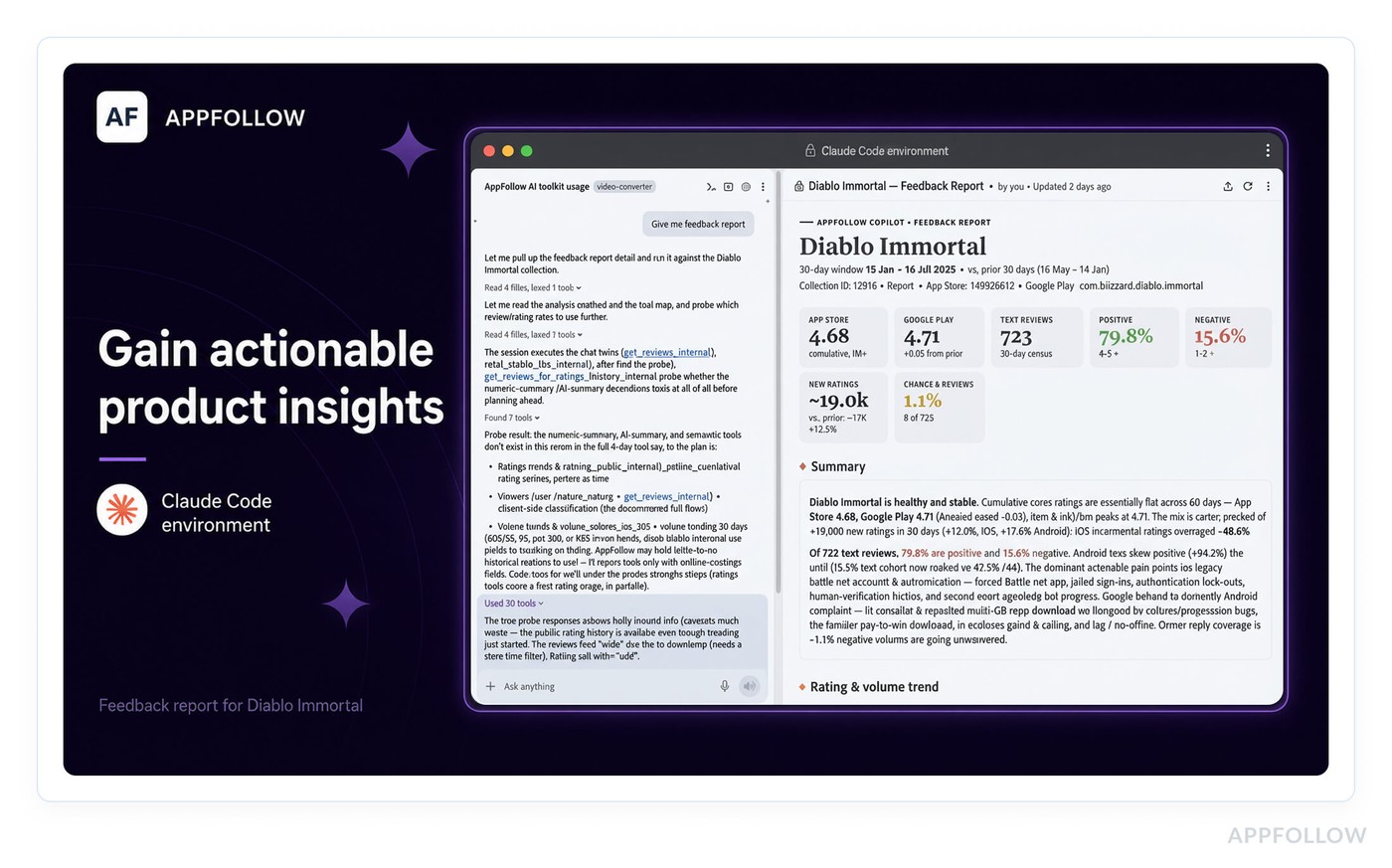
A CSV pasted into a chat goes stale the minute you download it, and the model only sees the columns you remembered to include. The AppFollow MCP connects your account to Claude, ChatGPT, Codex, Cursor, or any other MCP client, so a question like "which countries drove the 1-star reviews after Tuesday's release?" gets an answer from live reviews, ratings, rankings, and keywords.
Sign-in uses Google, so nobody has to pass API keys around in Slack. Account owners and admins have access now, and the MCP connection guide has setup steps for each client.
The weekly feedback readout and the monthly ASO review take up a good chunk of someone's week, so the open-source AI Toolkit gives Claude Code and Codex ready-made workflows for both. Each run ends with an HTML report you can forward to your PM or CMO with no cleanup. Of everything in this article, this is the one to try first.
Alerts and automations are now agents with one job each
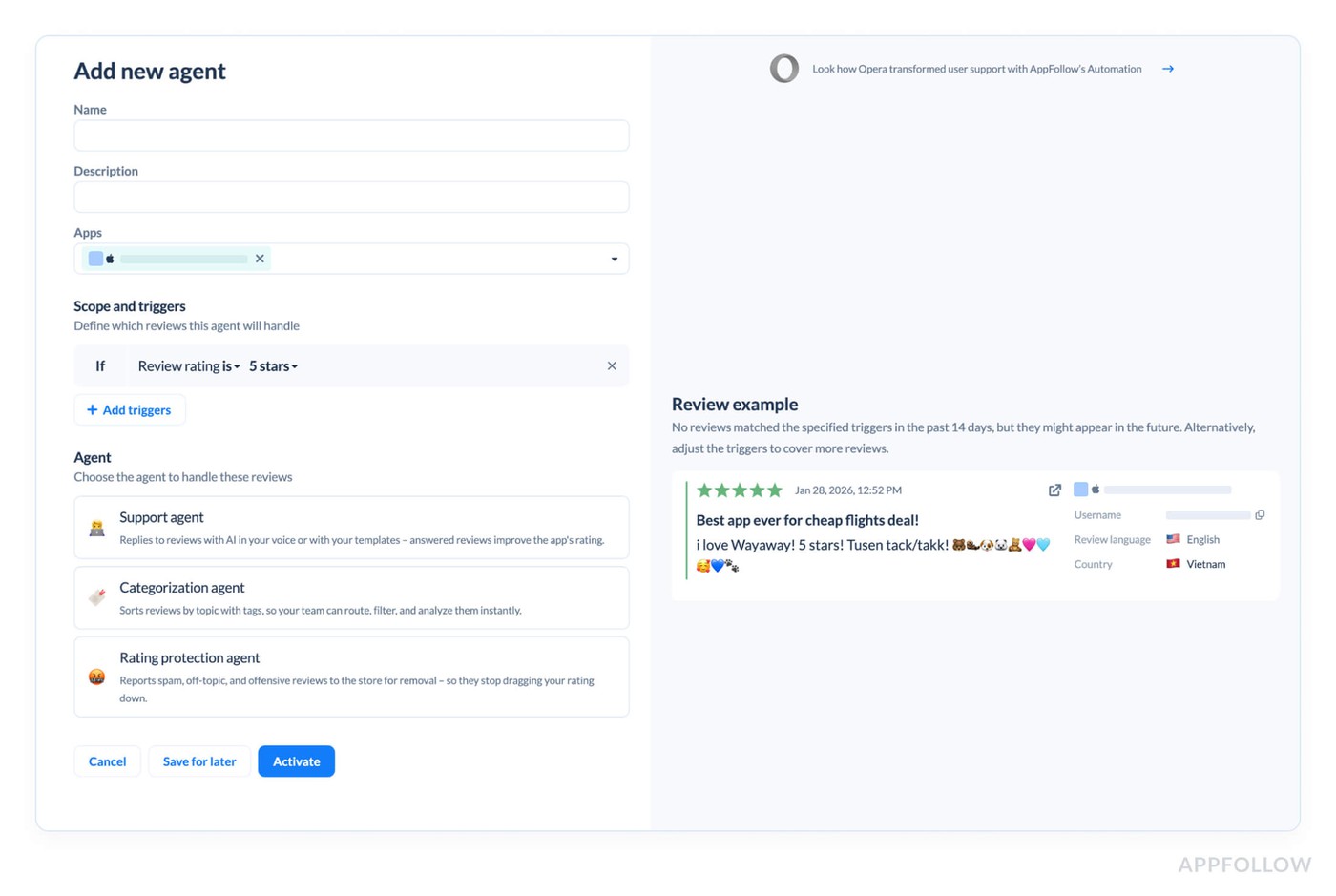
After a year of adding rules, most teams end up with a long list where nobody remembers which rule replies, which one tags, and which one reports spam.
So we split the work by job. Alerts & Reports are now Monitoring agents, and the Automation hub is now Automation agents. Simple rules became Advanced agents: the Support agent replies to reviews with AI or templates, the Categorization agent handles tagging, and the Rating protection agent helps you get offensive and spam reviews removed from the store. Existing setups keep running as before (nothing to migrate on your side), and pricing stays the same.
Better AI replies on every plan with the knowledge base
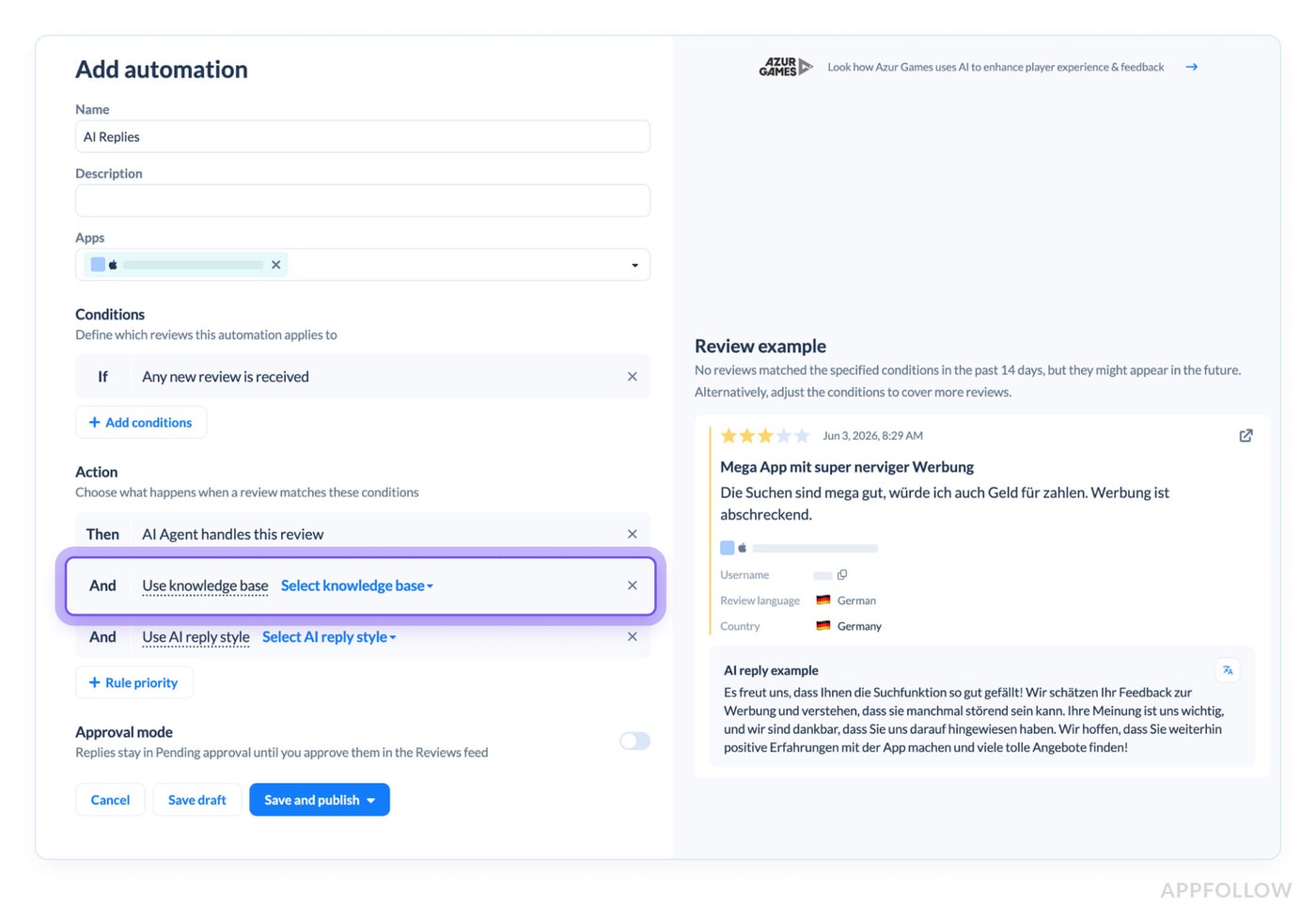
A generic AI reply tells a user to contact support about a bug your FAQ already explains in step two, and now that user is annoyed twice. With the knowledge base, the AI agent pulls the right answer from your own help docs into each reply. It's out of beta and on every plan: 1 on Free and Essential, 5 on Team, 50 on Enterprise. Upload docs in pretty much any format.
Steam reviews and Discussions in one place
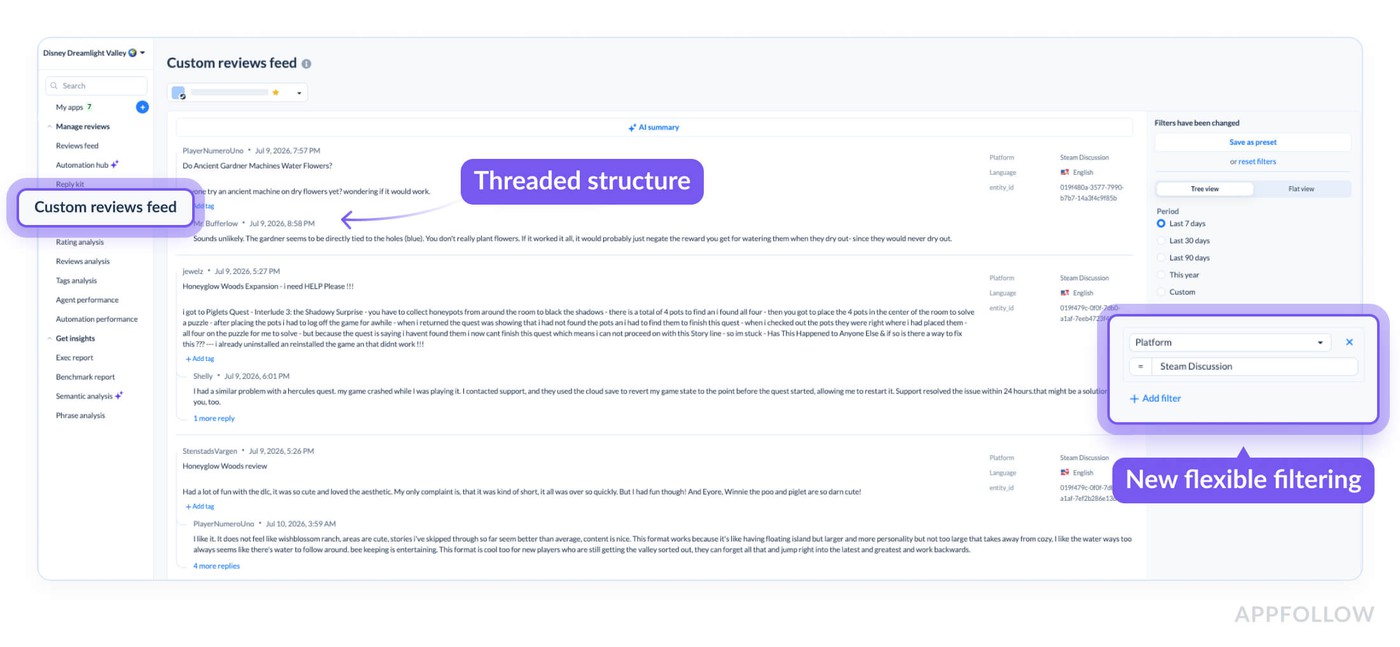
Steam players often complain in Discussions before the same issue shows up in reviews, and checking both by hand meant two more tabs for whoever owns the game.
You can now reply to Steam reviews from AppFollow, and auto-tagging works for Steam games too. Discussions get their own feed next to Steam reviews, with threads, an AI summary, and a summary per thread, so a forum thread about a broken save file gets your attention before the 1-star reviews about it. Discussions are a closed beta for now, so ask your CSM for access.
Feedback summary in Microsoft Teams
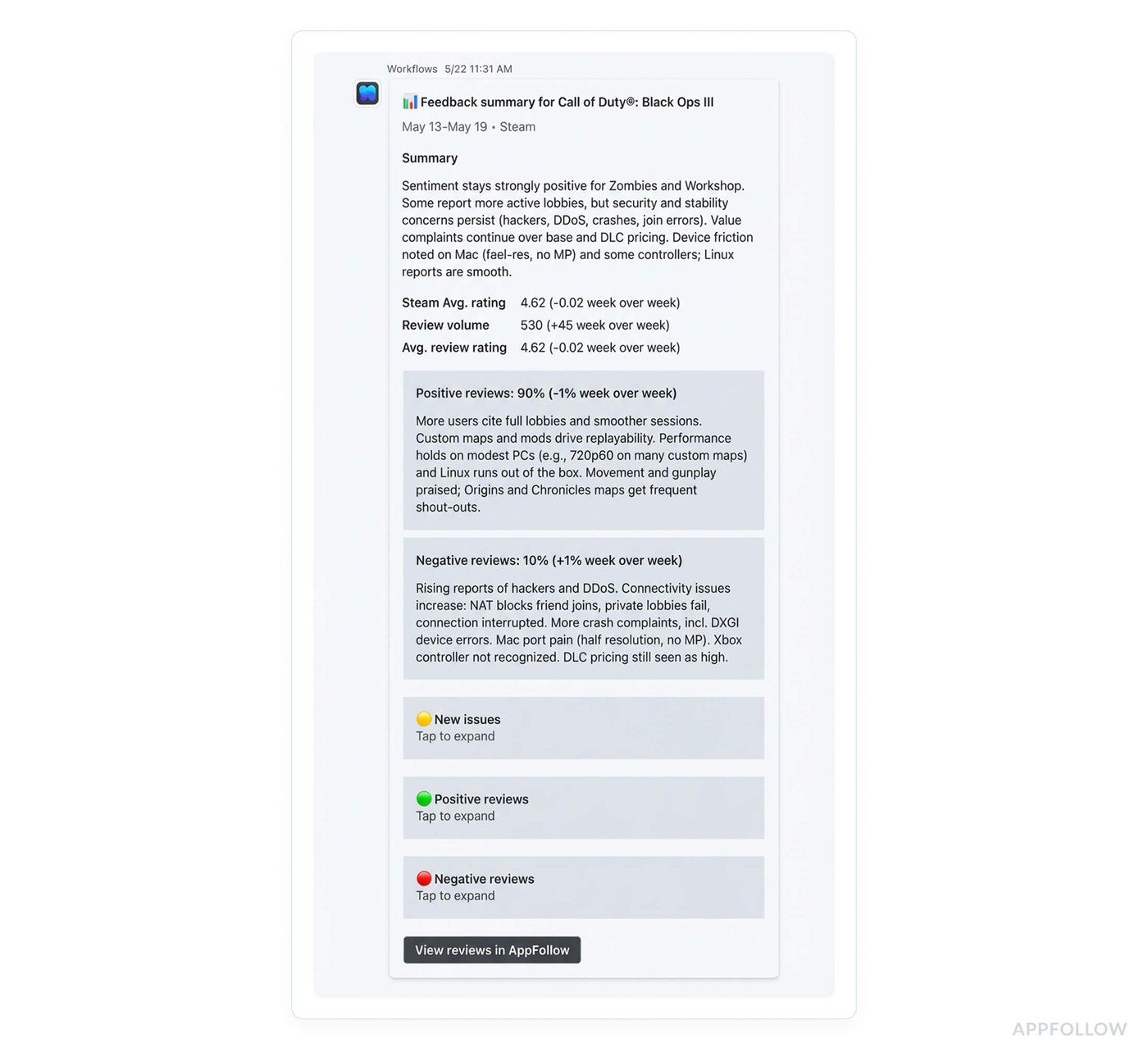
If your company runs on Teams, the Feedback summary meant one more email in a crowded inbox. Now it goes straight to a Teams channel: pick Teams as the channel in report setup. Sections expand and collapse, so the report doesn't take over the whole channel feed. It's on every plan.
Smaller July updates
The Ratings History API endpoint accepts "all" for worldwide ratings, so one call covers every country, with no loop through each storefront. Keyword tracking got a few UI tweaks, and the Keywords page counts iPhone and iPad separately now, which matters if your iPad rankings look nothing like your iPhone ones.
August
One-click AppFollow connection in Claude
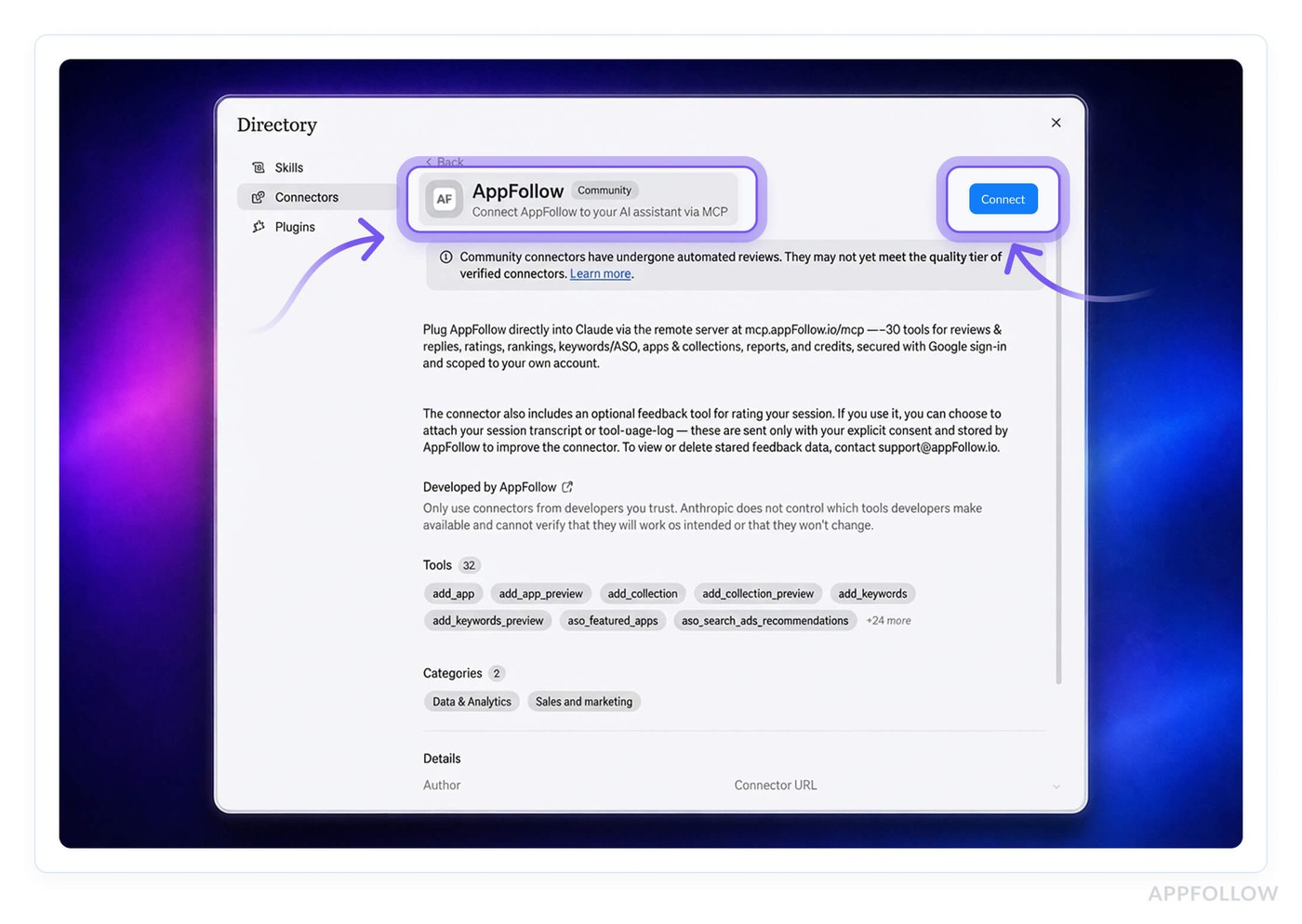
Nobody has the time to read the setup doc for an internal tool, so we got rid of the need for one. AppFollow is now in the Claude connectors directory: go to Settings > Connectors > Browse connectors, search for AppFollow, and click the Connect button. That's the whole setup for anyone on your team with Claude.
Anomalies in the Home Hub
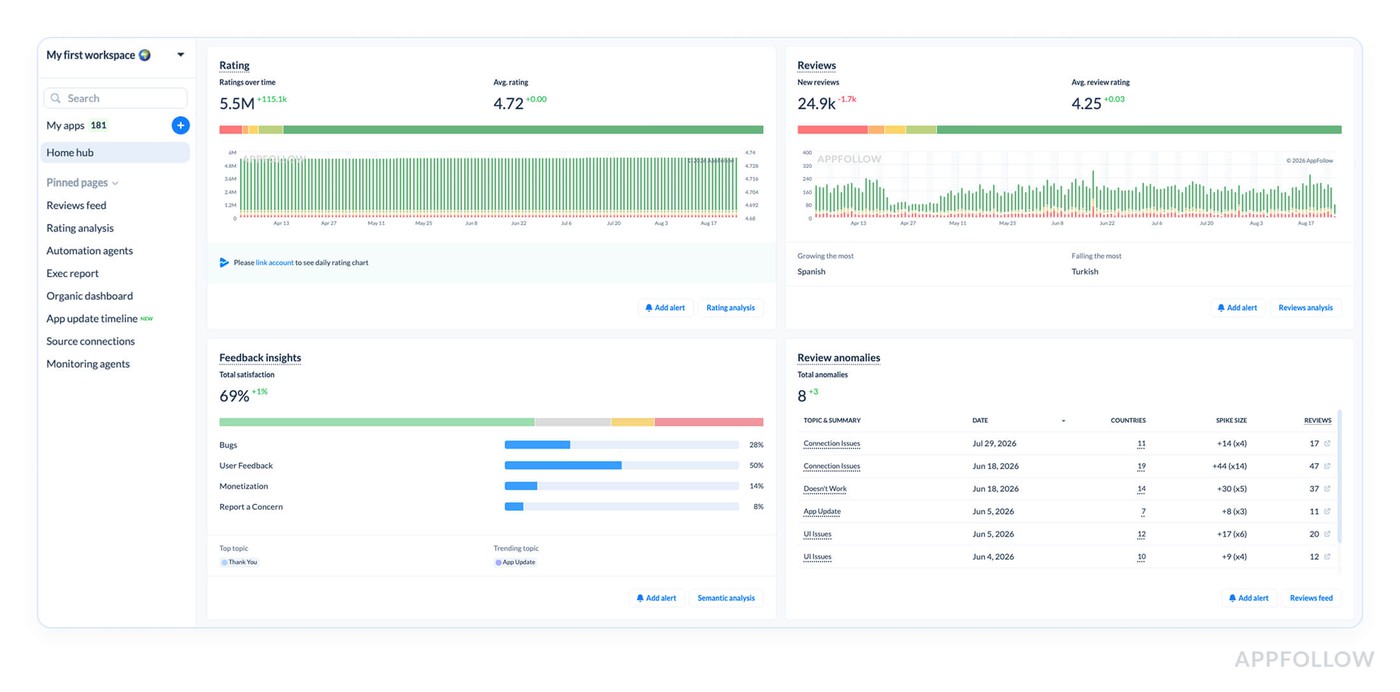
A spike of 1-star reviews in Brazil on a Saturday usually gets noticed on Monday, by which point the rating drop is old news. The Home Hub now lists anomalies for the app and period you pick, with the topic, date, affected countries, size, and review count for each one.
From the list you can open the reviews in an anomaly, hover for a short AI summary, or set up an alert so the next one pings you on Saturday. Enterprise Prime gets the full version, and Enterprise Core gets a lighter Anomaly alert. On Core and curious about the full view? Your CSM can walk you through Prime.
Exec report now covers Steam and Trustpilot
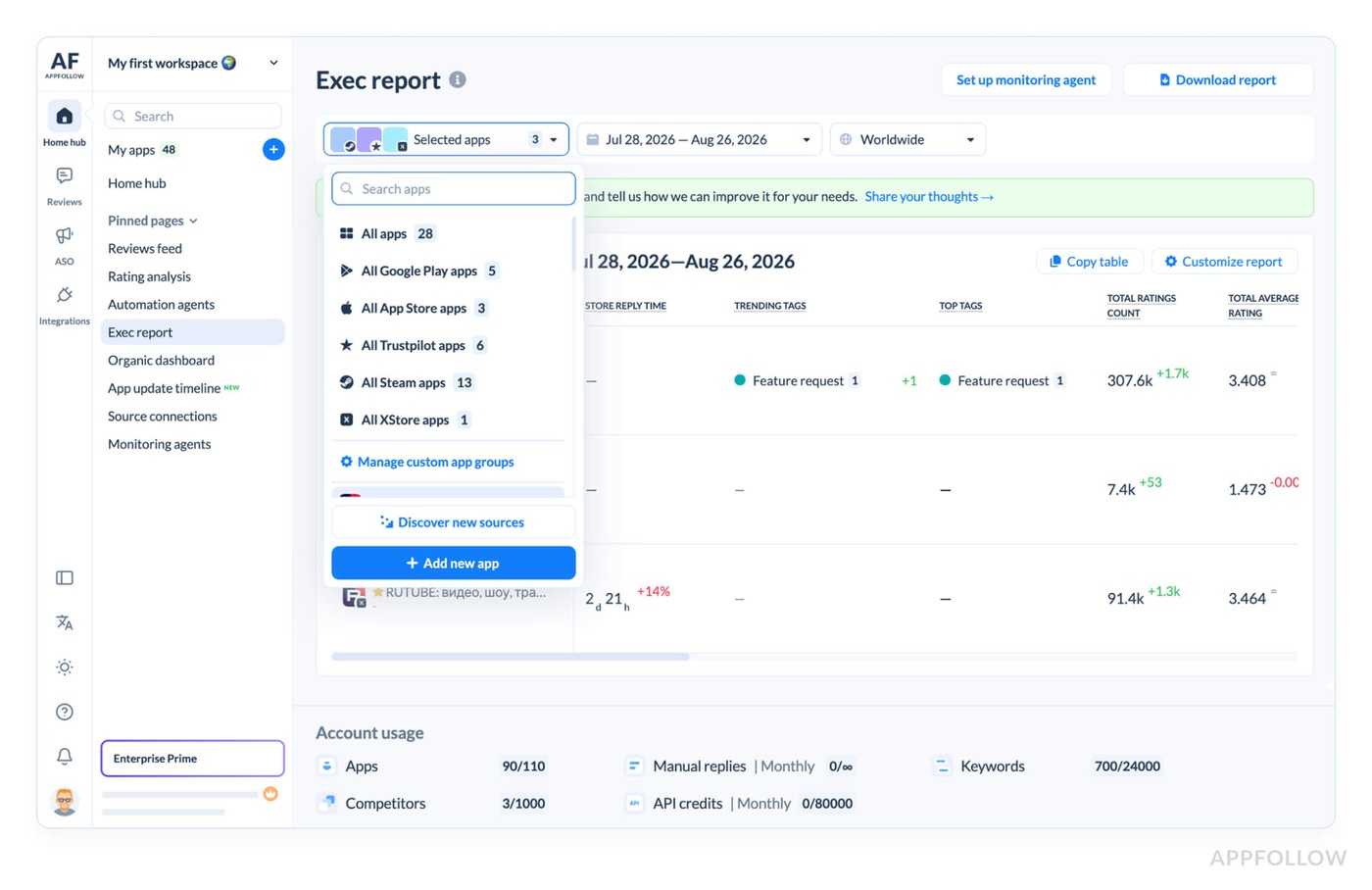
Leadership asks about the whole portfolio, Steam game and Trustpilot page included, and until now that meant a second spreadsheet. The Exec report covers both sources now, plus two new metrics.
Trending tags shows the three manual tags with the biggest change since the previous period, which tends to be a VP's first question. Store reply time counts every reply visible in the store, including the ones your team sent outside AppFollow, so the number in the report matches what leadership sees in the store.
Chat with Reviews on the Topics page
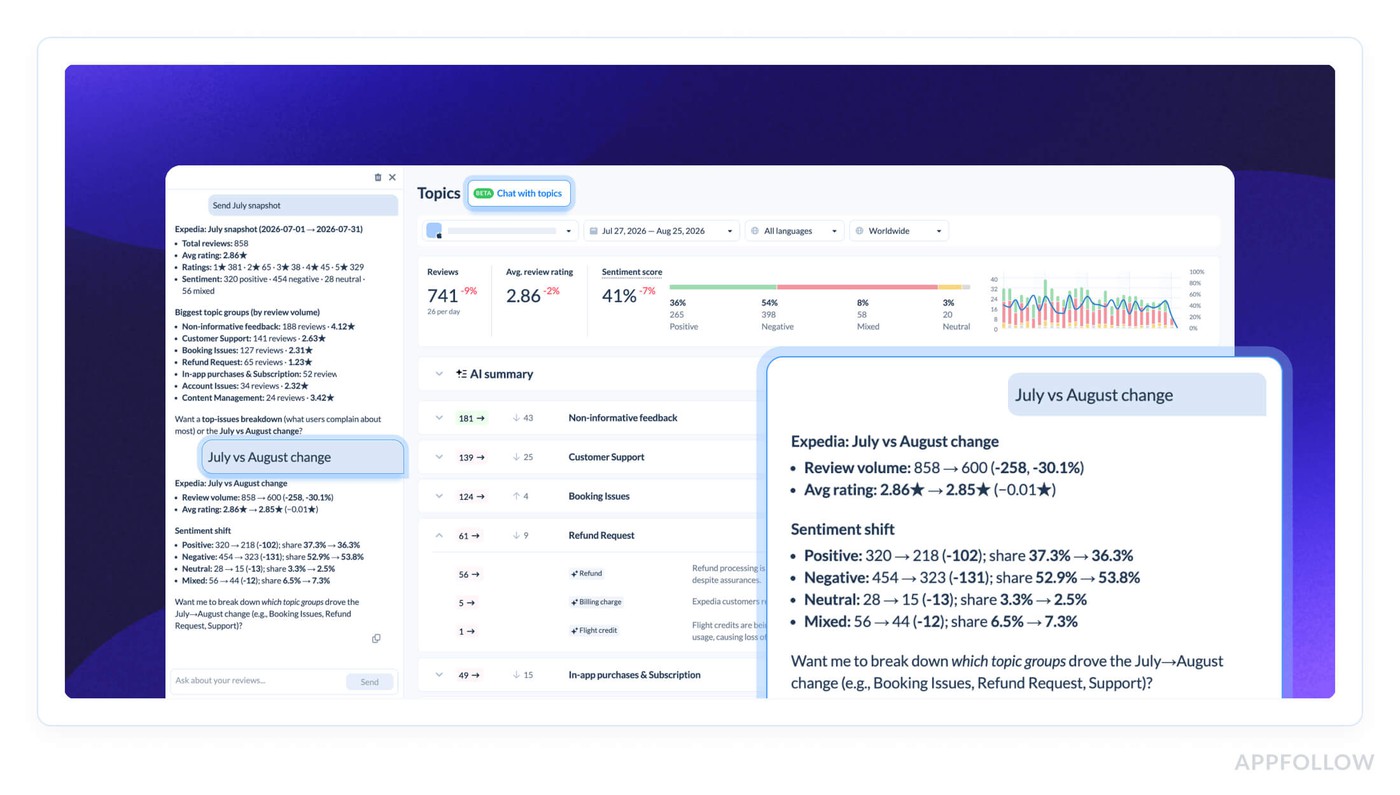
When a topic spikes, the next question is always why, and scrolling 300 reviews to find the answer takes a morning. Ask AI about a trend or a single topic right on the Topics page and get an answer based on the reviews in that topic. It's an early version for selected customers first, with all Enterprise accounts next in line.
Pin your favorite pages in the menu
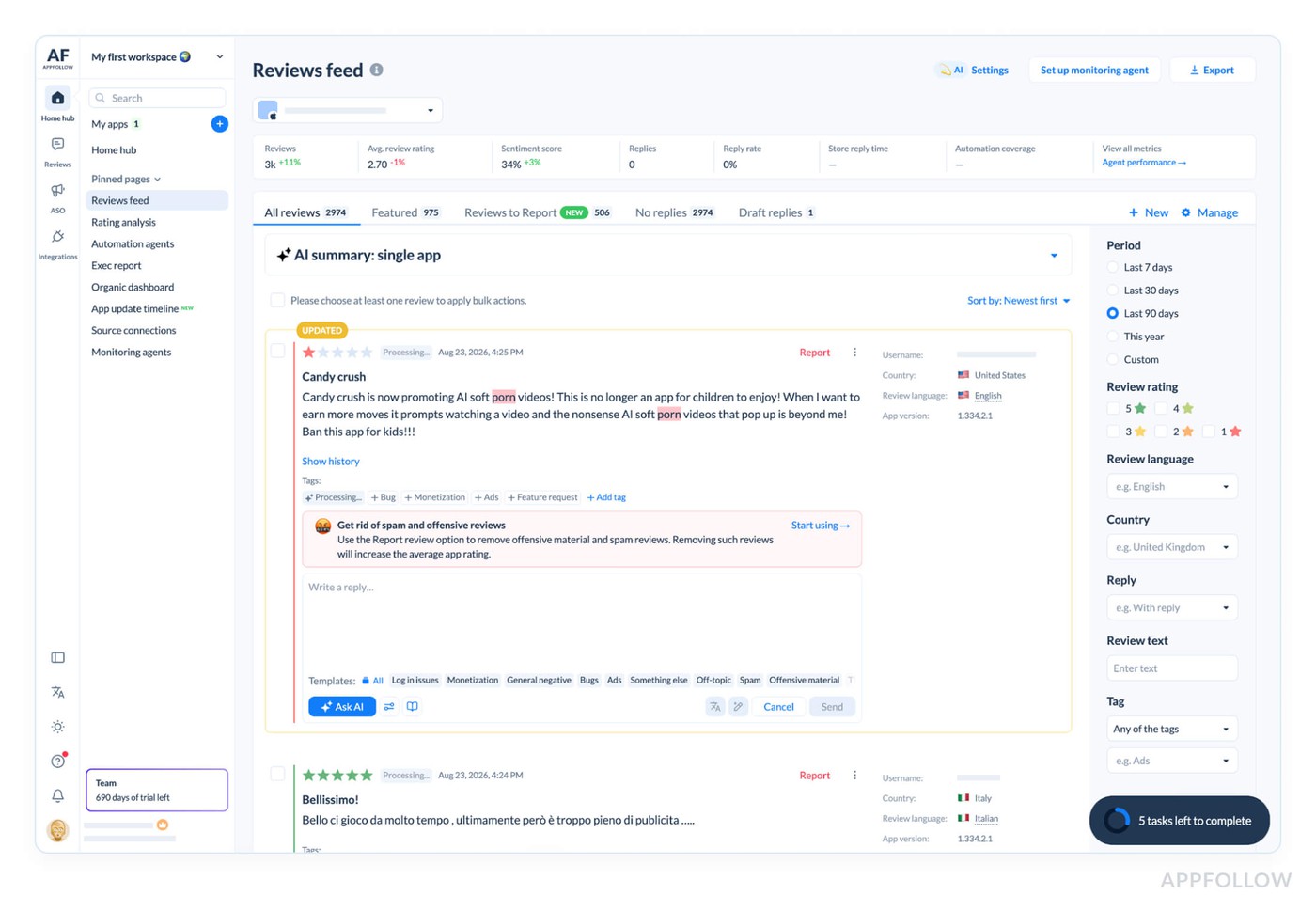
The sidebar has more room and cleaner icons, and any page you open every day (Reviews feed, for most of you) can go on the Home Hub as a pin.
September
Competitor apps in Reviews feed and Rating analysis
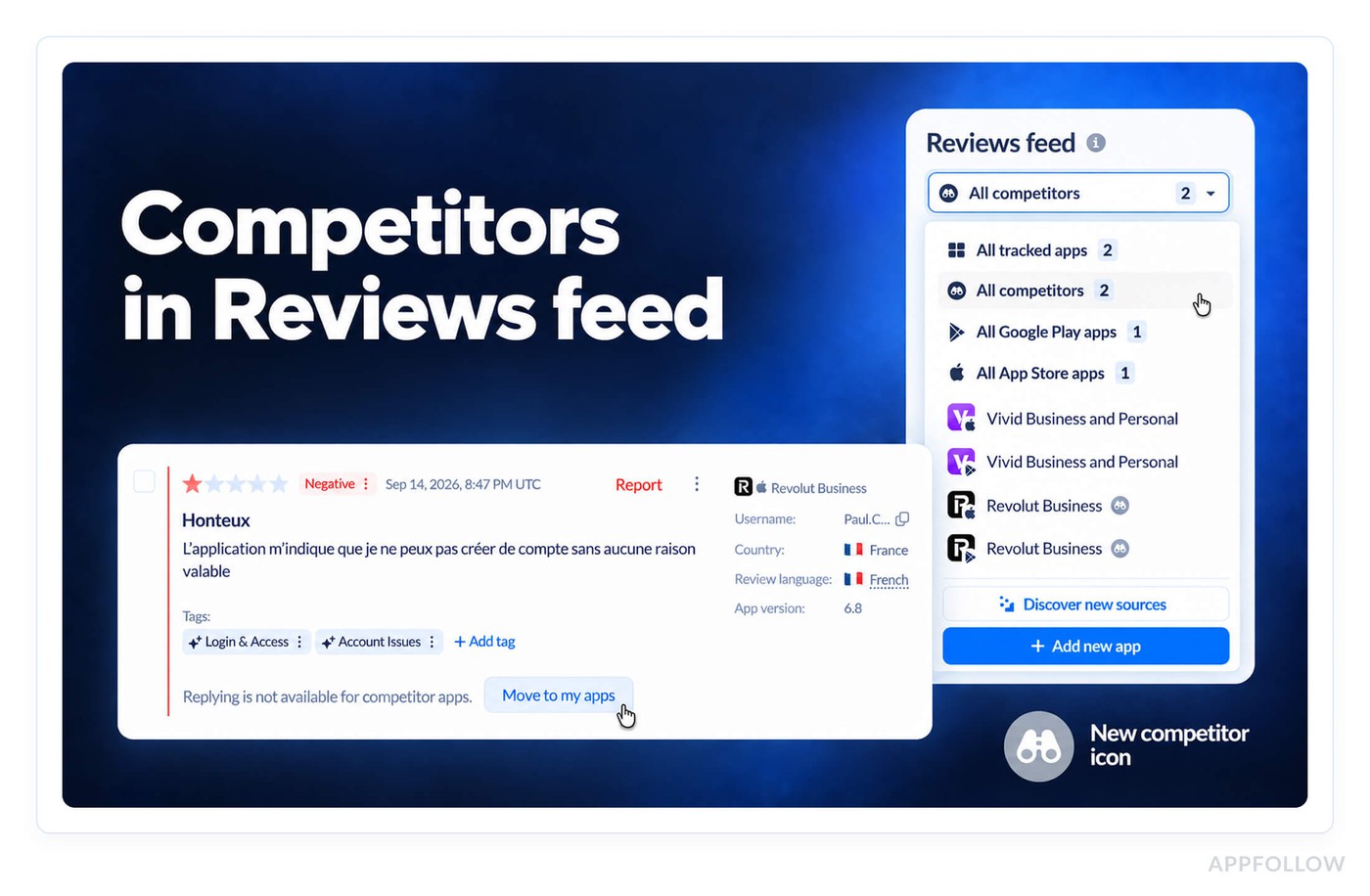
When a competitor ships a redesign, their reviews tell you within a week or so how users took the change, and that's free research for your own roadmap. Pick a competitor in the app picker, and you get its reviews with filters, tags, AI summary, and sentiment, plus its rating, country breakdown, and star distribution in Rating analysis.
Competitors get a pre-created All competitors group. Replying and reporting need a store connection, so those stay limited to your own apps.
Sign in to the MCP with AppFollow or SSO
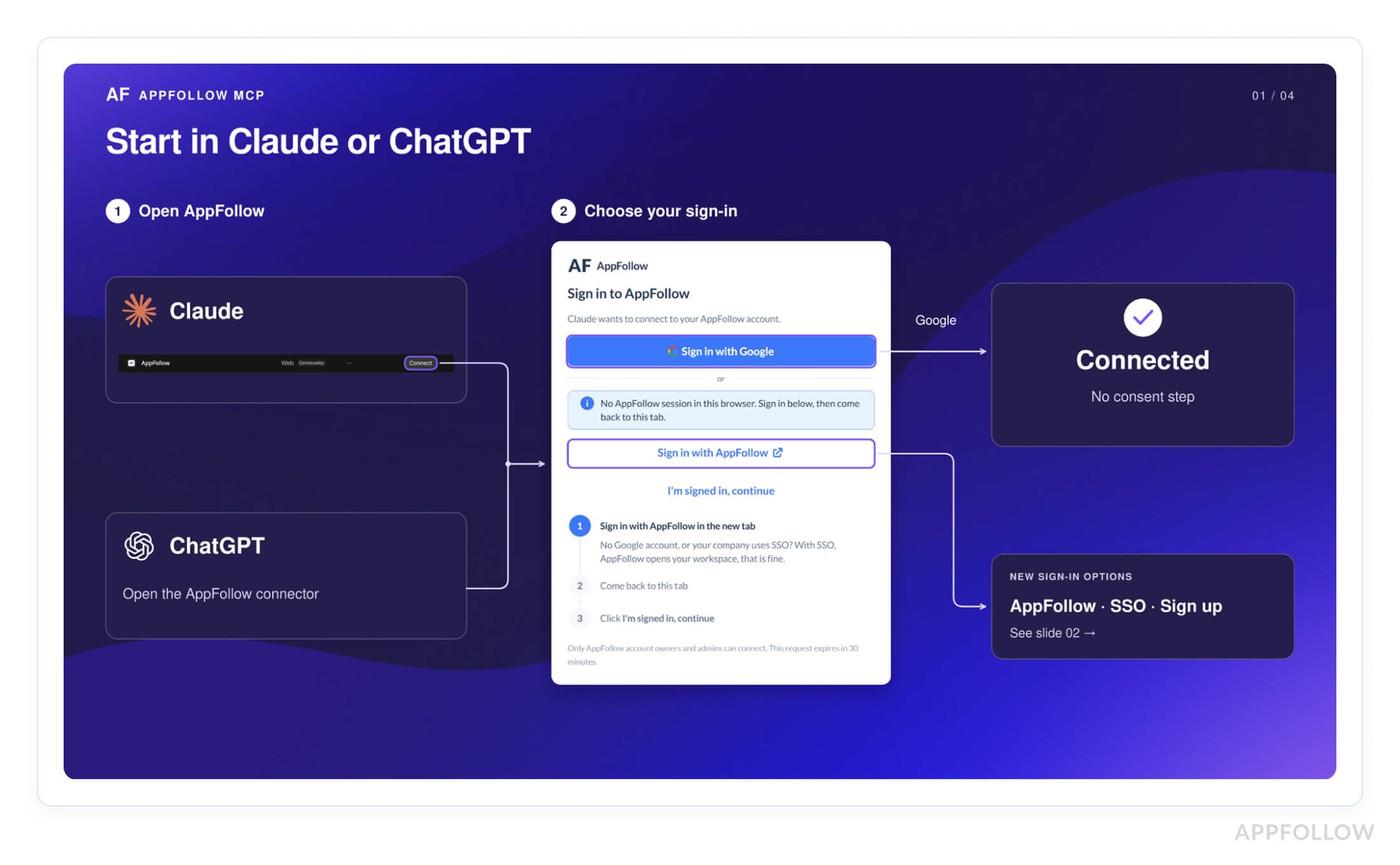
Google-only sign-in was a blocker for every team on Okta or Entra. The MCP connector now has Sign in with AppFollow next to Google, which covers email and password, enterprise SSO, and people with no AppFollow account yet. It works in the Claude mobile app too, so you can check a review spike from your phone at 11 p.m. (not that we recommend it).
Topics for all Enterprise clients
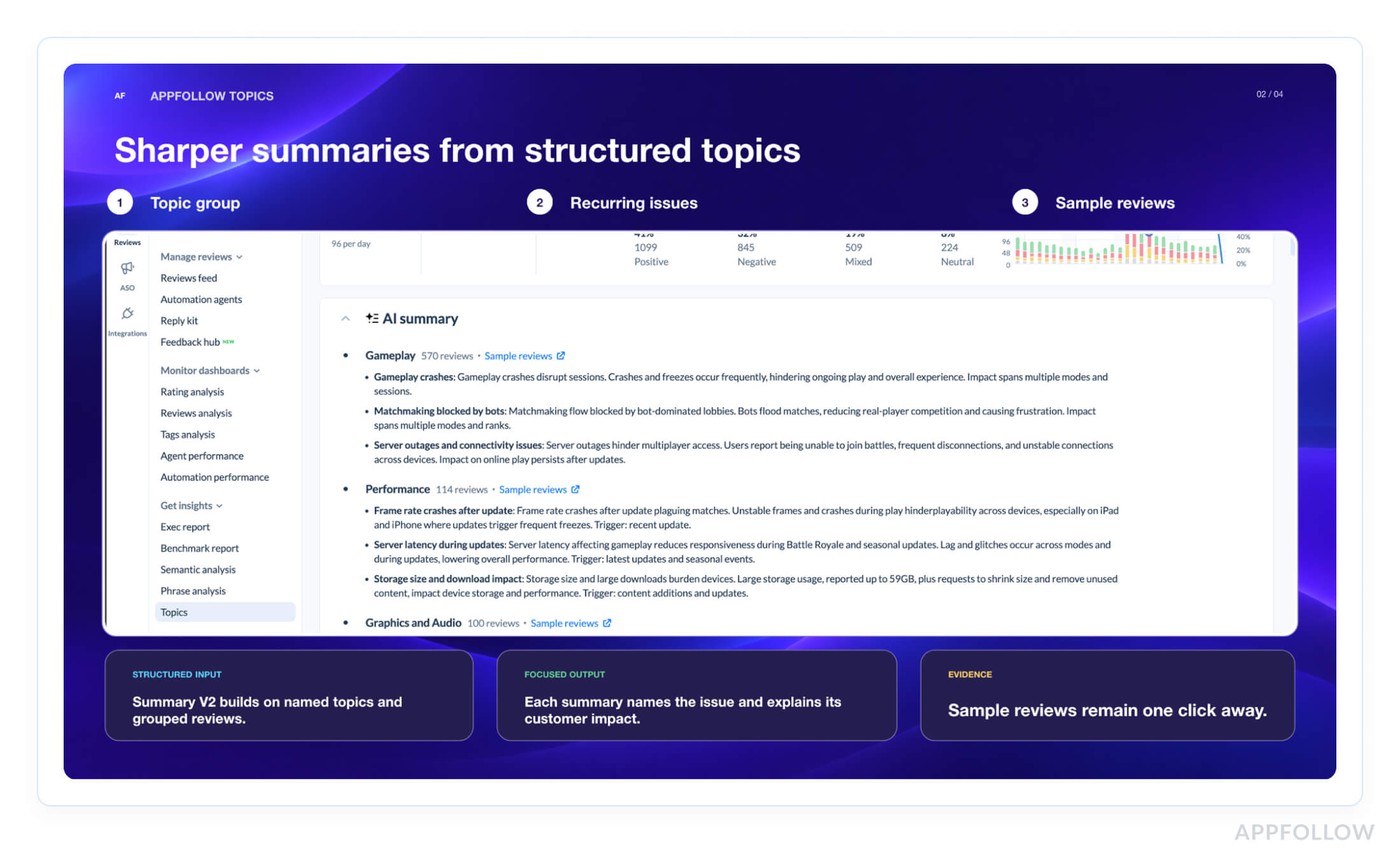
A PM who gets a ticket that says "users hate the new paywall" wants to see the reviews before believing it. The Topics page and the updated AI Summary are open to every Enterprise client now. Topics group recurring themes from Google Play, App Store, and Steam reviews, and each topic links to its source reviews, so the evidence goes into Jira with the ticket.
A fuller App Update Timeline
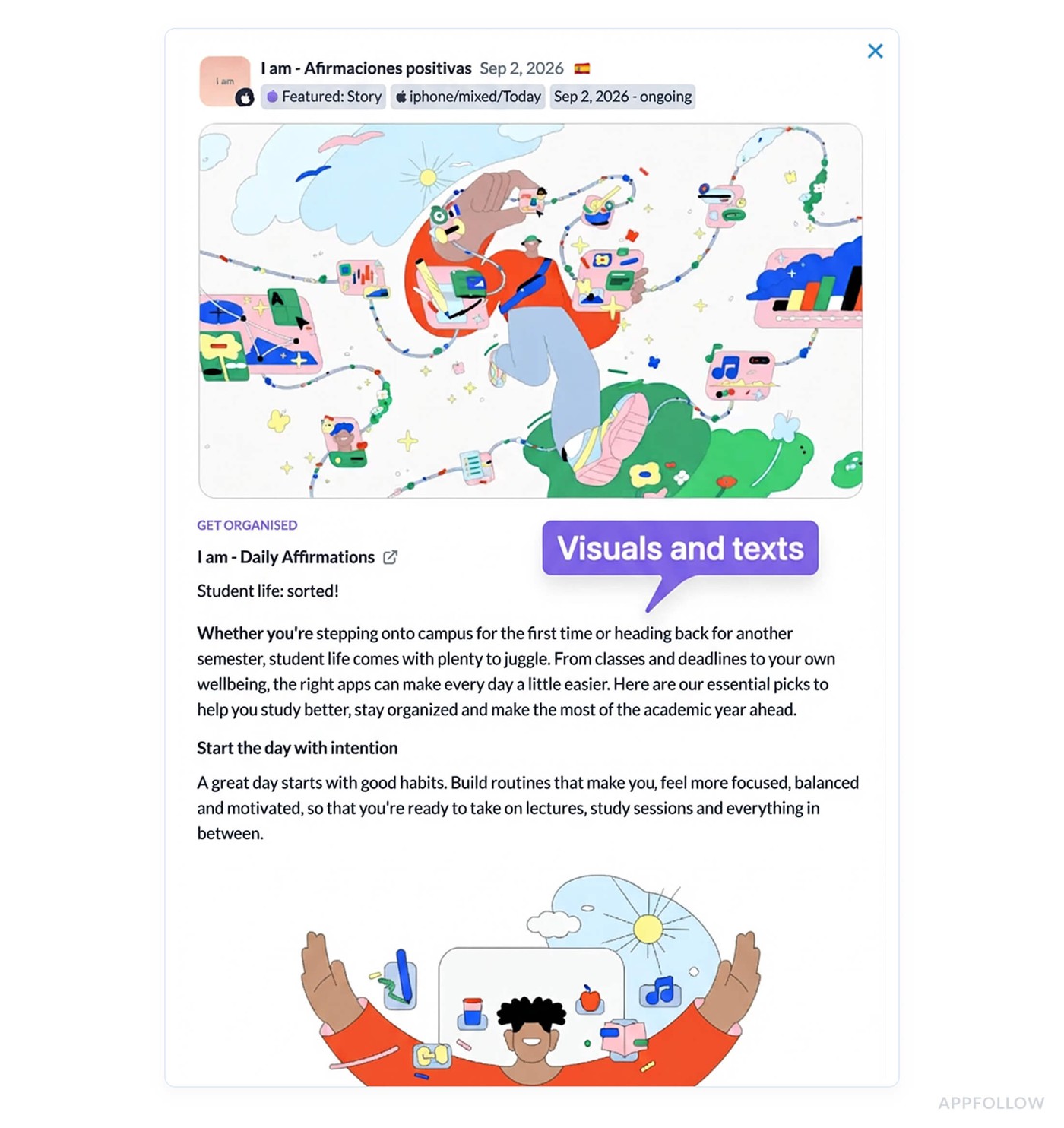
Tracking a competitor's launch across 20 markets used to mean switching the country filter 20 times. A new Worldwide view shows featuring and updates from every country in one feed. Featured stories open in full now too, with app lists, in-app events, text, and images.
The old Featured timeline is retired, since App Update Timeline covers all of its use cases.
Run automation agents on any period
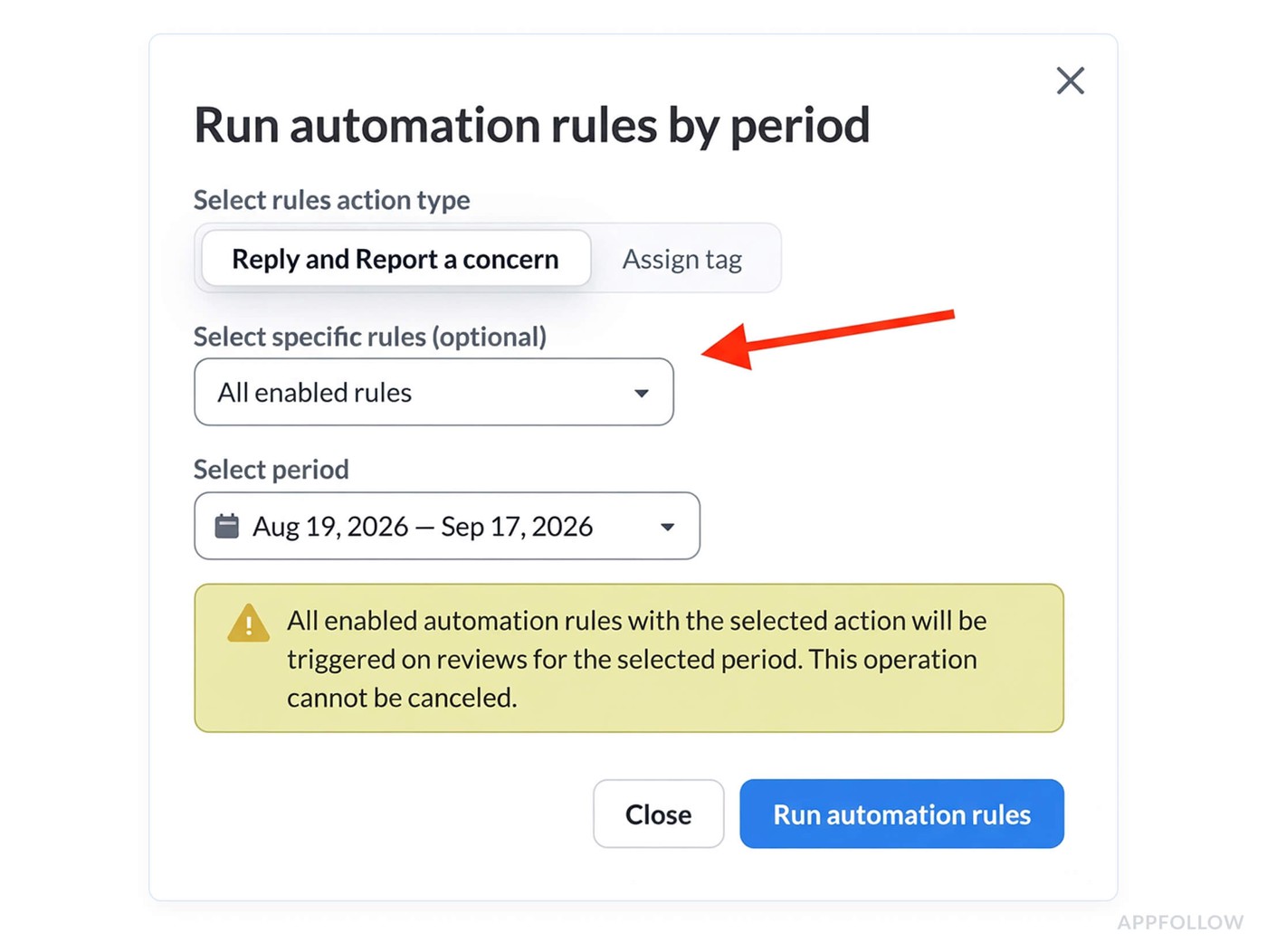
Backfilling tags used to stop at one year, so a new Categorization agent left older reviews untagged and your long-range trend charts half empty. Now you can pick specific agents and run them on reviews from any period. The agent has to be enabled first, and a started run has no cancel option, so double-check the date range.
Smaller September updates
Feedback hub, our home for feedback from new sources (Steam first), is open to all users. Data exports now suggest the MCP first, with the file download still one click away.
cta_get_started_purple
FAQs
How do I connect AppFollow to Claude, ChatGPT, or another AI assistant?
Use the AppFollow MCP. In Claude, go to Settings > Connectors > Browse connectors, search for AppFollow, and click the Connect button. ChatGPT, Codex, Cursor, and other MCP clients use the server URL from the connection guide. Sign-in works with Google, an AppFollow email and password, or enterprise SSO like Okta or Entra. Account owners and admins have access, and if you work in Claude Code or Codex, the open-source AI Toolkit adds ready-made feedback and ASO workflows with HTML reports.
What are Monitoring agents and Automation agents in AppFollow?
They're the new names for Alerts & Reports and the Automation hub, in that order. The Advanced agents are the Support agent for AI or template replies, the Categorization agent for tagging, and the Rating protection agent for getting offensive and spam reviews removed from the store. Existing setups kept running after the rename with no change in pricing, and since September you can run automation agents on reviews from any period.
Can I see competitor reviews in AppFollow?
Yes. Pick a competitor in the app picker to get its reviews in Reviews feed with filters, tags, AI summary, and sentiment, plus its rating, country breakdown, and star distribution in Rating analysis. Competitors get a pre-created All competitors group. Replying and reporting need a store connection, so those stay limited to your own apps.