AppFollow Q2 2026: Steam beta, AI Reply Style, and Report a Concern for everyone

Q2 2026 was mostly about widening access and tidying up the feedback loop. If you want a say in what comes next, our Canny page is open for votes.
April
Steam is in closed Beta
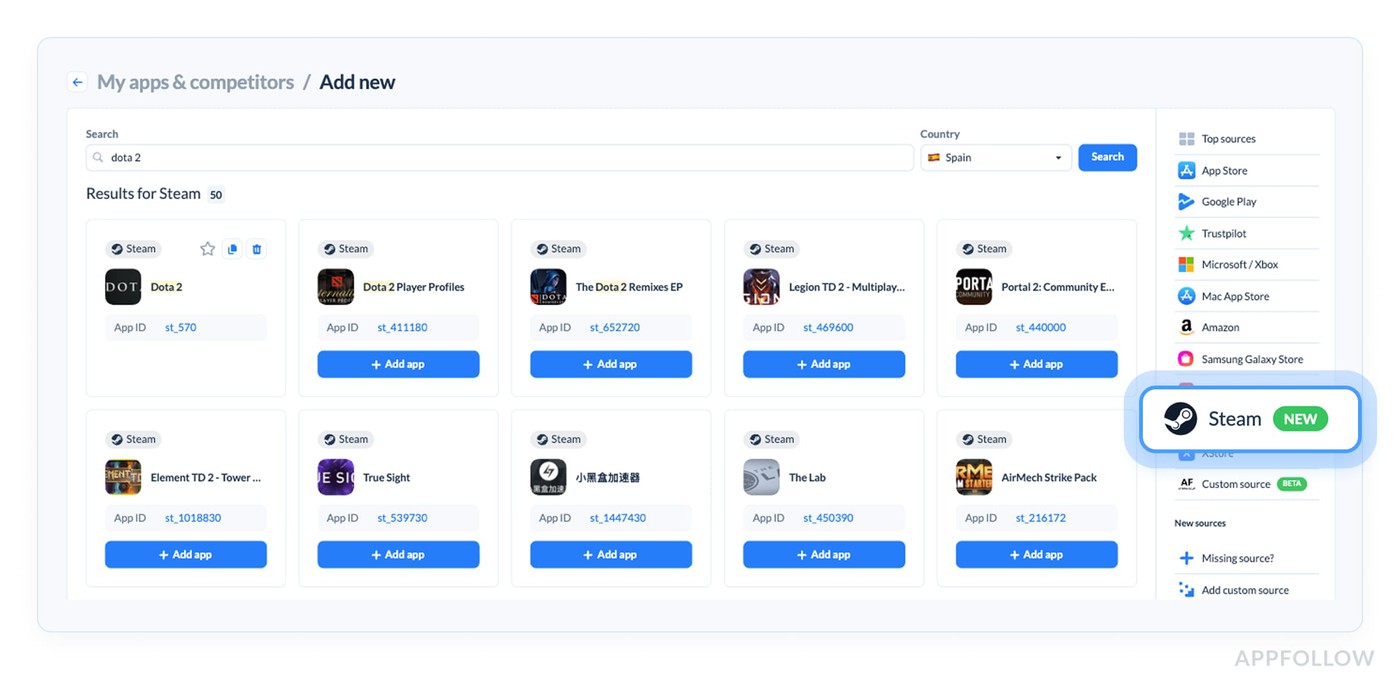
We've got our first iteration of the Steam integration, and it's in closed beta right now. This first round focuses on monitoring use-cases. You can add a Steam game yourself, use the reviews feed with filters, sorting and export, auto-translate reviews, tag them, run tags analysis, and use semantic tags, sentiment, AI Topics, and AI Summary.
Next on the roadmap: review responses and automation, alerts (review transfer and Feedback Summary), and Steam Discussions in a source-agnostic reviews feed. Talk to your account manager if you'd like to join the beta.
Agent performance comes to lower plans
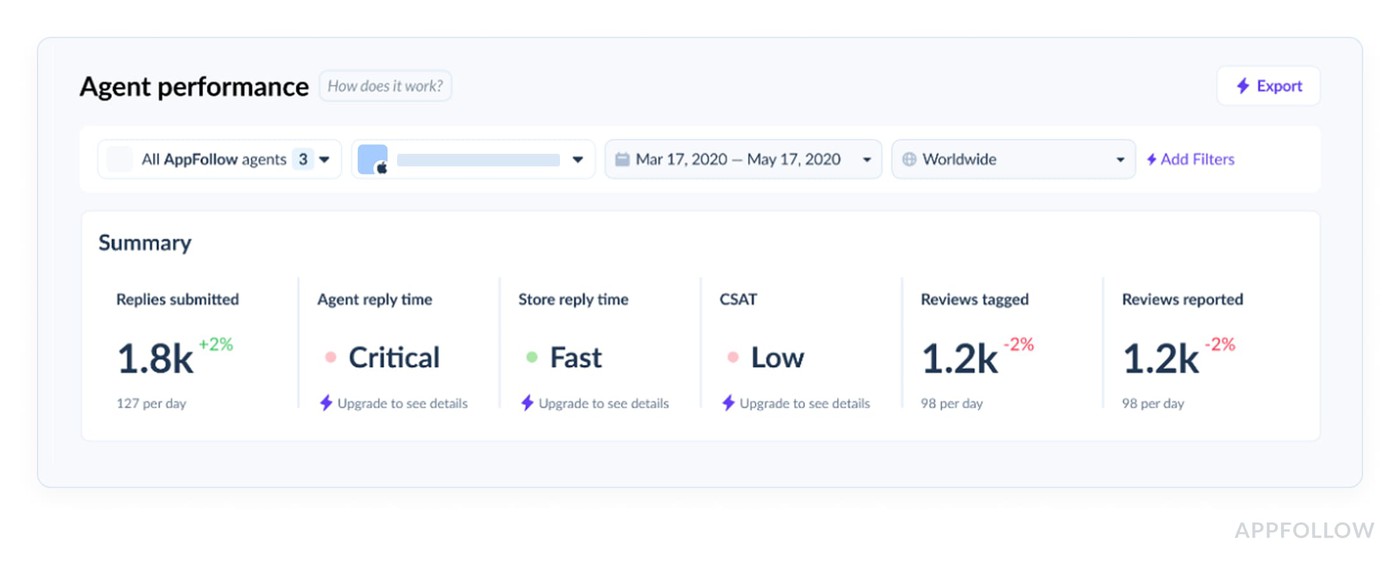
Agent performance analytics used to be Enterprise only. Now Essential, Team, and even Free plans get some of it. Lower tiers see the data in brackets, so reply time shows as Slow or Fast rather than real numbers, which gives you the overall picture.
Trustpilot API integration
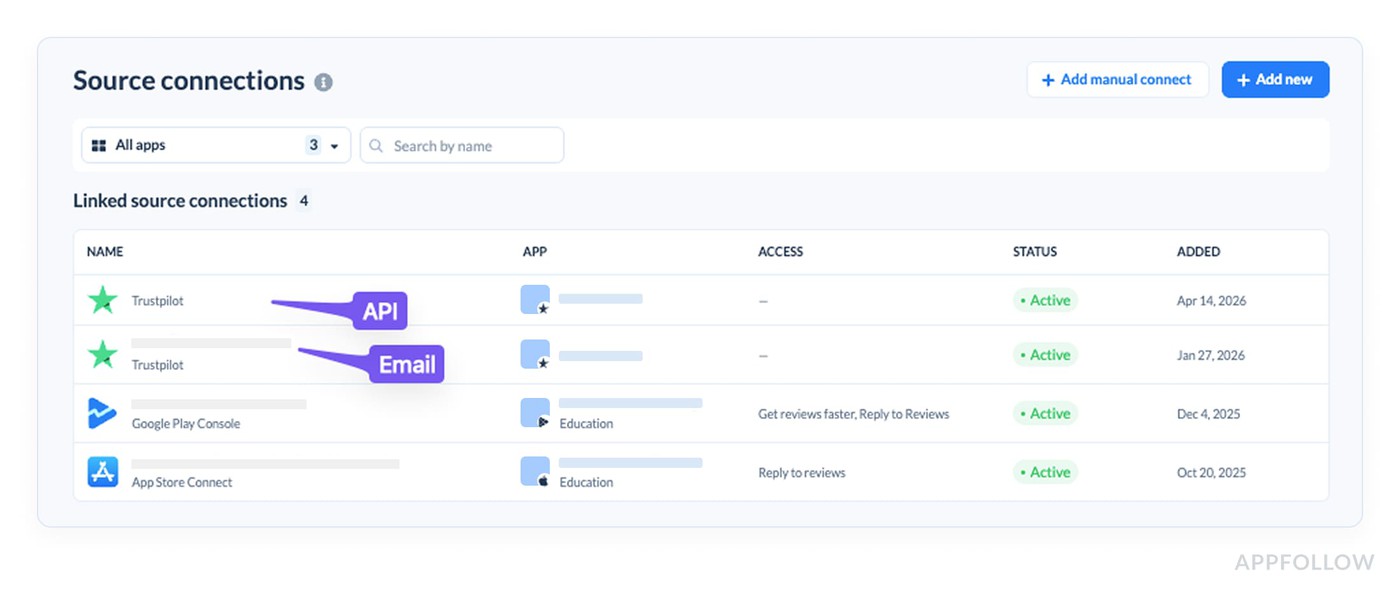
Trustpilot now connects over API. Email forwarding was the only option before, and if you couldn't use it because of strict security policies, the API gives a secure, compliant route to do it now.
It's available for Team plans and up, and you'll need a paid Trustpilot plan with API access. It handles sending responses while data collection stays public, and it can run alongside an email-forwarding connection (API takes first priority, forwarding second).
May
Custom instructions are now AI Reply Style
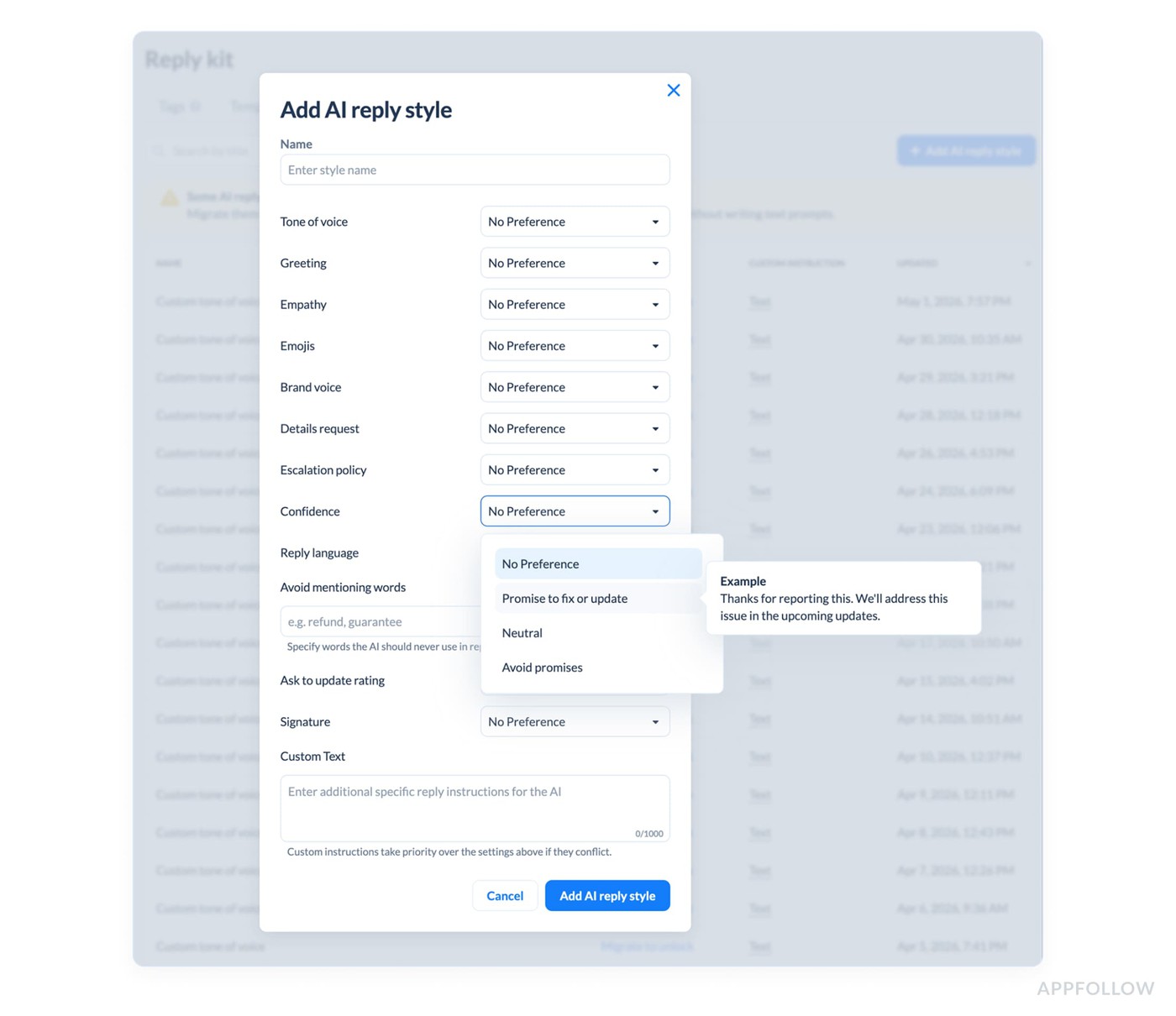
We built custom instructions for AI replies years ago, and they really do drive better replies, but they made you write prompts.
Now you just pick the options you want: Tone, Empathy, Words to avoid, and a few more. If you're the type who wants to write your own, that option is still there. You'll find it all in the Reply kit. Free and Essential plans get 1 AI Reply style, Team and up get unlimited. Anything you already had got migrated and still works in Automations, in a read-only state.
Translate replies in the interface
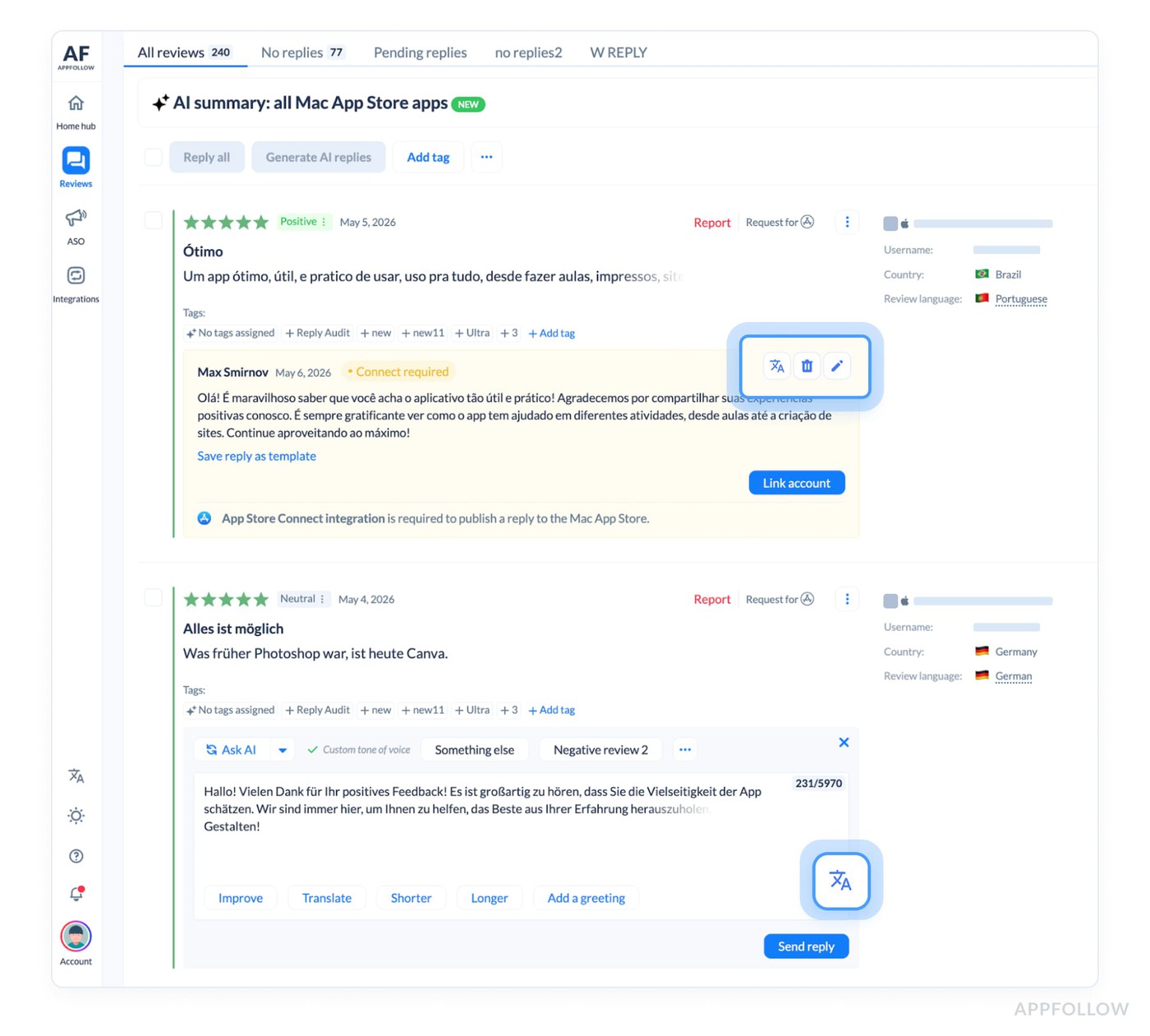
You can now translate replies right where you are, both new ones and already published ones, and in automation setup too. It works on all paid plans and trials. Handy when you're checking AI replies in a language you don't speak.
Agent performance: Submitted auto-replies count
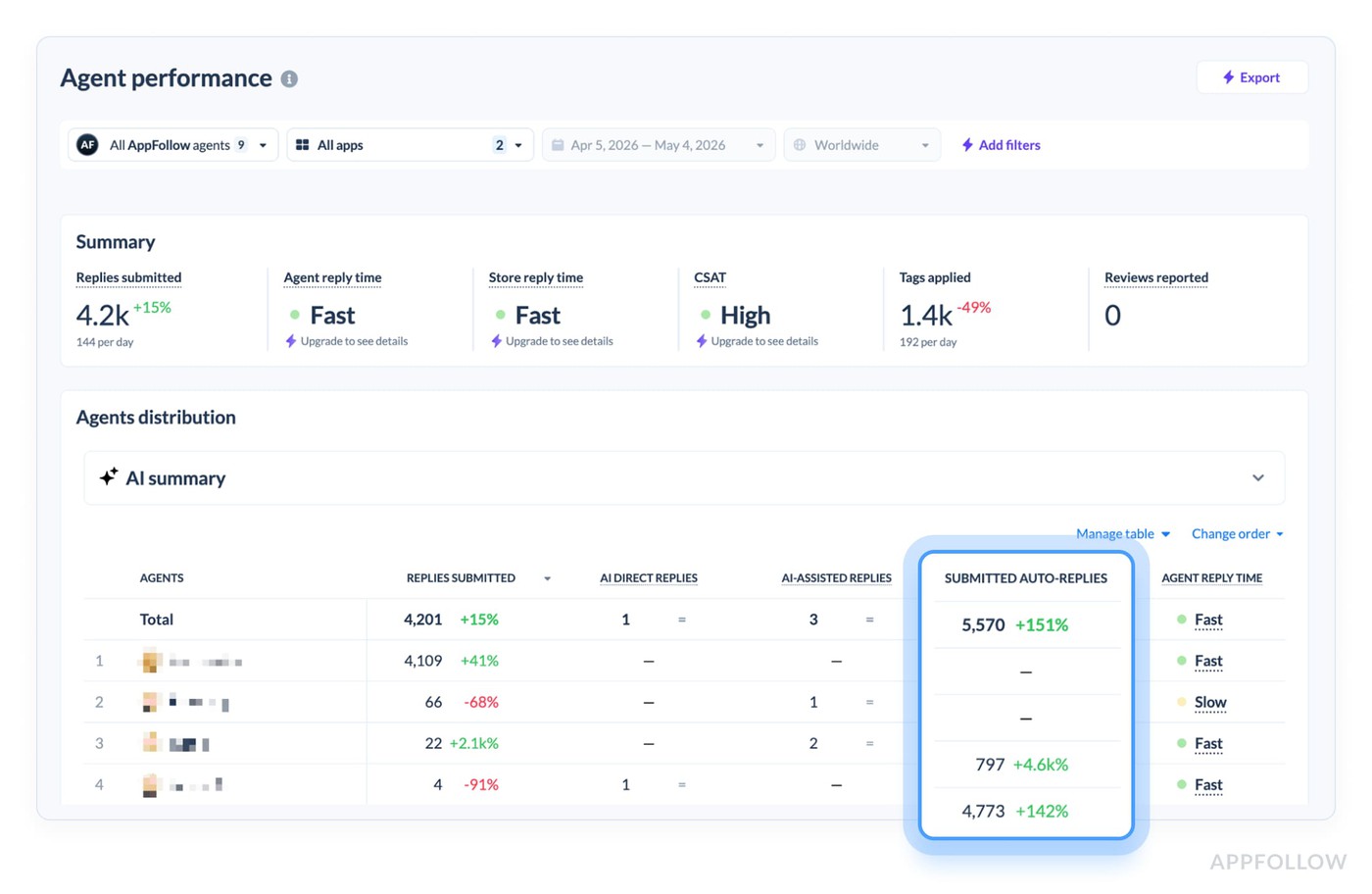
Approving the replies that Automation writes is real work, so we added a Submitted auto-replies column to the Agents table. It sits with the other agent metrics and is available from Essential up.
Report a Concern got easier
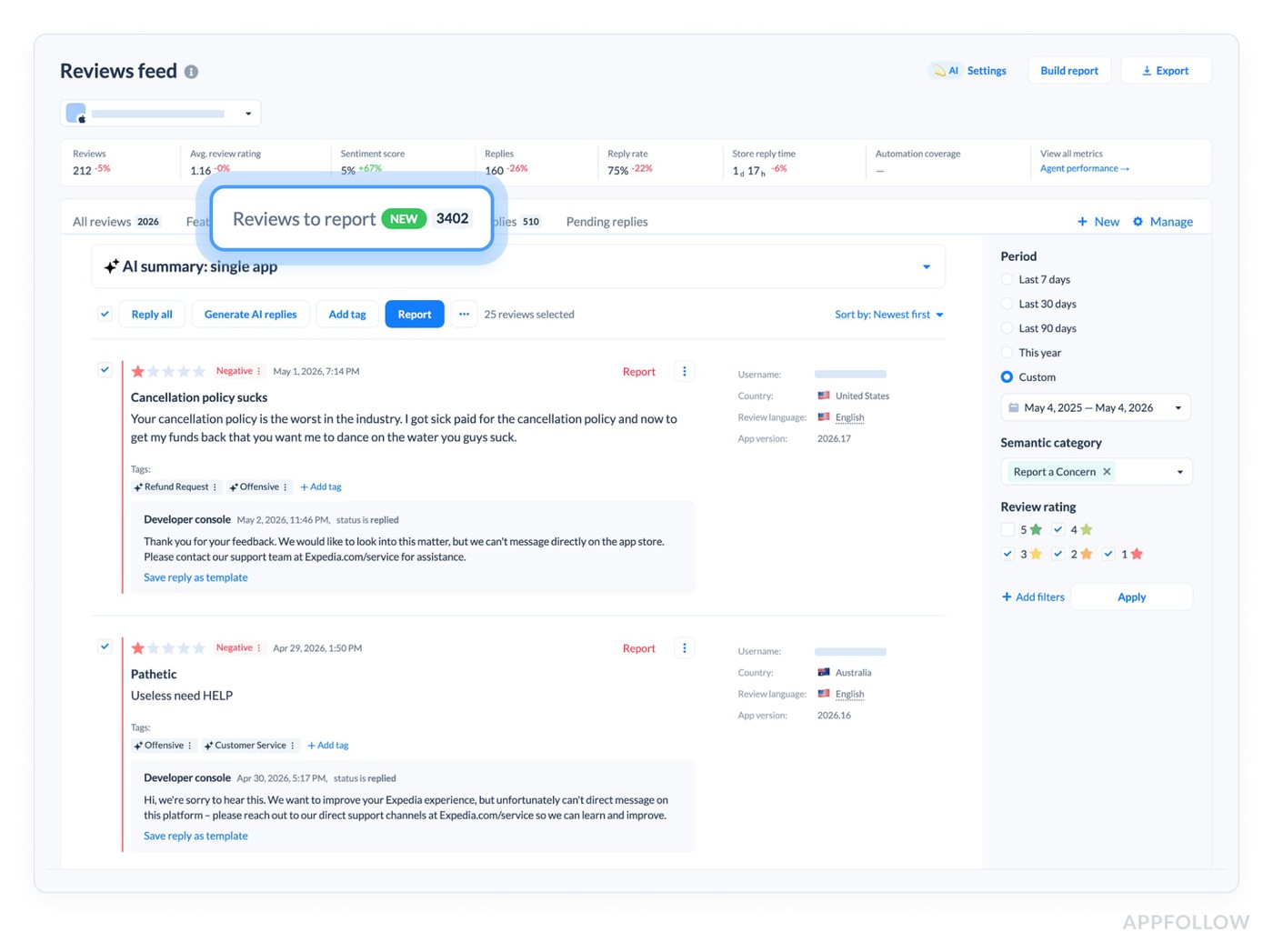
Two things here.
There's a new default preset in the reviews feed, Reviews to report, which gathers the offensive and spam reviews you could flag and remove.
The Report a Concern automation is now on every plan, including Free. Flip one toggle, and it auto-files concerns on reviews tagged spam, offensive, nonsensical, or inappropriate. Enterprise could build this by hand before, now it's a single switch for everyone.
More alerts and reports, on more plans
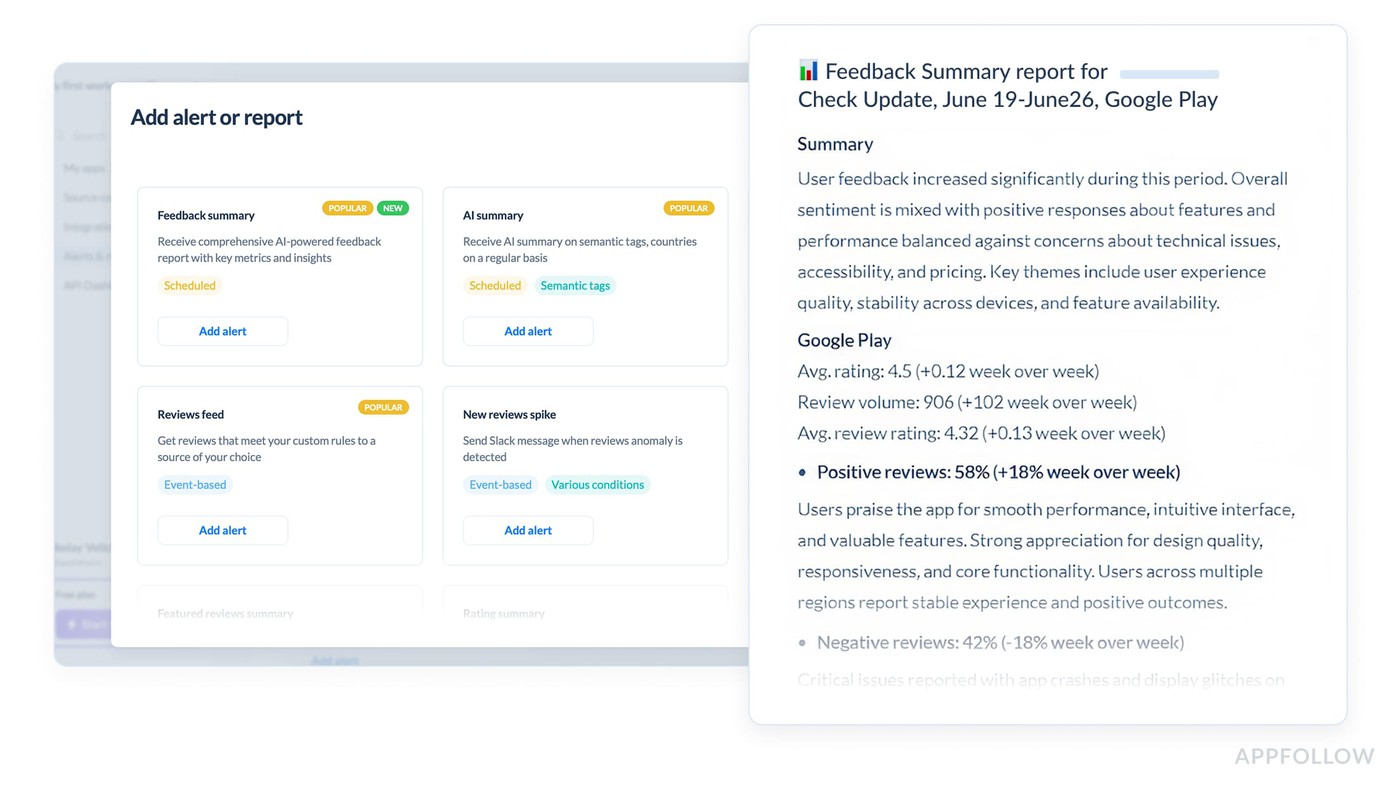
The AI Summary alert is now available on Free and Essential, so every plan has it. Feedback Summary opened up to Team plans, where you get the top negative topics of the week in English on a weekly schedule, and it now supports Steam.
We also added Google Chat as a channel for the Reviews Feed alert, on all plans, set up with a webhook.
New date picker and history access
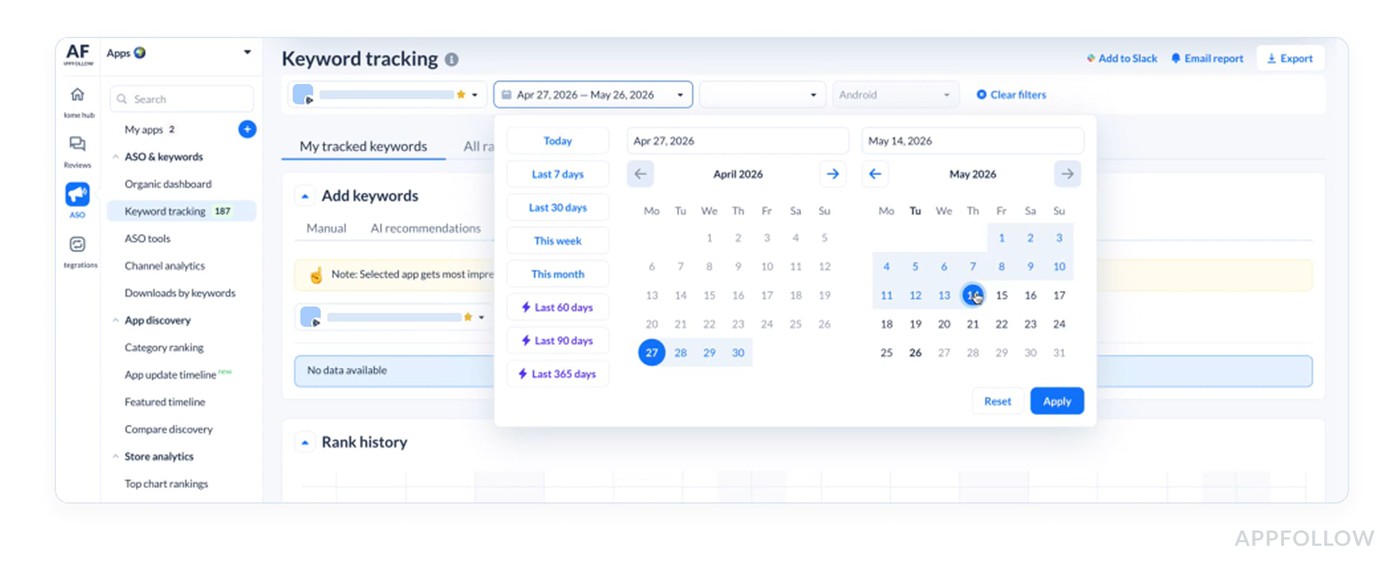
We rebuilt the date picker across the platform. Plan limits: Free gets 7 days, ASO gets 30 days (with a 365-day history add-on for $29), Essential gets 365 days (with an unlimited add-on for $49), and Team and up get unlimited.
Home Hub personal insights
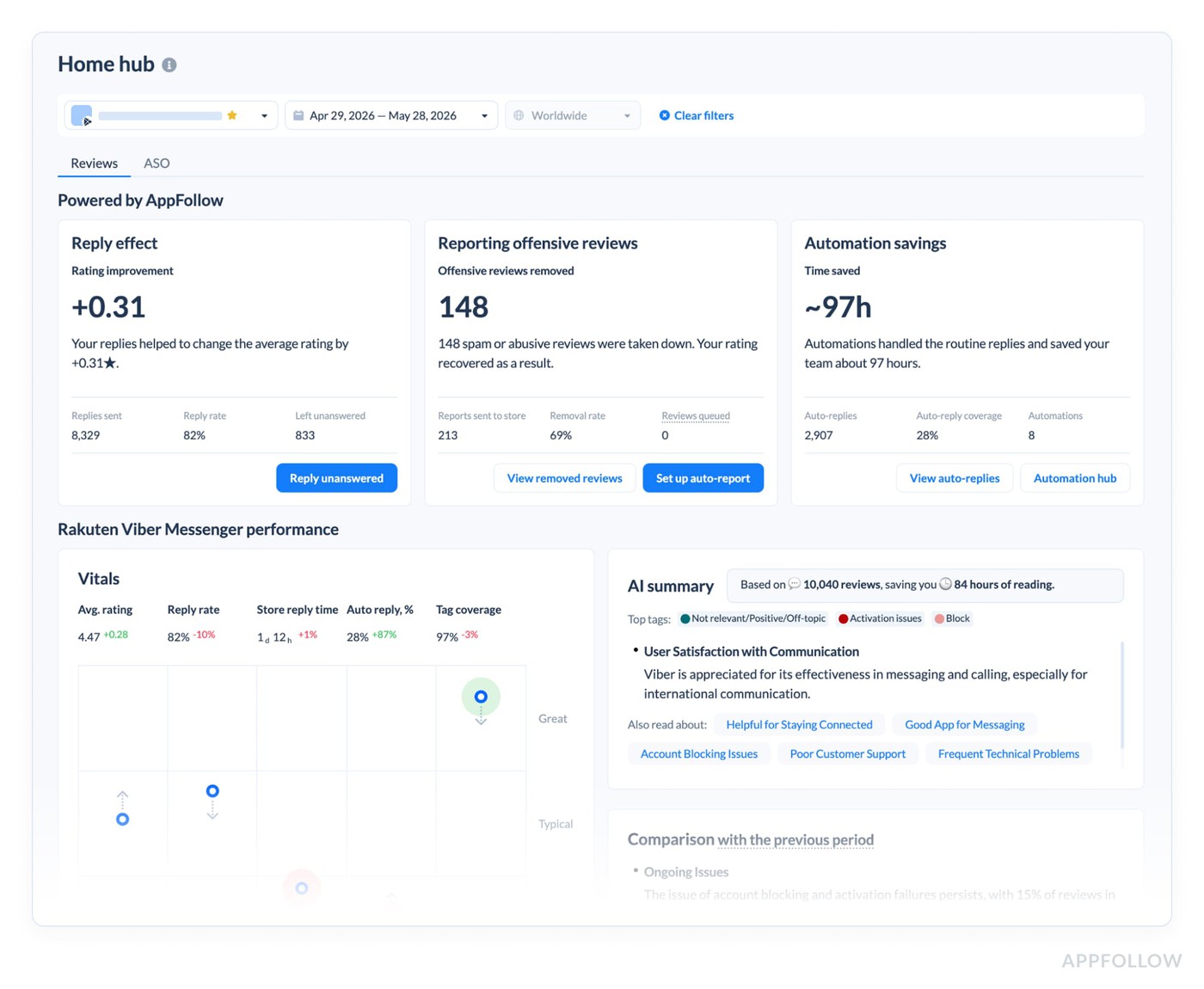
New blocks landed on the Home Hub with the primary metrics we want to highlight: Reply effect, Offensive reviews removed, and Automation savings. When you've got data, you see your real numbers. When you don't, you see the expected value with quick links to start replying, set up Auto Report-a-concern, or turn on auto-replies.
June
Exec report update
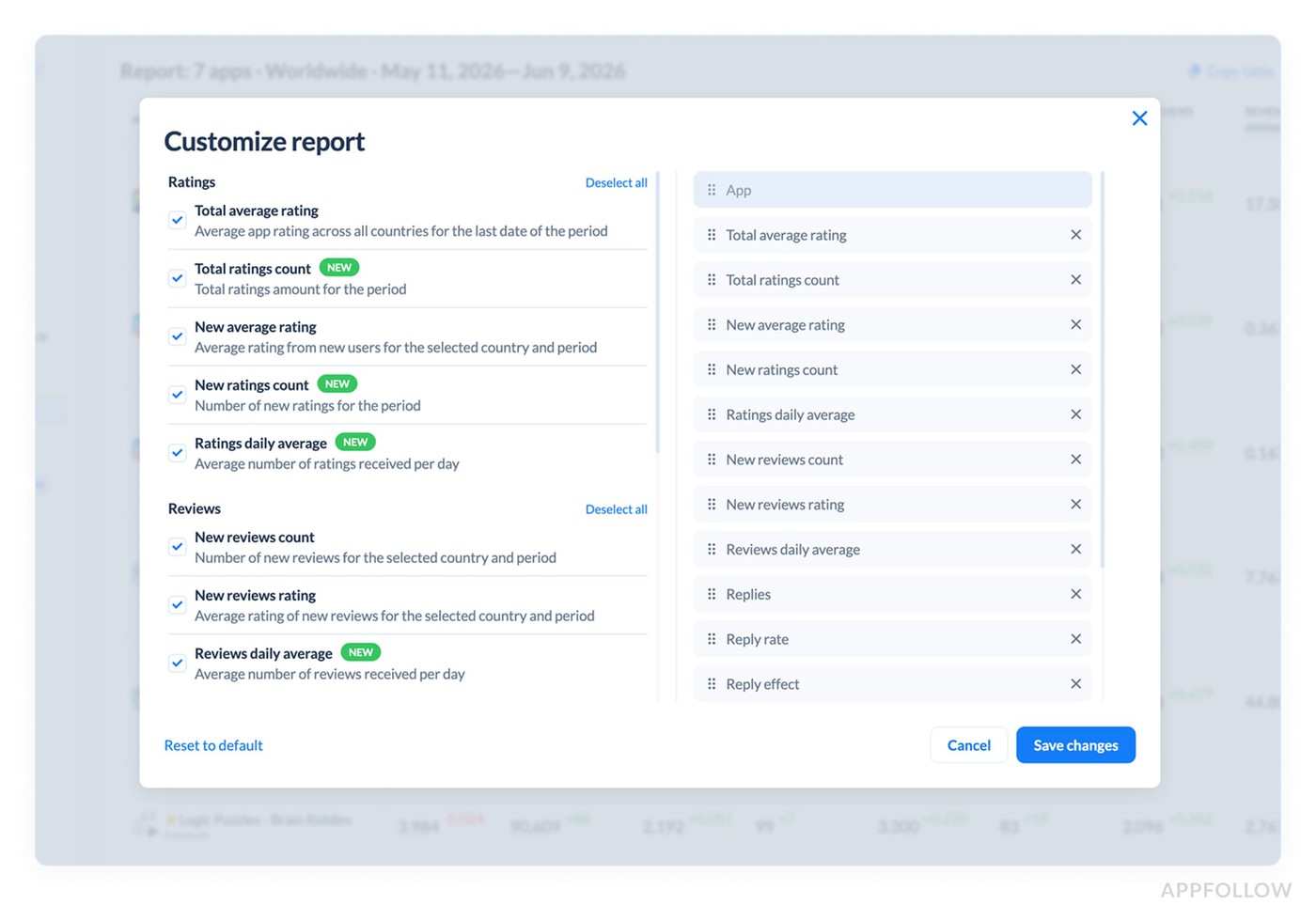
The Exec report got more metrics and a new way to set it up. New metrics: total rating count, new ratings count, ratings daily average, reviews daily average, replies, reply rate, reply effect, and sentiment score. Press the Customize button to pick the metrics you want and arrange them.
Report a Concern for Trustpilot and Steam
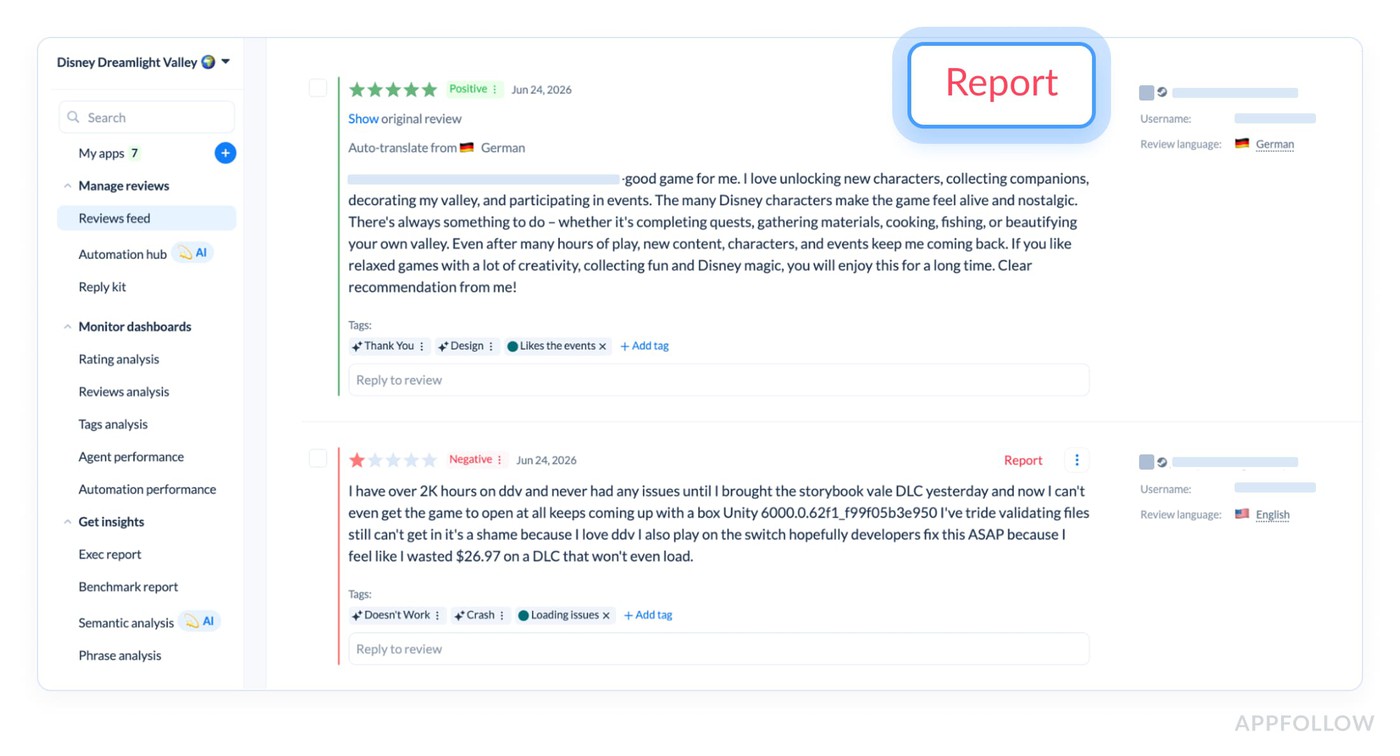
Report a Concern now works for Trustpilot and Steam, so you can run the full feedback cycle without leaving AppFollow. We shipped a lightweight version first to unlock it sooner and will iterate based on feedback.
You'll need to be logged in with reporting permissions. The flow: click Report in the reviews feed, a new tab opens the review on the platform's console, you fill in the form, and submit. We plan to bring this to other secondary stores where possible, like Samsung and Huawei, later on.
AppFollow adds Spanish as a UI language
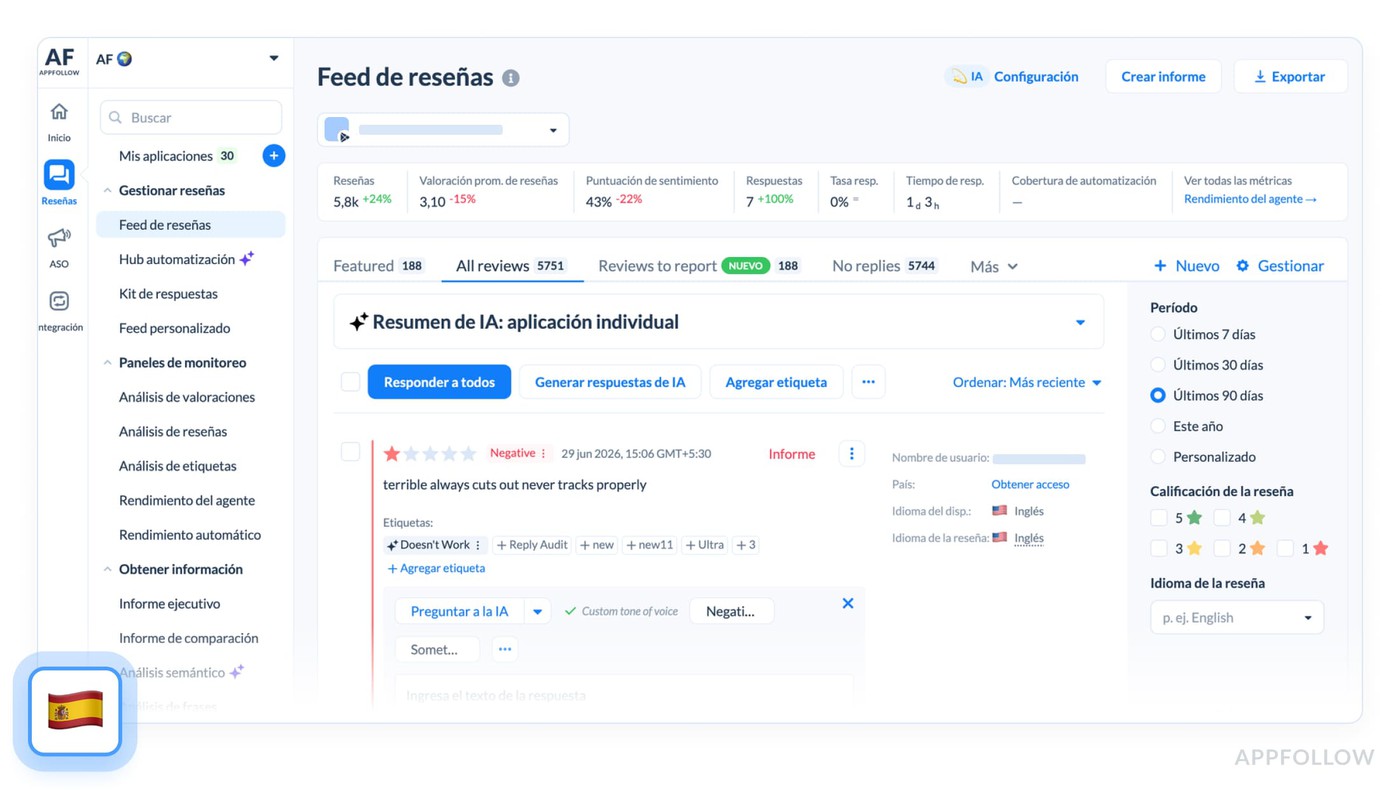
You can now switch the interface to Spanish from the sidebar. It's in beta for now, so keep that in mind, and if it goes well, more languages will follow.
cta_get_started_purple
FAQs
What's included in AppFollow's Steam beta?
The Steam beta is in closed testing and built for monitoring. You can add a Steam game yourself, then use the reviews feed with filters, sorting and export, auto-translate reviews, tag them, run tags analysis, and use semantic tags, sentiment, AI Topics, and AI Summary. Review responses, automation, alerts, and Steam Discussions are planned for later rounds. Reach out to your account manager to get enrolled.
What is AI Reply Style in AppFollow?
AI Reply Style is the new way to customize AI replies. It replaces the old prompt-based custom instructions with a set of options you select, like Tone, Empathy, and Words to avoid. You can still write your own instructions if you prefer. Free and Essential plans get 1 AI Reply style, Team and higher get unlimited. Older custom instructions were migrated and keep running in Automations in a read-only state.
Which AppFollow plans have Report a Concern?
The Report a Concern automation is now available on every plan, including Free. You turn on a single toggle and it auto-files concerns on reviews tagged spam, offensive, nonsensical, or inappropriate. There's also a Reviews to report preset in the reviews feed, and as of June, Report a Concern works for Trustpilot and Steam as well as the App Store and Google Play.