AppFollow Q1 2026: multi-app reviews and custom grouping

Table of Content:
Q1 2026 focused on letting you see the bigger picture. We added multi-app selection for reviews feed, custom app groups for portfolio management, and better data quality for Google Play.
You can now view reviews from multiple apps in one feed. Custom app groups let you organize your portfolio however you want. Google Play language detection got more accurate. Featuring data collection expanded to Google Play.
January: multi-app views and better data
Google Play language detection improvement
We now collect language data directly from Google Play Console. This should give you more accurate language detection for reviews.
How it works: requires country connect to be active (user invite integration only). Available for Enterprise customers. Completely automatic once connected.
Better language detection means better review categorization and more accurate sentiment analysis.
Alerts expansion for Samsung and Trustpilot
Expanded alert capabilities for Samsung and Trustpilot. Samsung now has AI summary alert available for email and Slack. Trustpilot got reviews feed alerts for email, Slack, and Telegram, plus tagged reviews alerts for the same channels.
This gives you more ways to stay updated on review activity across different platforms without constantly checking the dashboard.
Reviews feed multiple app selections
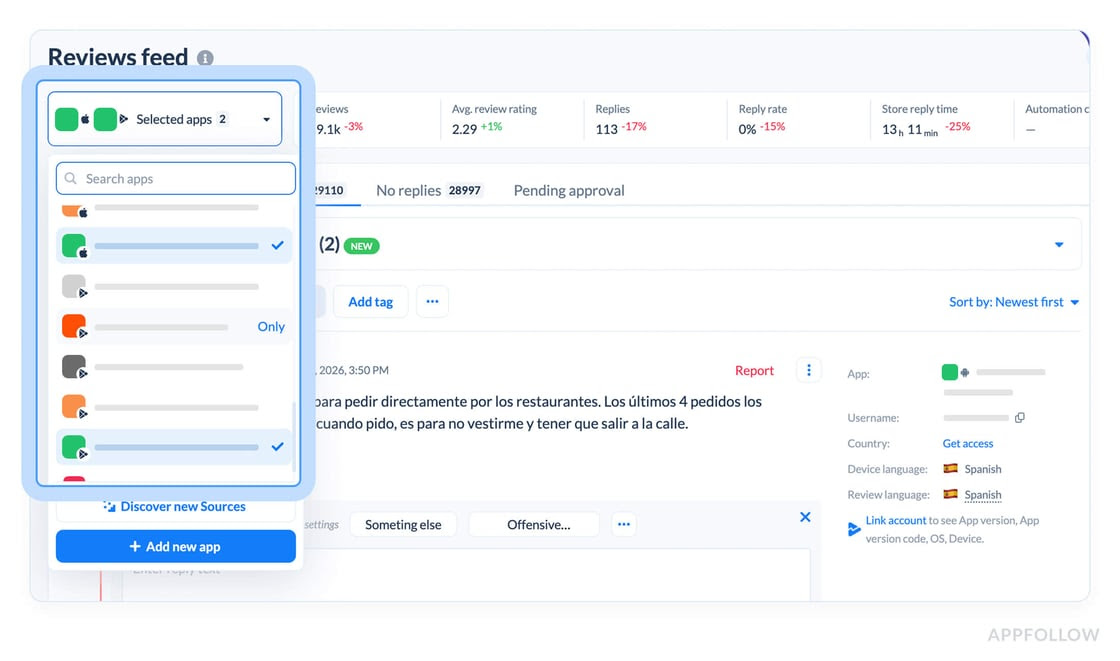
Reviews feed now supports selecting multiple apps at once.
Previously you had to select a single app. If you wanted to check App Store and Google Play reviews for the same product, you had to switch between them manually.
Now you can select both platforms at the same time. Or all apps in the workspace to see a market-wide AI summary.
Here's how it works: select your iOS app and Android app together. The reviews feed shows reviews from both apps. AI summary analyzes all reviews from both platforms and gives you product-level insights.
You can also add multiple products to the same feed. Select Uber Eats, DoorDash, and Volt all at once to see competitive landscape reviews. Just be aware that this could mean hundreds of thousands of reviews, which takes time to load.
Google Play featuring data collection
Started collecting daily data for featured apps and in-app events directly from Google Play.
In Google Play, there are two types of elements that can be featured: apps or in-app events. When an app gets featured, you see which categories it's featured in and when that featuring started.
When in-app events are featured, the timeline shows both the event's active dates and the event's featuring dates separately. An event might start on January 16th, then get featured on January 20th. The timeline shows a light green line for the event, which turns darker when featuring starts. The tooltip shows event start/end dates, plus featuring start date.
The timeline design got updated to handle all this new data. Added expand/collapse buttons and improved layout with dates always on top for easier navigation.
February: better defaults and reporting
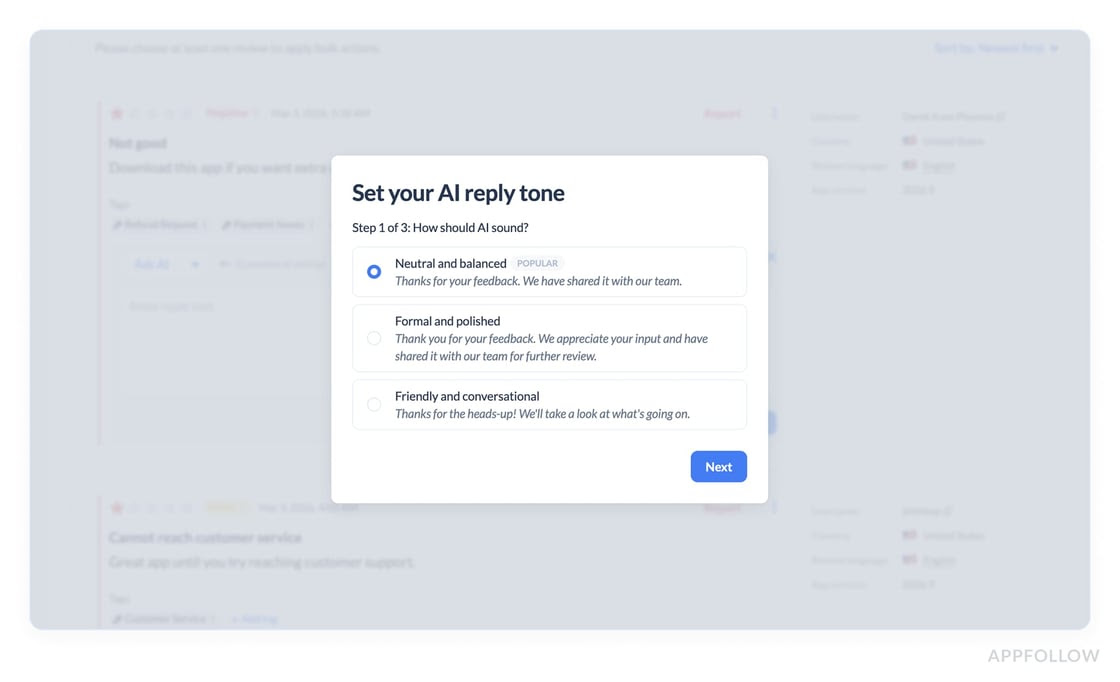
Custom instruction suggestions
If you don't have custom instructions activated for AI replies on the reviews feed, we now suggest answering 3 short questions to customize the reply. You set tone of voice, greeting options, and choose whether AI should ask the reviewer to contact support.
Responses get saved as default custom instructions and applied to all future manual replies. We observe good reply quality and user satisfaction results for customers who try this feature.
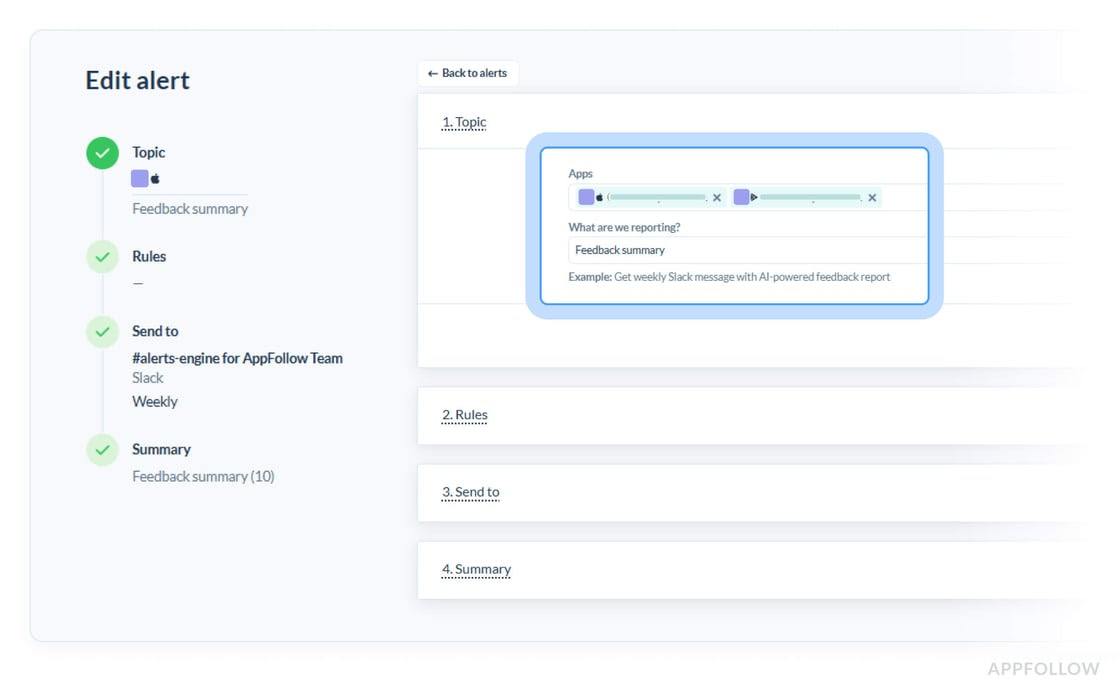
Feedback summary Slack and email report improvements
Made the feedback summary report more versatile with several updates.
You can now select multiple apps when setting up the report. You'll receive a separate report for each app.
You can select the language you want to receive the report in. We had customers wanting reports in Russian, Portuguese, and other languages. Now they can select a translation language.
Each section of the report (new issues, positive trends, negative trends) can be toggled on or off individually. If you care about new issues or negative trends more than positive trends, this eliminates the sections you don't need.
March: unified views and visibility
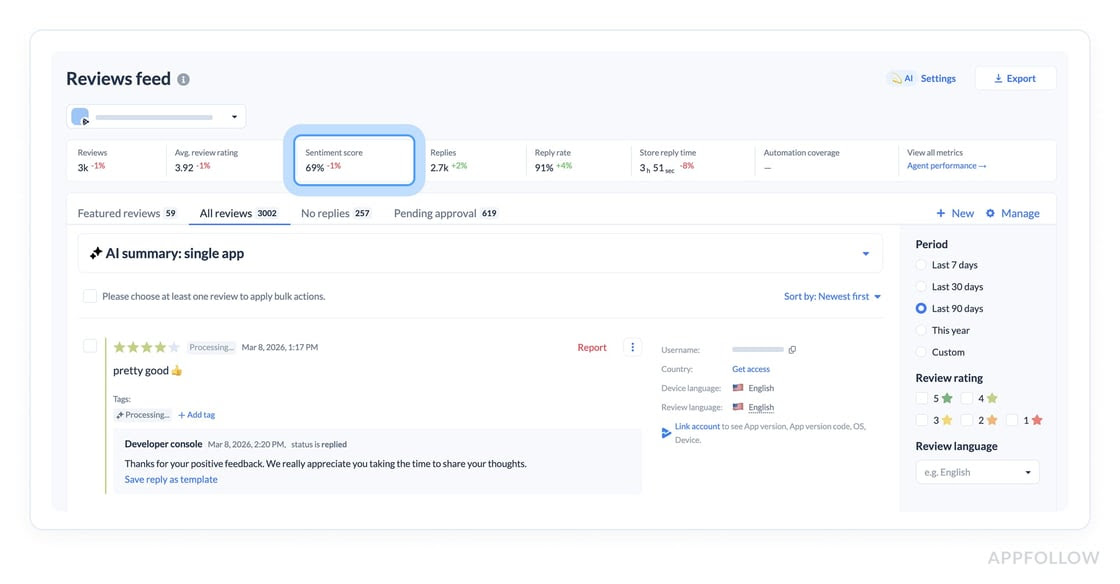
Reviews feed statistics update
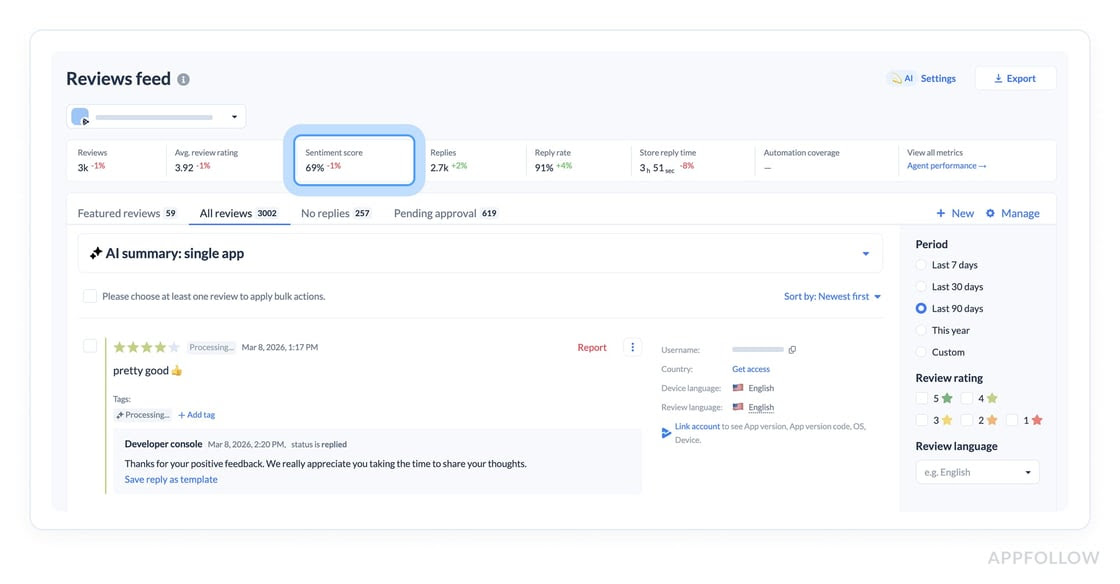
The reviews feed statistics block was updated to include a sentiment score. The sentiment score is one of the crucial feedback metrics, so we made it more visible.
Previously you had to dig around to find sentiment data. Now it sits right in the statistics block alongside other key metrics like rating and reply rate.
Custom app groups
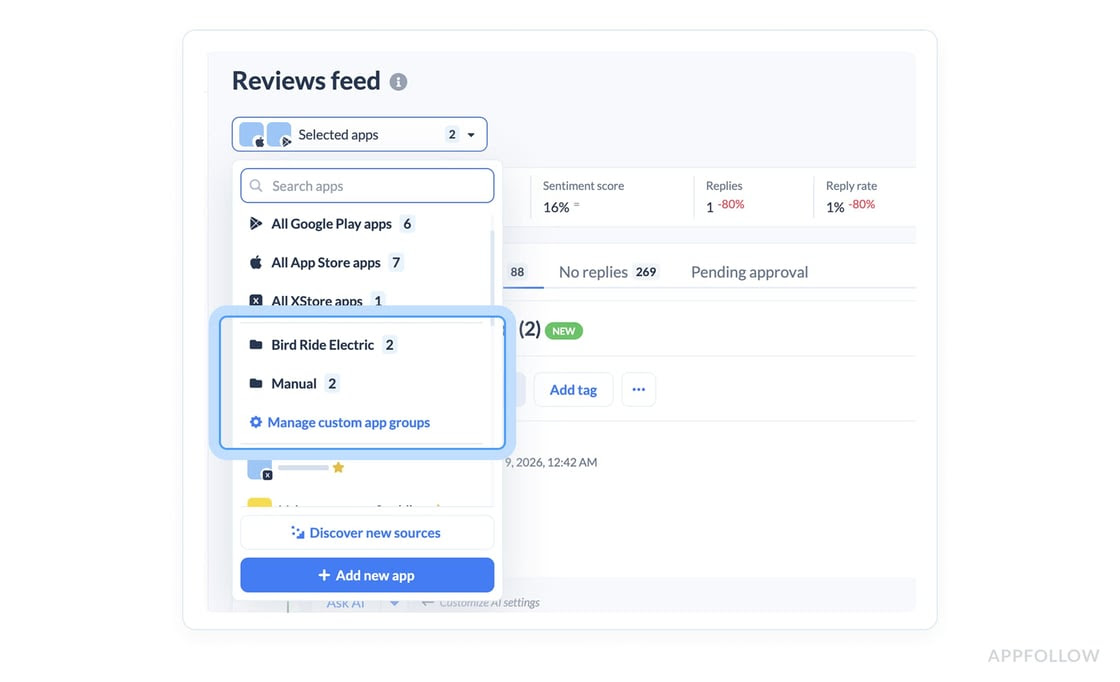
We added the option to show all apps from all sources on a single unified reviews feed recently. Now we're going further and adding the option to create your own groups of apps with any source you want.
Group your products together. For example, App Store app plus Google Play app plus Trustpilot page. See the feed with all reviews in one place.
To make it easier to get started, we suggest creating new groups based on app names. If you have apps named "Bird" across different platforms, we suggest creating a Bird group. Manual groups appear if you have 3 or more apps in the workspace.
How it works: click manage custom app groups in the app selector. The app groups modal window opens. We suggest a couple of groups based on app names. You can also create manual groups by typing any title and selecting the apps you want.
Here's an example: you manage scooter apps like Whoosh, Bird, Bolt. You want to check reviews for the Bird product specifically, meaning App Store and Google Play together. Previously you had to click Bird on App Store, then click Bird on Google Play manually.
Now you create a Bird group. Click the group and both apps get selected. You see all metrics for both apps: rating, sentiment score, reply rate. You get product-level feedback.
This is useful if you manage a huge portfolio and want to see reviews and performance for specific products across all platforms.
Enterprise only for now.
Anomaly detection email support
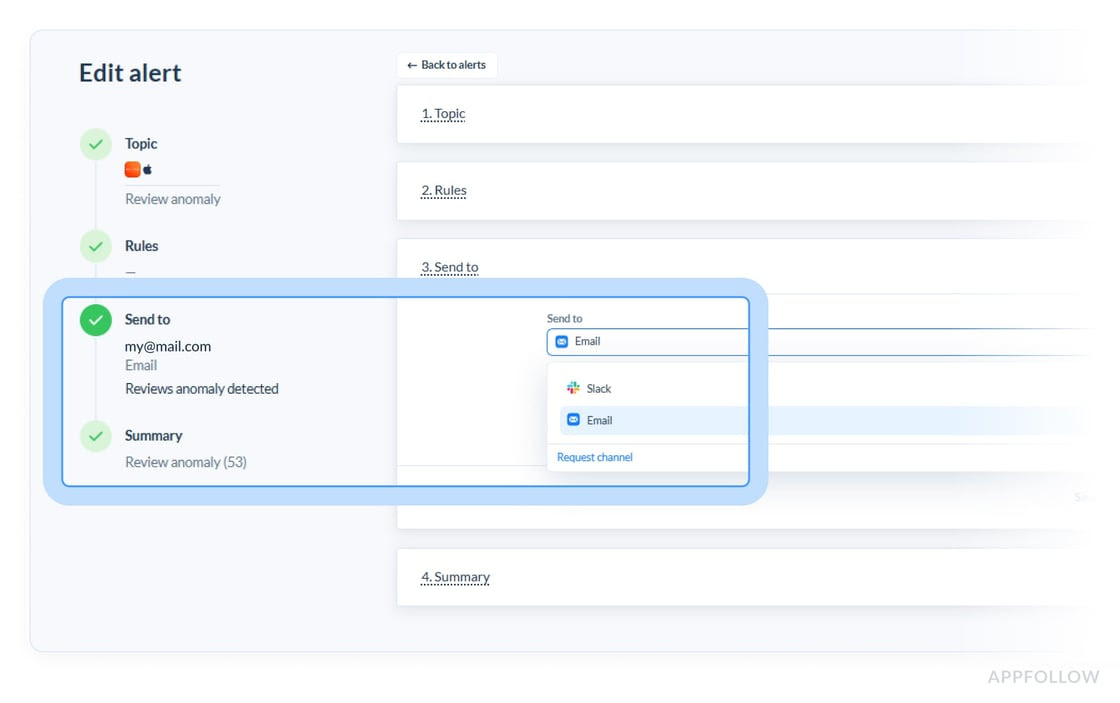
Email support for anomaly detection is now live. Previously it was only available in Slack.
No special configuration needed on your side. Just enter email addresses, hit save, and you're done. You'll get anomaly alerts in your inbox when we detect unusual patterns in semantic tags.
We stay quiet most of the time. If there's a spike in negative feedback anywhere, we'll let you know immediately.
cta_get_started_purple