How automation turns review insights into hotfixes within 24 hours

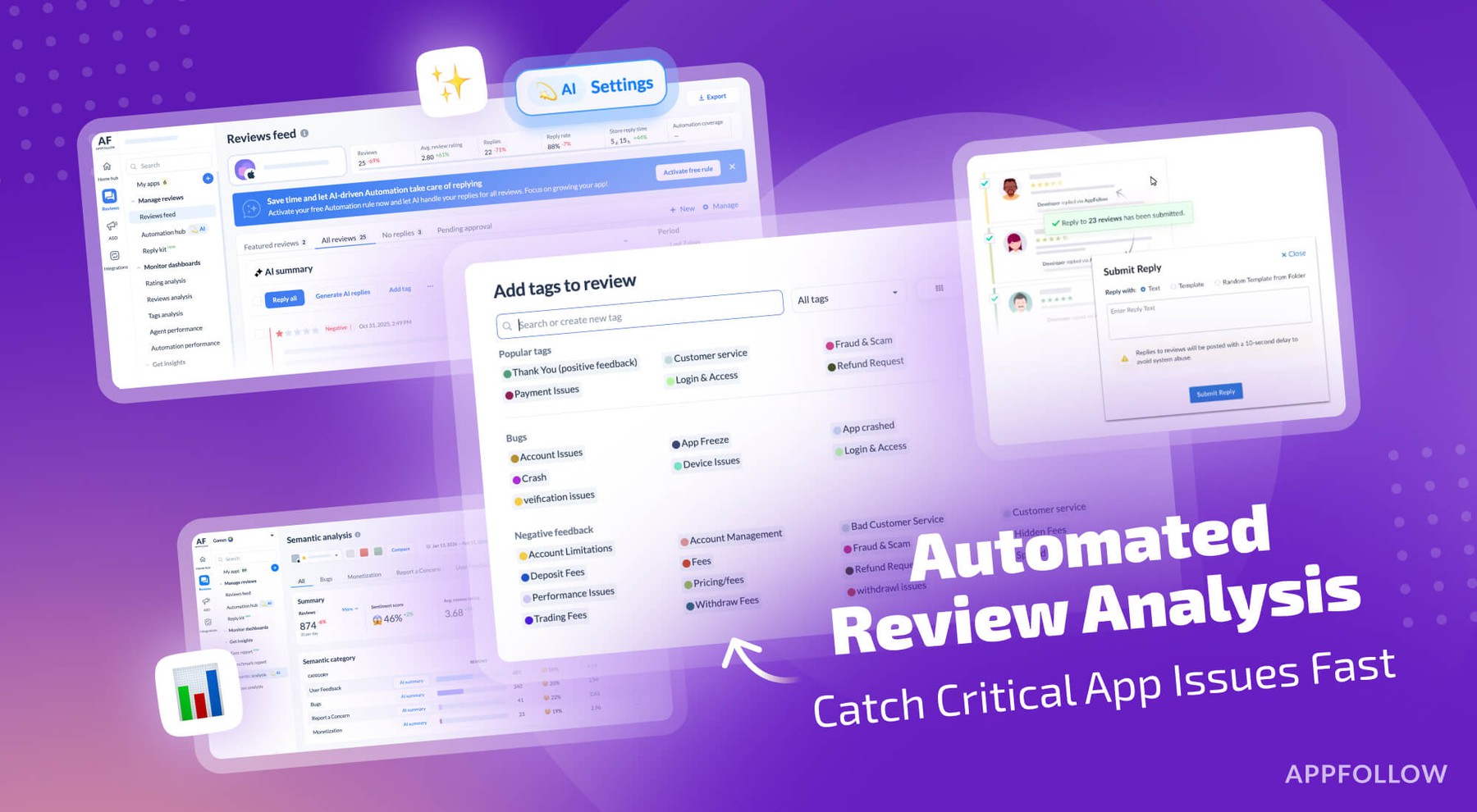
Table of Content:
Your app just shipped an update, and three hours later, your rating starts dropping. By the time you notice tomorrow morning, you've already lost half a star, and hundreds of angry users have left reviews saying the app crashes on launch.
This happens! Updates break things. Sometimes it's a specific device model, or it's a regional payment processor. Sometimes it's just bad timing where your servers can't handle the spike in users after a feature launch. The damage isn't from the bug itself, it's from how long it takes you to notice and respond.
When you can spot a problem within hours of it starting, push a fix the same day, and respond to every affected user explaining the fix is live, you stop the bleeding before it gets bad. This article is about this.
The cost of slow detection
Rating drops compound really fast. When your app sits at 4.3 stars, you're getting decent download numbers. Drop to 3.8 and suddenly you've fallen off a cliff. Fewer people download, fewer of them stick around, and the spiral continues.
One bad update can easily cost you 0.3 to 0.5 stars if you don't catch it fast. Getting those stars back takes months of good reviews to offset the bad ones. During that time you're losing potential revenue from all the people who saw your low rating and kept scrolling.
The longer negative reviews sit without responses, the worse it looks. Users see dozens of complaints about crashes with no developer response and assume you don't care or abandoned the app. Even after you fix the bug, those old reviews stay there making you look unresponsive.
Manual review monitoring doesn't scale, too. Someone has to sit there reading reviews looking for patterns. By the time they've read enough to spot a trend, hours have passed. If this person only checks reviews once a day, you've already lost a full day before anyone even knows there's a problem.
Native app store tools don't help much here. Google Play Console and App Store Connect show you reviews but they don't analyze them. You can sort by rating and see your 1-star reviews but you still have to read them all to understand what's wrong. There's no alerting when something suddenly changes.
How AppFollow catches issues early
AppFollow pulls reviews from all your app stores into one place in real time. When reviews start coming in mentioning crashes or payment failures, the system categorizes them automatically.
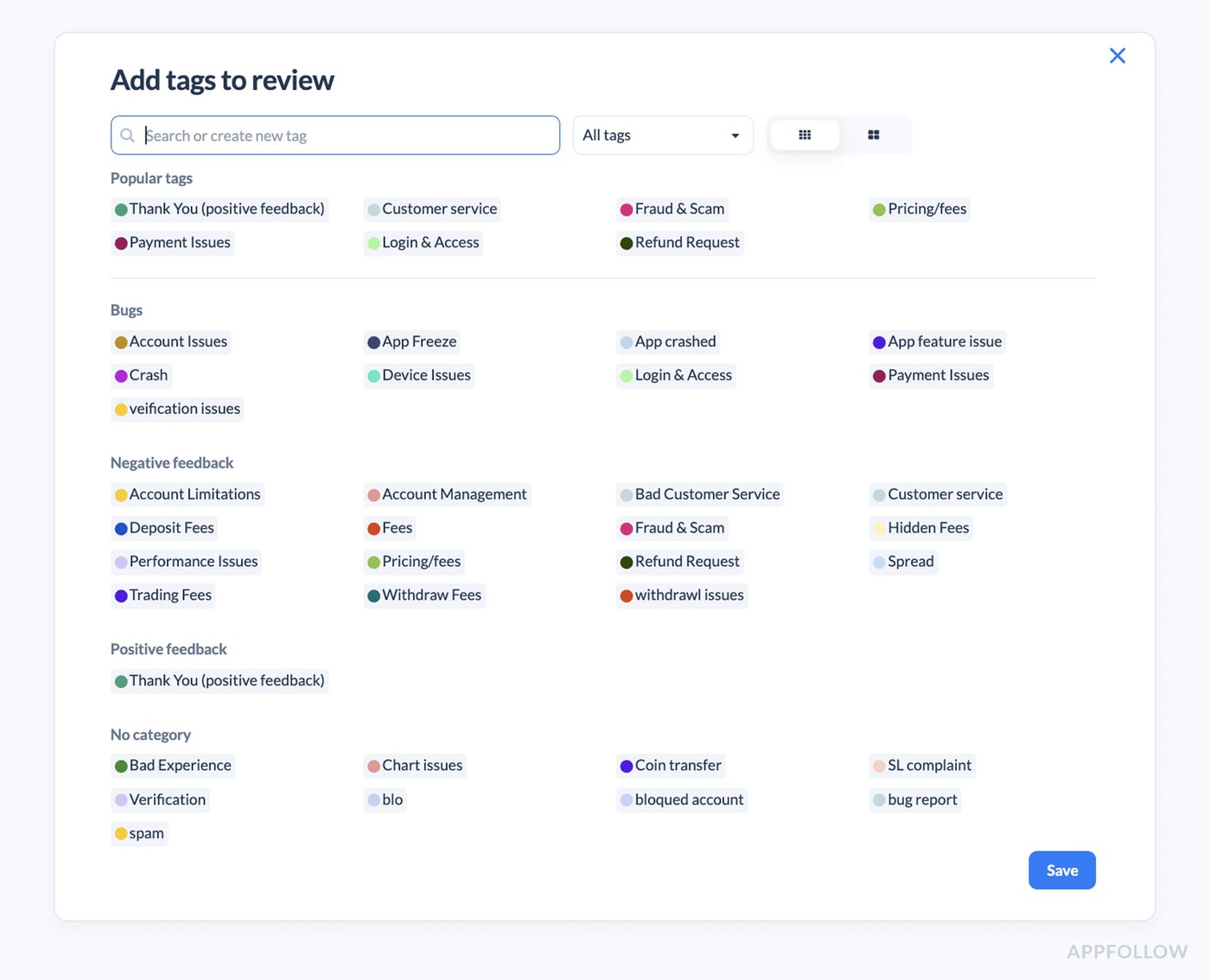
Auto-tags scan every review for keywords and patterns. You set up tags for common issues like crashes, login problems, payment errors, performance issues. The second a review mentions one of these topics, it gets tagged. You can see at a glance that you just got 15 crash reports in the last hour when your normal rate is 2 per day.
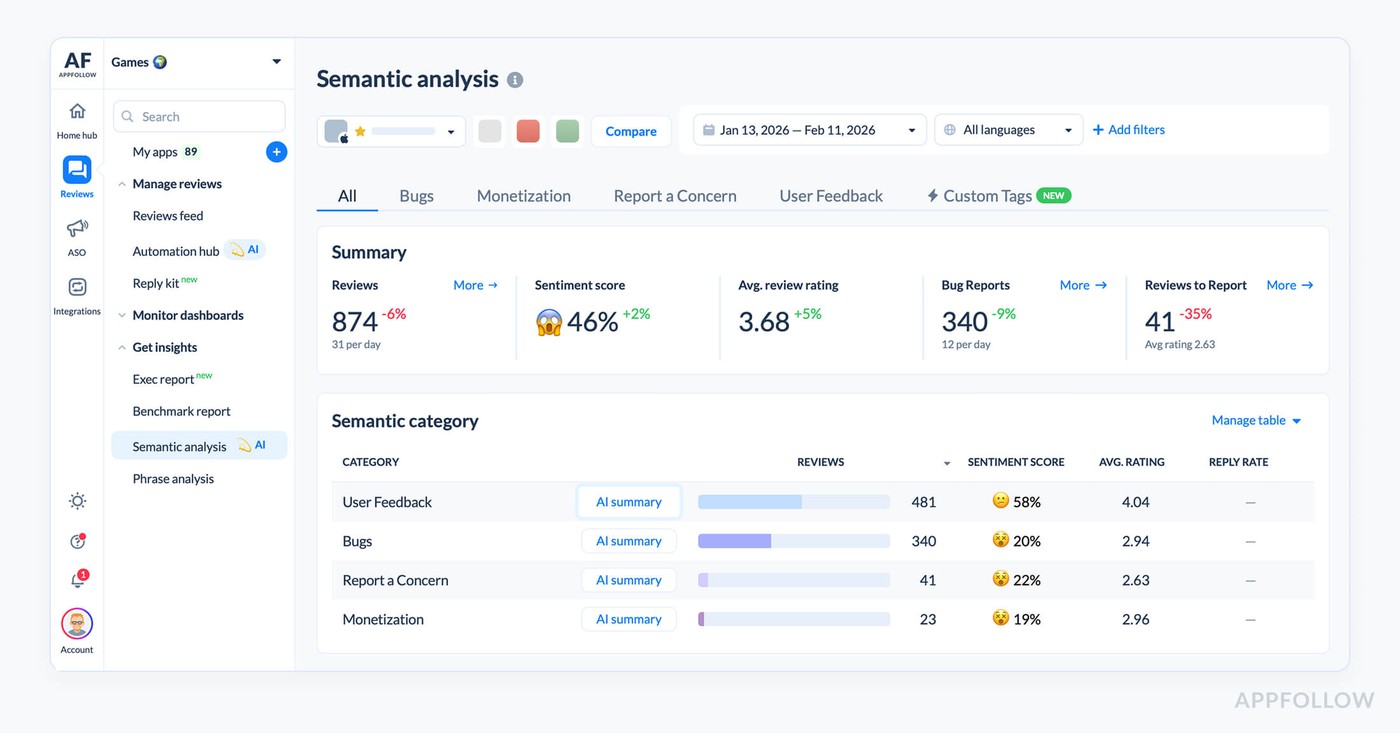
Semantic tagging goes deeper than simple keywords. It understands context and sentiment. A review saying "the new update is killer" reads differently than "the app kills my battery now." Both mention killing but the meaning is opposite. Semantic analysis catches the difference so you're not chasing false positives.
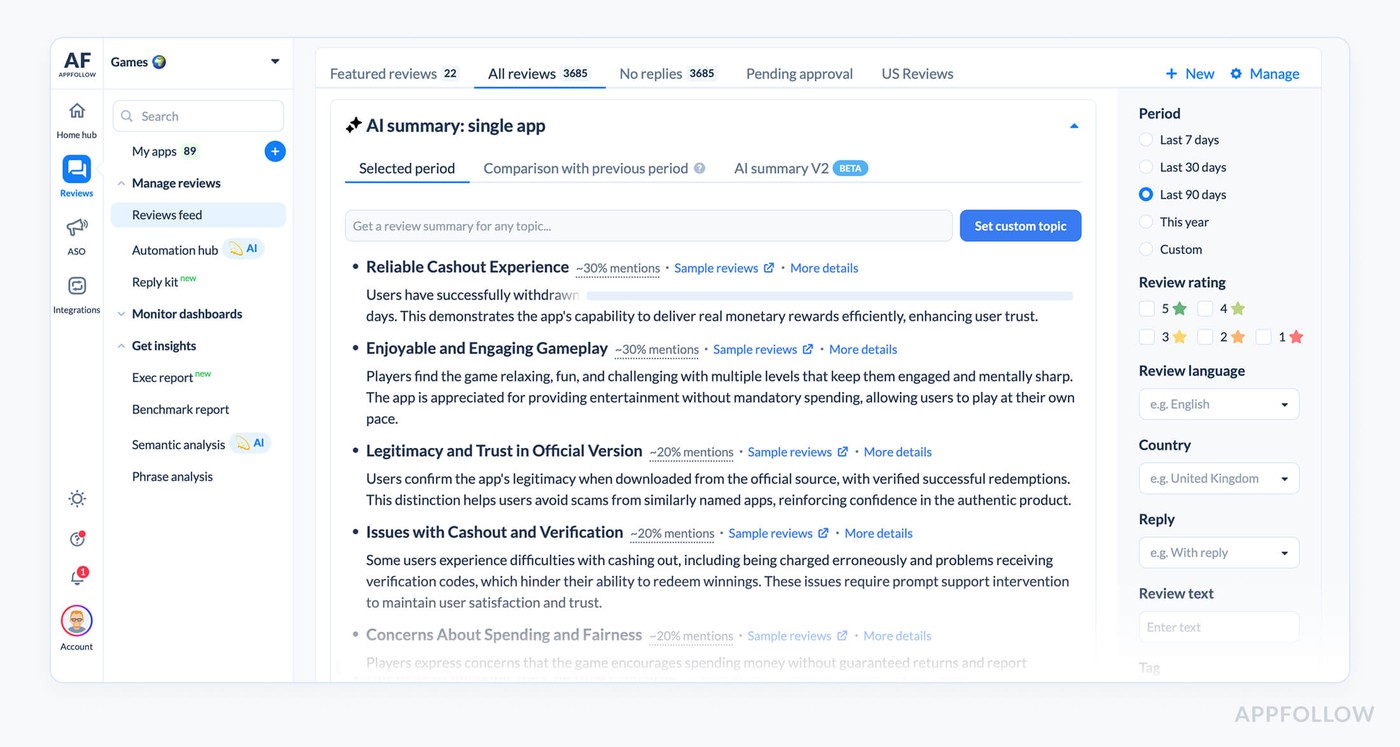
AI summaries let you understand what's happening without reading every review. When you see a spike in negative reviews, you can pull an AI summary of the last 100 reviews and get a breakdown. Maybe 43 mention crashes on Android 14, 28 mention the new checkout flow failing, 15 want a refund. You know exactly what's broken in under a minute.
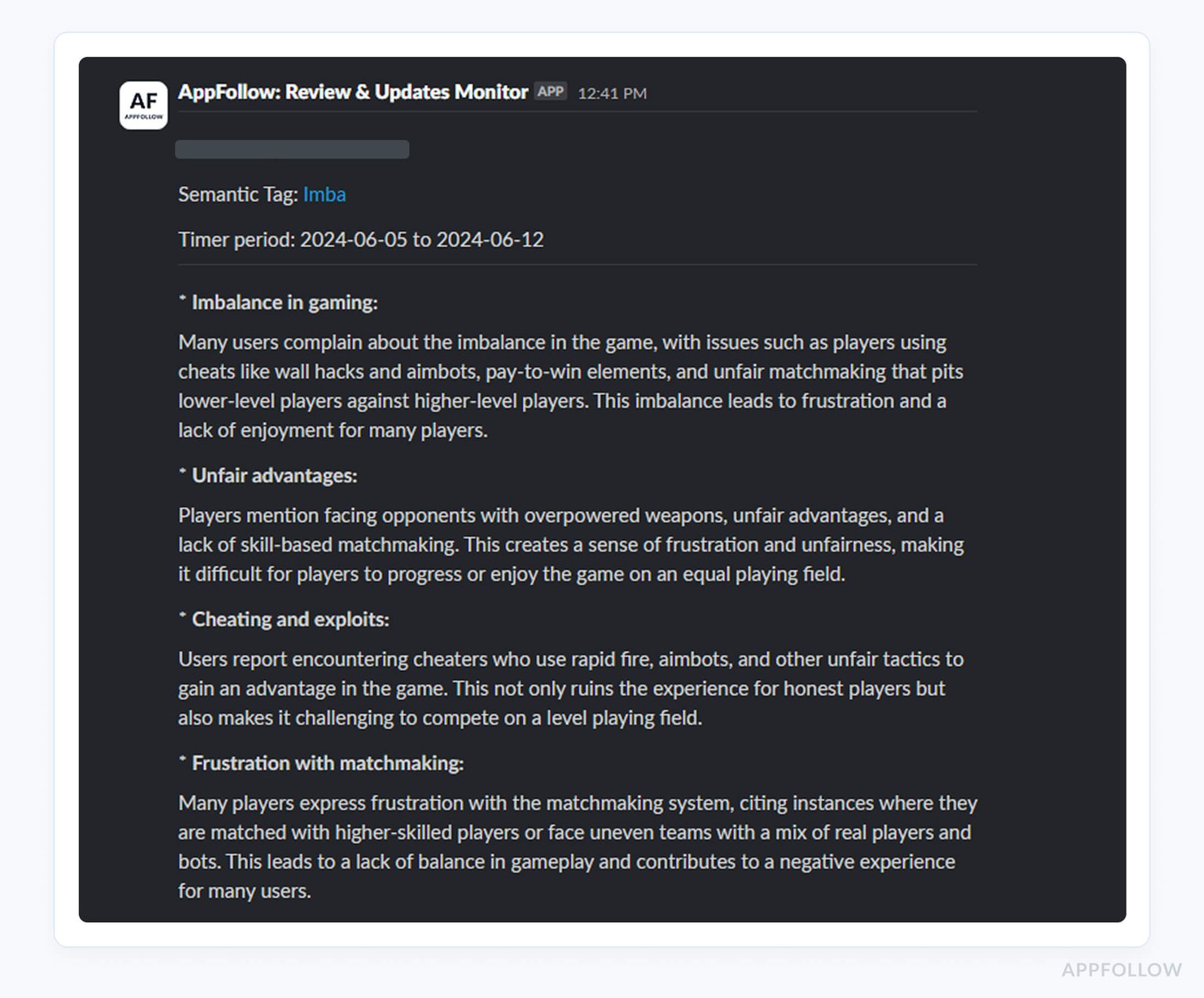
Alerts are what make this useful instead of just informative. You set thresholds for things that matter. If crash-tagged reviews go above 10 per hour, send an alert to Slack. If your rating drops 0.2 stars in 6 hours, email the team. If payment-related negative reviews spike, ping the product manager directly.
The monitoring happens 24/7 without anyone needing to manually check. Nights, weekends, holidays, doesn't matter. If something breaks at 2am on Saturday, the alert fires and whoever is on call can assess whether it's worth pulling people in immediately or waiting until Monday.
Responding at scale
Once you know what's wrong, you need to respond to everyone affected. If 200 people left reviews about crashes, you want all 200 to know you're aware and working on a fix. Doing this manually takes hours.
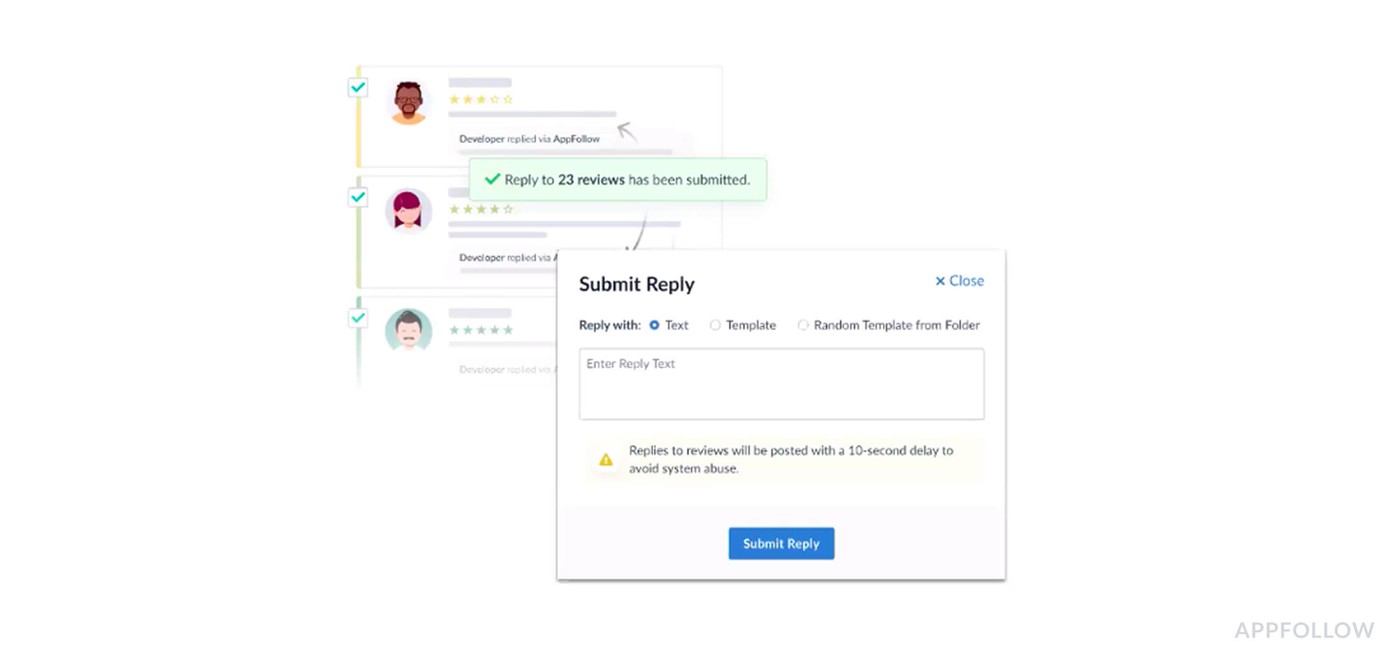
Bulk reply functionality lets you respond to multiple reviews at once. You select all the crash-related reviews from the last 6 hours and generate responses for all of them simultaneously. The alternative is opening each review individually and typing essentially the same message 200 times.
The responses need to be personalized enough that they don't look like spam. Using the same exact text for every reply makes users feel like you're just auto-responding without caring. This is where templates and AI replies come in.
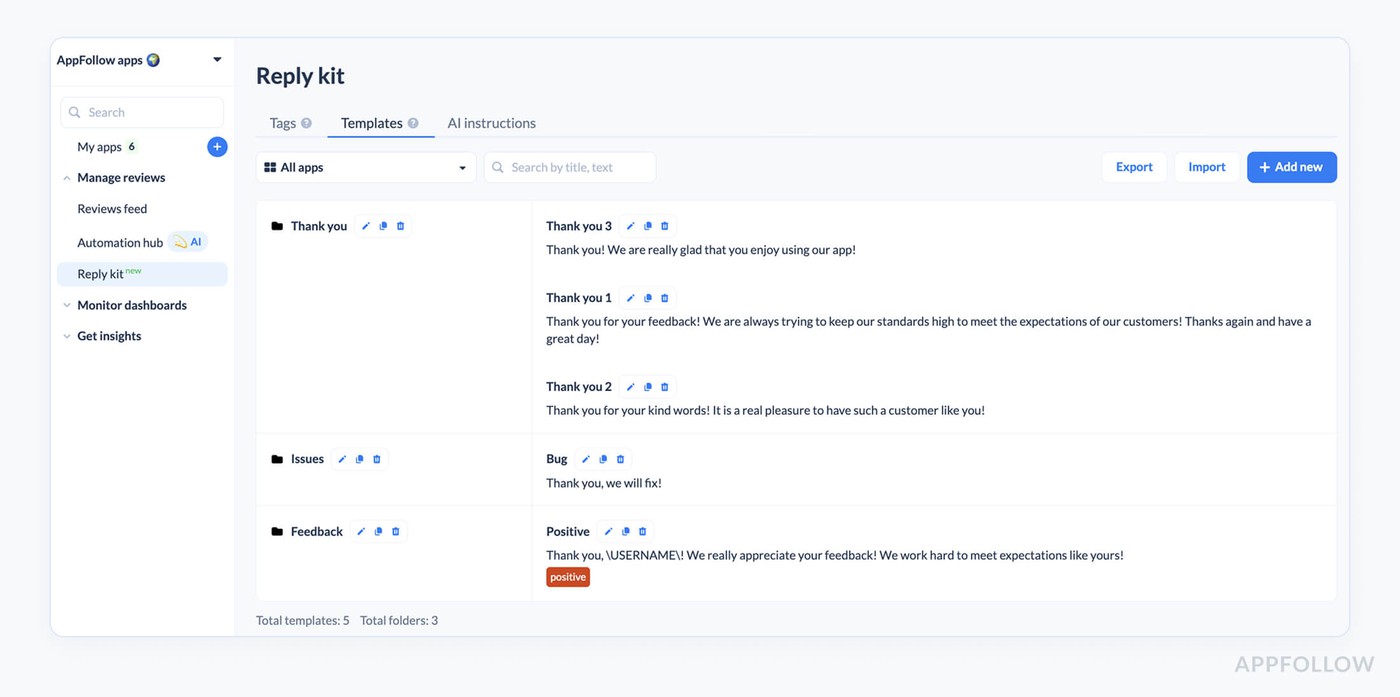
Templates let you create response frameworks for common scenarios. You write a template for crash issues that acknowledges the problem, mentions you're investigating, and asks for device details if needed. You can have multiple variations of the template so not everyone gets identical responses.
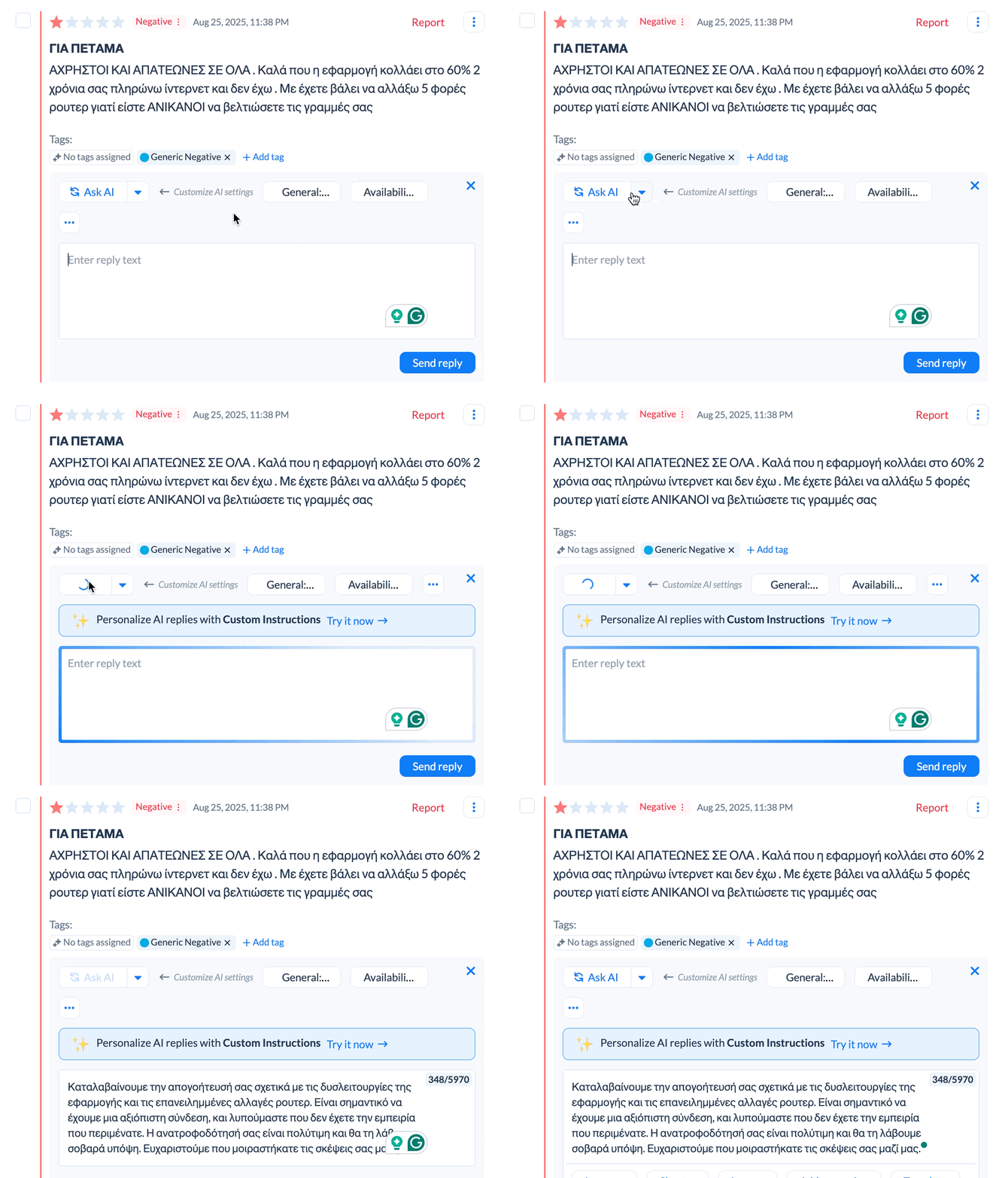
AI replies take this further by generating unique responses based on what each review says. Someone writing "app crashes when I try to checkout" gets a slightly different response than someone writing "constant crashes make this unusable." Both responses cover the same key points but the wording varies to match what the user said.
You can combine these approaches for speed and quality. Use templates for the most straightforward cases where you just need to acknowledge the issue quickly. Use AI replies for more detailed or complex reviews where the user provided specific information worth addressing directly.
The goal is responding to everyone affected within hours of becoming aware of the issue, not days later. Fast responses signal that you're on top of things. Users are way more forgiving of bugs when they see you acknowledge the problem and communicated about the fix quickly.
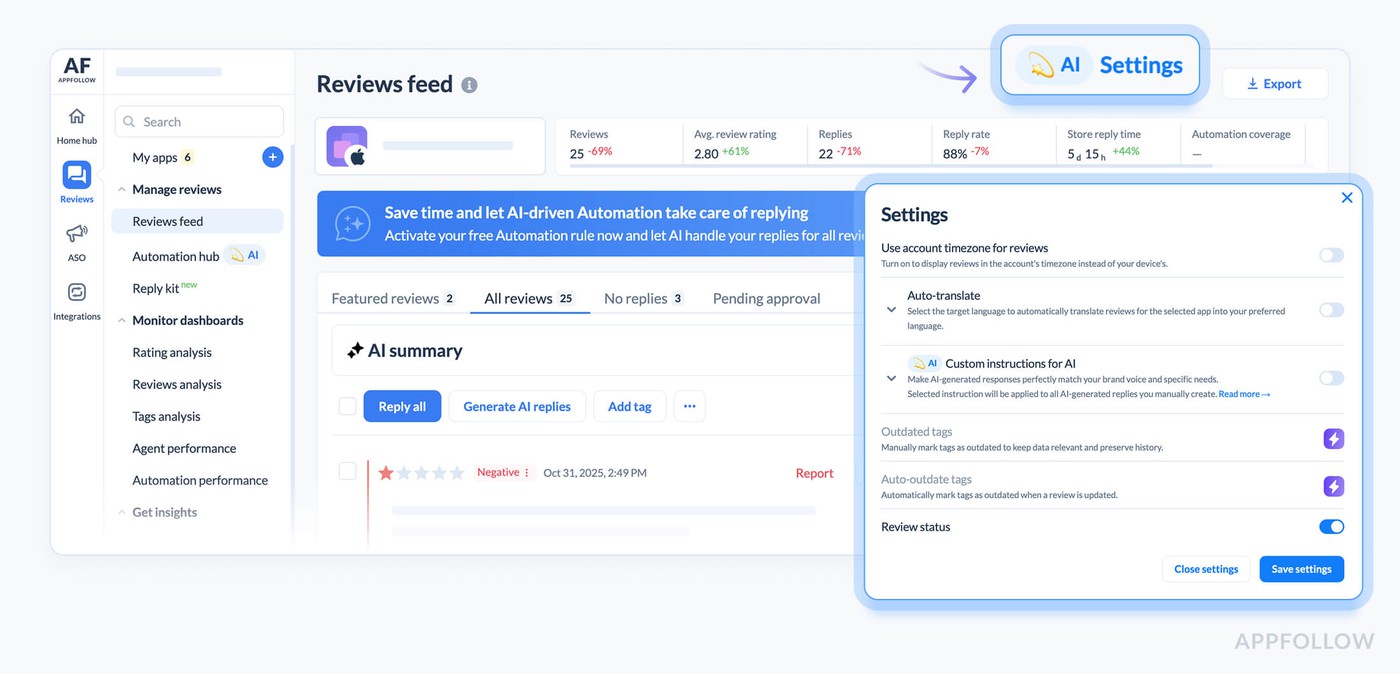
Auto-translation handles responses across all your markets without needing multilingual support staff as well. Your template or AI reply gets automatically translated into whatever language the review was written in. A crash affecting users globally can be responded to in 20+ languages simultaneously.
Pushing the fix
Review responses buy you goodwill but they don't fix the problem. You still need to ship a hotfix. The faster you can go from "we're aware of the issue" to "the fix is live," the less damage you take.
Having clear information about what's broken helps engineering prioritize. When you can tell them "37% of reviews in the last 4 hours mention checkout failures on Android 14 specifically," they know where to focus. Vague reports of "some users are having issues" take way longer to track down.
The pattern recognition from reviews often surfaces issues that aren't showing up in your error tracking yet. Maybe your monitoring hasn't flagged anything because the crash happens before your logging initializes. But users are leaving reviews saying the app won't open. Reviews become an additional data source for understanding what's broken.
Timeline matters a lot here.
If you detect the issue within 2 hours, get a fix ready in 6 hours, and push it through app store review in 12-24 hours, you've contained the damage to one day. Most users will see your response saying a fix is coming before they even hit the bug themselves if you're fast enough.
Apple and Google both have expedited review processes for critical bug fixes. If you can show them that your app is broken for users and you have a fix ready, they'll often fast-track the review. This only works if you have a fix ready quickly though.
Following up after the fix
Once your hotfix is live, you're not done. Everyone who left a negative review about the bug needs to know it's fixed. This is where the reply effect comes in.
You go back to all those crash reviews and send follow-up responses. "Thanks for your patience, we've released version 2.4.1 which fixes the crash you reported. Please update and let us know if you're still having issues." Many users will update their rating after seeing you fixed the problem.
AppFollow tracks whether users update their reviews after you respond. The reply effect metric shows you if your responses are helping. If you're seeing lots of users upgrade their 1-star crash reports to 4-star reviews after the fix, your response strategy is working.
Some percentage of users will never update their review even after the fix. That's expected. But the ones who do make a significant difference. If 30% of affected users bump their rating by 2-3 stars after the fix, you recover faster.
You can automate the follow-up too. Set up a rule that sends a follow-up response to anyone who left a crash review once the new version hits a certain adoption rate. This ensures everyone gets notified about the fix without manual work.
Tracking team performance during crises
During a crisis, response time matters more than usual. You want to see that someone is responding to crash reports within an hour or two, not the next day. If you notice responses are taking 8 hours on average, you know the team is overwhelmed and you might need to pull in help.
Automation analytics show you which automated responses are working and which aren't. If your crash response template has a poor reply effect, maybe it's not communicating the fix timeline clearly enough. If AI replies for payment issues are getting better reply effects than templates, maybe you should use AI more.
You can break this down by issue type too. Maybe your team is great at responding to crash reports quickly but payment issues take forever because they require coordination with another team. Seeing the data lets you identify bottlenecks and fix them for next time.
The metrics also show you if automation is saving time or if agents are having to manually override everything. If 80% of automated crash responses go out without agent review, the automation is working. If agents are editing 90% of them, your templates or AI instructions need work.
Building the system
Start by configuring auto-tags for your most common critical issues. Crashes, payment failures, login problems, performance issues, data loss. Make sure these tags are catching the right reviews by checking a few manually.
Set up semantic tags for sentiment around your key features. If you just launched a new onboarding flow, create a semantic tag that tracks sentiment about onboarding specifically. This lets you see if the new flow is causing issues before it shows up in crash rates.
Configure alerts with sensible thresholds. You don't want to get pinged every time you get one crash report, but you do want to know when crash reports go from 2 per day to 20 per hour. Start conservative and tune the thresholds based on false positive rates.
Create response templates for common scenarios before you need them. Have a crash template ready, a payment issue template, a performance problem template. When an issue hits you want to respond immediately, not spend an hour writing the perfect response while your rating drops.
Train your team on the bulk response workflow. Make sure everyone knows how to pull reviews by tag, generate responses, review them quickly, and send them out. Practice during normal times so you're not learning the tools during a crisis.
Set up regular review of automation performance. Once a week, look at reply effect by automation type. Are templates working as well as AI replies? Are certain types of issues getting better responses than others? Adjust your approach based on what the data shows.
What good looks like
When you've got this system running smoothly, critical issues get handled in a predictable way. Alert fires within an hour of issue starting, team assesses severity within 15 minutes, responses go out to all affected users within 2-3 hours. Engineering gets clear information about what's broken and ships a fix within 24 hours, with follow-up responses going out once fix is live.
The alternative is finding out about the issue the next morning, spending half a day figuring out what's wrong, manually responding to reviews over the next few days, shipping a fix after several days, and watching your rating tank while you scramble. That path costs you real money.
Fast review analysis and response isn't sexy but it's one of the highest ROI things you can do for your app. The tools exist to make this fast. The question is whether you set up the system before you need it or after you've already taken the hit.
FAQs
How quickly should you respond to negative app reviews during a crisis?
During a critical issue, respond to affected users within 2-3 hours of detection. Fast responses show you're aware and working on fixes, which reduces additional negative reviews and prevents rating drops. Use AppFollow's bulk reply features and templates to respond to hundreds of reviews simultaneously rather than individually. The faster you acknowledge issues, the more forgiving users are while waiting for fixes.
How do you detect app issues from reviews before they damage your rating?
Set up automated monitoring with auto-tags for common issues like crashes, payment failures, and performance problems. Configure alerts that trigger when negative reviews spike above normal rates. Use AI summaries to quickly understand what users are complaining about without reading hundreds of reviews manually. AppFollow's real-time monitoring catches patterns within hours instead of days, giving you time to respond before significant rating damage occurs.
What is reply effect and why does it matter for app ratings?
Reply effect measures whether users update their ratings after you respond to reviews. When you respond to a 1-star crash review, explain you've fixed the bug, and the user updates to 4 stars, that's positive reply effect. This metric matters because getting affected users to update their reviews after fixes helps you recover from rating drops faster. Track reply effect by issue type to understand which responses convince users to give you another chance.
How can automation help maintain app store ratings during critical issues?
Automation catches critical issues through real-time pattern detection in reviews, sends alerts immediately so teams respond during business hours rather than discovering issues the next day, enables bulk responses to hundreds of affected users simultaneously, and tracks team response times to ensure fast handling. Fast detection plus fast response minimizes rating damage since users see you're actively fixing problems rather than ignoring complaints. Apps using automated review monitoring typically experience smaller rating drops during incidents.