AppFollow vs. Steam developer tools: a feature-by-feature look

Table of Content:
- The review inbox
- Replying to reviews
- Reply templates
- AI-generated replies
- Automation and auto-replies
- Bulk actions
- Filtering, sorting, and search
- Tagging reviews
- Flagging and moderation
- Review bombing
- Discussion tracking
- Tracking performance
- Integrations
- Translation
- Multi-store and multi-app support
- Summary
- Which one do you need?
- FAQ
If you're managing a game on Steam, Valve gives you a set of built-in tools to deal with reviews. They're basic, but they work. AppFollow is a platform built around review management at scale across mobile app stores, Trustpilot, and now Steam. Steam support is currently in closed beta.
This article goes through the key areas of review response management and looks at what each platform offers.
The review inbox
Steam developer console
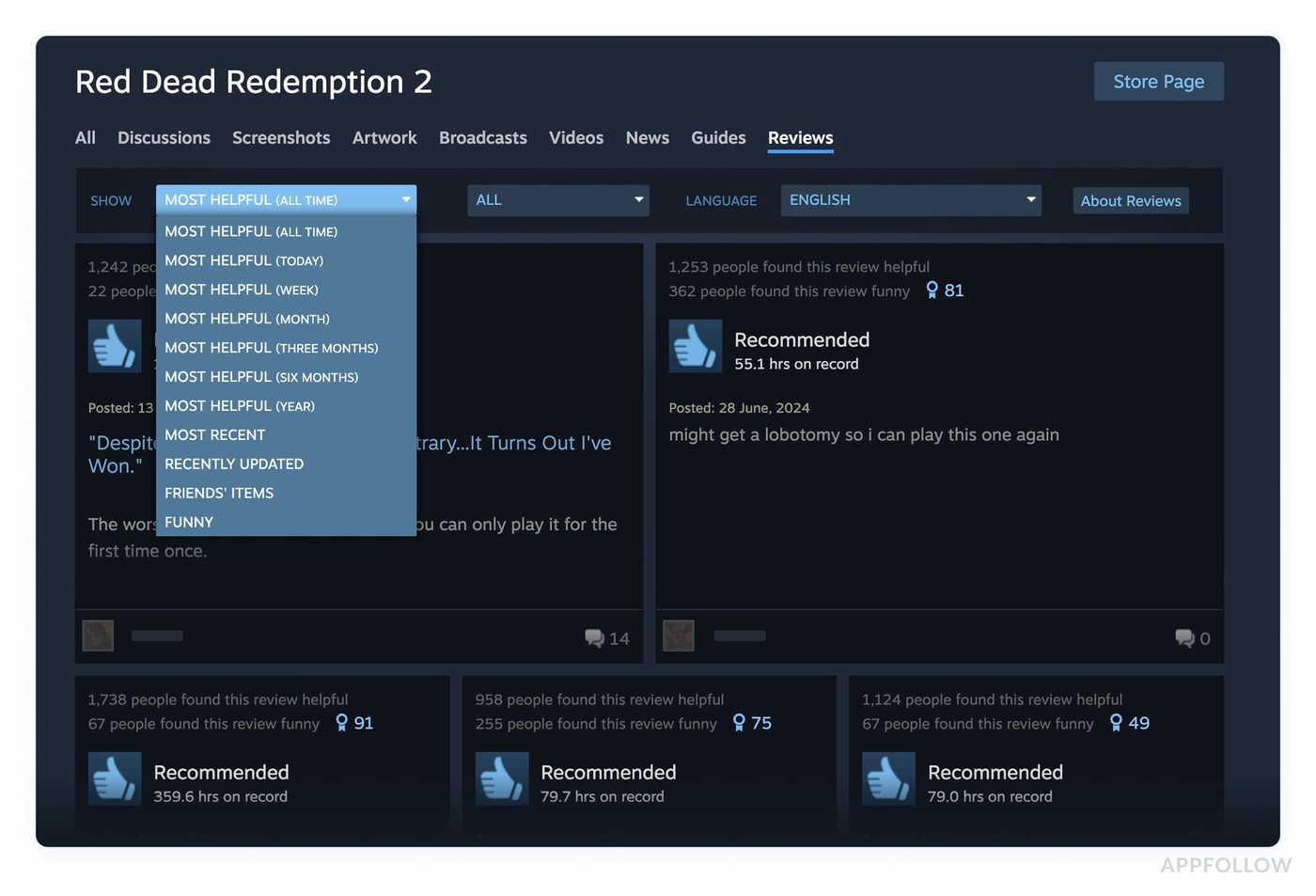
Steam doesn't give you a dedicated review management inbox.
If you want to find and respond to reviews, you navigate to your game's store page and scroll through the reviews there. You can filter by time range and sort by recency or helpfulness, but that's about as far as it goes. There's no unified dashboard where all your game's reviews land for you to triage.
AppFollow
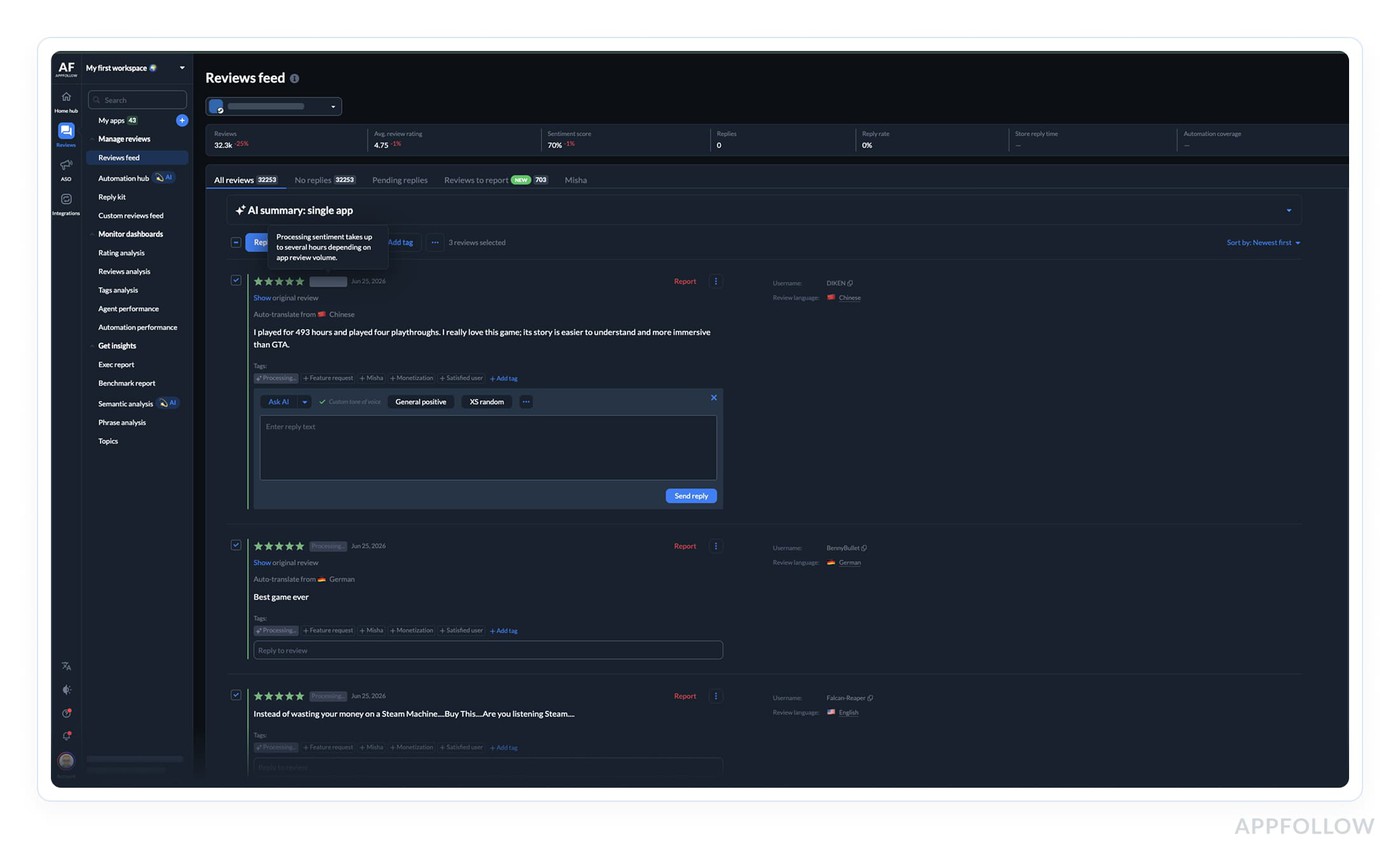
The reviews feed is the central workspace in AppFollow.
Reviews from all connected stores flow into one place: all major app stores, Trustpilot, and Steam. You can view reviews for one app, multiple apps, or everything at once.
New reviews typically appear within one to three hours for App Store and every ten to fifteen minutes for Google Play if a console connection is active. Instantly if it’s a Steam review.
Replying to reviews
Steam developer console
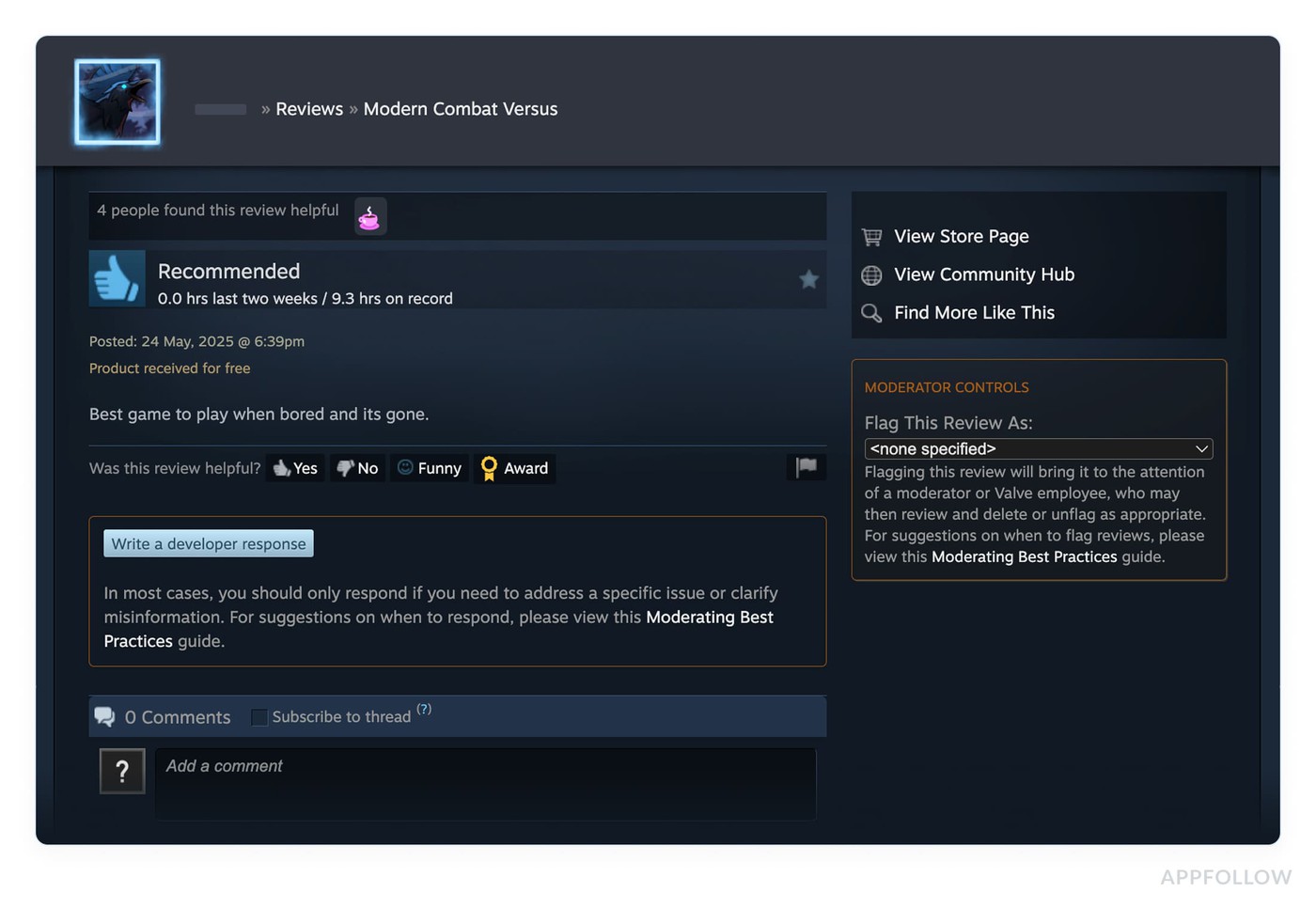
When you find a review you want to respond to, you click on it to open the detail view, then use the "Write Official Developer Response" option in the sidebar. The reply appears directly below the review and is clearly labeled as coming from the developer. This is the recommended way to respond.
You can also post in a review's comment section if comments are enabled, but that's less visible to people browsing the store page. Replies go live immediately with no approval step.
AppFollow
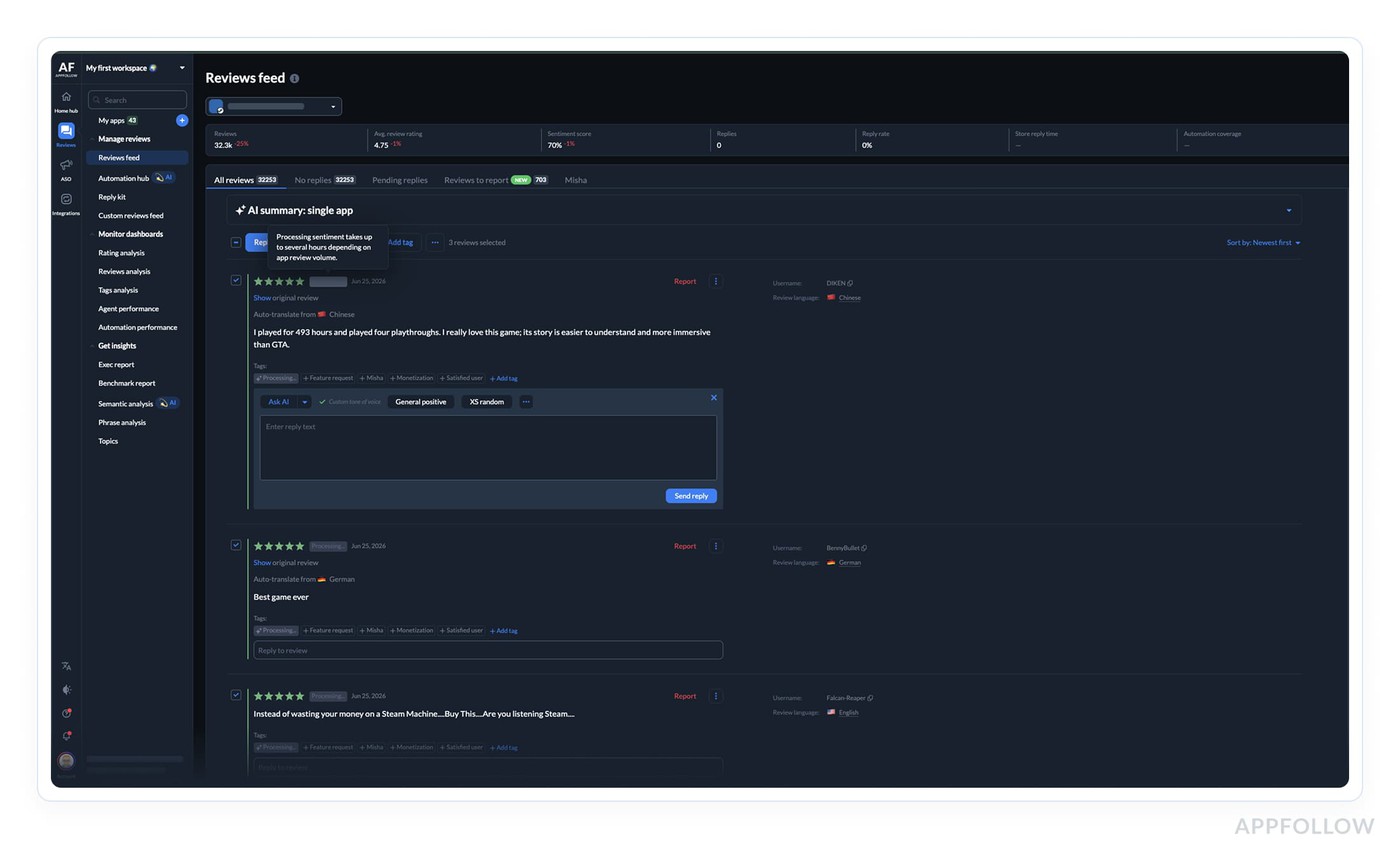
Replies are written directly from the reviews feed.
Responses are pushed to the connected store once submitted. AppFollow tracks reply status (published, pending approval, error, outdated, auto-reply) and records where each reply came from: whether it was sent via the AppFollow interface, through an API, via automation, from the developer console directly, or through a helpdesk integration. You can set up an approval workflow where replies are saved as pending before a human signs off on them.
Reply templates
Steam developer console
There are no templates. Every response is written from scratch.
AppFollow
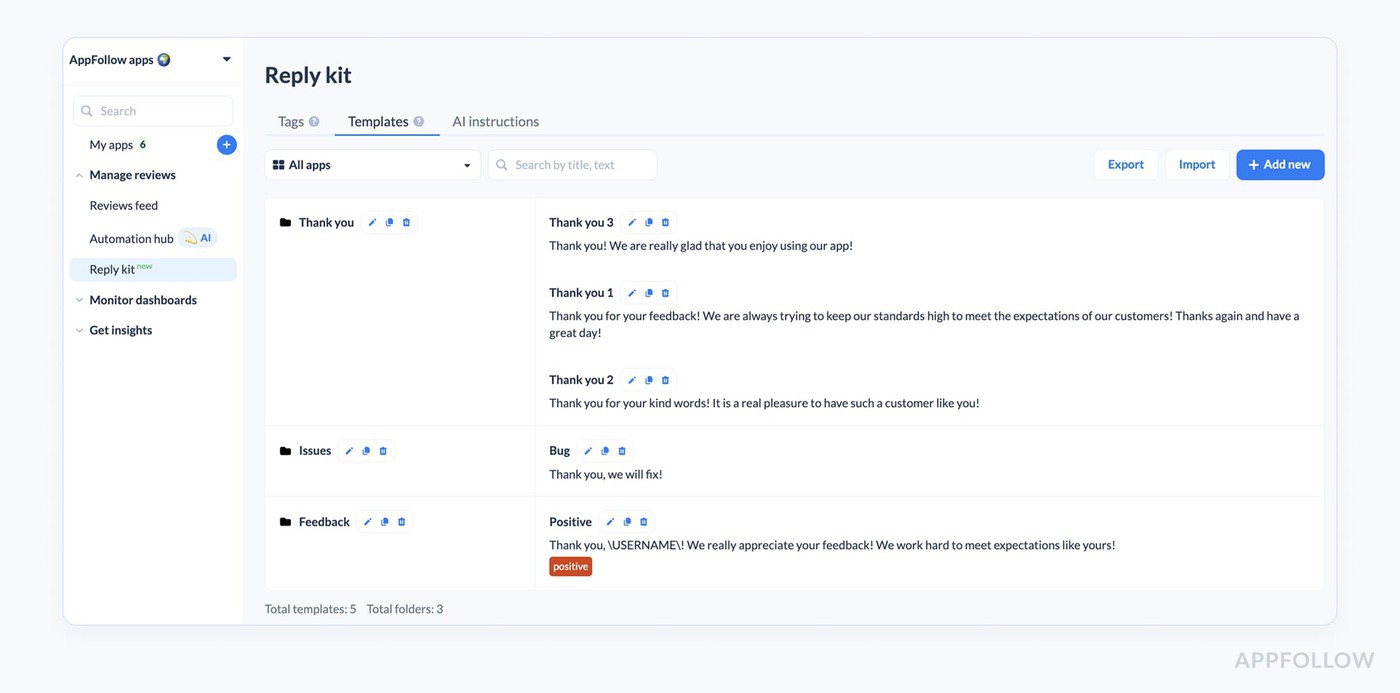
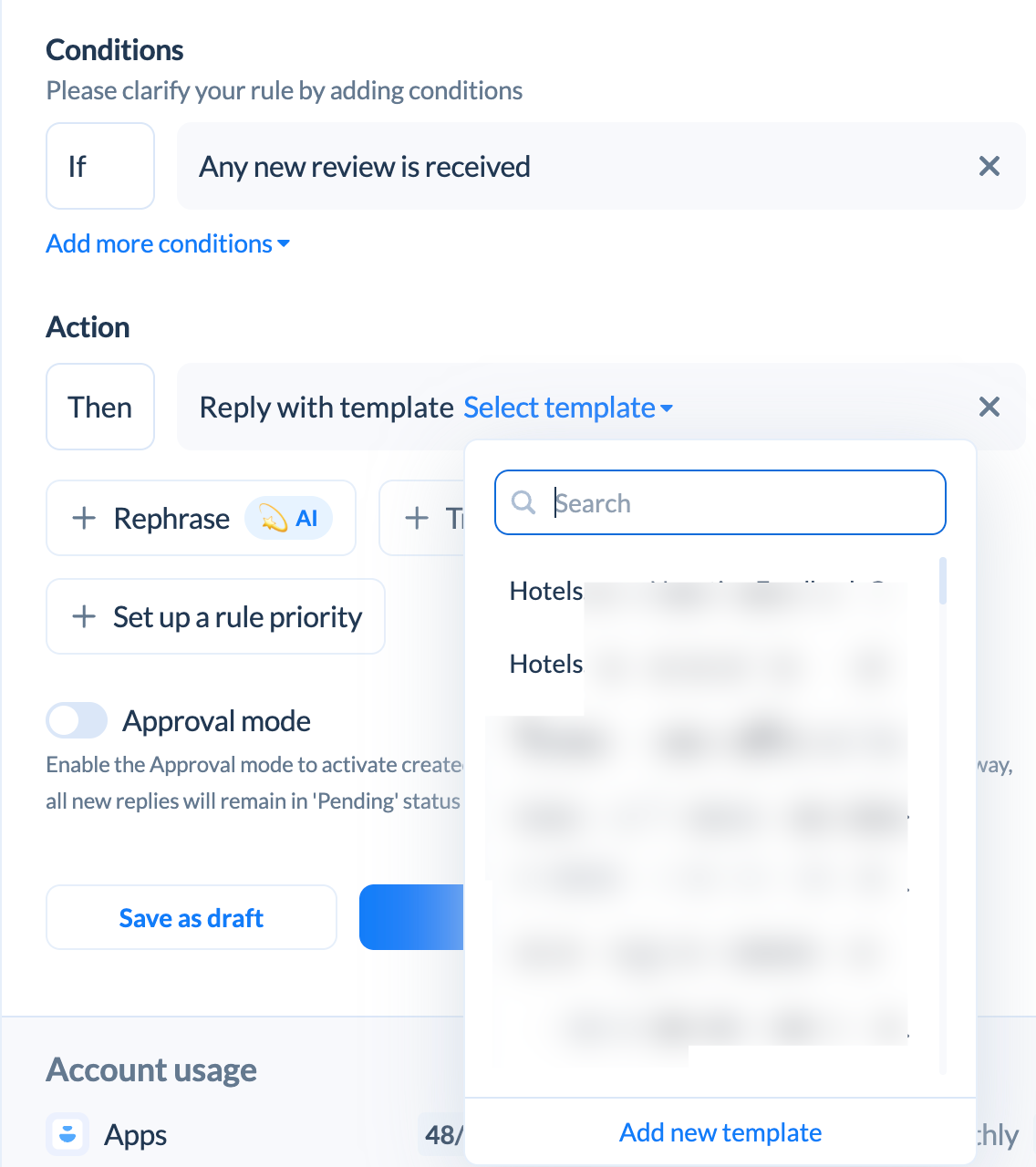
Templates are a core feature. You store pre-written replies in folders, and templates can be scoped to a specific app or shared across a whole workspace. You can import them from a file. When a template is used, it can automatically apply a tag to the review as well. Template variables let you pull in dynamic content like the reviewer's name or the app name, so replies don't feel completely canned.
AI-generated replies
Steam developer console
No AI tools. Sadness!
AppFollow
There are two ways AI gets used for replies.
The first is manual: you click a button on any review in the feed and get a suggested reply. You can refine it (make it longer, shorter, improve the wording), generate alternatives (such as asking the user to update their rating or directing them to support), and edit before sending. Free accounts get 15 AI replies per month; paid plans are unlimited.
The second is AI auto-replies, which are fully automated. They analyze review content, sentiment, and intent, and write contextual replies without using templates. They work across multiple languages and can handle topic-specific logic, so crash reports get a different type of response than complaints about subscriptions.
For Steam, AI auto-replies are coming soon. They already run on App Store and Google Play reviews today. If this is something you'd want for your Steam titles, let your Customer Success Manager know, it helps us prioritize.
Enterprise plans also allow you to upload your own documentation (FAQ, internal guides, support articles) in .txt, .pdf, .docx, .md, or .html format, up to 5MB per file. The AI indexes these and pulls relevant answers into automated replies when appropriate.
Automation and auto-replies
Steam developer console
No automation tools. More sadness.
AppFollow
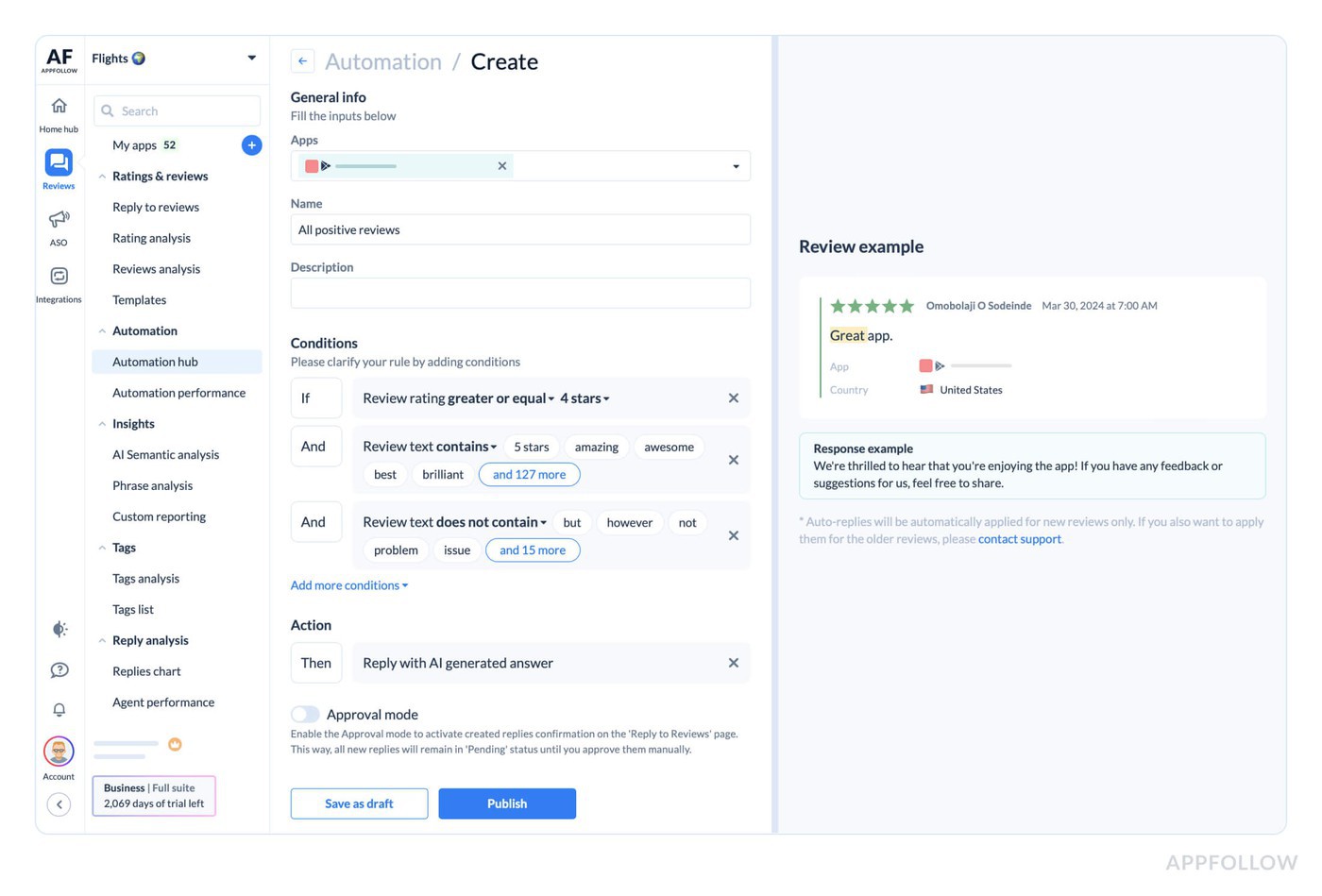
AppFollow's automation hub handles two types of automation.
The first is rule-based: you define conditions (rating, keywords, language, sentiment, character count, featured status, and more), and matching reviews get a pre-written template reply. Rules run every ten minutes and can apply retroactively to the last 14 days of untagged reviews when a rule is created. If multiple rules match a review, the one with the highest priority wins.
The second is AI-driven auto-replies, which work without templates at all. Both types support a choice between publishing immediately or routing to an approval queue. Enterprise plans add rephrasing and translation options within automation, so the same rule can send slightly different wording each time, or reply in the language the review was written in.
Automation for Steam is coming soon. Today it runs on your app store reviews. It's on the near-term roadmap for the Steam beta, so if you're planning ahead for a title's growth, worth flagging to your CSM now.
You can also automate the "report a concern" action, flagging inappropriate or spam reviews to the store without manual intervention.
Bulk actions
Steam developer console
No bulk tools. Responses are handled one at a time, which makes triaging large review volume spikes extremely difficult.
AppFollow
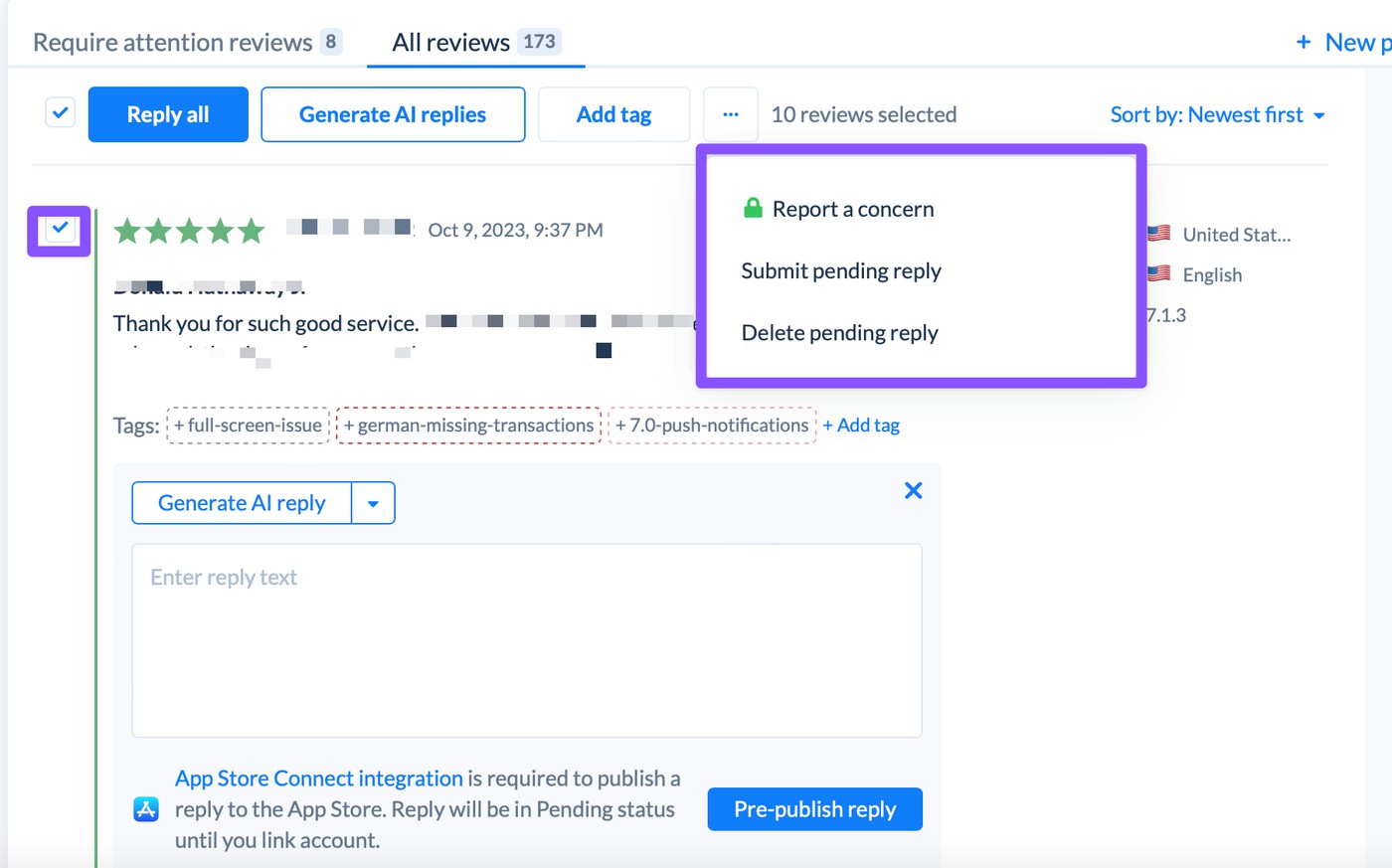
You can select multiple reviews at once and apply a reply, a template, or a random template from a folder. Bulk AI replies are available too: select a batch of reviews, generate AI replies for all of them, and either publish immediately or hold them for approval. Bulk actions only work on one app at a time.
Filtering, sorting, and search
Steam developer console
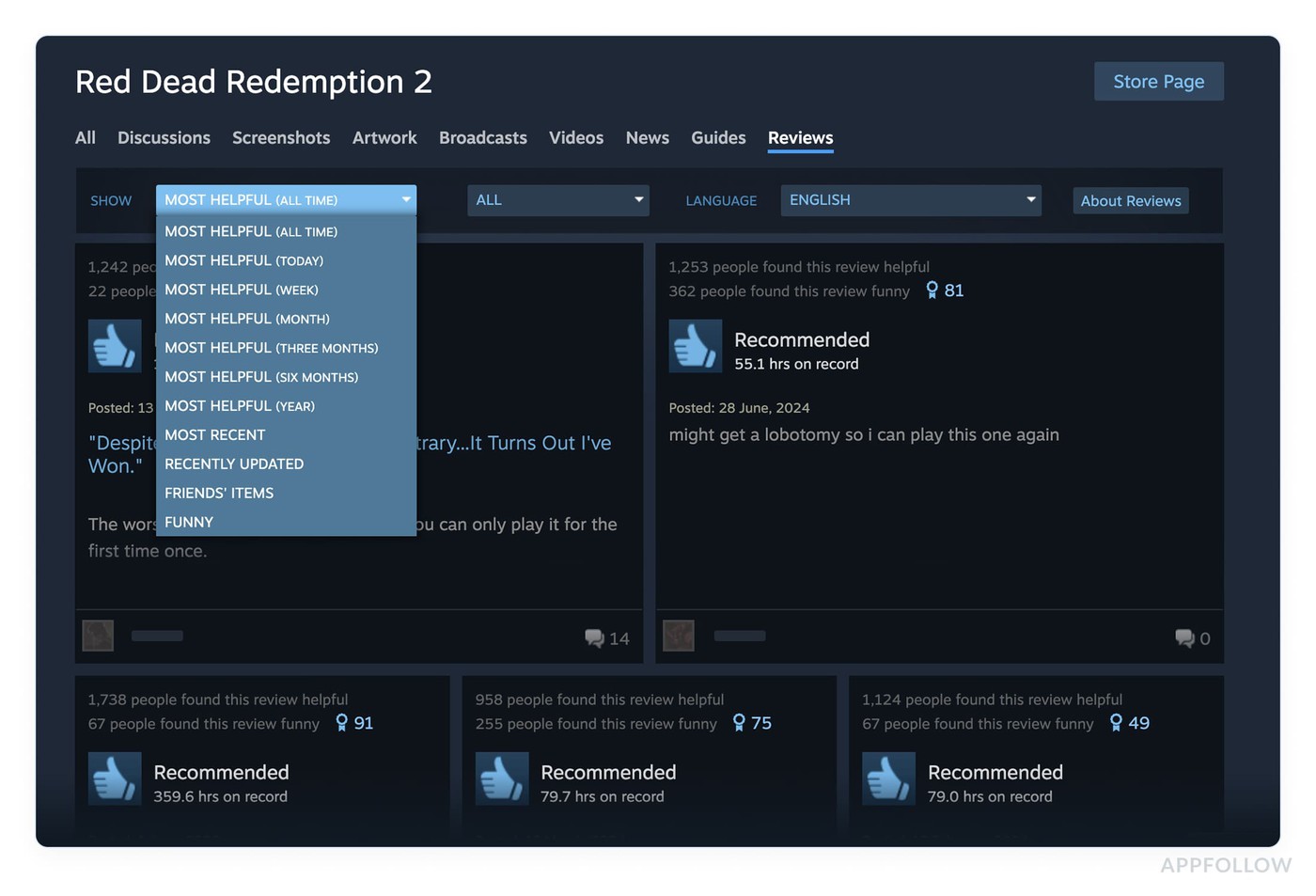
Reviews on the Steam store page can be filtered by time period (lifetime, last year, last six months, etc.) and by playtime at review, and sorted by recency or helpfulness. Filtering by rating, language, or keywords isn't available through the console interface itself. The Steam API gives programmatic access to reviews with more control, but that requires a developer to build something on top of it.
AppFollow
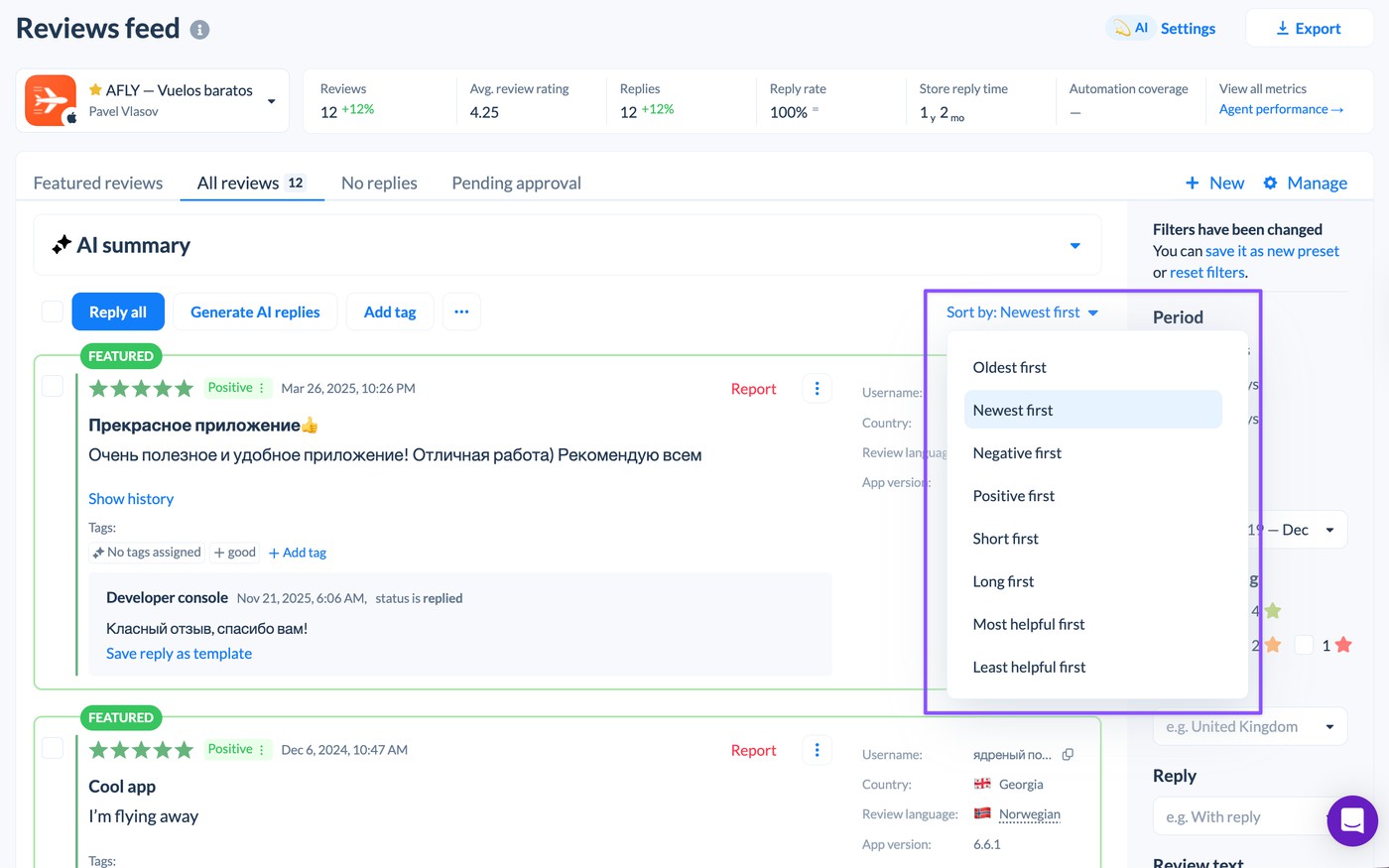
The filtering options in AppFollow's reviews feed are extensive. You can filter by date, star rating, language, country, OS, app version, device, sentiment, semantic tag, custom tag, featured status, reply status, reply source, update status, review text, and more.
Search supports OR, AND, exact match, and bracket grouping. Sorting options include newest, oldest, most helpful, shortest, longest, most positive, and least positive. Filter combinations can be saved as presets and shared with teammates.
Tagging reviews
Steam developer console
Steam has no tagging system for reviews.
AppFollow
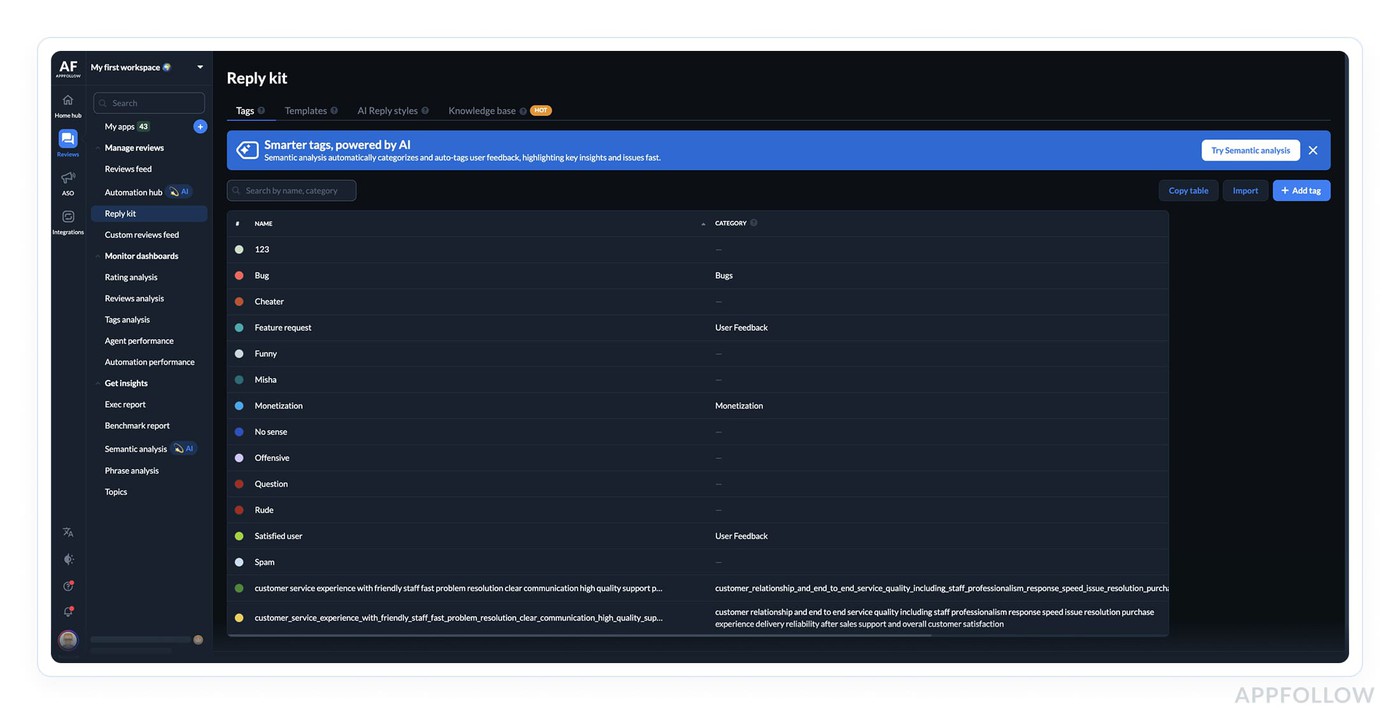
Tags are custom labels you create and apply to reviews to group them by topic, bug type, team, sentiment, or whatever makes sense for your workflow. They belong to a workspace and can be organized into categories.
Auto-tagging rules apply tags automatically based on conditions like review text content, rating, length, language, and semantic tags. Auto-tag rules run every ten minutes. There are also semantic tags, which are ML-assigned labels covering categories like Bugs, Monetization, User Feedback, and Report a Concern, with dozens of specific sub-tags. Enterprise customers can create their own custom semantic tags by training the model on their reviews.
Manual tagging works on Steam reviews today. Auto-tagging for Steam is coming soon, so for now you'd apply tags yourself or fall back to filtering.
Both manual and auto-tagging work on Steam reviews and Discussions alike.
Flagging and moderation
Steam developer console
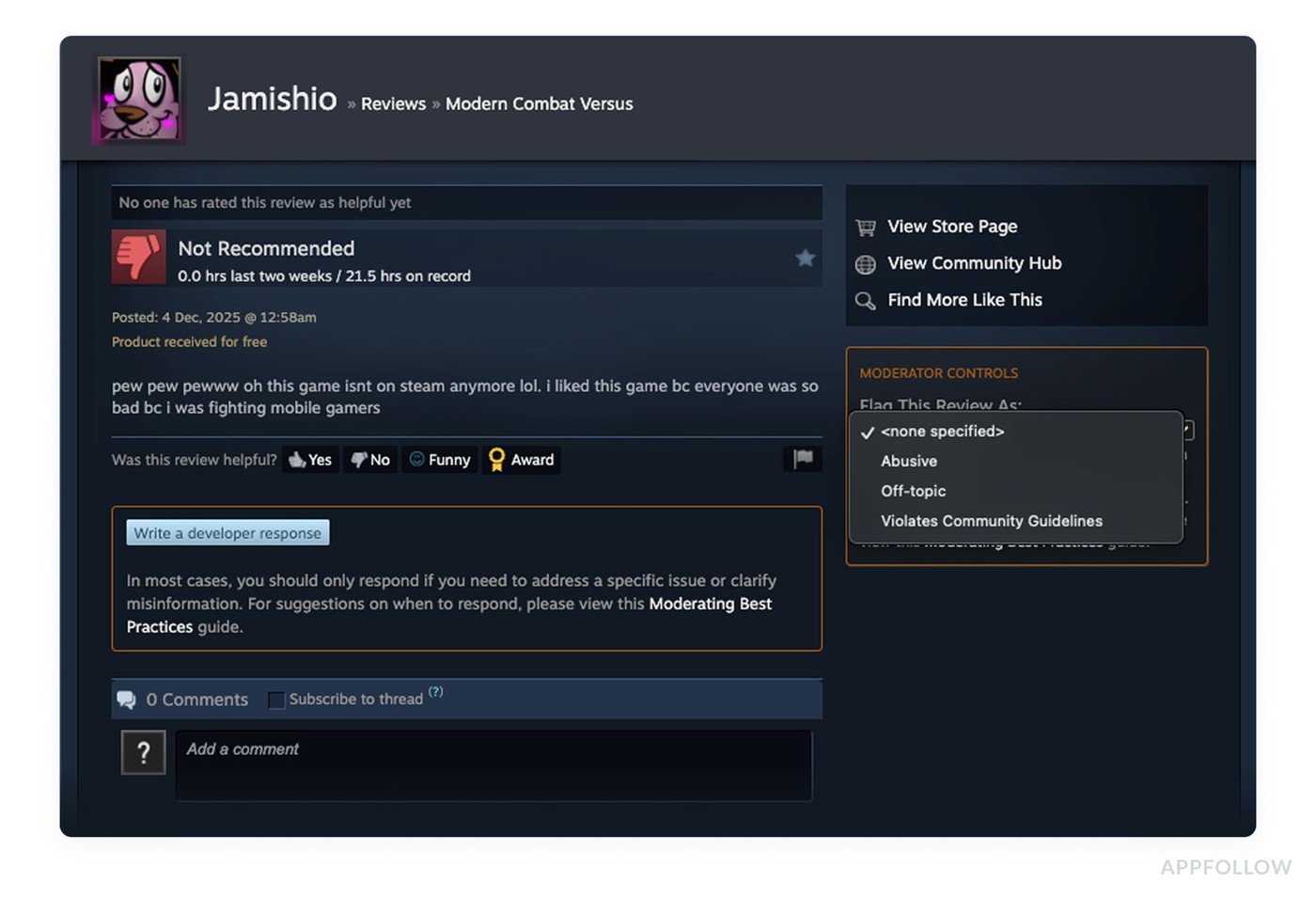
Developers can flag reviews that violate Steam's rules. The categories are Abusive, Off-Topic, and Violates Community Guidelines. Flagged reviews go to Valve's moderation team, with reviews confirmed as violating rules are removed from the store and the review score.
Off-topic reviews have their visibility reduced but still count toward the score. Developers can't delete reviews themselves. If Valve's moderation decision seems wrong, you can contact them to ask for another look. In a review bombing situation, Valve can bucket the anomalous reviews separately so they don't distort the overall score.
AppFollow
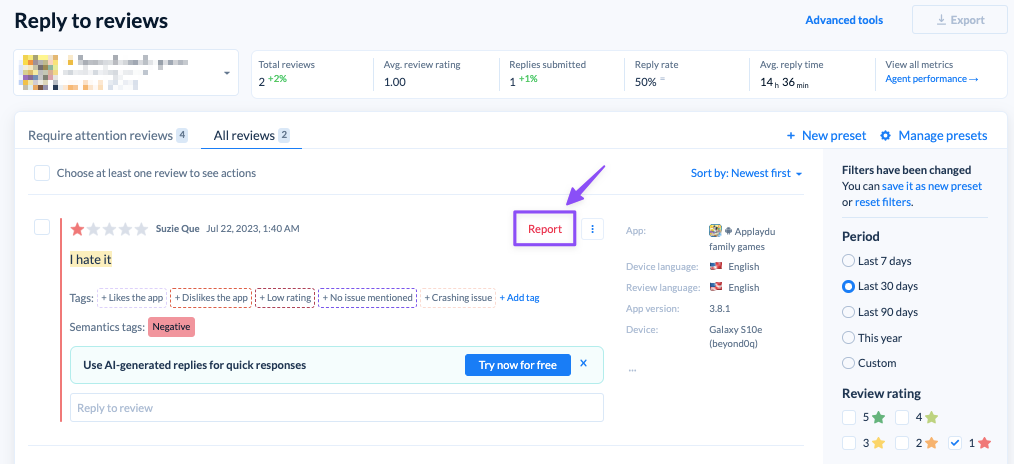
AppFollow's "report a concern" feature sends flags directly to the store for App Store and Google Play. For Steam it works differently: the report action takes you over to Steam to file the flag there, so it goes through Valve's own process rather than being sent natively from AppFollow.
What AppFollow adds for Steam is visibility: AI summaries are available during high-volume events, which helps when a review-bombing campaign sends hundreds of reviews in a short window. You need a quick read on whether there's a real signal buried in the volume.
Review bombing
This is worth its own section for Steam specifically, because it's common enough that most gaming companies with a title on Steam will run into it at some point.
Steam developer console
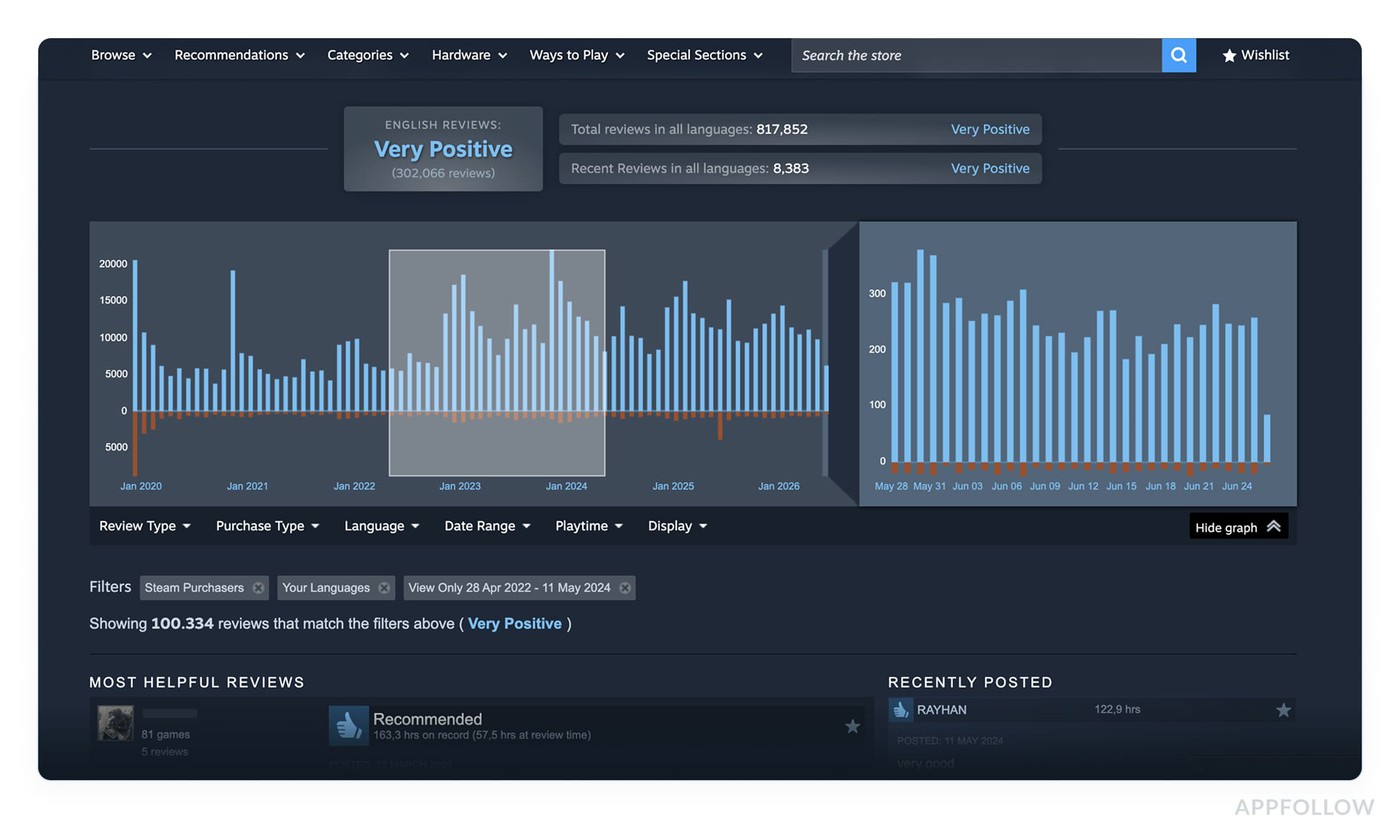
Valve added review histograms to store pages in 2017 to help buyers recognize abnormal review spikes. Steam also has a Review Bombing Protection feature in the Developer Console. In cases where the volume is clearly anomalous and off-topic (meaning it's about something unrelated to the game's quality), Valve can bucket those reviews and remove them from the score calculation. You can contact Valve through Partner Support to flag a situation and get more information. The advice from Valve is consistent: don't argue publicly with reviewers, don't censor reviews, and let the surge settle on its own.
AppFollow
Steam still handles the moderation side of a review bomb. What AppFollow gives you is a faster read on what's happening while it's happening.
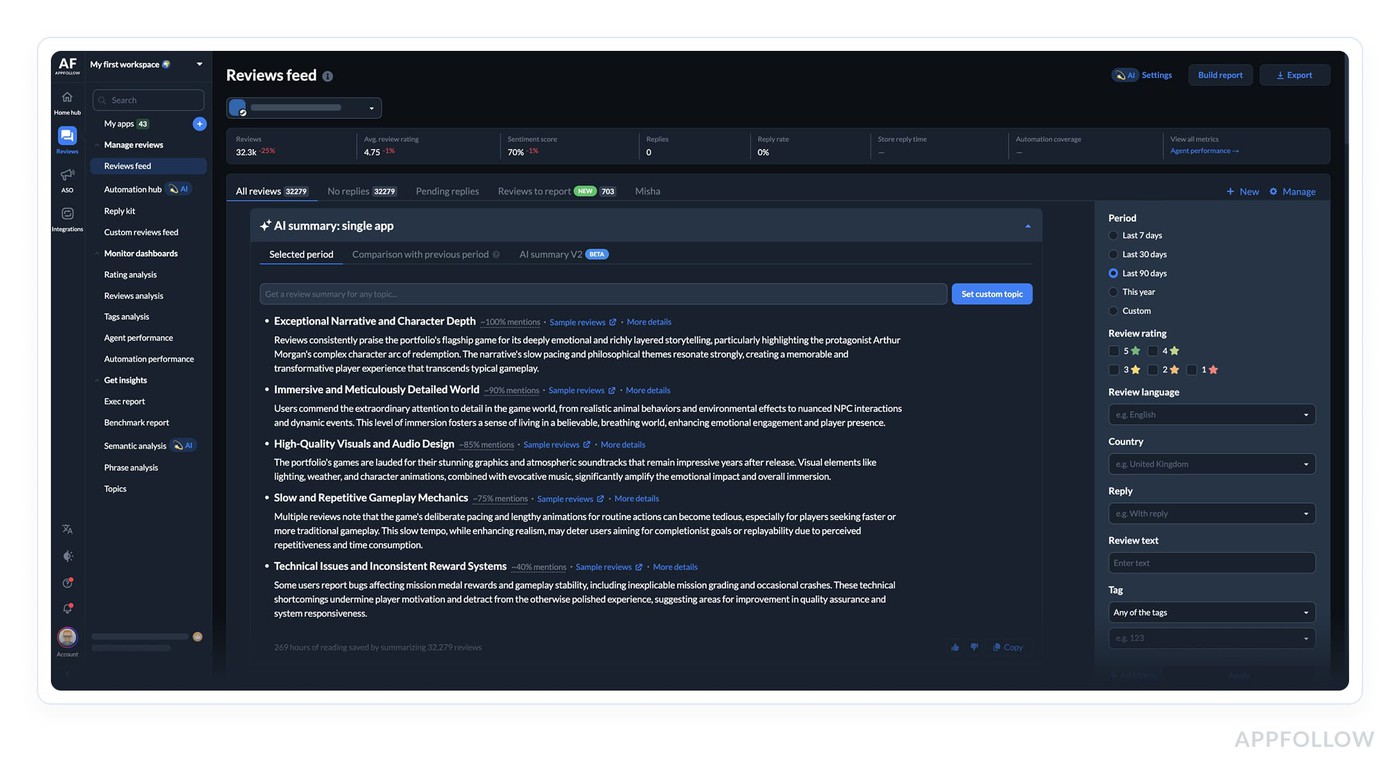
AI summaries can process a large volume of reviews quickly and surface the main topics without you having to read everything. Breaking reviews down by language or region in the feed helps determine whether feedback is coming from one specific audience or across the board, which is usually the first question when a spike happens. Discussion sentiment often moves before reviews do when a community is organizing around a shared complaint.
Discussion tracking
Steam is somewhat unusual as a platform in that each game has a dedicated discussion forum attached to its store page. Players post bug reports, feature requests, and complaints in threads that other players upvote and reply to. Discussion sentiment frequently moves ahead of review sentiment, particularly for issues affecting a specific regional audience or a specific game feature.
Steam developer console
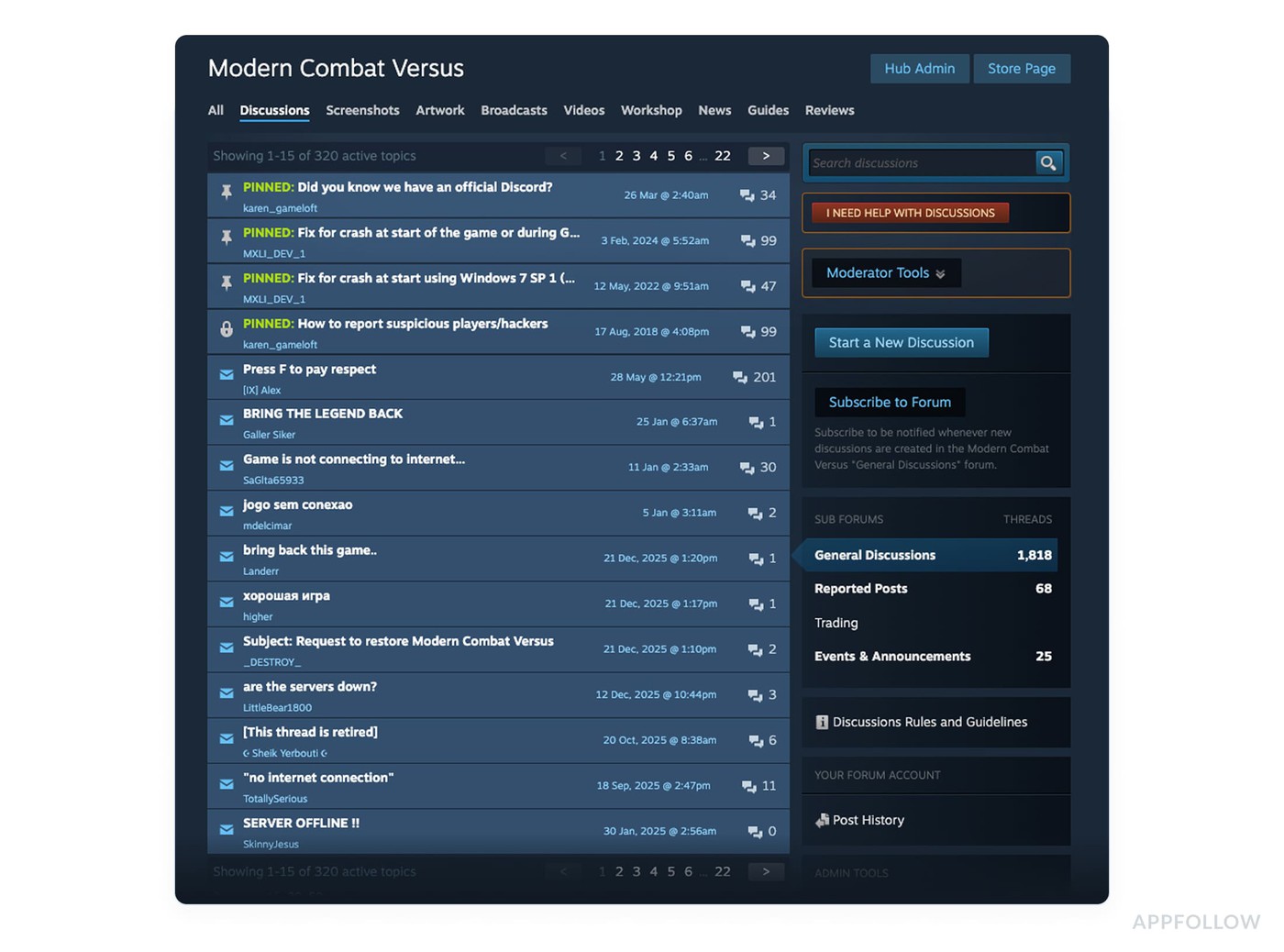
Discussions are accessible directly on the store page and through the Steamworks partner dashboard. There's no native sentiment analysis or summary tooling.
AppFollow
Steam discussion tracking is coming soon. The plan is to collect discussion content and process it for sentiment, AI summaries, and translation, so a thread gaining traction in the forum sits right next to your review data and you can catch it before it hits reviews. It's not in the current beta yet, and we don't have a firm date.
If it's something you'd rely on, tell your Customer Success Manager; we're collecting requests to shape what ships first.
Tracking performance
Steam developer console
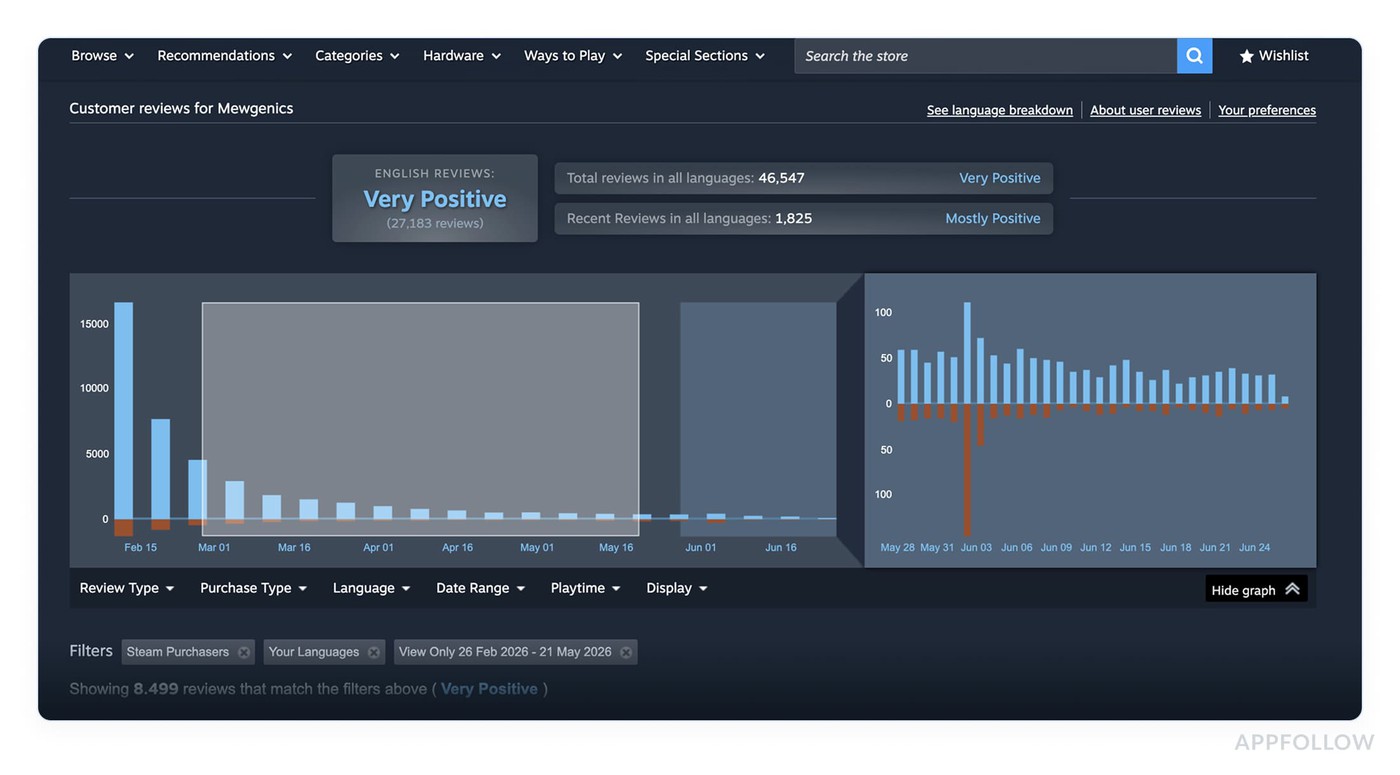
Steam shows review scores (30-day and lifetime) on the store page, and tracks whether a review is positive or negative. Beyond that, there's no analytics for how you or your team are performing when responding to reviews.
AppFollow
AppFollow has two separate performance views.
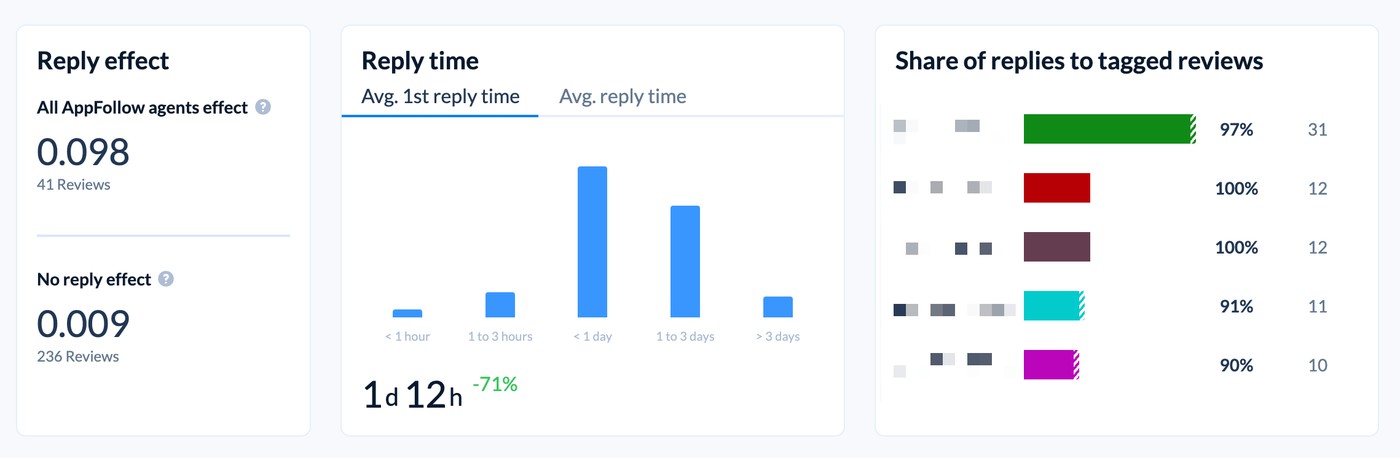
The first is the Reply effect, which measures whether a developer's reply caused a user to update their rating. It counts only updates that happened after a reply and within three months. Outcomes are tracked as "win" (rating went up), "could do better" (rating went down), or text-only update.
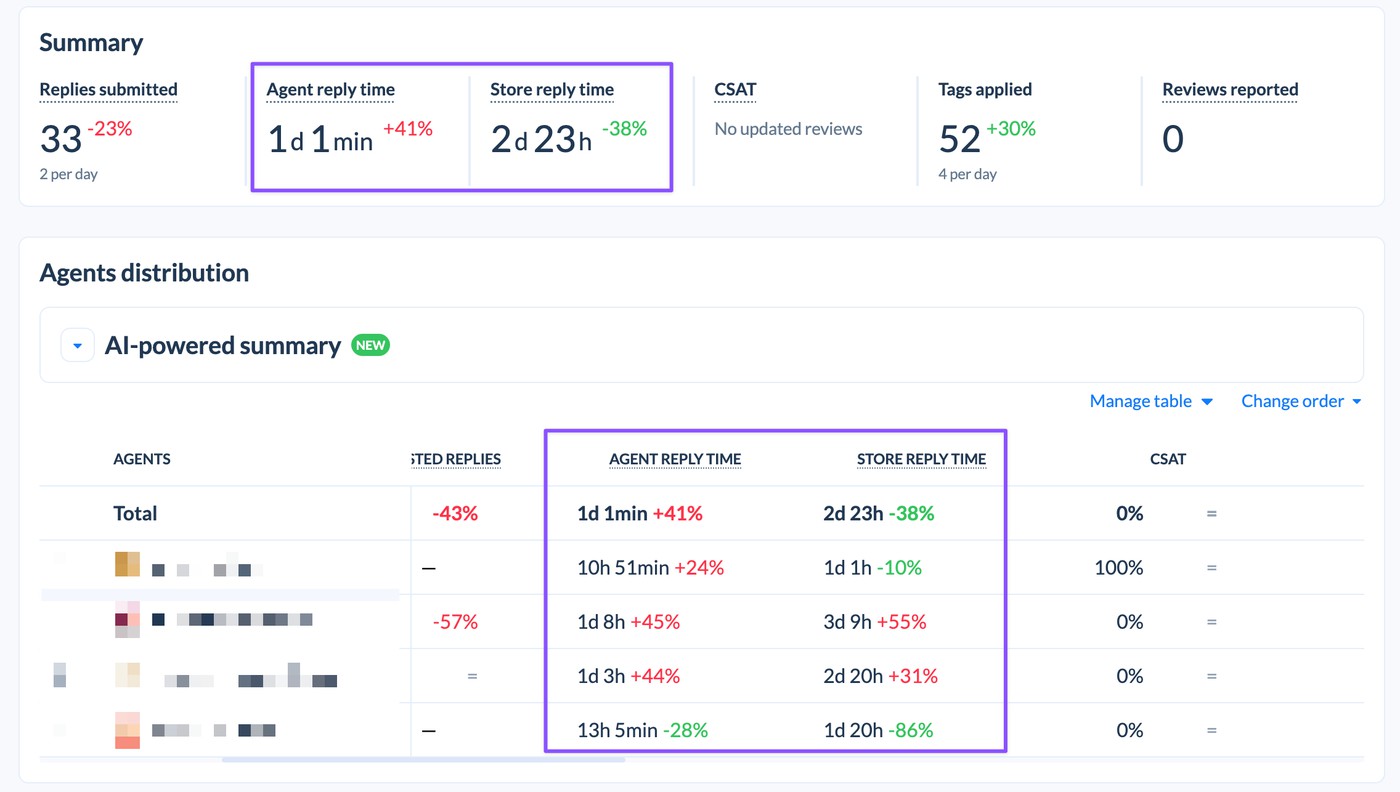
The second is agent performance, a dashboard for individual and team tracking. It shows replies submitted, reply time within AppFollow, total store reply time (including store moderation), CSAT (calculated as the share of positive reply effect reviews out of total reply effect reviews, excluding reviews that were already five stars), tags applied, and reviews reported.
It also breaks down AI-direct replies (sent without edits) from AI-assisted replies (where the agent edited or used tools like improve/shorten). An AI-generated summary highlights agent strengths and concerns. Zendesk data can be included and broken out per agent if an API key is provided. Data carries a one-day delay.
Integrations
Steam developer console
Steam's review system is self-contained. There are no native integrations with external helpdesk tools, communication platforms, or analytics services, outside of the API.
AppFollow
AppFollow connects with a range of external services. On the helpdesk side: Salesforce, Zendesk, Helpshift, Freshdesk, Front, Intercom, Help Scout, Microsoft Teams, and UseDesk. For communication: Slack, MS Teams, email, and Webhook. Tableau is supported for data visualization. The Slack and MS Teams integrations include reply bots, so you can respond to reviews without leaving those tools.
There's also a whole set of alerts that push data outward (to Slack, MS Teams, email, and webhooks) when review volume spikes or sentiment drops, which a lot of teams treat as integrations in their own right. Steam alerts are coming soon.
Translation
Steam developer console
No translation features. Reviews appear in the language they were written in. Given that Steam is a global platform and a significant share of reviews for popular games come in Russian, Chinese, Korean, and other languages, this requires manual effort or an external tool to process.
AppFollow
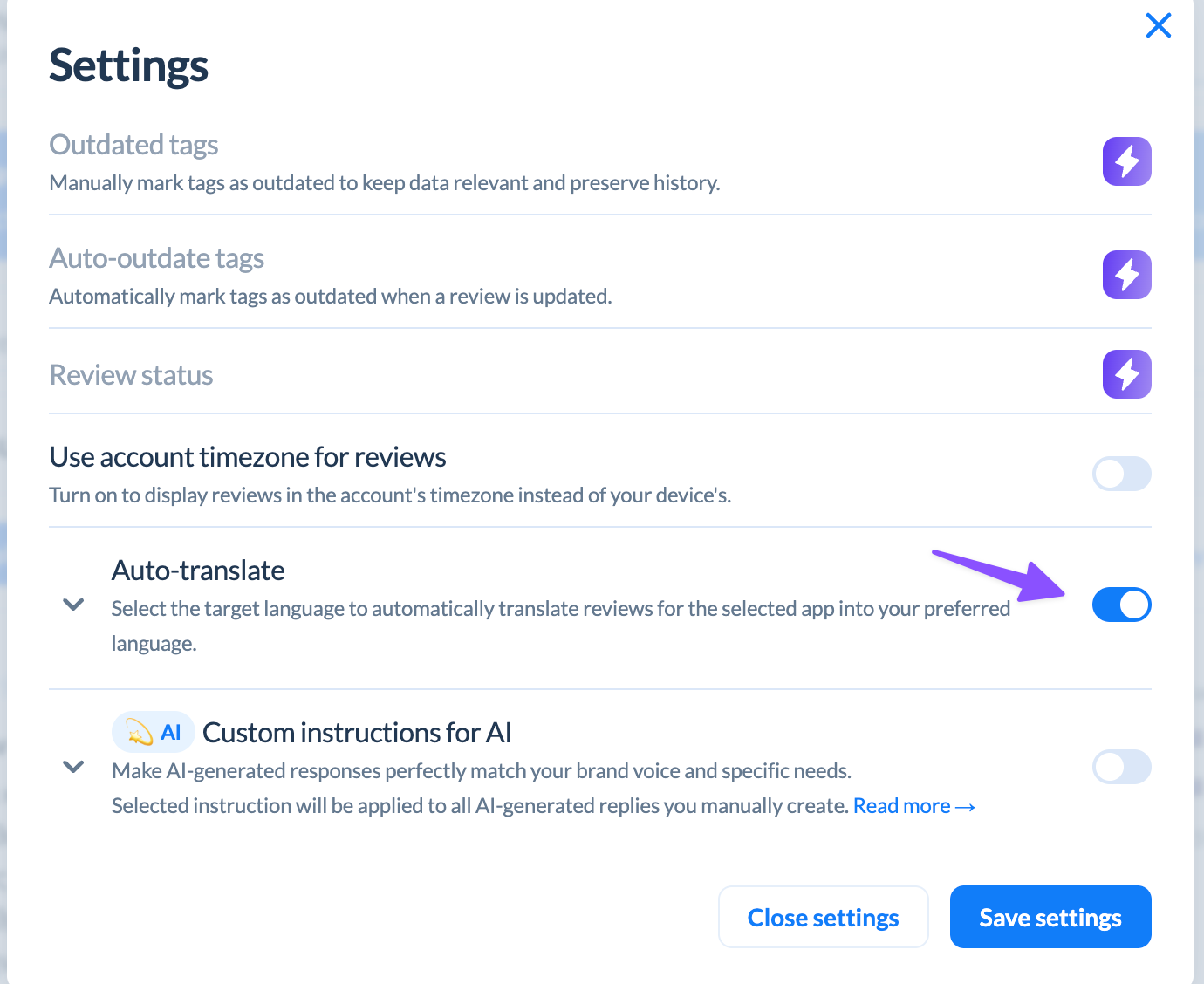
AppFollow auto-translates incoming reviews to a language of your choice. Translation is enabled per app, and it applies to Steam reviews in the current beta. Only one translation language can be active per account at a time. Historical reviews can be translated on request.
Multi-store and multi-app support
Steam developer console
Steam's tools only cover Steam. If your game is also on a mobile platform, those reviews are not accessible here.
AppFollow
AppFollow supports App Store, Google Play, Mac App Store, Microsoft Store, Apple Arcade, HUAWEI AppGallery, Samsung Galaxy Store, and Trustpilot on top of Steam. Reviews from all connected apps appear in one feed.
For gaming companies with titles on both Steam and mobile stores, this means cross-platform feedback can be reviewed and managed in one place, including during events like a review bomb where you might want to compare whether sentiment is shifting on mobile at the same time.
Summary
Feature | Steam developer tools | AppFollow |
Centralized review inbox | No | Yes, multi-store |
Reply to reviews | Yes, one at a time | Yes, with workflow |
Reply templates | No | Yes |
AI reply suggestions | No | Yes |
AI auto-replies | No | Yes (Steam coming soon) |
Automation rules | No | Yes (Steam coming soon) |
Bulk reply actions | No | Yes |
Advanced filtering | Limited | Extensive |
Review tagging | No | Yes (manual on Steam; auto-tagging coming soon) |
Semantic ML tagging | No | Yes (paid add-on) |
Flag/report reviews | Yes (to Valve) | App Store + Google Play native; Steam redirects to Valve |
Review bombing mitigation | Yes (Valve handles; Review Bombing Protection in console) | AI summaries + volume monitoring |
Discussion forum tracking | No dedicated tools | Coming soon |
Reply performance analytics | No | Yes |
Agent performance tracking | No | Yes |
Helpdesk integrations | No | Yes |
Slack/messaging integrations | No | Yes |
Review translation | No | Yes |
Multi-store support | No (Steam only) | Yes |
Steam support | Yes | Yes (closed beta) |
Which one do you need?
Steam's native tools are free and require no setup, but they're limited to Steam and don't scale well once review volume picks up or you're managing more than one title.
AppFollow is a paid platform with considerably more depth, and with Steam now in closed beta, it's possible to manage Steam feedback in the same place as mobile app store data.
For gaming companies on both Steam and mobile platforms, that cross-platform visibility is the most meaningful part of the beta. For teams dealing with high review volumes or review bombing events on Steam, the AI summaries give you something the native console doesn't: a way to quickly understand what's happening without reading every review individually.
For smaller developers responding to reviews occasionally and only on Steam, the native tools are likely sufficient, but only if the review volume is extremely small. Even then, it's worth preparing for the game's growth and putting some structure in place early, so you're scaled for a review flood before it arrives rather than scrambling when it does.
cta_get_started_purple
FAQ
Can you manage Steam reviews in AppFollow?
Steam support is in closed beta on AppFollow. You can collect reviews, translate them, tag them, and reply manually or with AI-generated responses. Reviews appear in the same feed as App Store and Google Play data. Discussion tracking is also included in the beta, in read-only mode.
What tools does Steam give developers for responding to reviews?
Developers can post an official response directly below any review, labeled as coming from the developer. Reviews can also be flagged as abusive, off-topic, or violating community guidelines for Valve's moderation team. There are no templates, bulk actions, AI tools, or automation.
What is Steam review bombing and how should developers handle it?
Review bombing happens when a large number of negative reviews arrive quickly, typically in response to a specific decision like a policy change, a controversial update, or a localization failure for a specific regional audience. Valve can identify abnormal review periods and separate them from the overall score if the spike is clearly off-topic. The general guidance is to avoid arguing publicly with reviewers, figure out what caused the event, and let the volume settle. For organized-looking situations, you can contact Valve through Partner Support for more context.
What is the difference between Steam reviews and Steam discussions?
Reviews are the thumbs-up/thumbs-down rating system that rolls up into the visible score on the store page. Discussions are a separate forum attached to each game where players post threads about bugs, feature requests, and complaints. Discussion sentiment often moves before reviews do, particularly when a community is organizing around a shared concern, which makes it worth tracking alongside review data