Best practices for app review management 2025

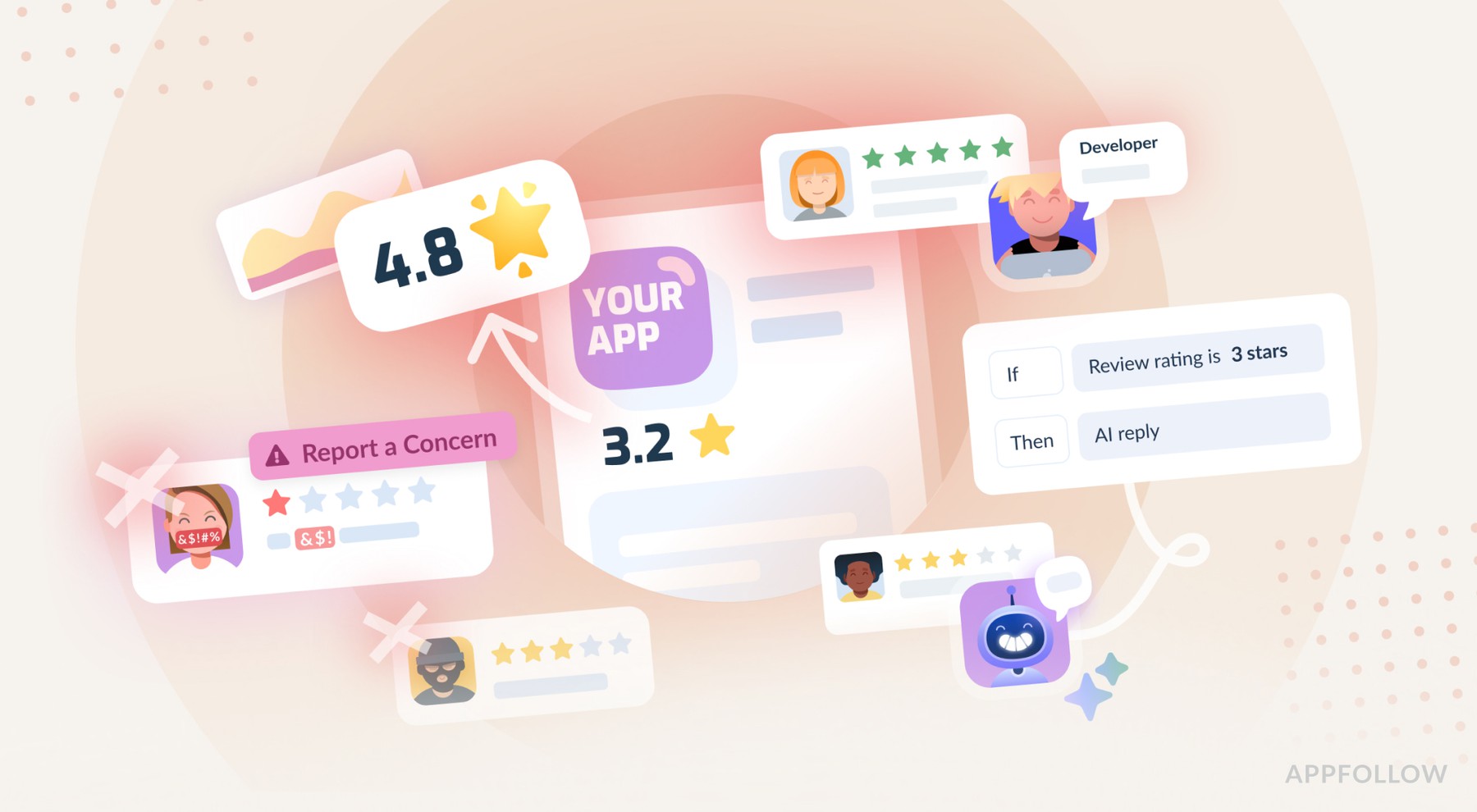
Table of Content:
Every review below five stars is basically telling you exactly what's broken with your app, and we know this sounds completely backwards, but most developers just sit there complaining about negative reviews when they should be throwing a little party. Why? Because here's the thing: a user who bothers to write a 2-4 star review cares enough to explain what stinks about your app, which means they want it to work better, and they're essentially doing free consulting for you if you're smart enough to listen instead of just getting defensive about it.
Reviews are everything, and we mean everything. They're bug reports from actual real users who are using your app in ways you never thought of, they're feature requests from people who are literally paying you money, and they're like this massive sentiment analysis that you didn't have to pay some expensive agency to do for you. Users don't sugarcoat their reviews, oh man, sometimes you really wish they would, but they don't, they just tell you the brutal truth about what's working and what isn't.
When you respond to reviews, you're building trust, and more importantly, you're getting all these insights you need to build better products. And sometimes, just sometimes, instead of having that angry 2-star review sitting there forever making you look bad, you can help the person, and maybe, if you're lucky, they'll go back and change it to a solid 5-star review.
We’ve been running a platform that helps apps do exactly this for about ten years now, so we've seen what works and what doesn't work, and we're going to share the stuff that moves the needle instead of all the theoretical nonsense you usually get in these kinds of posts.
Wait, but what about ASO though?
Here's the thing about App Store Optimization without proper review management: it's like trying to row a boat with just one oar. You'll move forward but you're working twice as hard to get half the results, and frankly, it's just not sustainable in the long run.
Picture this totally common scenario: you're searching for an app to solve some problem you have, and you see two options that look pretty similar in terms of features and screenshots. One has 4.2 stars with recent developer responses that look thoughtful and helpful. The other one has 3.9 stars, and when you scroll through the reviews, you see that the last time the developer responded to anything was like six months ago. Which one are you going to download? It's not even a close call, right? You're going with the first one because it looks like someone runs the thing and cares about making it better.
Developer responses are these massive trust signals that most people completely ignore. When potential users see you responding to feedback consistently, they know you're active, they know you care about the user experience, and critically, they know that if they download your app and run into problems, you'll probably help them out instead of just leaving them hanging.
Best practices for getting higher app ratings
Alright, so here's how you do this stuff effectively:
Respond fast, really fast
Fast responses change outcomes in ways that will surprise you. A user who gets help quickly will often go back and update their review to reflect that you helped them. A user who has to wait for weeks, especially if they like your app but just hit some annoying bug, has probably already deleted your app and moved on to a competitor by the time you get around to helping them.
You absolutely cannot respond manually to every review when you start getting any kind of volume, it's just not physically possible and it'll drive your team completely insane. This is where you want to use something like AppFollow to automate the basic stuff so your humans can focus on the complex issues that need human attention.
- Set up auto-tagging to categorize reviews the moment they come in.
- Create response templates for the most common issues you see over and over again.
- Use AI to personalize responses without having to start from a blank page every single time.
AI is particularly powerful for translation, and this is something a lot of developers overlook. Your Spanish users deserve responses in Spanish, your Japanese users deserve responses in Japanese, and manually translating everything is a complete nightmare.
AI handles this automatically while keeping your brand voice consistent across different languages, which is pretty amazing when you think about it.
Don't get hung up on whether automation looks "authentic". Users don't really care if your initial response was automated as long as you responded quickly and acknowledged what they said. You can always follow up manually for the complex feedback that needs more nuance.
Respond to literally everything, not just the bad reviews
Most apps make this huge mistake where they only respond to negative reviews, thinking that's where all the problems are, but this approach misses so much opportunity it's not even funny.
Five-star reviews deserve at least a simple "Thanks for the amazing feedback!" because it keeps those users engaged and feeling appreciated. But here's something interesting: a lot of five-star reviews contain negative sentiment or product feedback buried in all the praise, so you need to read them carefully instead of just assuming they're all sunshine and rainbows.
The key thing is to find all reviews that have semantic tags, at least one tag, and make sure you reply to those. If AppFollow found semantic tags in a review, there's basically a 100% chance there's some kind of product insight hiding in there that you can use to improve your app. Your tagging model might miss some specific topics that are important for your particular app, so you'll want to set up custom semantic tags or auto-tags, or even do some manual tagging to fill in the gaps. Your goal should really be a 100% reply rate for any review that has any kind of tag, where each tag represents something important for your app and your users.
Four-star reviews are absolute winners because these are users who like your app enough to give you a pretty good rating, but they clearly see room for improvement. Ask them directly what would make it a five-star experience for them. They'll give you incredibly actionable feedback that you can implement, assuming you're willing to listen and act on it.
Three-star reviews are tricky because these users are basically sitting on the fence about your app. If you can address their concerns, even if you can't fix everything immediately, they'll often bump their rating up to four or five stars just because they feel heard and see that you're trying to make things better.
One and two-star reviews are obviously urgent situations. These users are frustrated and probably about to delete your app if they haven't already. Fast, helpful responses can sometimes save them, and even if they've already moved on, your response shows future users that you care about fixing problems when they come up.
Use bulk responses when it makes sense, but don't overdo it
Sometimes you need to reach a whole bunch of users at once because something big happened. Maybe a bug affected 500 users, or you finally implemented that feature everyone's been asking for, or your servers went down and you want to let everyone know it's fixed.
AppFollow has this bulk reply feature that lets you notify all affected users at the same time, which is incredibly useful when you're dealing with widespread issues. Auto-tagging makes this even more powerful because you can tag all reviews that mention something like "login bug" and then notify all those users when you've fixed the problem.
But you need to be careful not to spam your review section with promotional messages or generic corporate speak. Save the sales pitches for in-app messages and email campaigns where they belong. The review section should be for valuable responses to actual feedback, not marketing.
Bulk responses work really well for bug fix announcements, feature launch notifications that are relevant to specific requests people made, service disruption updates that affect everyone, policy changes that users need to know about, and thank you messages during holidays or major milestones.
You should avoid bulk responses for sales promotions, generic app update notifications that don't address specific feedback, requests for higher ratings which just look desperate, cross-promotion of your other apps, and empty corporate buzzword nonsense that doesn't help anyone.
Deploy actual humans for the complex tasks
Not every review needs a human response, that would be completely unsustainable, but some situations absolutely require human attention and you need to be able to recognize the difference.
Payment problems require immediate human intervention, no exceptions. Someone who got charged twice needs help right now, not in three days when you get around to checking your automated responses. Someone who can't access paid features they already purchased needs resolution fast, because every minute they can't use what they paid for is another minute they're getting more frustrated with your company.
Long, detailed reviews deserve personal responses because someone who writes three paragraphs about your app clearly cares deeply about making it better, and they've invested significant time in helping you understand what's wrong. You should invest time in responding thoughtfully and personally to show you value that level of engagement.
Serious bug reports, especially anything involving data loss or security issues, need human verification immediately. Even if you're using automation for the initial response to acknowledge the issue, you need to follow up personally to make sure you understand the problem correctly and that the user feels confident you're taking it seriously.
The whole thing comes down to triage: use automation to handle the routine responses so your human team can focus their energy on situations that need nuance, empathy, or complex problem-solving skills that AI just can't handle yet.
Automatically remove terms of service violations
You're going to get reviews with excessive profanity, obvious spam, and users who treat your review section like their personal therapy session or rage room. These reviews hurt your rating unfairly and create this toxic environment that makes genuine users uncomfortable, and thankfully you can report these violations and get them removed from the app stores.
Manual monitoring of this stuff is exhausting and honestly kind of soul-crushing. Your team shouldn't have to read through hate speech every day, it's demoralizing and completely unnecessary when you have better options available.
AppFollow automatically identifies potential violations so you don't have to.
- Reviews with excessive profanity get flagged automatically.
- Duplicate reviews from the same device get caught, which is usually spam or someone trying to manipulate your rating.
- Off-topic reviews about competitor apps get marked because they're not about your app.
- The system then reports these violations to the app stores automatically, so you don't have to spend time doing it manually.
This isn't censorship, by the way, you're not removing legitimate negative feedback. You're removing content that violates the platform rules that everyone agreed to follow. Honest criticism and legitimate complaints stay visible, which is exactly how it should work.
Track your metrics like your business depends on it (because it does)
You absolutely cannot improve what you don't measure, and review management requires constant monitoring of several key metrics that will tell you whether your efforts are working or not.
Response speed is probably the most important one: how quickly do you respond to reviews on average? Are certain times of day or days of the week consistently slower? Is your team maintaining consistency across different types of reviews? You should aim for responses within a day for human responses, and within an hour for automation or AI responses if you need human supervision before they go out.
Reply effect is fascinating to track: how do ratings change after you respond to reviews? AppFollow tracks this automatically, so if someone changes their rating from 2 stars to 4 stars after your response, that's a +2 reply effect, and you can track this by different response types like automation, different human agents, and AI responses. Just keep in mind that five-star reviews can only go down, so don't expect positive reply effects on those.
Customer satisfaction surveys can tell you whether users feel heard after you respond. A simple "Was this response helpful?" question after your response gives you valuable feedback about whether your approach is working or needs adjustment.
Response rate is pretty straightforward: what percentage of your reviews are getting responses? The top-performing apps typically respond to 90% or more of their reviews, so that's a good benchmark to aim for.
You should compare the effectiveness of human responses versus template responses versus AI responses, because this data will reveal what's working and what isn't. Maybe your AI handles positive reviews perfectly but struggles with technical complaints. Maybe certain team members are particularly good at converting negative reviews into positive ones. Use this data to optimize your entire approach instead of just guessing what works.
Mine your reviews for product intelligence
Reviews contain absolutely massive amounts of product intelligence that most companies completely ignore, which is honestly crazy when you think about it. Users are literally telling you what features they want, they're reporting bugs you haven't found yet, they're explaining exactly why they're leaving your app and what your competitors are doing better.
Manual analysis of reviews doesn't scale at all once you get any kind of volume. Reading through thousands of reviews takes forever, important patterns get completely buried in all the noise, and critical insights get missed because nobody has time to read everything carefully.
AI summaries can analyze all your reviews instantly and surface the key themes that matter: "Users love the new design but hate the payment flow." "The Android version keeps crashing on Samsung devices." "Everyone is asking for dark mode." This kind of insight would take forever to identify manually, but AI can spot these patterns immediately.
Semantic analysis goes even deeper than basic keyword matching because it identifies not just what users are saying, but how they're feeling when they say it. "This app is okay" and "This app saved my life" are both technically positive reviews, but they're completely different in terms of emotional intensity and user satisfaction.
Auto-tag everything systematically with tags for bugs, feature requests, different app categories, emotional sentiment, and user intentions. Then cross-reference these tags to identify patterns that might not be obvious. Maybe login bugs only affect users on certain types of devices. Maybe pricing complaints are mostly coming from specific user segments. This kind of analysis can reveal problems and opportunities you never would have noticed otherwise.
All this intelligence should directly drive your product decisions. If 100 users are requesting the same feature, you should probably consider building it. If 50 users are reporting the same bug, that should be a high priority to fix. If sentiment suddenly drops after an update, you need to figure out what went wrong and fix it quickly.
Provide multiple support channels (if you can handle it)
Different users prefer different ways of getting help, and you need to meet them where they are instead of forcing everyone through the same channel. Some users will email support directly. Others prefer in-app chat. Some will post on social media. Some will just leave reviews. You should try to be available through multiple channels, though obviously you need to be realistic about what you can handle well.
When users report bugs or problems in reviews, guide them to the most appropriate channel for getting help. Something like "Thank you for reporting this issue. For faster resolution, please email support@yourapp.com with your account details. We've created ticket #12345 to track this specific issue." This shows you're taking them seriously and gives them a way to get more personalized help.
If someone reports the same bug through reviews, email, and chat, you absolutely need to know it's the same person so you don't duplicate effort or give conflicting information. AppFollow integrates with Zendesk, Intercom, and other support platforms, so every interaction gets tracked regardless of which channel the user chose.
Follow up consistently across all channels when you fix issues. When you resolve a bug, notify users through reviews, email everyone who reported it, and include the fix in your release notes. Users who took time to report problems deserve to know when those problems are fixed, and seeing this follow-through builds trust for future interactions.
Create some kind of hierarchy for different types of issues so users know where to go. Critical payment issues should go to priority email support. General feedback works fine in reviews. Feature requests might go to a dedicated feedback portal. Quick questions can go to chat. Guide users to the right channels without making them feel like you're trying to get rid of them.
Afterword
The apps that consistently reach 4.9 stars aren't perfect products, they just respond quickly, listen actively to feedback, and improve constantly based on what their users are telling them. They treat every single review as an opportunity to build a relationship, gather intelligence about their product, and demonstrate that they care about user experience.
Automation and AI make this whole process scalable in ways that weren't possible even a few years ago. You can respond to thousands of reviews every day without completely burning out your team. You can maintain consistency in your responses while still keeping them authentic and personal.
Here's my advice for getting started: focus on speed first. Set up basic automation today, even if it's not perfect. Add response templates tomorrow for your most common issues. Implement AI for personalization and translation next week. Start tracking metrics next month. The specific order matters way less than just committing to begin somewhere and then improving continuously.
Good luck with all this, and remember that every review is an opportunity, even the ones that make you want to hide under your desk.
FAQs
How fast should you respond to app store reviews?
You should aim to respond to app reviews within 24 hours for human responses and within 1 hour for automated responses. Speed is absolutely crucial because users who get quick help often update their ratings, while users who wait weeks typically delete your app and move on to competitors. Fast responses also signal to potential users that you're actively maintaining the app and will help them if issues arise. Use automation tools like AppFollow to handle initial responses immediately, then follow up with human agents for complex issues that need more nuance.
Should you respond to 5-star reviews or just negative ones?
You should respond to ALL reviews, not just negative ones. Five-star reviews deserve acknowledgment because it keeps users engaged and many positive reviews contain valuable feedback or suggestions buried in the praise. Four-star reviews are goldmines for improvement opportunities. Three-star reviews represent users on the fence who can often be converted to higher ratings. Only responding to negative reviews is a huge missed opportunity and makes it look like you only care when things go wrong. Top-performing apps maintain a 90% or higher response rate across all review types.
Can app store reviews be removed if they violate terms of service?
Yes, you can report and remove reviews that violate app store terms of service, including excessive profanity, spam, duplicate reviews from the same device, and off-topic content about competitor apps. This isn't censorship because you're only removing content that breaks platform rules, while legitimate criticism remains visible. Tools like AppFollow can automatically identify potential violations and report them to app stores, saving your team from manually monitoring for hate speech and spam. However, you should never try to remove honest negative feedback just because it hurts your ratings.
How do you measure if your app review responses are working?
Track these key metrics to measure review response effectiveness: response speed (how quickly you respond), reply effect (how ratings change after your responses), response rate (percentage of reviews getting responses), and customer satisfaction through post-response surveys. The most important metric is reply effect, which tracks when users update their ratings after you help them. For example, if someone changes from 2 stars to 4 stars after your response, that's a +2 reply effect. Compare the performance of human responses versus automated responses versus AI responses to optimize your approach.
What's the best way to use app reviews for product development?
Use AI-powered semantic analysis and auto-tagging to systematically extract product intelligence from reviews at scale. Look for patterns like frequently requested features, commonly reported bugs, and sentiment changes after updates. Create tags for bugs, features, emotions, and user segments, then cross-reference them to identify issues that might only affect specific device types or user groups. If 100 users request the same feature, consider building it. If 50 users report the same bug, prioritize fixing it immediately. Reviews contain invaluable product intelligence that should directly drive your development roadmap and help you understand why users churn or choose competitors.