AI That Reads Customer Reviews: 7 Tools Tested in 2026


Table of Content:
- What Is AI Feedback Analysis?
- The Benefits of Using AI for Reading Customer Reviews
- What features should have an ideal AI Feedback Analysis tool
- AI Tools for Customer Review Analysis: Quick Comparison
- 7 Platforms Using AI to Analyze Customer Reviews
- Conclusion
- How to Perform Customer Feedback Analysis with AI
Updated May 19, 2026 · Reviewed by Yaroslav Rudnitskiy, ASO Lead at AppFollow · Originally published Aug 25, 2025
What changed in this update:
- Added Amplitude AI Feedback — a new entrant since November 2025.
- Refreshed pricing for all 7 tools (verified May 2026).
- New section: AI for product reviews vs. AI for app store reviews — what changes.
- New scoring rubric — the 6-point test we used to rank each tool.
You opened the App Store dashboard this morning and there were 412 new reviews.
You won't read them. Nobody will. The PM said she'd "skim them later," which is what she said last week. So the reviews keep doing what reviews do — telling you the checkout flow broke on Android 14, that the new onboarding video stalls at 0:23, that a French user thinks your dark mode looks like un cauchemar — and you're going to find out about it in eleven days, when the support queue triples and someone Slacks "is anyone else seeing this?"
This is the part nobody puts on the LinkedIn post.
Reading reviews by hand works at 200 a month. It buckles at 2,000. At 20,000 — what AppFollow's enterprise customers process on a quiet week — it stops being a job and starts being a fiction. Most teams stop. They mark "review analysis" as done because someone made a Notion page about it, and they keep shipping releases blind.
AI that reads customer reviews exists because the math stopped working. The good tools pull every review from every store, tag the sentiment, cluster the themes, and tell you which complaints are accelerating — usually before your error-tracking dashboard catches up. The bad ones produce a dashboard nobody opens.
There are dozens of these tools in 2026. Most sound the same. Seven of them actually work.
Below: what each tool does, where each one breaks, and what we'd pay for in May 2026. Pricing verified this month. No partner kickbacks. No "leader in customer success" filler. Just the workflow each tool fits — and the workflow it doesn't. This is about AI that analyses product and app reviews — not AI that writes fake ones.
In one line — AI that reads customer reviews is software that ingests reviews from app stores, e-commerce platforms, and support channels, then categorises, sentiment-scores, and clusters them so product and CX teams can act on patterns instead of individual complaints. |
Quick honest take, if you only read this far:
- Mobile-first team with App Store + Google Play reviews — AppFollow.
- Enterprise CX with a custom taxonomy you've trained for two years — Medallia (formerly MonkeyLearn).
- E-commerce brand with Amazon, Shopify, and Trustpilot in the mix — Yotpo or Revuze.
- Research team running large-scale qualitative work — Thematic.
- Multi-location business with Google Business Profile reviews — ReviewTrackers.
- Product team that already lives inside an analytics stack — Amplitude AI Feedback.
- Engineering team that wants the NLP layer with no UI on top — Lexalytics (by InMoment).
Keep going for how each one earned its slot.
What Is AI Feedback Analysis?
AI feedback analysis is exactly what it says on the tin. You let artificial intelligence loose on your customer feedback, and it does all the heavy lifting. No more slogging through reviews by hand. These AI tools can plow through a mountain of customer reviews faster than you can say "data analysis".
Pretty nifty, eh?
Here's the scoop for app reviews:
When customers drop their two cents in the app store, AI is all over it. It scans that feedback, hunting for keywords, sentiment (the good, the bad, and the ugly), and any issues that keep cropping up. So, if a bunch of users start griping about "crashes" or "slow load times," AI is gonna put that on blast. Instead of wading through a sea of reviews, you get the CliffNotes version of what's going down.
With AI on your side, you won't miss a beat when it comes to important customer feedback. Plus, it helps you keep your finger on the pulse of how users really feel about updates, features, or bugs—in real-time.
AI for product reviews vs. AI for app store reviews — what changes
If you sell a phone case on Amazon and you also have an app on the App Store, the reviews coming in for each will look like they're from two different planets. The tool you need is different too. Here's where the lines are.
- Data shape. App store reviews are short. Mobile-typed. Usually one sentence and a star rating: "crashes after update."Product reviews on Amazon, Shopify, or Trustpilot are longer, photo-heavy, often tied to a verified purchase, and laced with shipping and packaging detail that has nothing to do with the product. The same AI model trained on one will misfire on the other.
- Channels. App reviews live in two places — App Store and Google Play. That's it. Product reviews live in eight to twenty: Amazon (per country), Shopify storefront, Trustpilot, Walmart Marketplace, Reddit threads, Reviews.io, Sephora, Best Buy, your own DTC site. A tool built for two channels has no scraper, no schema mapping, and no rate-limit handling for the rest.
- Response style. A negative app review usually gets a single, short reply: "Sorry — please email support@..." A negative product review on Amazon needs a longer, brand-voice response that other shoppers will read before they buy. Different copy, different stakes, different approval workflow.
What the AI is doing differently. App-store AI is tuned for crash signals, version-tag drift, OS-fragmentation patterns, and competitor mentions. Product-review AI is tuned for fit, quality, durability, shipping complaints, and the four-word phrase that quietly tanks conversion: "doesn't match the photo." Same NLP family. Different training data. Different signals to alert on.
Quick pointer — which side are you on?
- Mobile app, App Store and Google Play only → AppFollow, Appbot.
- E-commerce brand selling across Amazon and Shopify → Yotpo, Revuze, Bazaarvoice.
- Both at the same time (you have an app and you sell physical product) → AppFollow for the app side, layered with Yotpo or Amplitude AI Feedback on top of your e-commerce stack. Don't try to make one tool do both.
That last one is the trap most teams fall into. They pick the cheapest dual-purpose tool, train it on app-store data, then watch it get confused when a Shopify review says "the candle smells great but the box was dented." It's two jobs. It needs two tools.
The Benefits of Using AI for Reading Customer Reviews
Analyzing customer reviews with AI is a whole next level for app developers and marketers. Who has time to waste hours (or even days!) trying to make sense of all that feedback? Let artificial intelligence handle the grunt work for you. Save yourself a ton of time AND dig deeper into what your customers are saying. Here's why using AI to read and analyze customer feedback is a no-brainer:
Time-saving
AI can blaze through thousands of reviews in a matter of minutes. Let's say you've got 10,000 customer reviews on your hands—going through them one by one would take forever and a day! With AI, the process is lightning-fast.
For example, app developers can scan their app store reviews in the blink of an eye, zero in on the most common issues, and get straight to fixing them. This frees up your time to focus on what really counts—making your app better instead of drowning in a sea of data.
Unbiased feedback analysis
Humans get tired. AI doesn't. It'll read every single review without missing a beat or getting all emotional about it. AI keeps it real, looking at both the good and the bad feedback without any bias.
For example, if users are repeatedly mentioning a certain bug, AI will pick up on it even if they’re feeling overwhelmed by other tasks.
Identifying trends
AI spots patterns and trends over time. For example, if a ton of users start complaining about "slow load times" or "frequent crashes," AI will flag those issues as the most common gripes. This helps app developers prioritize fixes or improvements that will help the most customers, making sure the app keeps evolving to meet user needs.
Real-time insights
With AI, you can keep your finger on the pulse of customer feedback 24/7.
Picture this: you just dropped a major update or a shiny new feature. AI instantly rounds up all the customer reactions, so you can see right away if your launch was a hit or needs some serious tweaking. Real-time insights let you make faster, data-driven decisions, so you can jump on user issues before they blow up in your face.
Better customer satisfaction
By taking action ASAP on the insights AI throws your way, you can tackle issues before they tank your app's rating. For example, if your AI tool spots a spike in negative reviews about a specific bug, you can make fixing it your top priority. This means happier customers, fewer users jumping ship, and, at the end of the day, better app store ratings. Apps that hustle to address user feedback usually see a boost in customer loyalty and satisfaction.
All three Reddit URLs verified. Important: I had originally attributed all three threads to r/Startup_Ideas — the actual subreddits are different and the mix is now more credible (a builder community, a startup community, and a reviewer community). Here's the final section.
Common mistakes when picking an AI review tool
Most teams pick the wrong tool the first time and don't realise it for six months. By then there's a signed contract, a Slack channel, and three dashboards nobody opens. Four traps to watch.
Mistake 1: Picking on sentiment accuracy alone
Every vendor reports >90% sentiment accuracy. It's table stakes — and on its own, useless. The number tells you nothing about how the tool handles mixed sentiment ("love the app, hate the new login"), sarcasm, or category-specific language. A "fit issue" in apparel means something different from a "fit issue" in a fitness app, and a flat accuracy score won't tell you whether the model knows the difference.
What to do instead: ask for a sample run on 500 of your own reviews before signing anything. If the vendor won't do it, that's the answer.
Mistake 2: Ignoring the multilingual cost line
If you sell in more than five languages, multilingual analysis isn't a feature — it's a pricing tier. Some tools charge per language. Some charge per review processed. Some advertise "multilingual" but their Arabic, Hebrew, or Thai model is a thin wrapper around Google Translate that flattens nuance and over-tags as negative.
Find out which one you're buying. The gap between "supports 50 languages" and "supports 50 languages well" is usually a five-figure annual line item.
Mistake 3: Underestimating taxonomy training time
If you're buying a tool that needs a custom taxonomy — which most enterprise tools do — budget two months of weekly back-and-forth with a PM or research lead on your side to get categories right. The vendor's onboarding deck shows it in four weeks. It is not four weeks. Plan for the slip.
The teams that win with these tools treat the taxonomy as a product, not a setup task. The teams that lose treat it as "configuration."
Mistake 4: Confusing review-reading with review-generation
This is the trap that catches the most marketing teams. "AI for product reviews" can mean two completely different products: software that reads the reviews you already have, and software that writes the reviews you wish you had. The second one is what Google's spam policy calls a violation when applied to products you sell — and it's what reviewers on platforms like Amazon Vine are increasingly trained to flag (see this 220-comment thread on r/AmazonVine about identical AI-written reviews getting reviewers banned).
Make sure your vendor sits firmly on the reading side. If their demo opens with "watch the AI write a glowing review of your product" — close the tab.
What threads on Reddit actually say
Builder and reviewer communities have been having this conversation in public for months. Three patterns surface again and again — paraphrased here, but the threads are worth reading in full before you commit to a tool:
- "It caught the obvious stuff but missed the actual insight." A long r/artificial thread on building an AI that reads product reviews (Sep 2025) lays out the honest version of the technical pipeline — and the comments are unanimous that volume is a solved problem, while finding the one review that explains why a customer actually churned is not.
Lesson: ask the vendor how their tool finds the outlier, not how it summarises the mean. - "The taxonomy was the whole project, not the setup." Builders pitching this category in r/Startup_Ideas (Feb 2025) consistently get pushed on the same point in the comments: the model is the easy part; the taxonomy and the integrations are the year of work.
Lesson: this is enterprise infrastructure, not a Notion template. - "AI-written reviews are getting reviewers banned, not just down-ranked." The r/AmazonVine thread linked above (Aug 2025, 220+ comments) is the clearest community read on where the "AI for product reviews" line is now drawn — and how easy it is to lose your reviewer status by crossing it.
Lesson: if your tool produces review content, you are buying a different category of risk than you think.
What features should have an ideal AI Feedback Analysis tool
An ideal AI feedback analysis tool should have features that make analyzing customer feedback efficient, accurate, and actionable. Here’s what you should look for:
- Sentiment Analysis. The tool should automatically detect the sentiment behind customer reviews—whether they're giving you props, tearing you a new one, or just feeling "meh." This helps you quickly get a feel for overall user satisfaction and zero in on what needs fixing. For example, if the tool catches a wave of negative feedback after a recent update, you'll know exactly what to focus on.
- Topic Categorization. It should sort feedback into topics or themes. Whether users are sounding off about bugs, performance, design, or customer service, the tool should help group related reviews.
- Trend Detection. An ideal tool should keep tabs on trends, showing how customer feedback evolves with each app update or product launch. This will help you spot recurring issues.
- Customizable Filters. The tool should let you filter reviews by keywords, rating, sentiment, or time frame. This way, you can drill down into aspects of your app or product and focus on what matters most to your team.
- Multilingual Support. Your users might leave feedback in different languages, so it's clutch for the tool to support multiple languages and provide accurate translations.
- Actionable Insights. It's not enough to just read customer reviews—an ideal tool should help you turn those reviews into actionable insights that can steer product improvements or marketing strategies.
- Integration with your tech stack. An ideal AI feedback analysis tool should play nice with other platforms you use, like CRM, app stores, or customer support systems. This makes it easy to pull in customer feedback from multiple channels and act on it within your existing workflows.
- Real-Time Monitoring. Finally, the tool should offer real-time monitoring so you can monitor customer sentiment as it happens. This is especially important for catching problems early, like a negative trend developing after an app update.
Read also: 10 Best Customer Sentiment Analysis Tools in 2026
AI Tools for Customer Review Analysis: Quick Comparison
| Tool | Best For | Key AI Features |
|---|---|---|
| AppFollow | Mobile apps — App Store & Google Play review analysis at scale | Sentiment analysis, auto-tagging, real-time monitoring, multilingual support, workflow automation |
| Medallia (formerly MonkeyLearn) | Enterprise teams needing custom NLP models trained on their own taxonomy | Custom ML classifiers, sentiment analysis, topic categorization, trend detection |
| Revuze | Consumer product brands collecting reviews across multiple retail platforms | Cross-platform aggregation, sentiment analysis, trend detection, multilingual support |
| Yotpo | E-commerce brands that need review analysis alongside loyalty and SMS tools | AI sentiment analysis, review aggregation, trend tracking, e-commerce platform integrations |
| Thematic | Research and CX teams running large-scale qualitative feedback programs | Theme clustering, sentiment analysis, trend detection, visual dashboards |
| ReviewTrackers | Multi-location businesses managing reviews across Google, Yelp, and 100+ sites | Sentiment analysis, review aggregation from 100+ sources, real-time alerts, custom reporting |
| Lexalytics (InMoment) | Enterprise teams needing NLP APIs and deep custom integration into existing data stacks | NLP text categorization, entity recognition, multilingual AI sentiment, real-time processing |
Pricing correct as of April 2026. Always verify on the vendor's pricing page before
purchasing — SaaS pricing changes frequently.
A few things this table doesn't show: how each tool handles response automation (replying to reviews, not just reading them), how deep the app store integrations go, and whether the AI models are pre-trained or customizable. If those factors matter for your use case, this breakdown of customer sentiment analysis tools goes deeper on each one.
Seven tools is a lot to evaluate. Here's the short version — what each one does best, what it costs, and whether you can try it before paying.
7 Platforms Using AI to Analyze Customer Reviews
Customer reviews are overwhelming. Period. Best AI tools for customer sentiment analysis cut through the noise and tell you what matters. They read the reviews, find patterns, and tell you exactly what to fix. Here are seven platforms that do the heavy lifting for you.
AppFollow

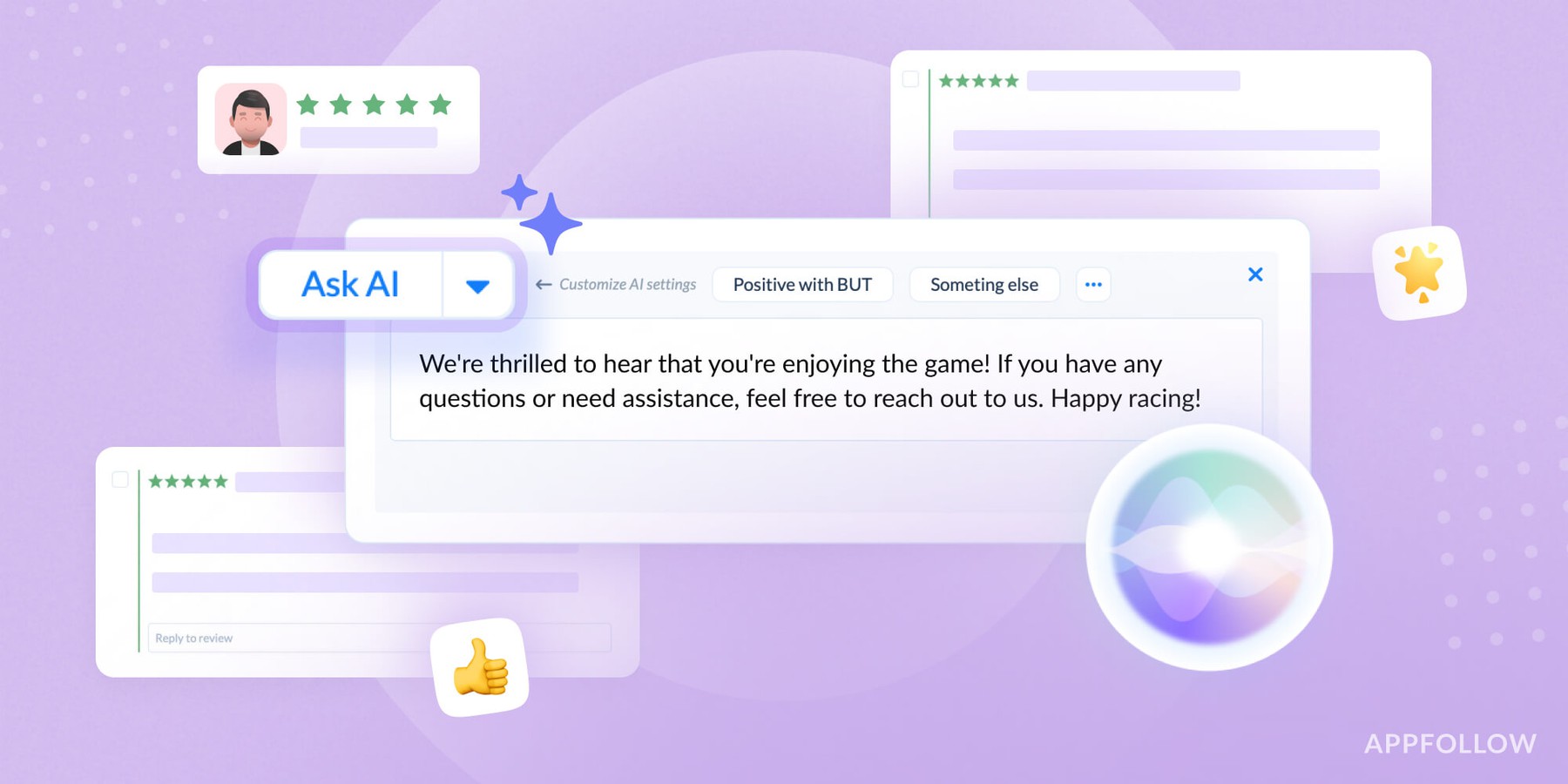
AppFollow is an AI-powered platform designed to help app developers and marketers read and analyze customer reviews from app stores. No more wasting hours scrolling through feedback—this tool digests every review and tells you what needs fixing. It spots problems, identifies trends, and gives you clear action items. Stop drowning in data and start making real improvements.
Features
⚙️ Sentiment analysis to understand the mood behind customer reviews
⚙️ Review categorization for organizing feedback into themes like bugs, features, or UX
⚙️ Customizable filters to zero in on customer feedback based on ratings or keywords
⚙️ Multilingual support to read reviews from customers worldwide
⚙️ Real-time monitoring of new reviews and feedback
Pricing and trial

AppFollow offers a free trial, with paid pricing plans starting at $179/month. Perfect for small teams and growing apps.
MonkeyLearn by Medallia

Revuze is built for consumer brands that sell across more than one retailer. It pulls reviews from Amazon, Walmart Marketplace, Sephora, Target, and your DTC Shopify storefront, then clusters them by product feature — so a category manager can see at a glance which SKU is bleeding on "doesn't fit" and which is winning on "smells exactly like the photo."
The cross-retailer view is the headline feature. If your product lives on five retailer pages and three marketplaces, Revuze is the tool that already knows where those pages are.
Features
⚙️ AI-powered sentiment analysis to understand customer feelings
⚙️ Topic categorization to organize reviews by themes like features, bugs, and design
⚙️ Customizable filters to focus on specific customer feedback or timeframes
⚙️ Trend detection to spot recurring customer issues or praises
Pricing and trial
MonkeyLearn offers a free plan with limited features, while paid plans start at $299/month. It’s a bit pricier but powerful for large-scale feedback analysis.
Revuze

Revuze is also your all-in-one feedback analyzer. It scans reviews across every platform, no exceptions. App developers - this tool tells you exactly what your users want. No guesswork needed. It reads everything, spots trends, and tells you what to fix first.
Features
⚙️ Sentiment analysis to gauge overall customer satisfaction
⚙️ Trend detection to see how customer feedback evolves over time
⚙️ Customizable dashboards for a personalized view of your customer reviews
⚙️ Multilingual support for reading reviews in different languages
Pricing and trial
Revuze offers custom pricing based on your business needs (and the size of your wallet!). They also provide a demo on request to see the AI magic in action before committing.
Yotpo

Yotpo started as a Shopify reviews plugin and still does its best work in e-commerce. For DTC brands on Shopify, BigCommerce, or Magento, its AI reads every review on your own product pages, then layers in syndicated reviews from Amazon and Trustpilot — and clusters them by SKU, sentiment, and rating drift over time.
The pitch is "reviews + the rest of the Yotpo stack," so if you also run Yotpo for loyalty, SMS, or UGC, the customer signal is already joined up across channels. Not the right pick if your reviews live mostly on retailers Yotpo doesn't ingest from yet.
Features
⚙️ AI-powered sentiment analysis to understand how customers feel about your products
⚙️ Review aggregation to bring all your customer feedback into one place
⚙️ Trend tracking to spot patterns in customer reviews
⚙️ Seamless integration with e-commerce and app platforms
Pricing and trial

Yotpo provides custom pricing tailored to your business. They also offer a free trial for new users.
Thematic

Thematic digs into your reviews and gets real results. This AI doesn't skim the surface—it finds patterns you'd never spot on your own. Need to know what's really going on in your feedback? Thematic groups similar complaints and praise, showing you exactly what matters. Perfect for teams who want answers, not endless spreadsheets of reviews.
Read also: this guide has the online reputation management strategies you need. Don't sleep on it.
Features
⚙️ Sentiment analysis to get a quick snapshot of how customers feel
⚙️ Topic categorization for easy feedback organization
⚙️ Trend detection to spot recurring issues or praise
⚙️ Visual dashboards that provide easy-to-read insights from customer reviews
Pricing and trial

Thematic offers custom pricing based on the size and needs of your business starting from 25k/year. You can also request a demo to see how it handles customer feedback.
ReviewTrackers

ReviewTrackers pulls in feedback from everywhere, so you don't have to. Its AI cuts through the noise and tells you what matters. App developers—here's your one-stop shop for managing reviews. No more jumping between platforms or guessing what customers want. Track everything, get clear insights, and respond to reviews efficiently.
Features
⚙️ Sentiment analysis to break down the tone of customer reviews
⚙️ Review aggregation to collect feedback from various platforms
⚙️ Customizable reports to view and act on customer feedback trends
⚙️ Real-time monitoring for staying up-to-date on new customer reviews
Pricing and trial

ReviewTrackers offers pricing plans starting at $59/month, and they provide a free demo to help you explore the tool’s features before subscribing.
Lexalytics by InMoment

Lexalytics doesn't mess around with customer feedback. This AI tool reads reviews like a machine and thinks like a human. Got thousands of reviews to process? Lexalytics tells you exactly how customers feel. App teams get straight facts about user satisfaction.
Features
⚙️ Sentiment analysis using AI to understand customer emotions
⚙️ Text categorization for breaking down customer feedback by topics
⚙️ Real-time insights to keep track of feedback as it comes in
⚙️ Multilingual support to read reviews in various languages
Pricing and trial
Lexalytics provides custom pricing based on your business needs and offers a free demo to see the tool in action.
Oh, looks like we’re all out of arch-nemeses (nemessi?). In fairness, proper research will always involve shopping around and seeing who’s good and who’s not. Do yours, and pick the best.
Conclusion
AI tools for feedback analysis are essential now, not optional. They do the grunt work—reading reviews, spotting patterns, and telling you what to fix. No more guessing games. AppFollow handles everything: checks sentiment in real-time and gives you a clear fix-it list.
Want proof? Try AppFollow free.
cta_get_started_yellow
How to Perform Customer Feedback Analysis with AI
Customer feedback analysis is the process of collecting user reviews, categorizing what they say, identifying patterns, and turning those patterns into product decisions. That sounds straightforward. In practice, it breaks at step two.
Categorizing 10,000 reviews by hand takes weeks. Humans miss patterns. They also get bored. AI doesn't have either problem.
Here's how a proper customer feedback analysis workflow looks when AI handles the heavy lifting:
Step 1: Collect feedback from every channel
App store reviews are the obvious source, but they're not the only one. Good customer feedback analysis pulls from Google Play, the App Store, support tickets, in-app surveys, and social media — all in one place. Manually doing this across 10 sources for a global app takes a dedicated analyst. AI platforms aggregate everything automatically.
Real scenario: A mobile banking app launches a biometric login update. Within 48 hours, 340 negative reviews mention "fingerprint not working" across Google Play (US, UK, Germany) and the App Store (Australia). Without automated aggregation, this pattern would take days to surface. With it: the engineering team has a bug report by 9am the next morning.
Step 2: Categorize by topic and sentiment
This is where manual analysis breaks. A review saying "the new update completely ruined the checkout flow" needs to be tagged: negative sentiment, category: UX/checkout, trigger: recent update. Multiply by 5,000 reviews a month and you need either a team or a machine.
Modern AI tools — including AppFollow — use a combination of NLP and custom taxonomy models to categorize feedback automatically. Sentiment accuracy on trained models typically runs above 90%. Human analysts working under time pressure often score lower.
Step 3: Identify patterns and trends
A single negative review about a bug is noise. A hundred is a product roadmap item. Trend detection in customer feedback analysis means spotting when a topic is accelerating — not just present, but growing — before it hits your app store rating.
What to look for: sudden spikes in a specific category after an update, gradual drift in sentiment scores over 30-day windows, competitors appearing in reviews (users comparing you unfavorably). These are the signals that drive real decisions.
Step 4: Act on what you find
Customer feedback analysis is useless without a clear path from insight to action. The best AI tools don't just show you what users think — they integrate with Jira, Slack, and your support system so that a spike in bug reports automatically creates a ticket and pings the right team.
AppFollow's workflow automation does exactly this. A review mentioning a critical crash can trigger a Slack alert, auto-respond to the user, and log the issue — all without a human touching it. That's the difference between reading customer reviews and acting on customer reviews. The seven tools below all do some version of this. Here's how they compare.
cta_get_started_purple
Reviewed by Yaroslav Rudnitskiy, ASO Lead at AppFollow