APP REVIEW MANAGEMENT SOFTWARE FOR MOBILE TEAMS

App review management tool for App Store and Google Play

AppFollow is the app reviews tool that collects reviews from every store in one feed and drafts replies with AI. Complaints your team must see today get flagged, and product gets the feedback behind every rating drop.

Get started for free
AppFollow app review management tool: App Store and Google Play reviews in one feed
Keep the reply queue moving

Keep the reply queue moving

AI drafts responses and rules close routine feedback, so agents spend their time on reviews that need a closer look.
Find the issue behind the rating

Find the issue behind the rating

Tags and AI summaries group feedback by topic. Product sees which complaints keep coming back, with the reviews to prove it.
Get alerts on critical reviews

Get alerts on critical reviews

One-star reviews about crashes, logins or payments reach the right team in Slack, email or Zendesk while the issue is still fresh.

Trusted by top companies and millions of apps

FloLazadaZyngaWargamingHuuugeKolibri GamesG5 EntertainmentOperaMiro

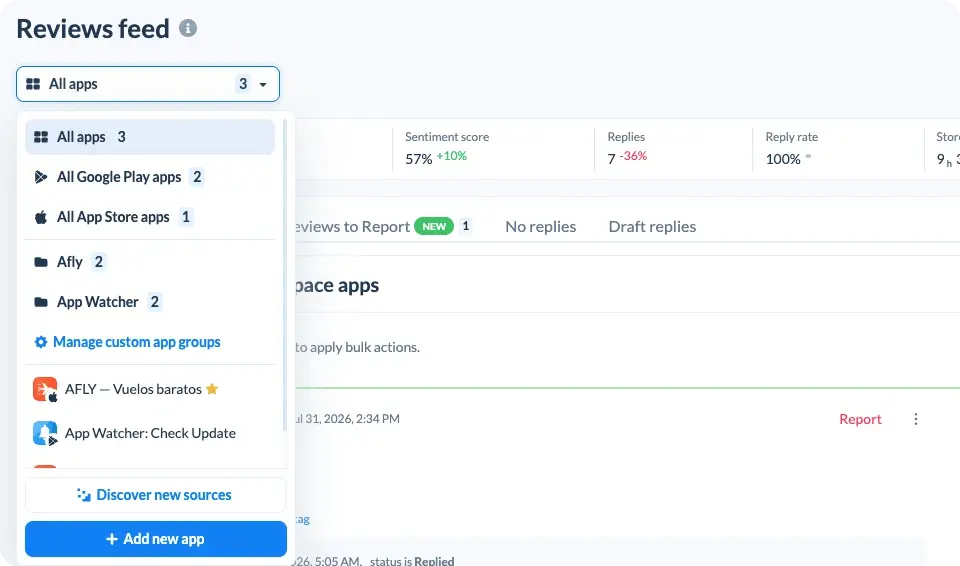
Manage App Store and Google Play reviews in one feed

Plenty of teams start with two consoles and a spreadsheet. AppFollow replaces them with one app store review management workflow: every app and market in a single feed, filtered down to each agent's queue.

  • App Store review management. Read iOS reviews from every country and reply in the user's language through App Store Connect. The reply history stays on each review.
  • Google Play review management. Android reviews land in the same feed, with app version and device where available. Publish replies through Google Play Console.
  • Monitor app store reviews across Mac App Store, Microsoft Store, Samsung Galaxy Store, Amazon Appstore and Huawei AppGallery, next to iOS and Android, with Steam and Trustpilot on top. Filter by store, rating, country, language or version, and save the views you check daily.
AppFollow app review management tool feed with App Store and Google Play reviews

How our app review management software works
Reply to app reviews with AI in any language

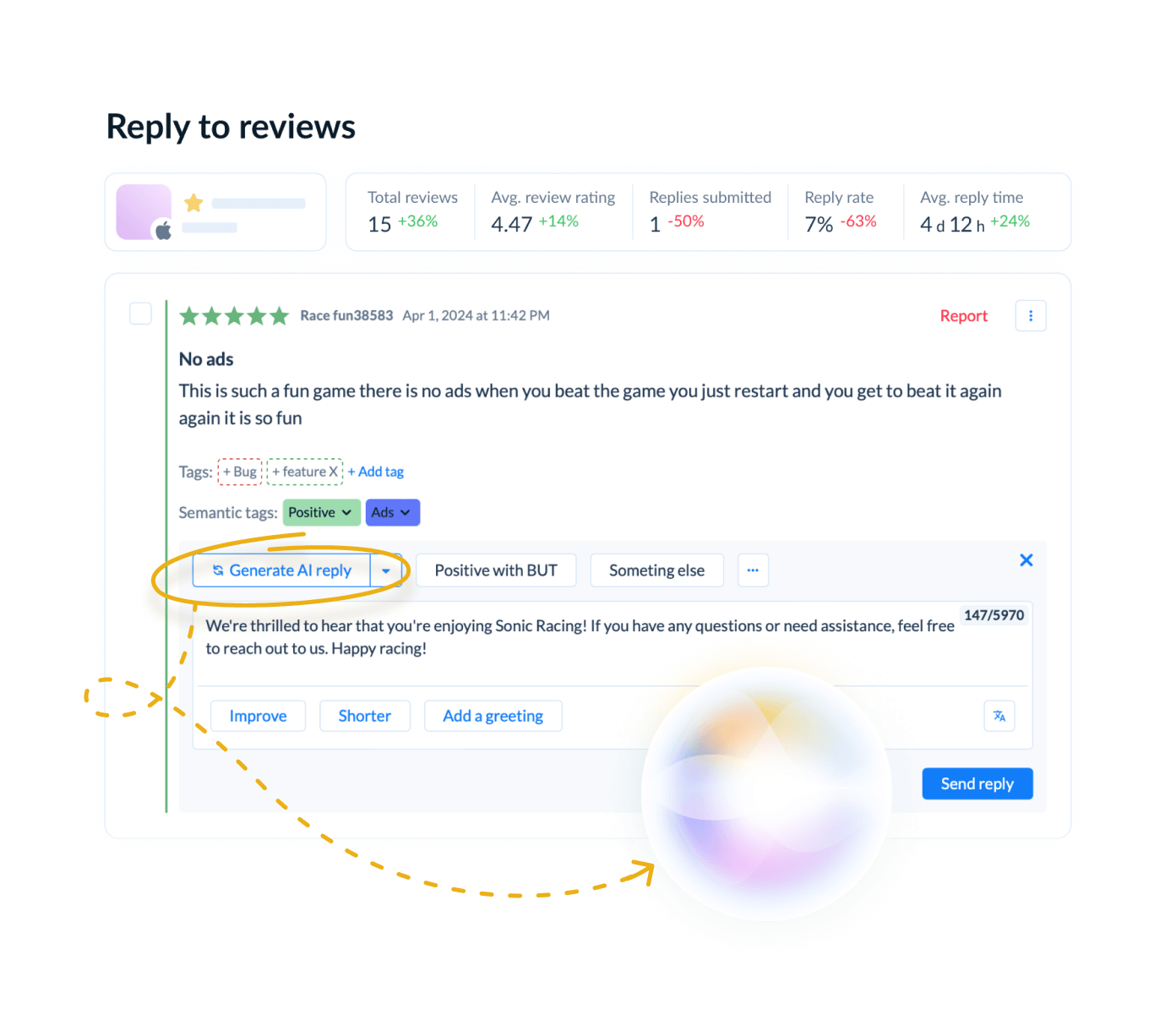
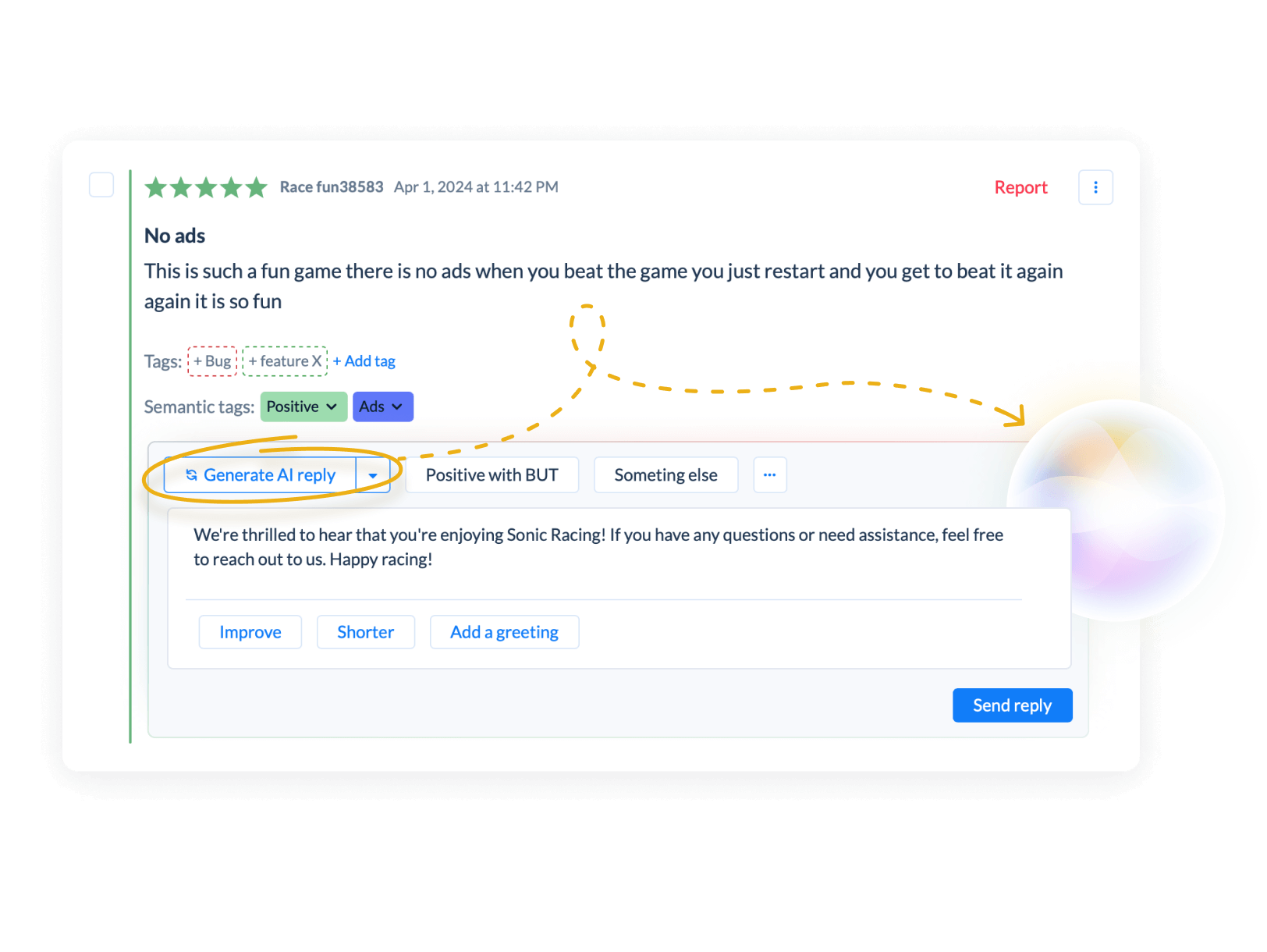
Reply to app reviews with AI, in any language

AI drafts a reply in the language of the review and follows your custom instructions for tone and wording. Agents edit and send, or let auto-reply rules handle routine feedback such as thank-yous and known-issue answers.

Your review response workflow stays the same for all app stores.
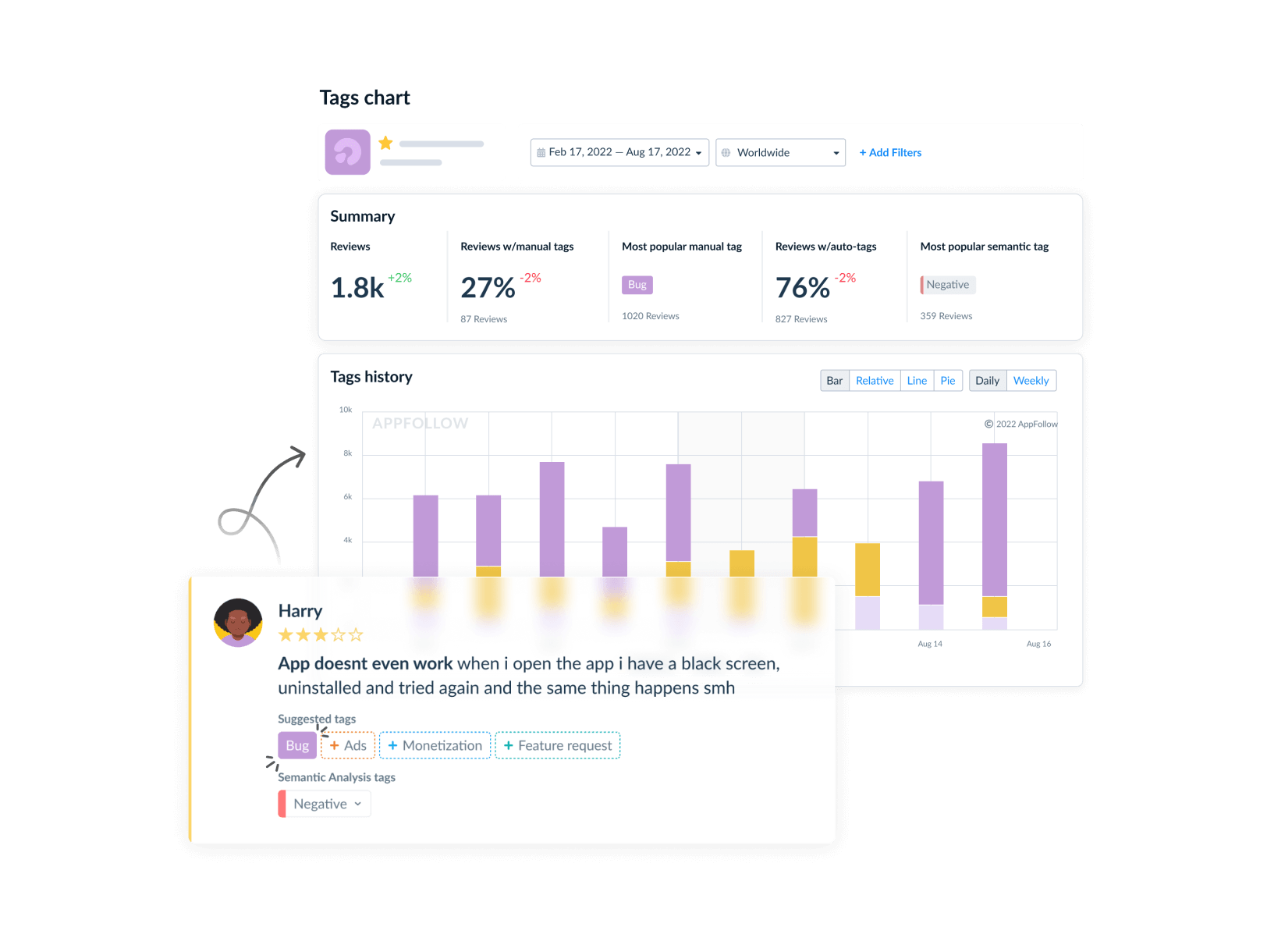
Auto-tag app reviews by issue, rating and sentiment

Auto-tag reviews by issue, rating and sentiment

Build tags for the problems your team actually handles: login failures, billing complaints, crashes, feature requests. Rules apply them by keyword, rating and sentiment.

A one-star review that mentions a charge lands in the billing queue before anyone opens it. Later, the same tags power your alerts and auto-replies.
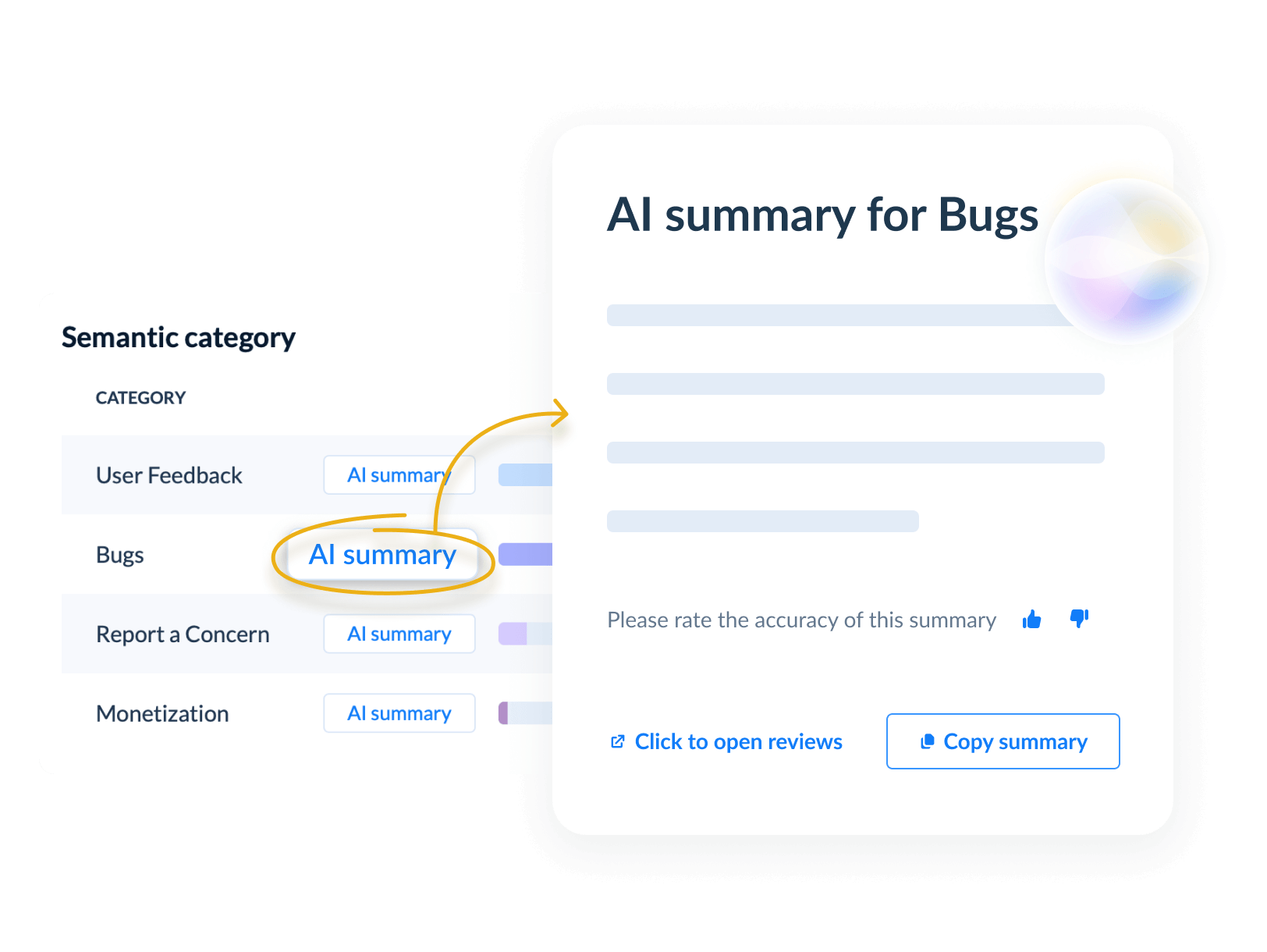
Highlight key feedback with AI Summaries

Highlight key feedback with AI Summaries

Pick a period, an app version or a tag and get a summary of what users keep saying. Each theme opens into the reviews behind it, so you can check the evidence before taking it to product. For a deeper look at user mood over time, see customer sentiment analysis.

Try it for free

When login complaints follow a release, start with the reviews

A falling rating tells you something broke. The reviews tell you what. Here is how a support team handles a wave of sign-in complaints after an update.

Step 1 · Filter

Filter the feed by the new version and one- or two-star ratings. Reviews that mention signing in get the Login tag automatically.

Step 2 · Alert

An alert reaches the on-call Slack channel as soon as Login reviews start to spike.

Step 3 · Escalate

Product gets the AI summary and a handful of real reviews, with versions and devices where the store provides them.

Step 4 · Reply

Support answers with a known-issue template while the fix ships, then updates those replies once it is live.

Users who get a useful answer have a reason to come back and change their rating.

ROKU

"AppFollow does a really good job of helping integrate manual and automated efforts. The automation - specifically the tags - brings to attention things that wouldn't otherwise be spotted if analysis of the feedback was being done manually. Since implementing automation tools, we can now tackle 35% to 50% of reviews. And our response time has decreased by more than 10 times."
 
Rebecca Kish, Reviews Specialist at Roku

More tools for teams handling reviews at scale
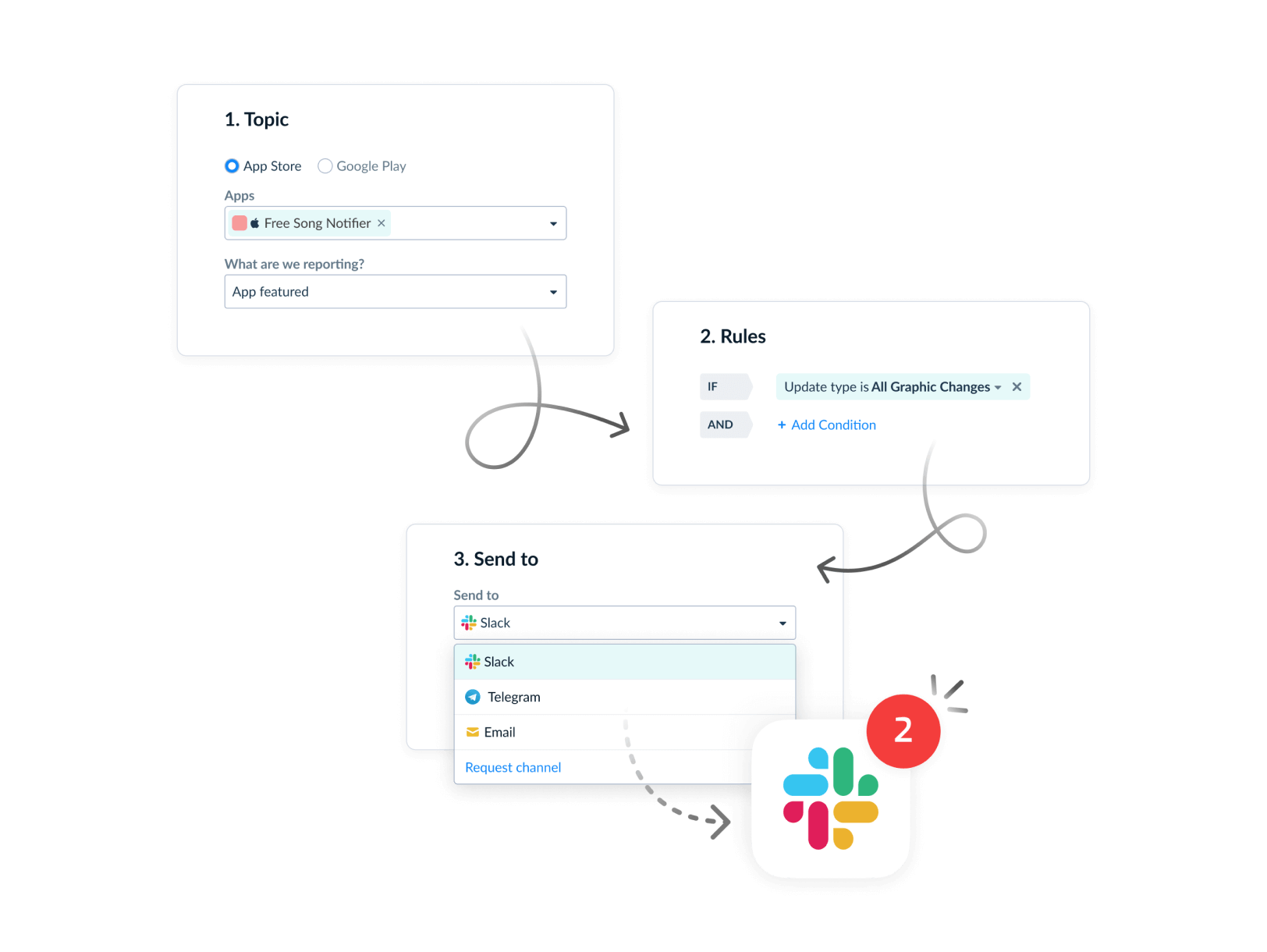
App review alerts in Slack, email and Zendesk

Get app review alerts when a low rating lands

Choose what triggers an alert: a one-star review, a tag such as Billing, a keyword, or a spike in negative reviews after a release. Alerts go to Slack, email, Zendesk or a webhook. The person who can fix the problem hears about it first, not three days later in a weekly report.
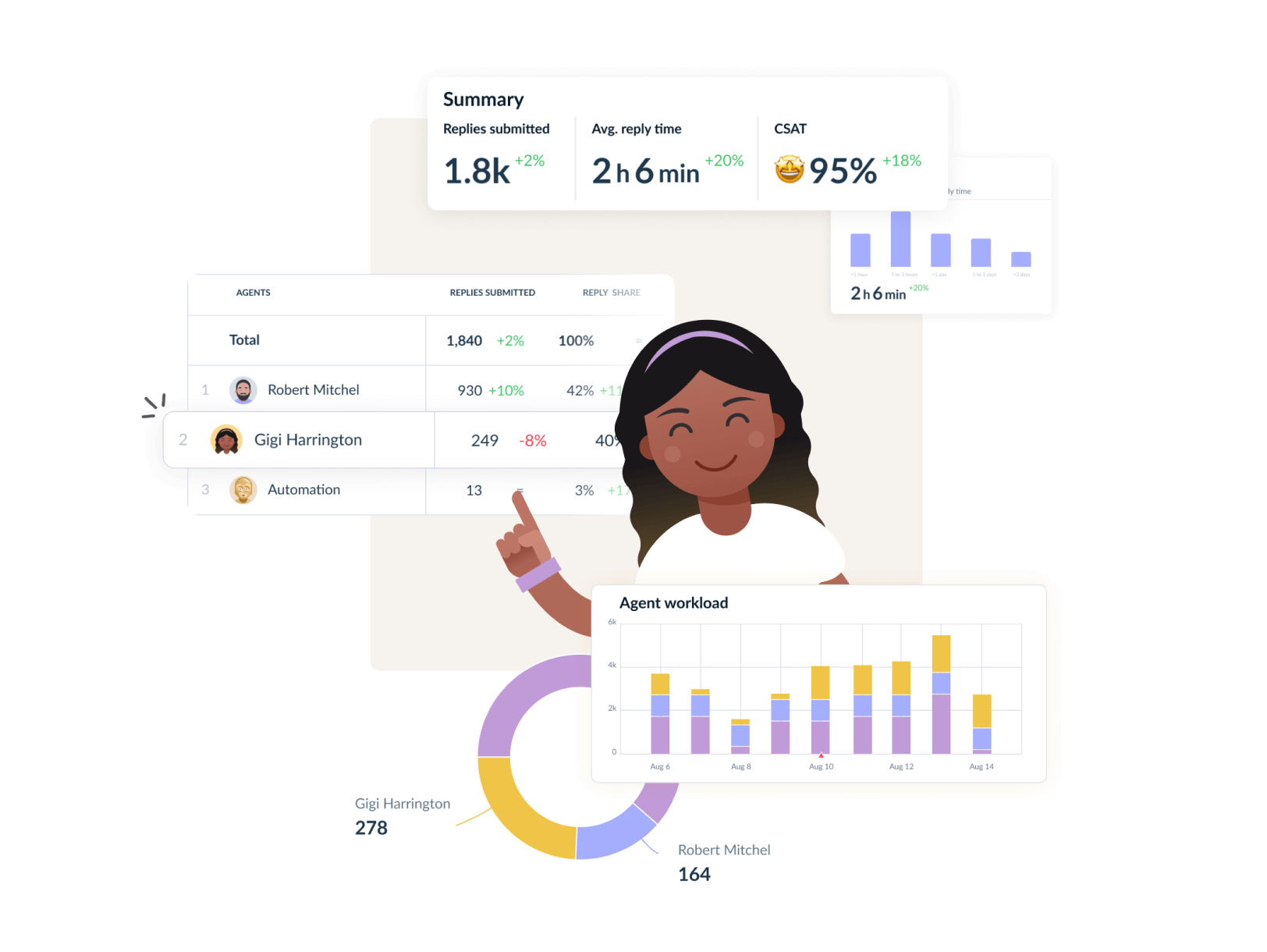
Evaluate Team's Performance

Track ratings, reply rate and response time

Managing app store ratings and reviews gets easier when the numbers sit next to the feedback. The dashboard shows reply rate, response time and rating trends per app, store and agent. Export the results for a stakeholder review or share a live report.

Automate routine review work

Set rules for tagging, replies, translation and reporting abusive reviews. Start with one review group your team knows well, check the output for a week, then widen the rules.

Workflow automation →

Benchmark against competitors' reviews

See what users praise and complain about in competing apps, with sentiment, bug reports and feature requests side by side. 

App competitor analysis →

Work on reviews in Zendesk, Slack and your helpdesk

Handle app reviews as tickets in Helpshift, Salesforce or Zendesk and reply from there. Product follows feedback in Slack. The AppFollow API and AppFollow MCP connect reviews to Tableau, webhooks and your AI.

When native consoles stop being enough

App Store Connect and Google Play Console let you read and answer reviews for their own store. A shared workspace starts to pay off with the third app or the third store. It also helps when support and product need to work from the same queue. Rules, auto-tags, AI drafts and cross-store alerts are what teams usually add on top.

One feed

9 platforms, one feed


App Store, Google Play, Mac App Store, Microsoft Store, Samsung, Amazon, Huawei, Steam and Trustpilot reviews in one place, with one login.

AI and rules

AI replies in any language


In a console you answer one review at a time. AppFollow drafts replies in the reviewer's language, and auto-tags reviews by topic.

Shared workspace

1 workspace for all teams


Support replies, product reads AI summaries and alerts, and team KPIs show reply rate and response time for every app.

Give each team the feedback it can act on

For support

Customer support


Keep the reply queue organized and spot the reviews that need an agent, not a template.

App reviews for support teams →

For product

Product managers


Read recurring complaints and feature requests, with the reviews behind each one.

App reviews for product managers →

For growth

ASO and marketing


Watch ratings and review themes alongside the changes users notice in your app.

App reviews for marketing teams →

G5 Entertainment


"We've seen a 24% reduction in time spent on repetitive tasks since integrating AI into our user communication flow. Automated responses and faster feedback analysis have improved both efficiency and personalization."
 
Customer Support Team at G5 Entertainment
Supersonic/Unity


"As a mobile games publisher managing over 100 games across app stores, AppFollow has changed the way we engage with our players. Their AI-powered review reply automation has streamlined the process of managing thousands of player reviews, saving us significant time while ensuring fast, high-quality engagement with our community."
 
Ofer Regev, Product Manager at Supersonic/Unity
Opera


"The AI-generated replies and one-click improvements in AppFollow have impressed our agents a lot. They surely appreciate the function, as it allows them to work more efficiently and handle a greater number of tickets in their allocated time."
 
Miyuki Barsk, Mobile Products Customer Support Lead at Opera
eToro


"AI is reshaping the world of investing, enabling us to deliver better tools and a more personalized experience. It allows us to analyze feedback in real-time so we can continually optimize our offering."
 
Hanan Mishurin, Digital Platforms Team Lead at eToro

Start with one app and the reviews you already have

No migration project. Add an app, connect the store when you want to publish replies, and test rules on a review group your team already knows.

1

Add your app

Sign up, add your app by its store link and the review feed fills up.

2

Connect the stores

Connect App Store Connect or Google Play Console when you are ready to publish replies.

3

Roll out rules

Try rules on one review group you know well, then roll them out across your portfolio.

Questions teams ask before switching

What is an app review management tool?

An app review management tool pulls reviews from app stores into one workspace. Your team reads and answers them there, sorts them by issue and reports on the results. AppFollow adds AI-drafted replies, auto-tagging and alerts, which lets a small support team handle thousands of reviews a month without living in store consoles.

Can I manage App Store and Google Play reviews in one place?

Yes. AppFollow is app store review management software for App Store, Google Play, Mac App Store, Microsoft Store, Samsung Galaxy Store, Amazon Appstore and Huawei AppGallery, plus Steam and Trustpilot. Reviews from all of them share one feed. To publish replies, connect App Store Connect or Google Play Console. The store shows your reply once it passes its own checks.

Can AppFollow alert my team when a low-rating review is posted?

Yes. Set an alert for one- and two-star reviews, for a tag like Billing or Crash, or for a spike in negative reviews. AppFollow sends it to Slack, email or Zendesk. A common setup: critical alerts go to the support channel, and product gets a weekly digest.

Can AI reply in my brand voice and in the user's language?

AI drafts replies in the language of the review and follows the custom instructions you set for tone, length and wording. Agents can edit any draft before sending it. For routine reviews, auto-reply rules publish answers on their own, and you decide which ratings and tags they cover.

How do I tag and prioritize reviews that affect revenue?

Create tags for the issues that cost money: failed payments, subscription cancellations, refund requests, login problems. Rules then tag new reviews automatically, based on the words users write and the stars they give. Sort the feed by those tags, put alerts on them and track how many such reviews arrive after each release.

Can I manage reviews for several apps across different regions?

One AppFollow workspace holds many apps across all supported stores, with filters by country and language. Teams usually save a view per region or per app and give it to the agents who own those markets. How many apps you can add depends on your pricing plan.

Does replying to reviews improve app ratings?

It can. A reply that solves the problem gives the user a reason to update their rating, and everyone else who reads the review sees your answer. Over time, though, the average moves when you fix what people complain about. Tags and summaries show product where to start.