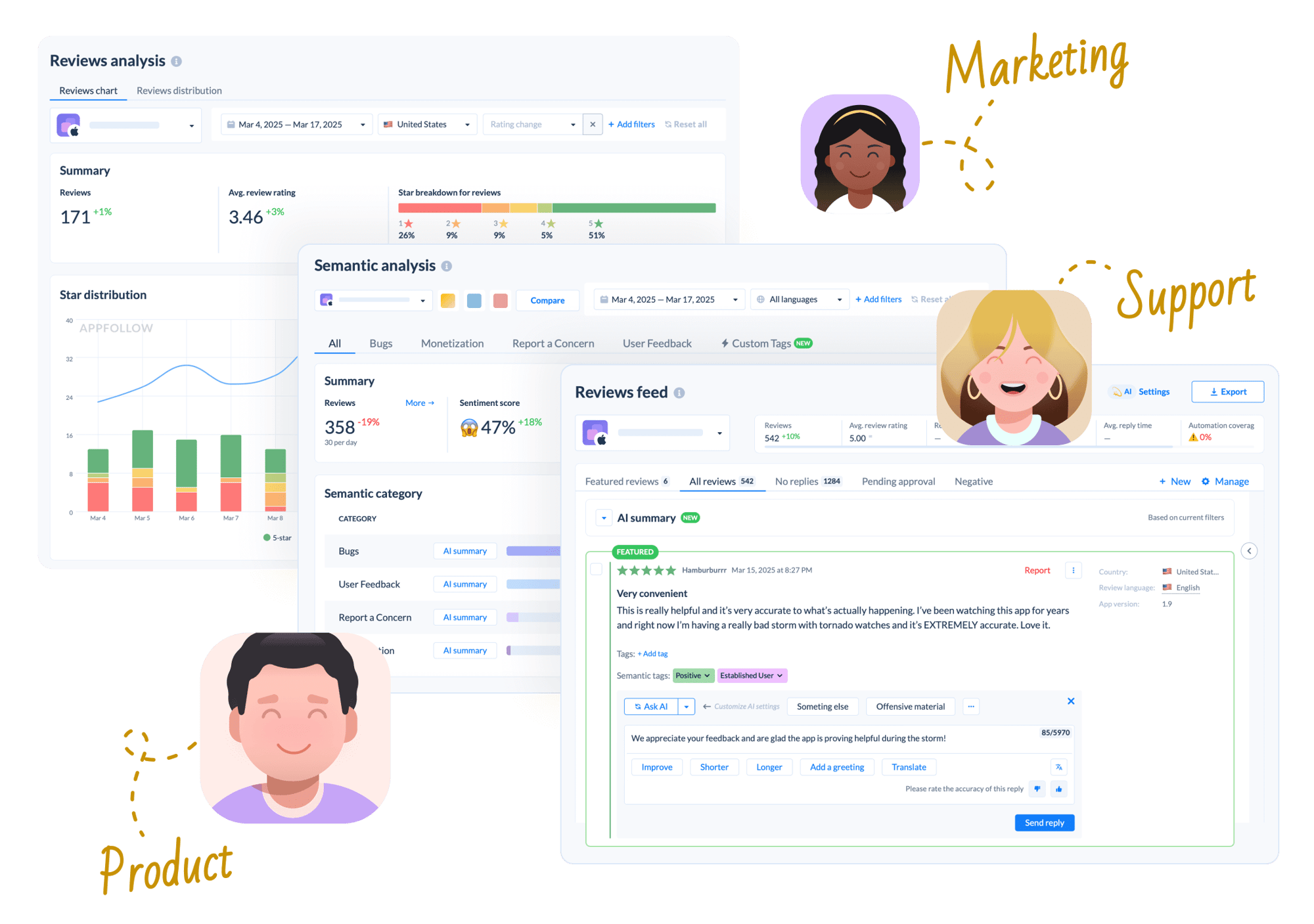
| Review analysis |
|
AI summary & semantic analysis
Get instant AI-powered summaries of all your reviews, semantic phrase analysis, and custom AI tags to understand user sentiment and feature requests at a glance
|
✓ |
✗ |
|
Analyze app reviews with AI & automation
Automatically tag reviews with AI semantic analysis, monitor feedback trends over time, and summarize thousands of reviews in one click with AI-powered insights
|
✓ |
Limited |
|
Phrase analysis
Monitor specific phrases or words from reviews to catch emerging trends, recurring issues, or feature requests as they arise
|
✓ |
✓ |
|
Unified cross-platform feed with AI summary
View all your reviews from App Store, Google Play, and other platforms in one intelligent feed with AI-generated summaries and cross-platform sentiment comparison
|
✓ |
Partial |
|
Anomaly detection & smart alerts
Automatically detect unusual spikes in negative reviews, rating drops, or emerging issues with intelligent alerts that help you respond before problems escalate
|
✓ |
✗ |
| Review responses |
|
Reply to reviews with AI & automation
Reply at scale with a consistent brand voice using templates, AI suggestions, custom prompts, knowledge base support, and automation (with optional manual approval)
|
✓ |
✓ |
|
Reviews translation
Automatically translate reviews and replies into any language to understand and respond to your global user base without multilingual staff
|
✓ |
✓ |
|
Saved views & presets
Create and save custom filtered views of your review feed for quick access to the segments that matter most to your team
|
✓ |
✗ |
|
Knowledge base support for AI replies
Train AI with your own documentation, FAQs, and support content to provide accurate, contextually relevant responses that match your product knowledge
|
✓ |
✗ |
|
AI agentic mode (autonomous agent)
Let AI autonomously handle review responses end-to-end with intelligent decision-making, learning from your brand voice, and adapting to user sentiment
|
Coming 2026 |
✗ |
|
Template rephrasing & translation
AI automatically rephrases your templates to avoid repetitive responses and translates them to match the user's language for personalized communication
|
✓ |
✗ |
|
Auto-reply with customizable rules
Automate customer service for repetitive reviews or simple comments with rule-based auto-replies, so you can focus on higher-priority tasks
|
✓ |
✓ |
|
Automated Report a Concern
Automatically flag and report spam, offensive, or fraudulent reviews at scale
|
✓ |
✗ |
| Review tagging & categorization |
|
Manual tags
Create and apply your own custom tags to organize reviews by topic, feature, or any category relevant to your workflow
|
✓ |
✓ |
|
Auto-tags with custom rules
Set up rule-based automation to instantly categorize incoming reviews by sentiment, keywords, rating, or other filters without manual effort
|
✓ |
Limited |
|
AI semantic tags
AI automatically identifies topics, sentiment, and themes in reviews using semantic understanding, going beyond simple keyword matching
|
✓ |
✗ |
|
Custom AI semantic tags
Create your own AI-powered tag categories that automatically classify reviews based on your specific business needs and product features
|
✓ |
✗ |
| Reporting & performance tracking |
|
Executive reports & automation performance
Generate executive-ready reports with PDF export, track agent and automation performance, and measure the ROI of your review management efforts
|
✓ |
✗ |
|
Agent performance reports
Track individual agent productivity, response times, and quality metrics to optimize your support team's performance
|
✓ |
✗ |
|
Custom dashboards
Build custom dashboards to monitor all the KPIs you care about on a single page, with scheduled email delivery
|
✓ |
✓ |
|
PDF export for reports
Export polished, presentation-ready PDF reports for stakeholders and executive reviews with all key metrics and visualizations
|
✓ |
✗ |
|
CSV / Excel export
Export your review data and analytics to CSV or Excel format for further analysis or integration with your existing tools
|
✓ |
✓ |
|
Automation performance tracking
Monitor your automation rules and triggers, whether they're having the desired impact or need tweaking, and keep tabs on ROI.
|
✓ |
✗ |
|
Reply effect tracking
Measure the impact of your review replies on star ratings to understand ROI and optimize your response strategy
|
✓ |
✓ |
| Integrations & alerts |
|
CRM integrations
Centralize app store reviews in existing workflows. AppFollow integrates with Slack, Zendesk, Salesforce, Helpshift, and Intercom. Appbot integrates with Slack, Zendesk, Freshdesk, and others via Zapier
|
✓ |
✓ |
|
AI summary alerts via email
Receive intelligent email digests with AI-generated summaries of your latest reviews, highlighting key trends and urgent issues
|
✓ |
✗ |
|
Slack integration
Get review alerts and summaries directly in Slack for seamless team collaboration
|
✓ |
✓ |
|
MS Teams integration
Get review alerts and AI summaries directly in Microsoft Teams for seamless collaboration with your distributed teams
|
✓ |
✓ |
|
Tableau integration
Connect review data to Tableau for advanced business intelligence dashboards and custom reporting
|
✓ |
Paid add-on |
| Platform coverage |
|
App Store & Google Play
Monitor and respond to reviews from both major mobile app stores with unified management and analytics
|
✓ |
✓ |
|
Amazon & Windows stores
Track reviews from Amazon Appstore and Microsoft/Windows Store to cover non-mobile platforms
|
✓ |
✓ |
|
Secondary Android stores
Track reviews from Samsung Galaxy Store, Huawei AppGallery, and other alternative app stores
|
✓ |
✗ |
|
Steam (PC gaming)
Manage Steam reviews for PC and console gaming titles alongside your mobile app reviews in one unified platform
|
Planned |
✗ |
|
Discord & Reddit
Monitor community feedback from Discord servers and Reddit discussions to get a complete picture of user sentiment beyond app stores
|
Planned |
✗ |
| ASO & competitive intelligence |
|
Keyword discovery & analysis
Build keyword lists, analyze search popularity, difficulty, and find the right keywords with AI-powered suggestions to boost app store visibility
|
✓ |
✗ |
|
Competitor intelligence & benchmarking
Analyze competitor review sentiment, feature requests, bug reports, keyword strategies, and store performance to refine your roadmap and find market gaps
|
✓ |
Limited |
|
Top charts & featuring monitoring
Track top chart rankings, featuring opportunities, featuring trends and history, and in-app events across app stores in real time
|
✓ |
✗ |
|
User feedback as ASO lever
Harness user feedback to identify competitive advantages and integrate them into your app page, screenshots, and metadata to attract more users
|
✓ |
✗ |
| API & data access |
|
Full API access
Comprehensive API access to all review management features included in your plan
|
✓ |
Paid add-on |
| Enterprise & security |
|
ISO 27001 certified
Platform is ISO/IEC 27001 certified, ensuring industry-standard data security and compliance for enterprise customers
|
✓ |
✗ |
|
GDPR & PCI DSS compliant
Full compliance with EU data protection regulations (GDPR) and payment card industry standards (PCI DSS) for secure data handling.
|
✓ |
✗ |
|
SSO (Single Sign-On)
Enterprise-grade SSO support to centralize and secure team access
|
✓ |
Paid add-on |
|
Role-based access controls
Set up who can see what, track who did what and when, and keep sensitive feedback locked down with granular permissions
|
✓ |
✗ |
|
Dedicated customer success manager
A named CSM who knows your account and helps you hit your targets, with dedicated onboarding sessions for all team members
|
✓ |
✗ |
|
Dedicated servers
If you need your own server for performance or security reasons, that option is available
|
✓ |
✗ |
|
99.5% uptime guarantee
Your reputation monitoring doesn't stop working when you need it most. Backed by an SLA with a guaranteed 99.5% uptime
|
✓
99.5% SLA |
✗ |
|
Onboarding & training
Structured onboarding with dedicated sessions, hands-on guidance, and ongoing training to ensure your team gets value from day one
|
✓ |
✗ |
|
Security & privacy questionnaire
Pre-completed security and privacy documentation to accelerate your procurement and vendor assessment process.
|
✓ |
Limited |
|
Priority support in Slack
Get fast, dedicated support directly in your team's Slack channel
|
✓ |
✗ |
|
Priority support in MS Teams
Get fast, dedicated support directly in your Microsoft Teams channels for teams that rely on the Microsoft ecosystem
|
✓ |
✗ |
|
Product feature prioritization
Enterprise customers get a direct line to influence the product roadmap and prioritize features that matter to their business
|
✓ |
✗ |
| Account usage |
|
Apps
Number of apps you can connect and manage on the platform
|
✓
Unlimited owned apps |
5–100+ by plan |
|
Users
Number of team members who can access the platform
|
✓
Unlimited on all plans |
1–20+ by plan |
|
Reply limits
How many review replies you can send per month
|
✓
Unlimited automated; 100–1,500 manual by plan |
✓ |
| Pricing & monetization |
|
Free plan available
Start managing your app reviews immediately with a free plan — no credit card required, no sales call needed. Scale up when you're ready
|
✓
No credit card required |
✗ |
|
Free trial
Try the platform risk-free before committing to a paid plan
|
✓
Free plan + 10-day trial (no credit card required) |
✓
14-day trial (no credit card required) |
|
Unlimited apps, reviews & users
Manage unlimited apps, process unlimited review volumes, and add unlimited team members without worrying about per-seat pricing or usage caps
|
✓ |
✗ |