

What is in app notification?
Table of Content:
An in-app notification is a message that appears inside your app’s interface while the user is actively using it. That’s the core of what is in app notification and the core of in app notifications meaning: banners, modals, tooltips, in-feed cards, bottom sheets – little nudges that live in your UI, not on the lock screen.
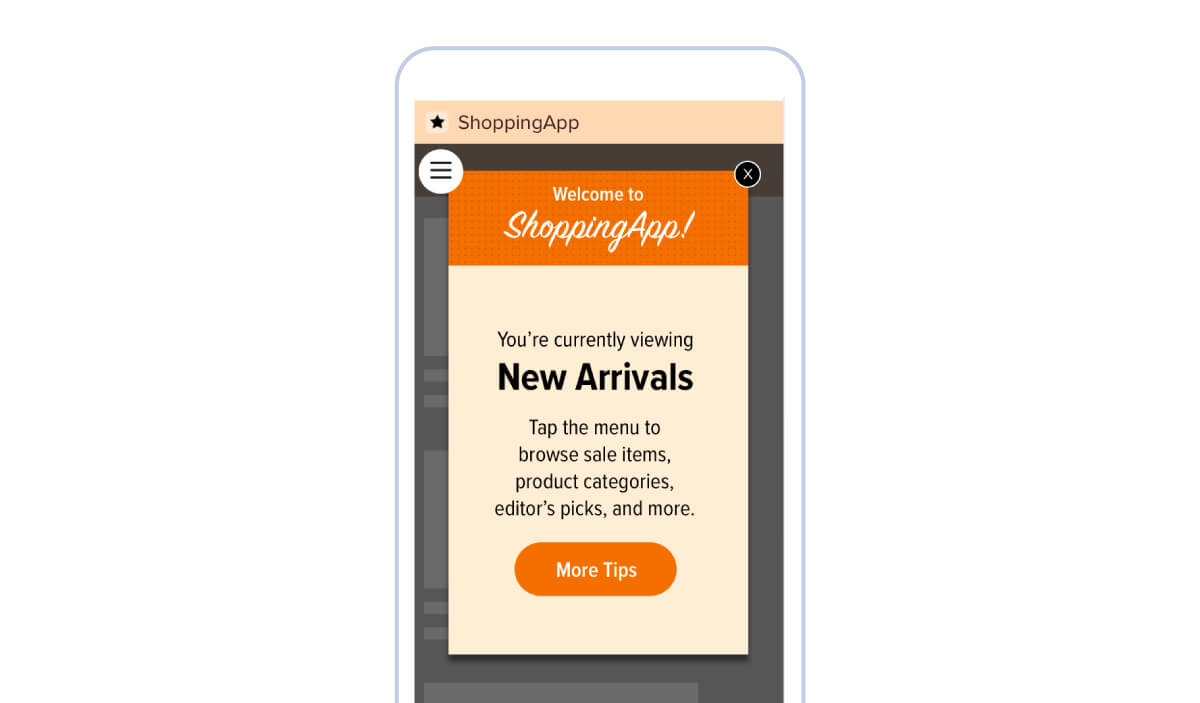
Where push notifications reach out to users when they’re away from the app, in-app notifications catch them in the moment: mid-session, mid-task, mid-intent. Push is, “Hey, come back.” In-app is, “You’re here – here’s what to do next.”
Types of in-app notifications
You’ll usually see in-app notifications show up as:
- Top or bottom banners – slim bars for quick alerts or promos.
- Modals / pop-ups – full-focus messages for important actions (permissions, paywalls, upgrades).
- Tooltips & coach marks – little hints pointing at a button, tab, or new feature.
- In-feed cards – promo or info blocks dropped into a feed or home screen.
- Bottom sheets – slide-up panels with more detail and one primary action.
Those are your visual “containers” for all kinds of in-app notification examples: onboarding checklists, feature announcements, discounts, warnings, review prompts, surveys, and more.
In-app notifications meaning for mobile apps
So what does in app notifications meaning look like in practice?
They’re your in-the-moment conversion engine. Instead of hoping users “figure it out,” you guide them:
- to finish signup,
- to turn on a key permission,
- to try a feature they’ve never seen,
- or to upgrade when they’ve just hit a limit.
Data backs this up. In multiple mobile benchmarks, teams that add behavioral, contextual in-app messages see measurable lifts in activation, feature adoption, and revenue – one widely cited report found that apps using targeted in-app messages drove up to 4x higher engagement than those relying on generic messaging alone.¹
Another study showed that apps combining push + in-app outperformed those using only one channel on both retention and conversion.²
That’s the real in-app notifications meaning for mobile apps: they don’t just “talk at” users – they move users. From confused to confident. From wandering to focused. From “maybe later” to “tap the button right now.”
¹ Based on industry reports from mobile engagement platforms analyzing in-app vs generic messaging performance.
² Derived from multi-channel engagement studies comparing apps that use push-only vs push + in-app campaigns.
